
truenormis/savvy
truenormis/savvy has 48 GitHub stars and 7 forks. GitHot measured +1 stars in 24 hours, +1 in 7 days, and 0 in 15 days. Last checked 2026-11-11 12:59 UTC. Last push 2026-11-01.
Savvy: Self-hosted finance tracker. One container, zero config, multiple currencies.
What you can do
- Multi-currency — any fiat or crypto, transfers between them
- Auto exchange rates — currency rates updated automatically via API
- Recurring transactions — scheduled payments (daily, weekly, monthly, yearly)
- Automation rules — auto-categorize transactions based on conditions
Measured star growth
- in 24h
- +1
- in 7 days
- +1
- in 15 days
- 0
- in 1 month
- Collecting history
Net star changes over overlapping periods, not daily totals. Missing measurements are left blank. Stars measure attention, not software quality.
README.md
Original


Savvy
Selfhosted expense tracker with full multi-currency support. One container — done.




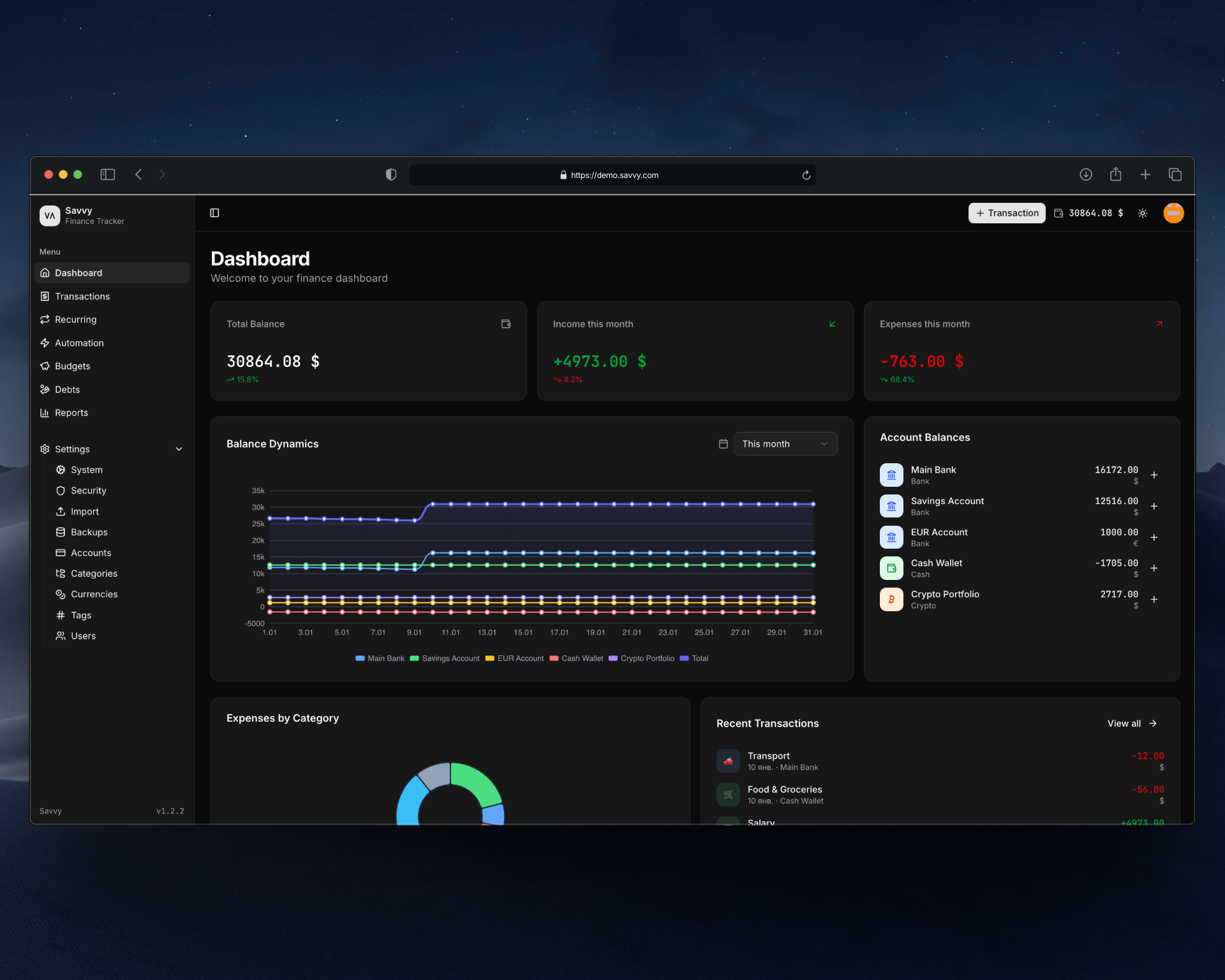
⚡ Quick Start
docker run -d -p 3000:80 -v savvy-data:/data truenormis/savvy:latest
Open localhost:3000 and create your account.
✨ Features
- Multi-currency — any fiat or crypto, transfers between them
- Auto exchange rates — currency rates updated automatically via API
- Recurring transactions — scheduled payments (daily, weekly, monthly, yearly)
- Automation rules — auto-categorize transactions based on conditions
- Debts — track loans and borrowings with payment history
- Budgets — set limits and track progress
- Categories & tags — flexible organization
- Multi-user — share with family or team, role-based access (admin/user)
- Rich analytics — Sankey diagrams, heatmaps, net worth tracking, expense pace
- CSV import — import transactions from bank exports with duplicate detection
- Backups — create, restore and download database backups
- 2FA — two-factor authentication via TOTP (Google Authenticator, etc.)

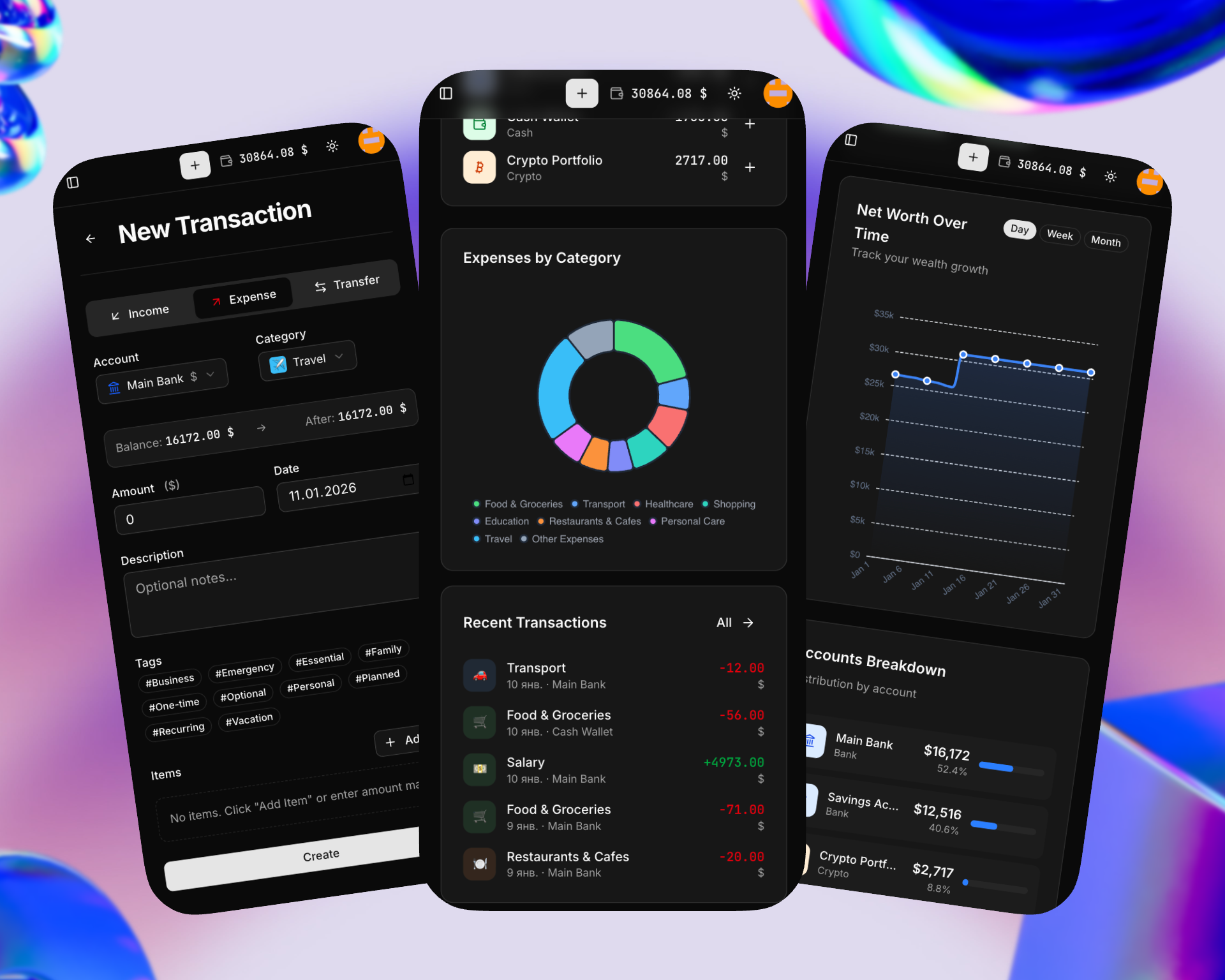
📱 Mobile-Friendly
Fully responsive design built with ShadCN/UI — track expenses from your phone right after purchase.
🚀 Deployment
Docker Compose (Recommended)
services:
  savvy:
    image: truenormis/savvy:latest
    container_name: savvy
    restart: unless-stopped
    ports:
      - "3000:80"
    volumes:
      - savvy-data:/data
    environment:
      - APP_URL=https://savvy.yourdomain.com
      - TZ=Europe/Kyiv
    healthcheck:
      test: ["CMD", "wget", "-q", "-O", "/dev/null", "http://127.0.0.1/livez"]
      interval: 10s
      timeout: 3s
      start_period: 60s
      retries: 3

volumes:
  savvy-data:
Environment Variables
| Variable | Description | Default |
|---|---|---|
APP_URL |
Public URL of your instance | http://localhost |
TZ |
Timezone | UTC |
Behind a Reverse Proxy
Set APP_URL to your public https:// URL. Savvy honors the X-Forwarded-Proto and X-Forwarded-For headers from the proxy, so HTTPS link generation and real client IPs work automatically — no extra configuration needed.
Health Checks
Two probe endpoints are exposed for orchestrators and uptime monitoring (responses use the IETF application/health+json format):
| Endpoint | Purpose | Healthy | Unhealthy |
|---|---|---|---|
/livez |
Liveness — the app process is up. Use it for container restart decisions. | 200 |
— |
/readyz |
Readiness — database is reachable and migrations are applied. Gate traffic. | 200 |
503 |
/livez stays up during maintenance mode; /readyz returns 503 so traffic drains while the instance is not ready.
With Traefik (HTTPS)
services:
  savvy:
    image: truenormis/savvy:latest
    container_name: savvy
    restart: unless-stopped
    volumes:
      - savvy-data:/data
    environment:
      - APP_URL=https://savvy.yourdomain.com
      - TZ=Europe/Kyiv
    labels:
      - "traefik.enable=true"
      - "traefik.http.routers.savvy.rule=Host(`savvy.yourdomain.com`)"
      - "traefik.http.routers.savvy.entrypoints=websecure"
      - "traefik.http.routers.savvy.tls.certresolver=letsencrypt"
      - "traefik.http.services.savvy.loadbalancer.server.port=80"
    networks:
      - traefik

volumes:
  savvy-data:

networks:
  traefik:
    external: true
With Nginx Proxy Manager
- Run Savvy on internal port:
services:
  savvy:
    image: truenormis/savvy:latest
    container_name: savvy
    restart: unless-stopped
    expose:
      - "80"
    volumes:
      - savvy-data:/data
    environment:
      - APP_URL=https://savvy.yourdomain.com
    networks:
      - npm-network

volumes:
  savvy-data:

networks:
  npm-network:
    external: true
- In Nginx Proxy Manager, create proxy host pointing to
savvy:80
Kubernetes
Deploy as a single-replica Deployment with a PersistentVolumeClaim mounted at /data. SQLite is single-writer, so use strategy: { type: Recreate }. The container runs as non-root (www-data, uid 82) — grant NET_BIND_SERVICE so it can bind port 80. Wire the probes to the health endpoints:
        startupProbe:
          httpGet: { path: /livez, port: 80 }
          periodSeconds: 3
          failureThreshold: 30
        livenessProbe:
          httpGet: { path: /livez, port: 80 }
          periodSeconds: 10
        readinessProbe:
          httpGet: { path: /readyz, port: 80 }
          periodSeconds: 10
Helm
A production-grade chart is published to the ChartMuseum repository at
https://charts.trysavvy.dev:
helm repo add savvy https://charts.trysavvy.dev
helm repo update
helm install savvy savvy/savvy -n savvy --create-namespace
See deploy/helm/savvy/README.md for values and
design notes.
🔄 Updating
docker compose pull
docker compose up -d
Your data is safe in the /data volume.
💾 Backups
Backups can be managed directly from the UI (Settings → Backups).
[!WARNING] The database runs in WAL mode, so recent writes may still live in the
database.sqlite-walfile and won't be indatabase.sqliteyet. Copyingdatabase.sqlitealone can silently lose the latest data. Always checkpoint the WAL into the main file first (or use the in-app backup, which handles this for you).
Manual backup:
# Fold the WAL into the main file, then copy
docker exec savvy php artisan tinker --execute="DB::statement('PRAGMA wal_checkpoint(TRUNCATE);');"
docker cp savvy:/data/database.sqlite ./backup-$(date +%Y%m%d).sqlite
Restore (stop writers first so the WAL doesn't fight the swap):
docker compose down
docker cp ./backup.sqlite savvy:/data/database.sqlite
docker compose up -d
🔒 Privacy
Your data stays with you. SQLite database stored in /data volume — no external services required.
⚙️ How It Works
One container runs everything under Supervisor — Nginx, PHP-FPM, the scheduler (recurring transactions, automatic exchange-rate updates) and a queue worker for background jobs. SQLite lives in /data; no external database, cache, or queue service is required. Migrations run automatically on startup.
🛠 Stack
Laravel • SQLite • Docker • ShadCN/UI • Tailwind CSS
🤝 Contributing
Contributions are welcome! Please open an issue first to discuss what you would like to change.
📄 License
Made with ❤️ for people who want control over their finances
Explore related projects
awesome-selfhosted/awesome-selfhosted
A list of Free Software network services and web applications which can be hosted on your own servers
336,158 starsimmich-app/immich
High performance self-hosted photo and video management solution.
118,850 starsStirling-Tools/Stirling-PDF
#1 PDF Application on GitHub that lets you edit PDFs on any device anywhere
96,278 starslouislam/uptime-kuma
A fancy self-hosted monitoring tool
93,514 stars