
tristanhimmelman/HidingNavigationBar
tristanhimmelman/HidingNavigationBar has 1,031 GitHub stars and 125 forks. GitHot measured 0 in 7 days. Last checked 2026-11-11 02:19 UTC. Last push 2022-06-08.
Easily hide and show a view controller's navigation bar (and tab bar) as a user scrolls
What you can do
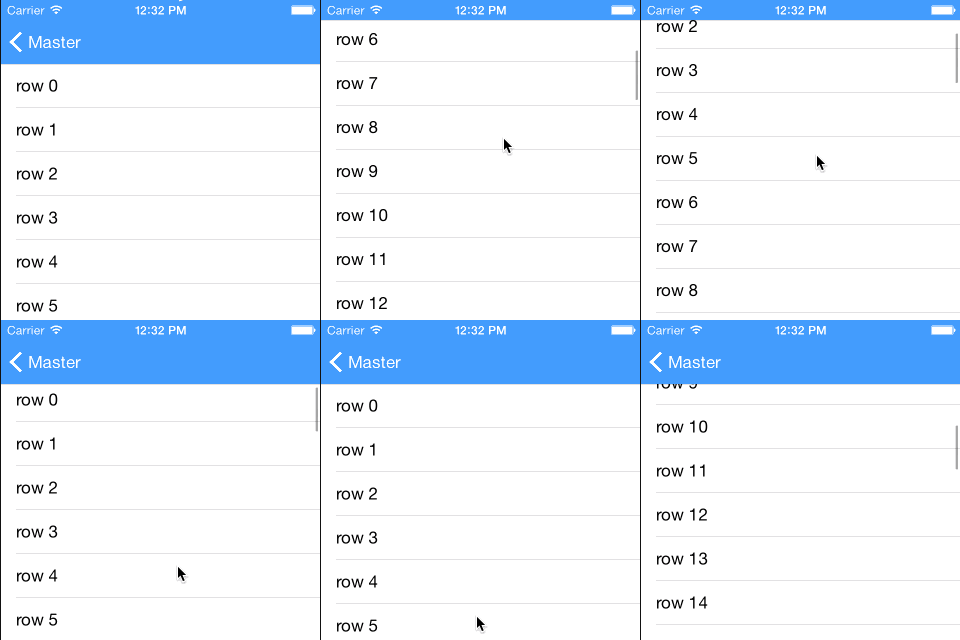
- UINavigationBar
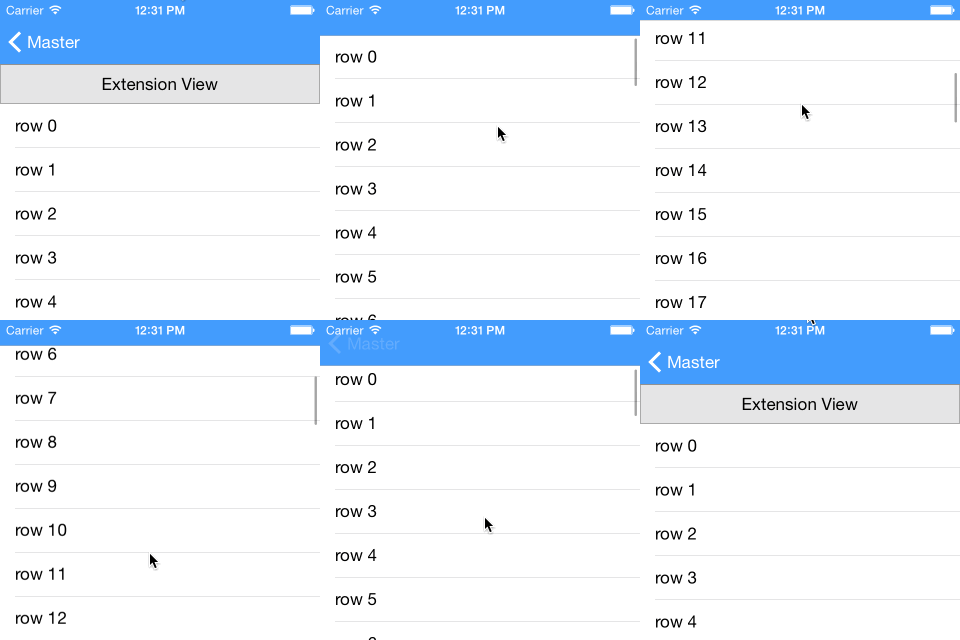
- UINavigationBar and an extension UIView
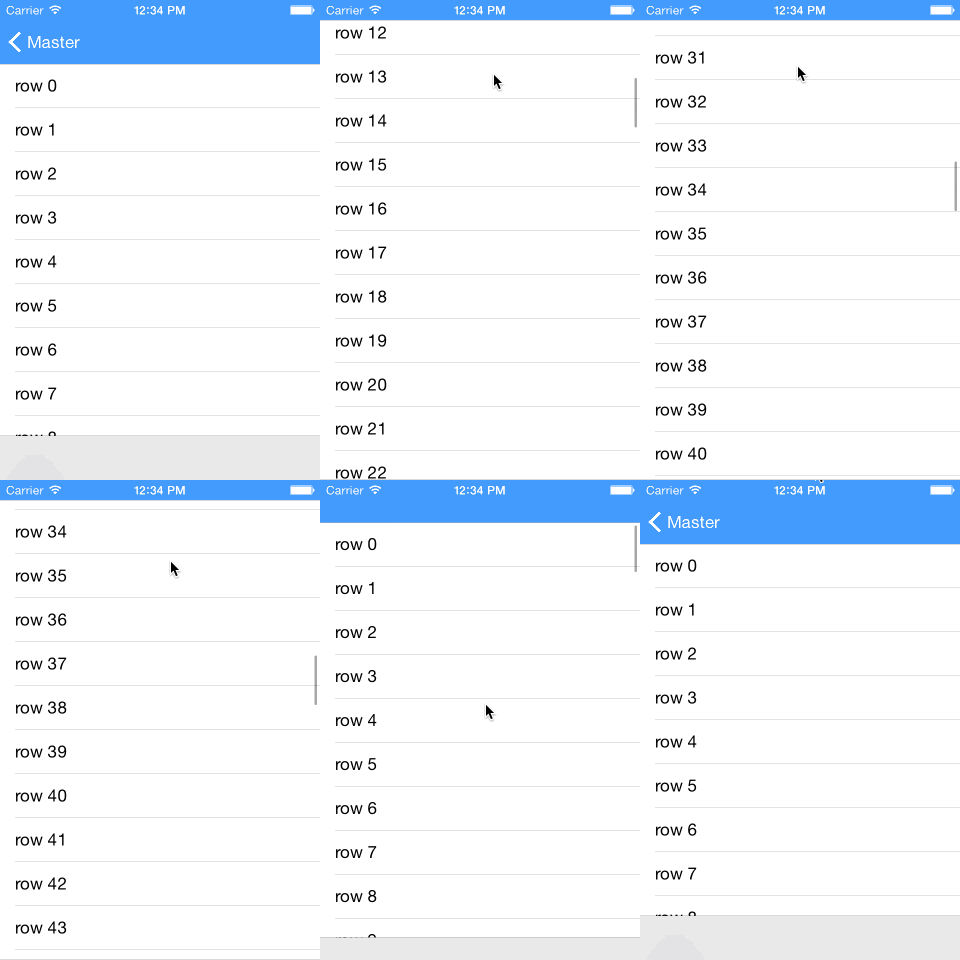
- UINavigationBar and a UIToolbar
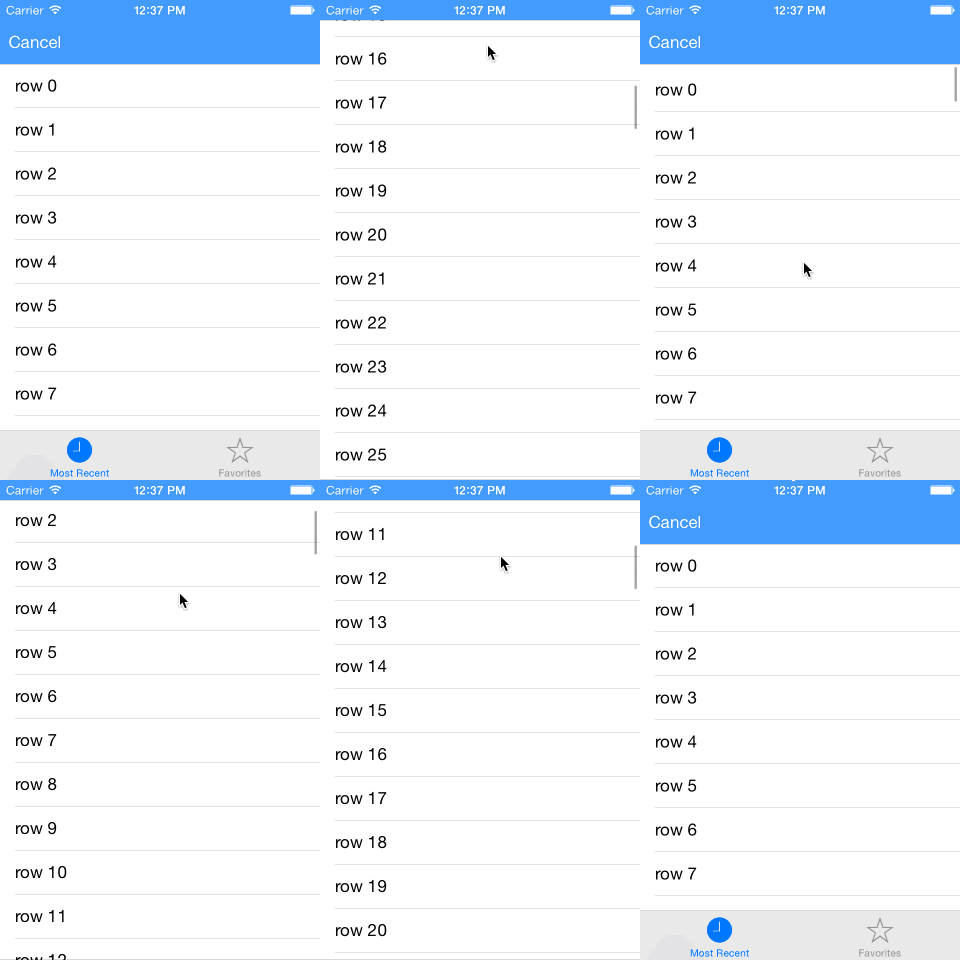
- UINavigationBar and a UITabBar
Measured star growth
- in 24h
- Update delayed
- in 7 days
- 0
- in 15 days
- Collecting history
- in 1 month
- Collecting history
Net star changes over overlapping periods, not daily totals. Missing measurements are left blank. Stars measure attention, not software quality.
README.md
OriginalHidingNavigationBar


An easy to use library (written in Swift) that manages hiding and showing a navigation bar as a user scrolls.
Features
HidingNavigationBar supports hiding/showing of the following view elements:
- UINavigationBar
- UINavigationBar and an extension UIView
- UINavigationBar and a UIToolbar
- UINavigationBar and a UITabBar
UINavigationBar
UINavigationBar and an extension UIView
UINavigationBar and a UIToolbar
A UINavigationBar and a UITabBar
Usage
- Import HidingNavigationBar
- Include a member variable of type
HidingNavigationBarManagerin yourUIViewControllersubclass. - Initialize the variable in
viewDidLoadfunction, passing in theUIViewControllerinstance and theUIScrollViewinstance that will control the hiding/showing of the navigation bar. - Relay the following
UIViewControllerlifecycle functions to theHidingNavigationBarManagervariable:
override func viewWillAppear(animated: Bool)
override func viewWillDisappear(animated: Bool)
override func viewDidLayoutSubviews() //Only necessary when adding the extension view
And finally relay the following UIScrollViewDelegate function:
func scrollViewShouldScrollToTop(scrollView: UIScrollView) -> Bool
Below is an example of how your UIViewController subclass should look:
import HidingNavigationBar

class MyViewController: UIViewController, UITableViewDataSource, UITableViewDelegate {

	var hidingNavBarManager: HidingNavigationBarManager?
	@IBOutlet weak var tableView: UITableView!

    override func viewDidLoad() {
        super.viewDidLoad()

		hidingNavBarManager = HidingNavigationBarManager(viewController: self, scrollView: tableView)
    }

	override func viewWillAppear(animated: Bool) {
		super.viewWillAppear(animated)

		hidingNavBarManager?.viewWillAppear(animated)
	}

	override func viewDidLayoutSubviews() {
		super.viewDidLayoutSubviews()

		hidingNavBarManager?.viewDidLayoutSubviews()
	}

	override func viewWillDisappear(animated: Bool) {
		super.viewWillDisappear(animated)

		hidingNavBarManager?.viewWillDisappear(animated)
	}

	//// TableView datasoure and delegate

	func scrollViewShouldScrollToTop(scrollView: UIScrollView) -> Bool {
		hidingNavBarManager?.shouldScrollToTop()

		return true
	}

	...
}
Note: HidingNavigationBar only works with UINavigationBars that have translucent set to true.
Customization
Add an extension view to the UINavigationBar
let extensionView = // load your a UIView to use as an extension
hidingNavBarManager?.addExtensionView(extensionView)
Hide and show a UITabBar or UIToolbar
if let tabBar = navigationController?.tabBarController?.tabBar {
	hidingNavBarManager?.manageBottomBar(tabBar)
}
Hide/Show/Do Nothing when App is Foregrounded
	hidingNavBarManager?.onForegroundAction = .Default	//Do nothing, state of bars will remain the same as when backgrounded
	hidingNavBarManager?.onForegroundAction = .Hide		//Always hide on foreground
	hidingNavBarManager?.onForegroundAction = .Show 	//Always show on foreground
Expansion Resistance
When the navigation bar is hidden, you can some 'resitance' which adds a delay before the navigation bar starts to expand when scrolling. The resistance value is the distance that the user needs to scroll before the navigation bar starts to expand.
hidingNavBarManager?.expansionResistance = 150
UIRefreshControl
If you are using a UIRefreshControl with your scroll view, it is important to let the HidingNavigationBarManager know about it:
hidingNavBarManager?.refreshControl = refreshControl
Installation
If your using Carthage, add the following line to your Cartfile:
github "tristanhimmelman/HidingNavigationBar" ~> 2.0
(for Swift 3, use github "tristanhimmelman/HidingNavigationBar" ~> 1.0 instead)
If you are using CocoaPods, add the following line to your Podfile:
pod 'HidingNavigationBar', '~> 2.0'
(for Swift 3, use pod 'HidingNavigationBar', '~> 1.0' instead)
Otherwise, include the following files directly to your project:
- HidingNavigationBarManager.swift
- HidingViewController.swift
Explore related projects
codecrafters-io/build-your-own-x
Master programming by recreating your favorite technologies from scratch.
561,686 starspublic-apis/public-apis
A collective list of free APIs
498,075 starsmorluto/rea
Reverse engineer anything with agents, from app behavior down to native binaries.
450,986 starsopenclaw/openclaw
The AI that really does things. Any OS. Any Platform. The lobster way. 🦞
394,312 stars