
torsher-app/torsher
torsher-app/torsher has 53 GitHub stars and 1 forks. GitHot measured +4 stars in 24 hours and +13 in 7 days. Last checked 2026-11-11 02:18 UTC. Last push 2026-11-05.
Your home cinema in one container: a TV showcase, your own library, playback while the file downloads, and new episodes that arrive on their own. Self-hosted, built for the TV first.
Measured star growth
- in 24h
- +4
- in 7 days
- +13
- in 15 days
- Update delayed
- in 1 month
- Update delayed
Net star changes over overlapping periods, not daily totals. Missing measurements are left blank. Stars measure attention, not software quality.
README.md
Original

Torsher
Your home cinema in one container.
Browse a catalog on your TV, start playback while the file downloads, keep what you watched in your own library, and let new episodes arrive on their own.
Self-hosted and open source, built for the TV first.




Install | Documentation | Panel demo | Releases | Discussions | Community | Website
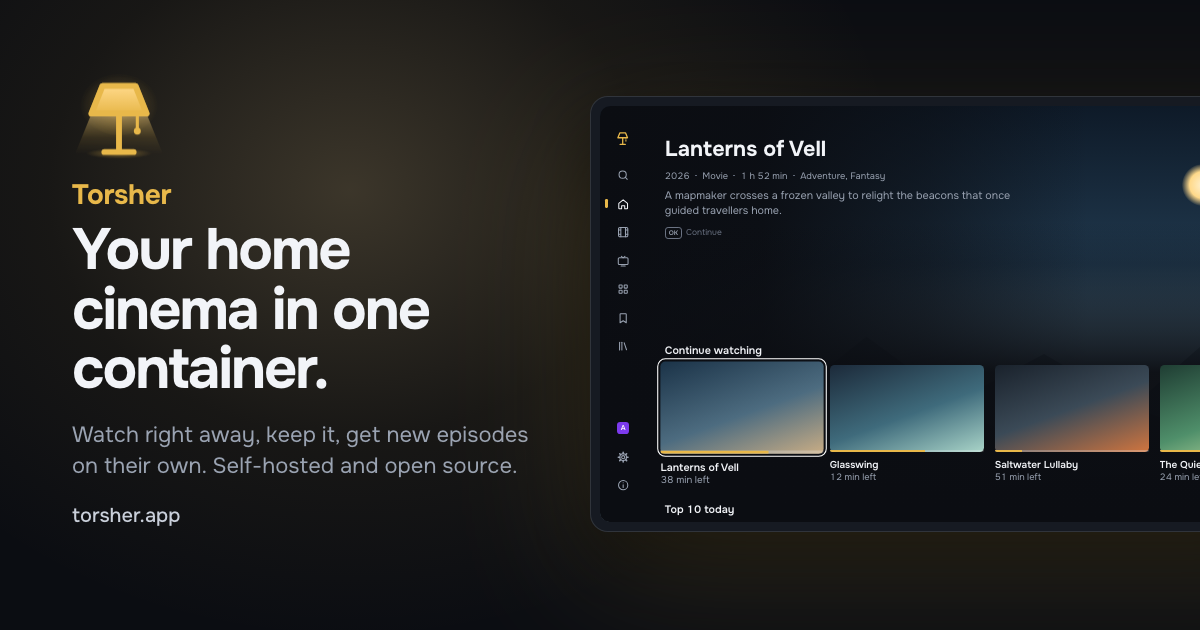
Runs on x86-64 and arm64 Linux · Watch in a browser or on LG webOS
Titles and artwork in the picture are made up.
Support
Torsher is open source and built by one developer. Donations are its only funding: there are no paid features, no ads and no telemetry. Donations pay for development time and test hardware and have nothing to do with content or the sources you connect.
See the Donate page.
About
Torsher started when I bought a mini PC with an Intel N150 as a home server and set up the usual self-hosted media stack on it: Jellyfin, Sonarr, Radarr, Prowlarr and Seerr. It worked, but I got tired of keeping it together. Each app has its own interface, settings and database, they all have to be wired to each other, and the TV is only the last link in the chain.
So I built the one thing I wanted instead: a media center in one Docker container, on a mini PC, a NAS or a desktop. One process with one database and one interface does the jobs of a torrent client, a media server, series and movie managers and a request app, and the TV comes first. The indexer stays outside: Torsher connects to any Torznab indexer, for example Prowlarr or Jackett.
Features
Watch right away
Pick a title and select Watch. Torsher finds releases in your indexers and starts playback while the file downloads.
- Releases ranked by quality and voice-over, with dubbing and voice-over studios shown
- Downloads a few minutes ahead of where you are and stops when you close the player, so nothing fills your disk by accident
- Audio and subtitle tracks switch in the player
- When a TV or a browser can't play a file, the server converts it on the fly, on the GPU if it has one
Your library
What you watch stays in a cache that cleans itself up. Keep moves the file into your library.
- Laid out by title so Jellyfin, Plex and Kodi can read it too
- On one volume a kept file is hard-linked: it keeps seeding and takes no extra space
- Folders you already have are indexed in place and never written to
- Home videos get their own section
Follow
Follow a series on the TV, and new episodes download automatically when matching releases become available.
- In your voice-over and the best quality released
- The same voice-over for the whole season
- A followed movie downloads once it is out digitally
- The control panel lists every follow with its episodes and the releases found for each
A showcase made for the TV
Movies and series with posters, descriptions, cast and ratings from TMDB.
- Arrows, OK and Back on the remote, or the Magic Remote pointer and a mouse in any browser
- Profiles for the household, each with its own progress, lists, ratings and language and an optional PIN
- Progress belongs to the title, not the file: switch the release and keep your place
- Written for the browser engine of LG TVs from 2020
Control panel
Everything is set up in the browser, on a phone or a computer: sources, storage, profiles and devices. Try it before installing: the panel demo runs in your browser on made-up data.
- A setup wizard that checks storage, the network and your indexer
- DNS over HTTPS and routes through your own SOCKS5 or HTTP proxy, per host
- Daily database backups, restore and export to another server
- Notifications about problems, finished downloads and new episodes in Telegram, a webhook, ntfy, Gotify or email
Quick start
You need a computer with Docker and the Compose plugin. Linux gets every feature; Docker Desktop on macOS and Windows transcodes on the CPU only.
On Unraid, install Torsher from Community Applications instead: search for Torsher under Apps. The template and its details are in torsher-app/unraid-templates.
Download the install file,
docker-compose.ymlfrom the latest release, into an empty folder:mkdir torsher && cd torsher curl -fsSL https://github.com/torsher-app/torsher/releases/latest/download/docker-compose.yml -o docker-compose.ymlFind your user and group IDs. If they are not both
1000, put them intoPUIDandPGIDindocker-compose.yml:id -u && id -gStart Torsher together with Prowlarr, the indexer manager. If you already run a Torznab indexer,
docker compose up -dstarts Torsher alone:docker compose --profile prowlarr up -dOpen
http://<server-address>:8080/panel/and create the owner account. The setup wizard asks for Prowlarr's API key: add the indexers you are allowed to use in Prowlarr athttp://<server-address>:9696first.Install the Torsher app on an LG TV or an Android TV device, or open
http://<server-address>:8080/in a browser. Enter the code from the screen in the panel under Profiles & devices → Connect a device.
The Quick start walks through each step, and Docker Compose explains every line of the install file, several disks and updates.
Platforms
| Platform | Status | |
|---|---|---|
| Web browser | Available | The showcase on any computer, and the control panel on a phone or a computer |
| LG webOS | Developer Mode | A thin TV app that plays most files directly on the TV. For now it installs through Developer Mode |
| Android TV | APK | The same showcase with a native player. For now it installs from the APK in the release |
| Apple TV and phones | Planned | Through apps that already exist for these devices |
The server runs on x86-64 Linux, including NAS systems on x86, with arm64 Linux and Docker Desktop on a best-effort basis. See Requirements.
Sources
Torsher does not include, host or index any content, and comes with no sources enabled. You connect the sources yourself, for example any Torznab indexer such as Prowlarr or Jackett, and you are responsible for making sure you are allowed to use them.
The project runs no servers for your content and collects no telemetry. The only request a server makes on the project's behalf is a daily update check against this repository's releases on GitHub, without identifiers; it can be turned off in the panel.
Movie and series information and images come from The Movie Database (TMDB). This product uses the TMDB API but is not endorsed or certified by TMDB.
Contributions
Torsher does not accept external pull requests. Questions and ideas are welcome in Discussions or on r/torsherapp. To report a bug, please open an issue with what you did, what you expected and the file from Download logs under Logs in the panel. Issues are also welcome for release titles Torsher reads wrong and for reports from your hardware: a NAS, an older LG TV or an ARM board.
Build Locally
Instructions for building from source
Prerequisites
- Node.js 24 and pnpm (
corepack enable) - Go 1.24+ for the torrent engine
ffmpegandffprobefor audio and subtitle tracks and remuxing
Install Dependencies
pnpm install
Check
pnpm lint
pnpm typecheck
pnpm test
Development
pnpm dev starts the server, the panel and the showcase with hot reload:
pnpm dev
It builds the torrent engine in engine/ (Go, built on anacrolix/torrent) into the server data folder on start; without Go, the server starts without it. To build the engine separately:
pnpm --filter @torsher/server engine:build
To use a prebuilt binary instead, set ENGINE_PATH in apps/server/.env. Without ffmpeg and ffprobe in PATH (or their paths in FFMPEG_PATH and FFPROBE_PATH), the player plays files directly.
Build
pnpm build builds the showcase and the panel, which the server then serves itself: the showcase at /, the panel at /panel/ and the API at /api.
pnpm build
The Docker image:
docker buildx build --platform linux/arm64 -t torsher:dev --load .
A local build has no TMDB app key: set TMDB_ACCESS_TOKEN or add your own key in the panel. To build with a key, pass it as a build secret:
docker buildx build --secret id=tmdb_app_key,env=TMDB_ACCESS_TOKEN -t torsher:dev --load .
License
Copyright (c) 2026-present, Anton Reshetov.
Explore related projects
awesome-selfhosted/awesome-selfhosted
A list of Free Software network services and web applications which can be hosted on your own servers
336,196 starsimmich-app/immich
High performance self-hosted photo and video management solution.
118,850 starsStirling-Tools/Stirling-PDF
#1 PDF Application on GitHub that lets you edit PDFs on any device anywhere
96,278 starslouislam/uptime-kuma
A fancy self-hosted monitoring tool
93,514 stars