
tonybanters/oxwm has 1,040 GitHub stars and 81 forks. GitHot measured +1 stars in 24 hours and +6 in 7 days. Last checked 2026-11-11 02:14 UTC. Last push 2026-11-02.
A dynamic window manager written in Zig, inspired by dwm but designed to evolve beyond it. OXWM features a clean, functional Lua API for configuration with hot-reloading support, ditching the suckless philosophy of "edit + recompile". Instead, we focus on lowering friction for users with sane defaults, LSP-powered autocomplete, and instant configuration changes without restarting your X session.
What you can do
- Master area resizing (mfact)
- Multiple master windows support (nmaster)
- Multi-tag viewing (see multiple tags at once)
- Sticky windows (window visible on multiple tags)
Measured star growth
- in 24h
- +1
- in 7 days
- +6
- in 15 days
- Update delayed
- in 1 month
- Update delayed
Net star changes over overlapping periods, not daily totals. Missing measurements are left blank. Stars measure attention, not software quality.
README.md
Original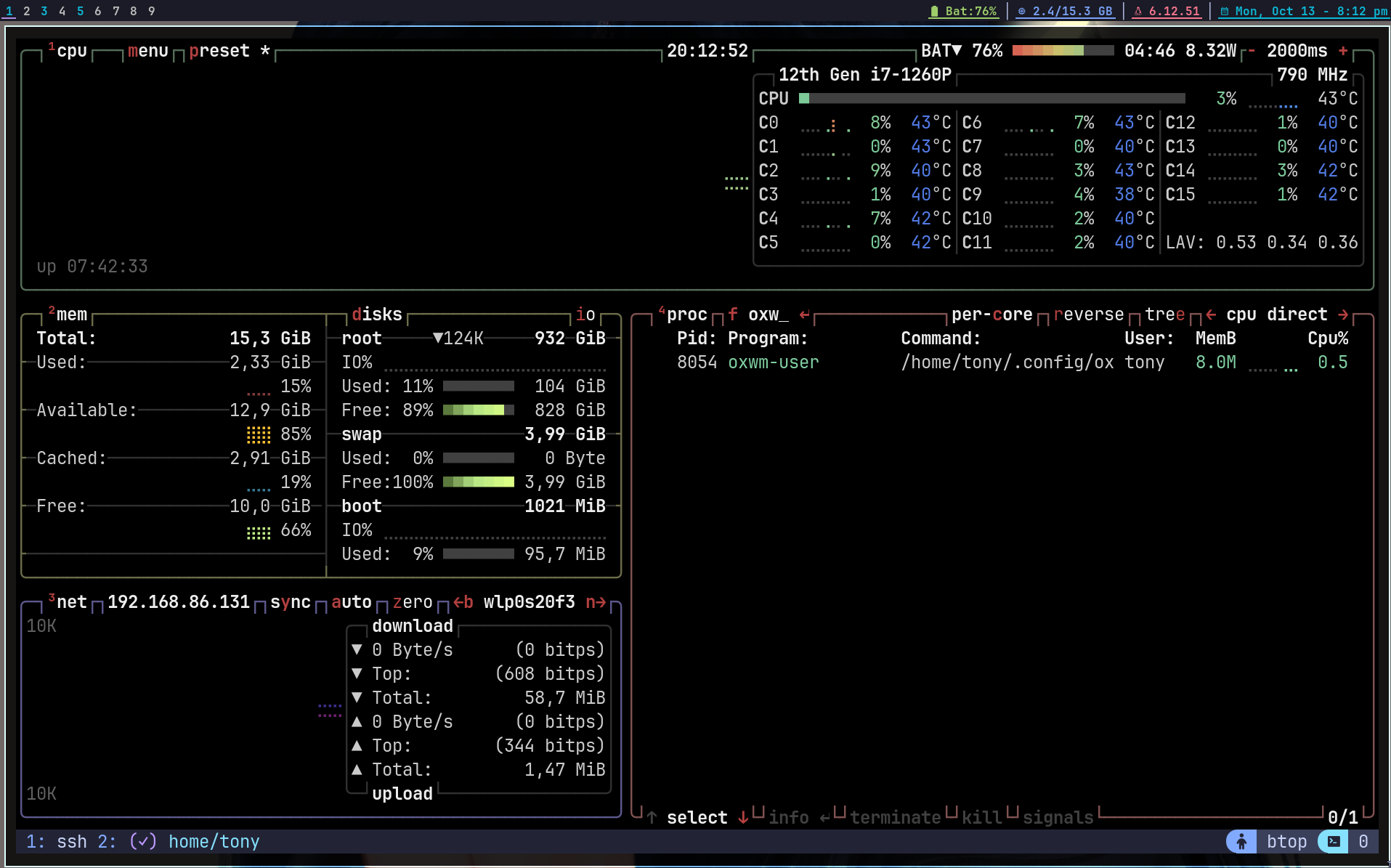
OXWM: DWM but Better
A dynamic window manager written in Zig, inspired by dwm but designed to evolve beyond it. OXWM features a clean, functional Lua API for configuration with hot-reloading support, ditching the suckless philosophy of "edit + recompile". Instead, we focus on lowering friction for users with sane defaults, LSP-powered autocomplete, and instant configuration changes without restarting your X session.
Documentation: ox-docs.vercel.app
Showcase
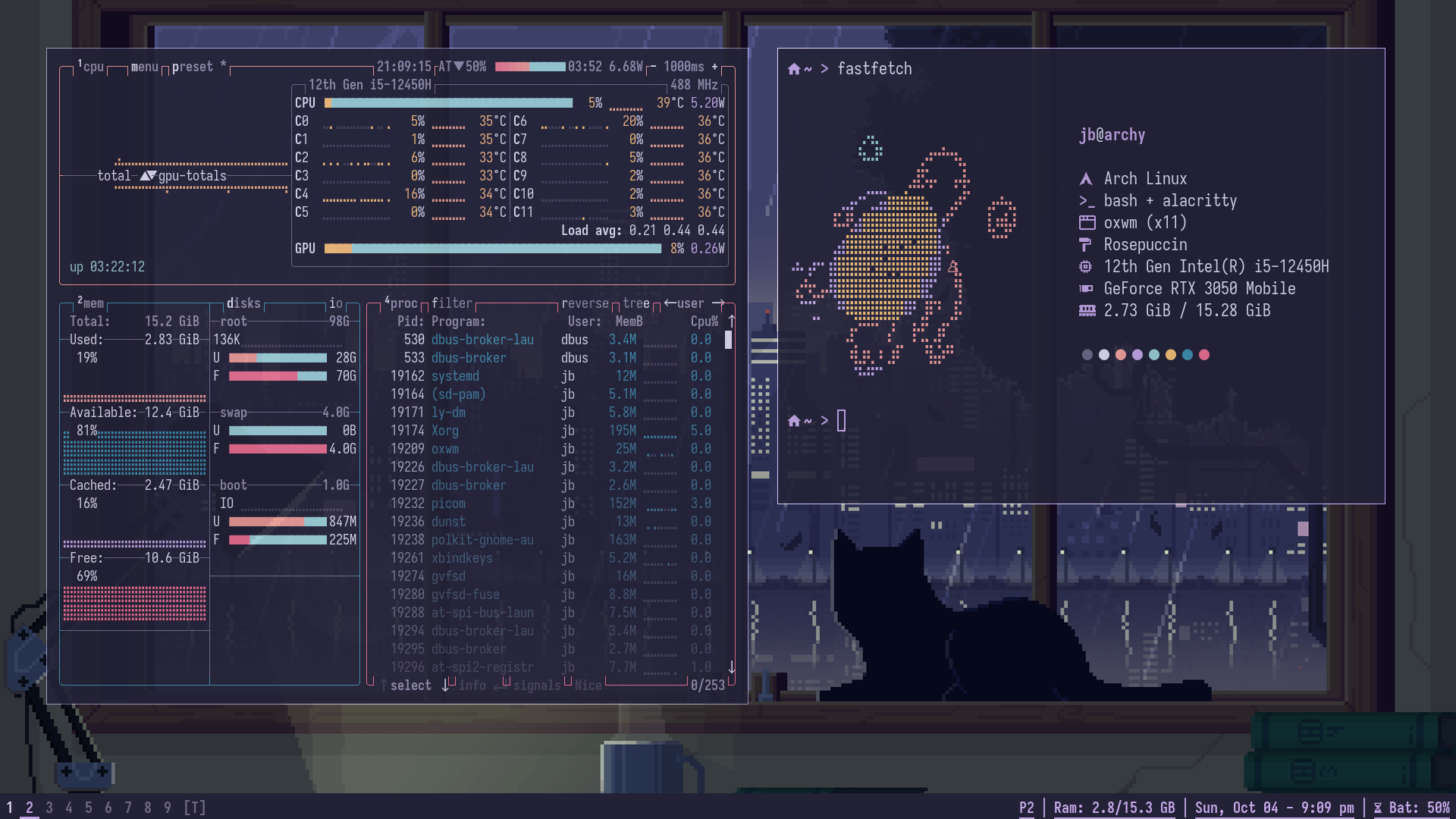
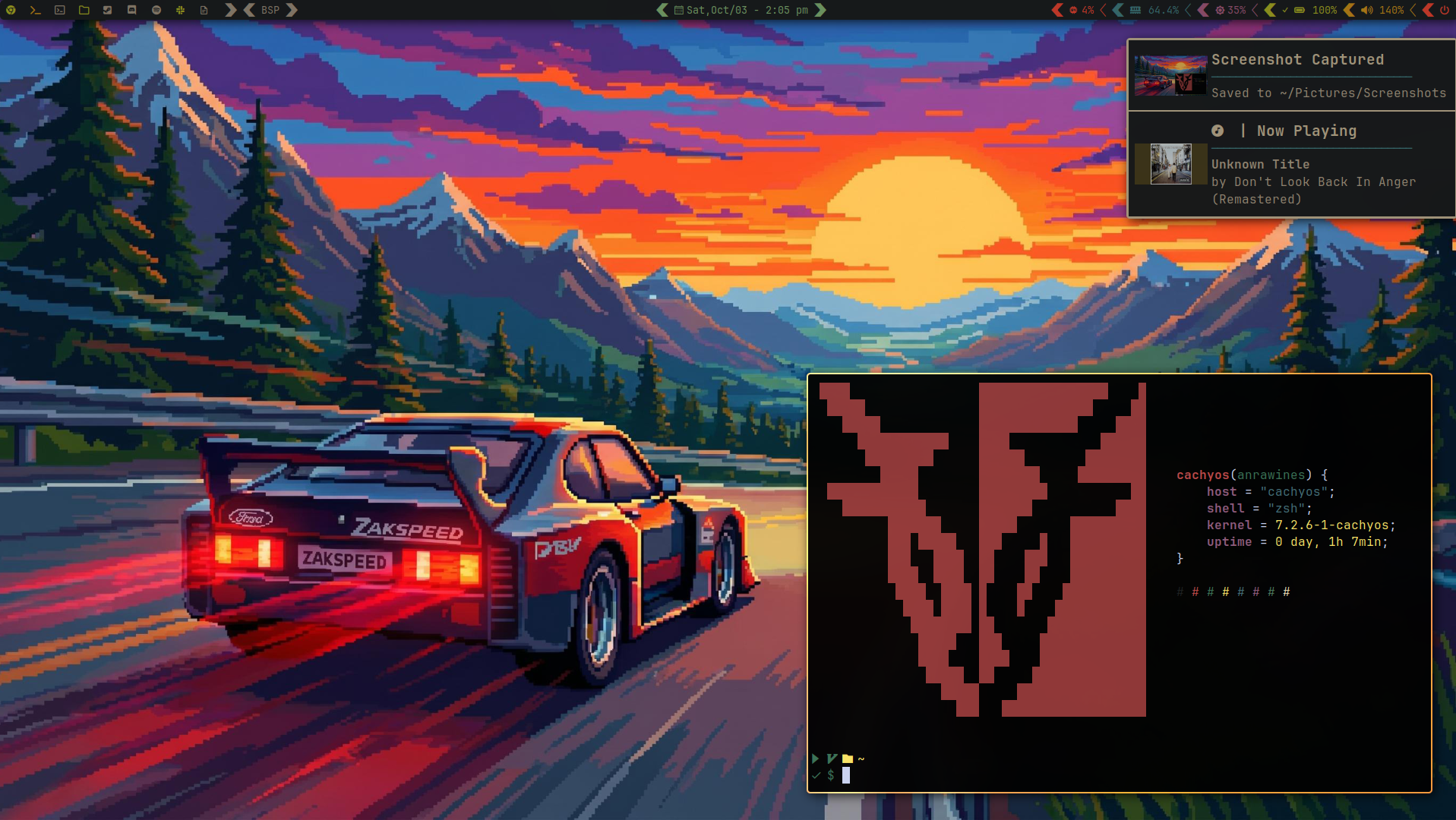
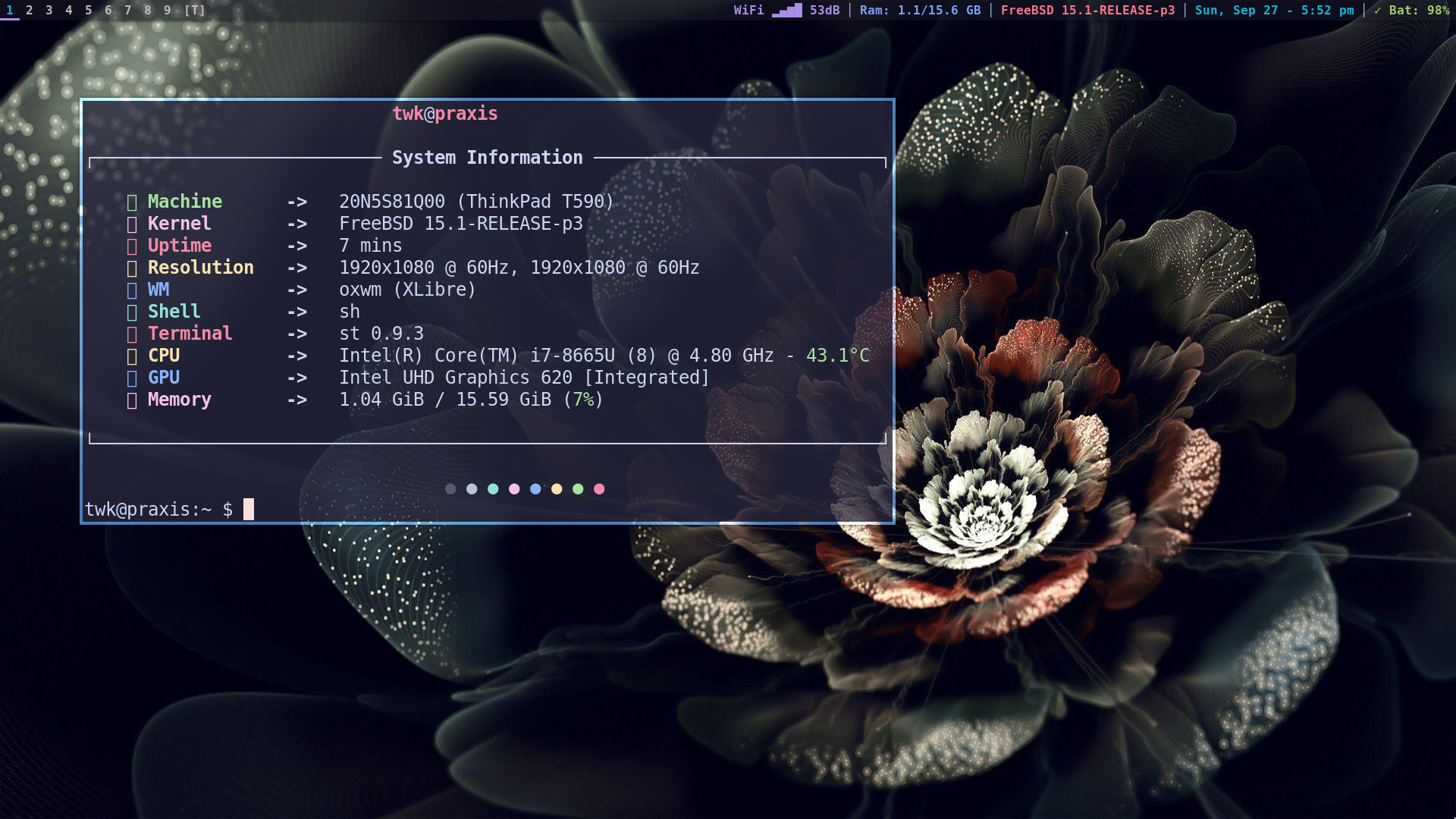
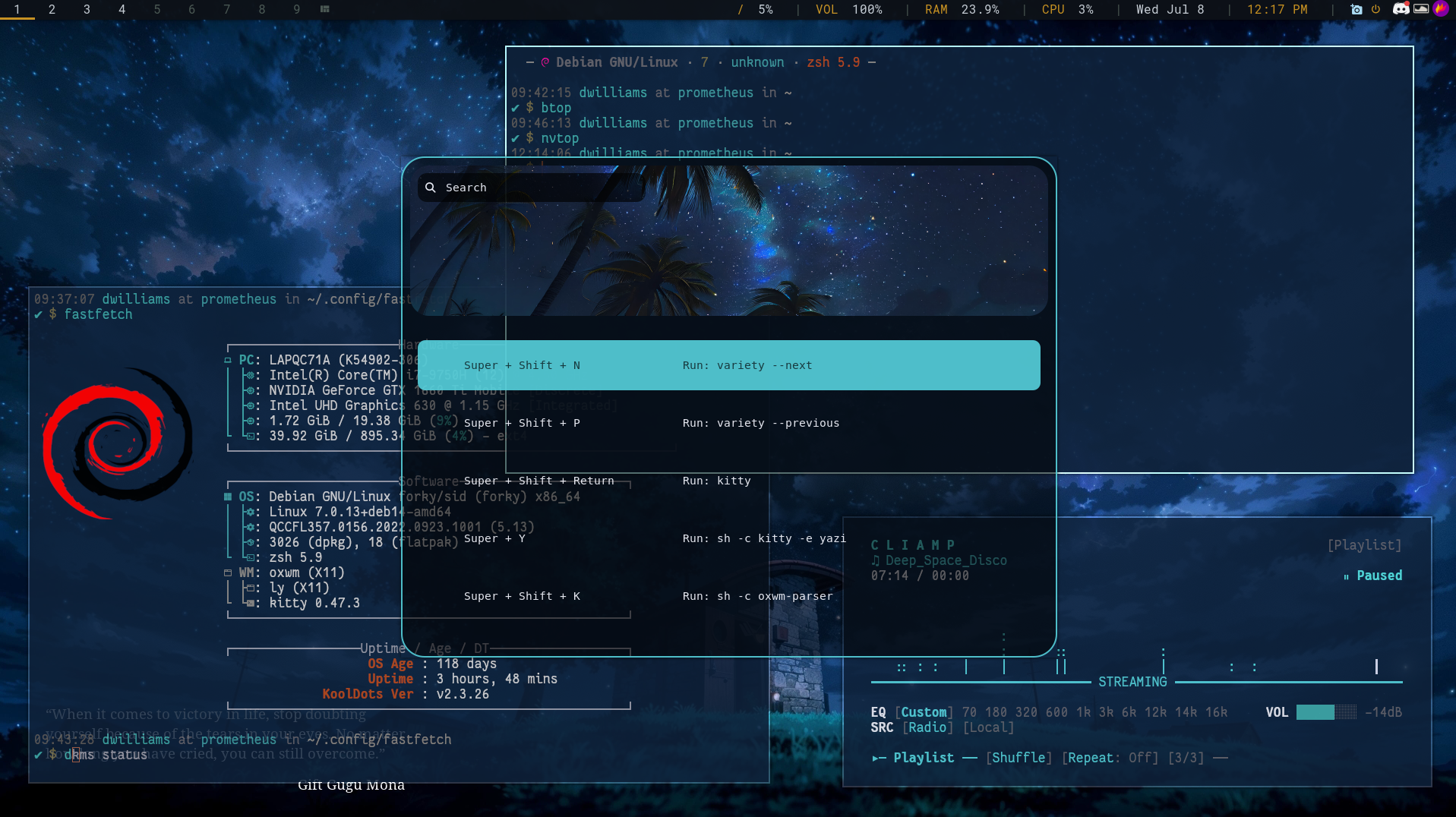
Setups from OXWM users across Arch, CachyOS, Debian and FreeBSD.
 |
 |
 |
 |
Installation
NixOS (nixpkgs)
Add OXWM to your configuration.nix like so:
{ config, pkgs, ... }:

{
  services.xserver.windowManager.oxwm.enable = true;
}
Initialize your config
After rebuilding your system with sudo nixos-rebuild switch, log in via your display manager.
On first launch, your initial config file will be automatically created and placed in ~/.config/oxwm/config.lua. Edit it and reload with Mod+Shift+R.
Development setup with Nix
For development, use the provided dev shell:
# Clone the repository
git clone https://github.com/tonybanters/oxwm
cd oxwm

# Enter the development environment
nix develop

# Build and test
zig build -Doptimize=ReleaseSmall
Arch Linux
AUR: oxwm-git
yay -S oxwm-git
This will automatically put a desktop session file into your xsessions directory.
Manually, install the dependencies and see Building from Source:
sudo pacman -S zig libx11 libxft freetype2 fontconfig libxinerama libinput systemd-libs
Building from Source
Note, on many BSD systems, the zig compiler will aggressively attempt to remove debug symbols which is causing a known linker issue. Please use this method on BSD:
git clone https://github.com/tonybanters/oxwm
cd oxwm
zig build
On other legacy distros, just use:
git clone https://github.com/tonybanters/oxwm
cd oxwm
zig build -Doptimize=ReleaseSmall --prefix /usr
Touchpad swipe gestures for the scrolling layout use libinput and libudev, which only exist on Linux. They are compiled in by default (needs the libinput and libudev development packages) and skipped automatically on BSD targets. At runtime they stay off until you uncomment oxwm.scroll.set_gesture_enabled(true) in your config. Pass -Dno_gestures to leave them out anywhere, or use zig build openbsd (also freebsd, netbsd, bsd) which does the same and installs the result.
Setting up OXWM
Without a display manager (startx)
Add the following to your ~/.xinitrc:
exec oxwm
Then start X with:
startx
With a display manager
If using a display manager (LightDM, GDM, SDDM), OXWM should appear in the session list after installation.
Configuration
OXWM uses a clean, functional Lua API for configuration. On first run, a default config is automatically created at ~/.config/oxwm/config.lua.
Quick Example
Here's what the functional API looks like:
-- Set basic options
oxwm.set_terminal("st")
oxwm.set_modkey("Mod4")
oxwm.set_tags({ "1", "2", "3", "4", "5", "6", "7", "8", "9" })

-- Configure borders
oxwm.border.set_width(2)
oxwm.border.set_focused_color("#6dade3")
oxwm.border.set_unfocused_color("#bbbbbb")

-- Configure gaps
oxwm.gaps.set_enabled(true)
oxwm.gaps.set_inner(5, 5)  -- horizontal, vertical
oxwm.gaps.set_outer(5, 5)

-- Set up keybindings
oxwm.key.bind({ "Mod4" }, "Return", oxwm.spawn("st"))
oxwm.key.bind({ "Mod4" }, "Q", oxwm.client.kill())
oxwm.key.bind({ "Mod4", "Shift" }, "Q", oxwm.quit())

-- Add status bar blocks
oxwm.bar.set_blocks({
    oxwm.bar.block.datetime({
        format = "{}",
        date_format = "%H:%M",
        interval = 60,
        color = "#0db9d7",
        underline = true,
    }),
    oxwm.bar.block.ram({
        format = "RAM: {used}/{total} GB",
        interval = 5,
        color = "#7aa2f7",
        underline = true,
    }),
})
Key Configuration Areas
Edit ~/.config/oxwm/config.lua to customize:
- Basic settings (terminal, modkey, tags)
- Borders and colors
- Window gaps
- Status bar (font, blocks, color schemes)
- Keybindings and keychords
- Layouts, layout symbols, and attach method
- Window rules
- Autostart commands
After making changes, reload OXWM with Mod+Shift+R.
Creating Your Config
Generate the default config:
oxwm --init
Or just start OXWM. It will create one automatically on first run.
Contributing
When contributing to OXWM:
- Never commit your personal
~/.config/oxwm/config.lua - Only modify
templates/config.luaif adding new configuration options - Test your changes with
zig build xephyrusing Xephyr orzig build xwaylandusing Xwayland - Document any new features or keybindings
Key Bindings
Default keybindings (fully customizable in ~/.config/oxwm/config.lua):
| Binding | Action |
|---|---|
| Super+Return | Spawn terminal |
| Super+J/K | Cycle focus through stack |
| Super+Q | Kill focused window |
| Super+Shift+Q | Quit WM |
| Super+Shift+R | Hot reload WM |
| Super+1-9 | View tag 1-9 |
| Super+Shift+1-9 | Move window to tag 1-9 |
| Super+Ctrl+1-9 | Toggle tag view (multi-tag) |
| Super+Ctrl+Shift+1-9 | Toggle window tag (sticky) |
| Super+S | Screenshot (maim) |
| Super+D | dmenu launcher |
| Super+A | Toggle gaps |
| Super+Shift+F | Toggle fullscreen |
| Super+Shift+Space | Toggle floating |
| Super+F | Set normie (floating) layout |
| Super+C | Set tiling layout |
| Super+N | Cycle layouts |
| Super+Comma/Period | Focus prev/next monitor |
| Super+Shift+Comma/. | Send window to prev/next monitor |
| Super+[/] | Decrease/increase master area |
| Super+I/P | Inc/dec number of master windows |
| Super+Shift+/ | Show keybinds overlay |
| Super+Button1 (drag) | Move window (floating) |
| Super+Button3 (drag) | Resize window (floating) |
Features
- Dynamic Tiling Layout with adjustable master/stack split
- Master area resizing (mfact)
- Multiple master windows support (nmaster)
- Tag-Based Workspaces (9 tags by default, up to 12)
- Multi-tag viewing (see multiple tags at once)
- Sticky windows (window visible on multiple tags)
- Multiple Layouts
- Tiling (master/stack)
- Normie (floating-by-default)
- Monocle (fullscreen stacking)
- Grid (equal-sized grid)
- Scrolling (niri-style horizontal strip with per-window widths and three-finger touchpad swipes)
- Dwindle (fibonacci spiral)
- Configurable Attach Method for new windows: aside, top, bottom, above, or below
- Lua Configuration System
- Hot reload without restarting X (
Mod+Shift+R) - LSP support with type definitions and autocomplete
- No compilation needed, instant config changes
- Hot reload without restarting X (
- Built-in Status Bar with modular block system
- Battery, RAM, CPU temperature, datetime, shell commands, static text, systray
- Custom colors, update intervals, and underlines
- Click-to-switch tags
- Multi-monitor support (one bar per monitor)
- Advanced Window Management
- Window focus cycling through stack
- Fullscreen mode
- Floating window support
- Mouse hover to focus (follow mouse)
- Border indicators for focused windows
- Configurable gaps (smartgaps support)
- Window rules (auto-tag, auto-float by class/title)
- Multi-Monitor Support
- Xinerama multi-monitor detection with hotplug
- Independent tags per monitor
- Move windows between monitors
- Keychord Support
- Multi-key sequences (Emacs/Vim style)
- Example:
Mod+SpacethenTto spawn terminal
- Persistent State
- Window tags persist across WM restarts
- Uses X11 properties for state storage
Testing with Xephyr
Test OXWM in a nested X server without affecting your current session:
zig build xephyr
This starts Xephyr on display :2 and launches OXWM inside it.
For multi-monitor testing:
zig build xephyr-multi
Or manually:
Xephyr -screen 1280x800 :2 &
DISPLAY=:2 zig build run
License
Explore related projects
codecrafters-io/build-your-own-x
Master programming by recreating your favorite technologies from scratch.
561,882 starspublic-apis/public-apis
A collective list of free APIs
498,251 starsmorluto/rea
Reverse engineer anything with agents, from app behavior down to native binaries.
452,763 starsopenclaw/openclaw
The AI that really does things. Any OS. Any Platform. The lobster way. 🦞
394,365 stars