
toki-plus/ai-highlight-clip
toki-plus/ai-highlight-clip has 106 GitHub stars and 26 forks. GitHot measured 0 stars in 24 hours, 0 in 7 days, and 0 in 15 days. Last checked 2026-11-17 02:47 UTC. Last push 2026-08-08.
Measured star growth
- in 24h
- 0
- in 7 days
- 0
- in 15 days
- 0
- in 1 month
- Collecting history
Net star changes over overlapping periods, not daily totals. Missing measurements are left blank. Stars measure attention, not software quality.
About
AI驱动的长视频高光剪辑工具,自动将数小时的课程、访谈、直播回放转化为数十个爆款短视频。内置Whisper语音识别、大模型(LLM)智能评分与标题生成。 video-processing, ai-content-creation, nlp, openai-whisper, llm, automation, pyqt5, ffmpeg, bot.
AIREADME_en.md
OriginalAI Highlight Clip
An AI-assisted workflow for turning long-form video into candidate highlight clips.
The project combines speech recognition, LLM-assisted content scoring, timeline selection, video clipping, and subtitle generation. It helps teams working with courses, interviews, and live recordings reduce the time required for initial review. Final editorial and publishing decisions remain human responsibilities.
Context
Finding reusable moments in hours of video normally requires watching the full recording, noting timestamps, cutting clips, and recreating titles and subtitles. The process is time-consuming and editorial criteria can vary between reviewers.
AI Highlight Clip separates the initial review into observable stages while keeping keywords, target duration, and clip count configurable.
Intended Users
- Course, interview, podcast, and live-content teams
- Operations teams processing large volumes of long-form video
- Developers studying AI-assisted video understanding and editing
Capabilities
- Timestamped transcription: integrates OpenAI Whisper to transcribe speech into timestamped subtitle text, with multi-language support and a choice of model sizes to balance accuracy against hardware
- Sliding-window coverage: a sliding-window segmentation algorithm walks the full timeline so every candidate region is scored — no content is lost at segment boundaries
- LLM content scoring: a large language model reads the transcript in context and assigns a highlight score to each candidate segment, guided by user prompts and custom keywords
- Candidate ranking: segments are ranked on three signals — LLM score, keyword density, and content overlap — and the top N are selected with duplicates removed to avoid near-identical clips
- Draft title generation (human-reviewed): produces a draft title for each selected clip as a starting point for editors; final titles are confirmed by a human before use
- Subtitle layout optimization: clips are cut and subtitles rendered with FFmpeg; a built-in line-breaking algorithm improves where subtitles wrap and how they read, with custom font support
- Batch processing and desktop UI: accepts a single file or an entire directory (a full course or series), shows progress and live logs in a PyQt5 interface, and opens the output folder in one click
📸 Screenshots
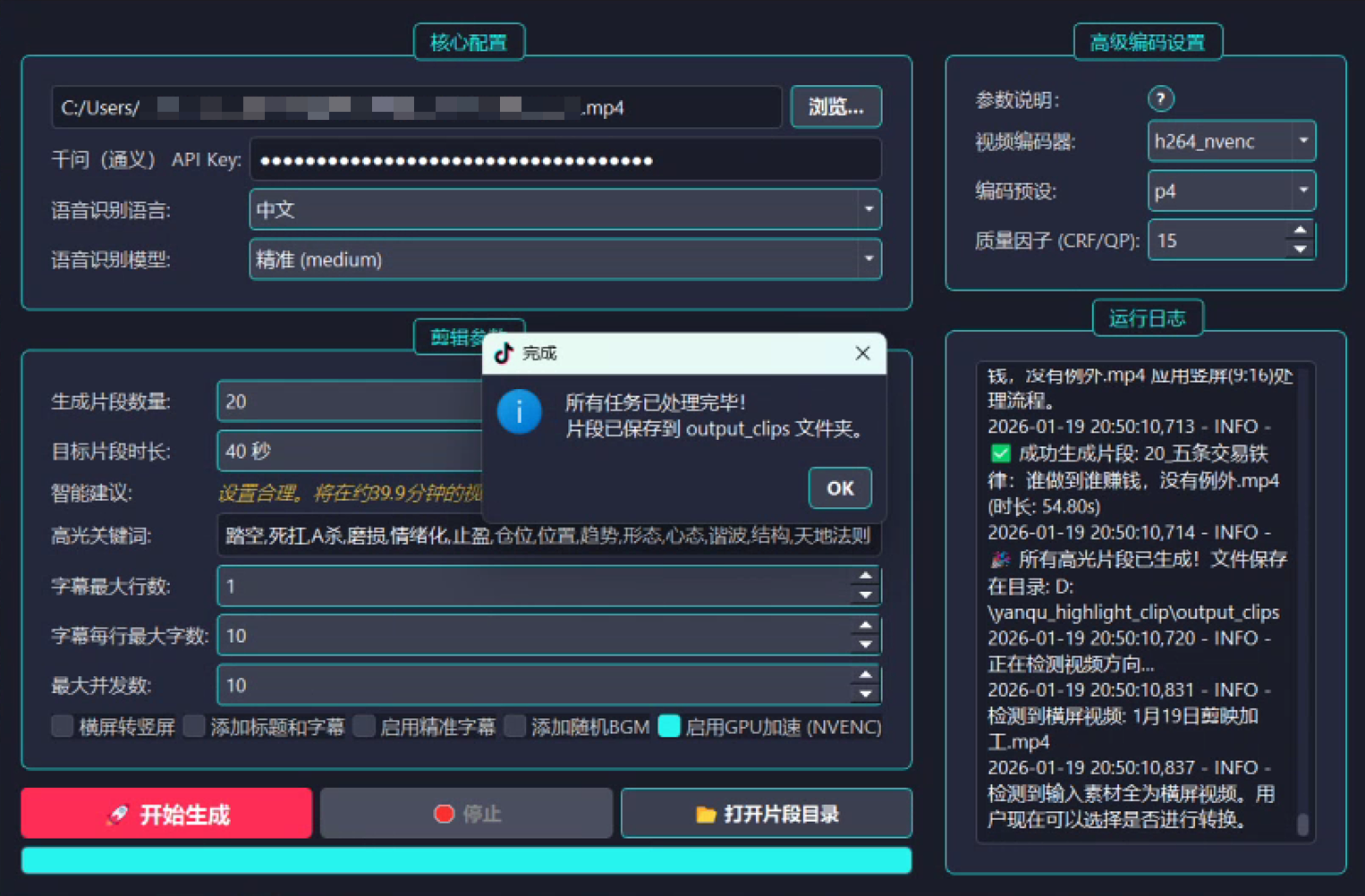
Main interface: configuration, task progress, and logs in one window.
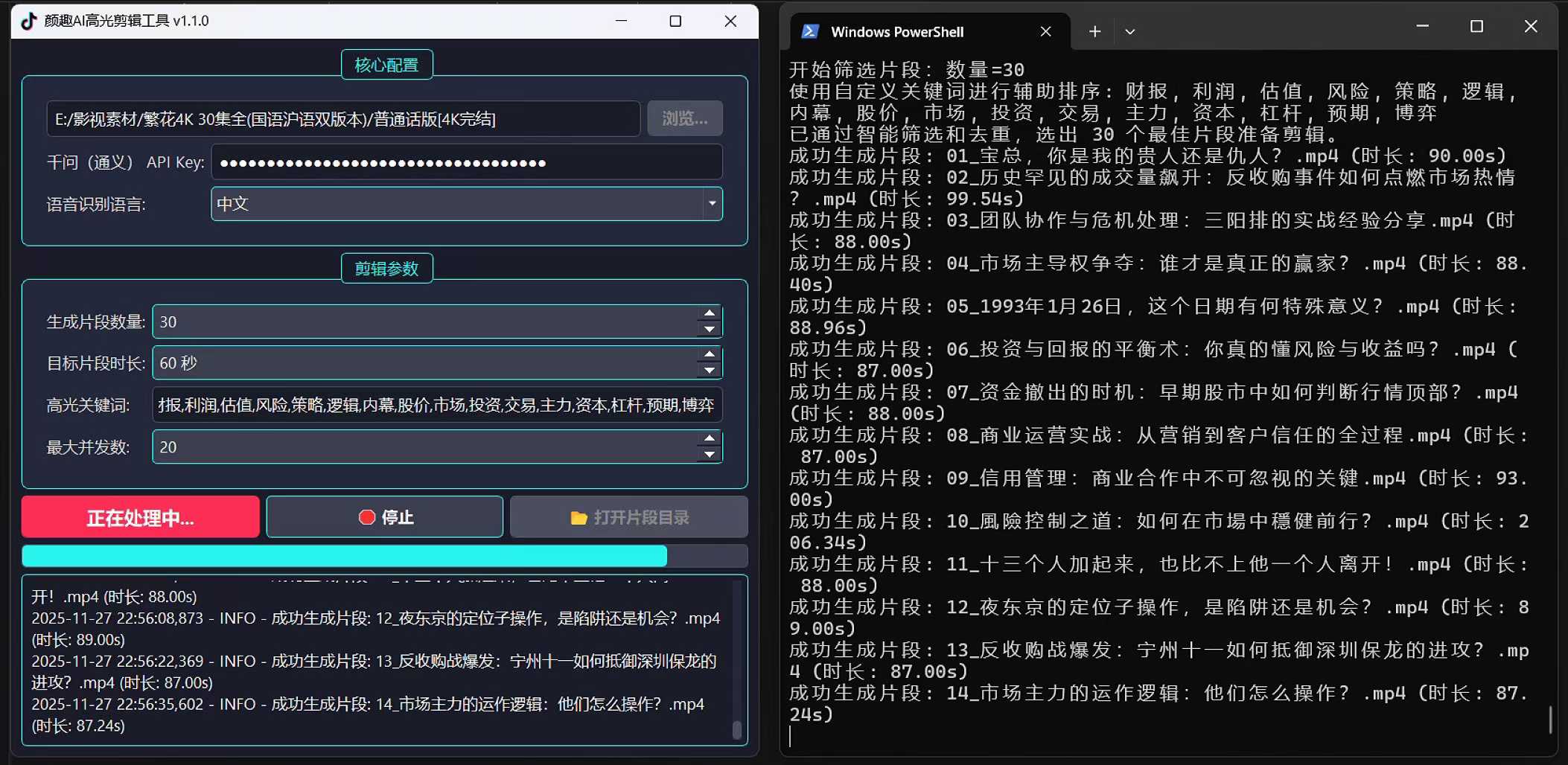
Batch example: triaging a 30-episode 4K series (~44 GB of footage) into 30 topic-specific candidate highlight clips.
Workflow
Long-form video
    -> Speech transcription
    -> Time-aligned transcript
    -> Sliding-window segmentation
    -> LLM-assisted scoring
    -> Candidate ranking and de-duplication
    -> FFmpeg clipping and subtitle rendering
    -> Human review and export
Technical Design
LLMClient: model calls and structured result handling; outputs are validated with Pydantic so scoring failures degrade safelySubtitleService: transcription and subtitle processing — Whisper transcription, timestamp alignment, and line-break optimizationAIPipeline: orchestration of scoring, titling, and clipping, wiring together sliding-window segmentation, candidate ranking, and de-duplicationProcessor: media-file processing, wrapping FFmpeg clipping and subtitle renderingMainWindow: configuration, task state, and output management
Core technologies: Python, OpenAI Whisper, DashScope, Pydantic, FFmpeg, and PyQt5.
Quick Start
Requirements
- Python 3.8+
- FFmpeg available on
PATH(a compatible Windows binary is included; on macOS/Linux see the FFmpeg website; verify withffmpeg -version) - A DashScope API key
Installation & Launch
- Clone the repository:
git clone https://github.com/toki-plus/ai-highlight-clip.git
cd ai-highlight-clip
- Create and activate a virtual environment (recommended):
python -m venv venv
# Windows
venv\Scripts\activate
# macOS/Linux
source venv/bin/activate
- Install dependencies:
pip install -r requirements.txt
Note: installing
openai-whispermay require a Rust build environment; see its official documentation if you run into issues.
Configure the API key: put your DashScope key in the
api_keyfield ofconfig.ini, or enter it in the application on first run. Never commit real credentials.Run the application:
python yanqu_highlight_clip.py
Typical usage follows the interface top to bottom: configure the API key and recognition model → select a video file or directory → set clip count, target duration, highlight keywords, and subtitle options → start the job → review the candidates in output_clips and approve them manually.
Limitations
- Model scores are review suggestions, not replacements for editorial judgment; draft titles require human approval before use.
- Output quality depends on recording quality, language, model behavior, and prompts.
- Long videos require significant compute and disk resources.
- The current version does not include comprehensive automated tests or CI.
What This Project Demonstrates
The project validates an end-to-end path from unstructured long-form video to structured text, candidate clips, and human approval instead of attempting to remove the editor from the workflow. Sliding-window coverage, three-signal candidate ranking, and subtitle layout optimization illustrate the engineering trade-offs involved in embedding AI into an existing editing process.
📂 More Projects
- video-mover — Automated multi-platform content distribution pipeline: media processing, metadata generation, scheduling, platform adapters
- ai-ttv-workflow — Desktop text-to-video workflow with human-in-the-loop checkpoints
- ai-video-workflow — Multi-model AIGC video pipeline orchestrating image, video and music services
- ai-mixed-cut — Video re-creation workflow via structured asset library and script reassembly
- ai-trader-for-mt4 — LLM×MT4 controlled-execution framework: constrained tools, risk rules, state management
- ai-trader-for-mt5 — AI trading assistant and EA engineering framework for MetaTrader 5
- auto-usps-tracker — Batch shipment tracking and Excel reporting for cross-border e-commerce
- AB-Video-Deduplicator — Experimental video re-creation tool based on high-frame-rate blending
- netease-downloader — Netease Cloud Music desktop downloader: QR login, queue, ID3 tagging
License
See LICENSE.