
terryma/vim-expand-region
terryma/vim-expand-region has 1,125 GitHub stars and 45 forks. GitHot measured 0 stars in 24 hours. Last checked 2026-11-09 09:34 UTC. Last push 2024-06-28.
Vim plugin that allows you to visually select increasingly larger regions of text using the same key combination.
Measured star growth
- in 24h
- 0
- in 7 days
- Update delayed
- in 15 days
- Update delayed
- in 1 month
- Update delayed
Net star changes over overlapping periods, not daily totals. Missing measurements are left blank. Stars measure attention, not software quality.
README.md
Originalvim-expand-region
About
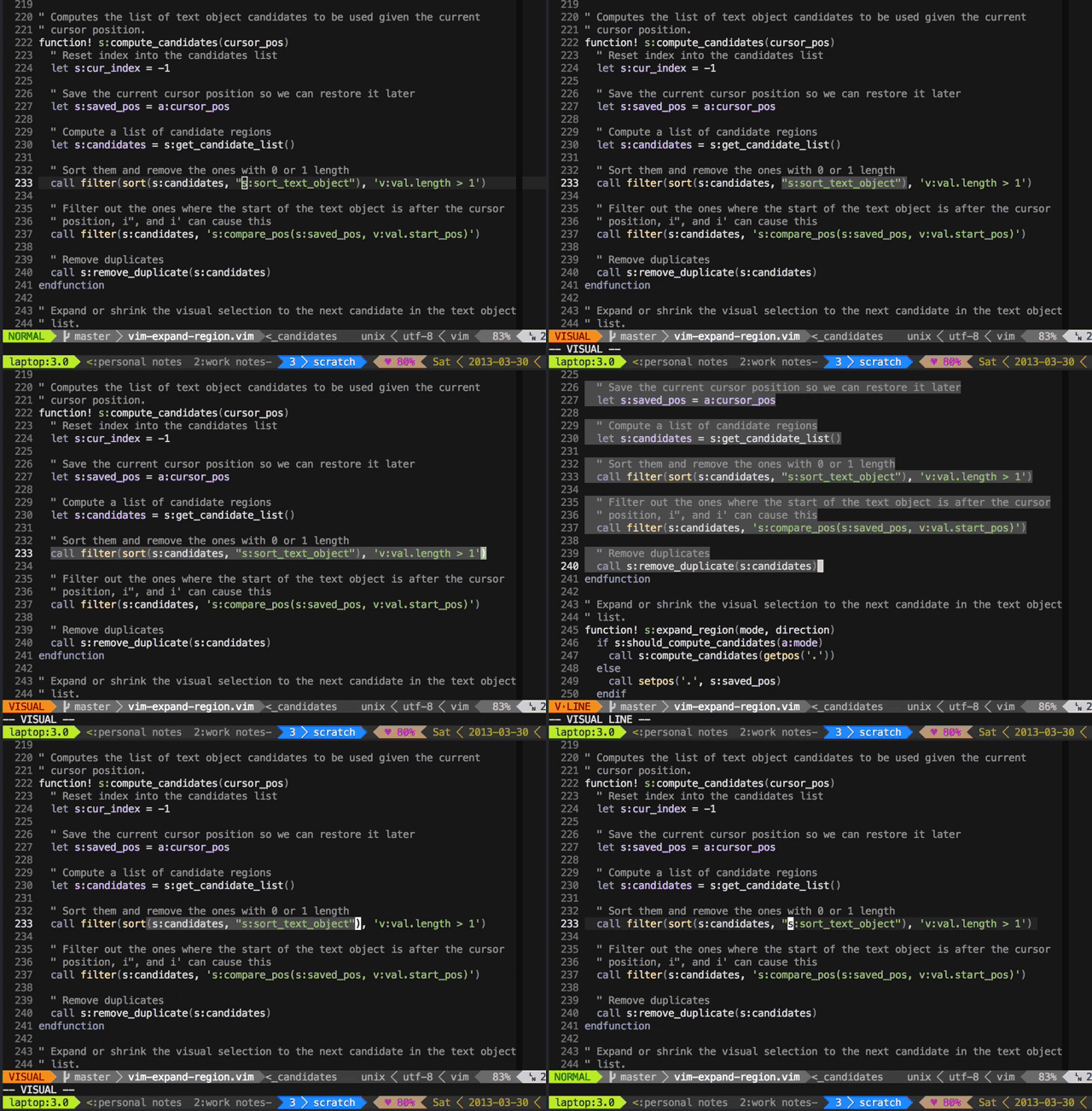
vim-expand-region is a Vim plugin that allows you to visually select increasingly larger regions of text using the same key combination. It is similar to features from other editors:
- Emac's expand region
- IntelliJ's syntax aware selection
- Eclipse's select enclosing element
Installation
Install using Pathogen, Vundle, Neobundle, or your favorite Vim package manager.
Quick Start
Press + to expand the visual selection and _ to shrink it.
Mapping
Customize the key mapping if you don't like the default.
map K <Plug>(expand_region_expand)
map J <Plug>(expand_region_shrink)
Setting
Customize selected regions
The plugin uses your own text objects to determine the expansion. You can customize the text objects the plugin knows about with g:expand_region_text_objects.
" Default settings. (NOTE: Remove comments in dictionary before sourcing)
let g:expand_region_text_objects = {
      \ 'iw'  :0,
      \ 'iW'  :0,
      \ 'i"'  :0,
      \ 'i''' :0,
      \ 'i]'  :1, " Support nesting of square brackets
      \ 'ib'  :1, " Support nesting of parentheses
      \ 'iB'  :1, " Support nesting of braces
      \ 'il'  :0, " 'inside line'. Available through https://github.com/kana/vim-textobj-line
      \ 'ip'  :0,
      \ 'ie'  :0, " 'entire file'. Available through https://github.com/kana/vim-textobj-entire
      \ }
You can extend the global default dictionary by calling expand_region#custom_text_objects:
" Extend the global default (NOTE: Remove comments in dictionary before sourcing)
call expand_region#custom_text_objects({
      \ "\/\\n\\n\<CR>": 1, " Motions are supported as well. Here's a search motion that finds a blank line
      \ 'a]' :1, " Support nesting of 'around' brackets
      \ 'ab' :1, " Support nesting of 'around' parentheses
      \ 'aB' :1, " Support nesting of 'around' braces
      \ 'ii' :0, " 'inside indent'. Available through https://github.com/kana/vim-textobj-indent
      \ 'ai' :0, " 'around indent'. Available through https://github.com/kana/vim-textobj-indent
      \ })
You can further customize the text objects dictionary on a per filetype basis by defining global variables like g:expand_region_text_objects_{ft}.
" Use the following setting for ruby. (NOTE: Remove comments in dictionary  before sourcing)
let g:expand_region_text_objects_ruby = {
      \ 'im' :0, " 'inner method'. Available through https://github.com/vim-ruby/vim-ruby
      \ 'am' :0, " 'around method'. Available through https://github.com/vim-ruby/vim-ruby
      \ }
Note that this completely replaces the default dictionary. To extend the default on a per filetype basis, you can call expand_region#custom_text_objects by passing in the filetype in the first argument:
" Use the global default + the following for ruby
call expand_region#custom_text_objects('ruby', {
      \ 'im' :0,
      \ 'am' :0,
      \ })
Customize selection mode
By default, after an expansion, the plugin leaves you in visual mode. If your selectmode(h:selectmode)) contains cmd, then the plugin will respect that setting and leave you in select mode. If you don't have selectmode set, but would like to default the expansion in select mode, you can use the global setting below:
let g:expand_region_use_select_mode = 1

Explore related projects
codecrafters-io/build-your-own-x
Master programming by recreating your favorite technologies from scratch.
561,398 starspublic-apis/public-apis
A collective list of free APIs
497,679 starsmorluto/rea
Reverse engineer anything with agents, from app behavior down to native binaries.
447,495 starsopenclaw/openclaw
The AI that really does things. Any OS. Any Platform. The lobster way. 🦞
394,261 stars