
terryky/tflite_gles_app
terryky/tflite_gles_app has 504 GitHub stars and 131 forks. GitHot measured 0 stars in 24 hours. Last checked 2026-11-16 20:59 UTC. Last push 2022-04-22.
Measured star growth
- in 24h
- 0
- in 7 days
- Update delayed
- in 15 days
- Update delayed
- in 1 month
- Update delayed
Net star changes over overlapping periods, not daily totals. Missing measurements are left blank. Stars measure attention, not software quality.
About
GPU accelerated deep learning inference applications for RaspberryPi / JetsonNano / Linux PC using TensorflowLite GPUDelegate / TensorRT
Machine LearningREADME.md
OriginalGPU accelerated TensorFlow Lite / TensorRT applications.

This repository contains several applications which invoke DNN inference with TensorFlow Lite GPU Delegate or TensorRT.
Target platform: Linux PC / NVIDIA Jetson / RaspberryPi.
1. Applications
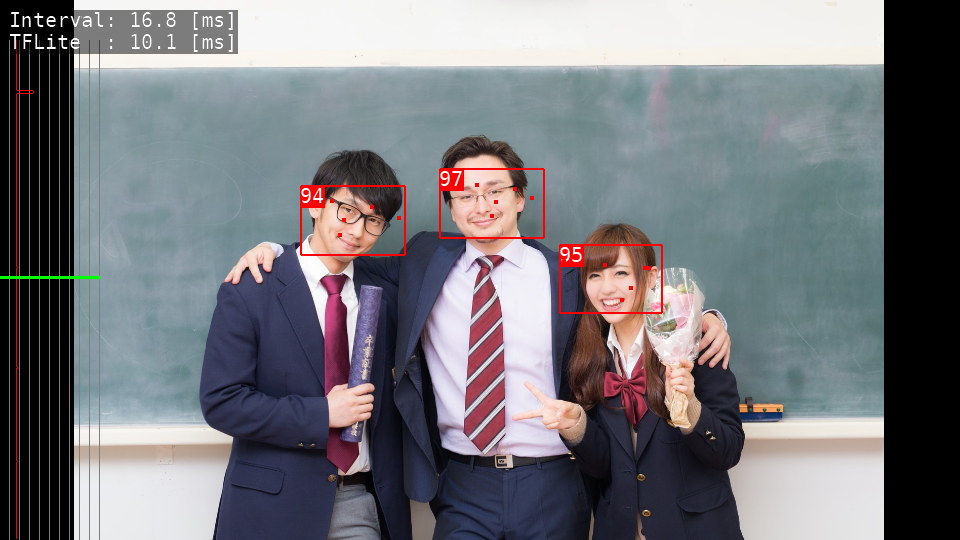
Blazeface
- Lightweight Face Detection.
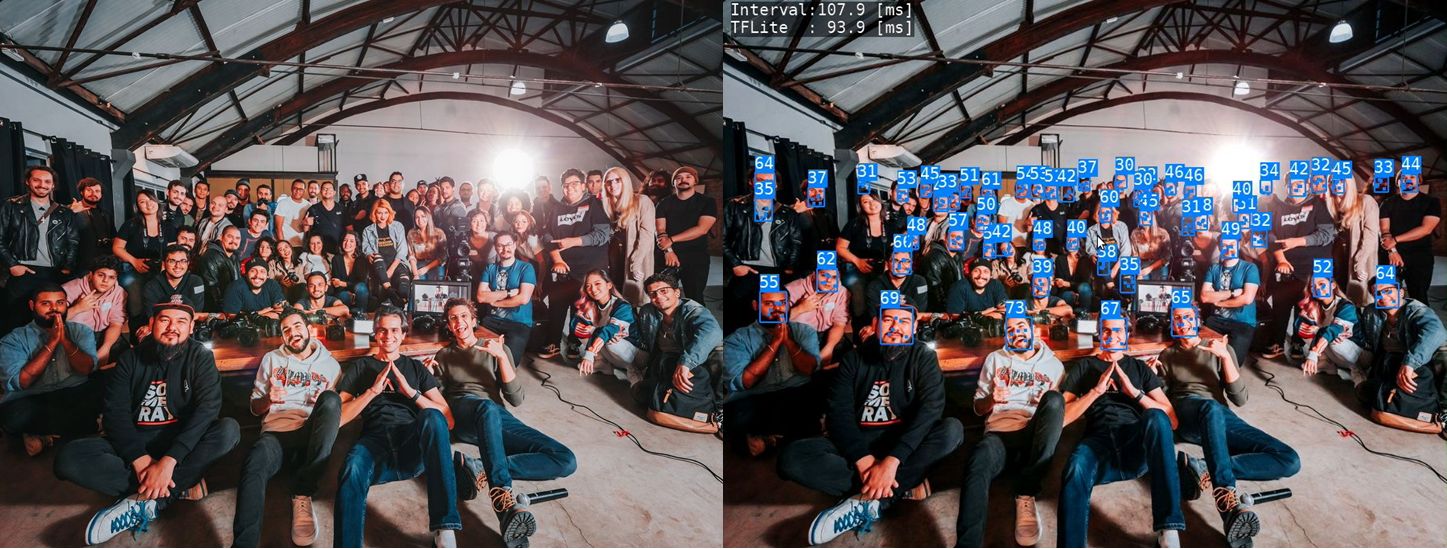
DBFace
- Higher accurate Face Detection.
- TensorRT port is HERE
Age Gender Estimation
- Detect faces and estimage their Age and Gender
- TensorRT port is HERE
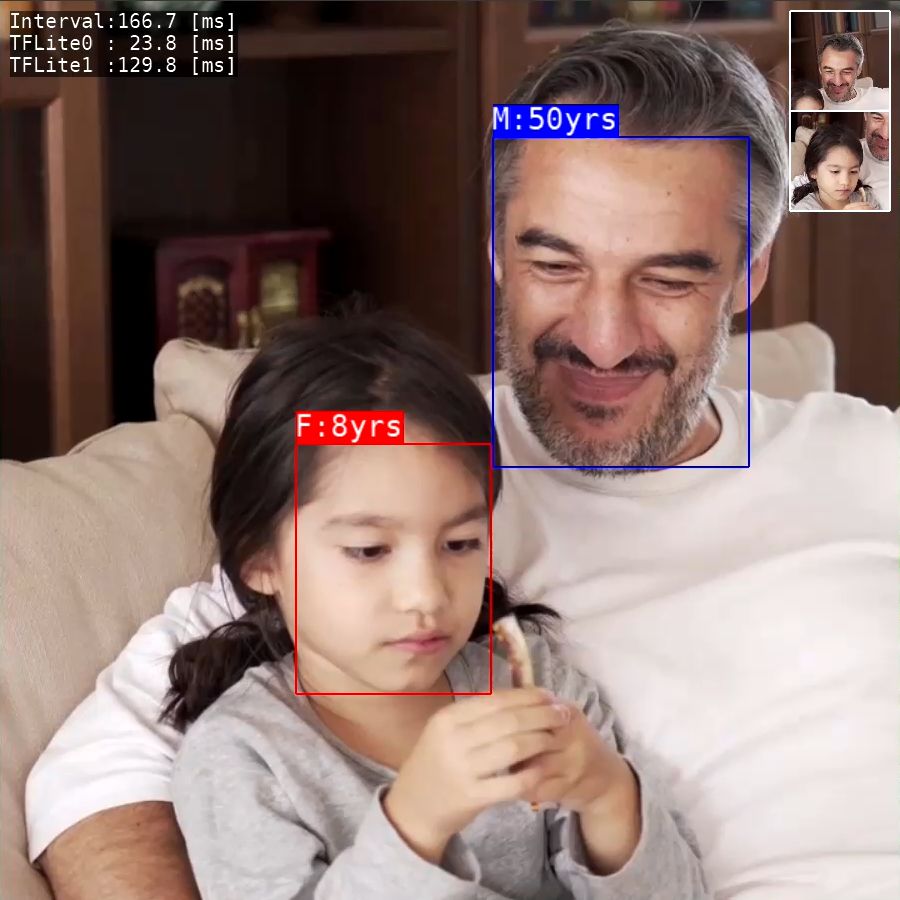
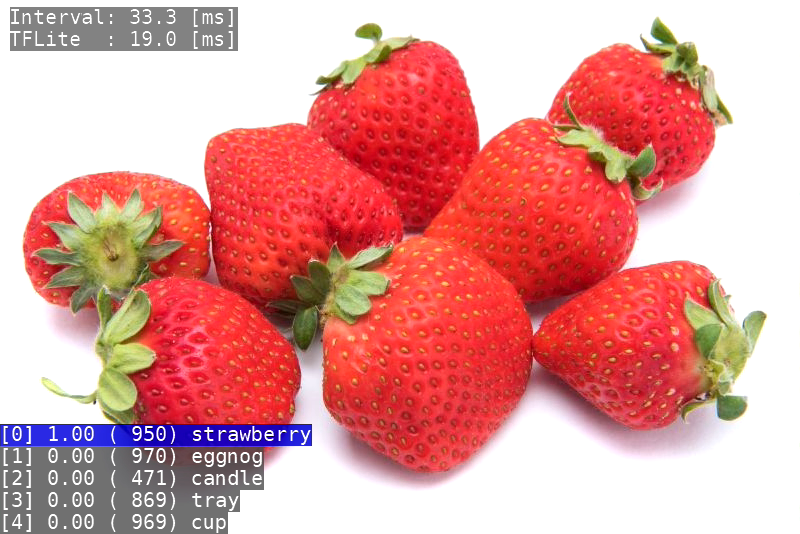
Image Classification
- Image Classfication using Moilenet.
- TensorRT port is HERE
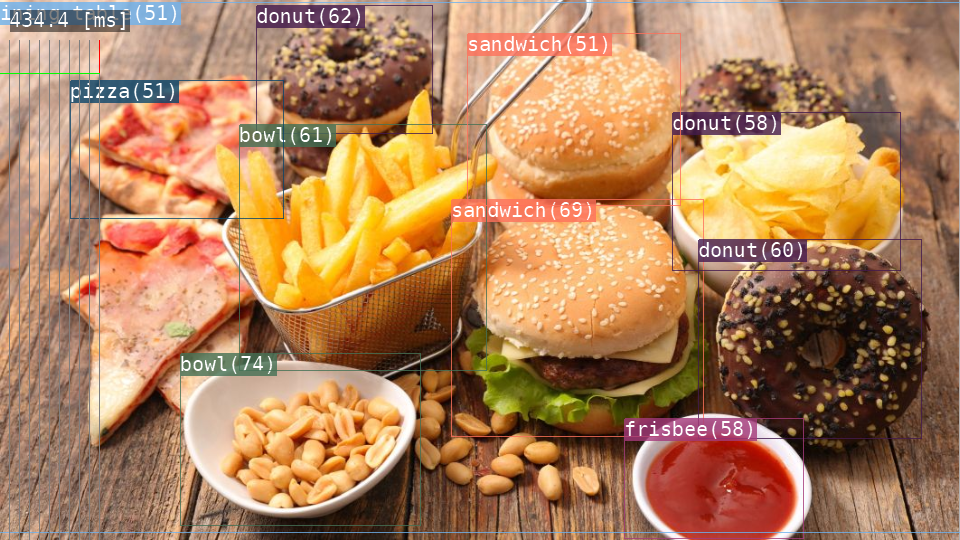
Object Detection
- Object Detection using MobileNet SSD.
- TensorRT port is HERE
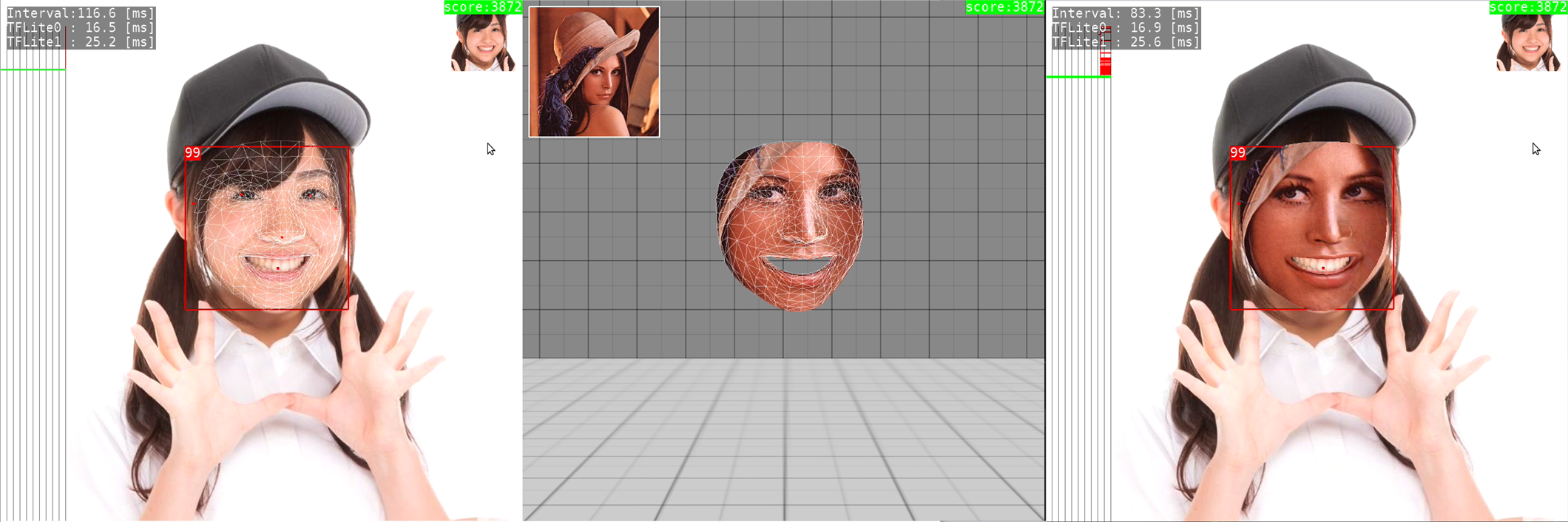
Facemesh
- 3D Facial Surface Geometry estimation and face replacement.
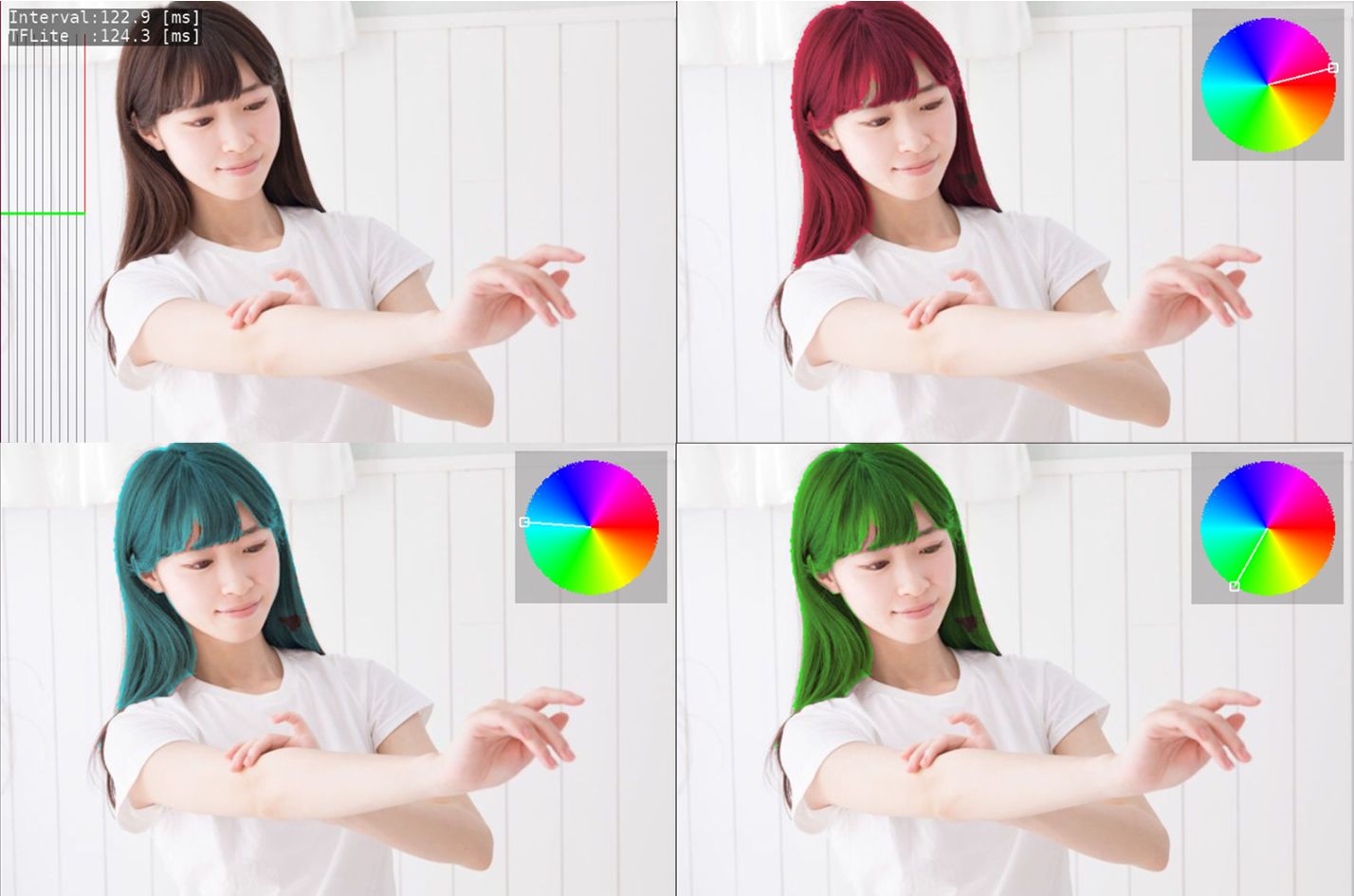
Hair Segmentation
- Hair segmentation and recoloring.
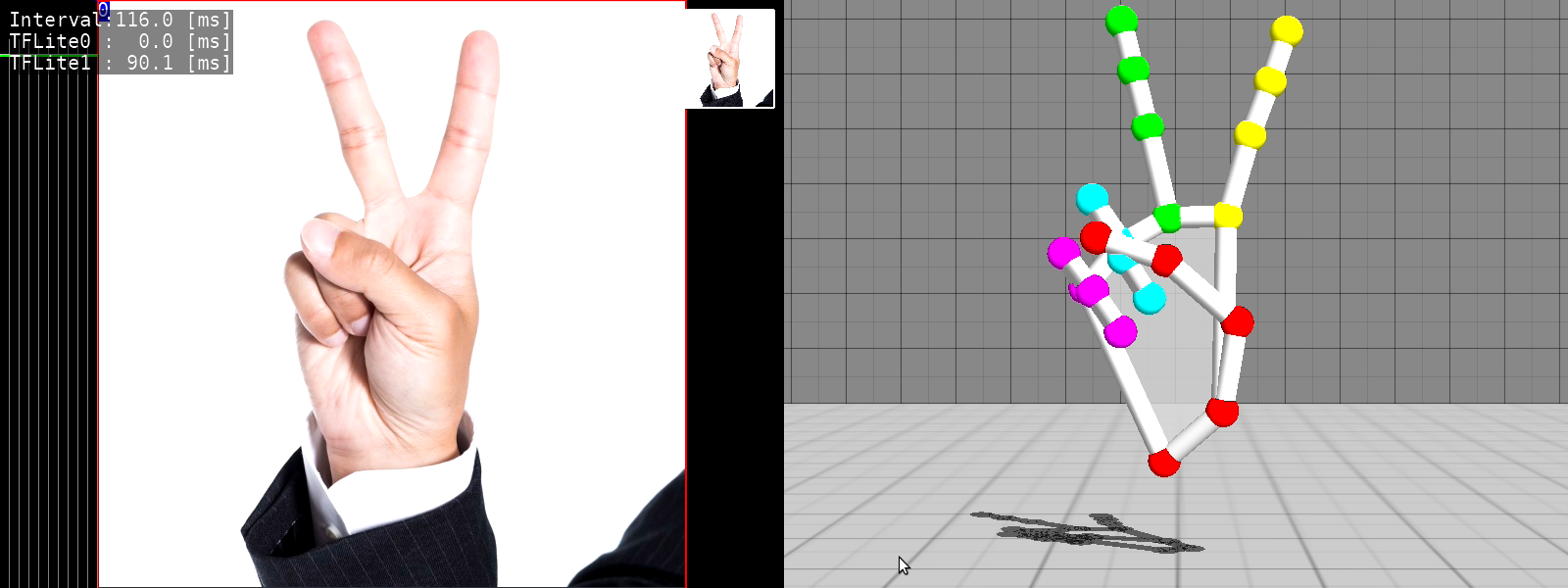
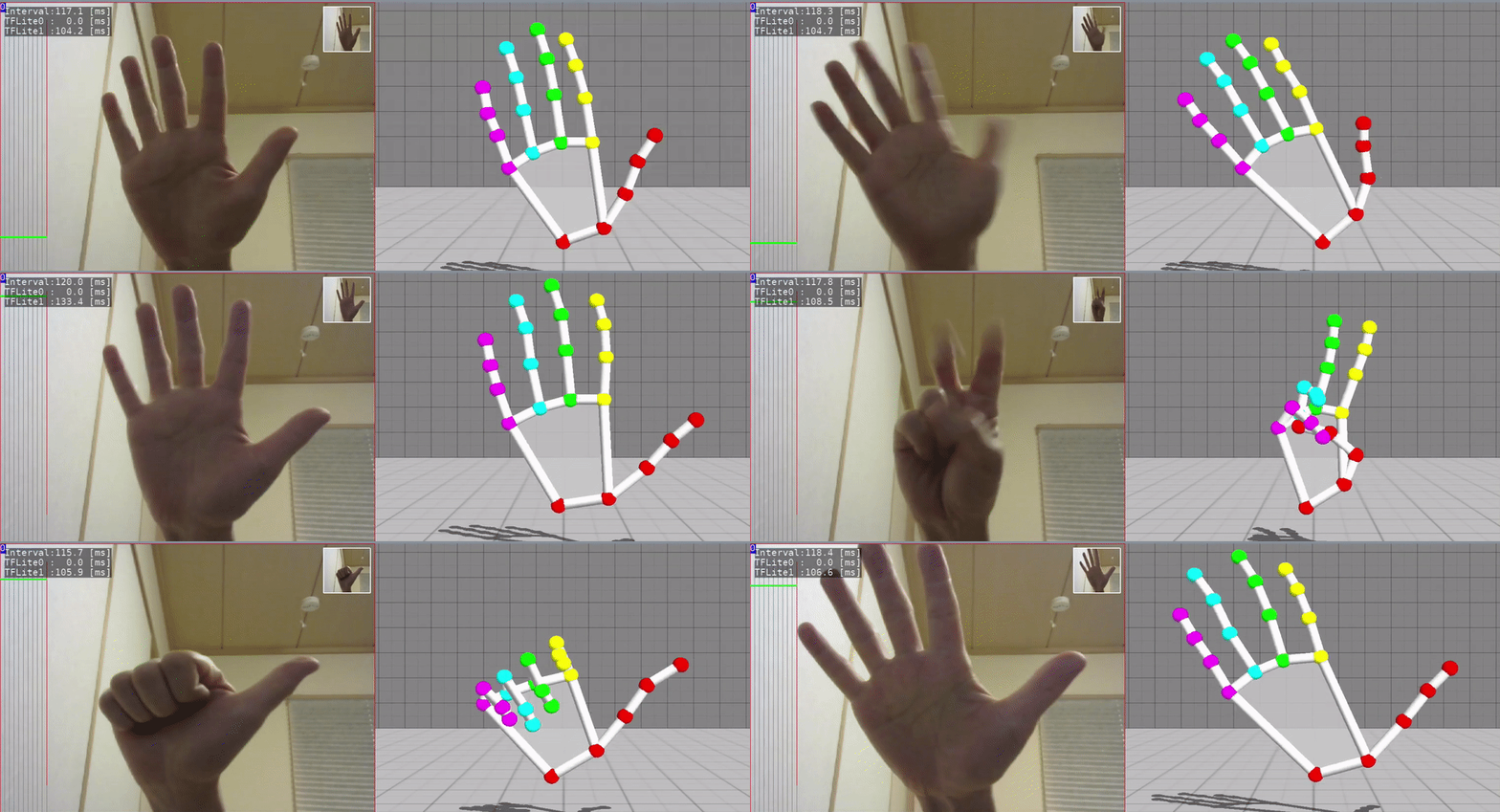
3D Handpose
- 3D Handpose Estimation from single RGB images.
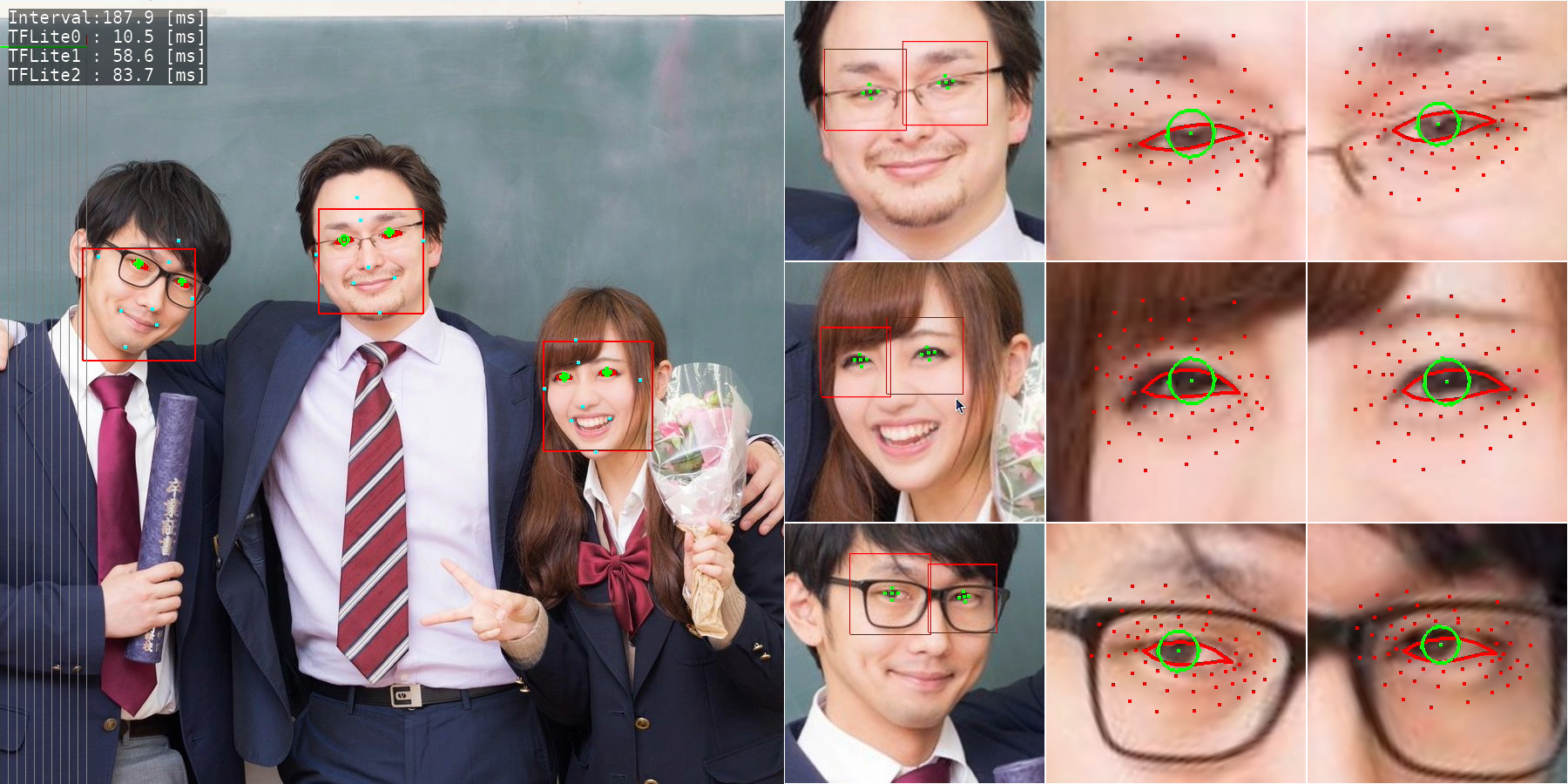
Iris Detection
- Eye position estimation by detecting the iris.
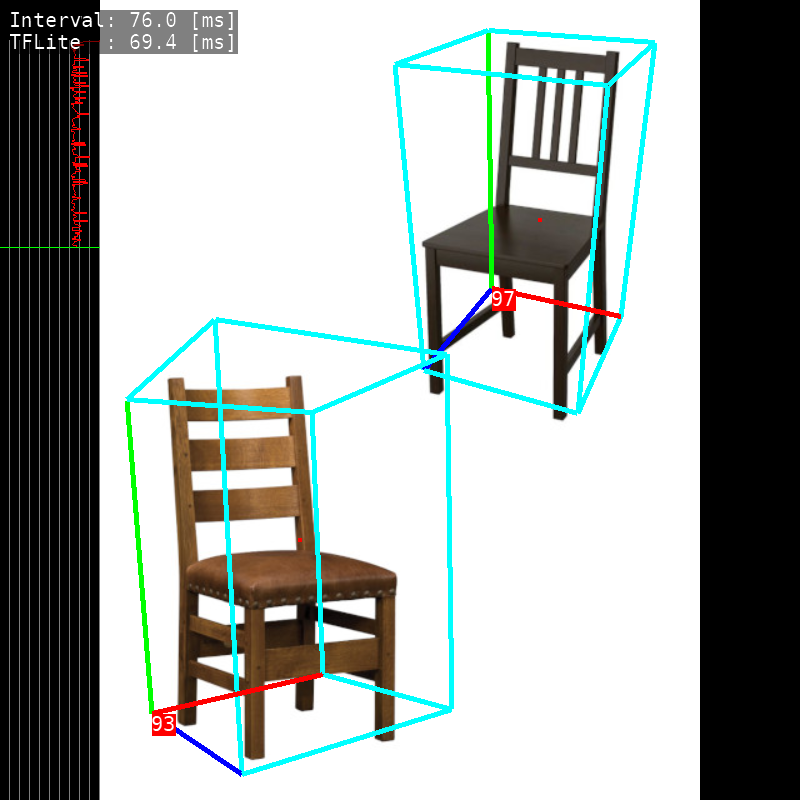
3D Object Detection
- 3D Object Detection.
- TensorRT port is HERE
Blazepose
- Pose Estimation (upper body).
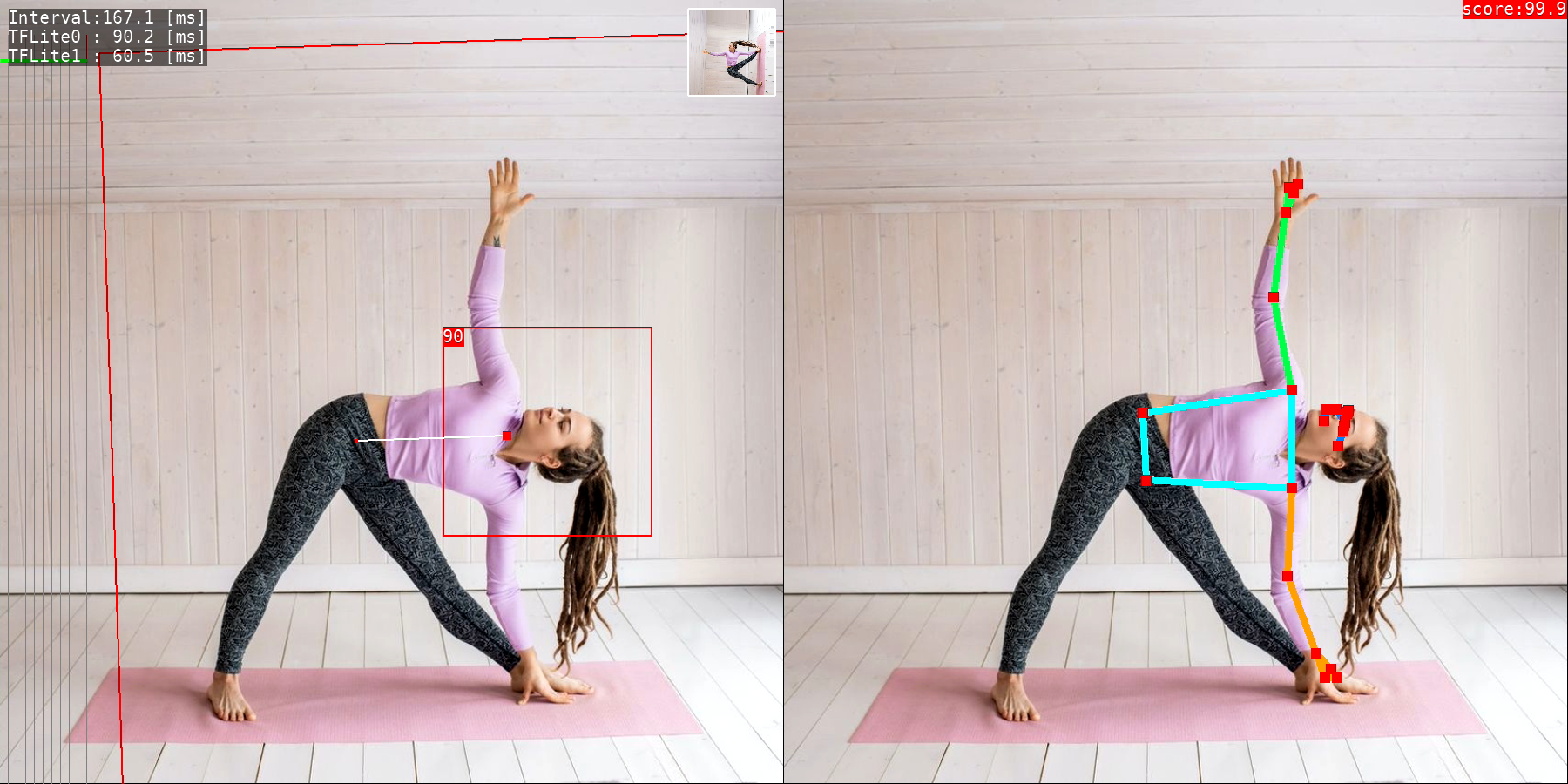
Posenet
- Pose Estimation.
- TensorRT port is HERE
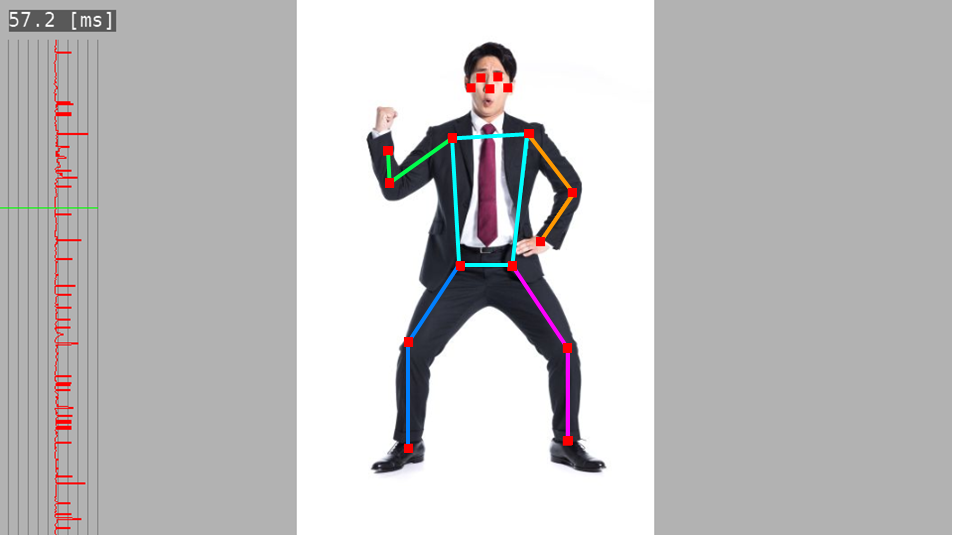
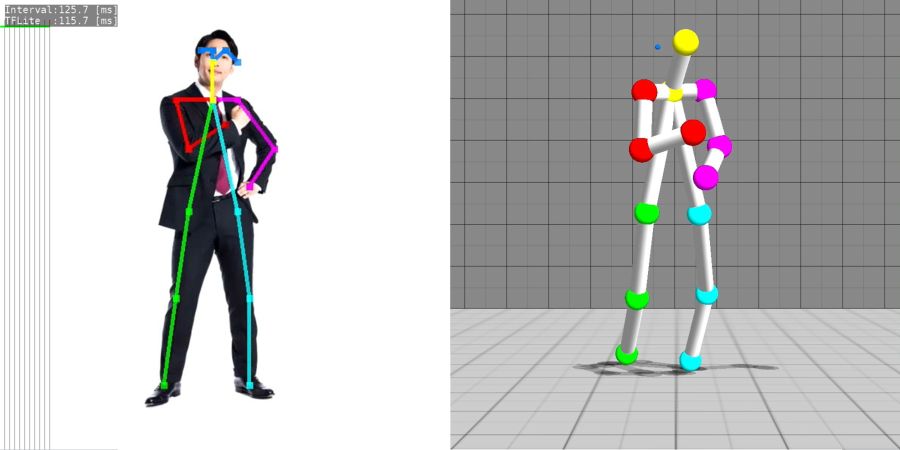
3D Human Pose Estimation
- Single-Shot 3D Human Pose Estimation.
- TensorRT port is HERE
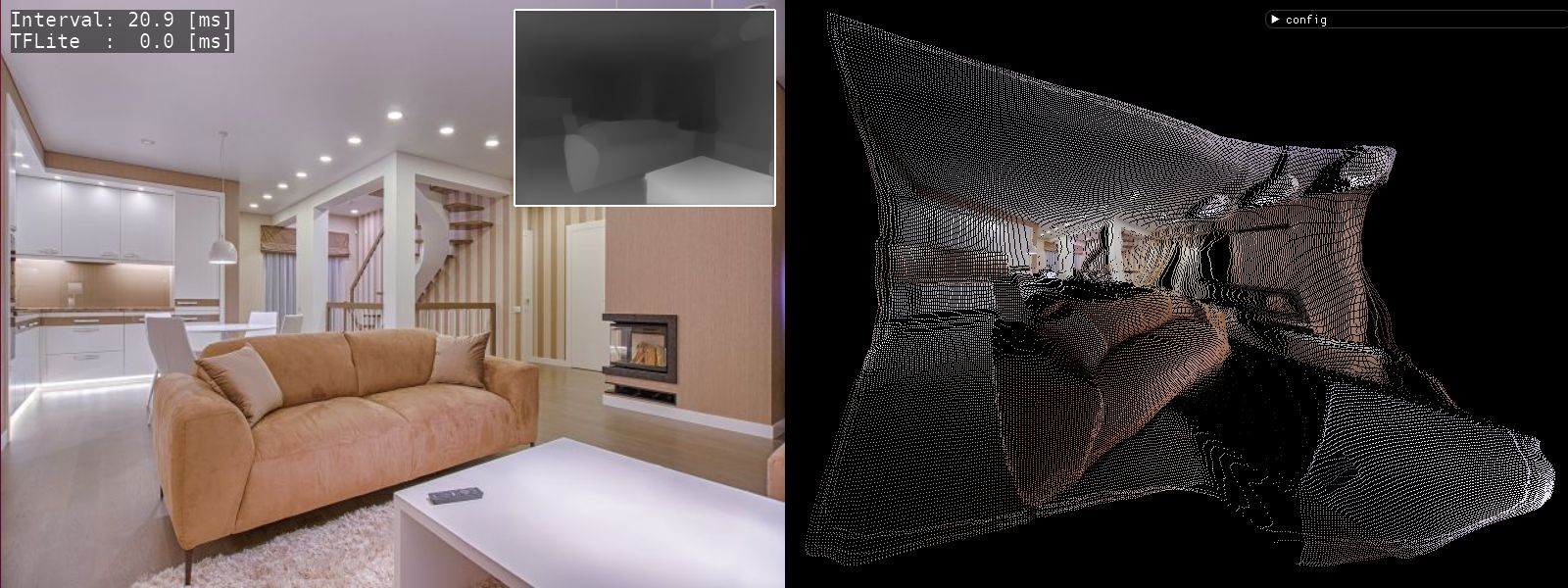
Depth Estimation (DenseDepth)
- Depth Estimation from single images.
- TensorRT port is HERE
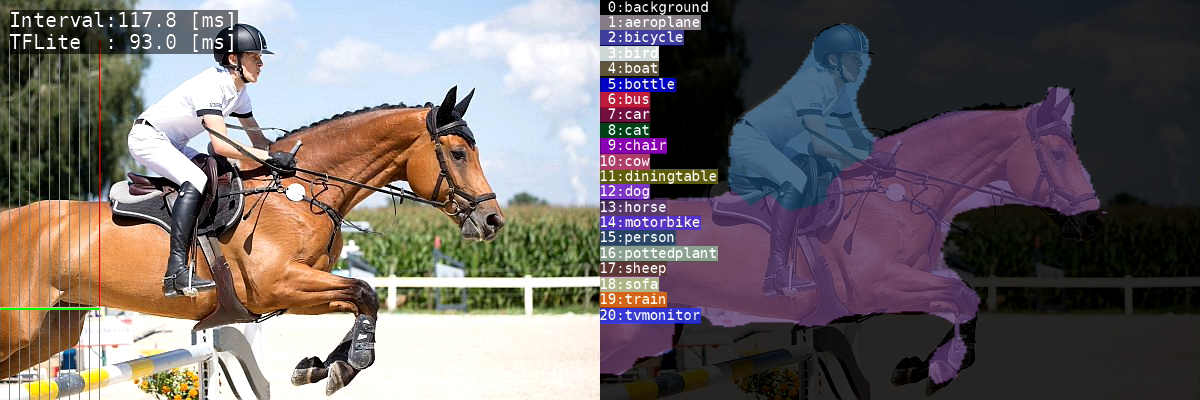
Semantic Segmentation
- Assign semantic labels to every pixel in the input image.
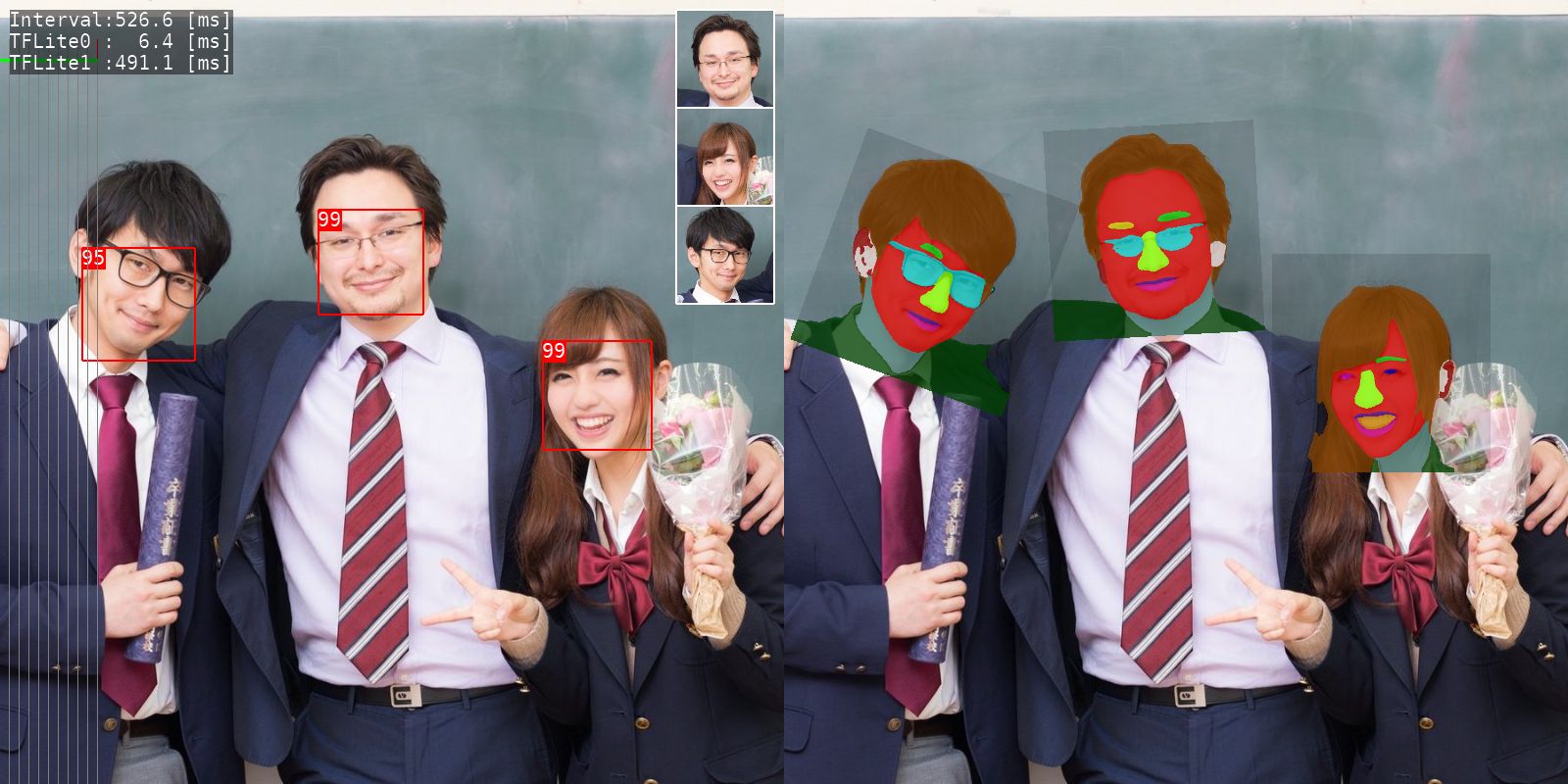
Face Segmentation
- Face parts segmentation based on BiSeNet V2.
Selfie to Anime
- Generate anime-style face image.
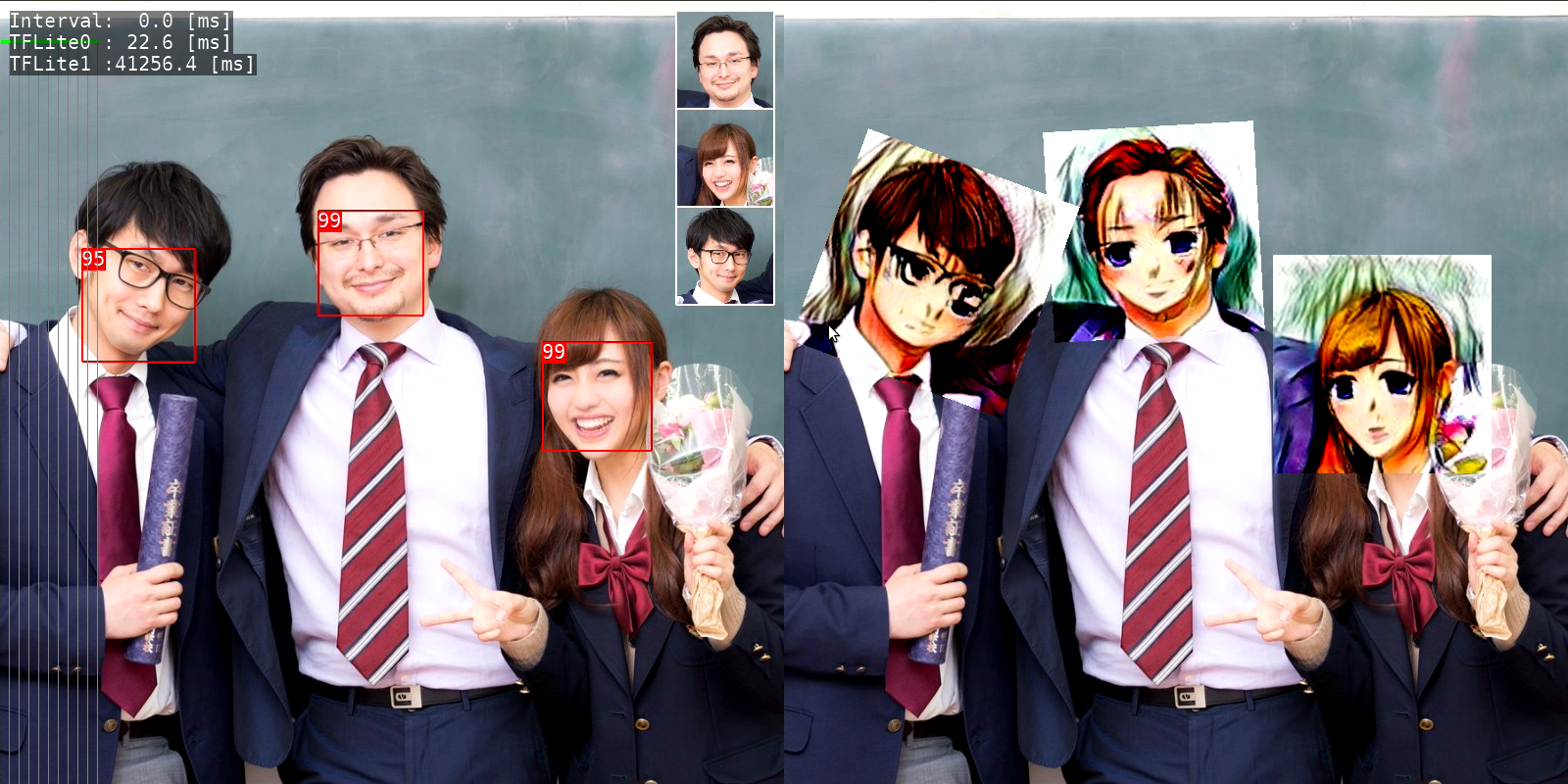
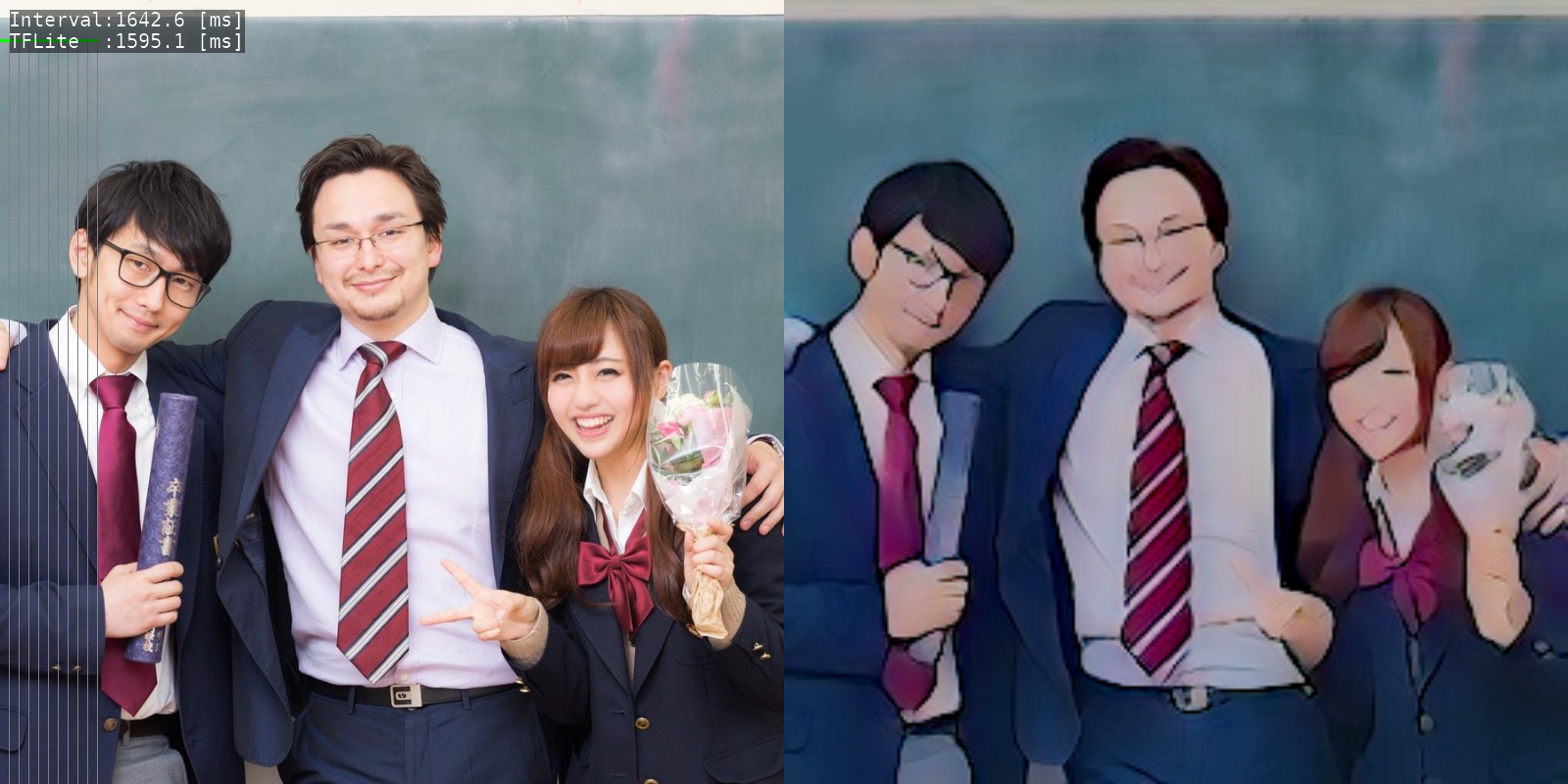
Anime GAN
- Transform photos into anime style images.
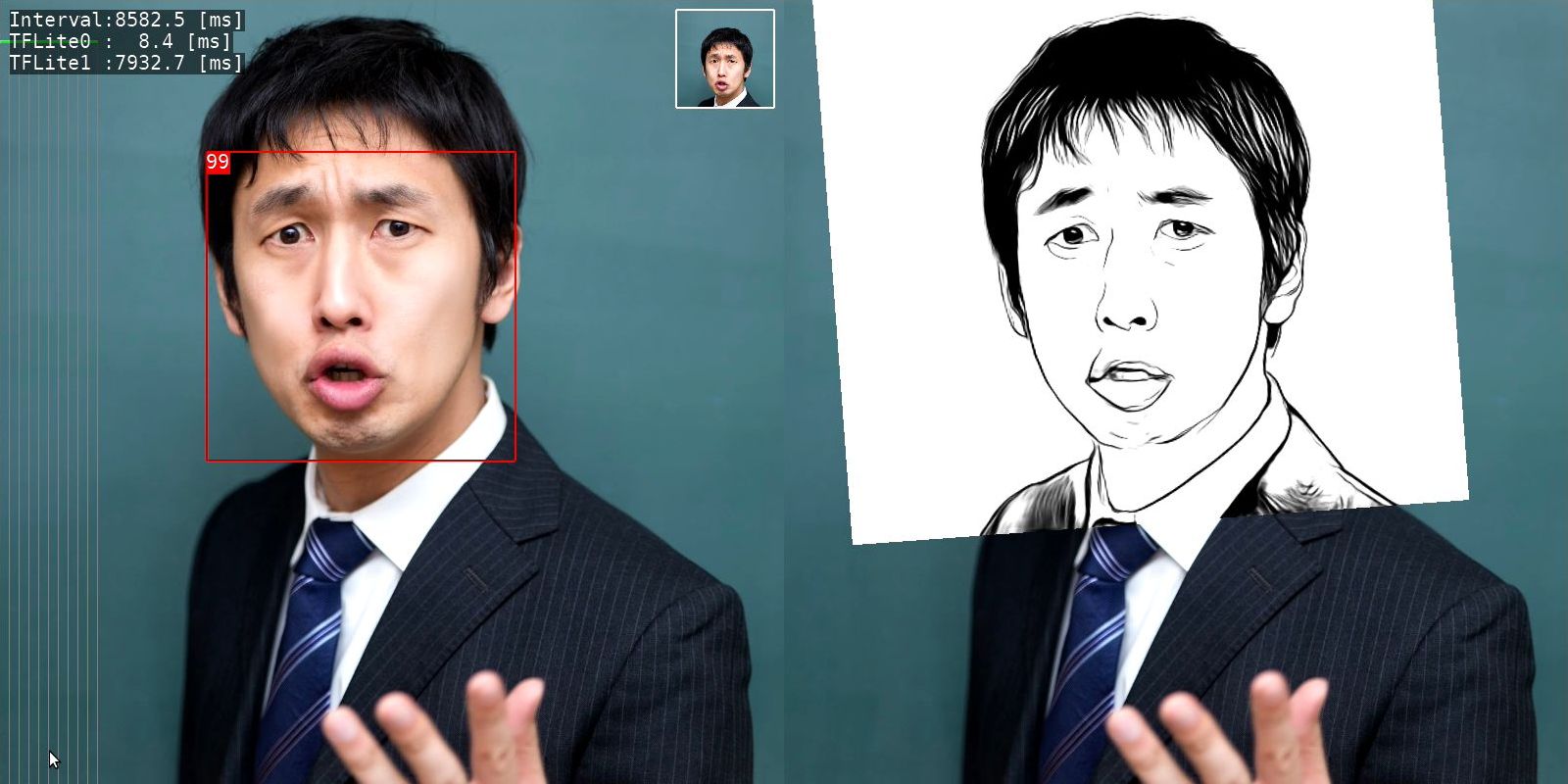
U^2-Net portrait drawing
- Human portrait drawing by U^2-Net.
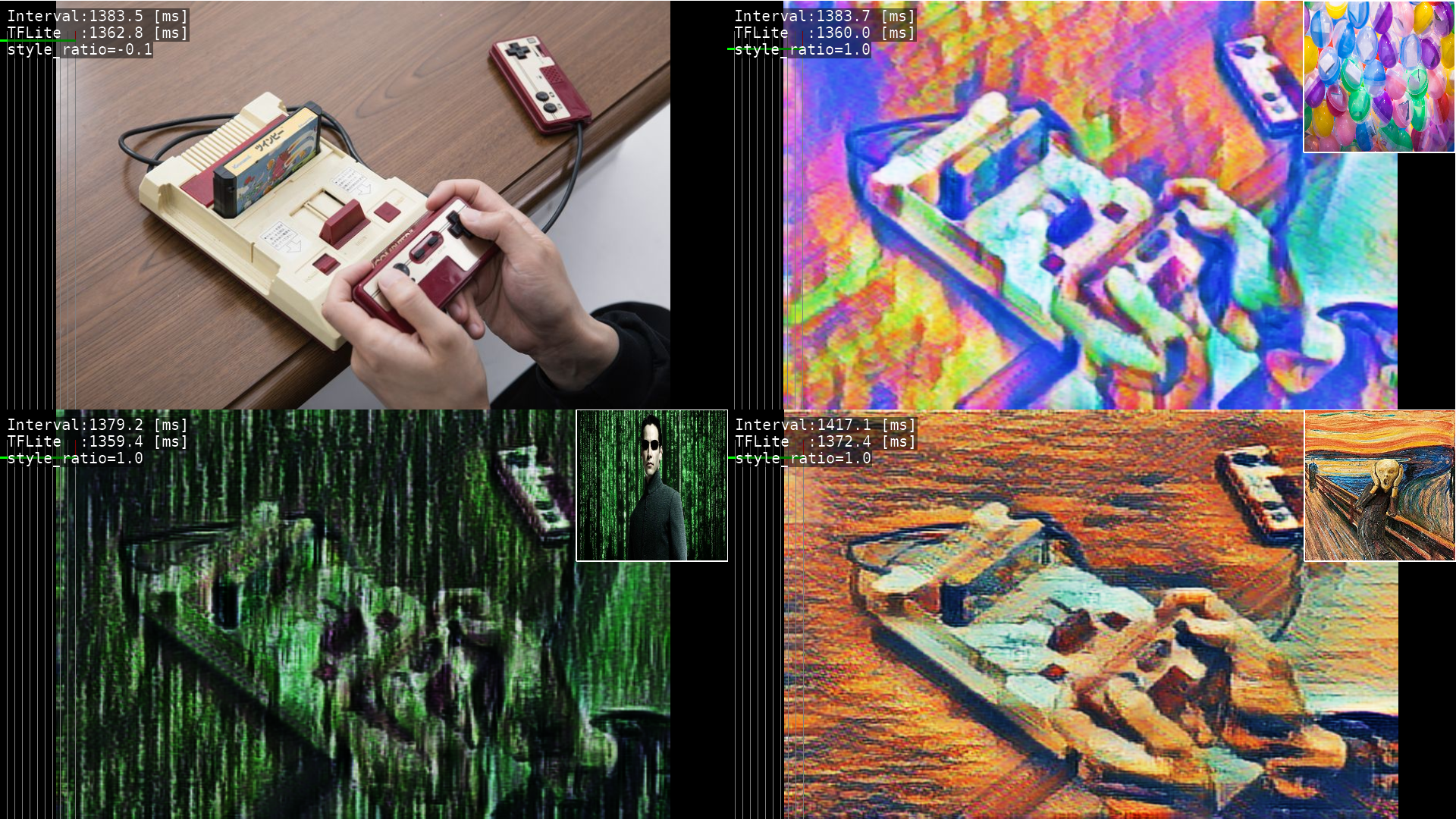
Artistic Style Transfer
- Create new artworks in artistic style.
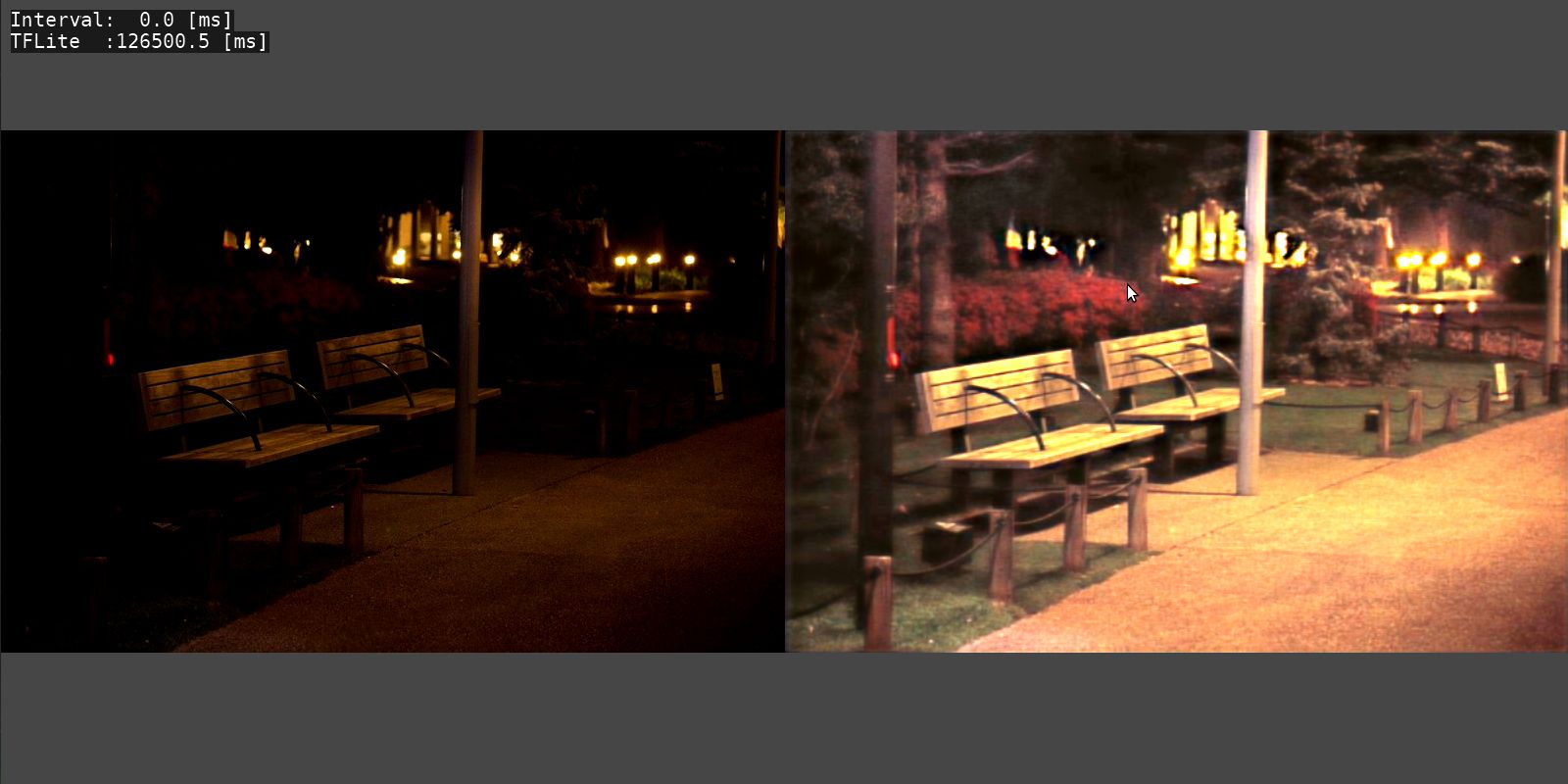
MIRNet
- Enhance low-light images upto a great extent.
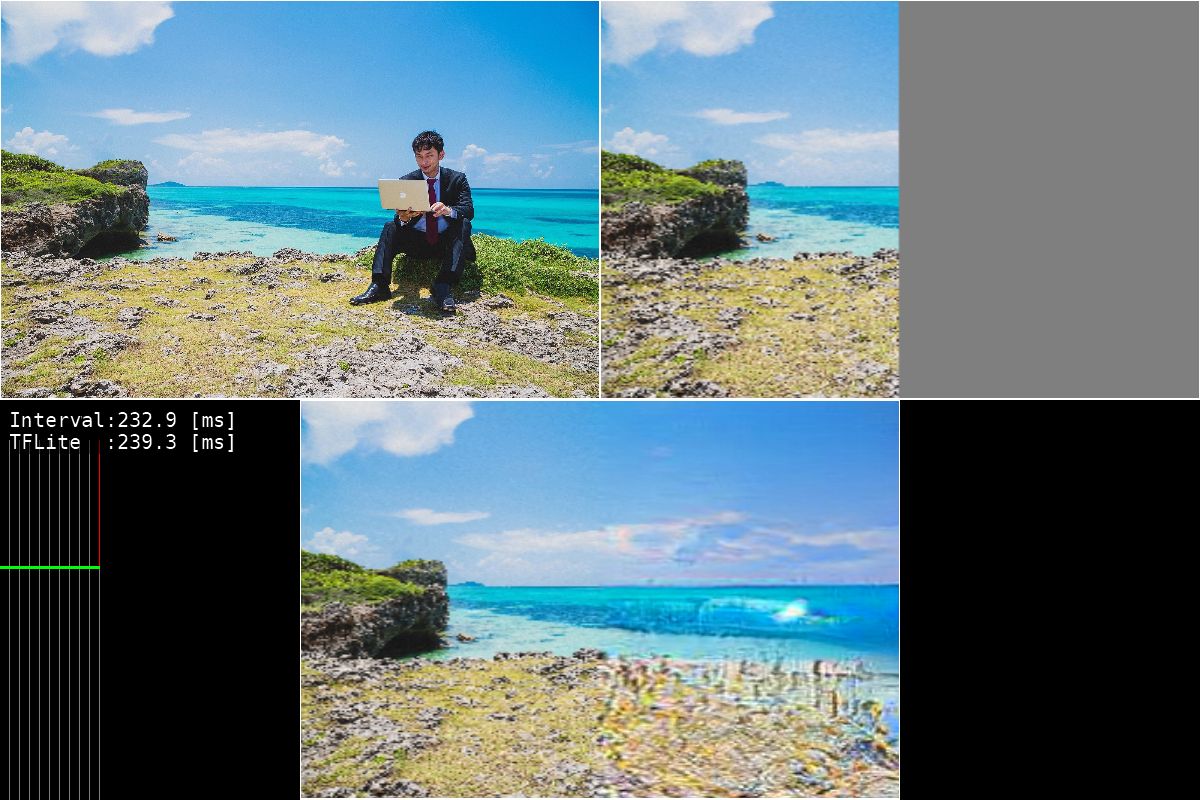
Boundless
- GAN-model for image extrapolation.
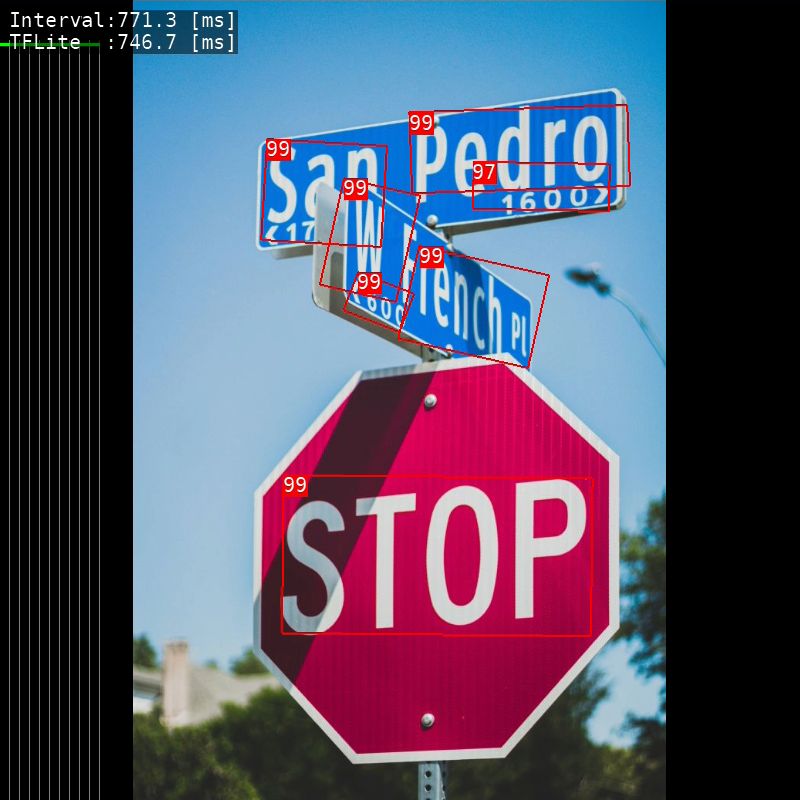
Text Detection
- Text detection from natural scenes.
2. How to Build & Run
- Build for x86_64 Linux
- Build for aarch64 Linux (Jetson Nano, Raspberry Pi)
- Build for armv7l Linux (Raspberry Pi)
2.1. Build for x86_64 Linux
2.1.1. setup environment
$ sudo apt install libgles2-mesa-dev
$ mkdir ~/work
$ mkdir ~/lib
$
$ wget https://github.com/bazelbuild/bazel/releases/download/3.1.0/bazel-3.1.0-installer-linux-x86_64.sh
$ chmod 755 bazel-3.1.0-installer-linux-x86_64.sh
$ sudo ./bazel-3.1.0-installer-linux-x86_64.sh
2.1.2. build TensorFlow Lite library.
$ cd ~/work
$ git clone https://github.com/terryky/tflite_gles_app.git
$ ./tflite_gles_app/tools/scripts/tf2.4/build_libtflite_r2.4.sh

(Tensorflow configure will start after a while. Please enter according to your environment)

$
$ ln -s tensorflow_r2.4 ./tensorflow
$
$ cp ./tensorflow/bazel-bin/tensorflow/lite/libtensorflowlite.so ~/lib
$ cp ./tensorflow/bazel-bin/tensorflow/lite/delegates/gpu/libtensorflowlite_gpu_delegate.so ~/lib
2.1.3. build an application.
$ cd ~/work/tflite_gles_app/gl2handpose
$ make -j4
2.1.4. run an application.
$ export LD_LIBRARY_PATH=~/lib:$LD_LIBRARY_PATH
$ cd ~/work/tflite_gles_app/gl2handpose
$ ./gl2handpose
2.2. Build for aarch64 Linux (Jetson Nano, Raspberry Pi)
2.2.1. build TensorFlow Lite library on Host PC.
(HostPC)$ wget https://github.com/bazelbuild/bazel/releases/download/3.1.0/bazel-3.1.0-installer-linux-x86_64.sh
(HostPC)$ chmod 755 bazel-3.1.0-installer-linux-x86_64.sh
(HostPC)$ sudo ./bazel-3.1.0-installer-linux-x86_64.sh
(HostPC)$
(HostPC)$ mkdir ~/work
(HostPC)$ cd ~/work
(HostPC)$ git clone https://github.com/terryky/tflite_gles_app.git
(HostPC)$ ./tflite_gles_app/tools/scripts/tf2.4/build_libtflite_r2.4_aarch64.sh

# If you want to build XNNPACK-enabled TensorFlow Lite, use the following script.
(HostPC)$ ./tflite_gles_app/tools/scripts/tf2.4/build_libtflite_r2.4_with_xnnpack_aarch64.sh

(Tensorflow configure will start after a while. Please enter according to your environment)
2.2.2. copy Tensorflow Lite libraries to target Jetson / Raspi.
(HostPC)scp ~/work/tensorflow_r2.4/bazel-bin/tensorflow/lite/libtensorflowlite.so [email protected]:/home/jetson/lib
(HostPC)scp ~/work/tensorflow_r2.4/bazel-bin/tensorflow/lite/delegates/gpu/libtensorflowlite_gpu_delegate.so [email protected]:/home/jetson/lib
2.2.3. clone Tensorflow repository on target Jetson / Raspi.
(Jetson/Raspi)$ cd ~/work
(Jetson/Raspi)$ git clone -b r2.4 https://github.com/tensorflow/tensorflow.git
(Jetson/Raspi)$ cd tensorflow
(Jetson/Raspi)$ ./tensorflow/lite/tools/make/download_dependencies.sh
2.2.4. build an application.
(Jetson/Raspi)$ sudo apt install libgles2-mesa-dev libdrm-dev
(Jetson/Raspi)$ cd ~/work
(Jetson/Raspi)$ git clone https://github.com/terryky/tflite_gles_app.git
(Jetson/Raspi)$ cd ~/work/tflite_gles_app/gl2handpose

# on Jetson
(Jetson)$ make -j4 TARGET_ENV=jetson_nano TFLITE_DELEGATE=GPU_DELEGATEV2

# on Raspberry pi without GPUDelegate (recommended)
(Raspi )$ make -j4 TARGET_ENV=raspi4

# on Raspberry pi with GPUDelegate (low performance)
(Raspi )$ make -j4 TARGET_ENV=raspi4 TFLITE_DELEGATE=GPU_DELEGATEV2

# on Raspberry pi with XNNPACK
(Raspi )$ make -j4 TARGET_ENV=raspi4 TFLITE_DELEGATE=XNNPACK
2.2.5. run an application.
(Jetson/Raspi)$ export LD_LIBRARY_PATH=~/lib:$LD_LIBRARY_PATH
(Jetson/Raspi)$ cd ~/work/tflite_gles_app/gl2handpose
(Jetson/Raspi)$ ./gl2handpose
about VSYNC
On Jetson Nano, display sync to vblank (VSYNC) is enabled to avoid the tearing by default . To enable/disable VSYNC, run app with the following command.
# enable VSYNC (default).
(Jetson)$ export __GL_SYNC_TO_VBLANK=1; ./gl2handpose

# disable VSYNC. framerate improves, but tearing occurs.
(Jetson)$ export __GL_SYNC_TO_VBLANK=0; ./gl2handpose
2.3 Build for armv7l Linux (Raspberry Pi)
2.3.1. build TensorFlow Lite library on Host PC.
(HostPC)$ wget https://github.com/bazelbuild/bazel/releases/download/3.1.0/bazel-3.1.0-installer-linux-x86_64.sh
(HostPC)$ chmod 755 bazel-3.1.0-installer-linux-x86_64.sh
(HostPC)$ sudo ./bazel-3.1.0-installer-linux-x86_64.sh
(HostPC)$
(HostPC)$ mkdir ~/work
(HostPC)$ cd ~/work
(HostPC)$ git clone https://github.com/terryky/tflite_gles_app.git
(HostPC)$ ./tflite_gles_app/tools/scripts/tf2.3/build_libtflite_r2.3_armv7l.sh

(Tensorflow configure will start after a while. Please enter according to your environment)
2.3.2. copy Tensorflow Lite libraries to target Raspberry Pi.
(HostPC)scp ~/work/tensorflow_r2.3/bazel-bin/tensorflow/lite/libtensorflowlite.so [email protected]:/home/pi/lib
(HostPC)scp ~/work/tensorflow_r2.3/bazel-bin/tensorflow/lite/delegates/gpu/libtensorflowlite_gpu_delegate.so [email protected]:/home/pi/lib
2.3.3. setup environment on Raspberry Pi.
(Raspi)$ sudo apt install libgles2-mesa-dev libegl1-mesa-dev xorg-dev
(Raspi)$ sudo apt update
(Raspi)$ sudo apt upgrade
2.3.4. clone Tensorflow repository on target Raspi.
(Raspi)$ cd ~/work
(Raspi)$ git clone -b r2.3 https://github.com/tensorflow/tensorflow.git
(Raspi)$ cd tensorflow
(Raspi)$ ./tensorflow/lite/tools/make/download_dependencies.sh
2.3.5. build an application on target Raspi..
(Raspi)$ cd ~/work
(Raspi)$ git clone https://github.com/terryky/tflite_gles_app.git
(Raspi)$ cd ~/work/tflite_gles_app/gl2handpose
(Raspi)$ make -j4 TARGET_ENV=raspi4  #disable GPUDelegate. (recommended)

#enable GPUDelegate. but it cause low performance on Raspi4.
(Raspi)$ make -j4 TARGET_ENV=raspi4 TFLITE_DELEGATE=GPU_DELEGATEV2
2.3.6. run an application on target Raspi..
(Raspi)$ export LD_LIBRARY_PATH=~/lib:$LD_LIBRARY_PATH
(Raspi)$ cd ~/work/tflite_gles_app/gl2handpose
(Raspi)$ ./gl2handpose
for more detail infomation, please refer this article.
3. About Input video stream
Both Live camera and video file are supported as input methods.
3.1. Live UVC Camera (default)
- UVC(USB Video Class) camera capture is supported.
Use
v4l2-ctlcommand to configure the capture resolution.- lower the resolution, higher the framerate.
(Target)$ sudo apt-get install v4l-utils

# confirm current resolution settings
(Target)$ v4l2-ctl --all

# query available resolutions
(Target)$ v4l2-ctl --list-formats-ext

# set capture resolution (160x120)
(Target)$ v4l2-ctl --set-fmt-video=width=160,height=120

# set capture resolution (640x480)
(Target)$ v4l2-ctl --set-fmt-video=width=640,height=480
currently, only YUYV pixelformat is supported.
- If you have error messages like below:
-------------------------------
 capture_devie  : /dev/video0
 capture_devtype: V4L2_CAP_VIDEO_CAPTURE
 capture_buftype: V4L2_BUF_TYPE_VIDEO_CAPTURE
 capture_memtype: V4L2_MEMORY_MMAP
 WH(640, 480), 4CC(MJPG), bpl(0), size(341333)
-------------------------------
ERR: camera_capture.c(87): pixformat(MJPG) is not supported.
ERR: camera_capture.c(87): pixformat(MJPG) is not supported.
...
please try to change your camera settings to use YUYV pixelformat like following command :
$ sudo apt-get install v4l-utils
$ v4l2-ctl --set-fmt-video=width=640,height=480,pixelformat=YUYV --set-parm=30
- to disable camera
- If your camera doesn't support YUYV, please run the apps in camera_disabled_mode with argument
-x
- If your camera doesn't support YUYV, please run the apps in camera_disabled_mode with argument
$ ./gl2handpose -x
3.2 Recorded Video file
- FFmpeg (libav) video decode is supported.
- If you want to use a recorded video file instead of a live camera, follow these steps:
# setup dependent libralies.
(Target)$ sudo apt install libavcodec-dev libavdevice-dev libavfilter-dev libavformat-dev libavresample-dev libavutil-dev

# build an app with ENABLE_VDEC options
(Target)$ cd ~/work/tflite_gles_app/gl2facemesh
(Target)$ make -j4 ENABLE_VDEC=true

# run an app with a video file name as an argument.
(Target)$ ./gl2facemesh -v assets/sample_video.mp4
4. Tested platforms
You can select the platform by editing Makefile.env.
- Linux PC (X11)
- NVIDIA Jetson Nano (X11)
- NVIDIA Jetson TX2 (X11)
- RaspberryPi4 (X11)
- RaspberryPi3 (Dispmanx)
- Coral EdgeTPU Devboard (Wayland)
5. Performance of inference [ms]
Blazeface
| Framework | Precision | Raspberry Pi 4 [ms] |
Jetson nano [ms] |
|---|---|---|---|
| TensorFlow Lite | CPU fp32 | 10 | 10 |
| TensorFlow Lite | CPU int8 | 7 | 7 |
| TensorFlow Lite GPU Delegate | GPU fp16 | 70 | 10 |
| TensorRT | GPU fp16 | -- | ? |
Classification (mobilenet_v1_1.0_224)
| Framework | Precision | Raspberry Pi 4 [ms] |
Jetson nano [ms] |
|---|---|---|---|
| TensorFlow Lite | CPU fp32 | 69 | 50 |
| TensorFlow Lite | CPU int8 | 28 | 29 |
| TensorFlow Lite GPU Delegate | GPU fp16 | 360 | 37 |
| TensorRT | GPU fp16 | -- | 19 |
Object Detection (ssd_mobilenet_v1_coco)
| Framework | Precision | Raspberry Pi 4 [ms] |
Jetson nano [ms] |
|---|---|---|---|
| TensorFlow Lite | CPU fp32 | 150 | 113 |
| TensorFlow Lite | CPU int8 | 62 | 64 |
| TensorFlow Lite GPU Delegate | GPU fp16 | 980 | 90 |
| TensorRT | GPU fp16 | -- | 32 |
Facemesh
| Framework | Precision | Raspberry Pi 4 [ms] |
Jetson nano [ms] |
|---|---|---|---|
| TensorFlow Lite | CPU fp32 | 29 | 30 |
| TensorFlow Lite | CPU int8 | 24 | 27 |
| TensorFlow Lite GPU Delegate | GPU fp16 | 150 | 20 |
| TensorRT | GPU fp16 | -- | ? |
Hair Segmentation
| Framework | Precision | Raspberry Pi 4 [ms] |
Jetson nano [ms] |
|---|---|---|---|
| TensorFlow Lite | CPU fp32 | 410 | 400 |
| TensorFlow Lite | CPU int8 | ? | ? |
| TensorFlow Lite GPU Delegate | GPU fp16 | 270 | 30 |
| TensorRT | GPU fp16 | -- | ? |
3D Handpose
| Framework | Precision | Raspberry Pi 4 [ms] |
Jetson nano [ms] |
|---|---|---|---|
| TensorFlow Lite | CPU fp32 | 116 | 85 |
| TensorFlow Lite | CPU int8 | 80 | 87 |
| TensorFlow Lite GPU Delegate | GPU fp16 | 880 | 90 |
| TensorRT | GPU fp16 | -- | ? |
3D Object Detection
| Framework | Precision | Raspberry Pi 4 [ms] |
Jetson nano [ms] |
|---|---|---|---|
| TensorFlow Lite | CPU fp32 | 470 | 302 |
| TensorFlow Lite | CPU int8 | 248 | 249 |
| TensorFlow Lite GPU Delegate | GPU fp16 | 1990 | 235 |
| TensorRT | GPU fp16 | -- | 108 |
Posenet (posenet_mobilenet_v1_100_257x257)
| Framework | Precision | Raspberry Pi 4 [ms] |
Jetson nano [ms] |
|---|---|---|---|
| TensorFlow Lite | CPU fp32 | 92 | 70 |
| TensorFlow Lite | CPU int8 | 53 | 55 |
| TensorFlow Lite GPU Delegate | GPU fp16 | 803 | 80 |
| TensorRT | GPU fp16 | -- | 18 |
Semantic Segmentation (deeplabv3_257)
| Framework | Precision | Raspberry Pi 4 [ms] |
Jetson nano [ms] |
|---|---|---|---|
| TensorFlow Lite | CPU fp32 | 108 | 80 |
| TensorFlow Lite | CPU int8 | ? | ? |
| TensorFlow Lite GPU Delegate | GPU fp16 | 790 | 90 |
| TensorRT | GPU fp16 | -- | ? |
Selfie to Anime
| Framework | Precision | Raspberry Pi 4 [ms] |
Jetson nano [ms] |
|---|---|---|---|
| TensorFlow Lite | CPU fp32 | ? | 7700 |
| TensorFlow Lite | CPU int8 | ? | ? |
| TensorFlow Lite GPU Delegate | GPU fp16 | ? | ? |
| TensorRT | GPU fp16 | -- | ? |
Artistic Style Transfer
| Framework | Precision | Raspberry Pi 4 [ms] |
Jetson nano [ms] |
|---|---|---|---|
| TensorFlow Lite | CPU fp32 | 1830 | 950 |
| TensorFlow Lite | CPU int8 | ? | ? |
| TensorFlow Lite GPU Delegate | GPU fp16 | 2440 | 215 |
| TensorRT | GPU fp16 | -- | ? |
Text Detection (east_text_detection_320x320)
| Framework | Precision | Raspberry Pi 4 [ms] |
Jetson nano [ms] |
|---|---|---|---|
| TensorFlow Lite | CPU fp32 | 1020 | 680 |
| TensorFlow Lite | CPU int8 | 378 | 368 |
| TensorFlow Lite GPU Delegate | GPU fp16 | 4665 | 388 |
| TensorRT | GPU fp16 | -- | ? |
6. Related Articles
- Raspberry Pi4 単体で TensorFlow Lite はどれくらいの速度で動く?(Qiita)
- 注目AIボードとラズパイ4の実力テスト(CQ出版社 Interface 2020/10月号 pp.48-51)
7. Acknowledgements
- https://github.com/google/mediapipe
- https://github.com/TachibanaYoshino/AnimeGANv2
- https://github.com/openvinotoolkit/open_model_zoo/tree/master/demos/python_demos/human_pose_estimation_3d_demo
- https://github.com/ialhashim/DenseDepth
- https://github.com/MaybeShewill-CV/bisenetv2-tensorflow
- https://github.com/margaretmz/Selfie2Anime-with-TFLite
- https://github.com/NathanUA/U-2-Net
- https://tfhub.dev/sayakpaul/lite-model/east-text-detector/int8/1
- https://github.com/PINTO0309/PINTO_model_zoo