
tenequm/blackbox
tenequm/blackbox has 30 GitHub stars and 5 forks. GitHot measured 0 stars in 24 hours, +1 in 7 days, and -1 in 15 days. Last checked 2026-11-14 22:06 UTC. Last push 2026-11-03.
What you can do
- Manual record/stop for system audio outside a call
- Excluded apps: dictation tools and others never trigger a recording
- Notification when a recording is saved; click to reveal in Finder
- Configurable grace period, save folder, file-name date prefix
Measured star growth
- in 24h
- 0
- in 7 days
- +1
- in 15 days
- -1
- in 1 month
- Collecting history
Net star changes over overlapping periods, not daily totals. Missing measurements are left blank. Stars measure attention, not software quality.
About
Blackbox is a menu bar app that records your calls. It starts and stops by itself. It works with Zoom, Meet, Teams, FaceTime and every other app. No bot, no extension, no account. Files stay on your Mac.
SecurityREADME.md
Original

Blackbox
Records your calls. Starts by itself. Files stay on your Mac.
You join a call. Blackbox notices and starts recording. You hang up. It stops and saves an M4A. It works with Zoom, Meet, Teams, Discord, FaceTime, Telegram and any other app that uses your microphone.
- No bot, no extension, no account. Nothing joins your meeting. Nothing leaves your Mac unless you ask for a transcript.
- Both sides, on separate tracks. System audio and your microphone are captured by independent pipelines, so one failing never loses the other. Echo is removed from the mic track on-device.
- Built to not lose a recording. Microphone swaps, dropped buffers and app crashes are detected and repaired while the call is still running.
- Optional transcription. Add a Soniox API key in Settings and one click transcribes a finished recording. Without a key, no audio leaves your Mac.
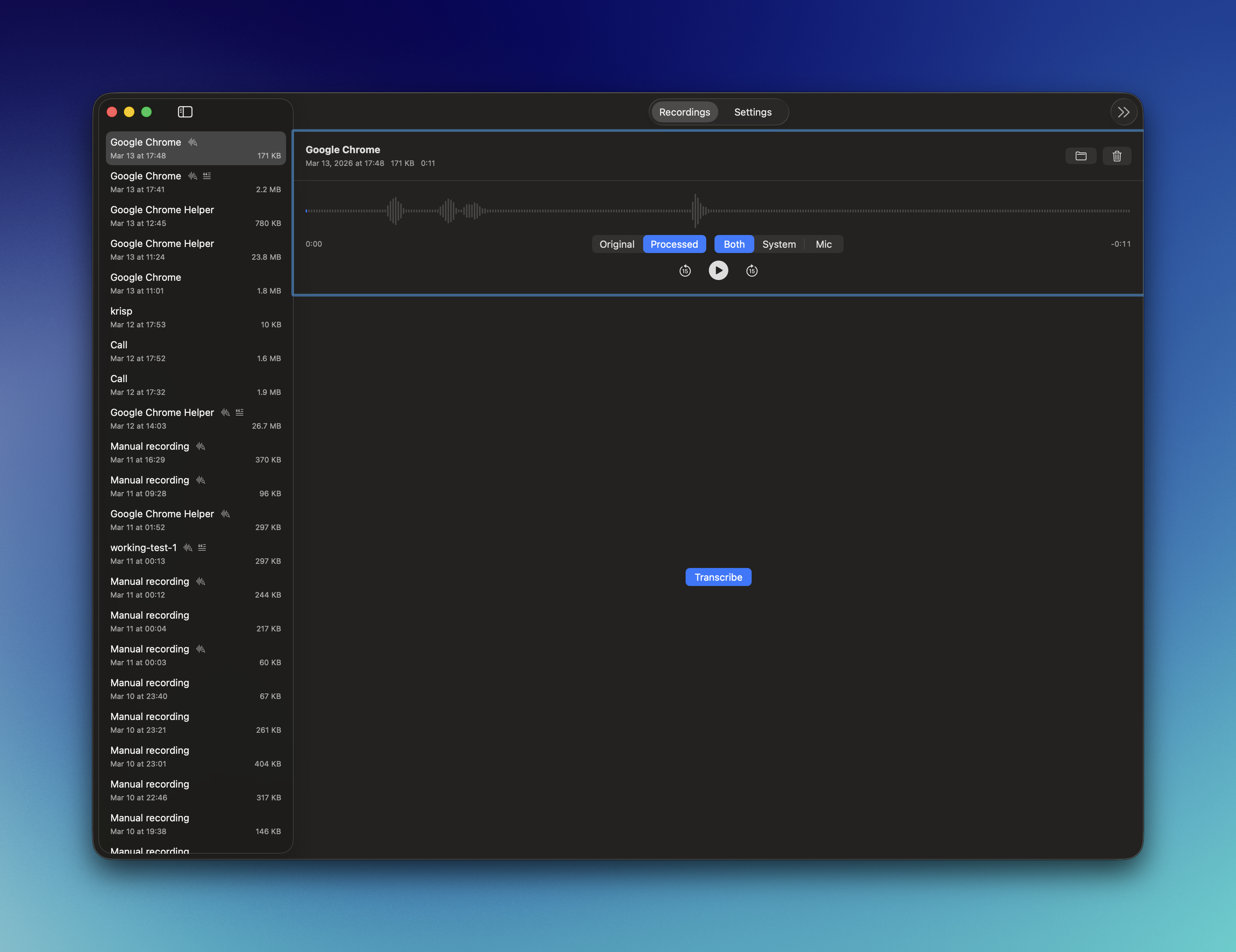
Install
Via Homebrew:
brew install --cask tenequm/tap/blackbox-recorder
Or download the latest .dmg from Releases, open it, and drag Blackbox to Applications.
Requires macOS 26.1 or later. On first launch, grant Screen Recording and Microphone permissions when prompted.
Features
- Manual record/stop for system audio outside a call
- Excluded apps: dictation tools and others never trigger a recording
- Notification when a recording is saved; click to reveal in Finder
- Configurable grace period, save folder, file-name date prefix
- Auto-updates
Build from source
git clone https://github.com/tenequm/blackbox.git
cd blackbox
make install
open /Applications/Blackbox.app
Requires macOS 26.1+ and Swift 6.2+ (Xcode 26+).
Acknowledgments
Blackbox's ScreenCaptureKit audio capture architecture was informed by studying Azayaka by Martin Persson - a clean, well-built macOS screen and audio recorder. Azayaka's approach to dual-track recording and its PCM buffer conversion patterns (based on Apple's ScreenCaptureKit documentation and this gist by aibo-cora) were valuable references during development.
License
GPL v3 - see LICENSE