
tangtiancheng/DouYinComment
tangtiancheng/DouYinComment has 716 GitHub stars and 117 forks. GitHot measured 0 in 7 days. Last checked 2026-11-11 01:29 UTC. Last push 2026-08-24.
iOS Widget Video Gif Play Animation 1. gif视频播放小组件, 帧动画小组件, 摇摇乐小组件, 网易云iOS小组件,动态Widget,时钟组件,风扇组件,滚动照片组件; 2.抖音视频转场动画,抖音左滑push进个人主页, 评论手势拖拽效果 , 视频播放, 边下边播, 预加载, TikTok ; 3.铃声多多,上传铃声音频到库乐队(GarageBand) 4.微博主页、简书主页等。多页面嵌套列表分页滚动,上下滑动,左右滑动切换页面。类似TableView共用HeaderView悬浮,仿头条标签编辑,铃声多多音乐播放界面(豆瓣电影主页)。
Measured star growth
- in 24h
- Update delayed
- in 7 days
- 0
- in 15 days
- Collecting history
- in 1 month
- Collecting history
Net star changes over overlapping periods, not daily totals. Missing measurements are left blank. Stars measure attention, not software quality.
README_EN.md
OriginalDouYinComment
Support CocoaPods:
pod 'TTCTool
Or just import a single function
Tiktok comment effect: pod 'TTCTool/TCCommentsPopView'
Tiktok transition animation: pod 'TTCTool/TTCTransition'
Tiktok left swipe to go to the personal homepage: pod 'TTCTool/TTCPanPush'
ViewPage: pod 'TTCTool/TCViewPage'
TagChannelManager: pod 'TTCTool/TagChannelManager'
Most of these functions are I have used in the "铃声多多" APP,iOS daily life is about 700,000, and the AppStore ranking is more than 100 all year round, not to let you be guinea pigs, just for their own records , plus can help others a little bit is a little bit, there is a need to use it! The main functions of this Demo:
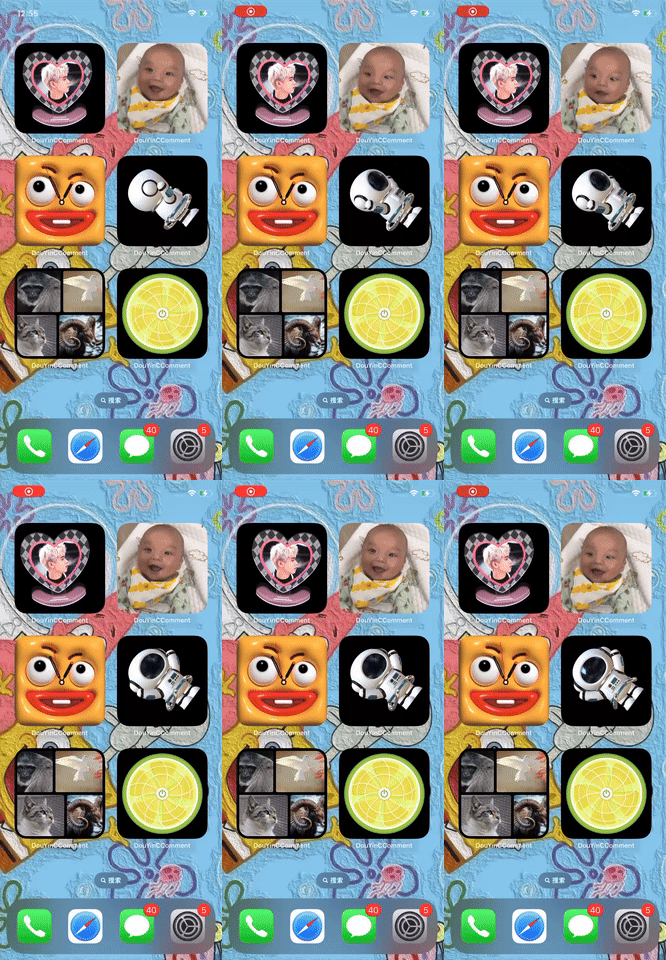
1.iOS Widget Play gif Video, Widget Frame animation, Widget Shake, Dynamic Widget, Wangyiyun Edit Widget, Fan Widget, Clock Widget, Scroll Picture Widget, Run it for yourself!
(The new version of Xcode 26 does not support the rotation function of widgets on iOS 26. However, the older versions of Xcode are fine.)


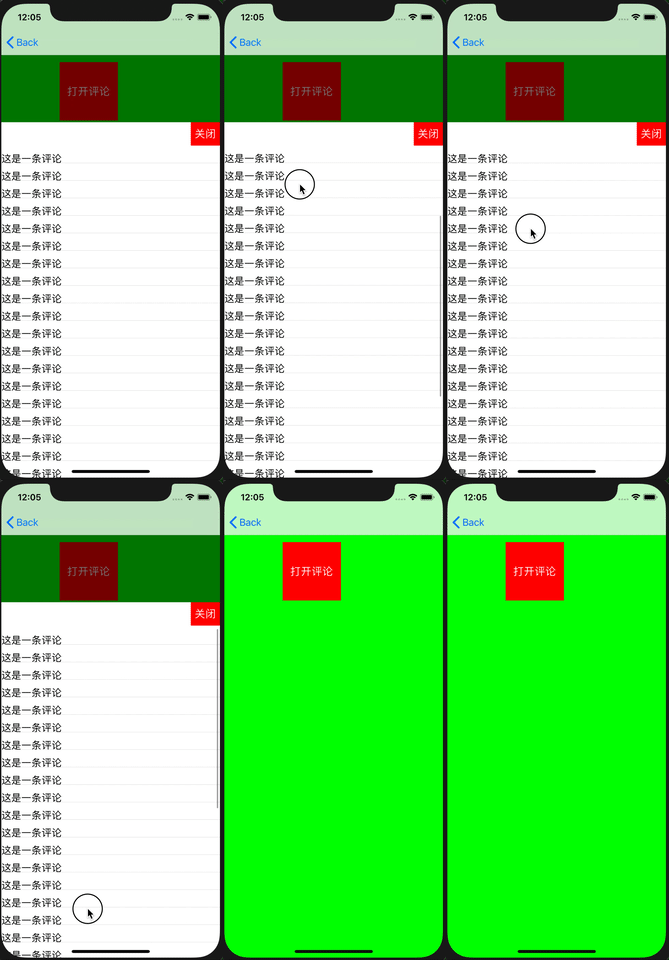
2.This Demo has a drag and drop effect that mimics Tiktok's small video comment gesture (simply drag the TCCommentsPopView class into your project to use it, it's easy)
It can be said that it is exactly the same as the effect of Tiktok, which I have used in the "铃声多多" project. I am making cocoachina, coco4app web site to find for a long time, don't have a demo is fully consistent and trill. If you think it works, hope to give a star
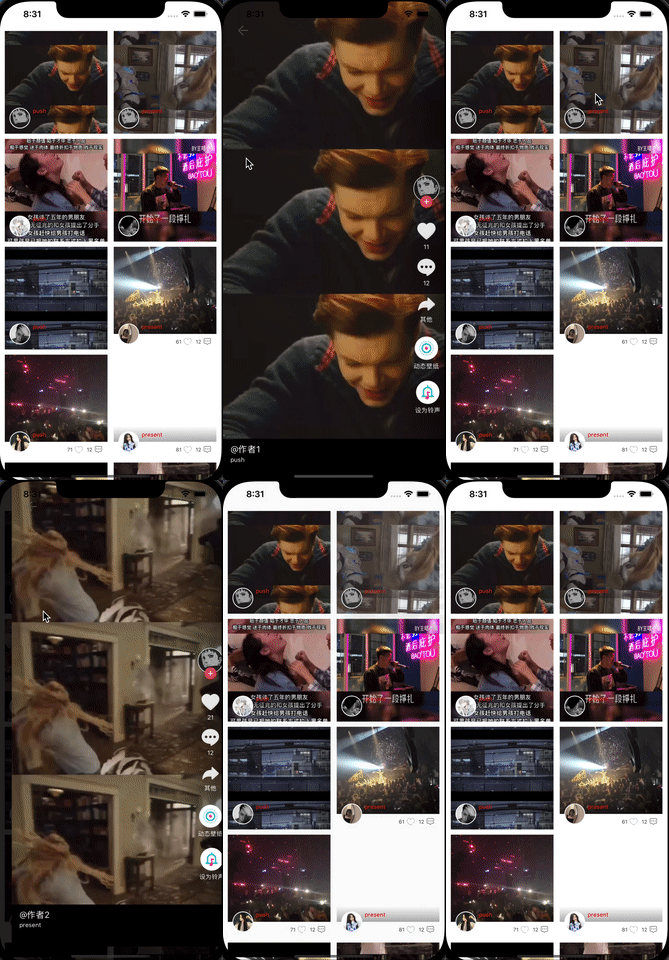
3.A line of code to achieve imitation Tiktok left slide Push into the personal home page function
A line of code to achieve imitation Tiktok left slide push into the personal home page,
1.Drag the TTCPanPushTransition folder into your project,
2.In the controller class that needs push #import "UIViewController+TTCPanPush.h"
3.Then videDidLoad method invokes the getpanPushToViewController: method of the controller class block to return to your personal home page
Will not break into your own original code, see the demo in detail
[self getpanPushToViewController:^UIViewController * _Nonnull{
    //This should be your personal home page controller
    Type4ViewControllerThird *vc = [[Type4ViewControllerThird alloc] init];
    return vc;
}];

4.Other demo on github did not do the same as Tiktok, or the coupling degree is too high need to invade your code, let you change a lot of things to achieve, I packaged a, just drag the TTCTransition folder into your project, and then add two lines of code on the line, completely do not need to invade and modify your original The code. Hope the big guys give more advice)
One or two lines of code to achieve the transition animation of Tiktok video playback, support push and present, two lines of code brain residue operation, see the code yourself First drag the TTCTransition folder into your project, #import "TTCTransitionDelegate.h"
First line: Suppose that the controller that needs to transition is called myVC, then call: myVC.ttcTransitionDelegate = [[TTCTransitionDelegate alloc] init];
The second line: the transition animation effect of Tiktok is that a small window cell is expanded to the full-screen playback interface, so it is necessary to pass the small window cell to me, or not to pass it, and the default is to expand it from the center,myVC.ttcTransitionDelegate.smalCurPlayCell = cell
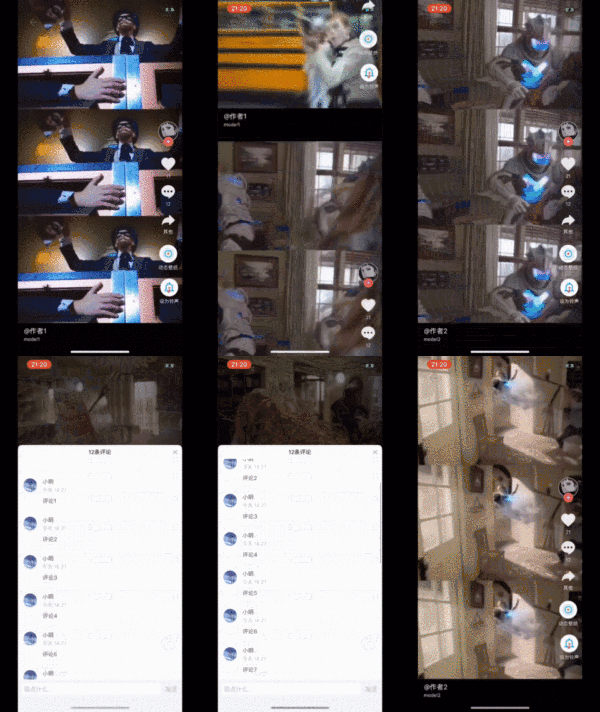
5.Imitate Tiktok play small video function; (There are many other better demos of this feature online, so you may not need much)
(1).Support edge downcast
(2).Video preloading is supported
6.Like 铃声多多, support to upload audio to GarageBand set mobile phone ringtone
In view of the fact that several iOS developers came to me through the brief book, all of them were that the company needed to do this function but did not know how to implement it. When I did this niche function, there was no information on the Internet, and I also spent some time in thinking about it. Today, write out this function implementation method, and hope to help you. If you really solve your urgent need, I hope you can order a star, thank you.
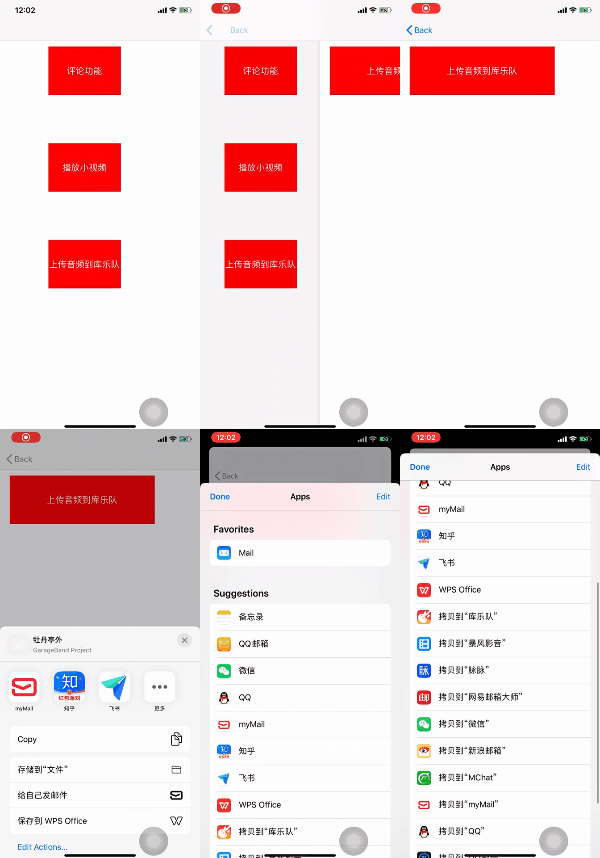
7.Multi-list nested paging scroll, header suspension
This feature has two classes :1.TCViewPager(for handling list paging) 2.TCNestScrollPageView(for handling scrolling of nested headers)
At first, there is only paging function in ringtone many, and there is no need to add the function of headerView suspension nesting, so I only wrote TCViewPager, which is used to deal with paging function. Later, personal home page needs to make the effect of headerView suspension. But I do not want to modify the previous TCViewPager has written code, and there must be other developers have their own paging control (change style change code is sure to change their own code is more familiar and faster), just want to add a headerView suspension function, do not want to use my TCViewPager, So I just wrote TCNestScrollPageView to handle nested headerView scrolling, and completely split TCNestScrollPageView and TCViewPager. If you already have your own page control, but want to add header floating scrolling on top of it, you can use TCNestScrollPageView instead of TCViewPager. The usage is very simple, directly referring to the demo (github has some one or two thousand star projects I think whether it is code or use have lost lost complex, not very friendly to the novice, looks like a face of forced, want to make some changes are unable to start, TCNestScrollPageView and TCViewPager are relatively simple ideas and code, want to make some changes to look at the code can be changed, there is a need to use it)
(1).Simple paging
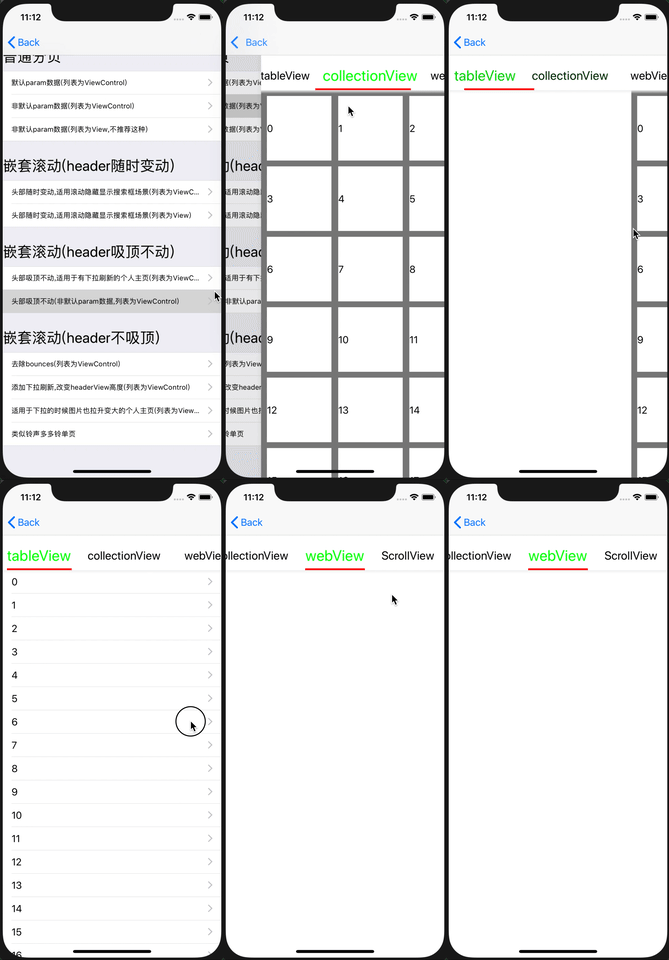
(2).headerView changes at any time
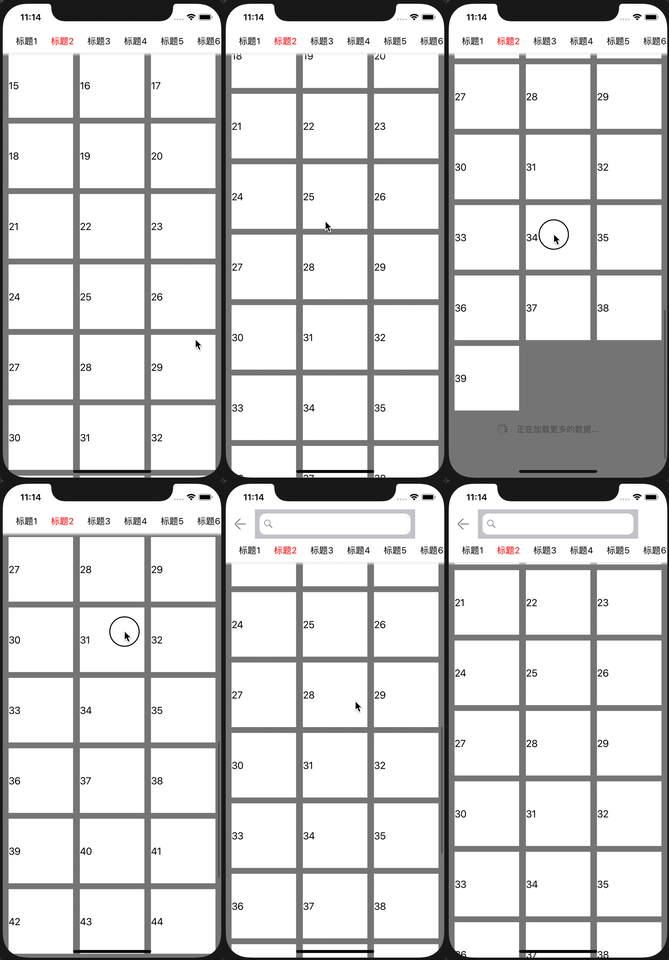
(3).headerView ceiling
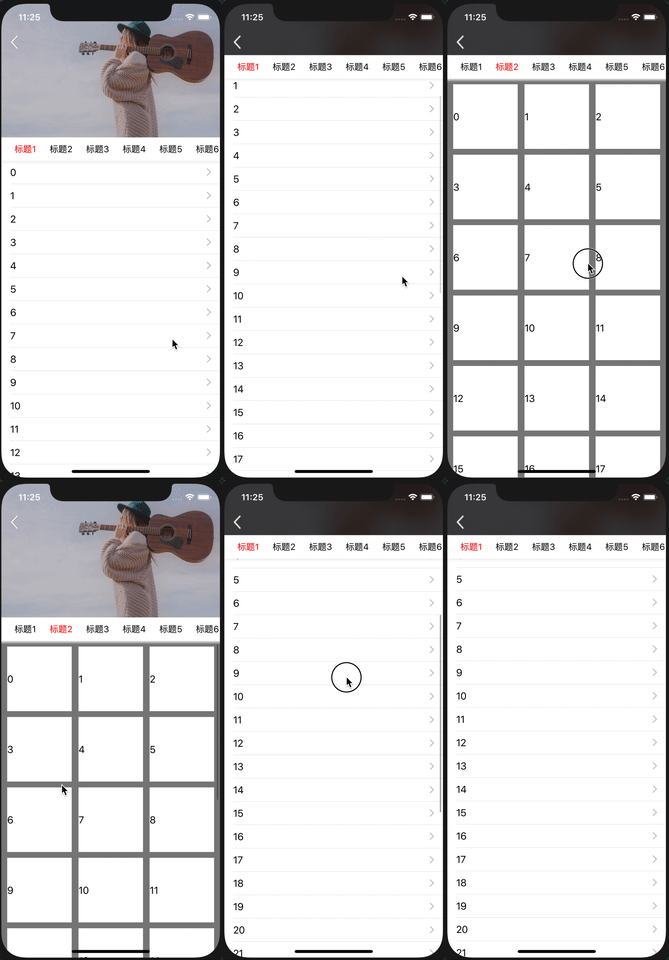
(4).Change the headerView height
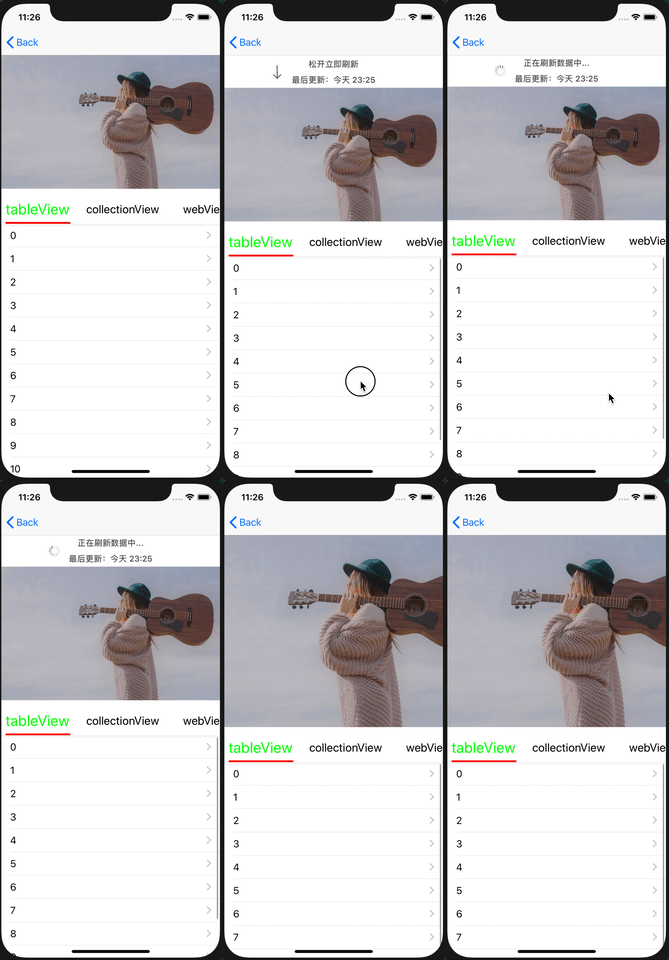
(5).The headerView has no ceiling and pulls down to make it larger
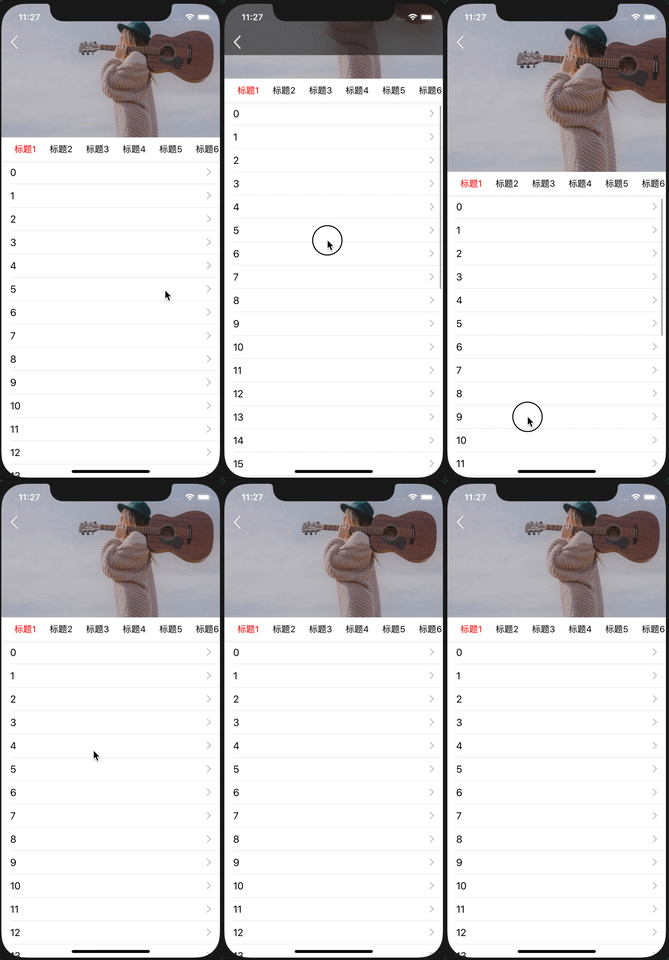
(6).Header scrolling continuation (implementation method is not quite the same as others on the web, you can see)
https://github.com/tangtiancheng/DouYinComment/archive/refs/tags/0.0.7.zip The new version is gone. The old version has the implementation code
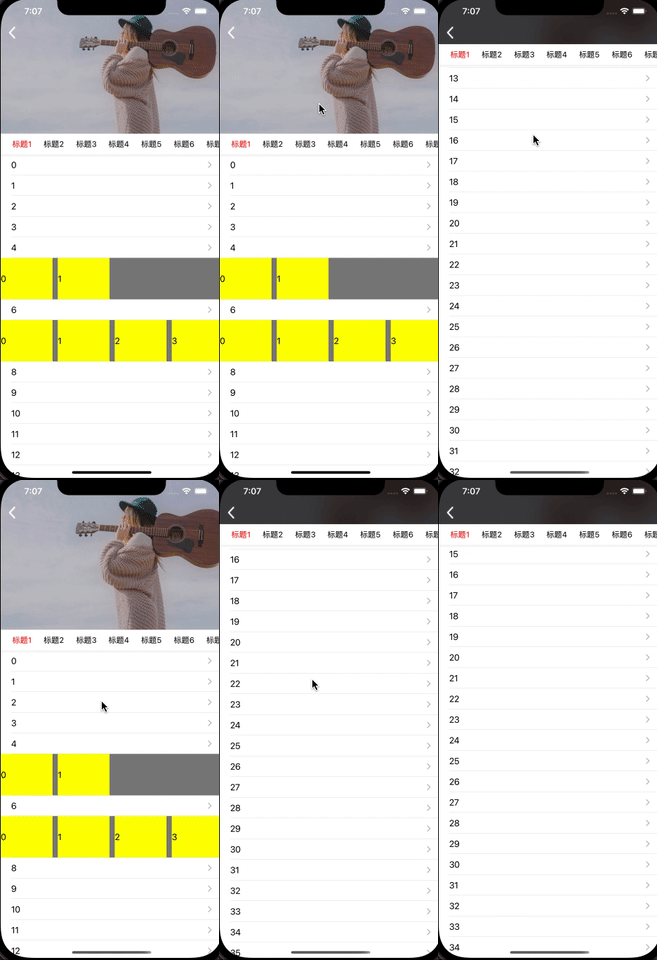
(7).Tag editing function
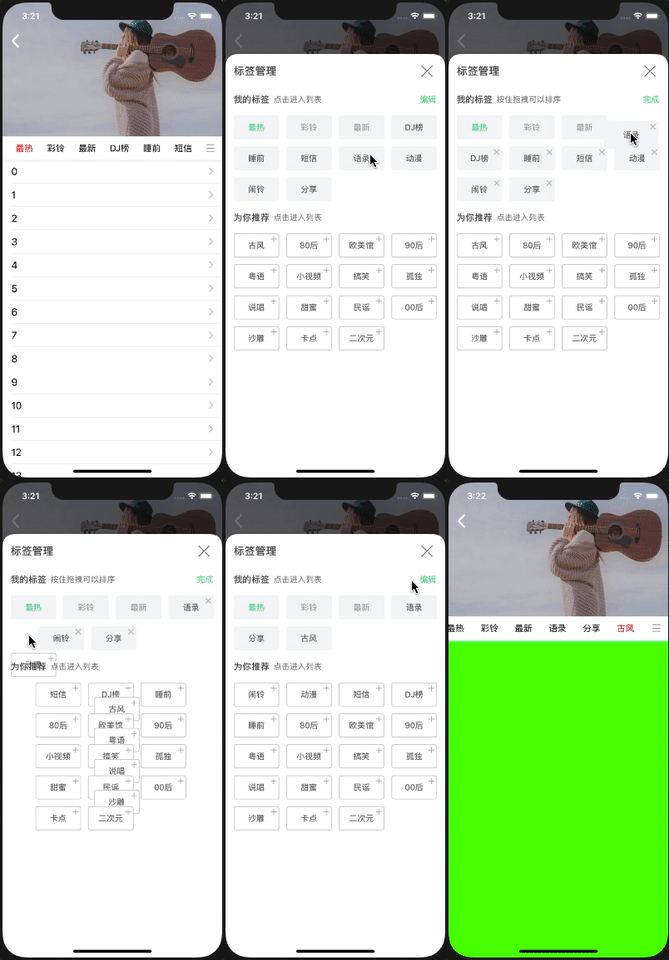
(8).铃声多多 music playing interface,(similar to 豆瓣 movie home page)
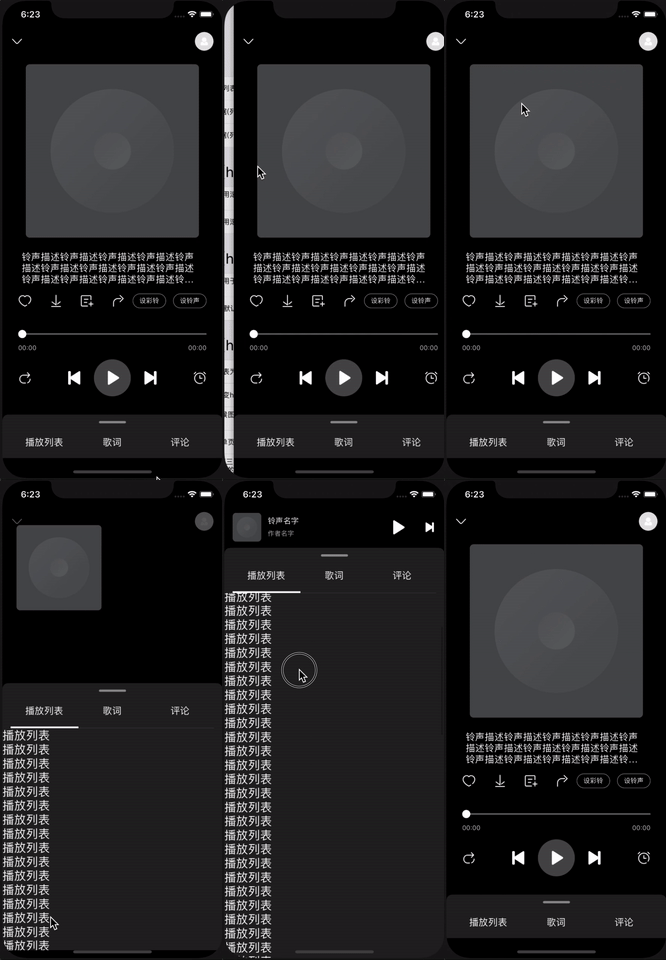
In addition, there are other effects to see their own demo, it is very simple to use, I write these things are trying to let the user one or two lines can be used, do not invade the user's code, the principle of implementation is not difficult, to see their own code is sure to understand (use please give a star, thank you)
Explore related projects
ytdl-org/youtube-dl
Command-line program to download videos from YouTube.com and other video sites
141,527 starsexcalidraw/excalidraw
Virtual whiteboard for sketching hand-drawn like diagrams
135,396 starsgodotengine/godot
Godot Engine – Multi-platform 2D and 3D game engine
119,942 starsmrdoob/three.js
JavaScript 3D Library.
117,983 stars