
tabulator-tables/tabulator
tabulator-tables/tabulator has 7,802 GitHub stars and 906 forks. GitHot measured +2 stars in 24 hours. Last checked 2026-11-05 20:37 UTC. Last push 2026-11-01.
Interactive Tables and Data Grids for JavaScript
Measured star growth
- in 24h
- +2
- in 7 days
- Collecting history
- in 15 days
- Collecting history
- in 1 month
- Collecting history
Net star changes over overlapping periods, not daily totals. Missing measurements are left blank. Stars measure attention, not software quality.
README.md
Original


An easy to use interactive table generation JavaScript library
Full documentation & demos can be found at: http://tabulator.info
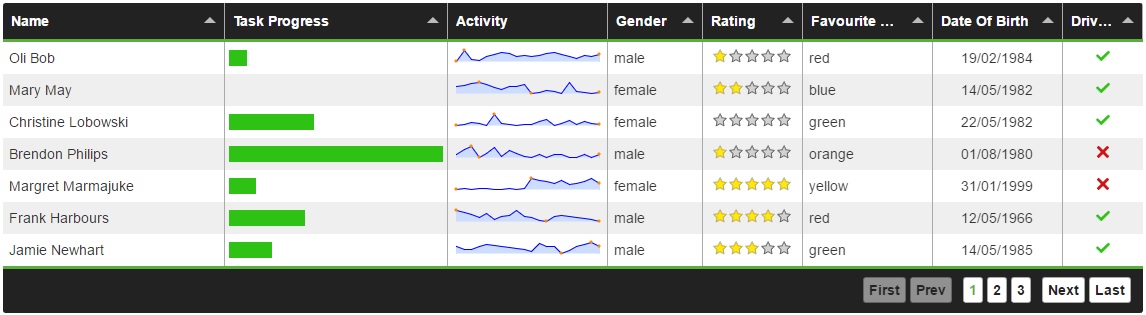
Features
Tabulator allows you to create interactive tables in seconds from any HTML Table, Javascript Array or JSON formatted data.
Simply include the library and the css in your project and you're away!
Tabulator is packed with useful features including:
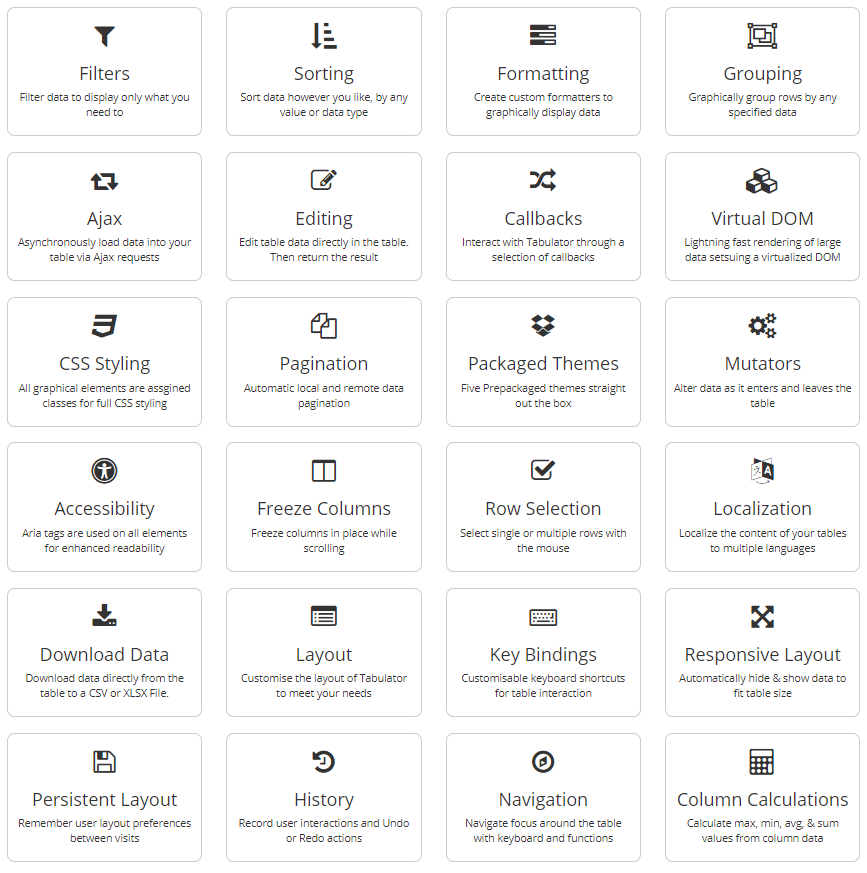
Frontend Framework Support
Tabulator is built to work with all the major front end JavaScript frameworks including React, Angular and Vue.
Setup
Setting up tabulator could not be simpler.
Include the library and the css
<link href="dist/css/tabulator.min.css" rel="stylesheet">
<script type="text/javascript" src="dist/js/tabulator.min.js"></script>
Create an element to hold the table
<div id="example-table"></div>
Turn the element into a tabulator with some simple javascript
var table = new Tabulator("#example-table", {});
Bower Installation
To get Tabulator via the Bower package manager, open a terminal in your project directory and run the following command:
bower install tabulator --save
NPM Installation
To get Tabulator via the NPM package manager, open a terminal in your project directory and run the following command:
npm install tabulator-tables --save
CDN - UNPKG
To access Tabulator directly from the UNPKG CDN servers, include the following two lines at the start of your project, instead of the locally hosted versions:
<link href="https://unpkg.com/tabulator-tables/dist/css/tabulator.min.css" rel="stylesheet">
<script type="text/javascript" src="https://unpkg.com/tabulator-tables/dist/js/tabulator.min.js"></script>
Testing
Tabulator comes with both Unit and End-to-End (E2E) tests. Here’s how you can run them:
# Unit test
npm run test:unit

# E2E test
npm run build # Make sure to build the project first
npx playwright test # Run the tests
# or
npm run test:e2e

# Run all tests
npm run test
Explore related projects
freeCodeCamp/freeCodeCamp
freeCodeCamp.org's open-source codebase and curriculum. Learn math, programming, and computer science for free.
458,609 starsdonnemartin/system-design-primer
Learn how to design large-scale systems. Prep for the system design interview. Includes Anki flashcards.
376,979 starsreact/react
The library for web and native user interfaces.
252,024 starsvuejs/vue
This is the repo for Vue 2. For Vue 3, go to https://github.com/vuejs/core
212,508 stars