Projects View on GitHub
t9tio/tomato-pie
t9tio/tomato-pie has 241 GitHub stars and 27 forks. GitHot measured 0 stars in 24 hours. Last checked 2026-11-19 09:39 UTC. Last push 2023-01-07.
What you can do
- start new pomodoro from TODO list
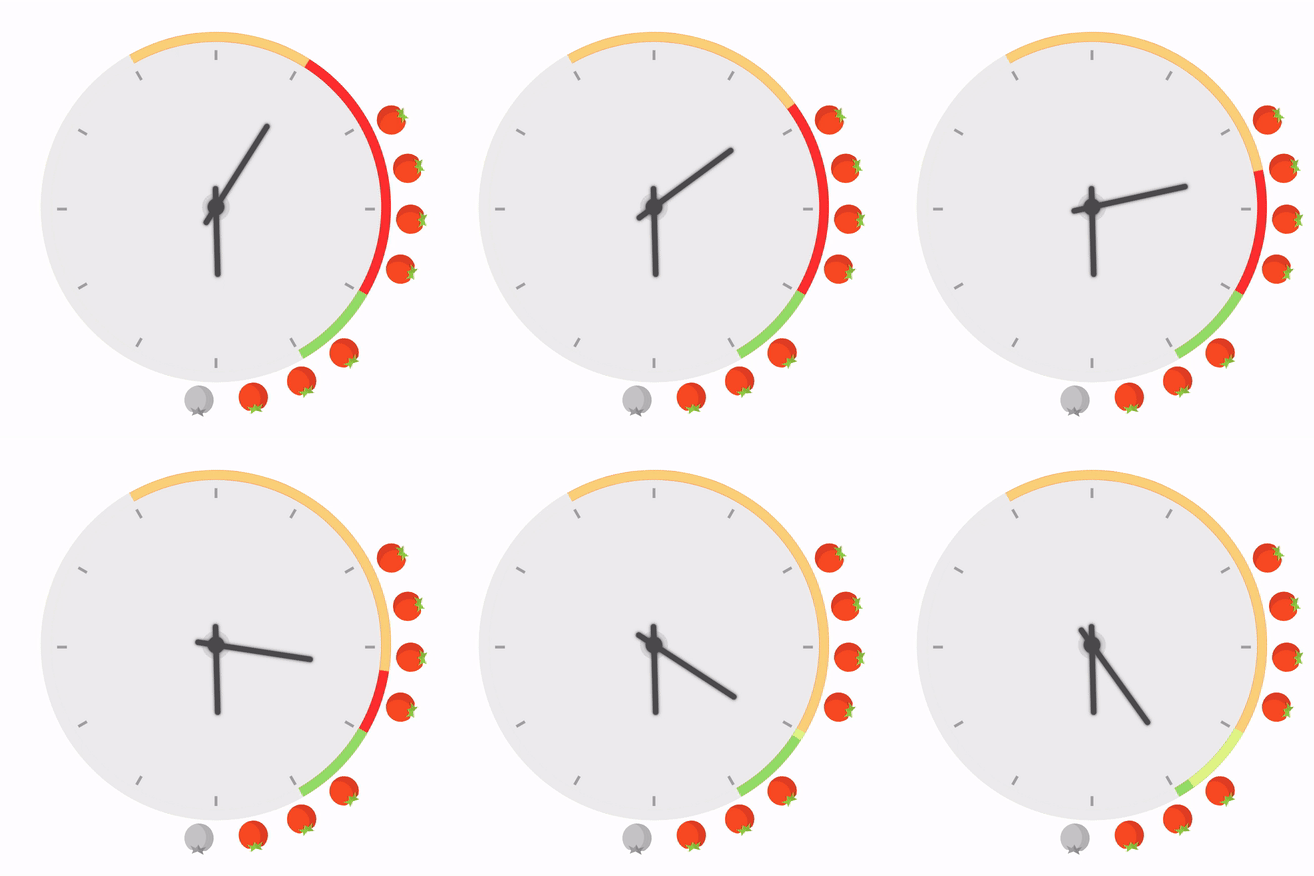
- red part: 25 minutes for one tomato
- green part: 5 minutes for rest
- show tomatoes of last 12 hours on clock
Measured star growth
- in 24h
- 0
- in 7 days
- Collecting history
- in 15 days
- Collecting history
- in 1 month
- Collecting history
Net star changes over overlapping periods, not daily totals. Missing measurements are left blank. Stars measure attention, not software quality.
About
A new UI for Pomodoro Technique. Schedule your time directly with a clock.
Developer ToolsREADME.md
Original
Tomato Pie
A new UI for Pomodoro Technique. Peek into your working status with ease.
Install
From Chrome Web Store or manually
Recent updates
Features
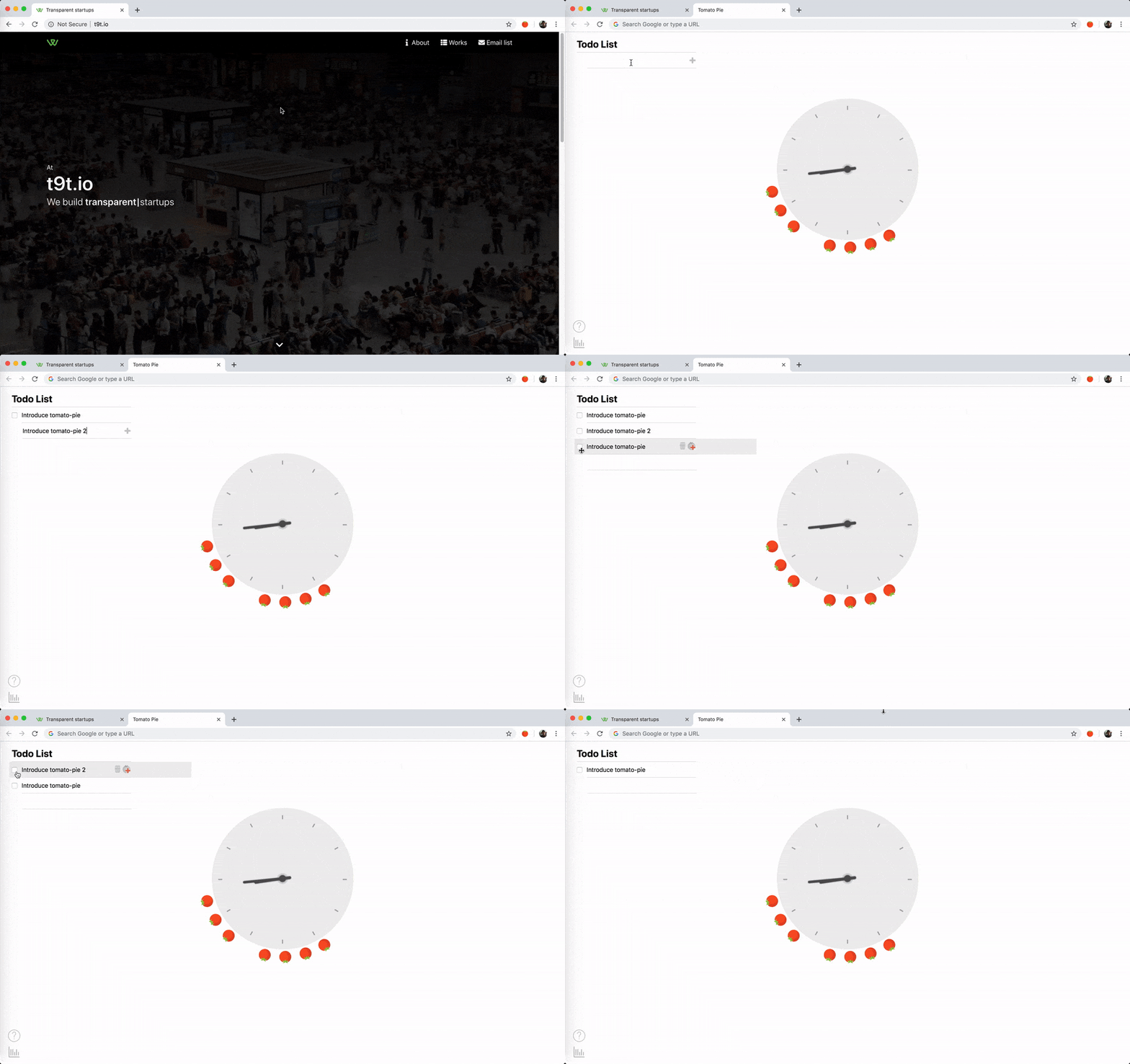
- start new pomodoro from TODO list
- red part: 25 minutes for one tomato
- green part: 5 minutes for rest
- show tomatoes of last 12 hours on clock
- view tomato history on calendar
- override default page for new tab
- indicate time on the extension icon
- get notifications when a tomato is finished
Screenshots
Editing Todo list
Doing Pomodoro

Develop
npm inpm start- Navigate to
chrome://extensions/ - Click the
load unpackedbutton and loaddistfolder
Architecture
store ==> render function ==> view =update=> store
Build and publish
# update verision in src/manifest.json
npm run build
# zip dist file and upload to chrome webstore
Refs
- Clock styles: https://codepen.io/collection/moAia/2/
Similar tools
- https://chrome.google.com/webstore/detail/marinara-pomodoro%C2%AE-assist/lojgmehidjdhhbmpjfamhpkpodfcodef
- https://chrome.google.com/webstore/detail/task-timer/aomfjmibjhhfdenfkpaodhnlhkolngif
- https://chrome.google.com/webstore/detail/timer/hepmlgghomccjinhcnkkikjpgkjibglj
- https://chrome.google.com/webstore/detail/timer-25-the-minimalist-t/gmdbcklinofignhfmibchnmgjcocccbh
- https://chrome.google.com/webstore/detail/timecamp-timer/ohbkdjmhoegleofcohdjagmcnkimfdaa
- https://chrome.google.com/webstore/detail/timer-25-the-minimalist-t/gmdbcklinofignhfmibchnmgjcocccbh
Tech notes
- Make background.js always running ref:
- in
manifest.json, addbackgroundinpermissionkey - in
manifest.json, don't addpersistence: falseinbackgroundkey
- in
- clock animation: https://codepen.io/Alca/pen/ZeKjmB
Thanks
- Layla and Joshua for meaningful discussions