
sunerpy/pt-tools
sunerpy/pt-tools has 185 GitHub stars and 25 forks. GitHot measured +11 in 7 days. Last checked 2026-11-09 11:53 UTC. Last push 2026-11-05.
PT 站点自动化管理:RSS 下载、刷流、IYUU 辅种、媒体库订阅与整理、签到与保号提醒、数据统计,统一管理 qBittorrent 和 Transmission;手机 App 远程查看和操作,也可以在 QQ、Telegram 里控制。
Measured star growth
- in 24h
- Update delayed
- in 7 days
- +11
- in 15 days
- Update delayed
- in 1 month
- Update delayed
Net star changes over overlapping periods, not daily totals. Missing measurements are left blank. Stars measure attention, not software quality.
docs/readme/README.en.md
Original
pt-tools
Automation for private trackers





Documentation · Features · Install · Quick start · Usage · Docs · Development
Download freeleech torrents from your RSS feeds, follow every site's statistics and login status, manage qBittorrent and Transmission in one place, and check on all of it from QQ or Telegram. It supports 66 sites out of the box and runs in Docker, on Linux and on Windows. The full documentation is at firlab.app/pt-tools/en.
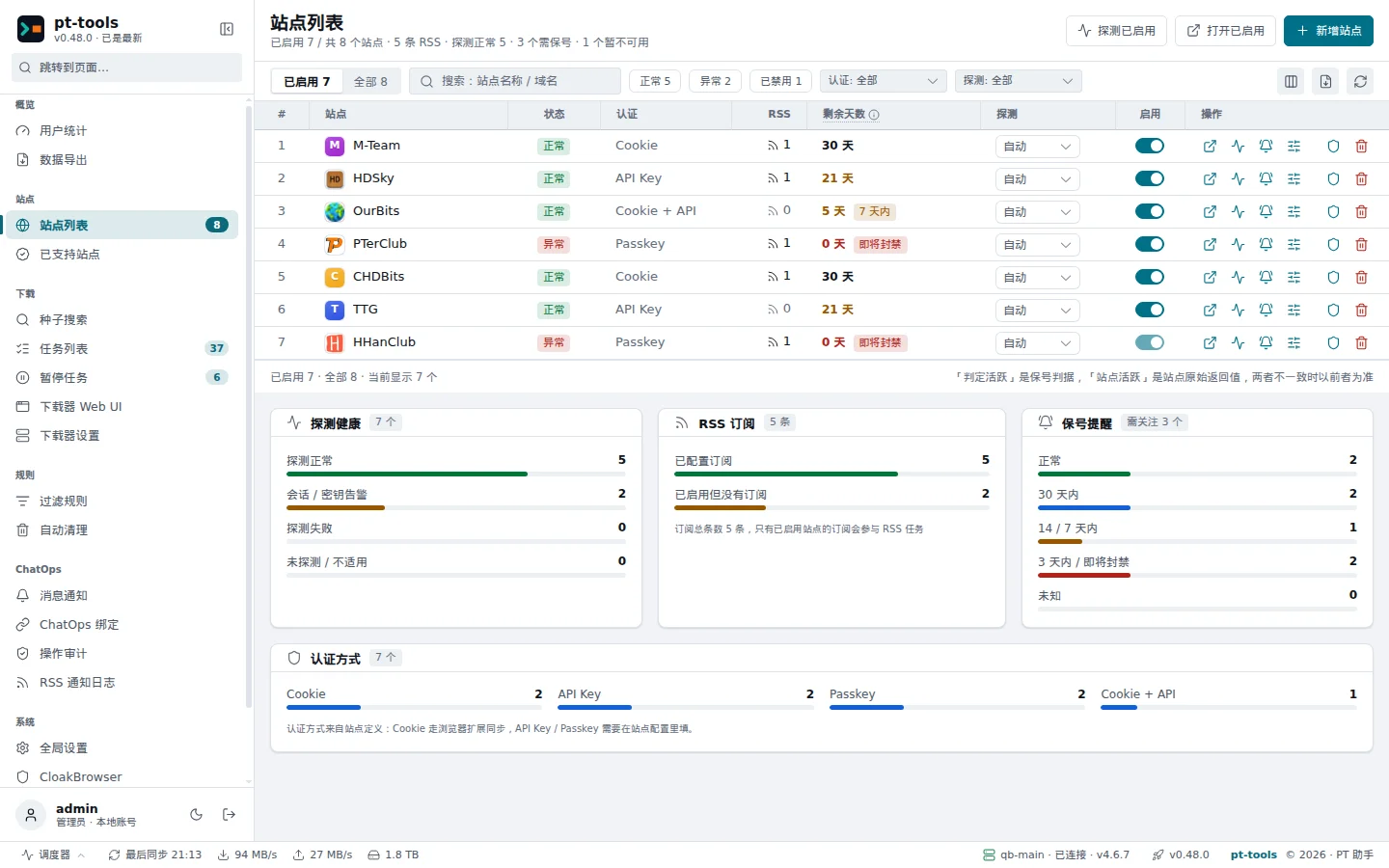
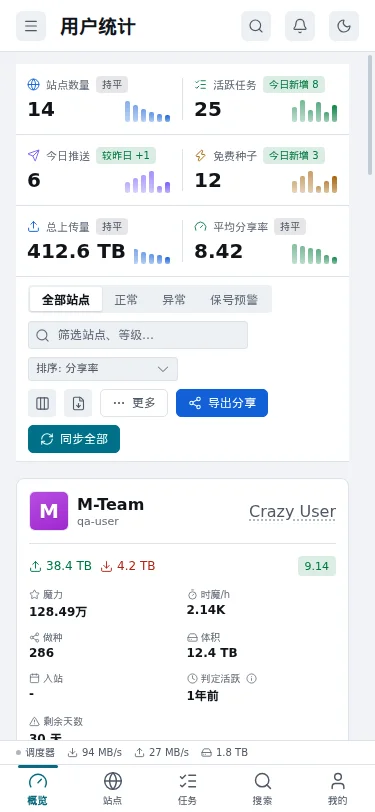
The web interface is in Chinese; the screenshots below show it with demo data.
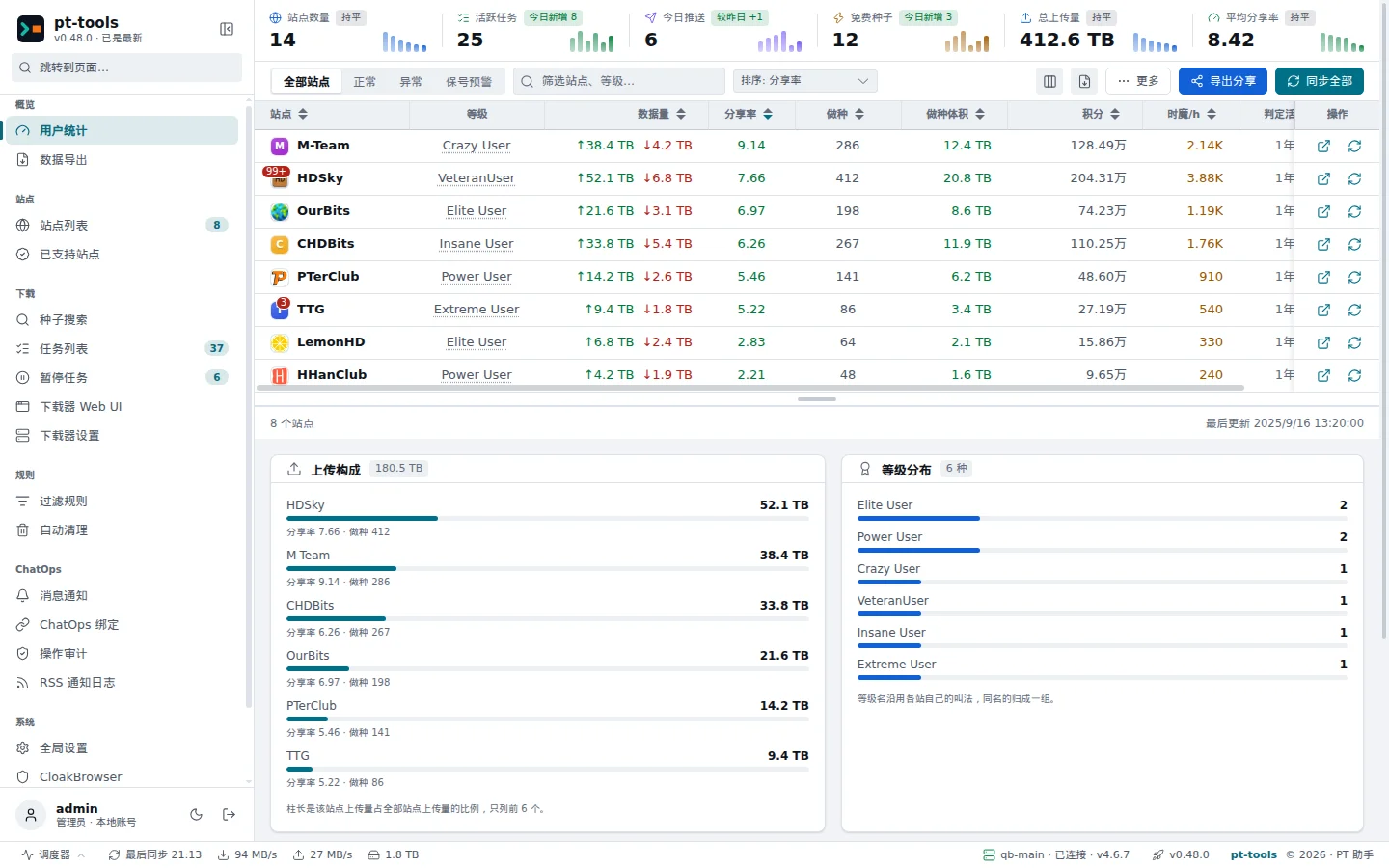
The site list and the phone layout
Features
- Sites and statistics: 66 built-in sites on NexusPHP, mTorrent, Gazelle, HDDolby, Rousi and other platforms, signed in with a cookie, an API key or a passkey. One page shows upload, download, ratio, seeding, bonus points and class progress for every site; search several sites at once and push results straight to a downloader; get a reminder before an inactive account is disabled.
- RSS downloads: feeds are fetched on a schedule, and filter rules match titles with keywords, wildcards or regular expressions to follow TV series. A torrent still downloading when its free period ends is paused.
- Downloaders: add several qBittorrent and Transmission instances; a torrent goes to the one bound to its RSS feed, then its site, then the default. Free space is checked before every push, and old torrents are removed by seeding time, ratio and other conditions, with H&R torrents kept.
- Notifications and ChatOps: from QQ (OneBot) or Telegram, check status, pause or delete torrents and add or remove RSS feeds, with every command in the audit log. New-torrent notifications support quiet hours, digests, retries and an hourly limit. WeCom and generic webhooks are experimental outbound channels.
- Browser extension: PT Tools Helper syncs a site's cookie in one click and collects redacted pages to request support for a new site.
- Deployment and upkeep: a Docker image (amd64 and arm64) and binaries for Linux and Windows; the binary upgrades itself from the web interface; logs, staged torrent files and old backups can be previewed, then removed; sites and downloaders can be reached through an HTTP, HTTPS or SOCKS5 proxy.
[!WARNING] An RSS feed without any filter rule downloads freeleech torrents only. To follow a series or download particular non-free torrents, create a filter rule and turn off "free only" (仅免费) where needed.
Install
Docker Compose (recommended)
services:
  pt-tools:
    image: sunerpy/pt-tools:latest
    container_name: pt-tools
    environment:
      PT_HOST: "0.0.0.0"
      PT_PORT: "8080"
      TZ: "Asia/Shanghai"
    ports:
      - "8080:8080"
    volumes:
      - ./data:/app/.pt-tools
    restart: unless-stopped
    logging:
      driver: json-file
      options:
        max-size: "10m"
        max-file: "3"
Save it as compose.yml and run docker compose up -d. The image is published on Docker Hub (sunerpy/pt-tools) and GHCR (ghcr.io/sunerpy/pt-tools), for amd64 and arm64.
[!IMPORTANT] Keep
/app/.pt-toolson a volume. It holds the database, the settings and thesecret.keythat encrypts site credentials; if the key is lost, saved cookies cannot be recovered.
Install script
# Linux
curl -fsSL https://raw.githubusercontent.com/sunerpy/pt-tools/main/scripts/install.sh | sh
# Windows PowerShell
irm https://raw.githubusercontent.com/sunerpy/pt-tools/main/scripts/install.ps1 | iex
The script downloads the latest archive together with the same release's checksums.txt and refuses to install when the SHA-256 does not match. Set TOOL_VERSION for a particular version (for example TOOL_VERSION=v0.48.0) and, on Linux, TOOL_INSTALL_DIR for the install folder (default ~/.local/bin).
Prebuilt binaries
Download from Releases. Every release includes checksums.txt and build provenance attestations; each release's notes show how to check them with gh attestation verify:
| OS | Architecture | File |
|---|---|---|
| Linux | amd64 | pt-tools-linux-amd64.tar.gz |
| Linux | arm64 | pt-tools-linux-arm64.tar.gz |
| Windows | amd64 | pt-tools-windows-amd64.exe.zip |
| Windows | arm64 | pt-tools-windows-arm64.exe.zip |
Unpack it and run pt-tools web --host 0.0.0.0 --port 8080. There is no macOS binary; on macOS, use Docker. For a systemd service, Windows and more Docker examples, see Install, the binary guide and the Docker examples.
Build from source
With Go 1.26.7, Node.js 25.2.0 and pnpm 10.25.0, run make build-local; see the development guide (in Chinese).
Quick start
- Open http://localhost:8080, sign in with the initial account
admin/adminadmin, and change the password straight away. - In Downloader settings (下载器设置), add qBittorrent or Transmission and check that it connects.
- Sign in to your sites: sync cookies with PT Tools Helper, and enter API keys or passkeys as described in Cookies and API keys.
- Add an RSS feed and choose its downloader, save folder and what happens when freeleech ends. Without filter rules it downloads freeleech torrents only.
- Back up
secret.key, and make sure the data folder is backed up elsewhere.
The quick start on the documentation site walks through each step.
Usage
- Web interface: sites, RSS feeds, filter rules, downloaders, auto-delete and notifications are all set up in the web interface.
- ChatOps: QQ and Telegram accept
/help,/status,/tasks,/sites,/torrents,/pause,/resume,/delete,/addrss,/delrss,/bindand/unbind. A channel's two user lists decide who can talk to the bot; every account linked with a binding code can run the management commands, so give binding codes only to people you trust. See the ChatOps quick start. - Command line:
pt-tools webstarts the service,pt-tools secretexports and imports the encryption key, andpt-tools cleanpreviews and removes rotated logs, staged torrent files and old backups; see the command line reference.
Docs
The documentation site firlab.app/pt-tools/en (中文) is built from this repository's docs/ folder.
| Page | What it covers |
|---|---|
| Install | Docker, binaries, systemd and the first sign-in |
| Configuration | Environment variables, proxies, downloaders, storage |
| RSS subscriptions | Feeds, downloader choice, what happens when free ends |
| Filter rules and TV series | Keyword, wildcard and regular-expression rules |
| Auto-delete and disk protection | Cleanup conditions, H&R protection, free-space checks |
| Login monitoring | Login checks, inactivity reminders, key backups |
| ChatOps | QQ, Telegram, binding and new-torrent notifications |
| Upgrades and backups | Upgrading, backing up and restoring each install |
| Data and security | Where data lives, encryption, outbound connections |
| Supported sites | The 66 built-in sites and how each signs in |
| Requesting a new site | Collecting and submitting redacted site data |
| FAQ | Sign-in, RSS, downloader and database problems |
Features, fixes and upgrade notes for each version are in Releases and the CHANGELOG (in Chinese).
Development
The repository pins Go 1.26.7, Node.js 25.2.0 and pnpm 10.25.0. After cloning, run the full local gate:
make check
Common targets:
make fmt             # format Go and the frontend
make lint            # Go and frontend lint plus type checks
make test            # frontend build and tests, Go race tests
make docs-check      # relative links and anchors in the repository's Markdown
make build-local     # build the frontend and a binary for this platform
make build-extension # check the site list and package the browser extension
Before contributing, read the development guide (in Chinese) and AGENTS.md at the repository root. Commits and pull request titles follow Conventional Commits; a new site is added only as a definition under site/v2/definitions/, with fixture tests. The writing rules and publishing flow for the documentation site are in docs/README.md (in Chinese).
Community
- GitHub Issues
- GitHub Discussions
- Telegram
- QQ group:
274984594 - WeChat Official Account: 六月水蓝 (scan the QR code below with WeChat to follow)

License
Disclaimer: this tool is for learning and research. Follow each site's rules, and judge the risks of automated access for yourself.
Explore related projects
awesome-selfhosted/awesome-selfhosted
A list of Free Software network services and web applications which can be hosted on your own servers
335,802 starsimmich-app/immich
High performance self-hosted photo and video management solution.
118,645 starsStirling-Tools/Stirling-PDF
#1 PDF Application on GitHub that lets you edit PDFs on any device anywhere
96,149 starslouislam/uptime-kuma
A fancy self-hosted monitoring tool
93,425 stars