
stevenlei/spacingjs
stevenlei/spacingjs has 1,124 GitHub stars and 71 forks. GitHot measured +1 in 7 days. Last checked 2026-11-10 23:59 UTC. Last push 2025-06-18.
A JavaScript utility for measuring the spacing between elements on webpage.
What you can do
- Visual Status: Green dot indicates when SpacingJS is active
- Tab Management: Automatic cleanup when switching tabs or navigating
Measured star growth
- in 24h
- Update delayed
- in 7 days
- +1
- in 15 days
- Collecting history
- in 1 month
- Collecting history
Net star changes over overlapping periods, not daily totals. Missing measurements are left blank. Stars measure attention, not software quality.
README.md
OriginalSpacing JS


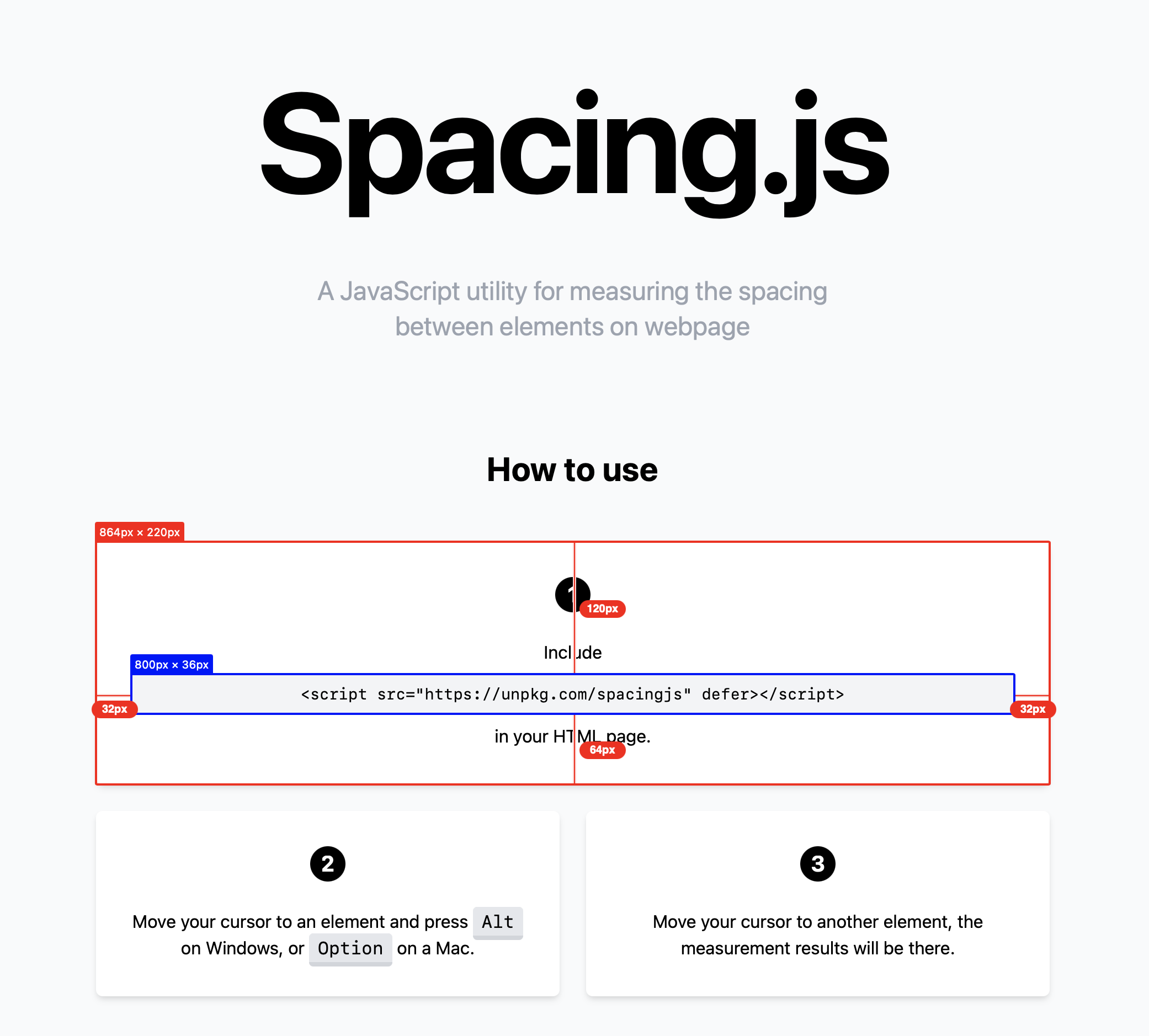
A lightweight JavaScript utility for measuring spacing between elements on webpages during development. Perfect for designers and developers who need pixel-perfect measurements. Try the demo.
🌍 Available in: English | 繁體中文 | 简体中文
Installation
Option 1: CDN
Add SpacingJS directly to your HTML:
<!-- Using UNPKG -->
<script src="//unpkg.com/spacingjs" defer></script>

<!-- Or using jsDelivr -->
<script src="//cdn.jsdelivr.net/npm/spacingjs" defer></script>
Option 2: NPM
npm install spacingjs
Then import and use it in your code:
import Spacing from 'spacingjs';

Spacing.start();
Usage
Basic Usage
- Hover over any element on your webpage
- Press Alt (Windows) or ⌥ Option (Mac)
- Move your cursor to another element to see the measurements
Chrome Extension Usage
- Click the SpacingJS extension icon to activate/deactivate
- Use keyboard shortcuts for quick access:
- Ctrl+Shift+S (Windows) or ⌘+Shift+S (Mac) to activate
- Alt+S to toggle on/off
- Visual indicator shows when SpacingJS is active (green dot on extension icon)
Pro Tips
- Hold Shift to keep measurements visible longer (great for taking screenshots)
- Works with all element types including SVG elements
- Measurements show element tag, class, and font size for better context
Browser Extension
SpacingJS is available as a Chrome Extension with enhanced features:
✨ New in v1.1.0
- Smart Toggle: Click extension icon to activate/deactivate with visual feedback
- Keyboard Shortcuts: Quick access with hotkeys
- Enhanced Measurements: Better precision and element information display
- Error Handling: Robust support for all element types (HTML, SVG, etc.)
- Professional UI: Clean, utility-focused design without animations
Installation
- 🚀 Install from Chrome Web Store
- 🛠️ Build it yourself: Run
npm run ext
Extension Features
- Visual Status: Green dot indicates when SpacingJS is active
- Error Indicators: Red badge shows when extension can't run (e.g., on chrome:// pages)
- Tab Management: Automatic cleanup when switching tabs or navigating
Contributing
The dist folder is intentionally included in the Git repository to ensure CDN reliability. To contribute:
- Make your changes in the
srcdirectory - Run
npm run buildto rebuild the distribution files - Commit both source changes and rebuilt dist files
- Submit a pull request
Get Involved
- 🐛 Report bugs: GitHub Issues
- 💡 Share ideas: GitHub Discussions
- ⭐ Star the repo if you find it useful!
Changelog
v1.1.0 (Latest)
- Enhanced Chrome Extension: Smart toggle functionality with visual feedback
- ⌨Keyboard Shortcuts: Added Ctrl+Shift+S and Alt+S hotkeys for quick access
- Improved UI: Better element information display with tag, class, and font size
- Better Error Handling: Robust support for SVG elements and edge cases
- Performance: Optimized measurement logic and reduced bundle size
- Reliability: Enhanced error handling and fallback mechanisms
v1.0.9
- Previous stable release with core spacing measurement functionality
License
SpacingJS is released under the MIT License.
Explore related projects
freeCodeCamp/freeCodeCamp
freeCodeCamp.org's open-source codebase and curriculum. Learn math, programming, and computer science for free.
458,959 starsdonnemartin/system-design-primer
Learn how to design large-scale systems. Prep for the system design interview. Includes Anki flashcards.
377,600 starsreact/react
The library for web and native user interfaces.
252,506 starsvuejs/vue
This is the repo for Vue 2. For Vue 3, go to https://github.com/vuejs/core
212,623 stars