
sterlp/eclipse-peon-ai
sterlp/eclipse-peon-ai has 32 GitHub stars and 13 forks. GitHot measured 0 stars in 24 hours. Last checked 2026-11-16 03:55 UTC. Last push 2026-11-14.
What you can do
- Chat Interface - Interactive AI chat with syntax-highlighted code blocks and markdown rendering
- Voice Chat: Talk to your AI peon and tell him what todo - no more typing
- File Operations - Read, write, search, and modify files directly from the chat
- Context Awareness - Understands your current workspace and selected files
Measured star growth
- in 24h
- 0
- in 7 days
- Update delayed
- in 15 days
- Update delayed
- in 1 month
- Update delayed
Net star changes over overlapping periods, not daily totals. Missing measurements are left blank. Stars measure attention, not software quality.
About
AI harness for and with Eclipse IDE with the focus on offline LLM with llama.cpp. Build with LangChain4J. Supports Ollama, LM Studio, llama.cpp, unsloth or cloud providers like with OpenA API, Anthropic Claude, Google Gemini, Mistral, GitHub Copilot. Contributions are highly welcome!
AIREADME.md
Original

Eclipse Peon AI
A lightweight, context-aware LLM assistant that integrates directly into your Eclipse workbench to support developers in their daily workflow.
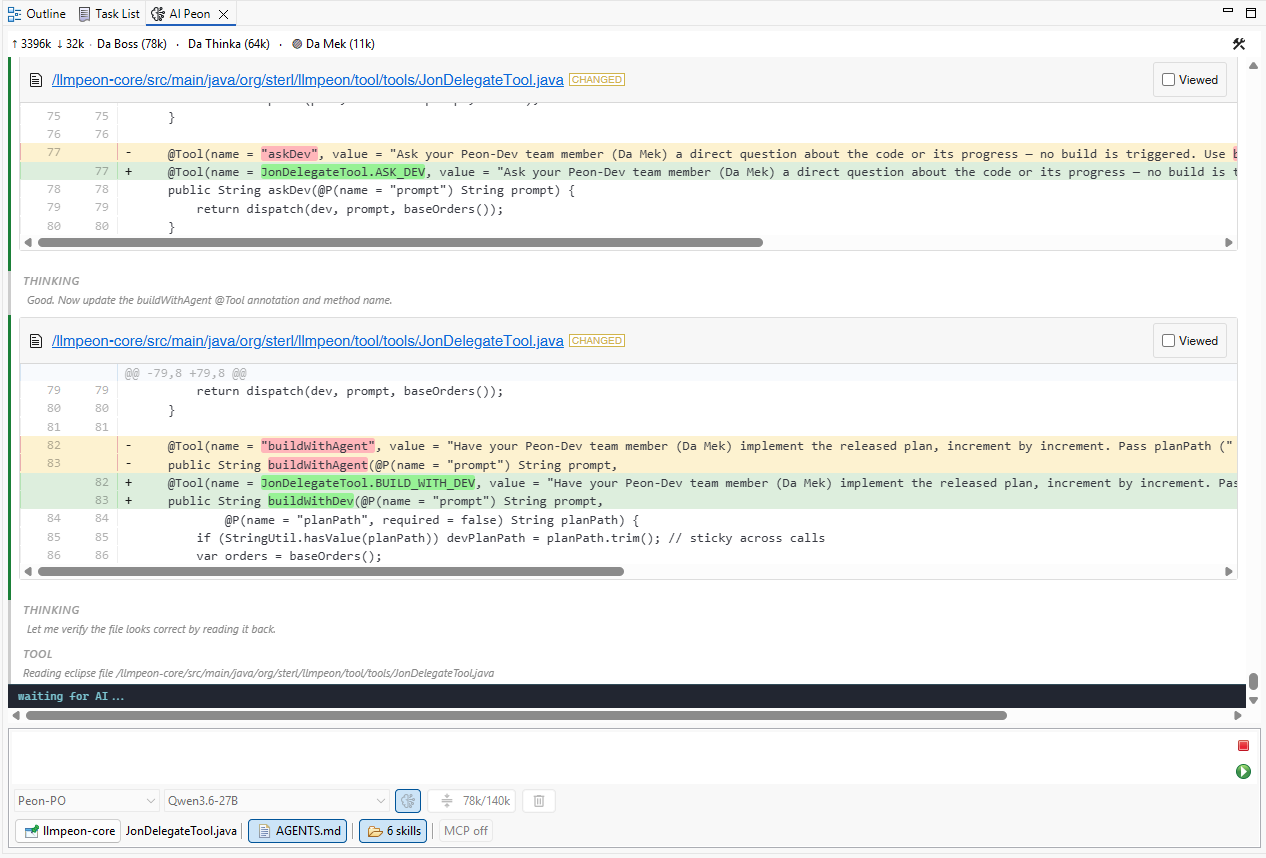
Autonomous mode is back
Jon and team are in the house. Single threaded for now - for best local performance.
Use blume to publish your docs. memory.md stays git-versioned but is kept out of the published site
via content.exclude, and the doc-method's idPrefix is registered as a custom frontmatter key.
Example blume.config.ts:
import { defineConfig } from "blume";
import { z } from "zod";

export default defineConfig({
  title: "My Docs",
  content: {
    root: "../docs",
    exclude: ["memory.md"],
  },
  frontmatter: {
    extend: {
      idPrefix: z.string().optional(),
    },
  },
});
Title, navigation tabs, and Mermaid/component setup are project-specific — add them in your own
blume.config.ts (and components.ts); the two lines above are the only doc-method conventions.
Features
- Chat Interface - Interactive AI chat with syntax-highlighted code blocks and markdown rendering
- Voice Chat: Talk to your AI peon and tell him what todo - no more typing
- File Operations - Read, write, search, and modify files directly from the chat
- Context Awareness - Understands your current workspace and selected files
- Codegraph - Auto-connects the codegraph knowledge graph when the active project is indexed — one
codegraph_explorecall instead of search loops - Local LLM Support - Works with Ollama for privacy-focused local inference
- Multi-Provider - Supports Ollama, OpenAI (and compatible), Google Gemini, Mistral AI, Anthropic Claude, and GitHub Copilot
Installation
Eclipse marketplace
Empfohlene Plugins
- https://marketplace.eclipse.org/content/previewer für MD und mermaid
Update Site
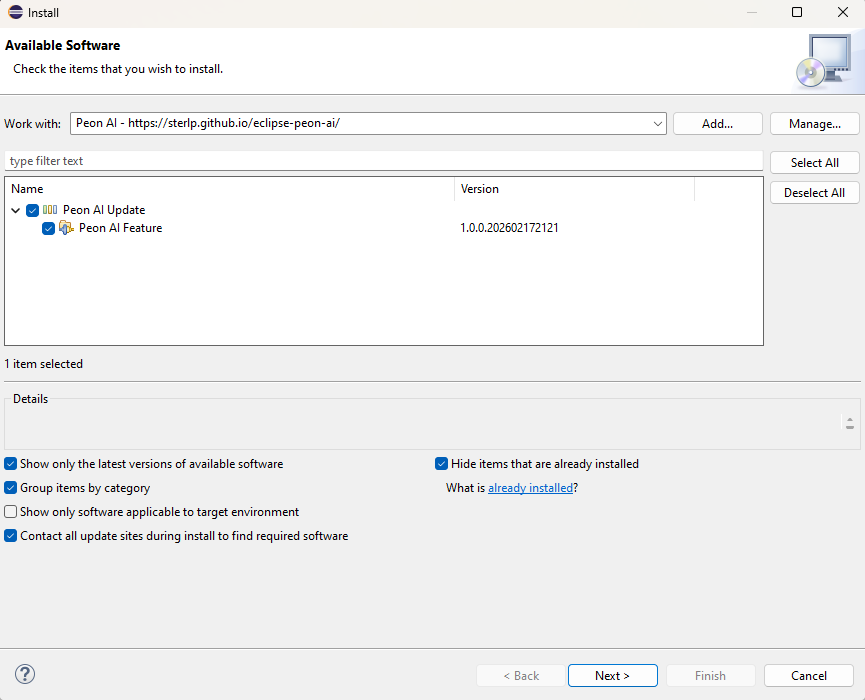
- Go to Help > Install New Software
- Add the update site: https://sterlp.github.io/eclipse-peon-ai/
- Select "Eclipse Peon AI" and follow the installation wizard
- Restart Eclipse
- Open the view: Window > Show View > Other... > search "Peon AI"
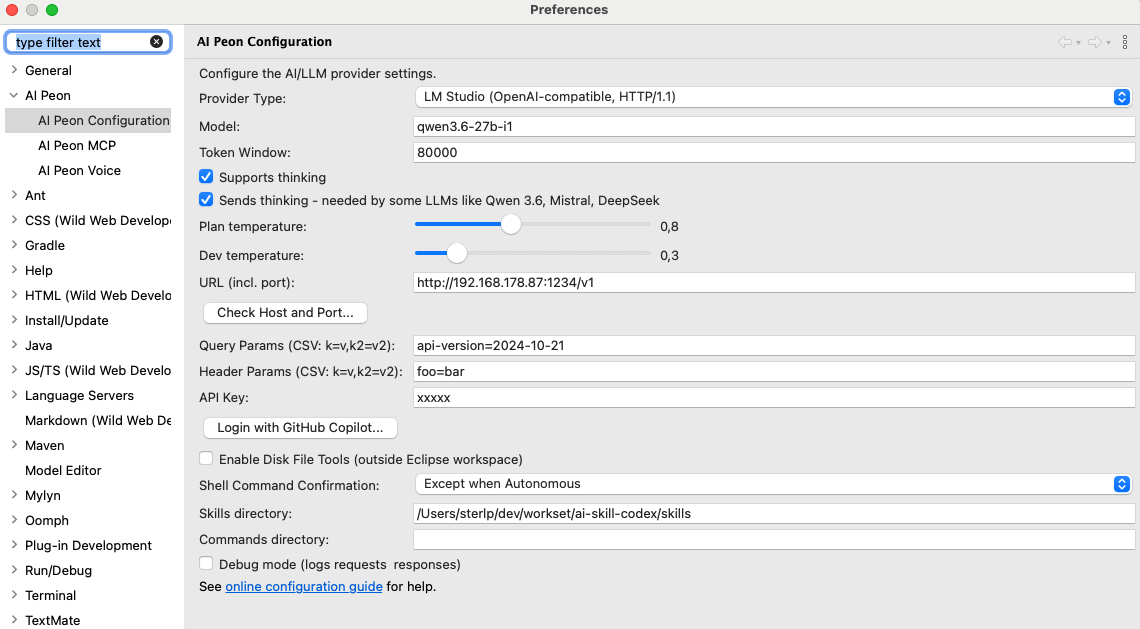
LM Studio
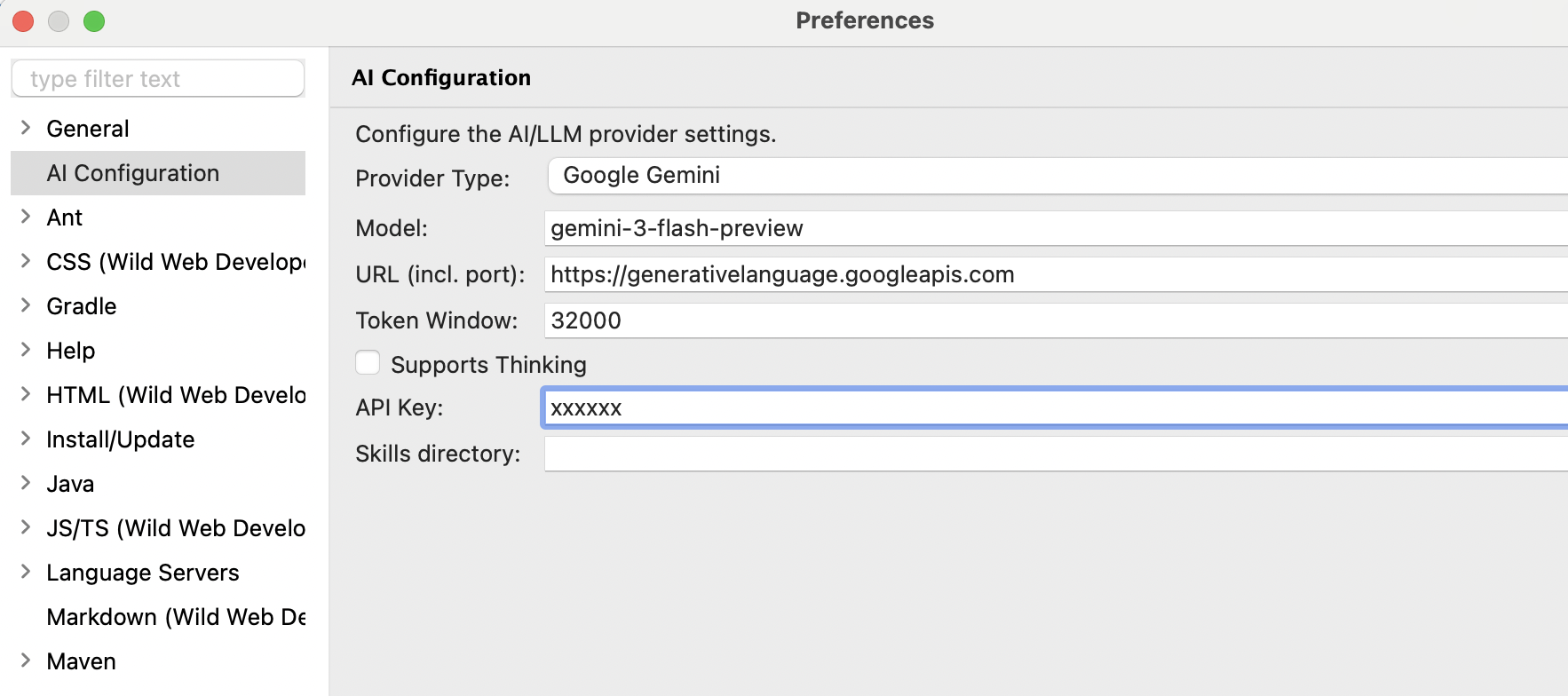
Gemini
Or find a free LLM
Configuration
Configure via Window > Preferences > Peon AI:
| Provider | Model | Base URL | API Key |
|---|---|---|---|
OLLAMA |
llama3.2, codellama, qwen2.5-coder |
http://localhost:11434 |
— |
LM Studio |
qwen/qwen3.8-27b |
http://localhost:1234/v1 |
— |
OPEN_AI |
gpt-4o, gpt-4o-mini |
https://api.openai.com/v1 |
required |
GOOGLE_GEMINI |
gemini-3.8-flash |
(leave empty) | required |
MISTRAL |
mistral-large-latest, devstral-latest |
(leave empty) — https://api.mistral.ai for voice |
required |
ANTHROPIC |
claude-sonnet-4-6, claude-opus-4-8 |
(leave empty) | required |
GITHUB_MODELS |
Various (use model picker) | https://models.inference.ai.azure.com |
GitHub PAT |
GITHUB_COPILOT |
Claude Sonnet/Opus, GPT-5, etc. | (leave empty) | OAuth login |
OpenAI-compatible APIs (LM Studio, OpenRouter, vLLM, GitHub Models, …): use appropriate provider or
OPEN_AIwith custom base URL.GitHub Copilot Subscription: Click "Login with GitHub Copilot..." in preferences to authenticate and access Claude Sonnet/Opus, GPT-5, and other Copilot models.
Usage
Example workflows:
- Select a file and ask "What does this code do?"
- Ask "Write unit tests for the selected class"
- Paste error messages and ask "What's causing this?"
Tools
- Edit File - Targeted find-and-replace edits without rewriting the whole file
- Read/Write/Create/Delete File - Full file operations in workspace and on disk
- Search Files - Find files by name across the workspace
- Grep - Full-text content search across all open projects
- Build Project - Trigger Eclipse builds and report errors/warnings
- Run Tests - Run JUnit 5 tests of a Java project and report failures with stack traces (CI numbers come from Maven Surefire)
- Shell Command - Read-only diagnostic shell (git, mvn, npm …) with tool-side output control (char cap, regex filter) instead of shell pipes
- Web Fetch - Fetch URLs and convert to markdown for reading docs
- List Projects - Discover open projects with their type (java, maven, gradle)
- Git Tool - Dedicated git operations (status, diff, commit, log) with structured output
- Code Navigation - Find types (supports
*,?wildcards and camelCase e.g.NPE), find references, find implementations via Eclipse JDT - Refactor - Rename symbols, extract methods, and move classes using Eclipse refactoring
-
v1.1.xAgent Mode Preview of the agent mode -
v1.2.xMCP Support MCP servers using langchain4j MCP integration -
v1.3.xGithub Copilot Support -
v1.4.xMCP stdio support added using langchain4j -
v1.7.5Peon Memory added workspace memory to the LLM with keywords "remember this", "always do", "never do" -
v2.0.0Custom Agents https://peon-ai-4e.sterl.org/setup/custom-agents -
v2.14.0Codegraph support https://github.com/colbymchenry/codegraph
.peon Config Directory (~/.peon)
Customize Peon AI with agents, commands, and skills — change the base directory via Window > Preferences > Peon AI:
~/.peon/
├── agents/               # Custom agents (each a folder with AGENT.md)
│   ├── agent-order.txt   # Controls agent presentation order in UI
│   ├── planner/          →  AGENT.md    (name, model, tools, handover: …)
│   └── reviewer/         →  AGENT.md
├── commands/             # Slash-commands (/review, /plan, …)
│   ├── review.md
│   └── plan.md
└── skills/               # Reusable skill definitions (sub-folder per skill)
    ├── spring-boot-patterns/   →  SKILL.md
    └── eclipse-rcp-tips/       →  SKILL.md
- Agents — full system prompt + tool allowlist, shown in the agent dropdown. See Custom Agents.
- Commands — quick one-shot standing orders triggered with
/. See Commands. - Skills — reusable cross-project instruction sets, loaded on-demand by the LLM. Follows the agentskills.io spec. Browse ready-made skills at ai-skill-codex.
Quickstart by cloning https://github.com/sterlp/ai-skill-codex
Requirements
- Java 21
- Eclipse 2025-12 or newer
Exclude gh-pages from pull
git config --add remote.origin.fetch '^refs/heads/gh-pages
Building from Source
mvn clean verify
For development, launch with: -clean -clearPersistedState
Documentation
Detailed documentation is available at peon-ai-4e.sterl.org:
Dependencies
- LangChain4j - Java LLM framework
- markdown-it - Markdown parsing
- Highlight.js - Syntax highlighting
- Diff2Html - Diff visualization
- flexmark
Links
MCP
- https://github.com/nickclyde/duckduckgo-mcp-server
- https://marianfoo.github.io/arc-1/
- https://github.com/marianfoo/sap-ai-mcp-servers
Usefull commands
Update version
mvn org.eclipse.tycho:tycho-versions-plugin:set-version -DnewVersion=1.1.0-SNAPSHOT
Links
🪄 📦 🔧 ✅ ❌ 🧩 or 🛠 🎯 or ⚡ 🗜 🐞 🔍 = Search 🧑💻 = Entwickler 📜 = Script / Source File ⚙️ = Konfiguration / Setup 📝 = Quelltext-Datei 🛠 = LLM Tools 🧩 = SKILL 🗜 = Compact 🐞 = Bug