
stackryze/atom-homepage
stackryze/atom-homepage has 66 GitHub stars and 4 forks. GitHot measured 0 stars in 24 hours, 0 in 7 days, and 0 in 15 days. Last checked 2026-11-15 04:55 UTC. Last push 2026-04-14.
What you can do
- Service Monitoring - Track uptime and status of your applications with visual ping/HTTP indicators
- System Stats - Real-time CPU, memory, and storage usage monitoring
- Docker Integration - Monitor container statuses and details directly from your dashboard, with full control to start, stop, restart, and open terminals, all from the console.
- Flexible Widgets - Connect to any JSON API or use pre-configured presets
Measured star growth
- in 24h
- 0
- in 7 days
- 0
- in 15 days
- 0
- in 1 month
- Collecting history
Net star changes over overlapping periods, not daily totals. Missing measurements are left blank. Stars measure attention, not software quality.
About
A modern, lightweight self-hosted dashboard for monitoring services, Docker containers, and system resources. Built with Next.js 16 for speed and simplicity.
Self-hostedREADME.md
Original

A modern, lightweight self-hosted dashboard for monitoring services, Docker containers, and system resources. Built with Next.js 16 for speed and simplicity.




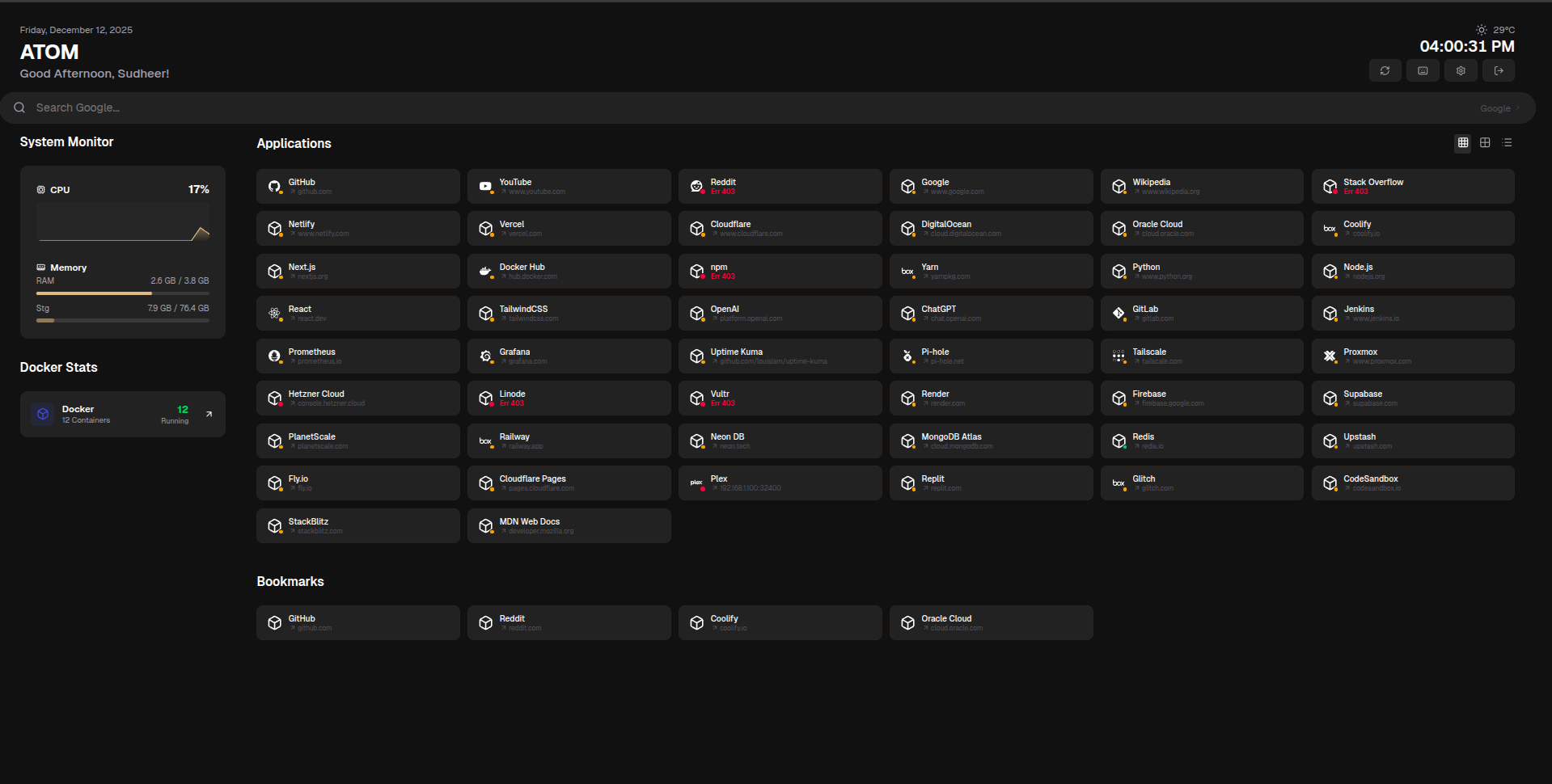
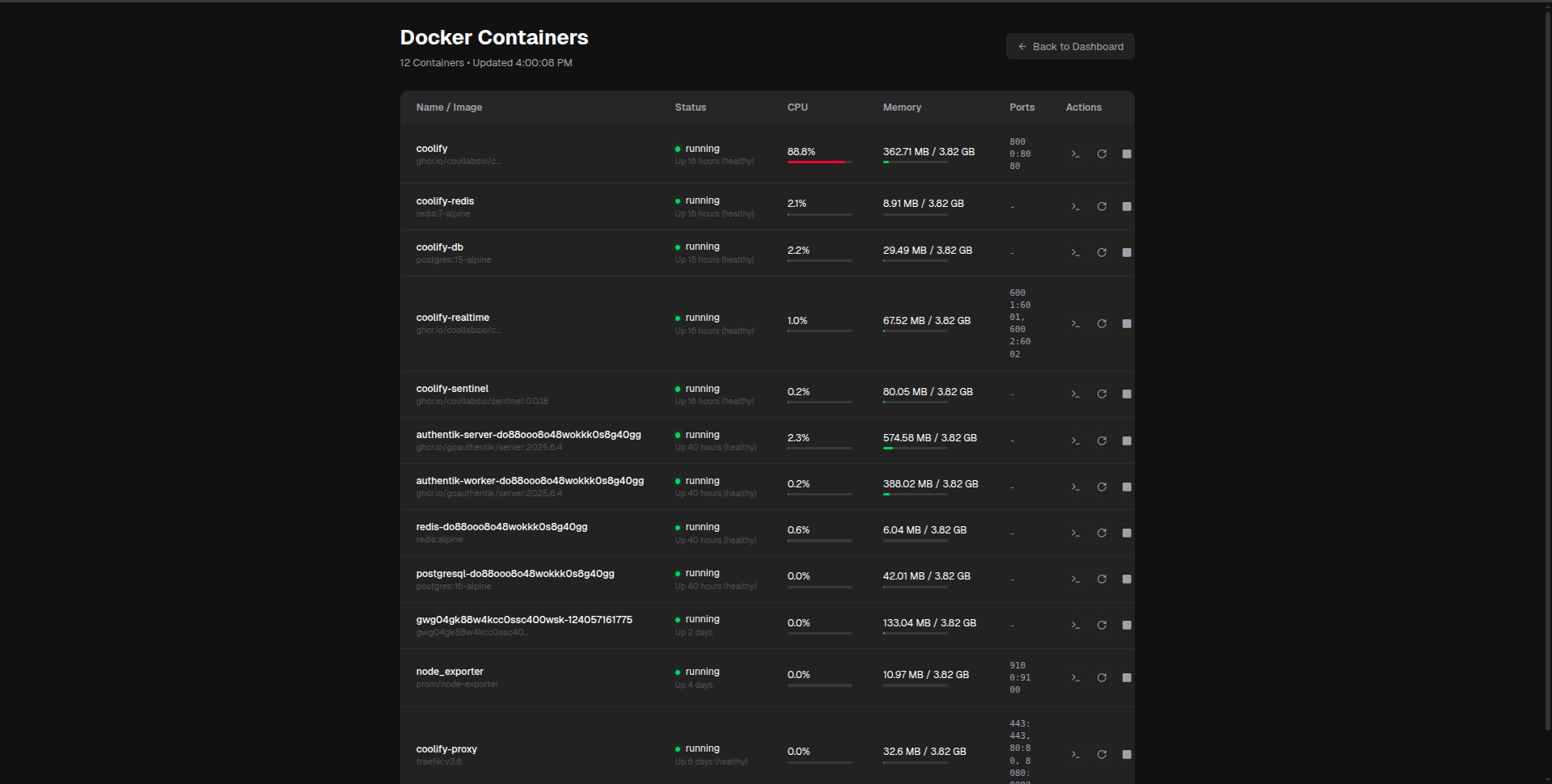
Features
- Service Monitoring - Track uptime and status of your applications with visual ping/HTTP indicators
- System Stats - Real-time CPU, memory, and storage usage monitoring
- Docker Integration - Monitor container statuses and details directly from your dashboard, with full control to start, stop, restart, and open terminals, all from the console.
- Flexible Widgets - Connect to any JSON API or use pre-configured presets
- Pre-built Integrations - Ready-to-use templates for Sonarr, Radarr, Pi-hole, Glances, Tautulli, and more
- Customizable - Multiple layouts, dark/light themes, and flexible widget system
- Secure - Built-in authentication with bcrypt and session management
- Fast - Built with Next.js 16, auto-refresh, and optimized rendering
- Generic: Any JSON API endpoint to use as a custom widget.
And many more..
Quick Start
Docker (Recommended)
docker run -d \
  --name atom \
  -p 3000:3000 \
  -v atom_data:/app/data \
  -v /var/run/docker.sock:/var/run/docker.sock:ro \
  --restart unless-stopped \
  sudheerbhuvana25/atom-homepage:latest
Or use Docker Compose:
curl -O https://raw.githubusercontent.com/sudheerbhuvana/atom-homepage/main/docker-compose.yml
docker compose up -d
🐳 Docker Configuration
docker-compose.yml
version: "3.9"

services:
  atom:
    image: sudheerbhuvana25/atom-homepage:latest
    container_name: atom
    ports:
      - "3000:3000"
    volumes:
      - atom_data:/app/data
      - /var/run/docker.sock:/var/run/docker.sock:ro  # Optional: for Docker monitoring
    restart: unless-stopped
    environment:
      NODE_ENV: production
      PORT: 3000

volumes:
  atom_data:
    driver: local
Access the dashboard at http://localhost:3000
Volume Persistence
The atom_data volume persists your configuration and data across container restarts. Your data will survive:
Container restarts (
docker compose restart)Container recreation (
docker compose down && docker compose up)Image updates
Data is only deleted if you explicitly remove the volume with
docker compose down -v.
However you can always Import, Export, and Edit the config.json & download the data.db file at http://localhost:3000/settings
Local Development
Prerequisites: Node.js 22+ and npm
# Clone the repository
git clone https://github.com/sudheerbhuvana25/atom-homepage.git
cd atom-homepage

# Install dependencies
npm install

# Run development server
npm run dev
Open http://localhost:3000 in your browser.
Configuration
Configuration is stored in data/atom.db or /app/data/atom.db in Docker. You can edit this file directly or use the in-app Settings interface.
Example Configuration
{
  "title": "Atom Homepage",
  "theme": {
    "primaryColor": "#d4a574",
    "backgroundColor": "#111111"
  },
  "services": [],
  "links": [],
  "layout": {
    "columns": 4,
    "gap": 18,
    "showWidgets": true,
    "fullSizeButtons": true,
    "style": "grid",
    "containerWidth": "centered"
  },
  "searchEngine": "Google",
  "user": {
    "name": "User"
  },
  "widgets": [
    {
      "id": "default-sys",
      "type": "system-monitor",
      "title": "System Monitor"
    },
    {
      "id": "default-docker",
      "type": "docker",
      "title": "Docker Stats"
    }
  ]
}
Development
# Run tests
npm test

# Run tests with coverage
npm test -- --coverage

# Type checking
npm run type-check

# Linting
npm run lint

# Build for production
npm run build
Building from Source
# Clone the repository
git clone https://github.com/sudheerbhuvana/atom-homepage.git
cd atom-homepage

# Build Docker image
docker build -t atom-homepage .

# Run the container
docker run -d --name atom -p 3000:3000 -v atom_data:/app/data -v /var/run/docker.sock:/var/run/docker.sock:ro --restart unless-stopped sudheerbhuvana25/atom-homepage:latest
Contributing
Contributions are welcome! Please feel free to submit a Pull Request.
Please read our Code of Conduct before contributing.
Documentation
- Atom Homepage documentation is currently under development!
Support
- Issues: GitHub Issues
- Discussions: GitHub Discussions
Made with ❤️ by Sudheer Bhuvana under the MIT License - see the LICENSE file for details.