
sourpatchdad/patchboard
sourpatchdad/patchboard has 37 GitHub stars and 0 forks. GitHot measured +5 stars in 24 hours. Last checked 2026-11-15 23:29 UTC. Last push 2026-11-13.
Measured star growth
- in 24h
- +5
- in 7 days
- Collecting history
- in 15 days
- Collecting history
- in 1 month
- Collecting history
Net star changes over overlapping periods, not daily totals. Missing measurements are left blank. Stars measure attention, not software quality.
About
A control center and start page for a home server: what needs you, live numbers, and the fix one click away.
Self-hostedREADME.md
Original Patchboard



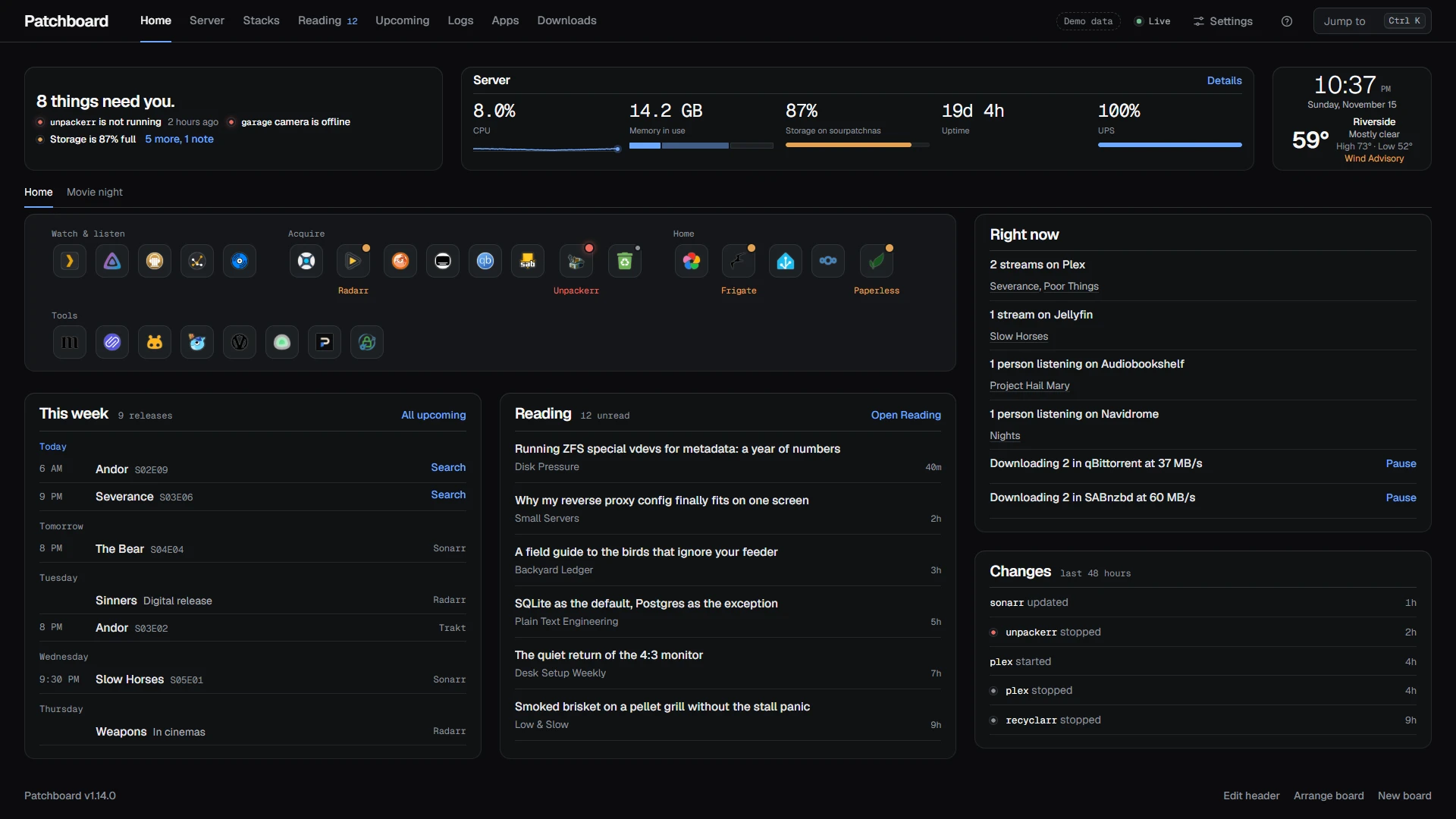
A self-hosted start page that tells you what's broken. It reads the Docker socket, finds your apps, and puts a stopped container, a full pool or a stuck download at the top, one click from the fix.
Try the demo
Fake data, nothing saved:
docker run --rm -p 3200:3200 -e DEMO=1 ghcr.io/sourpatchdad/patchboard:latest
Open http://your-server:3200 (or http://localhost:3200 on the same
machine). Ctrl-C stops it. Its only outside requests load posters from
TVmaze, pictures from Wikimedia and app icons from jsDelivr.
Install
mkdir patchboard && cd patchboard
base=https://raw.githubusercontent.com/sourpatchdad/patchboard/main
curl -fsSL $base/examples/docker-compose.yml -o docker-compose.yml
docker compose up -d
Sign-in is off by default, for a home network. Read SECURITY.md
before you expose it anywhere: turn on a password in Settings, Connections,
Sign-in and keys, or use AUTH=forward behind Authelia, Authentik or
Cloudflare Access.
For a read-only install or a small disk, use the latest-slim image. It
skips the Docker CLI, so it can't update containers, and it is about 90 MB
smaller. Either image idles at about 50 MB of memory.
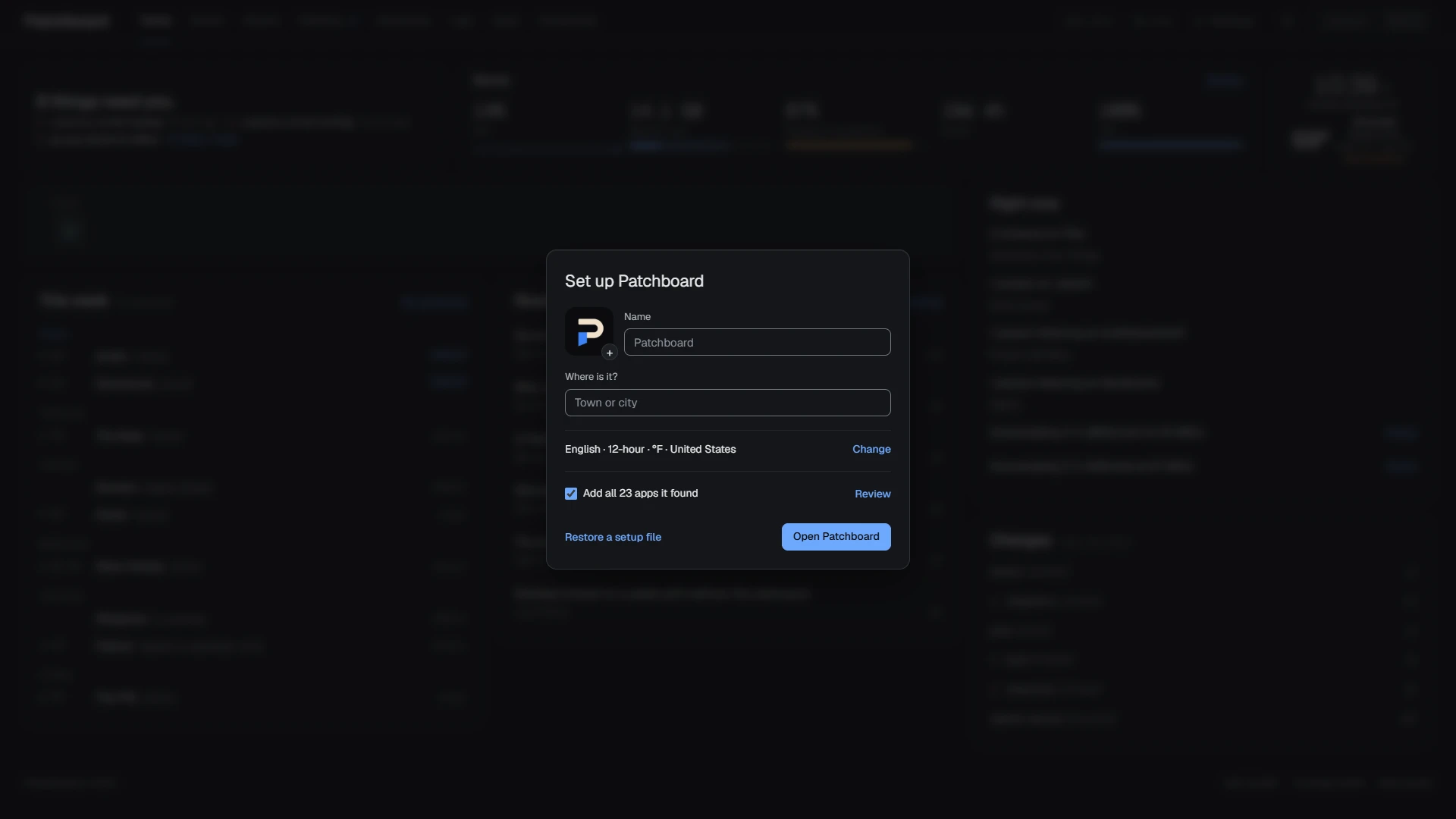
Open Patchboard and press Add all. It turns every running container into
an app, grouped by compose stack. Coming from Homepage? Settings imports its
services.yaml.
Then connect what you run from Settings, Connections: press Set up, paste the address and key, test, save. It connects at once, and the server stores the key encrypted. There are 69 integrations, among them Sonarr, Radarr, Plex through Tautulli, Jellyfin, Emby, qBittorrent, Transmission, Deluge, SABnzbd, NZBGet, Home Assistant, Tessie, Uptime Kuma, Pi-hole, AdGuard Home, Speedtest Tracker, Overseerr, Paperless, Nextcloud, BitAxe, TrueNAS and weather. docs/INTEGRATIONS.md has the full list.
No .env and no config files: the compose file sets the time zone, and the
rest lives in Settings. Prefer config as code? Environment variables and a
services.yaml still work, and Settings can copy them in later.
docs/CONFIGURATION.md has both ways.
latest follows releases, which come every week or so. Pin 1 to stay on
1.x, or a version like 1.2.0 to stay put. edge is the beta: every
change, a week before it's released. dev is work in progress.
docs/RELEASING.md lists every tag.
What you get
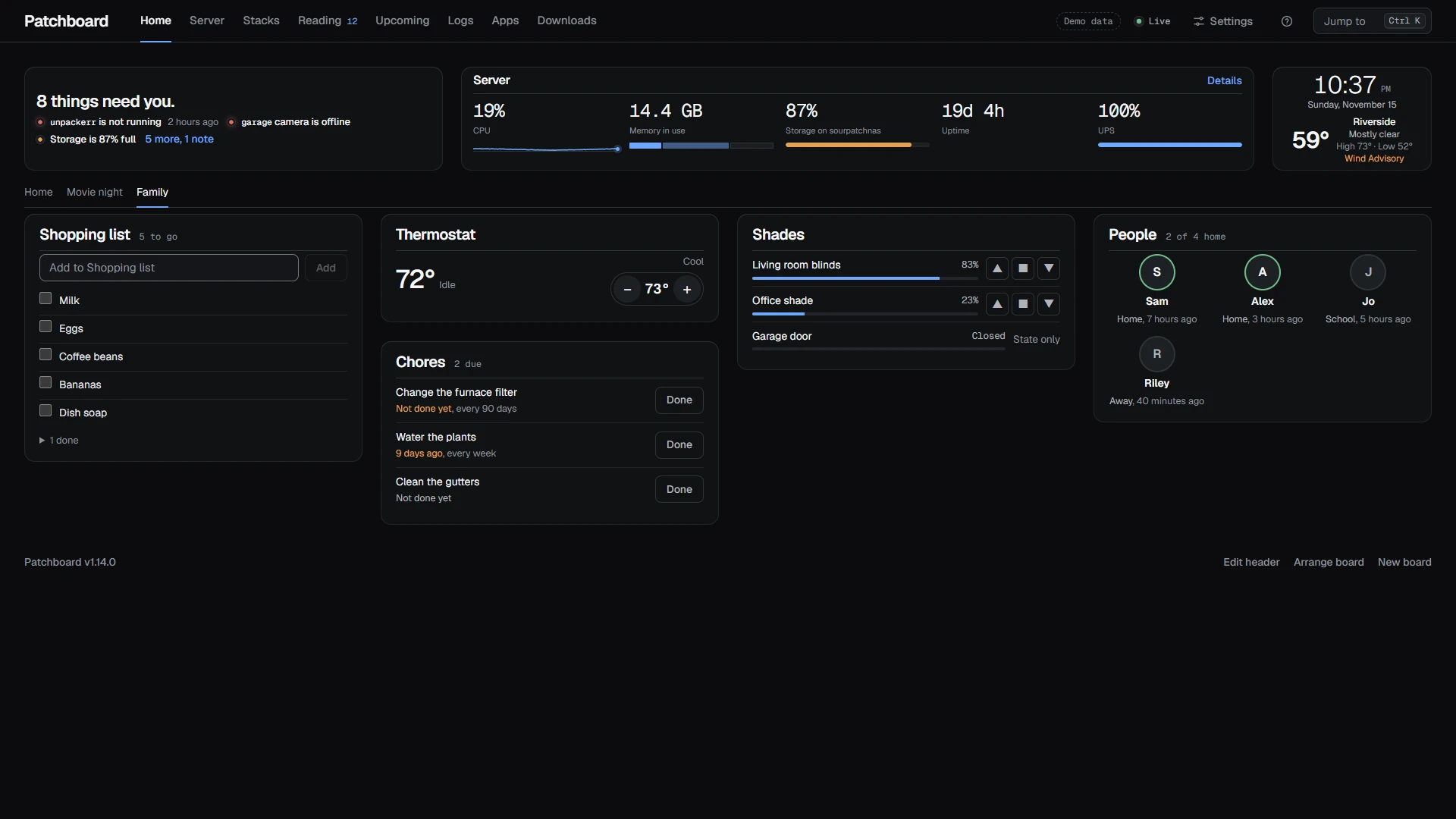
Alerts. The top of Home says "All quiet" or "6 things need you", with each problem on its own line, linked to its fix. The browser tab counts them too. A container that crashed overnight still shows under Changes in the morning. Turn on ntfy, Gotify, Pushover, Discord, email or a webhook, and a problem that lasts two minutes reaches you, then again when it clears.
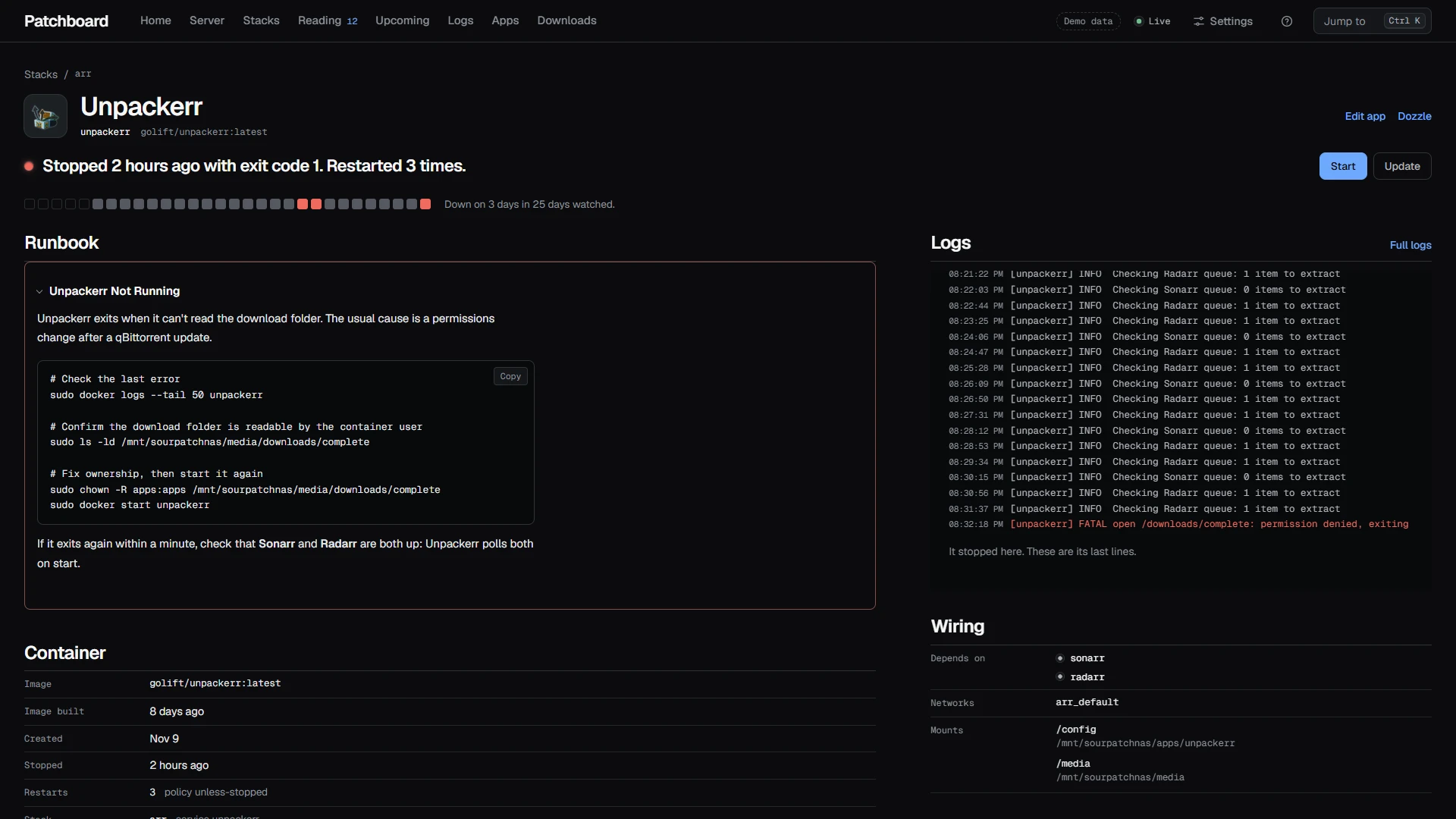
Container pages. Each container has a page with its alerts, its runbook section, live logs, a 30-day health strip, and buttons to restart, update or roll back.
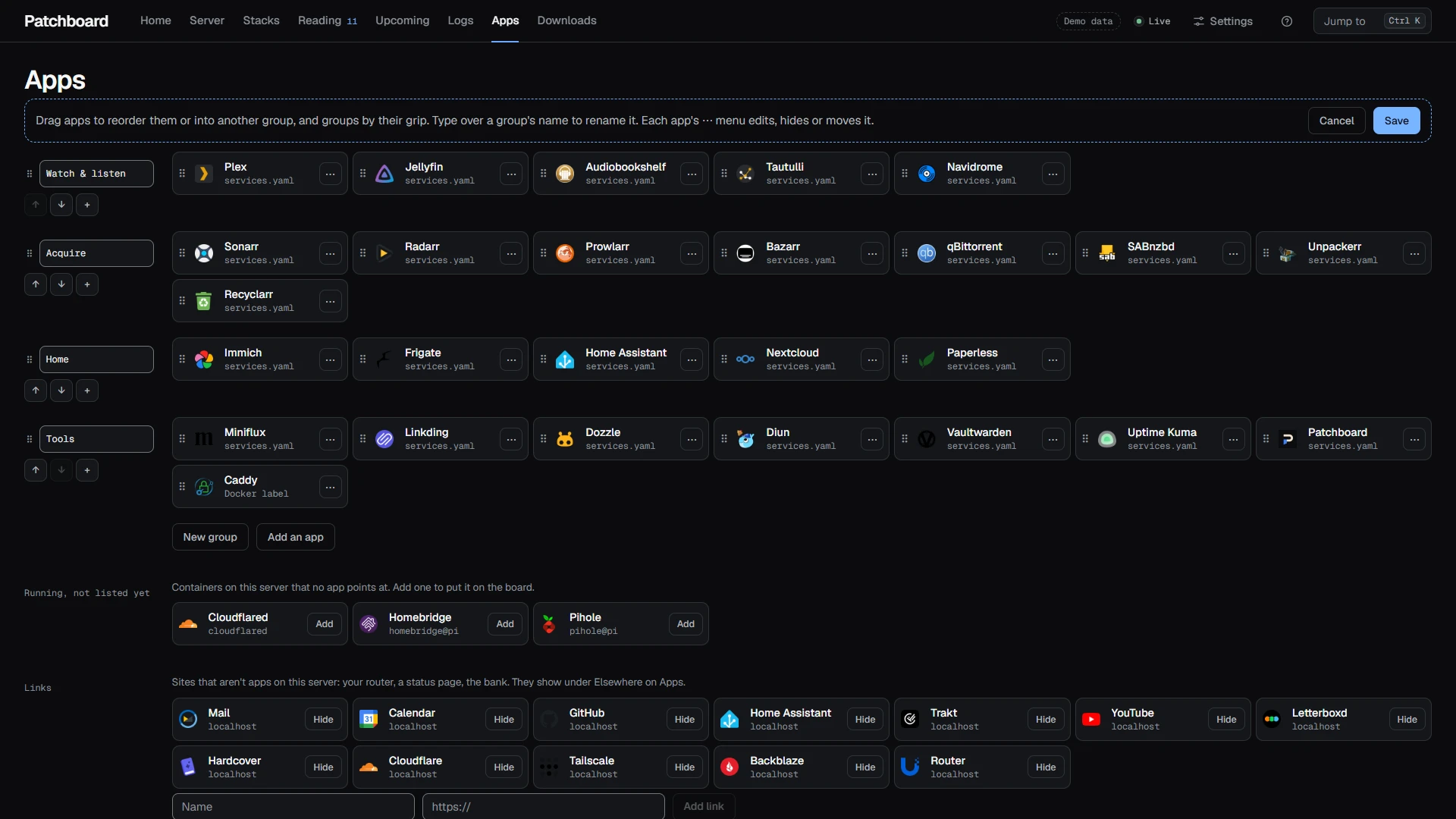
Apps without config files. Drag apps between groups, rename groups, hide what you don't use, upload icons. Paste an API key and a tile shows "42,506 photos" or "3 queued". Sixteen apps have presets; any JSON API works.
Boards. Home is a board of widgets on 2 to 6 columns. Start from a layout, drag to move, drag an edge to resize, and turn on Fit the window to trim lists to one screen. Add more boards: one for the TV, one for the rack. Five themes come in dark and light, or build a Custom one from three colors.
Wall screens. Hang a tablet, an e-ink reader or an e-paper panel and set it up from your desk in Settings, Devices: its pages, theme, density, units and language change there, and the device follows within a second. A household device gets its own pages to swipe between (the Monitor, wall boards for the clock and weather, markets, the house, cameras or media), turns them by itself if you like, and dims at night. Set its screen to E-ink for black on white with a redraw a minute.
Status widgets can show as one big number with a faint line of their day. A device can show one widget alone, for a Pi with a small screen, and a TRMNL, Inky or ESP32 with no browser fetches a one-bit picture of the server, or of one widget's number.
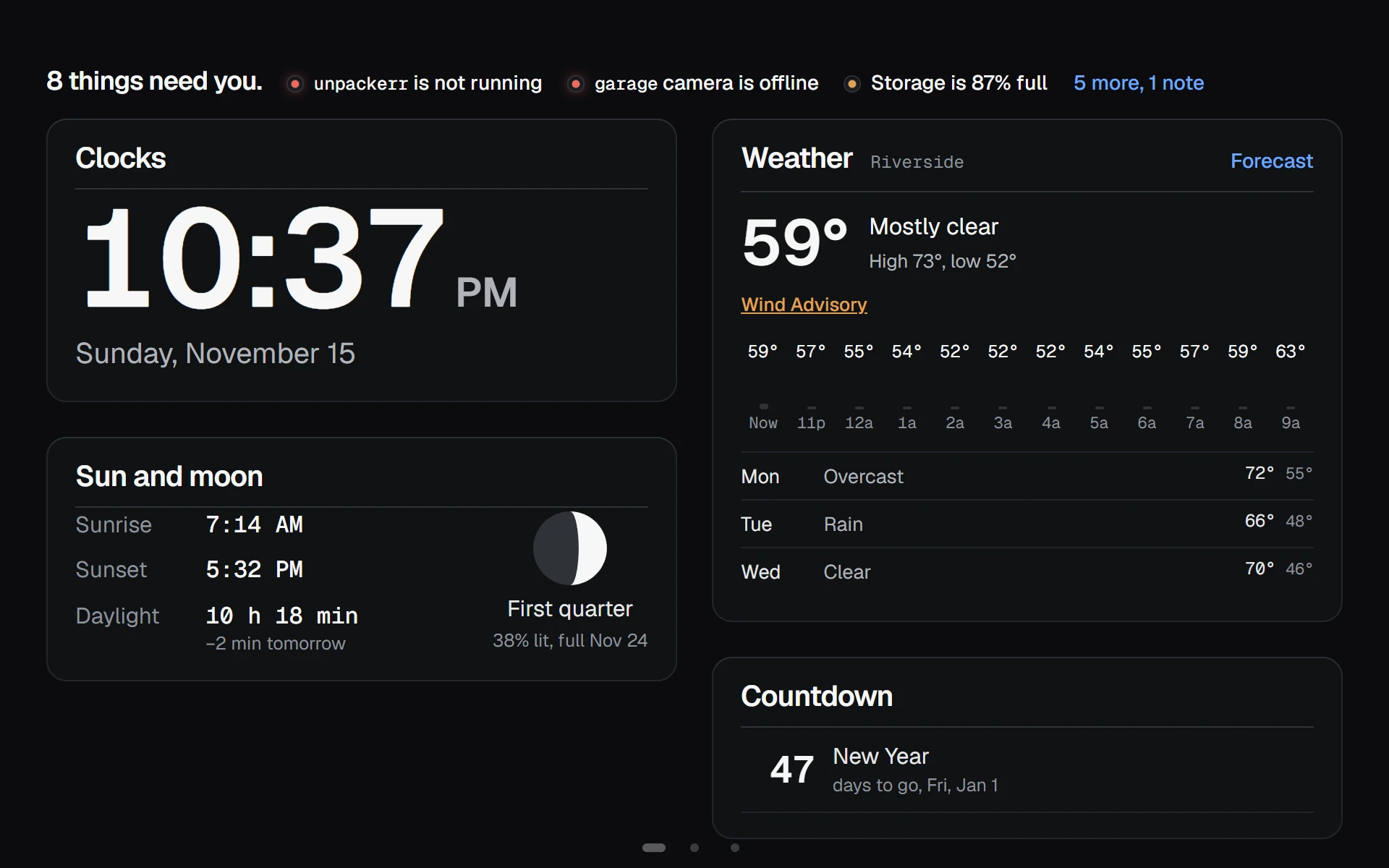
The house. From Home Assistant: a shopping or to-do list to tick off and add to, the thermostat with minus and plus, blinds and shades, who's home, and each room's last day of temperature as a strip. Chores counts the days since the plants were watered or the filter changed. The car shows its charge over the week, the cabin and outside temperatures, and the four tires with a soft one named. Miners covers BitAxe and other AxeOS miners. A kitchen tablet can tick the list and mark chores done; locks and garage doors stay read-only for everyone.
Your language and region. Dates, times, numbers and prices follow your part of the world, from 28 regions. The boards, wall screens and Monitor speak German, Spanish, French, Italian, Dutch and Brazilian Portuguese as well as English, and another language is one file.
Playback. Hover, focus or tap a playback row for its artwork, details and a link to its app, with time left when the service reports it.
Security. Keys stay on the server. Read-only mode, a Docker socket proxy, forward auth and an activity log let you decide how much it can do and see who did what. A household device, set up from a link, gets the boards, cameras and lights and none of the server controls.
Pages
| Home | The board: apps, Needs attention, Right now, Downloads, Watched, Listening, Bookmarks, Search, Clocks, Feeds, Releases, Markets, Sun and moon, Countdown, This week, inbox, reading, server, weather, changes, recently added, Next up, hosts, storage, power, drives, Proxmox, Docker hosts, network, photos, cameras, calendar, notes, chores, books, the car, Home Assistant lists, thermostat, shades, people and rooms, media managers, documents, Nextcloud, Git, monitoring alerts, miners, any container or JSON API. |
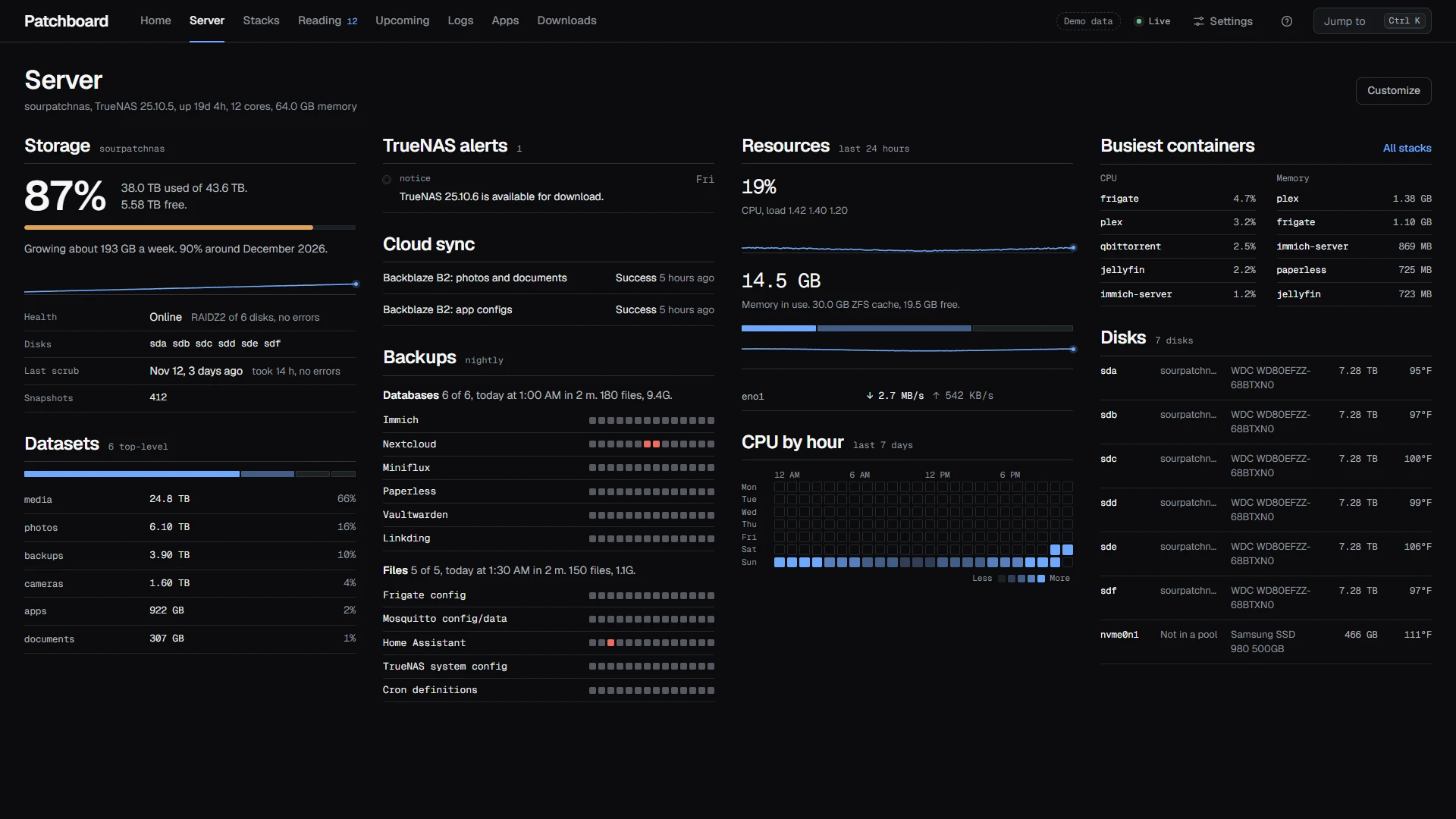
| Server | Pools, datasets, disks, temperatures, scrubs, backups, CPU by hour, and when the pool fills at this rate (TrueNAS, or any mounted folder). |
| Stacks | Every container by compose project, sortable by problems, CPU or memory. |
| Reading | A Miniflux reader with search, feed and time filters, and keyboard navigation. |
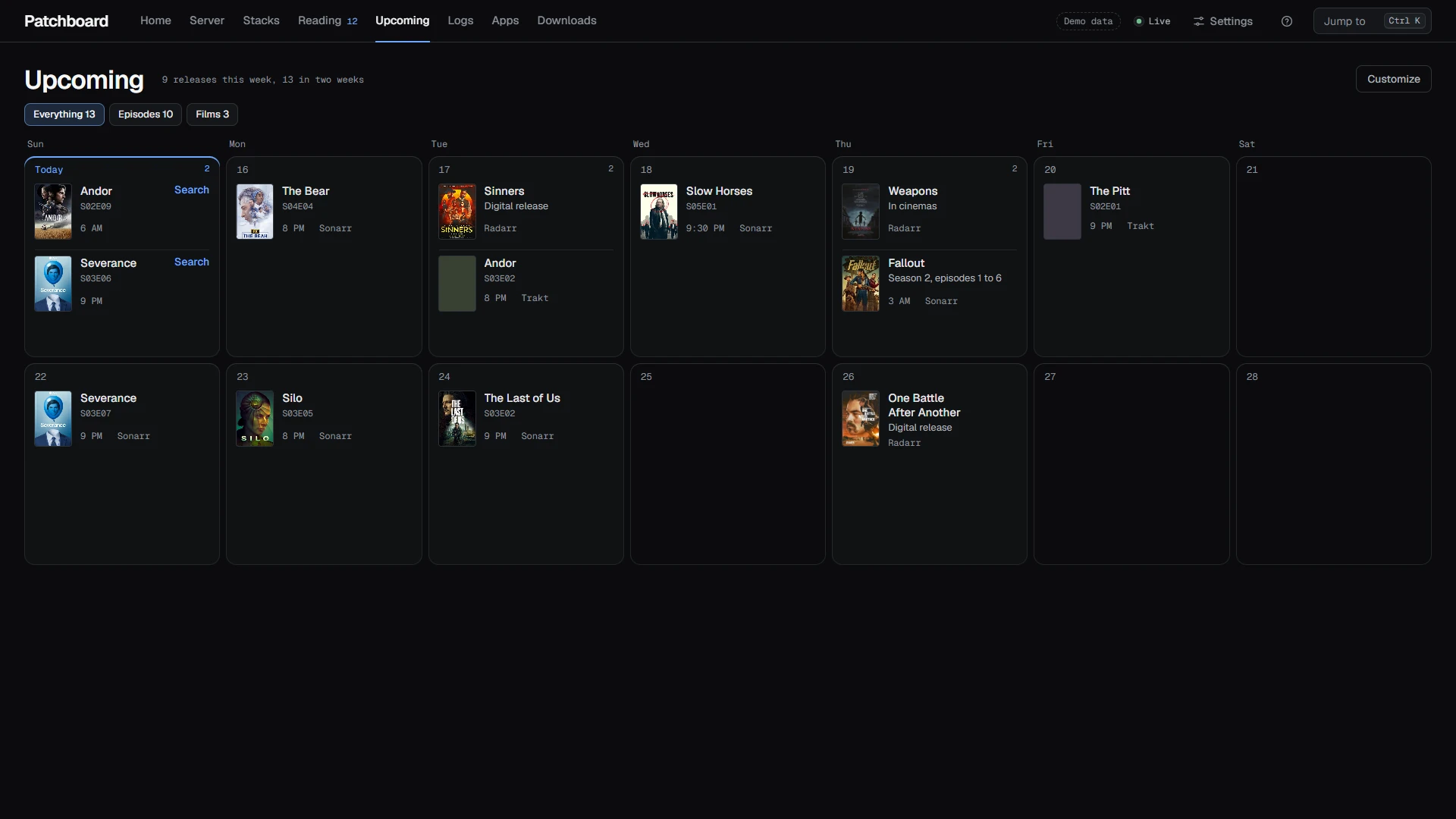
| Upcoming | Sonarr, Radarr and Trakt in one calendar, without doubles, with posters. |
| Weather | The next 24 hours, the week, sunrise and sunset, US weather alerts. |
| Logs | Live container logs, with a hand-off to Dozzle. |
Press Ctrl K or / to jump to any app, page, container or article.
| Server | Upcoming | Phone |
|---|---|---|
 |
 |
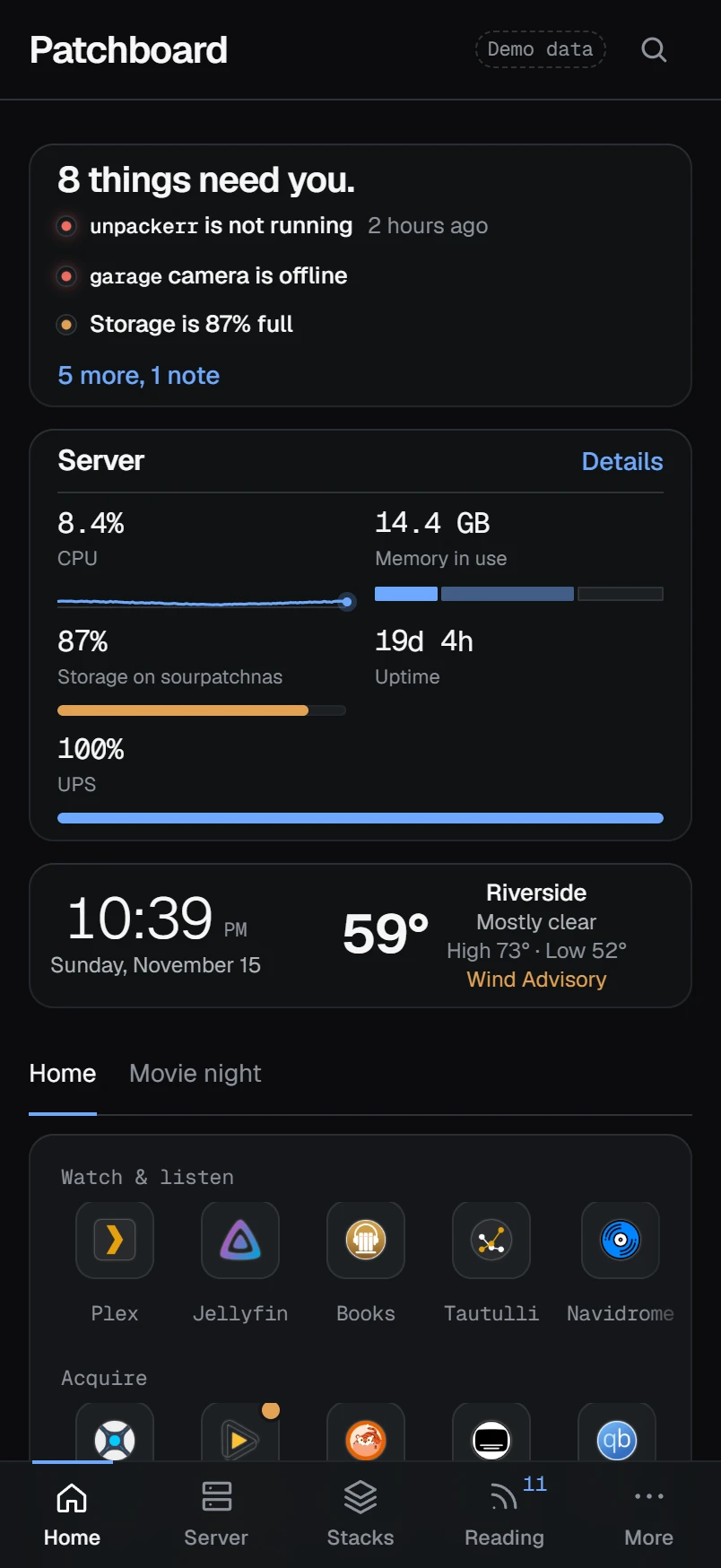 |
| Your machines | Your household |
|---|---|
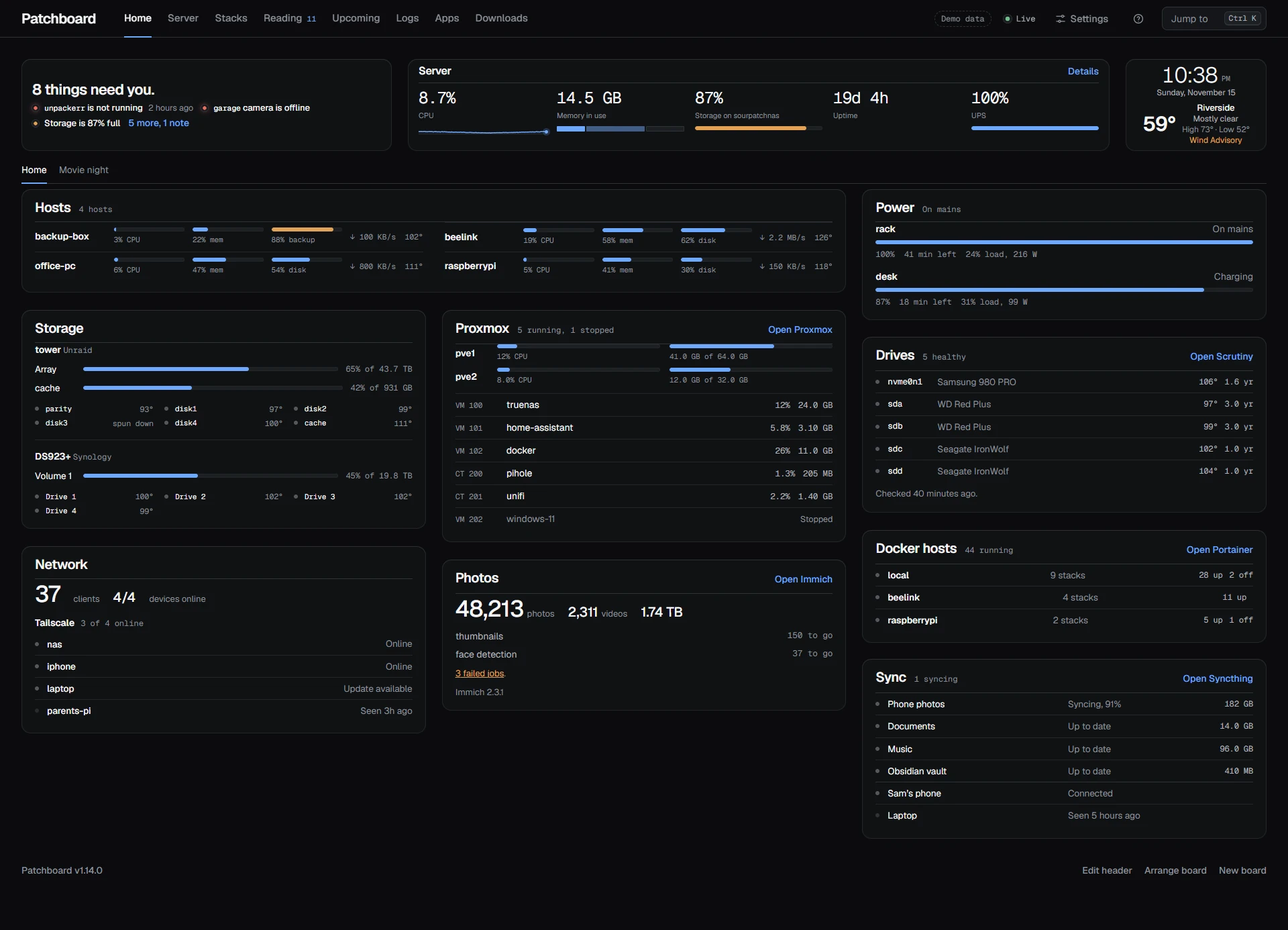 |
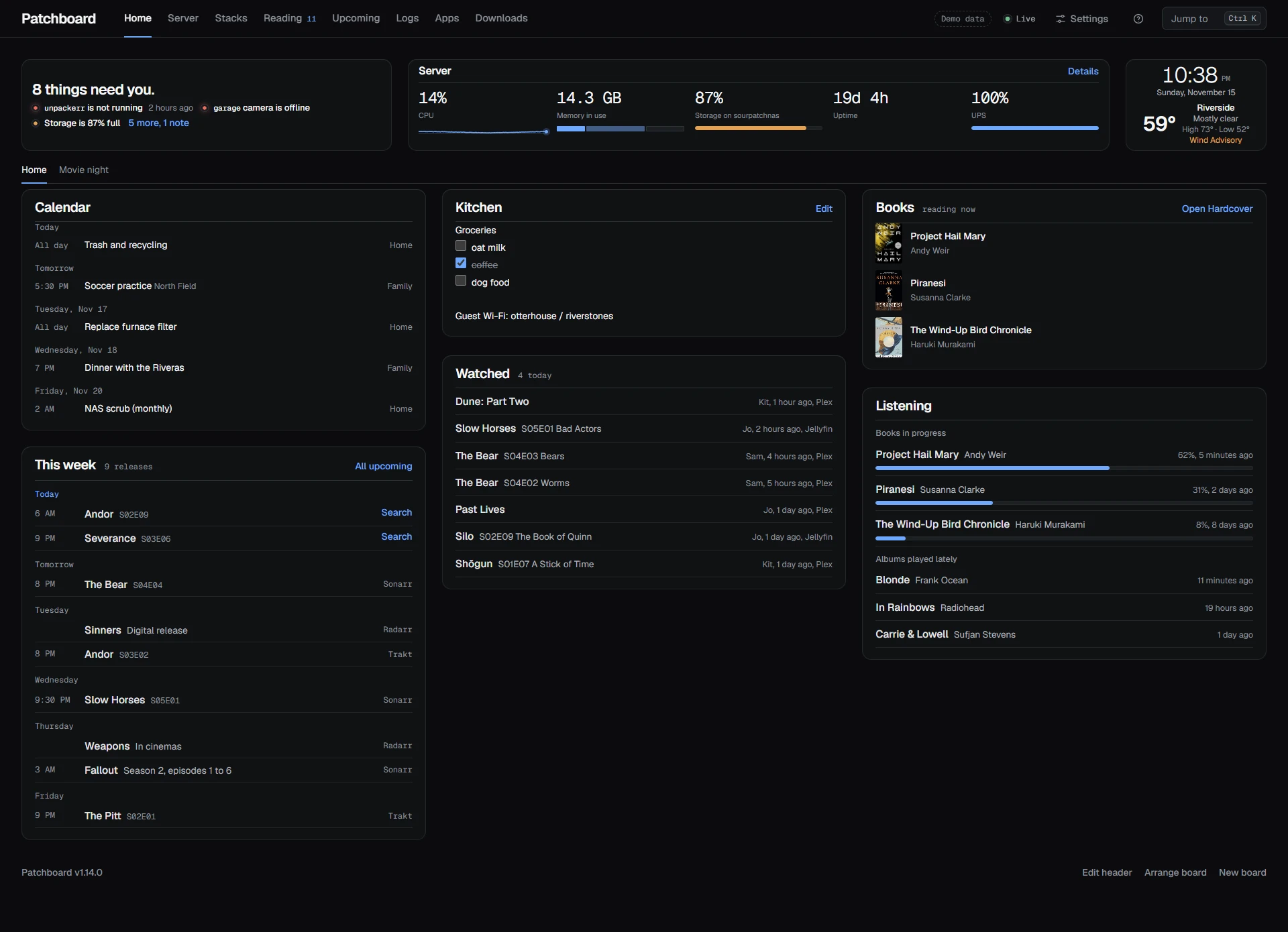 |
Take the tour: every page, every editor, every theme and the phone views.
Docs
- TOUR.md: every screen.
- INTEGRATIONS.md: getting apps and numbers onto Patchboard.
- CONFIGURATION.md: every setting, the catalog file, mounts, themes.
- SECURITY.md: what it can do and how to narrow it.
- examples/: the plain compose file and a hardened one.
- RELEASING.md: branches, tags, images and how a release ships.
- ROADMAP.md and CHANGELOG.md
- CONTRIBUTING.md: running it locally, and what a new integration or widget needs.
Development
npm run dev:demo      # invented data, hot reload
npm test              # node:test
npm run typecheck
npm run docs          # regenerate the tables in docs/INTEGRATIONS.md
npm run screenshots   # regenerate docs/screenshots from demo mode
The server is TypeScript that Node 24 or newer runs directly (the image ships Node 26), with Hono and SQLite. The client is React 19, built with Vite. DESIGN.md records why.
Demo and screenshot posters come from TVmaze and
Wikipedia and belong to their studios. Demo article photos come from
Wikimedia Commons under the licenses credited in server/demo.ts.
Star history
License
AGPL-3.0, copyright 2026 Nathan Nicholas. Run it, change it and share it. If you hand out a changed version, or run one for other people over a network, share its source under the same license. See LICENSE.