
sonph/onehalf
sonph/onehalf has 1,907 GitHub stars and 230 forks. GitHot measured 0 stars in 24 hours. Last checked 2026-11-15 16:14 UTC. Last push 2024-06-07.
What you can do
- Light and dark color schemes.
- Sublime Text 2/3
- GVim, MacVim, NeoVim, vim-airline (GUI/true colors)
- Terminal Vim, vim-airline (256 colors)
Measured star growth
- in 24h
- 0
- in 7 days
- Collecting history
- in 15 days
- Collecting history
- in 1 month
- Collecting history
Net star changes over overlapping periods, not daily totals. Missing measurements are left blank. Stars measure attention, not software quality.
About
Clean, vibrant and pleasing color schemes for Vim, Sublime Text, iTerm, gnome-terminal and more.
Developer ToolsREADME.md
OriginalOne Half ½ 🎨 🖥


A color scheme for Sublime Text, (Neo)Vim, iTerm, and more. Based on Atom's One.
- Name: One Half
- Author: Son A. Pham @sonph
- Repo: https://github.com/sonph/onehalf
- License: MIT
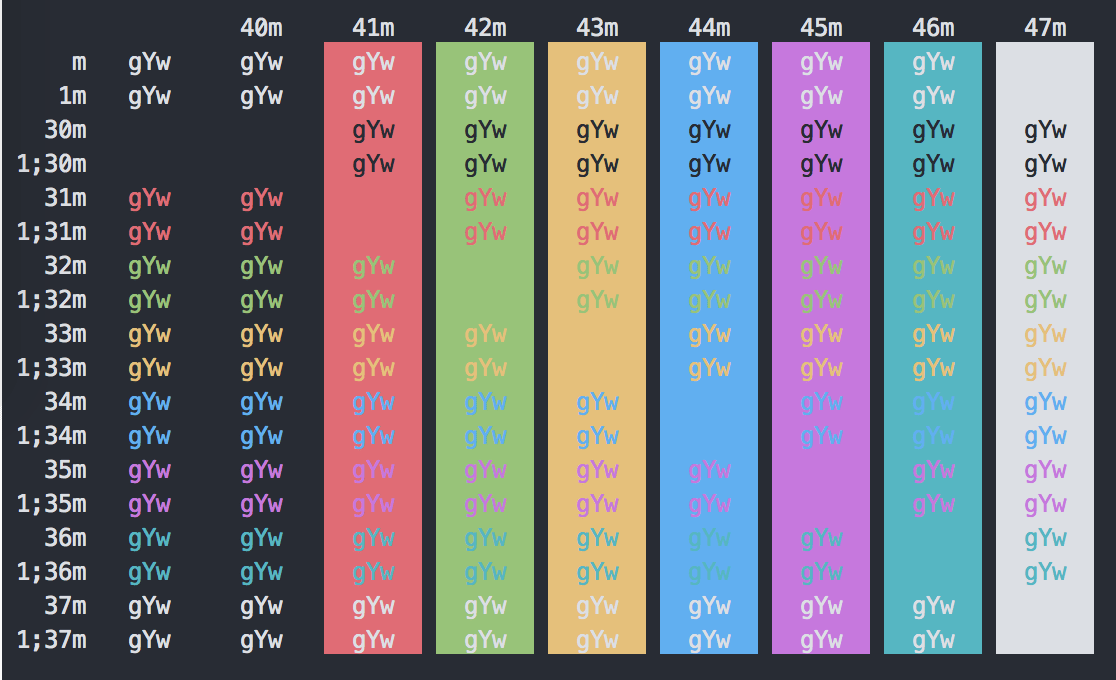


Table of Contents
Features
- Light and dark color schemes.
- Support a wide range of editors and terminals for a consistent color theme.
- Sublime Text 2/3
- VSCode
- GVim, MacVim, NeoVim, vim-airline (GUI/true colors)
- Terminal Vim, vim-airline (256 colors)
- iTerm2
- Xcode
- Windows Terminal
- OS X Terminal.app
- Gnome Terminal
- Konsole
- Alacritty
- Mintty/WSLtty
- FluentTerminal
- bat
- pywal
- PuTTY
- Kitty
- TextMate
- xfce4-terminal
- Hyper
- ConEmu
- IntelliJ
- Eclipse
- GNU Emacs
- Pygments
- Prism
- Add Your Suggestion
                        light     dark
0   normal  black       #383a42   #282c34
1   normal  red         #e45649   #e06c75
2   normal  green       #50a14f   #98c379
3   normal  yellow      #c18401   #e5c07b
4   normal  blue        #0184bc   #61afef
5   normal  magenta     #a626a4   #c678dd
6   normal  cyan        #0997b3   #56b6c2
7   normal  white       #fafafa   #dcdfe4
            foreground  #383a42   #dcdfe4
            background  #fafafa   #282c34
Screenshots
All screenshots are available in the screenshots folder.
Installation & Usage
Vim
Install with Vundle then set colorscheme and g:airline_theme:
Bundle 'sonph/onehalf', {'rtp': 'vim/'}
colorscheme onehalflight
let g:airline_theme='onehalfdark'
Or if you are using lightline, set g:lightline.colorscheme:
let g:lightline.colorscheme='onehalfdark'
If you want your vim and terminal colors to match exactly, you must enable true colors in vim.
For more details and manual installation, see vim README.
Sublime Text 2/3
Install with Package Control.
For more details and manual installation, see sublime text README.
iTerm2
- Download the theme files in the iterm folder.
- Import the color schemes:
- Either double click on the files to import.
- Or open iTerm Preferences > Profiles > Colors > Color Presets > Import then select the downloaded files.
- Select Preferences > Profiles > Colors > Color Presets > One Half Light (Dark).
OS X Terminal.app
Download the files in the terminal folder and simply open the files. Terminal.app will automatically recognize and import the color schemes.
Pywal
Copy the files in the wal/colorschemes folder under the matching
directories in ~/.config/wal/colorschemes, then enable the schemes (-l is for light theme):
> wal -l --theme one-half-light
# or
> wal --theme one-half-dark
Contributing / Troubleshooting / Bug Reports
Contributions are welcome. Feel free to open an issue if you have problems installing and using the color schemes.