
sohamw03/wifui
sohamw03/wifui has 161 GitHub stars and 9 forks. GitHot measured 0 stars in 24 hours. Last checked 2026-11-09 08:33 UTC. Last push 2026-10-31.
A lightweight, keyboard-driven Terminal User Interface (TUI) for managing Wi-Fi connections on Linux/Windows.
What you can do
- Network Scanning: Instantly discover available Wi-Fi networks.
- Seamless Connection: Connect to open or secured networks.
- Network Management: View detailed network info (SSID, Signal Strength, Security Type, Channel).
- Share WiFi: Generate QR codes for open networks and saved credentials when key material is available.
Measured star growth
- in 24h
- 0
- in 7 days
- Update delayed
- in 15 days
- Update delayed
- in 1 month
- Update delayed
Net star changes over overlapping periods, not daily totals. Missing measurements are left blank. Stars measure attention, not software quality.
README.md
Original
WiFui


WiFui is a blazing fast, lightweight Terminal User Interface (TUI) for managing Wi-Fi connections on Windows and Linux. Built with Rust and ratatui, it offers a keyboard-centric way to scan, connect, share, and monitor your network status without leaving the terminal.
Linux uses the system D-Bus through NetworkManager or iwd. It currently targets the first usable Wi-Fi interface. NetworkManager is preferred by default.
🚀 Features
- Network Scanning: Instantly discover available Wi-Fi networks.
- Seamless Connection: Connect to open or secured networks.
- Network Management: View detailed network info (SSID, Signal Strength, Security Type, Channel).
- Share WiFi: Generate QR codes for open networks and saved credentials when key material is available.
- Keyboard Driven: Efficient navigation with Vim-like keybindings.
📸 Screenshots
| Home | Add Network |
|---|---|
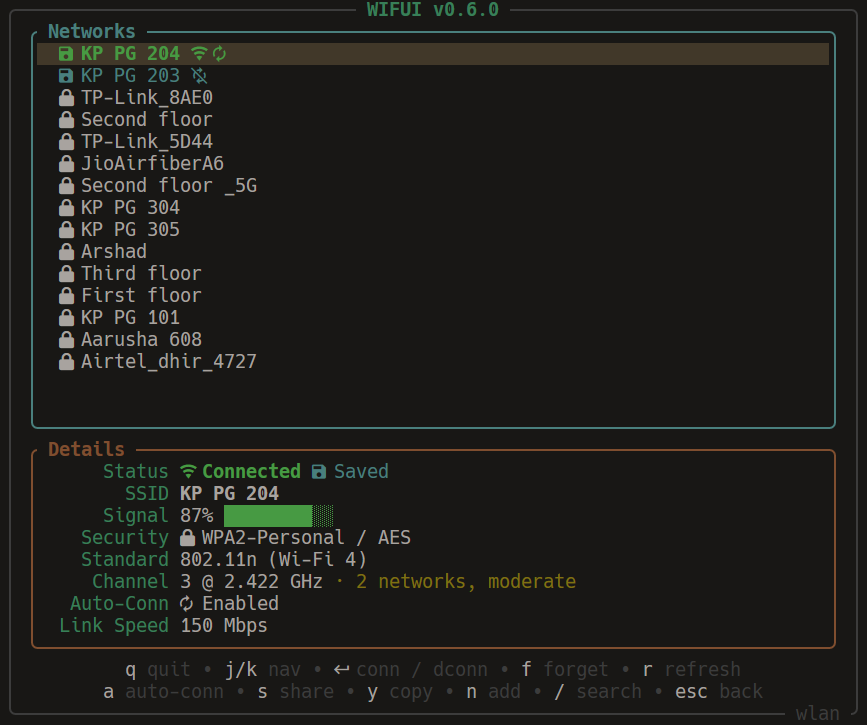 |
 |
| Password | Search |
 |
 |
| Share | Quick Connect |
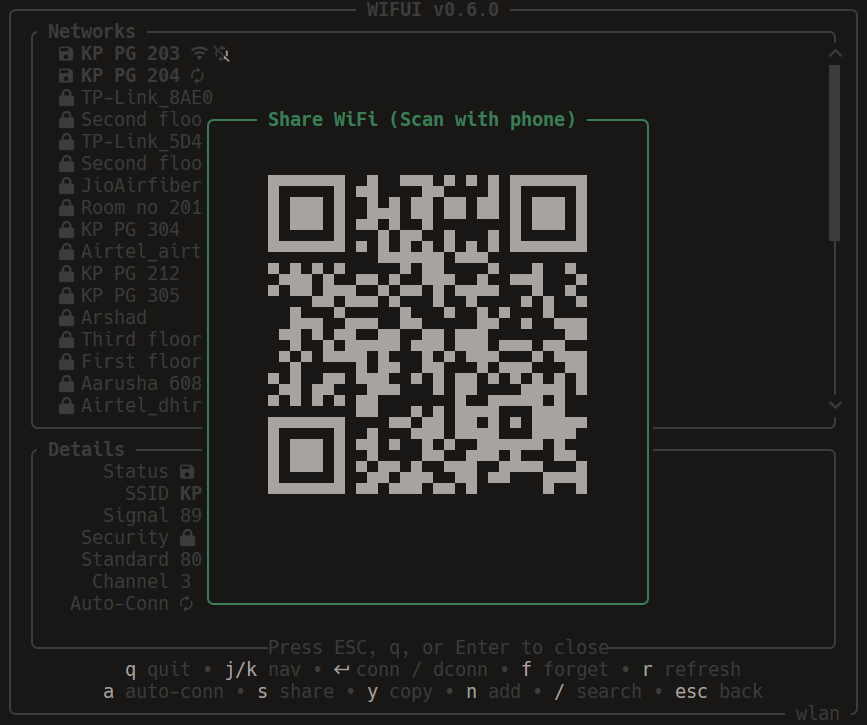 |
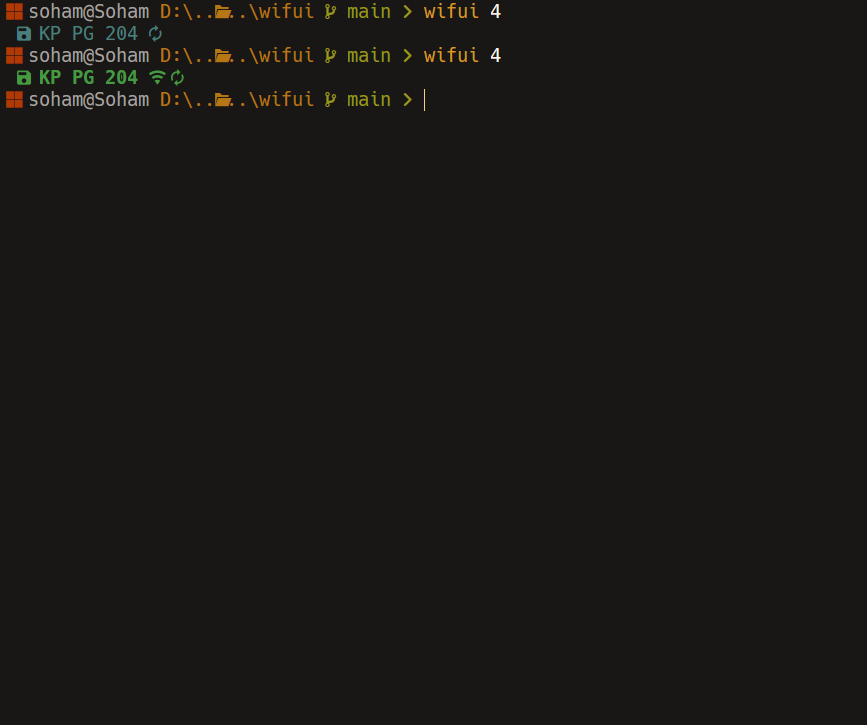 |
📦 Installation
Note: For the best experience, Nerd Fonts are recommended. However, you can use the --ascii flag if you prefer standard text-based icons.
Winget
winget install wifui
Scoop
scoop bucket add sohamw03 https://github.com/sohamw03/Scoop-Bucket
scoop install wifui
Chocolatey
choco install wifui
Crates.io
Works on Linux too. Linux requires NetworkManager or iwd and system D-Bus.
cargo install wifui
From Source
Ensure you have the Rust toolchain installed.
winget install Rustlang.Rustup
winget install --id Microsoft.VisualStudio.2022.BuildTools --override "--passive --wait --add Microsoft.VisualStudio.Component.VC.Tools.x86.x64 --add Microsoft.VisualStudio.Component.Windows11SDK.22621"
git clone https://github.com/sohamw03/wifui.git
cd wifui
cargo install --path .
🎮 Usage
Run the application:
wifui
Quick-connect to a nearby saved network:
wifui 24
Command Line Arguments
| Flag | Description |
|---|---|
--ascii |
Use ASCII icons (no Nerd Fonts required) |
--show-keys |
Show key logger for debugging |
--backend auto|nm|iwd |
Select the Linux D-Bus backend (default: auto) |
SEARCH_TERM |
Quick-connect to a saved network |
-v, --version |
Print version information |
Keybindings
| Key | Action |
|---|---|
↑ / k |
Move Selection Up |
↓ / j |
Move Selection Down |
g / Home |
Go to Top |
G / End |
Go to Bottom |
Enter |
Connect / Disconnect |
n |
Add New Network Manually |
r |
Refresh Network List |
f |
Forget Network |
a |
Toggle Auto Connect |
s |
Share WiFi (QR Code) |
/ |
Search Networks |
Tab |
Toggle Saved-Only View |
q / Ctrl + c |
Quit |
Esc |
Back / Clear Search / Quit |
Input Navigation (Search & Password)
| Key | Action |
|---|---|
Esc / Ctrl + [ |
Clear Input |
Ctrl / Alt + Backspace |
Delete Word |
Ctrl / Alt + ← / → |
Move Cursor by Word |
Home / End |
Move Cursor to Start / End |
🤝 Contributing
Contributions are welcome! Feel free to open an issue or submit a pull request on GitHub.
📄 License
This project is licensed under the MIT License.
Explore related projects
codecrafters-io/build-your-own-x
Master programming by recreating your favorite technologies from scratch.
561,375 starspublic-apis/public-apis
A collective list of free APIs
497,650 starsmorluto/rea
Reverse engineer anything with agents, from app behavior down to native binaries.
447,211 starsopenclaw/openclaw
The AI that really does things. Any OS. Any Platform. The lobster way. 🦞
394,260 stars