
sixb-ai/sixb has 138 GitHub stars and 16 forks. GitHot measured 0 stars in 24 hours. Last checked 2026-11-16 18:51 UTC. Last push 2026-11-15.
Measured star growth
- in 24h
- 0
- in 7 days
- Collecting history
- in 15 days
- Collecting history
- in 1 month
- Collecting history
Net star changes over overlapping periods, not daily totals. Missing measurements are left blank. Stars measure attention, not software quality.
About
Open-source TypeScript framework for building operational software used by humans and AI agents.
AIREADME.md
Original
Model your domain. Put it to work.
A TypeScript framework for ontology-powered apps and AI.
Connect your data, define how it relates and changes, and build apps and AI that work with the same model.
Documentation · Get started · Examples · Discord
Get started
With Bun 1.4.4 or later:
bun create sixb my-app
cd my-app
bun install
bun run dev
Everything runs locally, with no database to set up and no API keys. Your app opens at localhost:3000 and its API reference at localhost:3001/docs.
How it works
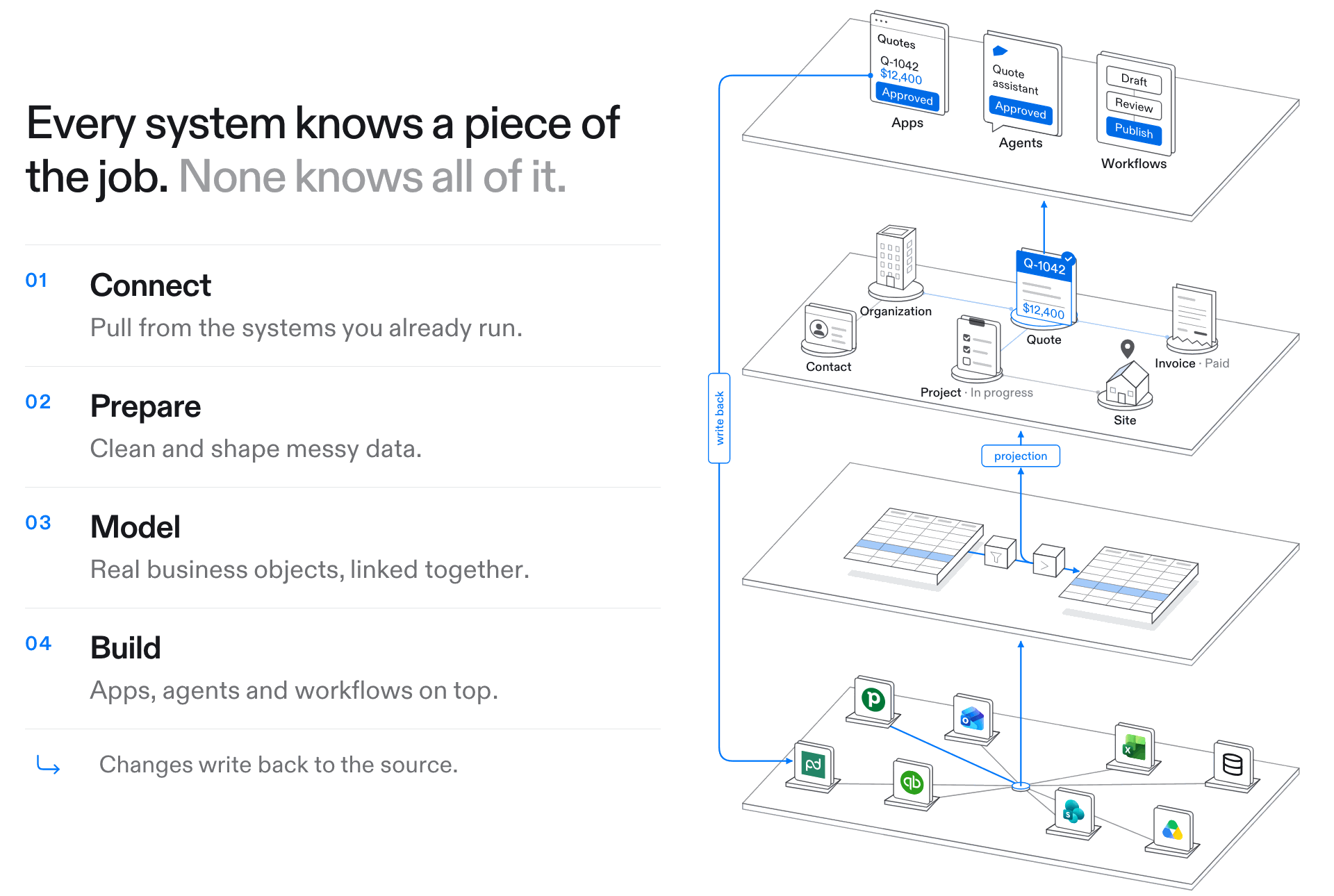
Each step maps to folders in your project, which Sixb discovers by convention.
connectors/    01 Connect   the systems you already run
syncs/                      bring their data in
datasets/      02 Prepare   versioned tables
pipelines/                  clean and join them in SQL
ontology/      03 Model     object types and the links between them
projections/                turn rows into objects
actions/       04 Build     typed changes, with write-back to the source
workflows/                  multi-step work, with people in the loop
app/                        your React pages, with the agent built in
Model your domain
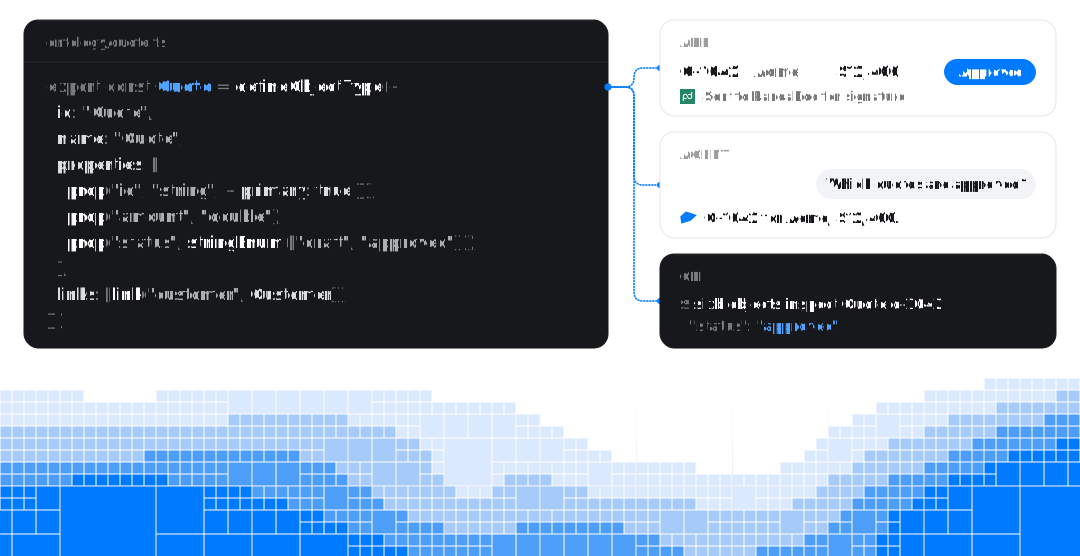
Define each thing your business works with once, in TypeScript.
// ontology/quote.ts
import { defineObjectType, link, prop, stringEnum } from "@sixb/core/ontology"
import { Customer } from "./customer"

export const Quote = defineObjectType({
  id: "Quote",
  name: "Quote",
  properties: [
    prop("id", "string", { required: true, primary: true }),
    prop("amount", "double", { required: true }),
    prop("status", stringEnum(["draft", "sent", "approved"]), {
      required: true,
      query: { searchable: true, filterable: true },
    }),
  ],
  links: [link("customer", Customer, { cardinality: "one" })],
})
Then fill it from the systems you already run. A sync brings their rows into a dataset, and a projection maps those rows onto your type. When the source changes, the objects follow.
// projections/quotes.ts
import { defineProjection } from "@sixb/core"
import { crmQuotes } from "../datasets/crm"
import { Customer } from "../ontology/customer"
import { Quote } from "../ontology/quote"

export const quotes = defineProjection("quotes", Quote)
  .fromDataset(crmQuotes)
  .properties({ id: "quote_id", amount: "amount", status: "status" })
  .withLinks({
    customer: { link: Quote.l.customer, sourceField: "customer_id", target: Customer },
  })
Put it to work
Query the model from your app. Its types carry through to the result.
// app/quotes/page.tsx
import { useObjectsQuery } from "@sixb/client/hooks"
import { objects } from "@sixb/client/query"
import { Quote } from "../../ontology/quote"

const approved = objects(Quote)
  .query()
  .where((quote) => quote.p.status.eq("approved"))

export default function ApprovedQuotes() {
  const quotes = useObjectsQuery(approved)

  return (
    <ul>
      {quotes.data?.objects.map((quote) => (
        <li key={quote.primaryId}>{quote.properties.amount}</li>
      ))}
    </ul>
  )
}
Change it with actions. Each one is typed, checked against the caller's permissions, and can write back to the system the data came from.
// actions/approve-quote.ts
import { defineAction } from "@sixb/core"
import { crm } from "../connectors/crm"
import { Quote } from "../ontology/quote"

export const approveQuote = defineAction("approve-quote")
  .on(Quote)
  .params({})
  .writeback(async ({ target, sixb, run }) => {
    const client = await sixb.connector(crm)
    await client.approveQuote(target.primaryId, run.idempotencyKey)
  })
  .edits(({ objects, subject }) => {
    objects(Quote).byId(subject.primaryId).update({ status: "approved" })
  })
The built-in agent works from the same model. It reads your types, queries live data and requests actions through the Sixb CLI, in a sandbox. In chat it has the permissions of the person asking; in a workflow, you decide its access. It runs on the language models you configure.
Built in
Every app comes with the pages you need to run it, before you write one of your own:
- Agent: ask about your data and get work done, in threads you can share.
- Console: your connectors, syncs, datasets, pipelines and projections, with every run; your types, objects, links, actions, workflows and rules; and the logs runs write.
- Settings: your profile, tokens and memory; project members, service accounts, AI usage and activity.
Example
Northline Mechanical is a reference app for a fictional building-services company. It connects a business system, a field-service platform and building controls around one model of customers, equipment and service cases.
Open the app · API reference · Read the code
Sixb is in active development. Releases on the 0.1.x line can include breaking changes and
database migrations, so read the changelog before upgrading.
Documentation · CLI reference · Contributing · MIT License

