
silirim/VodMax
silirim/VodMax has 78 GitHub stars and 10 forks. GitHot measured 0 stars in 24 hours. Last checked 2026-11-15 20:58 UTC. Last push 2026-11-09.
What you can do
- 📺 Live TV - Remote-friendly zapping (numbers, P+/P−, favourites only), channel list, now/next, official channel numbering, sport and radio sections, multiview (2 or 4 channels at once)
- 🗓️ TV guide - Programme grid from XMLTV (playlist guide and external sources), record or replay from the guide
- ⏸️ Timeshift & catch-up - Pause and rewind live TV, start the programme from the beginning, replay from the playlist's archive
- ⏺️ Recordings (DVR) - Record what is on, from the guide or by rule ("every match", "the news", live only), with disk and connection checks; "skip ad" with Comskip (optional, installed separately: not in the Docker image)
Measured star growth
- in 24h
- 0
- in 7 days
- Update delayed
- in 15 days
- Update delayed
- in 1 month
- Update delayed
Net star changes over overlapping periods, not daily totals. Missing measurements are left blank. Stars measure attention, not software quality.
About
Self-hosted media center for live TV, a Jellyfin and Plex alternative: M3U and Xtream Codes (IPTV) playlists you are entitled to use, EPG guide, timeshift, DVR, movies and series. Apps for Android, Android TV, Fire TV and LG webOS.
AIREADME.md
Original
Your live TV, your movies and your series in one self-hosted media center.
Live channels with a full TV guide, pause and recordings like a set-top box, movies and series from your playlists and your own folders — on the TV, the phone and the browser.


Features · Screenshots · Install · Quick start · Italiano
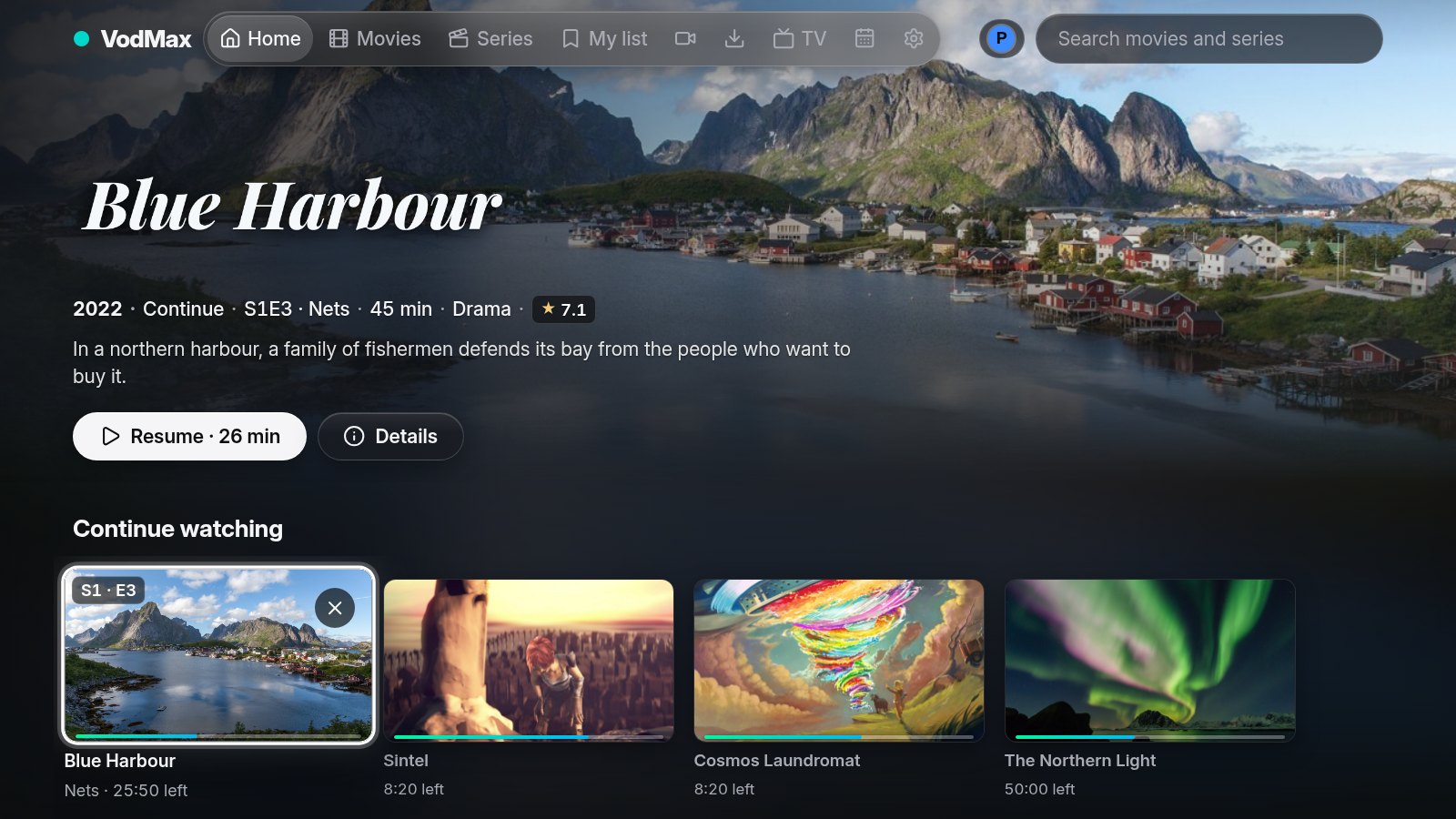
Why VodMax
Jellyfin and Plex are great for files on disk, but slow and awkward with live TV and with playlists of hundreds of thousands of titles. Playlist players are fast but stay on one device and remember nothing elsewhere. VodMax is both: a server for the home that keeps the catalog, the guide, the recordings and everyone's progress, and apps that feel like a TV decoder with the remote.
- Built for huge catalogs — hundreds of thousands of titles in one SQLite database, full-text search, one card per title instead of dozens of copies.
- Live TV first — channel numbers, P+/P−, favourites, now/next banner, pause and rewind, catch-up and recordings.
- One place — playlists (M3U, Xtream Codes: the TV playlists you are entitled to use) and local folders of movies and series in the same home, search and "continue watching".
- Private by design — playlist traffic can be limited to a VPN (the built-in WireGuard tunnel or one you run on the router), chosen at the first playlist; credentials are encrypted; no telemetry.
Features
| 📺 Live TV | Remote-friendly zapping (numbers, P+/P−, favourites only), channel list, now/next, official channel numbering, sport and radio sections, multiview (2 or 4 channels at once) |
| 🗓️ TV guide | Programme grid from XMLTV (playlist guide and external sources), record or replay from the guide |
| ⏸️ Timeshift & catch-up | Pause and rewind live TV, start the programme from the beginning, replay from the playlist's archive |
| ⏺️ Recordings (DVR) | Record what is on, from the guide or by rule ("every match", "the news", live only), with disk and connection checks; "skip ad" with Comskip (optional, installed separately: not in the Docker image) |
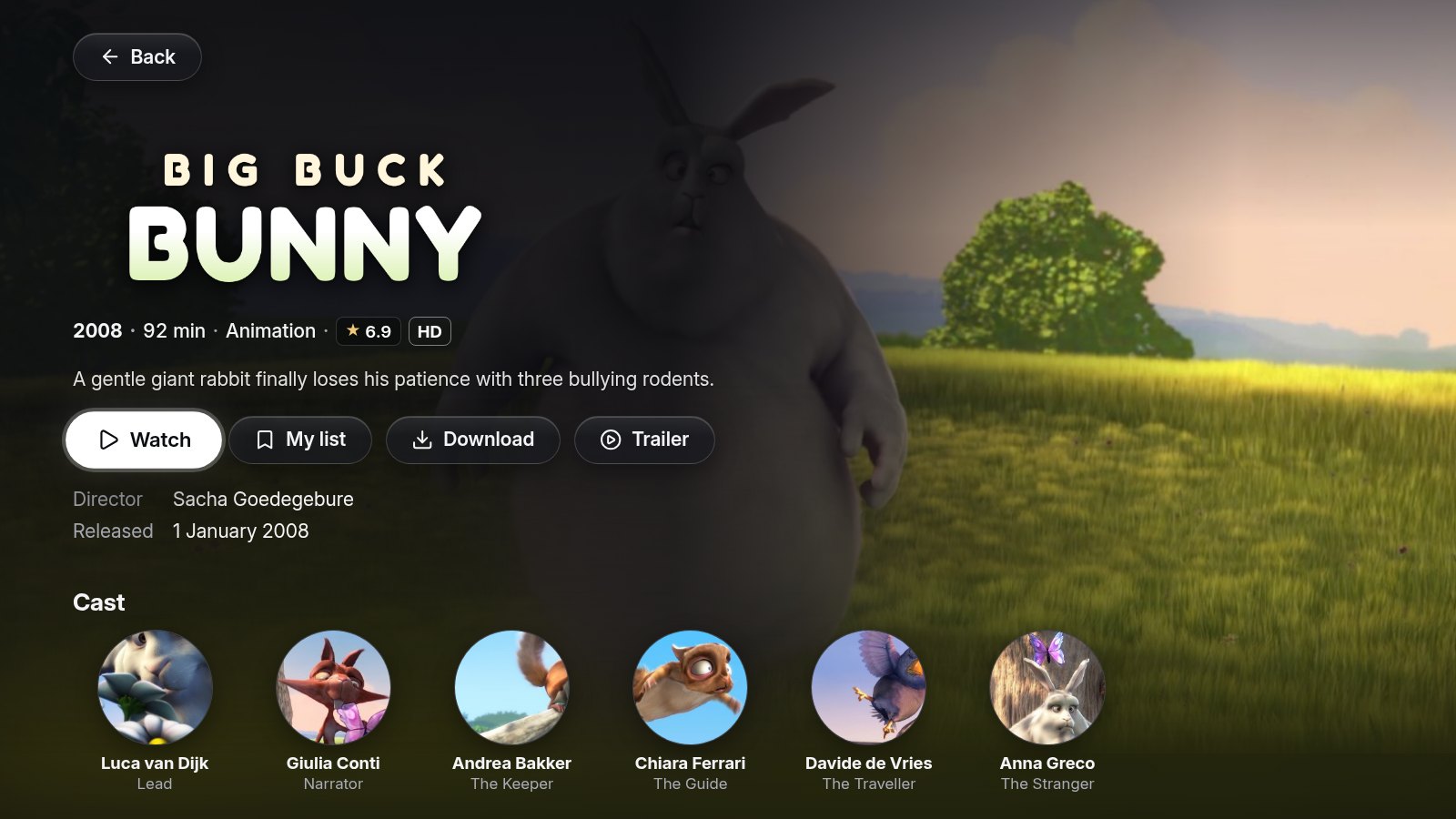
| 🎬 Movies & series | Posters, plots and cast, continue watching, my list, next episode, skip intro, audio and subtitle languages, MKV/AVI/HEVC converted on the fly (also with the graphics card: VAAPI, Quick Sync, NVENC) |
| ⬇️ Downloads | Copy movies, episodes, seasons or whole series to the server's disk, to watch them without the playlist; one at a time, only on a free connection (whoever watches comes first), optionally at night. From there the Android app copies them, and finished recordings, to the phone, an SD card or a USB stick, to watch offline |
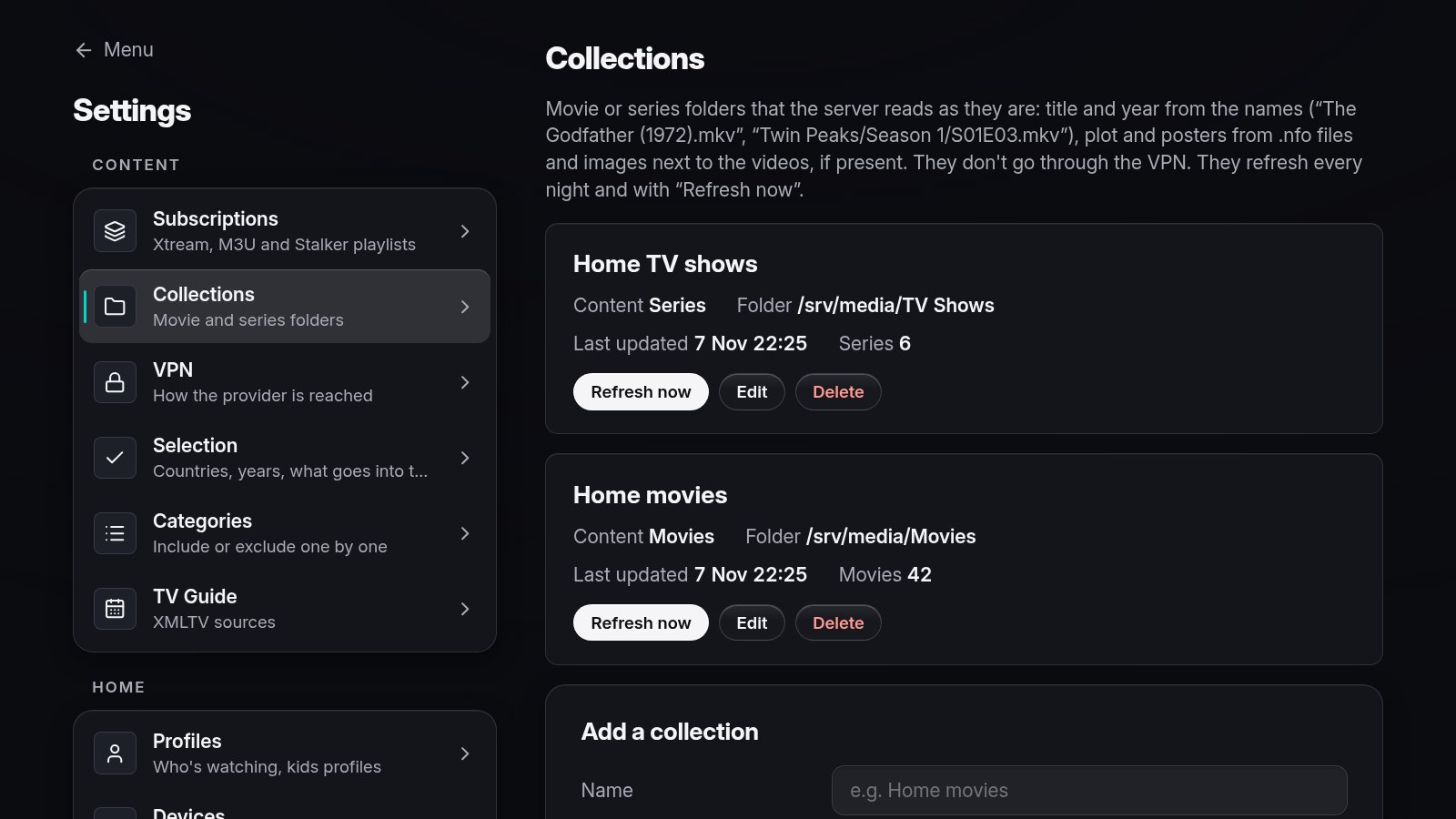
| 📁 Local collections | Folders of movies or series named like Jellyfin/Kodi/Plex libraries, .nfo files and artwork next to the videos |
| 📡 Sources | Xtream Codes, M3U playlists (an address, a file, or a Google Drive or Dropbox share link) and Stalker portals (MAC) |
| 🧹 Catalog selection | Choose your country and keep only the countries, years and categories you want — recognised in any spelling (“UK | Sport”, “|DE| Filme”, “Live France”) — with a live preview |
| 👪 Profiles | Per-person progress and favourites, kids profiles, devices paired with a short code or signed in with your home account (OpenID Connect: Authelia, Authentik, Keycloak…) |
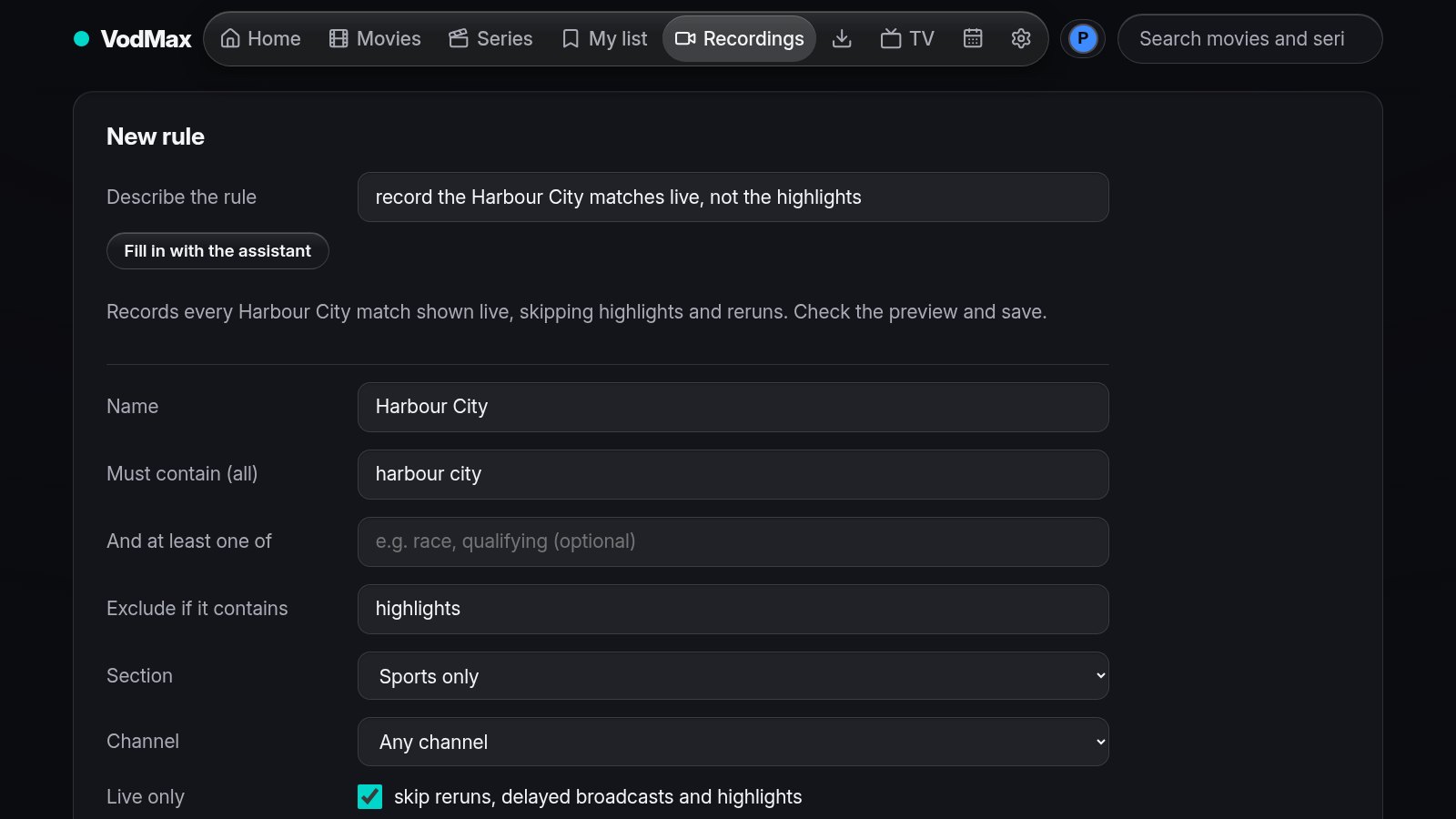
| ✨ Assistant | Optional: built in (VodMax downloads and runs the model at home), Claude and other online services with an API key, or your own server. Write a recording rule as a sentence, record "just once" ("tonight's film on Rai 1", "Feyenoord Inter"), ask what to watch tonight |
| 🔌 Other apps | Plex, Jellyfin and Emby see VodMax as an HDHomeRun tuner; M3U playlist and XMLTV guide for TiviMate, Kodi, VLC |
| 🔒 Built-in VPN | WireGuard in user space inside the server and the app: with only through a VPN on (the default, chosen at the first playlist), playlists are never contacted without it |
| 💾 Backups | Encrypted backups and automatic copies, health warnings for VPN, playlists, guide and disk |
| 🖼️ Metadata | From the playlist, from .nfo files, or from TMDB with your own key |
Apps
| Platform | |
|---|---|
| Browser | The full interface, made for the remote and the mouse |
| Android, Android TV, Fire TV | Native player (Media3) for every format, picture in picture on phones and tablets; can also run standalone, without a server |
| LG webOS | TV app (webOS 22+ recommended) |
| Linux server | x86-64, ARM64 (Raspberry Pi 4/5), ARMv7; one binary, SQLite |
Status
VodMax is young: the first commit is from 29 October 2026, and one person works on it. It runs every day at the author's home — a Linux server with an Xtream Codes playlist behind a VPN, watched from the browser, an Android phone and an LG webOS TV — and every release passes the automated tests.
Not tried on real devices yet: Android TV and Fire TV boxes, Raspberry Pi and other ARM servers, the Unraid template. They are built and should work; reports are very welcome (open an issue with the device and the version).
Screenshots
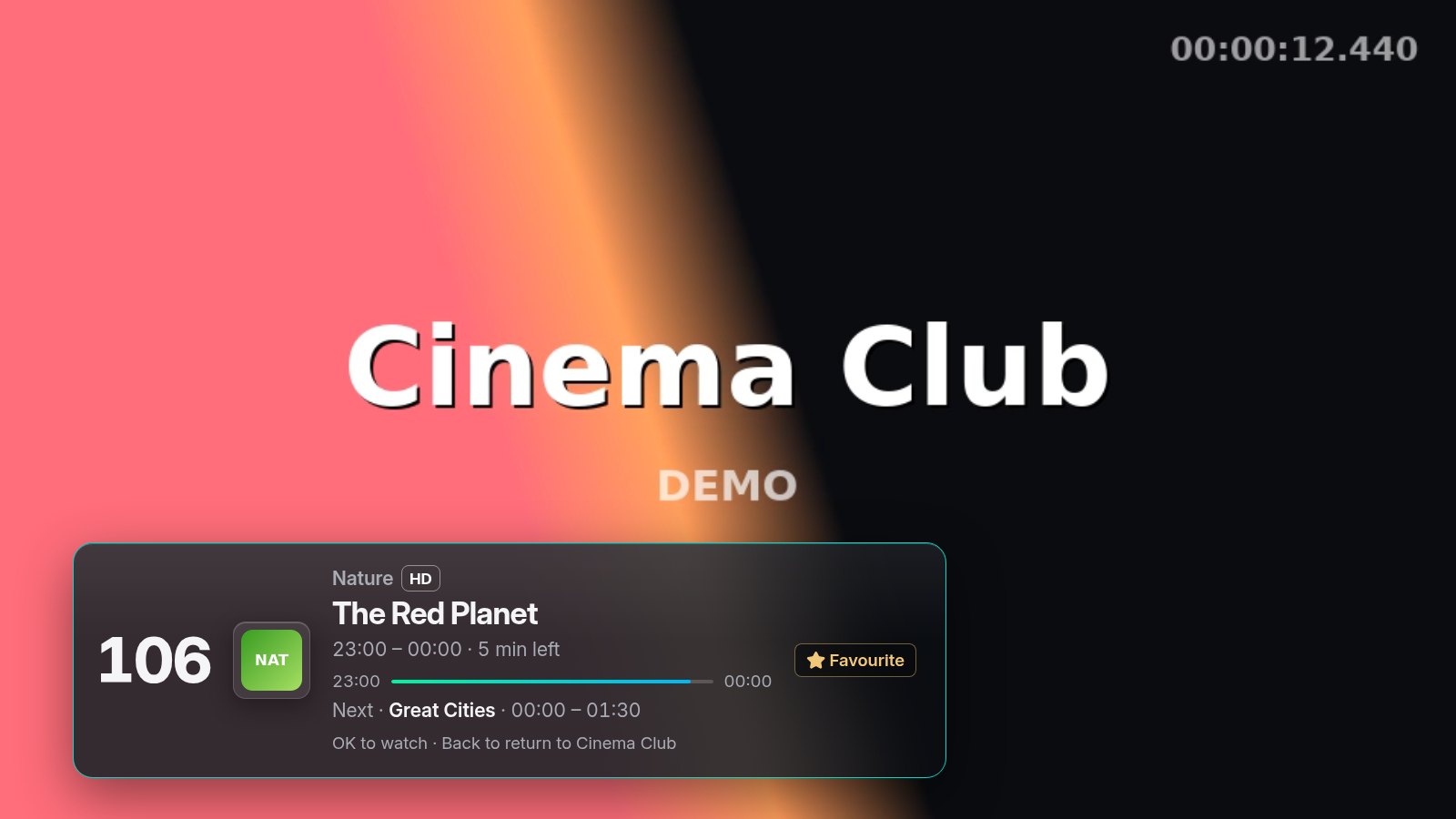 |
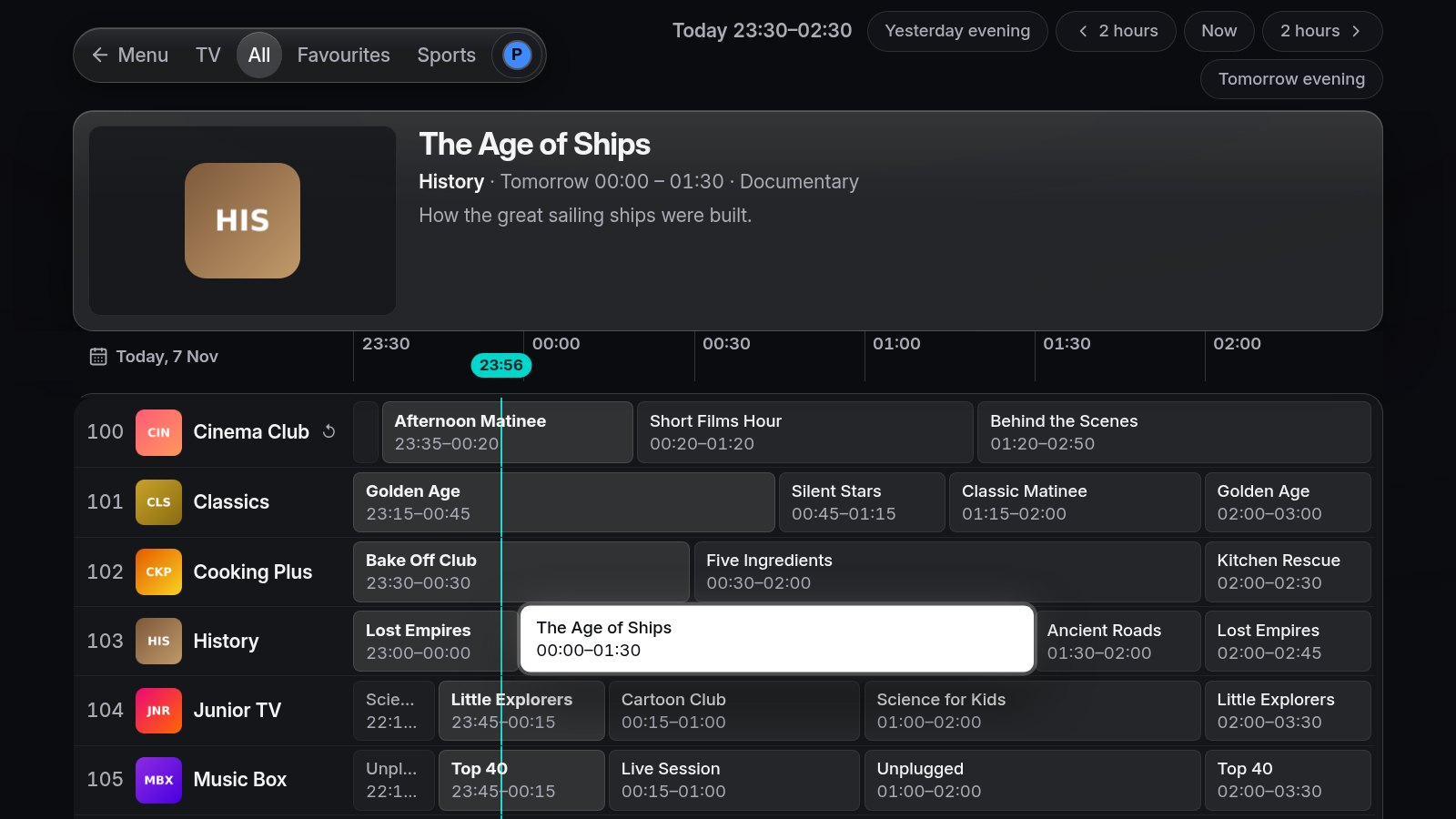 |
| Live TV: browse other channels without zapping | TV guide |
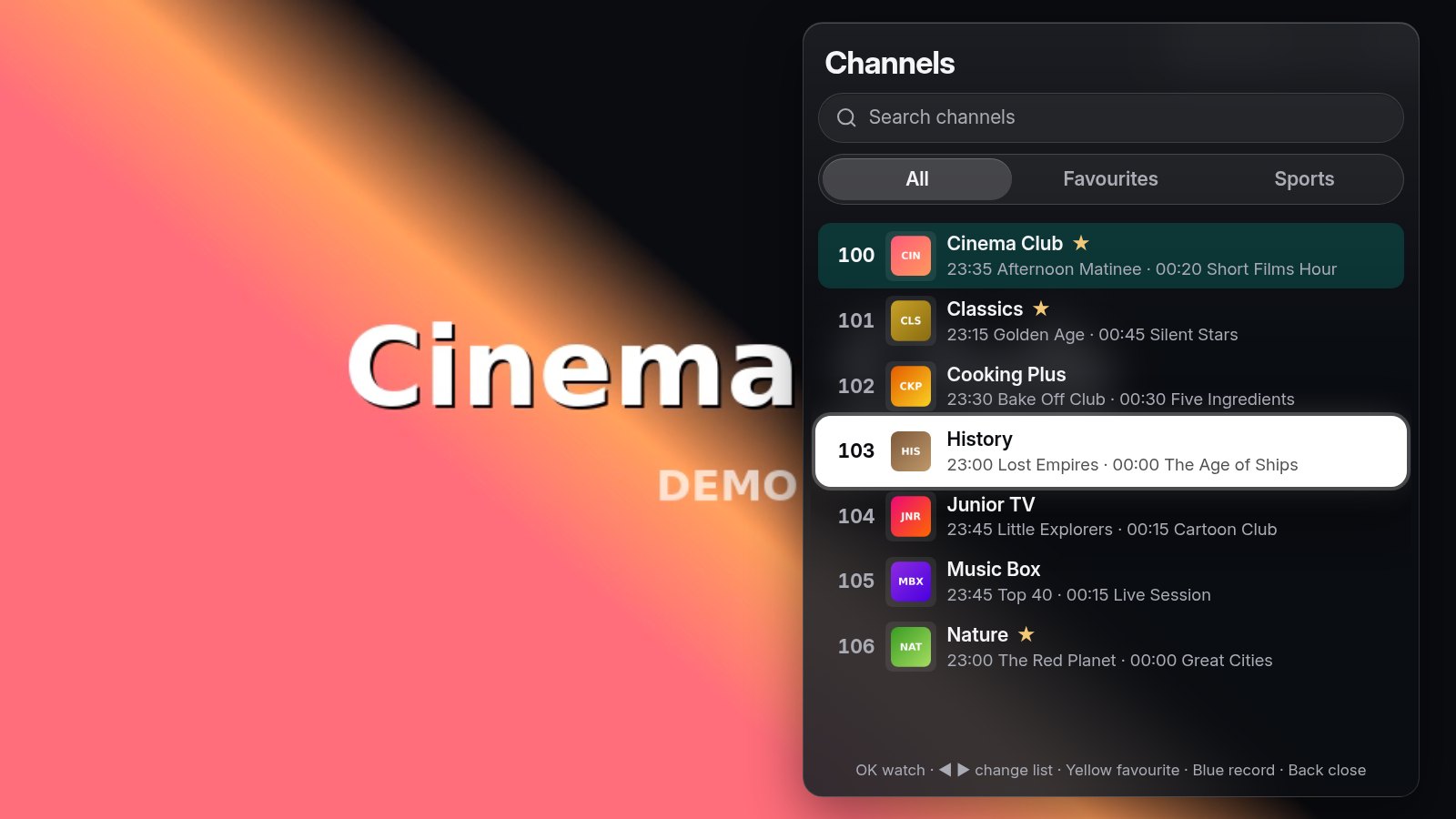 |
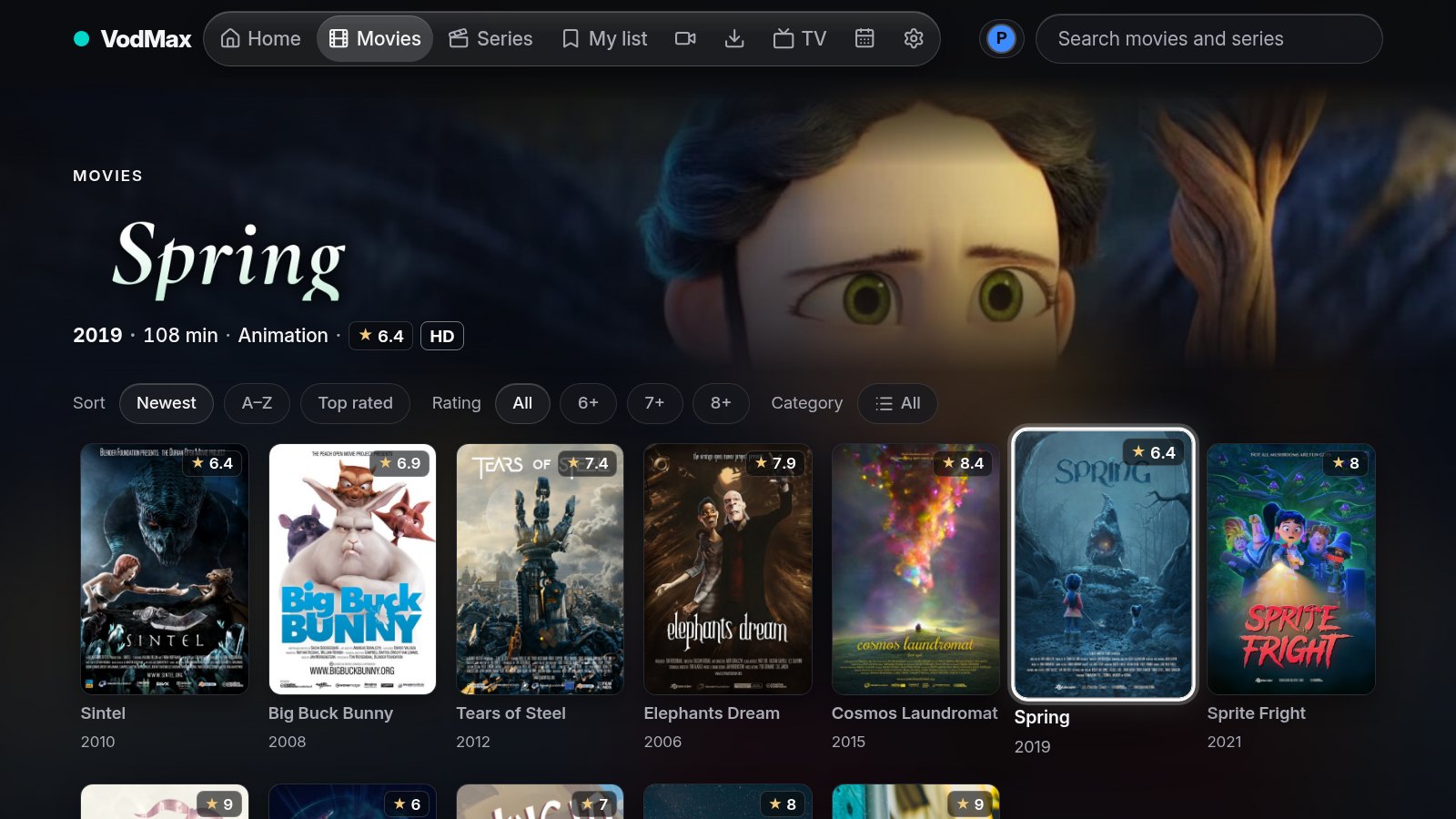 |
| Channel list with favourites | Movies |
 |
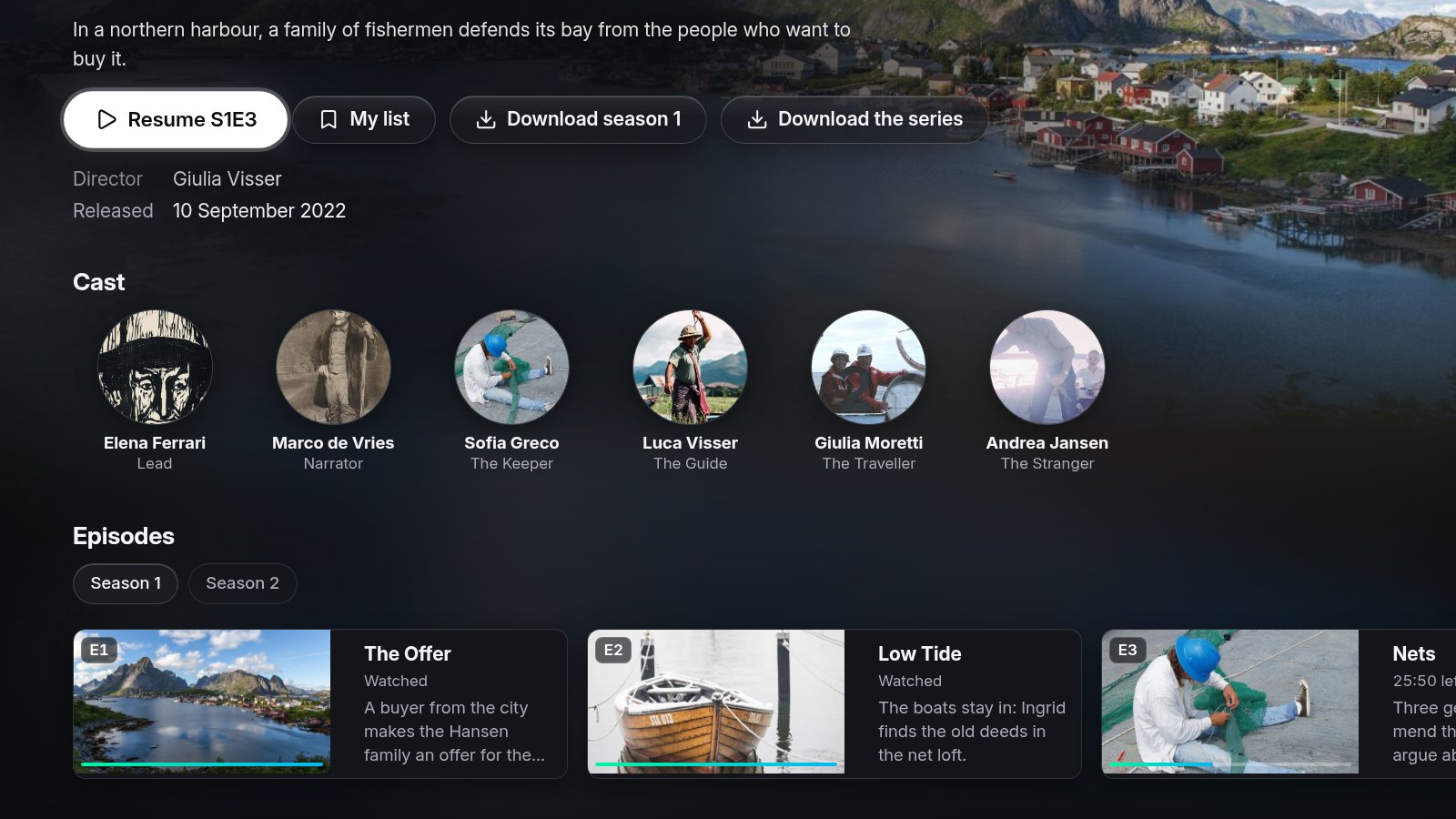 |
| Movie details | Series, seasons and progress |
 |
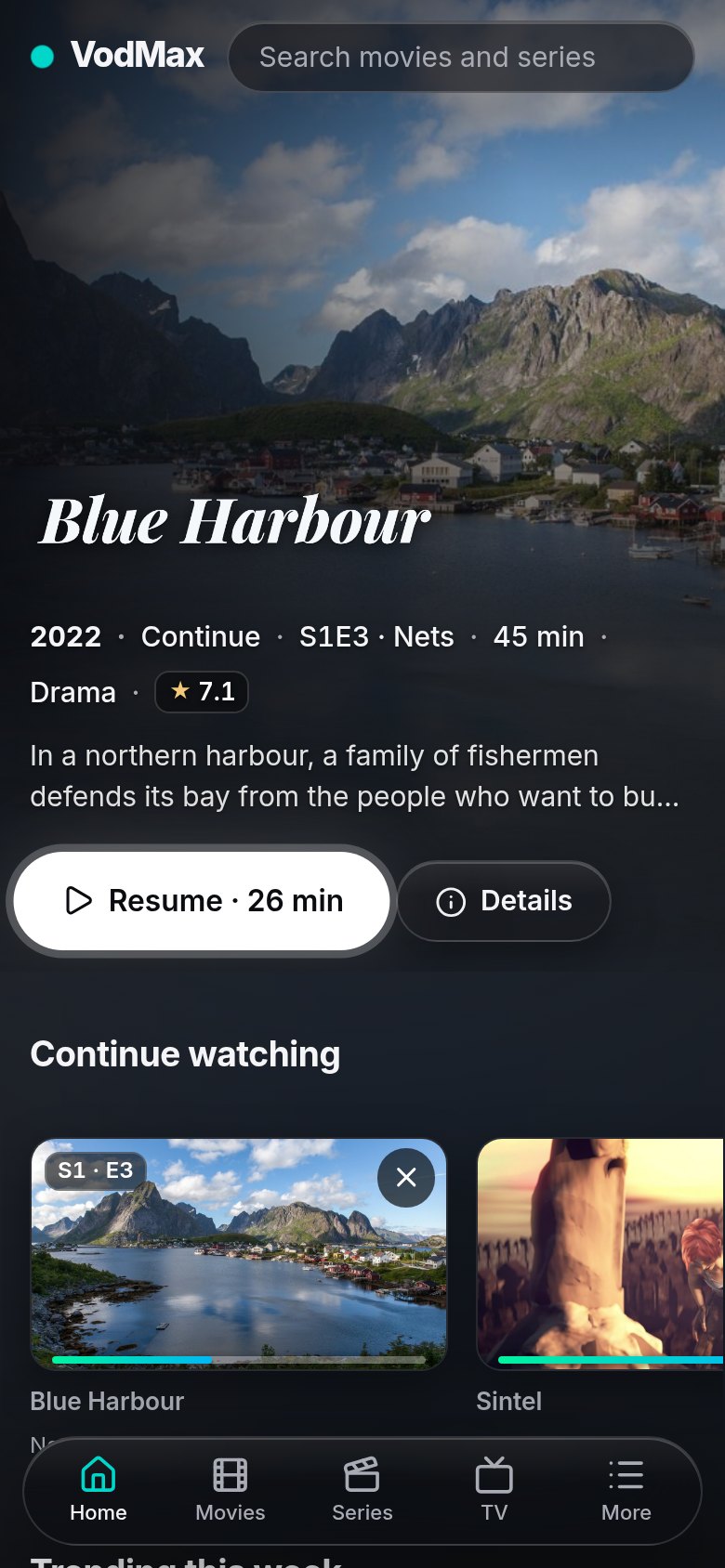 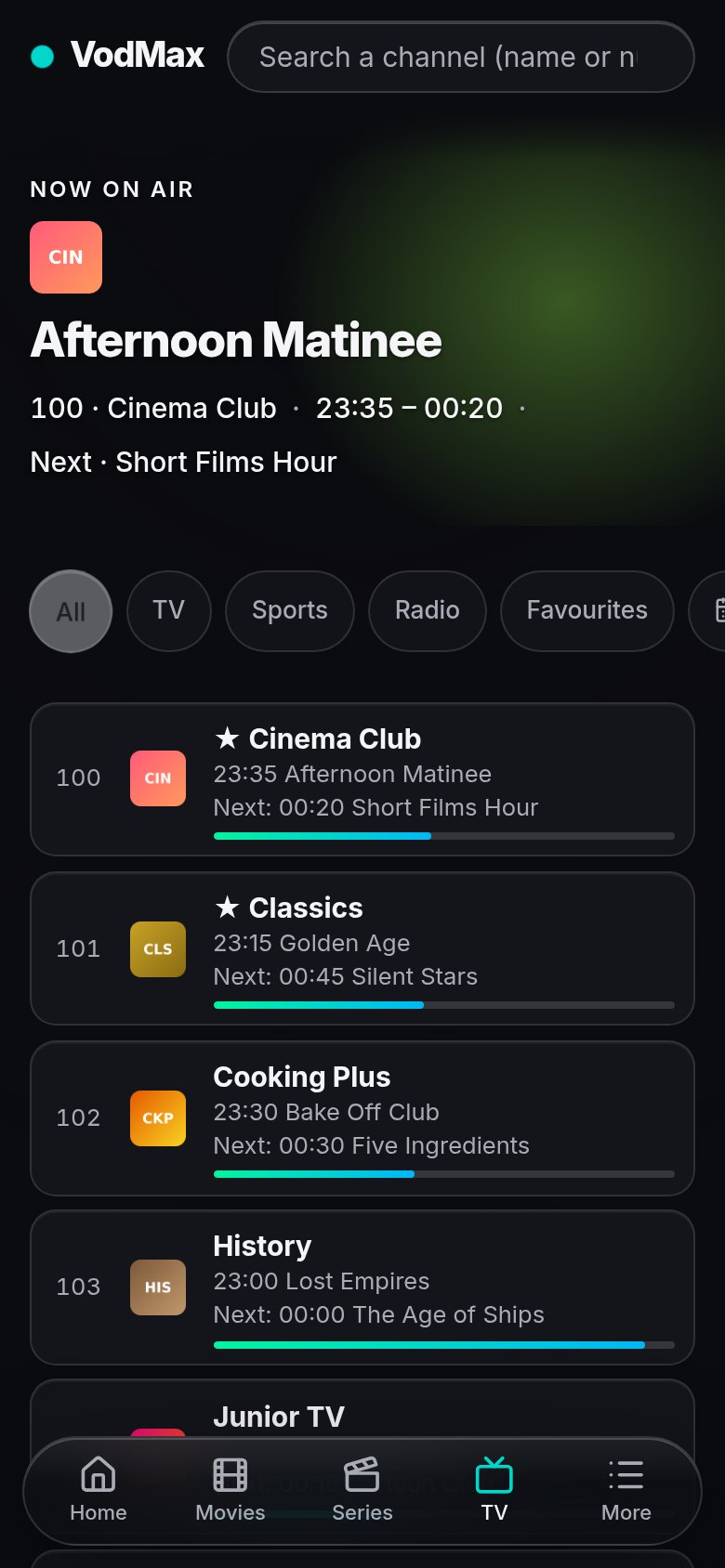 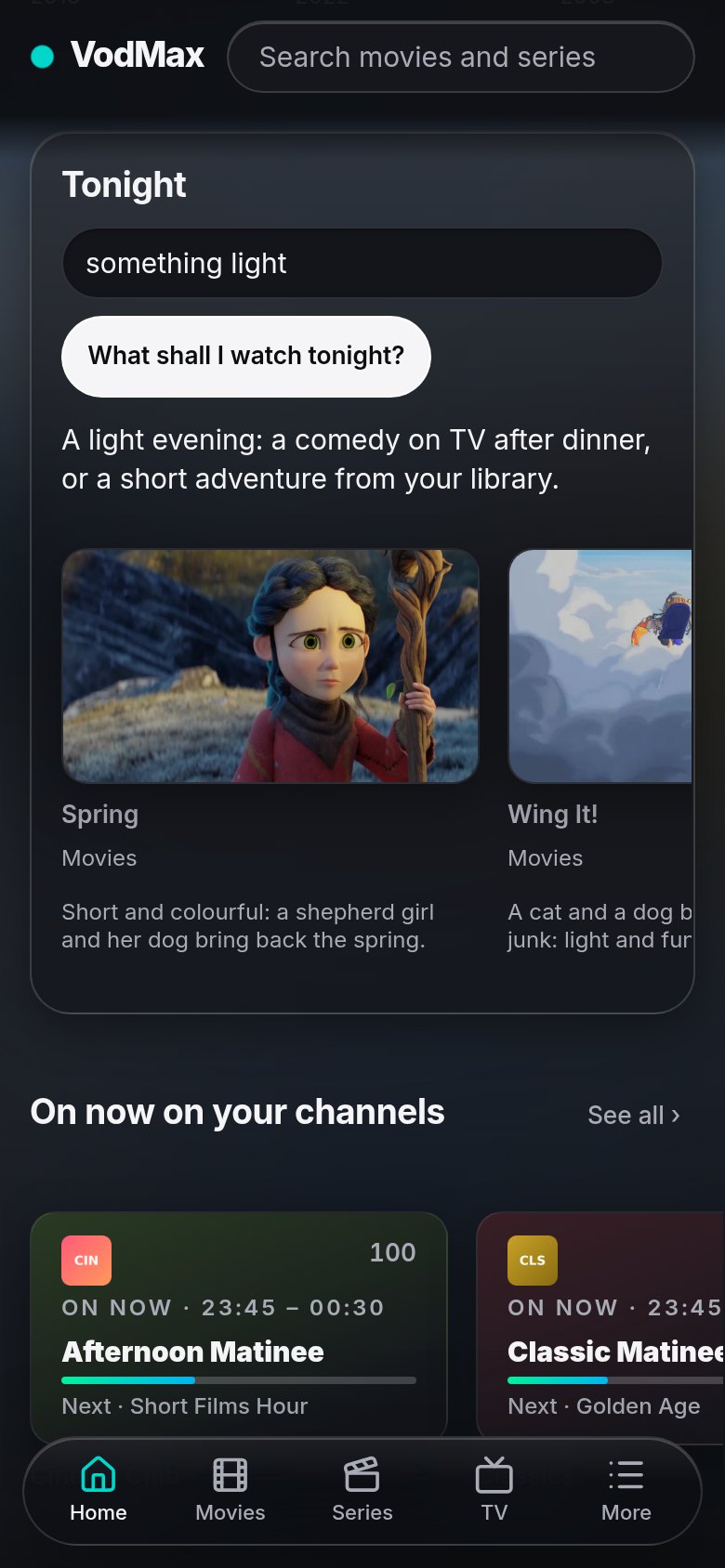 |
| Local collections with the folder picker | On the phone |
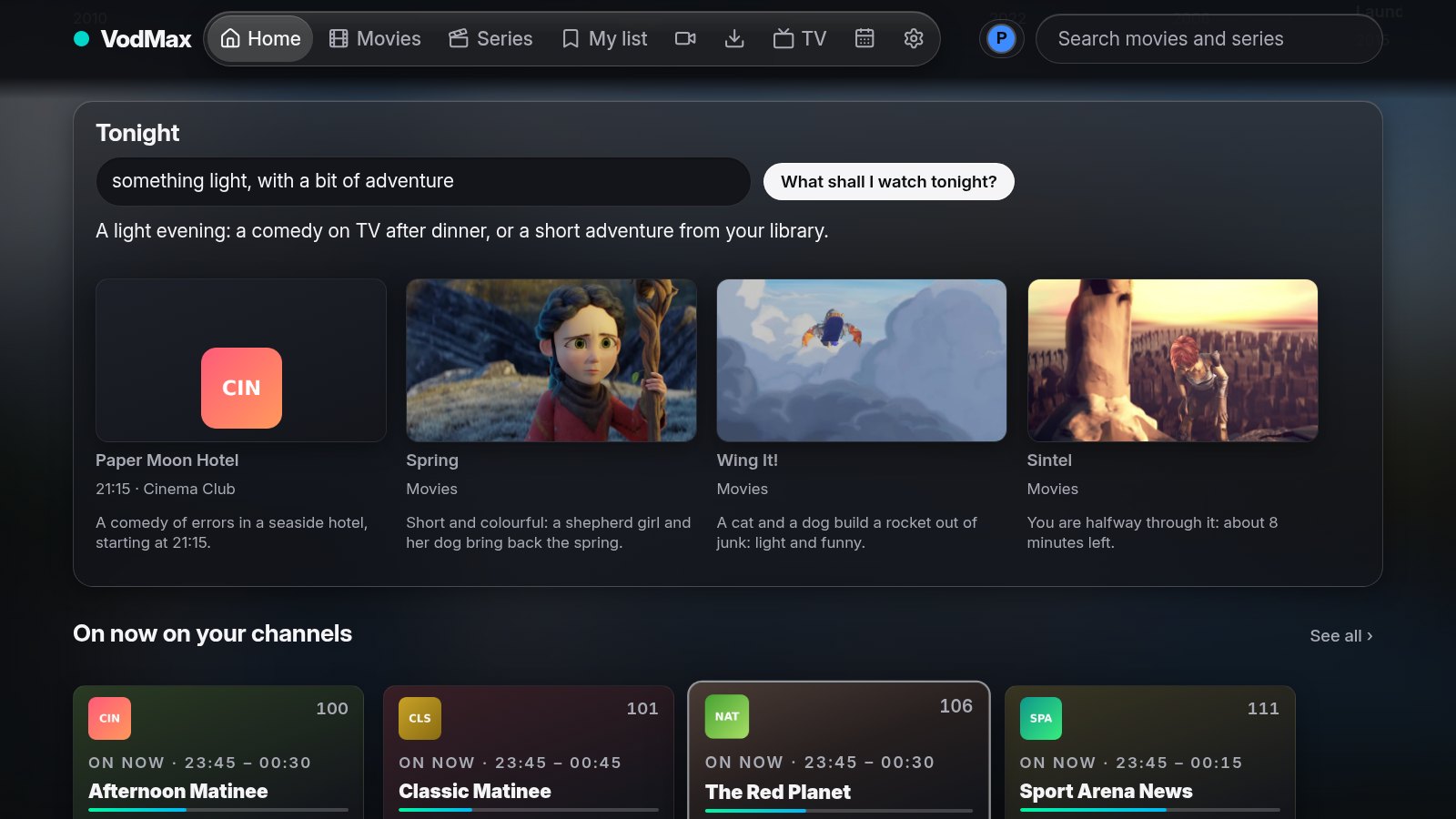 |
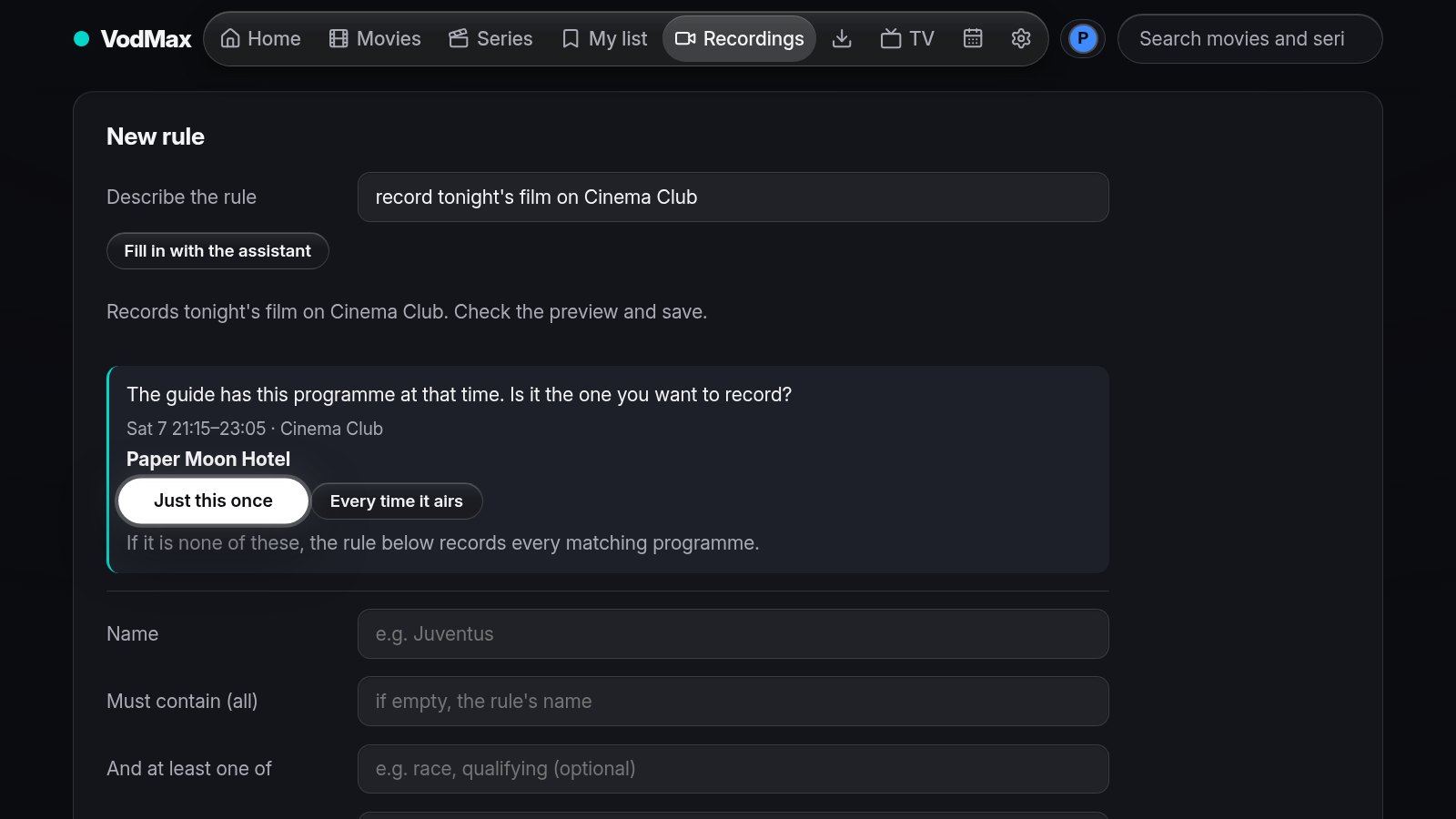 |
| Assistant: what to watch tonight, from TV and your library, with the reason | Assistant: "record tonight's film", just once or every time it airs |
 |
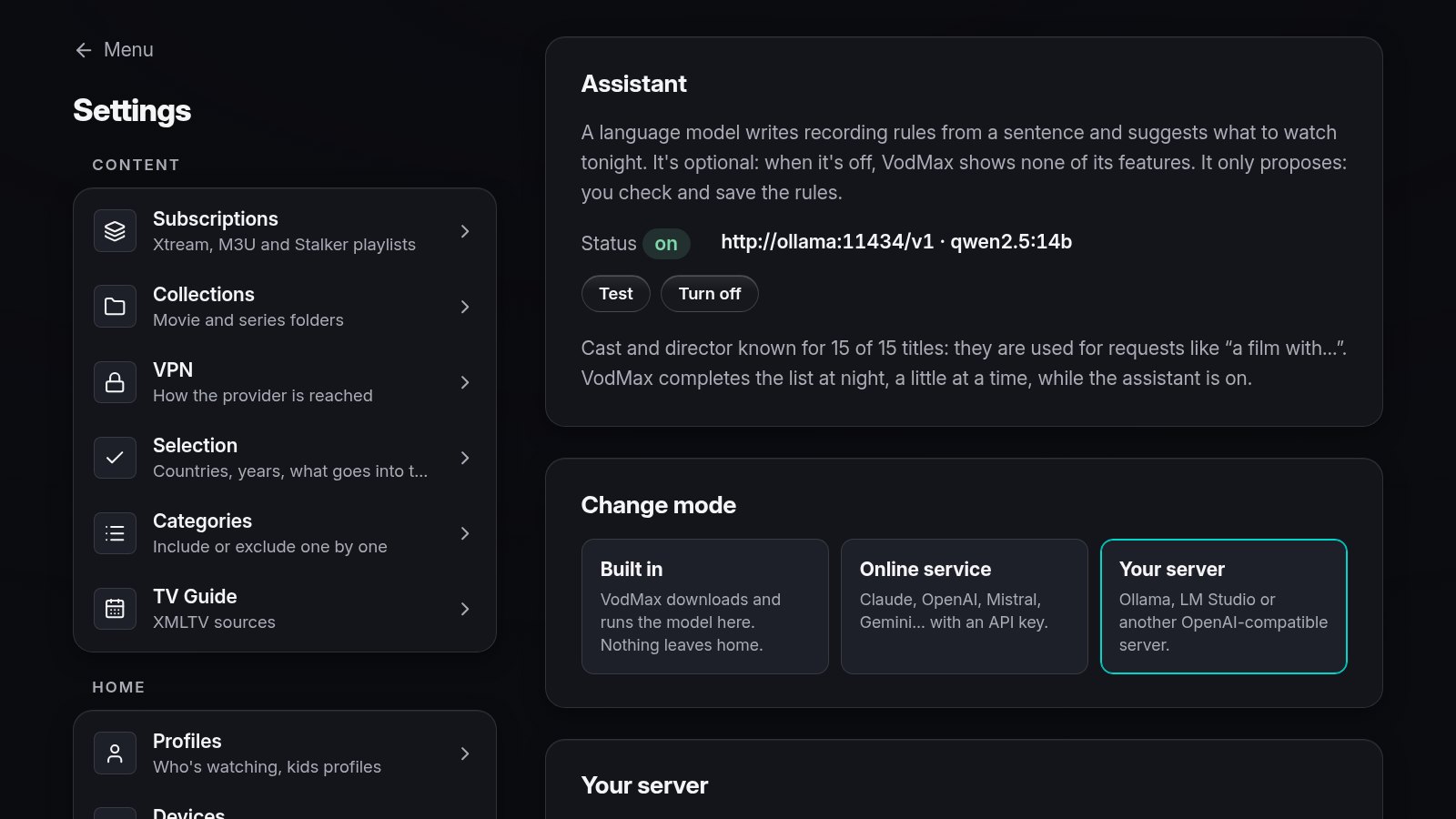 |
| Assistant: a recording rule from a sentence, checked before saving | Assistant settings: built in, online service or your own server |
Screenshots use demo data: invented channels and guide, the Blender Studio open movies (CC BY) and a few invented titles illustrated with public-domain photos. The title logos are wordmarks drawn for the demo, not the films' logos. Artwork credits: docs/screenshots/CREDITS.md. The interface is in Italian, English, Spanish, French, German and Polish (chosen per device; new languages are one dictionary file each).
Install
Download the packages from the latest release. Step-by-step guide for the server, Android, Android TV, Fire TV and LG TVs: docs/install.md.
Server (Linux)
tar xzf vodmax-server_*_linux_amd64.tar.gz && cd vodmax-server_*/
sudo useradd --system --home /var/lib/vodmax --shell /usr/sbin/nologin vodmax
sudo install -m 755 vodmax-server vodmax-update /usr/local/bin/
sudo install -d -o vodmax -g vodmax -m 700 /var/lib/vodmax
sudo cp vodmax.service /etc/systemd/system/ && sudo systemctl enable --now vodmax
Install ffmpeg from your distribution for timeshift, recordings and MKV/AVI
in the browser. To update later: sudo vodmax-update (the Android apps offer
their updates by themselves).
Docker — ghcr.io/silirim/vodmax (x86-64, ARM64, ARMv7, ffmpeg included):
docker run -d --name vodmax --restart unless-stopped -p 8095:8095 -v vodmax-data:/var/lib/vodmax ghcr.io/silirim/vodmax
(the data stays in the vodmax-data volume; a
compose file is ready). The admin token to
sign in the first time: docker exec vodmax cat /var/lib/vodmax/admin.token.
Android / Android TV / Fire TV — install VodMax.apk, then enter
the server address or choose Use this device on its own (standalone).
From 0.6.17 on, https://github.com/silirim/VodMax/releases/latest/download/VodMax.apk
always downloads the latest version (betas excluded): handy on a Fire TV,
in the Downloader app.
LG webOS — install app.vodmax.client_<version>_all.ipk with the
webOS CLI
on a TV in Developer Mode (see the guide).
Other TVs (Samsung...): use the TV browser.
Build from source: docs/sviluppo.md and
scripts/release.sh.
Quick start
- Open
http://<server>:8095and paste the admin token from/var/lib/vodmax/admin.token(with Docker:docker exec vodmax cat /var/lib/vodmax/admin.token). The language follows the device and can be changed in Settings → Language. VodMax then asks where you watch from, with flags: it keeps your country's channels, films and series and leaves out the others. - Settings → Subscriptions: the first time it asks how VodMax reaches
your provider: through a WireGuard VPN (paste its
.conf), through a VPN you already run on the router or the device, or without a VPN. Then add an M3U or Xtream Codes playlist: the catalog starts downloading at once and its box shows the phase and the time. - Settings → Collections: add a folder of movies or series.
- Settings → Devices: pair TVs and phones with the code they show.
How VodMax is built
VodMax is written with an AI coding assistant, Claude Code by Anthropic.
Every commit says so (Co-Authored-By: Claude), and AGENTS.md
holds the rules it works by. A person decides what VodMax does and how it
behaves — each choice is a written decision record
approved by the author — tries it at home and decides what gets released.
What keeps the code in check:
- about 7,500 lines of Go tests, run with the race detector on every change,
with
gofmt,go vetand a secret scan (gitleaks) in CI; - interface changes checked in a real browser at TV and phone sizes, with the remote's keys;
- provider traffic only through one client (and the VPN when required), credentials encrypted at rest, no real data in the repository;
- vulnerabilities reported privately (SECURITY.md).
Documentation
- Design decisions (Italian): one page per choice, with options and reasons.
- Direction: principles, scenarios and roadmap (Italian).
- Development, code structure and HTTP API (Italian), and AGENTS.md: rules, checks and releases for contributors.
Content
VodMax does not provide any content. It is a player and a media center: playlists, guides and folders are added by whoever uses it, who is responsible for them. Use only sources you have the rights to. Issues and discussions asking for playlists, channels or providers are closed without an answer.
This product uses the TMDB API but is not endorsed or certified by TMDB.
Contributing
Issues and pull requests are welcome: read CONTRIBUTING.md (contributions are accepted under a contributor license agreement) and SECURITY.md for vulnerabilities. VodMax speaks Italian, English, Spanish, French, German and Polish; new languages are plain JSON files, ready for Weblate (see Translations).
License
VodMax is free software under the GNU Affero General Public License v3.0: you can use, study, change and share it; whoever distributes a modified version, or offers it as a network service, must make its source available under the same license.
Commercial license. To include VodMax in a product or service without publishing its source, a commercial license is available: contact the author (silirim on GitHub).
Name and logo. The license covers the code, not the brand. The name
"VodMax" and the logos in docs/brand identify this project:
forks and modified versions are welcome, but must use a different name and
logo, and must not suggest they are the official VodMax or endorsed by its
author. Saying that a project is "based on VodMax" or "a fork of VodMax" is
fine. Unmodified builds of the official releases may keep the name.
Bundled libraries keep their own licenses (Apache-2.0, MIT, ISC, BSD), listed next to their files.