
silentprovider423/HomeRoll-Desk
silentprovider423/HomeRoll-Desk has 44 GitHub stars and 7 forks. GitHot measured +1 stars in 24 hours. Last checked 2026-11-15 01:40 UTC. Last push 2026-11-13.
What you can do
- Sidebar like Photos: Library, Collections, media types, albums with their covers, people, memories, map, hidden, recently deleted
- Years · Months · All Photos, grid with five zoom levels and month headers, made for 80,000+ items
- Selection with click, ⇧, ⌘ and drag; context menus; drag photos into the Finder or drop files to import
- Info window (⌘I): caption, camera, place with map, people, albums, multi-selection
Measured star growth
- in 24h
- +1
- in 7 days
- Collecting history
- in 15 days
- Collecting history
- in 1 month
- Collecting history
Net star changes over overlapping periods, not daily totals. Missing measurements are left blank. Stars measure attention, not software quality.
About
A native Mac photos app for your own Immich server – the look and feel of Photos for Mac, without iCloud.
Self-hostedREADME.md
OriginalHomeRoll Desktop
A native Mac photos app for your own Immich server – the look and feel of Photos for Mac, without iCloud.
HomeRoll Desktop is the Mac sibling of HomeRoll (iPhone). It is an independent macOS client for a self-hosted Immich server: sidebar, grid with zoom levels, viewer, info window, editor, memories, map and smart albums, all working directly on your server. Edits use the same engine as HomeRoll on the iPhone, so a photo edited on the Mac looks the same on the phone.
Status: works and is used daily against Immich v3.3.x with ~85,000 photos and videos. UI in English. Code comments are in German.
Built with help from Claude Code: Apple's Photos app for Mac was analysed with rea (menus, shortcuts, edit tools), the design decisions and testing are mine, a lot of the Swift was written together with it.
Personal project: no guarantees, no support promises. Bug reports and pull requests are welcome, I answer when I have time.
Not affiliated with Apple or with Immich/FUTO. "Immich" is a trademark of its owners.
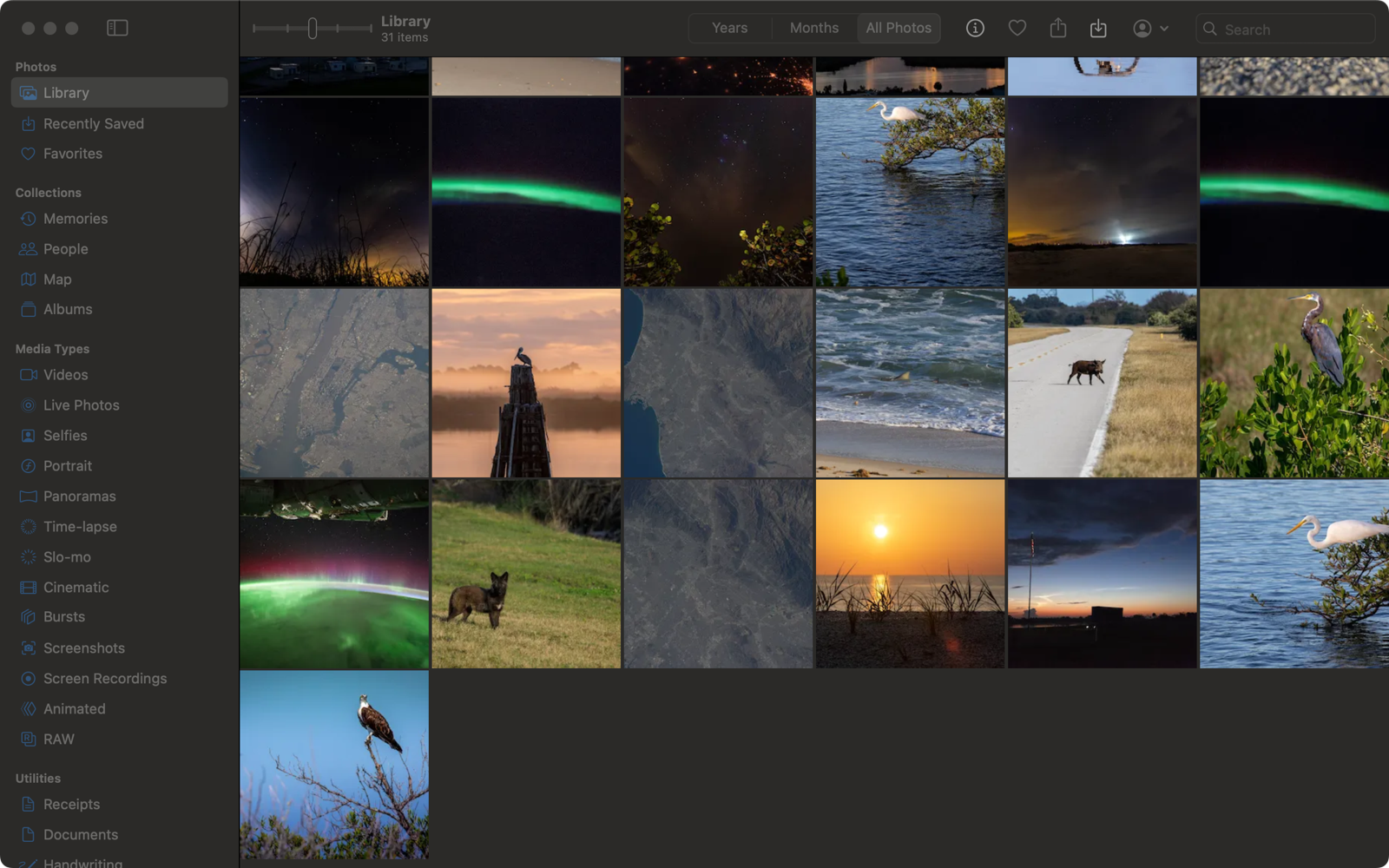
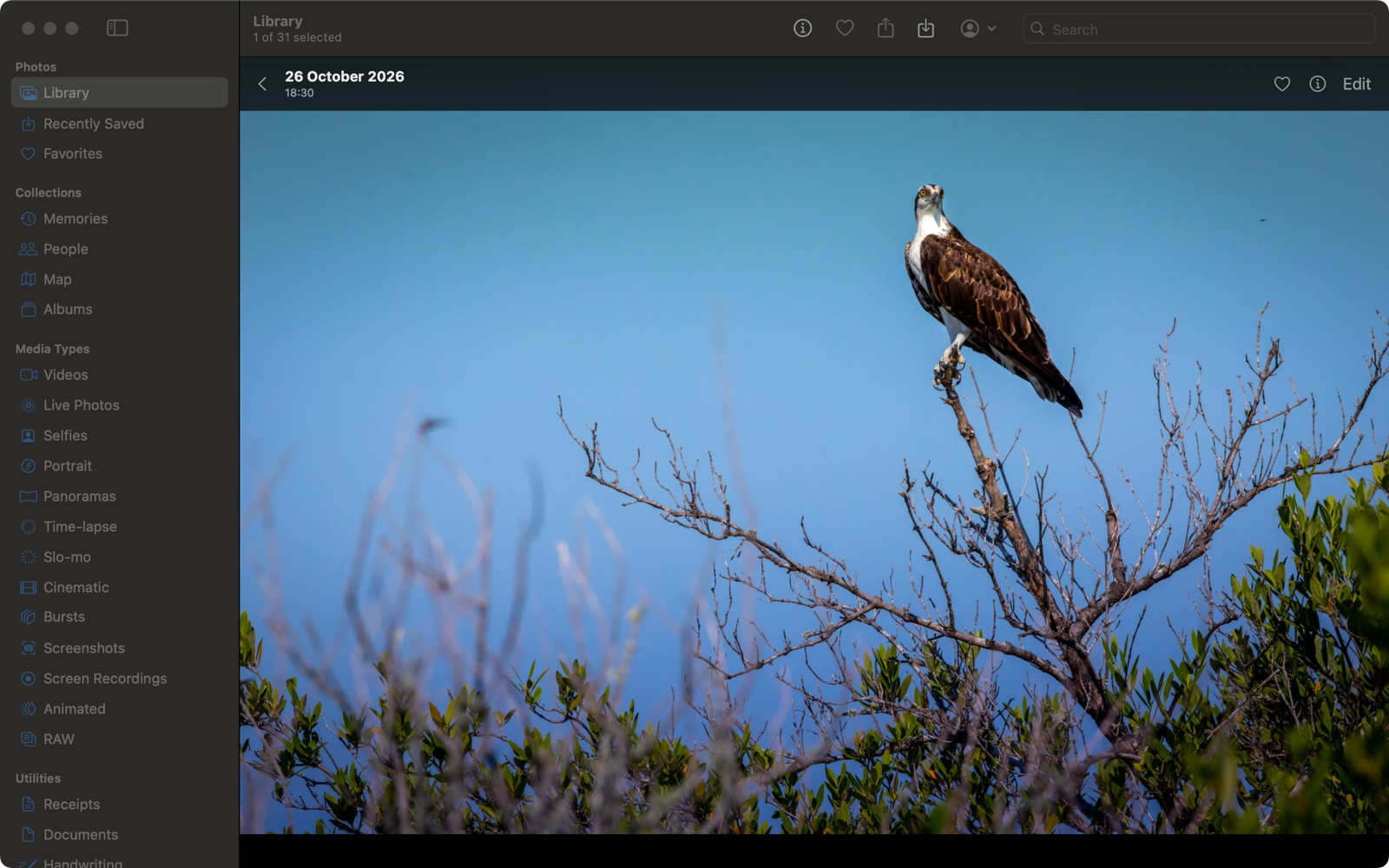
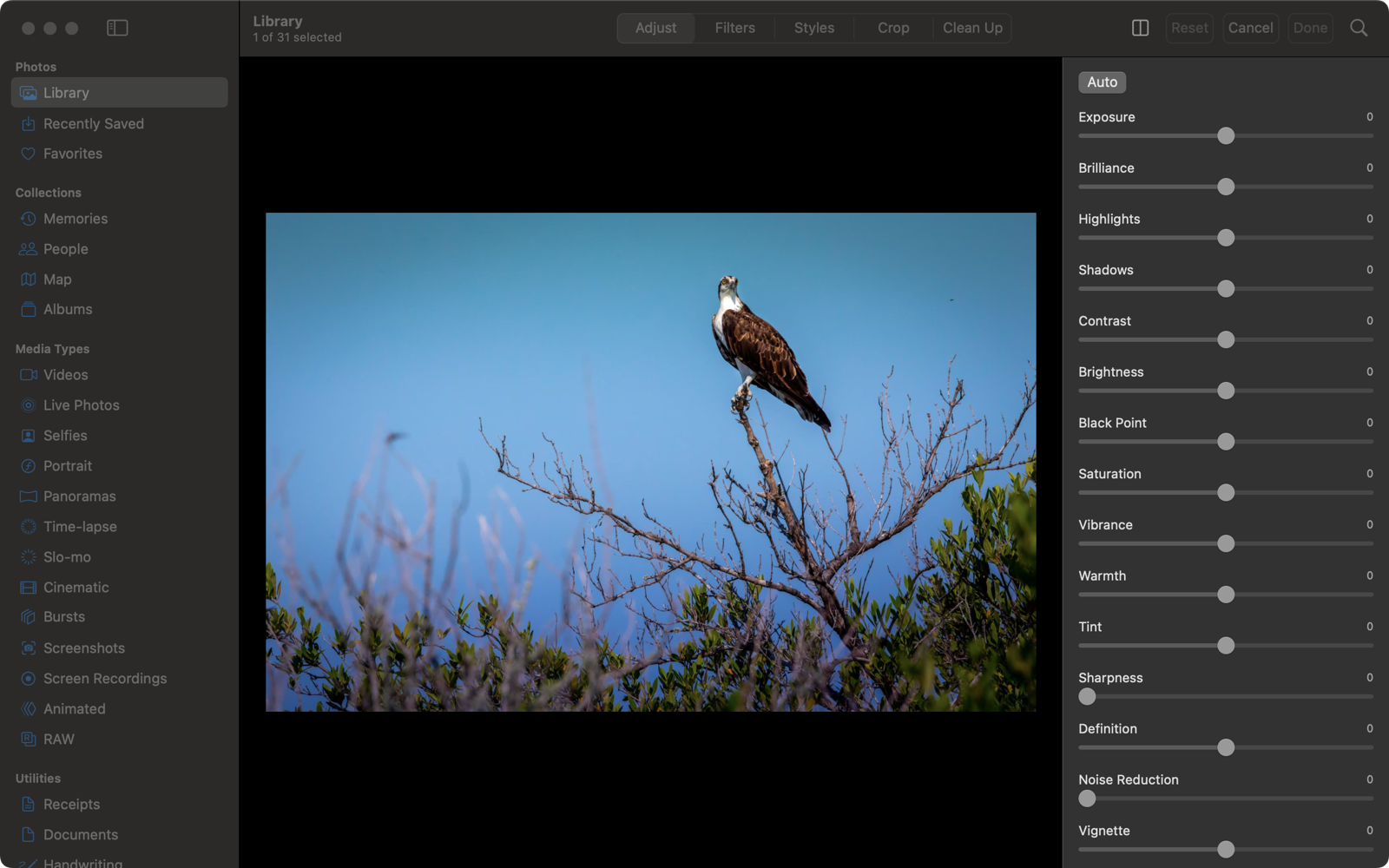
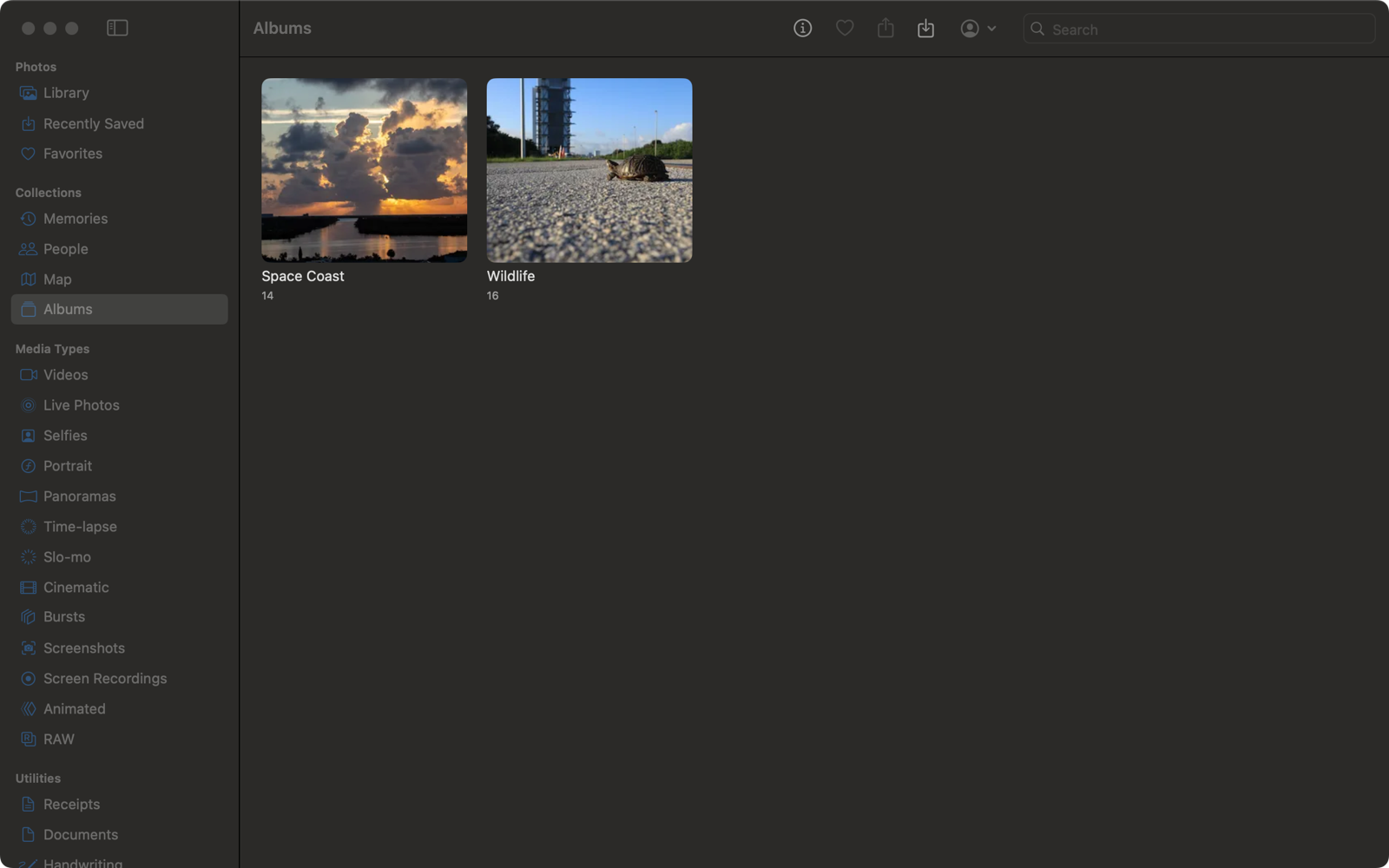
Screenshots with public-domain sample photos (NASA/Kennedy Space Center).
Features
Library
- Sidebar like Photos: Library, Collections, media types, albums with their covers, people, memories, map, hidden, recently deleted
- Years · Months · All Photos, grid with five zoom levels and month headers, made for 80,000+ items
- Selection with click, ⇧, ⌘ and drag; context menus; drag photos into the Finder or drop files to import
- Info window (⌘I): caption, camera, place with map, people, albums, multi-selection
- Backup footer at the bottom of All Photos like Photos for Mac: number of photos and videos, progress of “Sync with Photos” with Pause (24 hours) / Resume, last backup time; click for details
- Short connection drops (Wi-Fi hiccup, waking from sleep, server restart) show “Offline” instead of an error and reload on their own when the server is back
Viewer
- Opens in the window (Space or double-click), ←/→ to browse, pinch and double-click to zoom
- Videos with the system player and a fallback for formats macOS can't play (Immich real-time transcoding)
Editing (same engine as HomeRoll on the iPhone)
- Adjust with 15 sliders + Auto, filters, photographic styles, crop/straighten/perspective with draggable corners
- Curves, levels and selective color; compare with the original (M); copy and paste edits to many photos (⇧⌘C / ⇧⌘V)
- Retouch brush (needs the optional Clean Up add-on)
- Edits are saved as a new version, stacked with the original on your server
Organise
- Albums: create, rename, delete, add and remove, Make Key Photo to set the cover; smart albums with rules (⌥⌘N)
- People: rename, favorite, merge, hide · Duplicates: review and merge
- Favorite, rotate, hide, delete and restore, shared links, print (⌘P)
- Export edited or original files; import files and folders (duplicates are skipped by checksum)
- Optional: take over new photos from Apple's Photos app on this Mac automatically
Accounts
- Several Immich accounts, switch any time; per account "view only" (no changes on the server) and "imports from this Mac"
- Sign in with password or SSO/OIDC ("Login with …"), also on servers with password login turned off (e.g. hosted Immich, Authentik, Keycloak)
- Menus and keyboard shortcuts like Photos for Mac
Requirements
- An Immich server (tested with v3.3.x) reachable from the Mac – at home, via VPN or over https; login with password or SSO/OIDC
- macOS 15 Sequoia or newer (Apple silicon or Intel)
Optional server add-ons from the HomeRoll repo (server/): Clean Up (retouch brush), relevance and categories services. The app works without them.
Install
- Download
HomeRoll-Desktop-<version>.zipfrom the latest release and unzip it. - Move HomeRoll Desktop.app into your Applications folder.
- The app is not notarized by Apple (it is a free hobby project without a paid developer account), so macOS blocks the first launch:
open it once, click Done, then go to System Settings → Privacy & Security, scroll down and click Open Anyway next to "HomeRoll Desktop".
Or in Terminal:
xattr -dr com.apple.quarantine "/Applications/HomeRoll Desktop.app" - Log in with your Immich server address (e.g.
https://photos.example.comorhttp://192.168.x.y:2283) and your Immich account.
Later versions install themselves: the app checks for updates at launch (or HomeRoll Desktop → Check for Updates…), downloads the new version, verifies it and restarts. No trip to GitHub and no Open Anyway again.
New to Immich? The HomeRoll setup guide walks you through the server part.
Build
brew install xcodegen
git clone https://github.com/silentprovider423/HomeRoll-Desk.git
cd HomeRoll-Desk
xcodegen generate
open HomeRollDesktop.xcodeproj
./build-app.sh builds the ad hoc signed app and packs it as a zip (it refuses to build if your user name or home path would end up in the app).
Debug builds can log in from the environment for testing (FOTOS_SERVER, FOTOS_TOKEN) and have a self-test that walks through the app and photographs its own window (FOTOS_SELFTEST=<folder>), see Mac/SelfTest.swift.
Privacy
- The app talks only to your Immich server (and Apple Maps for maps). The one exception is the update check: at launch it asks GitHub for the newest version number of HomeRoll Desktop. Nothing about you or your photos is sent, and you can switch it off in Settings → Updates.
- No analytics, no third-party SDKs.
- The login token is stored in a file only your Mac user can read (
~/Library/Application Support/HomeRoll Desktop/), never your password. - SSO runs in Apple's sign-in sheet – the app never sees the password of your SSO provider.
Project layout
Mac/       the macOS app (SwiftUI + AppKit)
Shared/    code shared with HomeRoll for iPhone (Immich API, models, edit engine) – kept in sync with that repo
Resources/ translations of the shared code
tools/     icon generator
License
GPL-3.0 (GNU General Public License v3.0; releases up to this change were published under MIT). Immich (AGPL-3.0) is not included – HomeRoll Desktop only talks to its HTTP API.
More Home apps
Same idea, other Apple apps – all free, open source and self-hosted:
- HomeRoll – Photos · Immich
- HomeRoll TV – Photos for Apple TV · Immich
- HomeTune – Music · Navidrome
- HomeNotes – Notes · Nextcloud
- HomePost – Mail · IMAP/SMTP or JMAP
- HomeFind – Find My · Dawarich
- HomeCast – Podcasts · PinePods
- HomeThread – notes to self · own server (Docker)
All apps: github.com/silentprovider423