
shiaho777/web-to-app
shiaho777/web-to-app has 7,237 GitHub stars and 1,143 forks. GitHot measured +8 stars in 24 hours and +58 in 7 days. Last checked 2026-11-11 10:52 UTC. Last push 2026-11-07.
The most full-featured web-to-app toolkit on Android, a complete APK workshop that runs entirely on your phone
What you can do
- Website URL - WebView-based APK - Landing pages, tools, dashboards, docs, internal systems
- HTML / static front-end - Local file or localhost APK - React, Vue, Vite, static builds. A plain page can omit the internet permission
- Node.js / PHP / Python / Go - APK with an on-device local server - Small server apps, admin tools, demos, prototypes
- WordPress - APK running WordPress over local PHP + SQLite - Portable sites, theme/plugin demos, content packages
Measured star growth
- in 24h
- +8
- in 7 days
- +58
- in 15 days
- Update delayed
- in 1 month
- Update delayed
Net star changes over overlapping periods, not daily totals. Missing measurements are left blank. Stars measure attention, not software quality.
README.md
Original
WebToApp
Build Android APKs from web projects, directly on your phone.
An on-device APK workshop that goes far beyond URL wrapping — it can fork and exec full server runtimes, ship a hardened anti-censorship network stack, sign bundles for Google Play, and run MV3 browser extensions, all without a PC or a remote build server.
English · 简体中文





Screenshots · What's different · Capability overview · What you can build · Quick start · Feature map · Agent · Module market · Docs · Architecture · Build
Screenshots
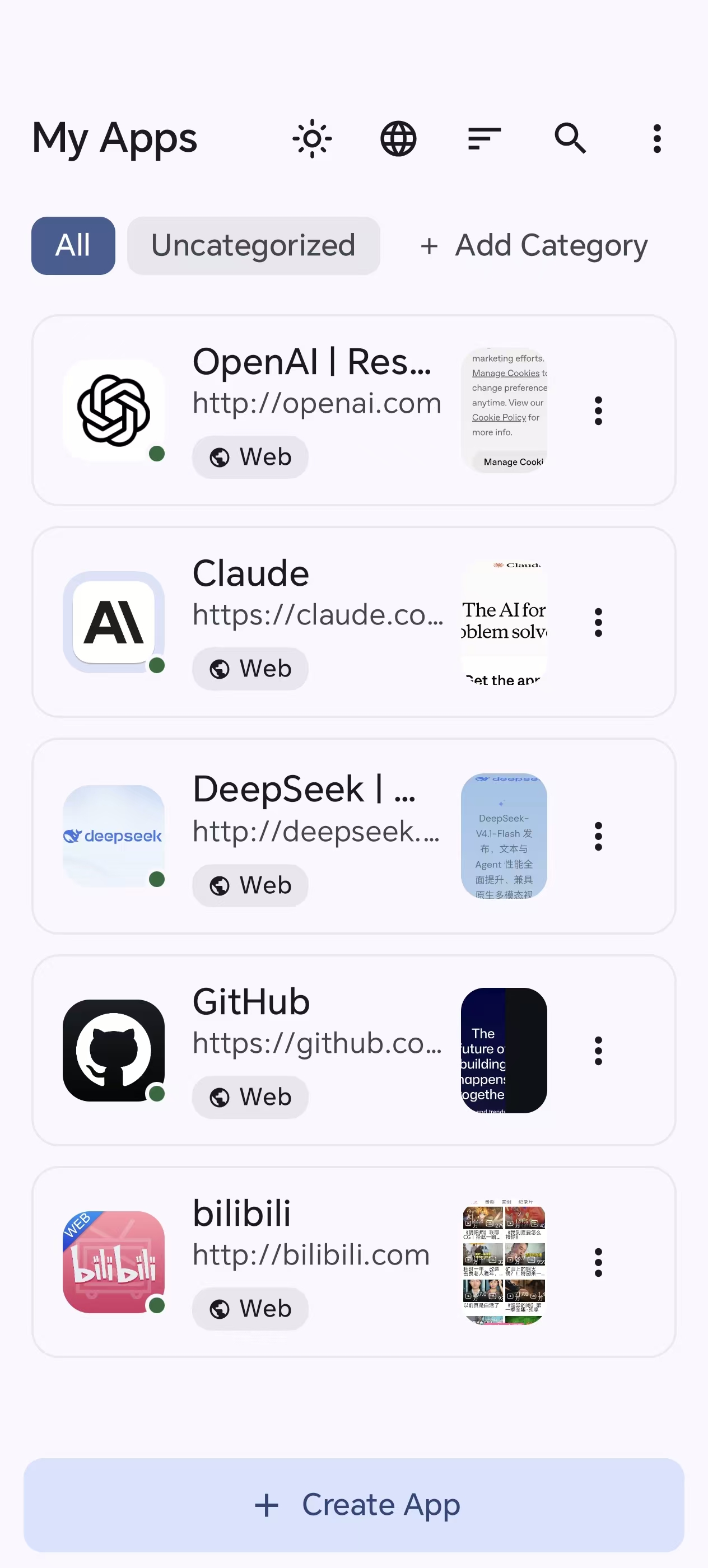 My Apps — your projects at a glance |
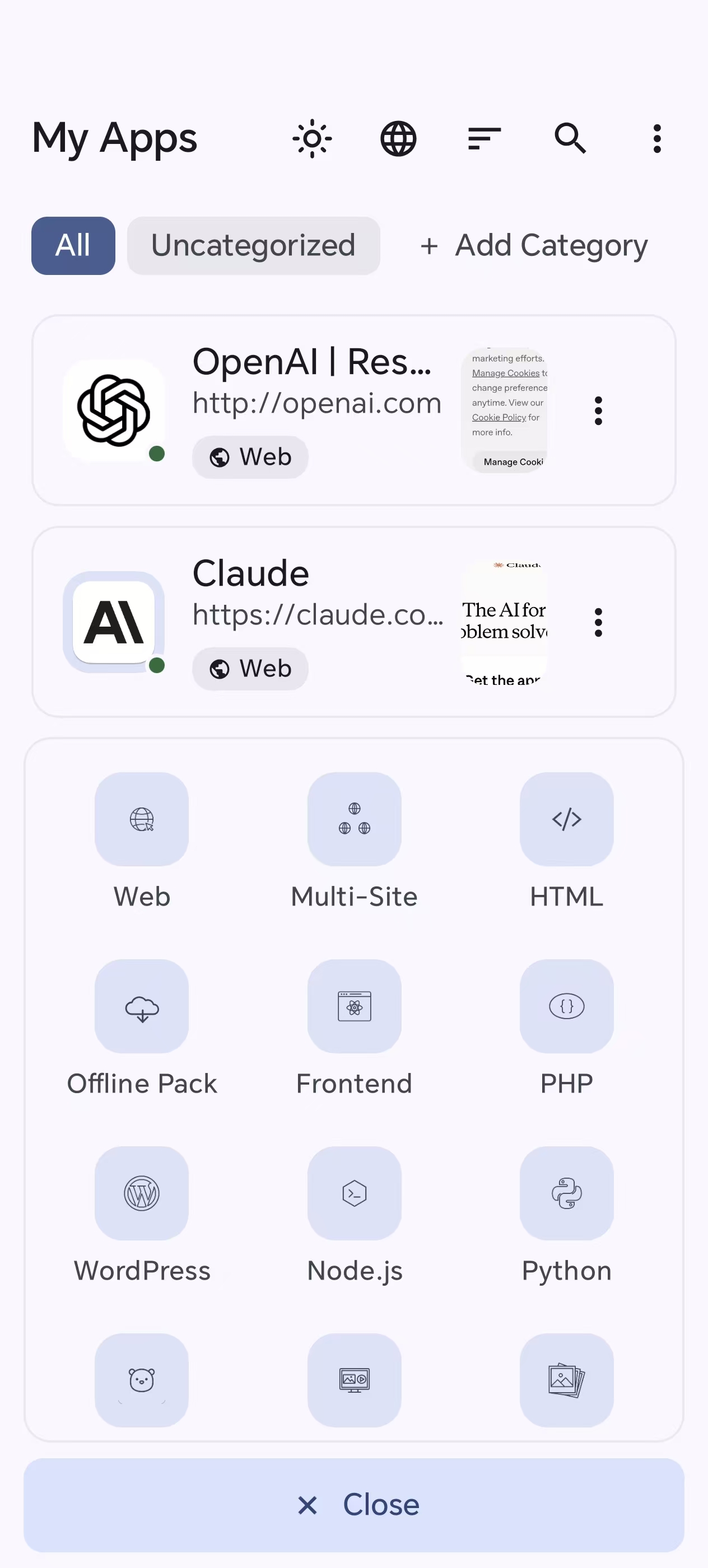 Create — pick from 12 app types |
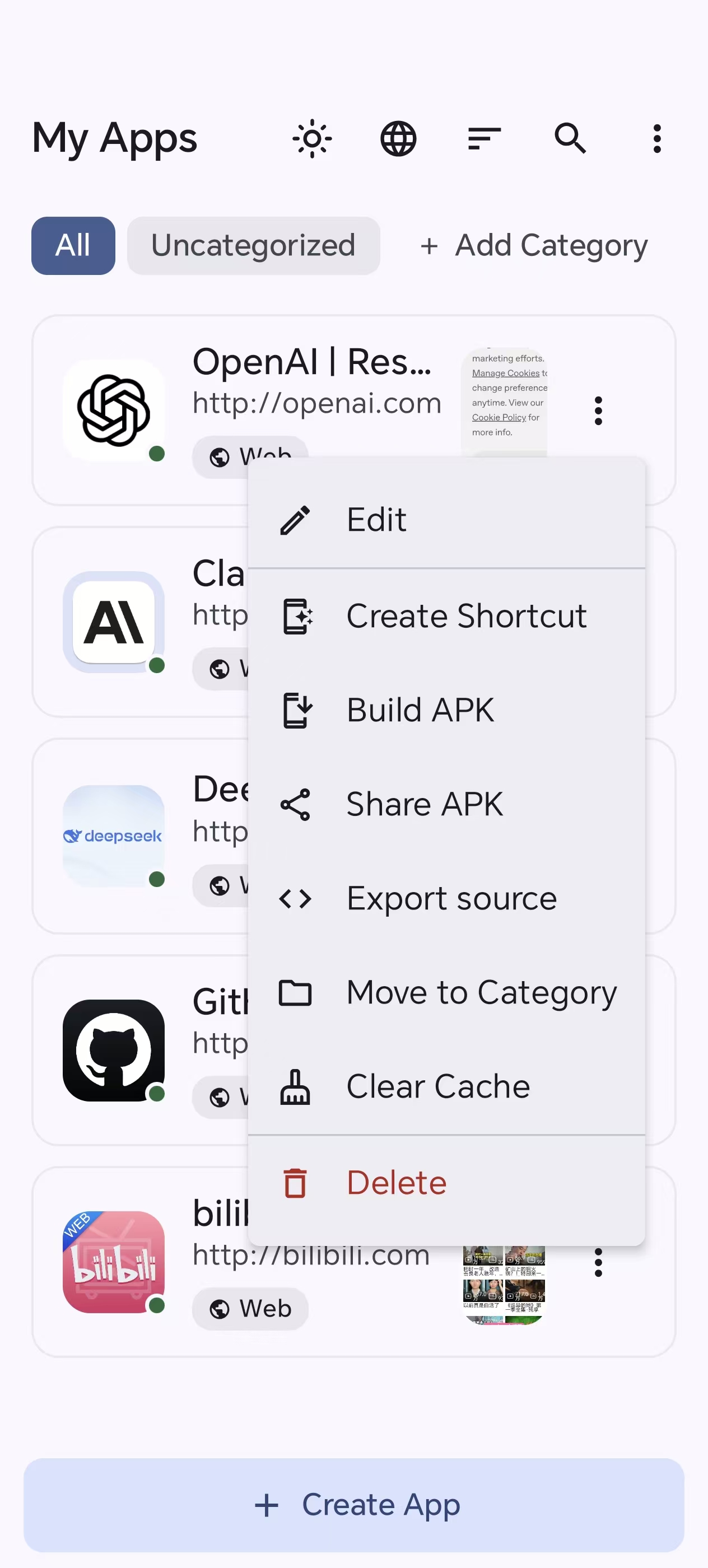 Actions — build, share, export & more |
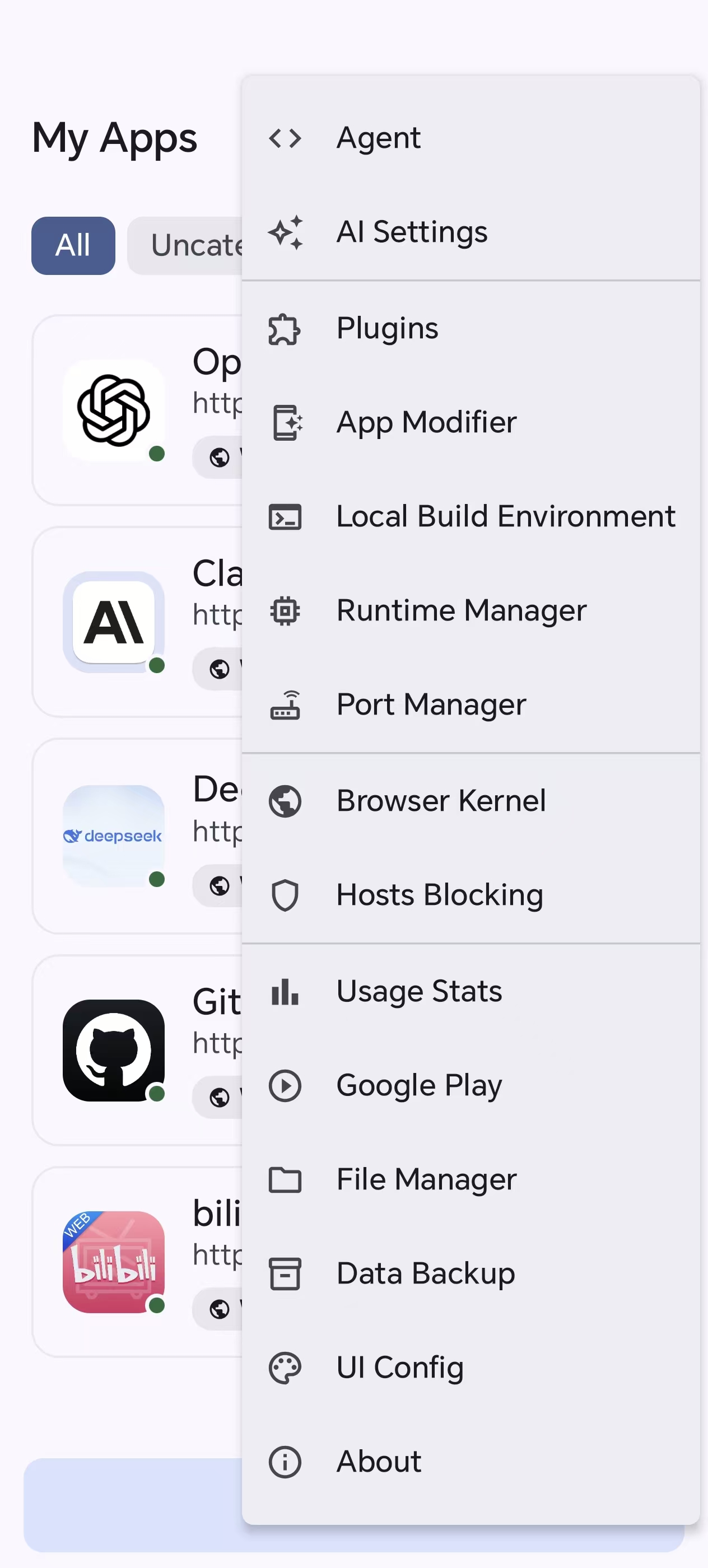 Toolbox — Agent, modules, ports, engines |
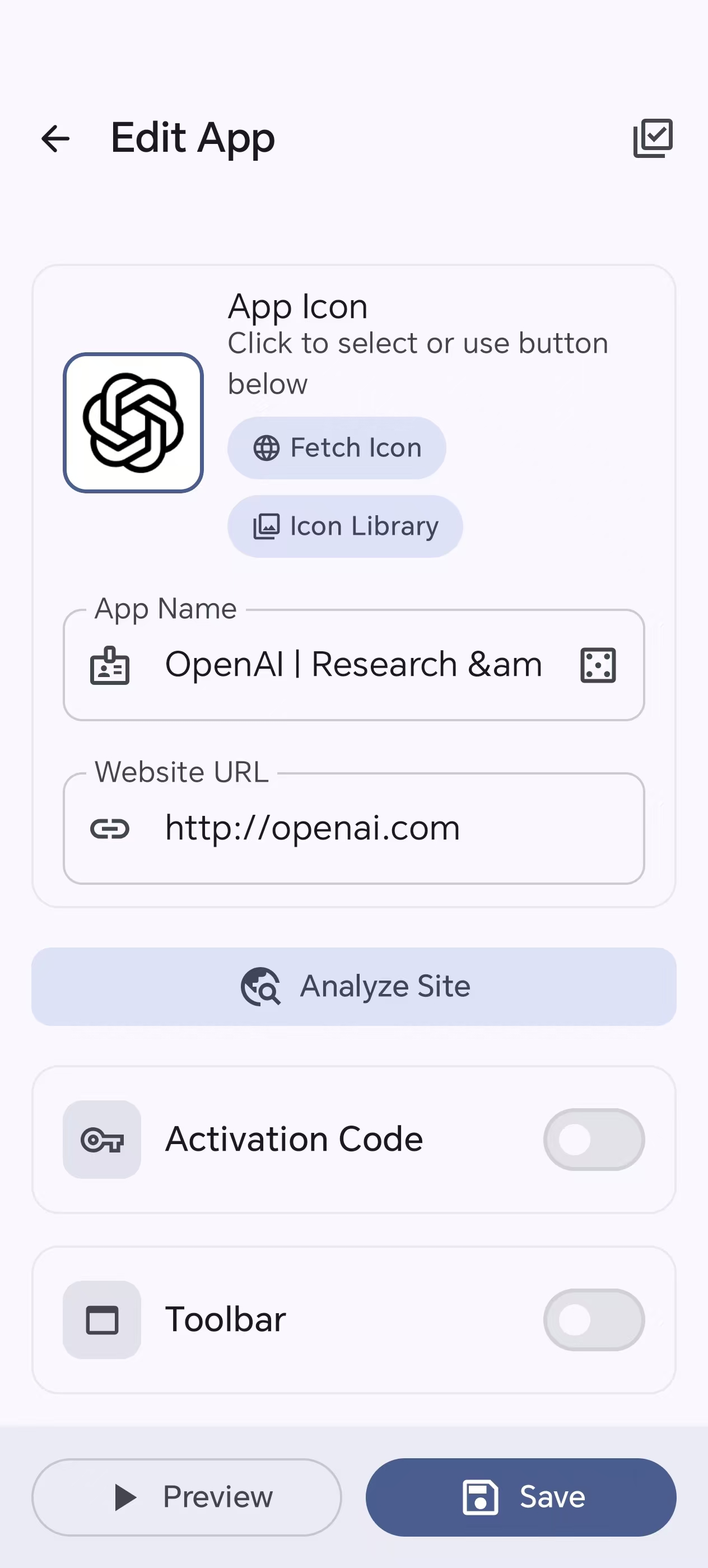 Editor — icon, name, URL & analyze site |
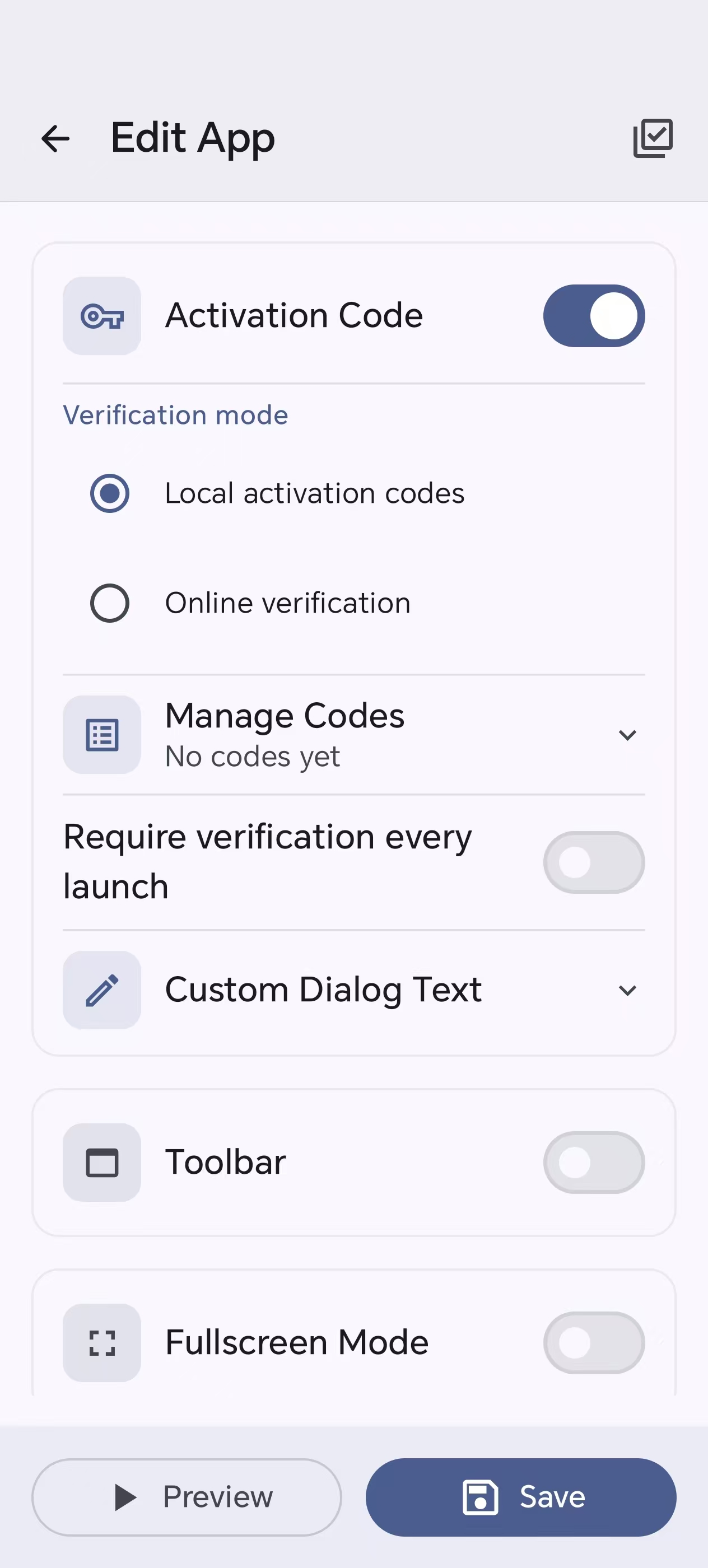 Editor — activation codes |
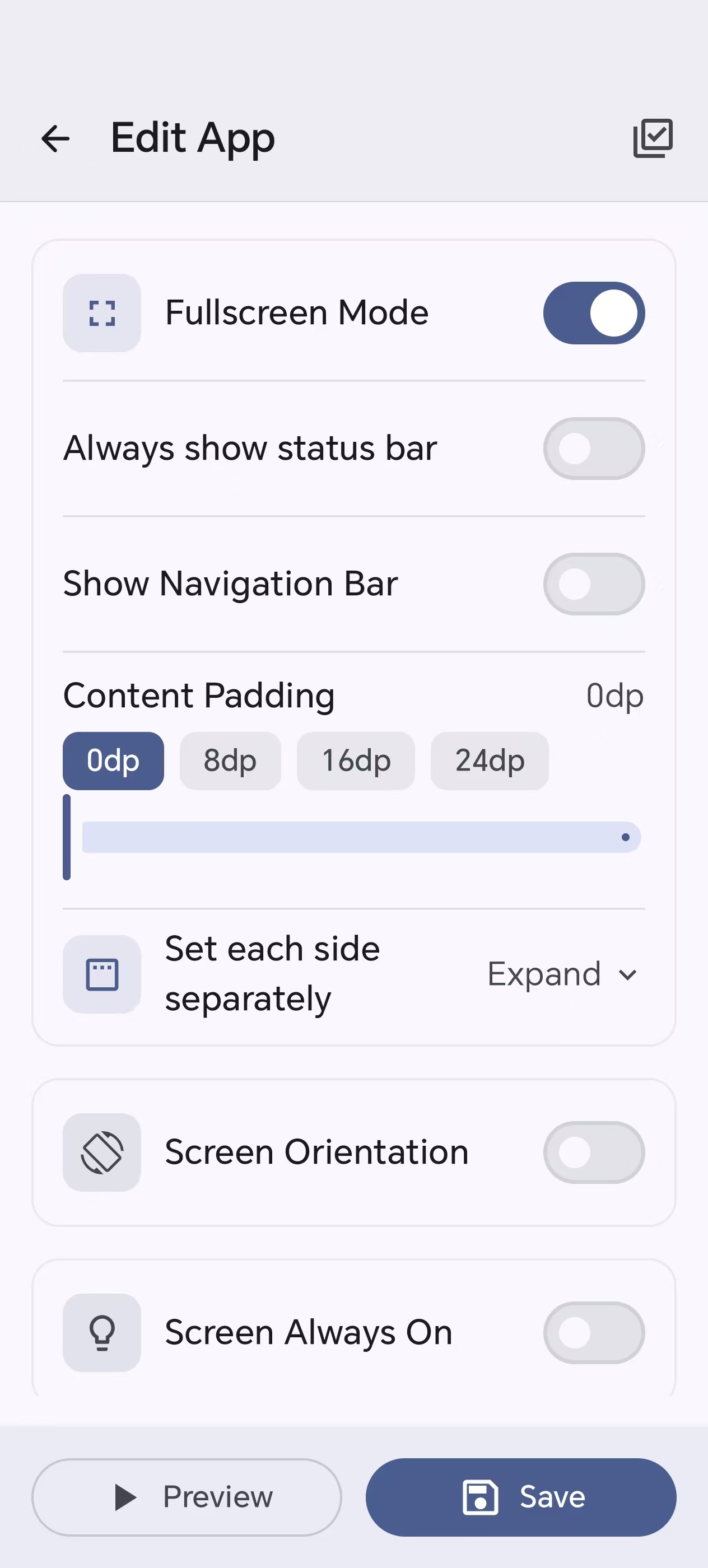 Editor — fullscreen & orientation |
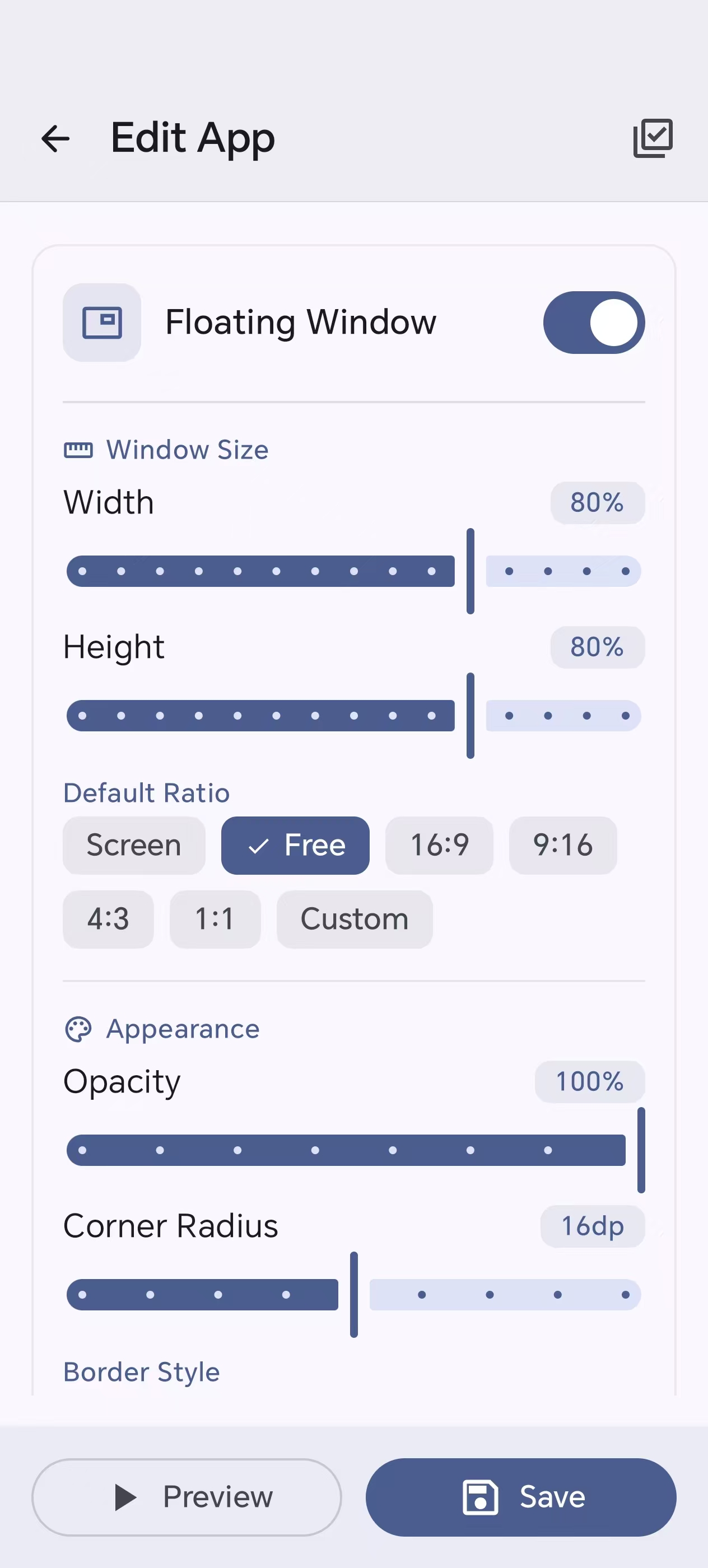 Editor — floating window |
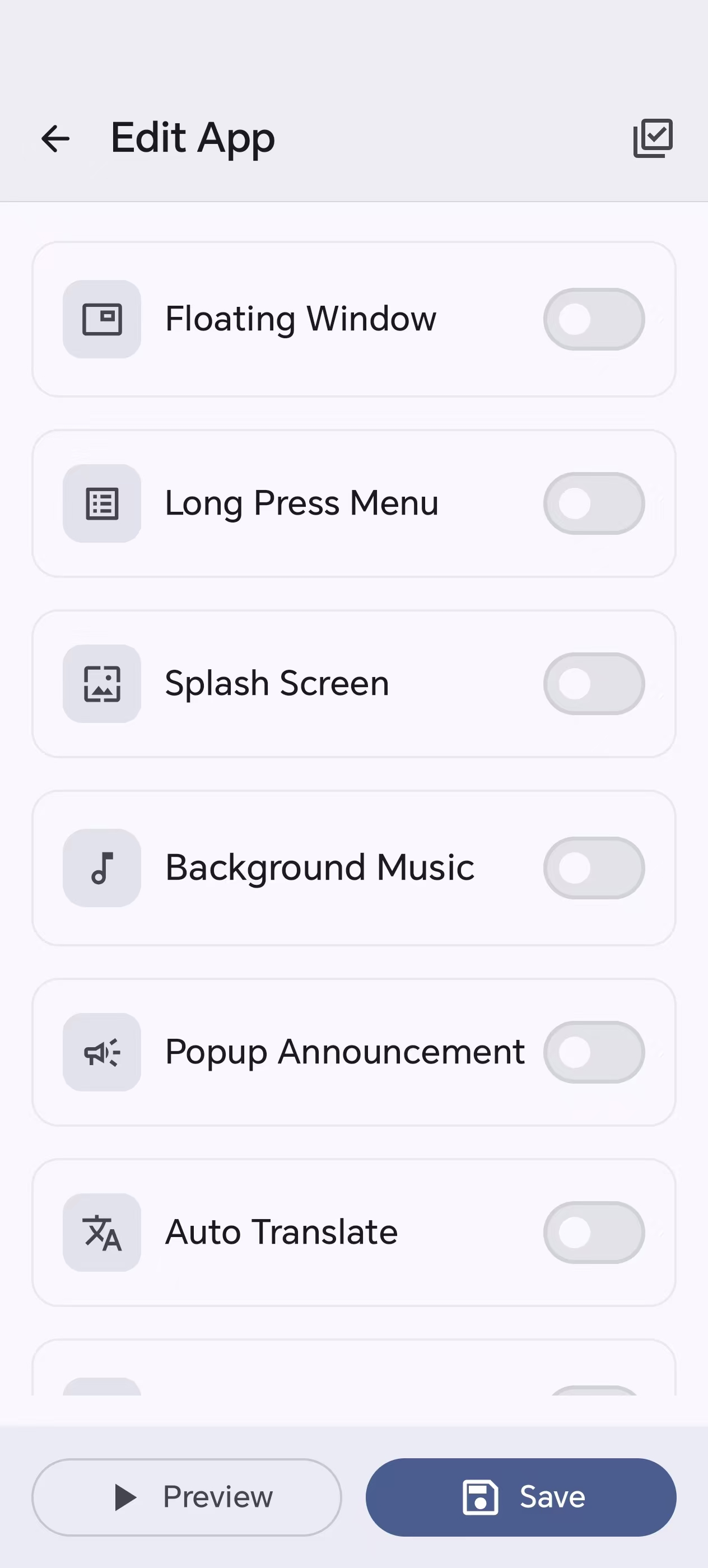 Editor — splash, BGM, translate & more |
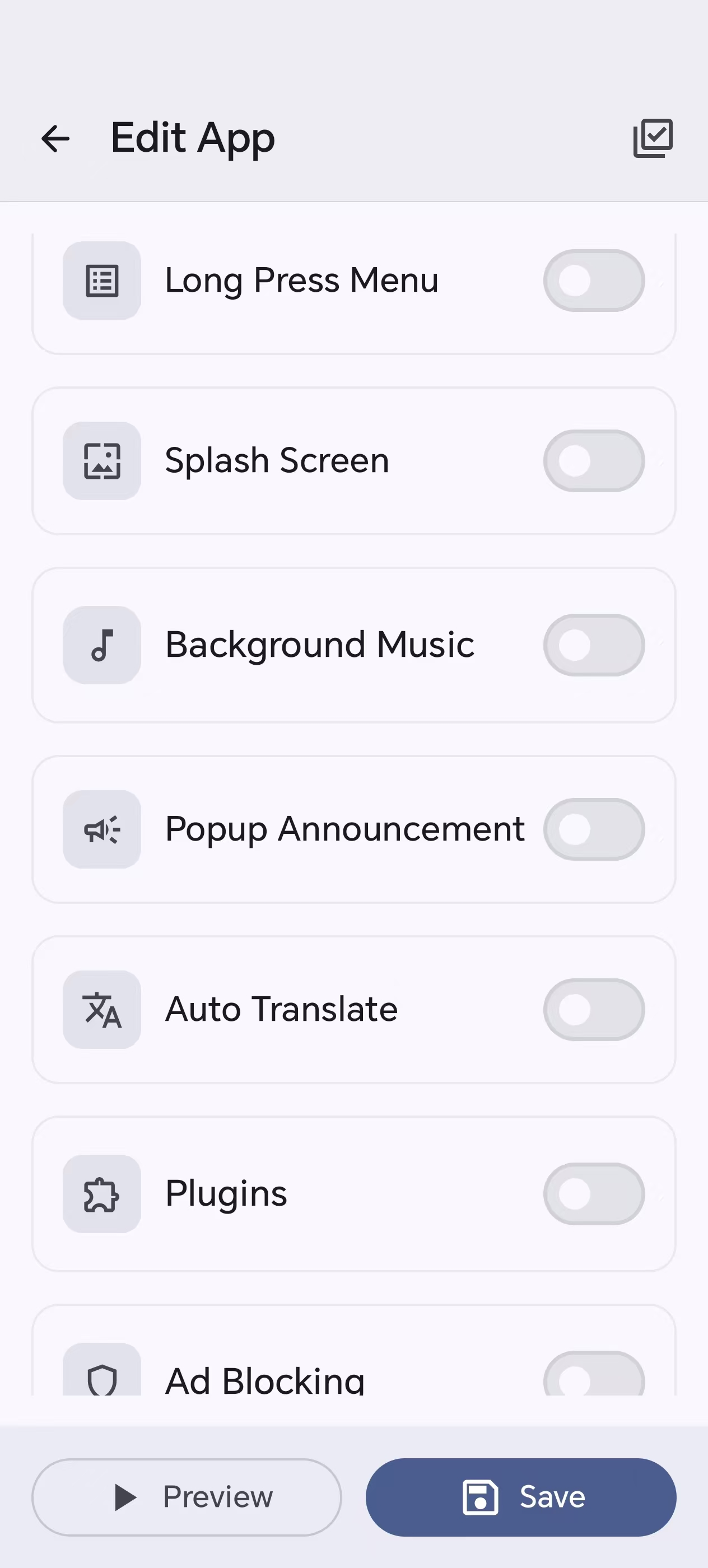 Editor — plugins, ads & more toggles |
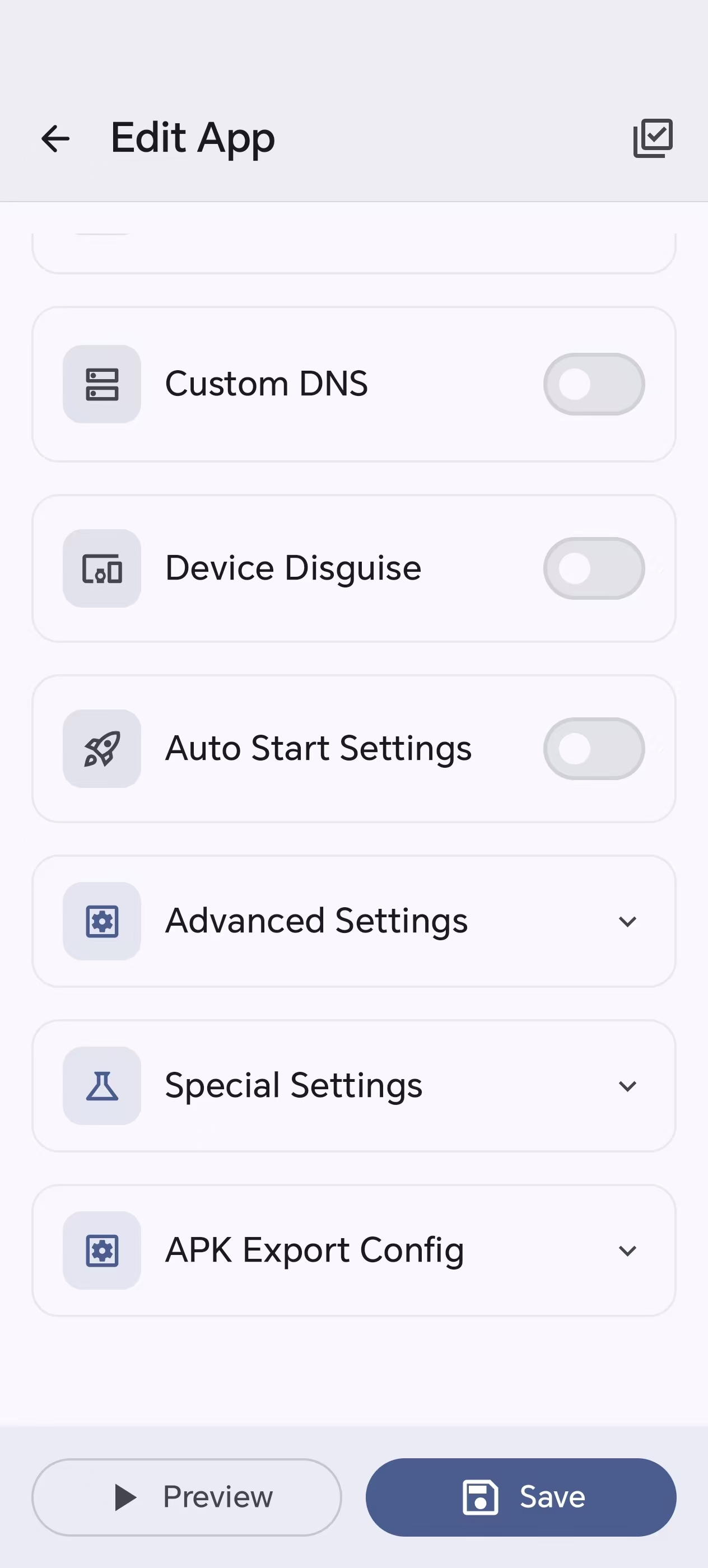 Editor — advanced & export settings |
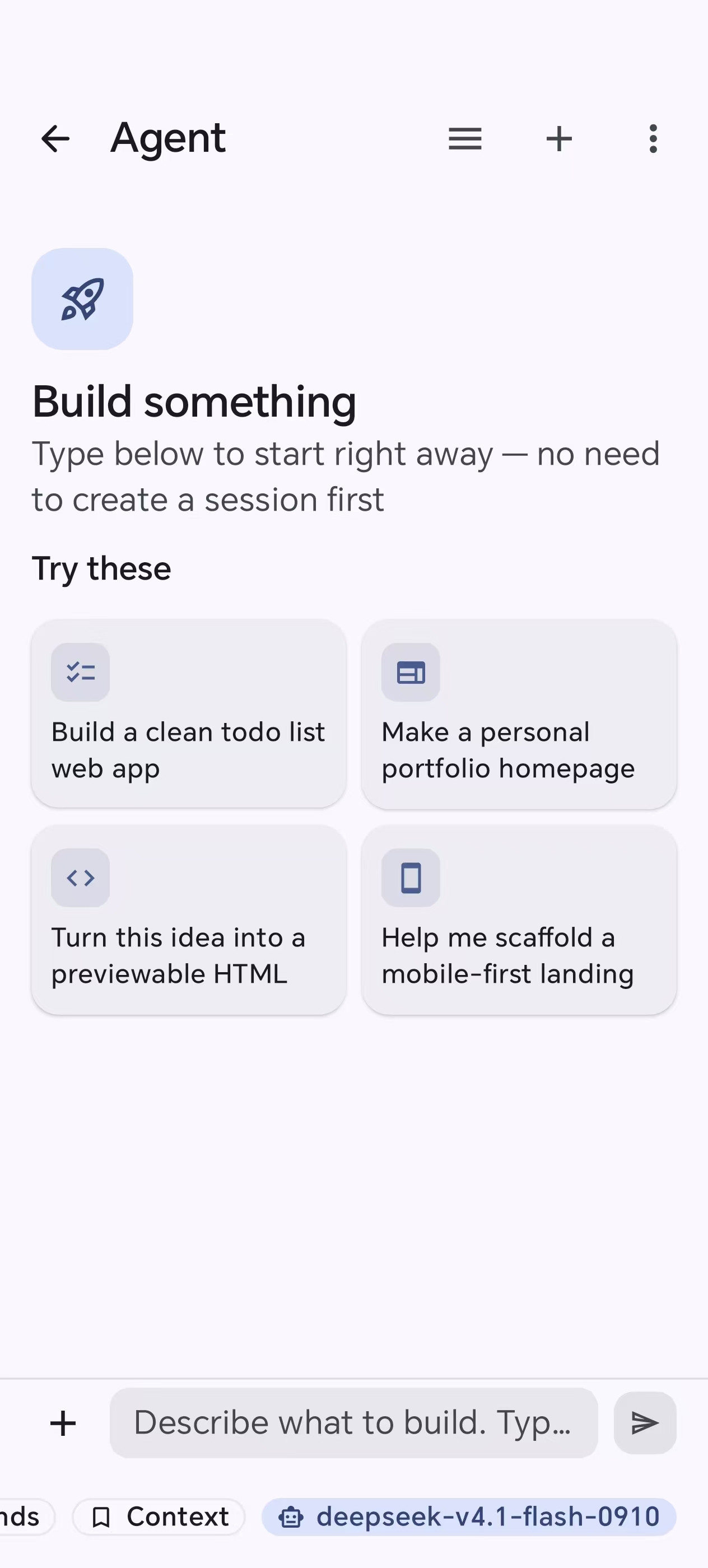 Agent — describe it, AI builds it |
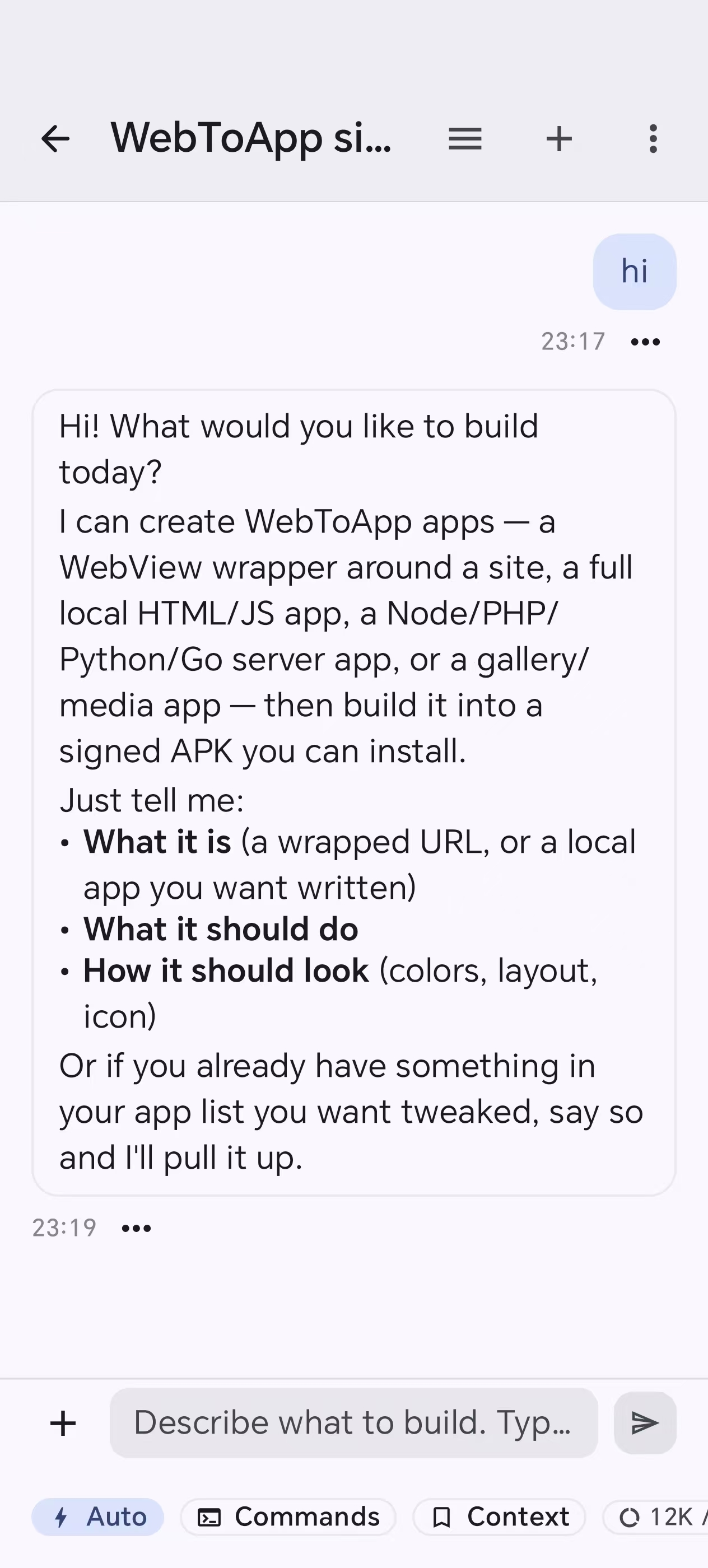 Agent — a live build session |
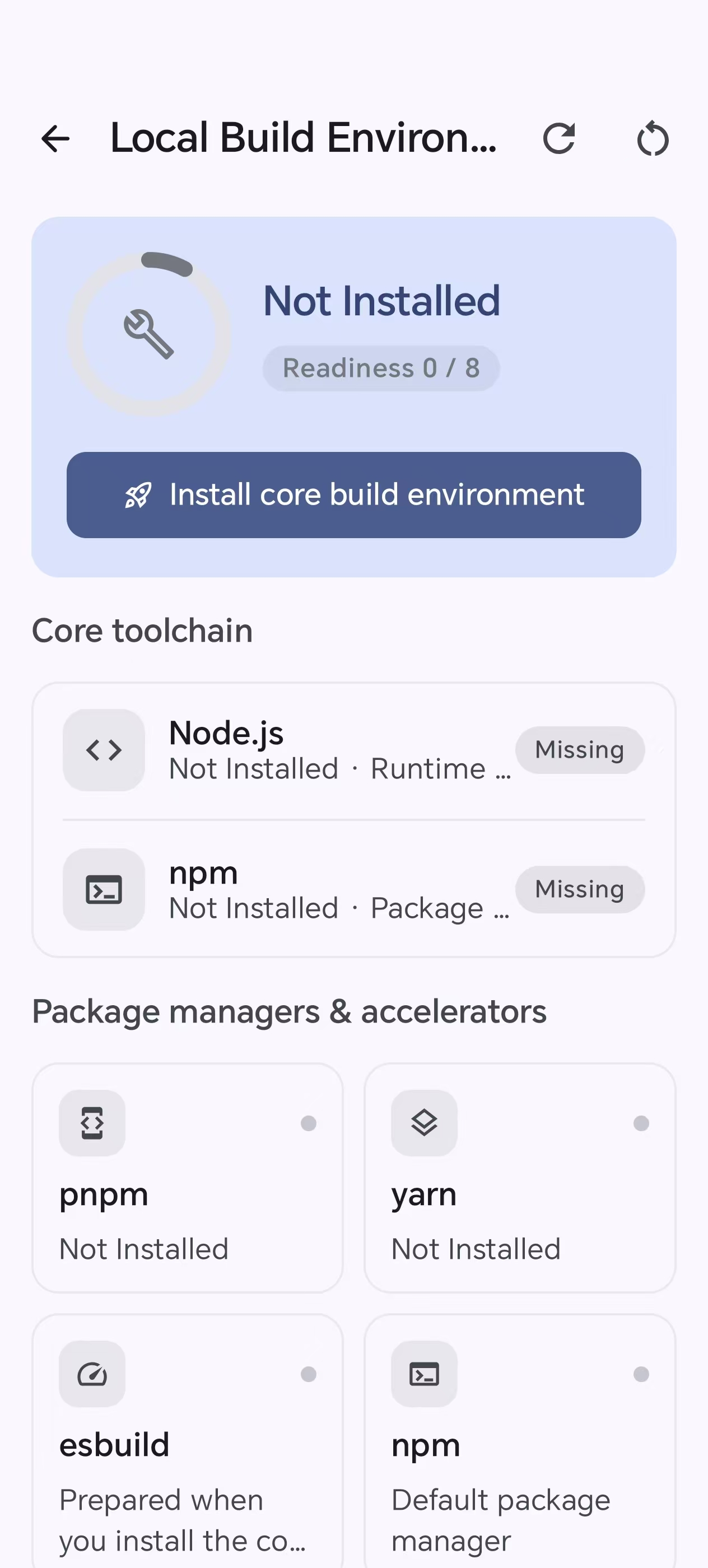 Build env — Node, npm, and the local toolchain |
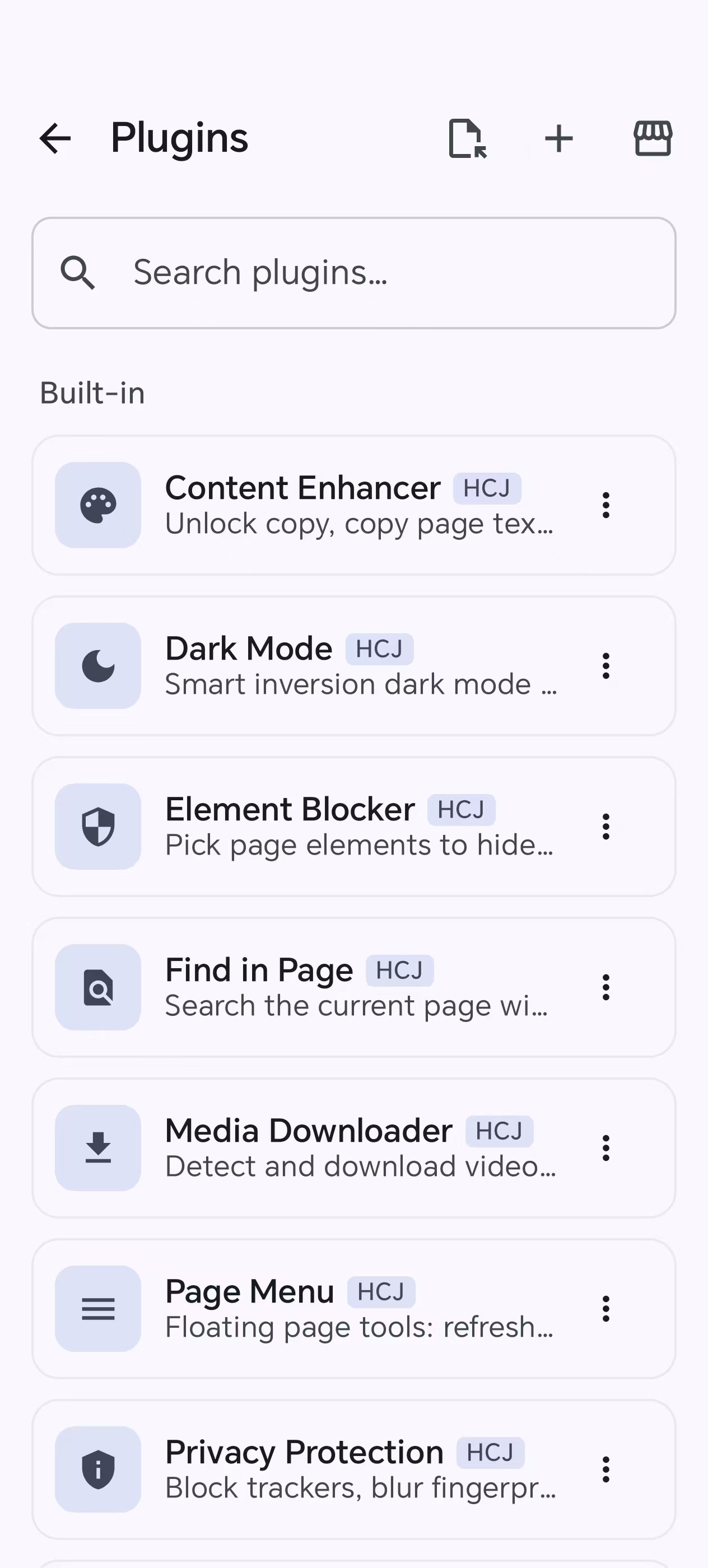 Plugins — built-in modules and the market |
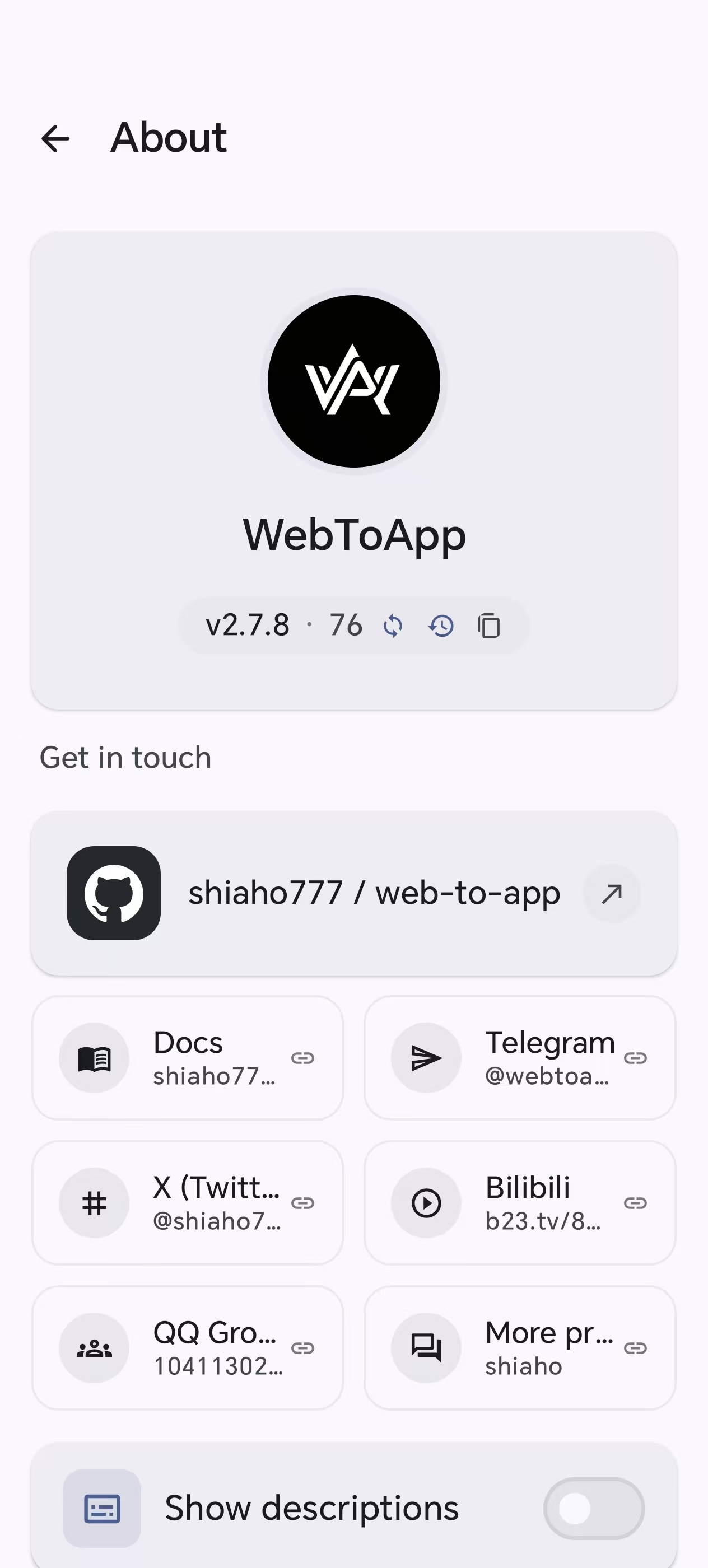 About — version & community links |
What makes WebToApp different
Most "website to app" tools stop at wrapping a URL in a WebView. WebToApp is closer to a pocket-sized APK workshop, and the hard parts are exactly where it diverges:
- It runs real server runtimes on-device. Node.js, PHP, Python, Go, and WordPress are fork+exec'd as native binaries straight from app storage — like Termux, packaged into an installable APK. URL-wrapper tools cannot do this at all.
- It ships a hardened, anti-censorship network stack. DNS-over-HTTPS, TLS fingerprint spoofing (Chrome / Firefox / Safari JA3 templates) with a local MITM bridge, Encrypted Client Hello (ECH) on both engines to encrypt the SNI, per-app proxies, and CORS bypass for locked-down SPAs.
- The whole build is self-contained. Binary AXML/ARSC patching, permission pruning, V1/V2/V3 signing, and Google Play-ready AAB export all happen inside the app via
apksig— no remote build queue, no PC. - It stays extensible after shipping. Add JS/CSS modules, Tampermonkey-style userscripts, or MV3 Chrome extensions (live-searched and installed from the Chrome Web Store) without rebuilding the host.
- The host UI speaks 10 languages out of the box. Chinese, English, Arabic (RTL), Portuguese, Spanish, French, German, Russian, Japanese, and Korean — switch anytime in Settings; new in-app copy is maintained for all ten.
Capability overview
A quick scan of what's in the box. Each links to the detailed feature map below.
| Area | Highlights |
|---|---|
| Build targets | Web · HTML · Frontend · WordPress · Node.js · PHP · Python · Go · Image · Video · Gallery · Multi-Web |
| Browser engines | System WebView by default; optional GeckoView (Firefox) runtime |
| Network & anti-censorship | DoH (7 providers), TLS fingerprint spoofing + MITM bridge, ECH, static/PAC/SOCKS5 proxies, CORS bypass |
| Privacy & hardening | 50+ vector browser fingerprint disguise, resource encryption (AES-256-GCM), anti-debug, activation gating |
| Local runtimes | Native Node.js 18.20, PHP 8.4 + Composer 2.10, Python 3.14, official Go 1.26.10, WordPress 7.x over SQLite |
| Extensions | Built-in modules, userscripts with GM_*, MV3 Chrome extensions, live Chrome Web Store search |
| APK/AAB output | On-device V1/V2/V3 signing, Google Play AAB export with targetSdk rewrite, keystore management |
| Agent | Full-app automation via up to 60 tools: generate, build, export, manage ports/engines/runtimes, clone apps, ad-block rules, config templates, and more; auto-retry on 429/5xx, and rotate to another saved key when a provider rate-limits the session |
| Host languages | 10 UI languages — 中文 · English · العربية · Português · Español · Français · Deutsch · Русский · 日本語 · 한국어 (Arabic RTL) |
What you can build
| Input | Output | Good for |
|---|---|---|
| Website URL | WebView-based APK | Landing pages, tools, dashboards, docs, internal systems |
| HTML / static front-end | Local file or localhost APK | React, Vue, Vite, static builds. A plain page can omit the internet permission |
| Node.js / PHP / Python / Go | APK with an on-device local server | Small server apps, admin tools, demos, prototypes |
| WordPress | APK running WordPress over local PHP + SQLite | Portable sites, theme/plugin demos, content packages |
| Images / video / galleries | Media-focused APK | Albums, course materials, portfolios, offline viewers |
| Multiple sites | Tab/card/feed/drawer multi-web APK | Link hubs, portals, app collections |
| Installed APK | Rebranded clone or shortcut disguise | Icon/name/package experiments, repackaging research |
Node.js, PHP, Python, Go, WordPress, image, and video stay in the app. Turn them on from About → Advanced features (off by default). Gallery does not need that switch.
Quick start
From a fresh install to your first signed APK in about a minute:
- Install the builder — get the APK from GitHub Releases onto a device running Android 7.0 (API 24) or newer.
- Create an app — on My Apps, tap Create. The default grid is Web, Multi-Site, HTML, Offline Pack, Frontend, and Gallery. PHP, WordPress, Node.js, Python, Go, and Media appear after About → Advanced features is on.
- Fill in the basics — app name, target URL (or your project files), and an optional icon, then Save. Every other editor card is optional configuration.
- Preview — tap the app's card to run it in the same runtime code the export will use.
- Build — tap ⋮ → Build APK, pick the engine and options, and get a signed APK ready to install or share. Shipping to Google Play? Use ⋮ → Google Play instead — it builds the APK, converts it to a Play-ready signed AAB with
targetSdkrewritten, and generates the Play metadata — all on-device.
The full walkthrough — with the per-type notes and what happens under the hood — lives in the Getting Started guide.
Full feature map
WebToApp has a large number of switches. The sections below group them by use case, kept collapsible so the top of the page stays scannable.
🌐 Browser engine & networking
- Dual engine — System WebView by default, or an optional GeckoView (Firefox) runtime downloaded on first use.
- Kernel flavor disguise — present as Chrome, Edge, Samsung Internet, Firefox, or Safari-style while keeping the real engine.
- Desktop mode, custom User-Agent, and JS/CSS injection at document-start / end / idle.
- Page zoom — a per-app percent applied with CSS zoom on the document root, so text, layout, images, and canvas scale together on the system WebView and on GeckoView. A page that restores its own viewport meta does not reload.
- Popup handling — same window, external browser, popup window, or block. A script-opened window stays a real child, so popup sign-in can reach
window.opener. - Proxies — static HTTP/HTTPS/SOCKS5, PAC, authentication, bypass rules, and a local HTTP-to-SOCKS bridge.
- DNS-over-HTTPS — Cloudflare, Google, AdGuard, NextDNS, CleanBrowsing, Quad9, Mullvad, plus custom endpoints; strict or automatic modes.
- Encrypted Client Hello (ECH) — encrypt the SNI in the TLS handshake on both engines: GeckoView via TRR + its ECH prefs, the system WebView via the MITM bridge's Chromium upstream (auto-downloaded on first use, embedded in exported APKs). Auto-wires DoH when toggled; a SOCKS upstream proxy takes precedence.
- TLS fingerprint spoofing — impersonate Chrome 131 / Firefox 133 / Safari 18 JA3 profiles (or custom ciphers), served through a local TLS-MITM bridge so the outgoing ClientHello matches a real browser.
- CORS bypass — on by default for static SPAs that call external APIs blocked by CORS; same-origin traffic is left alone, and CORS-only apps can use a lightweight
PrivateNetworkNativeBridgeAdapterwithout the full Native Bridge surface. - Failover — automatic fallback to mirror URLs when the primary target is unreachable.
- PWA offline cache strategies, custom error pages, per-app host overrides, and payment-scheme handlers.
- Compatibility toggles — blob download interception, scroll memory, image repair, clipboard / orientation / notification polyfills, private-network bridging, and Native Bridge capability gates. The folder gate lets a page keep one chosen directory and read and write files inside it.
- Download location — system Downloads, app-private storage, a user-picked SAF folder, or the system save dialog on every download, wired through the full packaging passthrough chain.
🛡️ Privacy, fingerprint defense & hardening
- Browser fingerprint disguise across 50+ vectors — User-Agent, WebGL, Canvas, AudioContext, ClientRects, timezone, language, memory, media devices, WebRTC, fonts, battery, permissions, performance, storage, notifications, CSS media, iframe propagation, and error-stack cleanup.
- Hosts-rule ad blocker with cosmetic MutationObserver filtering, 20 built-in community filter lists (EasyList, uBlock Origin, AdGuard, AdAway, plus 8 language-specific lists), per-source enable/disable/delete, named custom filter imports managed as cards and selectable per app, and custom subscription rules bundled into the APK.
- Resource encryption (PBKDF2 + AES-256-GCM) for packaged config, HTML, media, and BGM; optional custom encryption password stronger than package/certificate-derived keys.
- Runtime hardening when encryption is on — anti-debug, anti-Frida, DEX-tamper checks; threat response of log-only, silent exit, or randomized crash.
- WebView/content isolation for storage, WebRTC, Canvas, Audio, WebGL, fonts, headers, and IP surfaces.
- Activation-code gating — local verification, or your own HTTPS endpoint signed with EC P-256. See the remote activation docs.
📦 Local server runtimes (fork + exec on-device)
- Node.js (18.20.x) runs in a dedicated
:nodejsOS process via a nativenode_launcherwrapper loadinglibnode.so; supports custom native.nodeextensions. - PHP 8.4 from
pmmp/PHP-Binaries, downloaded once on first use, with Composer 2.10.x and custom native extensions (zend_extension,.so). - Python 3.14 — Flask, Django, FastAPI via uvicorn, Tornado, the built-in HTTP server; pip dependencies resolved into
.pypackages, custom native extensions supported; binary names are versioned so future bumps do not hard-code paths. - Go 1.26 — official Linux arm64 toolchain (
.tar.gzfromdl.google.com, USTC mirror for CN), on-devicego build/go mod/go run,vendor/offline builds, static serving, and the nativego_exec_loaderwrapper; DNS and CA trust go through the same local JVM bridge used by PHP. - WordPress 7.x over local PHP + SQLite (
sqlite-database-integration), with theme and plugin import. - Linux Environment screen manages toolchains and dependencies for Node, PHP, and Python.
- Port Manager coordinates runtime ports across generated apps via broadcast receivers.
- A local DNS bridge proxy (HTTP CONNECT in the Android JVM) gives runtimes working DNS resolution and outbound HTTP where the musl/packed binary can't reach the system resolver.
🧩 Extensions & automation
- Built-in modules — video download (YouTube / Bilibili / Douyin / Xiaohongshu extractors), video enhancer with YouTube cleanup (ad skip, max quality, background play, SponsorBlock), web analyzer, find-in-page, dark mode, privacy tools, content enhancer, element blocker, URL Switcher, and YouTube launcher. Names and descriptions follow the host language.
- Floating plugin handle — one enabled plugin opens directly. Several fan out from the handle.
- Userscripts — Greasemonkey/Tampermonkey-style
.user.jswith aGM_*bridge (storage, requests, styles, menu commands) and promise-basedGM.*APIs gated by script grants. View Code opens the built-in editor, including a script stored as a file. - MV3 Chrome extension runtime for manifest content scripts in isolated or main worlds, with
chrome.*polyfills for runtime, storage, tabs, scripting, and declarative network-request parsing. - In-app Chrome Web Store search — browse and install browser extensions by keyword (or paste a store URL / extension ID), with offline fallback to manual import.
- Export codes (
WTA1:gzip + Base64) and QR sharing via ZXing. - Agent — a tool-calling assistant with up to 60 built-in tools covering the entire app surface: create/edit/build/export apps, manage ports and browser engines, install/clear runtimes, ad-block hosts rules, common-config templates (including JSON export and import), usage stats, app cloning, batch import, Play policy checks, and module development. Plan mode waits for user approval; automatic retry/backoff on 429/5xx.
📱 App experience
- Splash screens — image or video, with skip behavior, trim ranges, and fixed orientation.
- Background music — playlists with synced LRC lyrics, lyric animations, custom font/color/stroke/shadow, online music search, a draggable floating player, and a notification player.
- Toolbar, status bar (light & dark), navigation, floating-window mode, and long-press menu styles. The browser toolbar is a master toggle (off by default) with per-item buttons for title/URL/back/forward/refresh plus a native find-in-page bottom bar and a console panel for on-device debugging. Status bar color can follow theme, a custom color, full transparency, or PAGE_TOP (sample the page’s top pixels so the chrome matches the content).
- Download location mode — system Downloads, app-private directory, a custom SAF folder, or the system save dialog on every download.
- Announcement templates for launch, interval, and no-network moments.
- Host app language — switch the entire builder UI among 10 languages (中文 / English / العربية / Português / Español / Français / Deutsch / Русский / 日本語 / 한국어); Arabic is full RTL.
- Translation overlay — 20 target languages via Google, MyMemory, LibreTranslate, or Lingva engines, with automatic failover across them (in-page translate for the content of generated apps, separate from host UI language).
- Print bridge — intercept
window.print()and blob/data-URL PDFs to the Android print framework / PDF export (with an onPageStarted re-inject fallback so late navigations stay hooked). - Media Session bridge — surface web media on the system media notification and lock-screen controls, with Bluetooth and Android Auto support.
- Notifications — Web Notification polyfill, scheduled and persistent notifications with progress, URL-polling foreground service, deep links, boot auto-start, scheduled launch, and background-run service.
- Per-app usage stats with Vico charts and URL health monitoring.
🔧 APK / AAB export & signing
- Custom package name,
versionName,versionCode, icon, label, architecture target, and export format. A transparent icon gets a white adaptive plate by default, or a solid color you pick, or a transparent plate. An opaque icon keeps its edge color. - SDK levels — raise minSdk above 23, and pin targetSdk to 28, 31, 33, 34, 35, or 36. Server-runtime types stay at 28. Play AAB export still rewrites targetSdk to 36.
- Build-time permission injection — one row per permission a third-party app can declare from API 23 through Android 17. Unused permissions are pruned from the template manifest.
- Foreground service types — a generated APK declares a type only when that service ships. Media playback is omitted when media session is off.
DATA_SYNCstays on the host. - One-tap AAB export — auto-builds the APK on demand, converts it to a Play-ready signed AAB with
targetSdkrewritten to the Play-required level (currently 36) and protobuf metadata generated locally; cancellable mid-build. Available for every app type except the server-runtime ones and encrypted builds — see which apps can be published. - Keystore management — create, import, export, delete, and certificate-fingerprint viewing; PKCS12/PFX/JKS/BKS import including Android Studio upload-key cases where store and key passwords differ.
- Signature schemes — V1, V2, V3 independently controlled, with auto-fallback for legacy certificates; custom V1 signer filename for
META-INF/<name>.SF/.RSA. - Performance options — image compression, WebP conversion, code minification, lazy loading, DNS prefetch, and preload hints.
- Full project and app-data backup/restore.
🗂 File manager & project tooling
- File manager — a single screen to view, share, install, open, and clear build outputs (APK builds, AAB exports, app clones, build logs) and a user-files directory, with a read-only build-log viewer.
- Export source — a Gradle project you can open in Android Studio: manifest, WebView activity, config, and local files. The keystore,
node_modules,.git, and the full shell runtime stay out. - Website scraper for offline packs — HTML, CSS, JS, images, fonts,
url(),srcset,@import, path rewriting, same-domain limits, depth limits, and size limits; parallel streaming worker pool with main-thread progress callbacks. - Multi-Web layouts — bottom tabs, top tabs that follow a sideways swipe, cards (1–4 columns and a height slider), feeds, drawers (1–3 columns), site order, the tab opened on launch, per-site icons/theme colors/extraction selectors/refresh intervals, and shared JS/CSS.
- Gallery apps — categorized media, grid/list/timeline views, shuffle/single-loop, sorting, thumbnail bar, overlays, auto-next, and playback memory.
- App Modifier — shortcut disguise or real binary clone with manifest/resource patching and re-signing.
🔬 Specialized tools & research features
- Device disguise is included for technical demonstration and must only be used with informed user consent.
Agent
WebToApp ships a built-in AI agent (open from ⋮ → Agent) that can operate the entire app through natural-language conversation. Instead of tapping through menus, you describe what you want and the Agent executes it via a tool-calling loop backed by any LLM you configure in AI Settings — Chat Completions, Anthropic Messages, or OpenAI Responses endpoints, plus Google Gemini and Ollama / LM Studio / VLLM locals.
How it works:
- You send a message (or attach an image for visual context).
- The LLM reasons and emits
tool_calls. - The Agent executes each tool on-device — read-only tools run immediately; write tools pop a permission dialog first.
- Results flow back to the LLM, which continues until the task is done or it asks you a clarifying question.
Up to 60 built-in tools, grouped by domain (55 base + 2 plan mode + 3 imagery; the imagery tools load only with an image-capable model):
| Domain | Examples |
|---|---|
| Files | Read, Write, Edit, Delete, List, Glob, Grep project files |
| Apps | List, Get, Create, Update app configurations |
| Config templates | List, save, apply, delete, export, and import a common-config JSON file |
| App lifecycle | Build APK/AAB, Export, Share, Create shortcut, Duplicate, Delete, Move to category |
| Ports & engines | Scan/kill ports, check/select/delete browser engines (WebView, GeckoView) |
| Runtimes | Status, install, and cache-clear for Node.js, PHP, Python, Go, WordPress, Linux env |
| Ad-block | Rule counts, import/remove/enable/disable hosts subscriptions |
| Stats & health | Usage statistics, URL health checks |
| App modifier | List installed apps, clone/rebrand, batch import, export templates |
| Build env & compliance | Initialize Linux build env, install components, Google Play policy checks |
| Modules | List, create, update extension modules |
| Interaction | Ask user questions (multi-select), plan mode (propose → approve → execute), todo tracking |
Plugin market
WebToApp has a GitHub-backed plugin market for community HTML/CSS/JS plugins. The catalog is just files in this repository, so contributions use a normal pull-request flow.
modules/
├── registry.json        # app-facing catalog
├── submissions.json     # CI-generated PR / contributor metadata
├── README.md            # contributor guide
└── <plugin-folder>/     # each plugin (plugin.json + main.js + …)
The app fetches both registry.json and submissions.json and only shows plugins present in both, keeping the in-app catalog aligned with actually-merged PRs. The submissions file also records every contributor per plugin, so the catalog shows stacked avatars and a contributors leaderboard. Catalog files and plugin icons route through a global mirror first, with raw.githubusercontent.com and jsDelivr as automatic fallbacks, so the store loads fast everywhere (including mainland China).
- Users open Plugins and tap the storefront icon.
- Contributors add a folder under
modules/, updateregistry.json, and open a PR. - The default client cache is one hour, so merged plugins propagate without an app update.
The high-level architecture lives here; the canonical submission rules, field schemas, reviewer checklist, and CI validation details live in modules/README.md.
The community market carries only JS/CSS extension modules. Browser extensions (MV3) are no longer a community catalog — instead the Browser Extensions tab searches the Chrome Web Store live: type a keyword, browse results, and install on demand through the existing CRX pipeline. Live search requires a network that can reach Google.
Documentation
The official documentation site is published at shiaho777.github.io/web-to-app, in English and 简体中文:
| Section | URL | Covers |
|---|---|---|
| Guide | /guide/introduction | Getting started, main screen, app types, per-app actions and common config, FAQ |
| Developer | /developer/ | Architecture, export pipeline, shell sync, config drift, i18n, change recipes |
| Extensions | /extensions/ | JS/CSS modules, userscripts, Chrome MV3, API reference, publishing |
| 简体中文 | /zh/ | Full Chinese mirror of every page above |
| Privacy | /privacy | Privacy policy for the builder app. Apps you build need their own |
Architecture
| Path | Role |
|---|---|
app/ |
Full builder host: editor UI, export pipeline, runtimes, preview |
shell/ |
Runtime template — code synced from app/, built into webview_shell.apk |
clone-host/ |
Host-side APK clone / identity-reshape support library |
modules/ |
Module Market catalog (registry.json + per-module folders) |
docs/ |
VitePress documentation site source (EN + ZH) |
scripts/ |
Build helpers and CI gates (config drift, shell strings, bundles) |
sample-bundles/ |
Heavy sample dependency packs fetched on demand |
- The repository has three Gradle modules:
app(the full builder and host),shell(the runtime host embedded into generated APKs), andclone-host(host code for app cloning — compiled to aclasses.jar, converted to DEX via d8, and bundled as an asset forAppCloner). - Runtime code is authored in
appand synchronized intoshell, so shared WebView/runtime behavior has one source of truth (core/shell,core/webview,core/engine,core/extension,ui/shell, etc.). - The APK builder patches template APKs at the binary AXML/ARSC level, injects config/resources, prunes permissions, and signs with
apksig. A separate encrypted build path (EncryptedApkBuilder) offers resource encryption, shelling, and integrity checks. - Generated APKs inherit the shell template's
targetSdk = 35/minSdk 23. The five server-runtime types (Node.js, PHP, Python, Go, WordPress) are pinned back totargetSdk = 28at export — that pin is what lets them fork+exec native runtimes from app storage, a capability URL-wrapper tools lack. The host app itself targets 36 (antivirus engines flag low-targetSdk builds as legacy malware); SELinux W^X at that level blocks host-side preview of the exec-based runtimes, which degrade with an explicit message — Node.js preview (JNI) and every exported app are unaffected. This does not limit Play distribution. For Play the AAB exporter separately rewritestargetSdkto the Play-required level (currently 36), so every app type publishes normally except the five server-runtime ones and any build with resource encryption enabled — only the server-runtime types are tied to APK distribution, because the required target level would break their fork+exec runtimes. WebView-only app types (Web/HTML/Frontend/Gallery/Media/MultiWeb) can also pin the standalone APK'stargetSdk(28/31/33/34/35/36) from the APK export section. - Server runtimes and the optional GeckoView native libraries (
.so+omni.ja) are downloaded on first use rather than bundled into the base APK; the GeckoView API classes come from a gradle dependency, while the heavy native artifacts are fetched on demand. - The configuration center is
WebApp(data/model/WebApp.kt) and its*Configclasses — the single source of truth for all feature settings, carried through a full packaging passthrough chain into the generated APK.
Tech stack
- Kotlin, Jetpack Compose, Material 3
- Koin for dependency injection
- Room 2.7.2 + KSP for persistence
- OkHttp 4.12.0 +
okhttp-dnsoverhttps com.android.tools.build:apksig8.3.0 for APK signing- BouncyCastle 1.78.1 for crypto and signing
protobuf-javalite3.25.5 for AAB metadata- Firebase Cloud Messaging (BYO Firebase config) for push notifications
- GeckoView as an optional browser engine (native libs downloaded on first use)
- Coil for image/video/GIF loading
- Haze for blur/glassmorphism UI
- Gson for JSON serialization (shell config pipeline)
- AndroidX Security Crypto + DataStore for stored secrets
- Vico Compose-M3 for charts
- ZXing for QR sharing
- Apache Commons Compress + xz for project import and website scraping
- Native C++ via JNI for
node_launcherandgo_exec_loader - Robolectric for unit tests
See app/build.gradle.kts for the complete dependency list.
Build from source
Requirements: Android Studio Hedgehog or newer, JDK 17. The Gradle wrapper pins Gradle 9.4.1.
git clone https://github.com/shiaho777/web-to-app.git
cd web-to-app
./gradlew assembleDebug
Two distribution flavors exist, sharing all code and build rules:
| Flavor | applicationId |
Use |
|---|---|---|
standard |
com.webtoapp |
GitHub / sideloaded releases |
gplay |
shiaho.webtoapp |
Google Play (com.webtoapp is already registered there by another party) |
./gradlew assembleStandardRelease   # signed release APK
./gradlew bundleGplayRelease        # Play-ready signed AAB
./gradlew :app:assembleStandardRelease -Pfdroid=true
# unsigned F-Droid APK (no Firebase, Google Sign-In, or AdMob)
For signed GitHub/Play releases, configure signing through local.properties and app/build.gradle.kts. The F-Droid flavor leaves the APK unsigned. See F-Droid.
Contributing
| Lane | What you do | Guide |
|---|---|---|
modules/ |
Publish a community module to the in-app market | modules/README.md |
| Issues | Report a bug or request a feature | GitHub Issues |
| Code | Fix a bug or build a feature in the Android client | CONTRIBUTING.md |
AGENTS.md |
Authoritative guide for AI coding agents and deep contributors (architecture, shell sync, export pipeline, config drift, packaging constraints) | AGENTS.md |
Contact
Developed by shiaho.
| Platform | Link |
|---|---|
| GitHub | github.com/shiaho777/web-to-app |
| Telegram | t.me/webtoapp777 |
| X (Twitter) | @shiaho777 |
| Bilibili | b23.tv/8mGDo2N |
| QQ Group | 1041130206 |
License
Advanced features such as device disguise are intended for technical demonstration and must only be used with informed user consent.
Acknowledgements
daoxe.com — AI API relay for personal use.
Community Support
Trading fees from the associated pump.fun token help support continued development:
https://pump.fun/coin/H2mNeSJV75VuQpGA9C11FwWoT9DU7sMCYUNVaMyQpump
Open source · Built for Android power users · Star to support the project
Explore related projects
freeCodeCamp/freeCodeCamp
freeCodeCamp.org's open-source codebase and curriculum. Learn math, programming, and computer science for free.
459,041 starsdonnemartin/system-design-primer
Learn how to design large-scale systems. Prep for the system design interview. Includes Anki flashcards.
377,686 starsreact/react
The library for web and native user interfaces.
252,541 starsvuejs/vue
This is the repo for Vue 2. For Vue 3, go to https://github.com/vuejs/core
212,527 stars