
shalldie/vscode-background
shalldie/vscode-background has 1,918 GitHub stars and 167 forks. GitHot measured 0 stars in 24 hours. Last checked 2026-11-07 01:09 UTC. Last push 2026-09-11.
Bring background images to your vscode. vscode background 背景扩展插件。
Measured star growth
- in 24h
- 0
- in 7 days
- Collecting history
- in 15 days
- Collecting history
- in 1 month
- Collecting history
Net star changes over overlapping periods, not daily totals. Missing measurements are left blank. Stars measure attention, not software quality.
README.md
Original
vscode-background
Bring background images to your Visual Studio Code
fullscreen, editor, sidebar, auxiliarybar, panel, carousel, custom images/styles...
GitHub | Visual Studio Marketplace


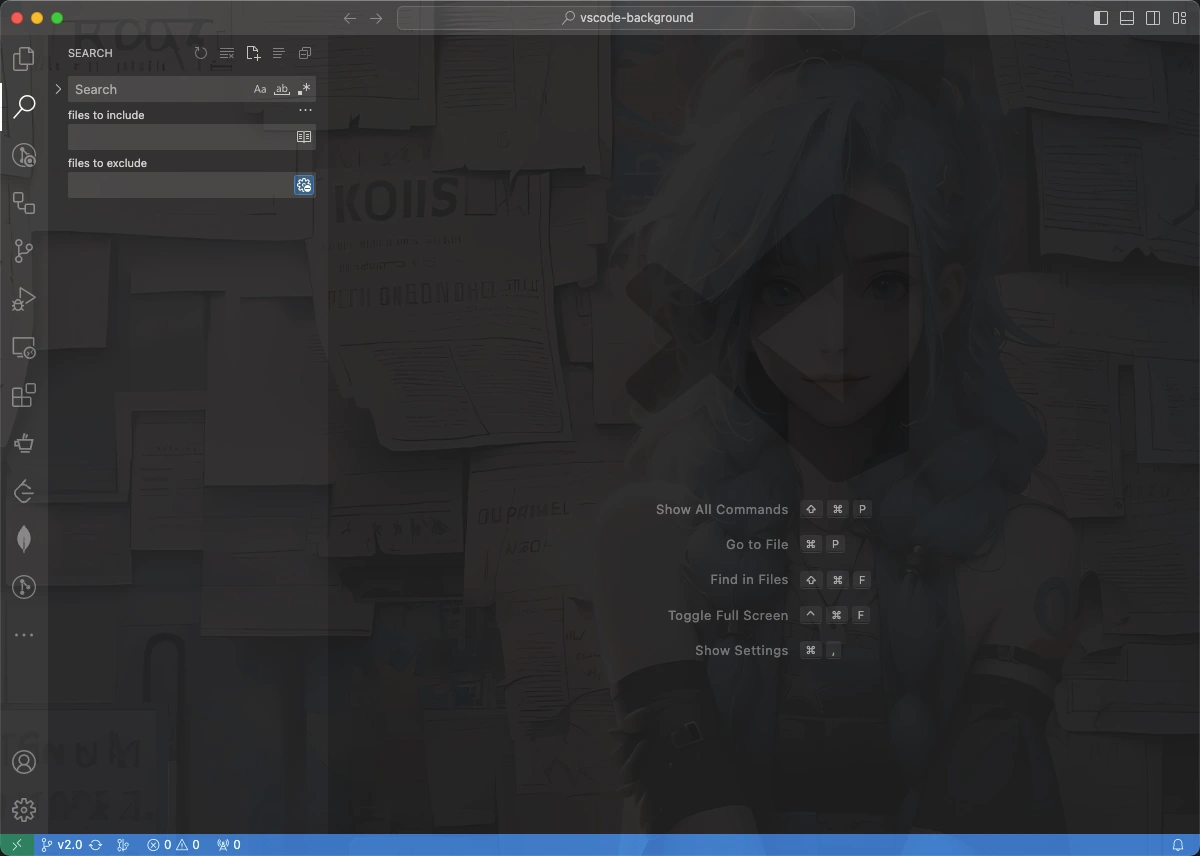
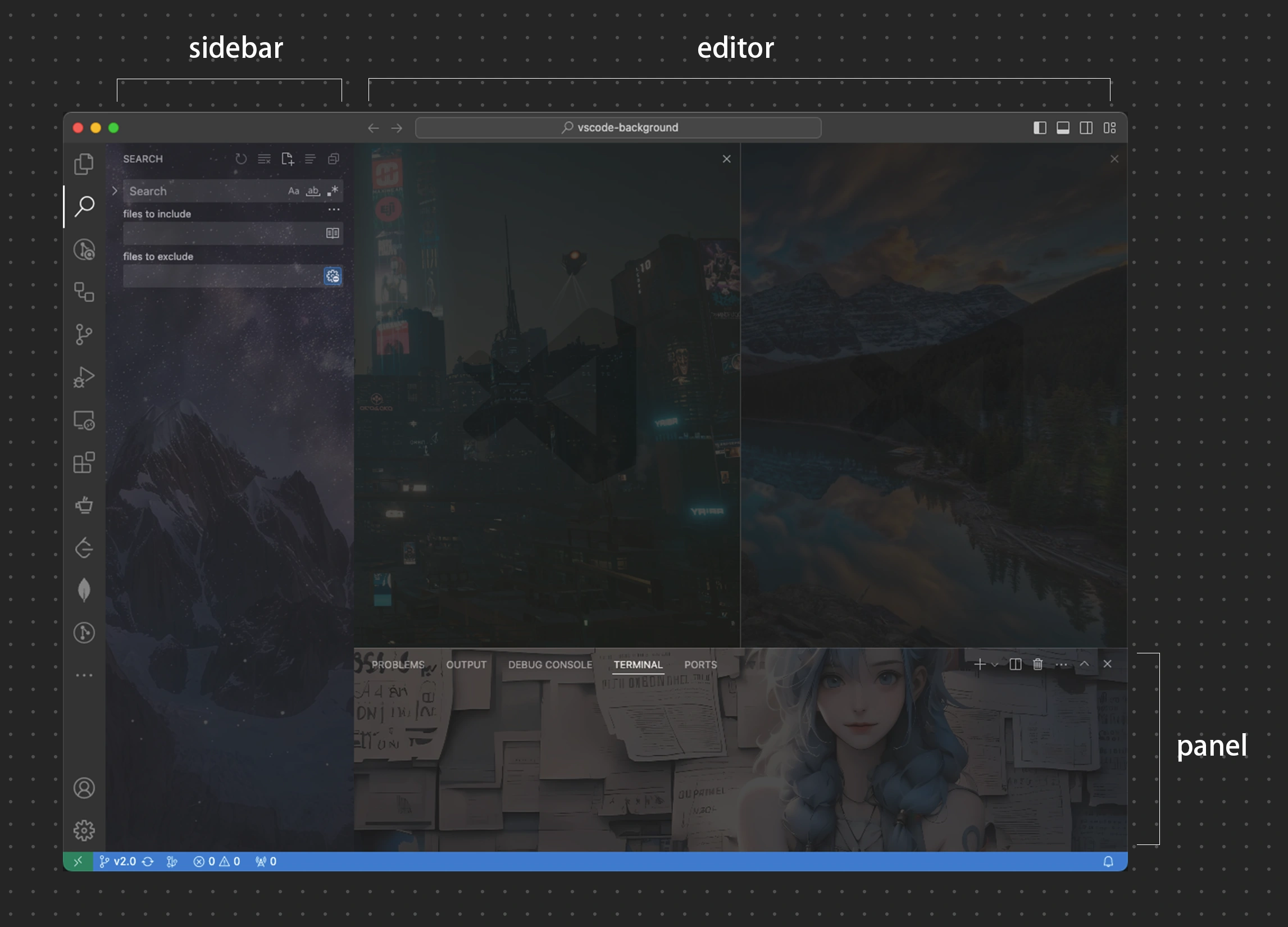
Multiple sections, editor, sidebar, auxiliarybar, panel
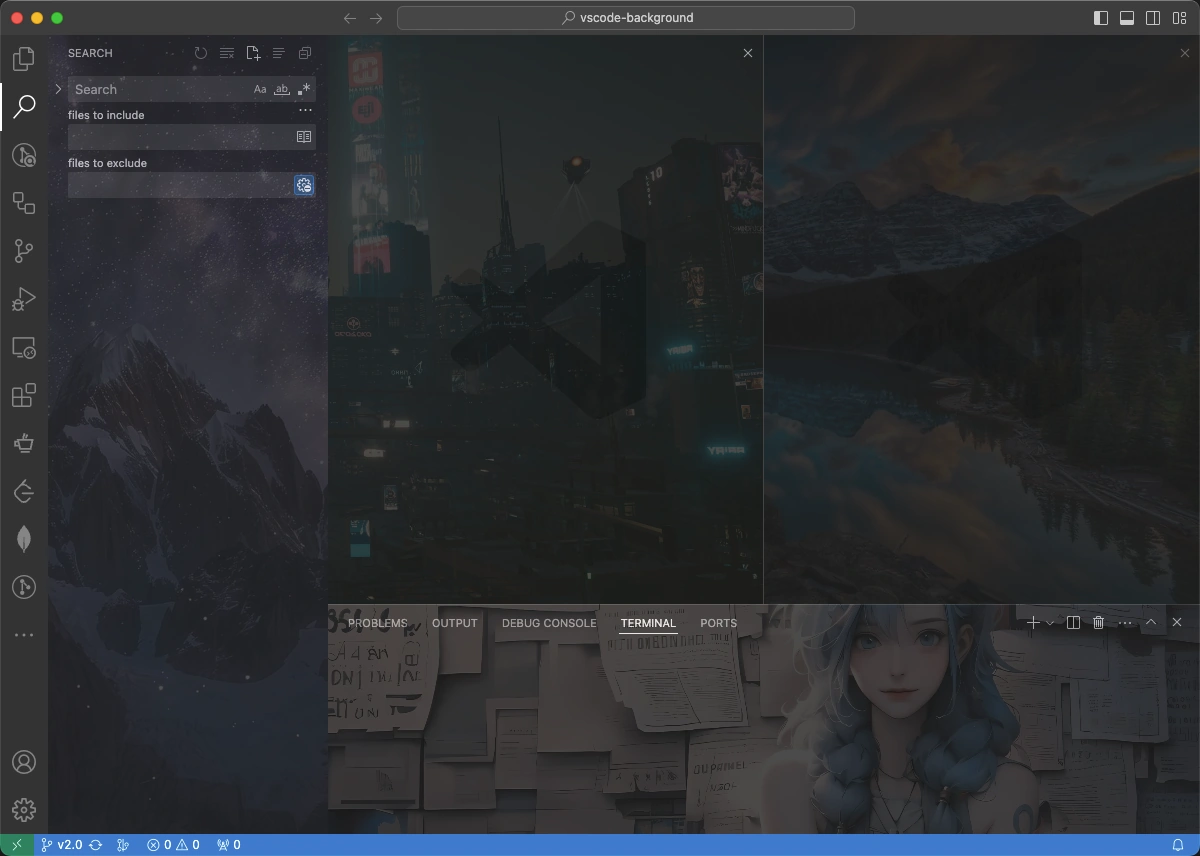
fullscreen
Installation
There are 2 ways to install this extension:
- Install from Visual Studio Marketplace.
- Search
shalldie.backgroundfrom vscode.
Custom
User defined requirements can be met by changing the configuration(settings.json).
Config
Global Config
| Name | Type | Default | Description |
|---|---|---|---|
background.enabled |
Boolean |
true |
Whether to enable background extension. |
Editor Section Config
Edit background.editor to config editor section.
| Name | Type | Default | Description |
|---|---|---|---|
useFront |
boolean |
true |
Place the image above or below the code. |
style |
object |
{} |
Custom style for images. MDN Reference |
styles |
object[] |
[] |
Custom style for each image individually. |
images |
string[] |
[] |
Custom images, supports online and local images, as well as folders. |
interval |
number |
0 |
Seconds of interval for carousel, default 0 to disabled. |
random |
boolean |
false |
Whether to randomly display images. |
example:
{
  "background.editor": {
    "useFront": true,
    "style": {
      "background-position": "100% 100%",
      "background-size": "auto",
      "opacity": 0.6
    },
    "styles": [],
    // `images` supports online and local images, as well as folders.
    "images": [
      // online images, only `https` is allowed.
      "https://hostname/online.jpg",
      // local images
      "file:///local/path/img.jpeg",
      "/home/xie/downloads/img.gif",
      "C:/Users/xie/img.bmp",
      "D:\\downloads\\images\\img.webp",
      // `~` and environment variables are supported in local paths
      "~/Pictures/img.png",
      "${HOME}/Pictures/img.png",
      // local folders
      "/home/xie/images",
      // data URL
      "data:image/*;base64,<base64-data>"
    ],
    "interval": 0,
    "random": false
  }
}
Fullscreen, Sidebar, Auxiliarybar, Panel Section Config
Edit background.fullscreen, background.sidebar, background.auxiliarybar, background.panel to config these sections.
| Name | Type | Default | Description |
|---|---|---|---|
images |
string[] |
[] |
Custom images, supports online and local images, as well as folders. |
opacity |
number |
0.1 |
Opacity of the images, alias to opacity, 0.1 ~ 0.3 recommended. |
size |
string |
cover |
Alias to background-size, cover to self-adaption (recommended). |
position |
string |
center |
Alias to background-position, default center. |
styles |
object[] |
[] |
Custom style for each image individually. |
interval |
number |
0 |
Seconds of interval for carousel, default 0 to disabled. |
random |
boolean |
false |
Whether to randomly display images. |
example:
{
  "background.fullscreen": {
    // `images` supports online and local images, as well as folders.
    "images": [
      // online images, only `https` is allowed.
      "https://hostname/online.jpg",
      // local images
      "file:///local/path/img.jpeg",
      "/home/xie/downloads/img.gif",
      "C:/Users/xie/img.bmp",
      "D:\\downloads\\images\\img.webp",
      // `~` and environment variables are supported in local paths
      "~/Pictures/img.png",
      "${HOME}/Pictures/img.png",
      // local folders
      "/home/xie/images",
      // data URL
      "data:image/*;base64,<base64-data>"
    ],
    "opacity": 0.1,
    "size": "cover",
    "position": "center",
    "styles": [],
    "interval": 0,
    "random": false
  },
  // `sidebar` and `panel` have the same config as `fullscreen`
  "background.sidebar": {},
  "background.panel": {}
}
Quick Command
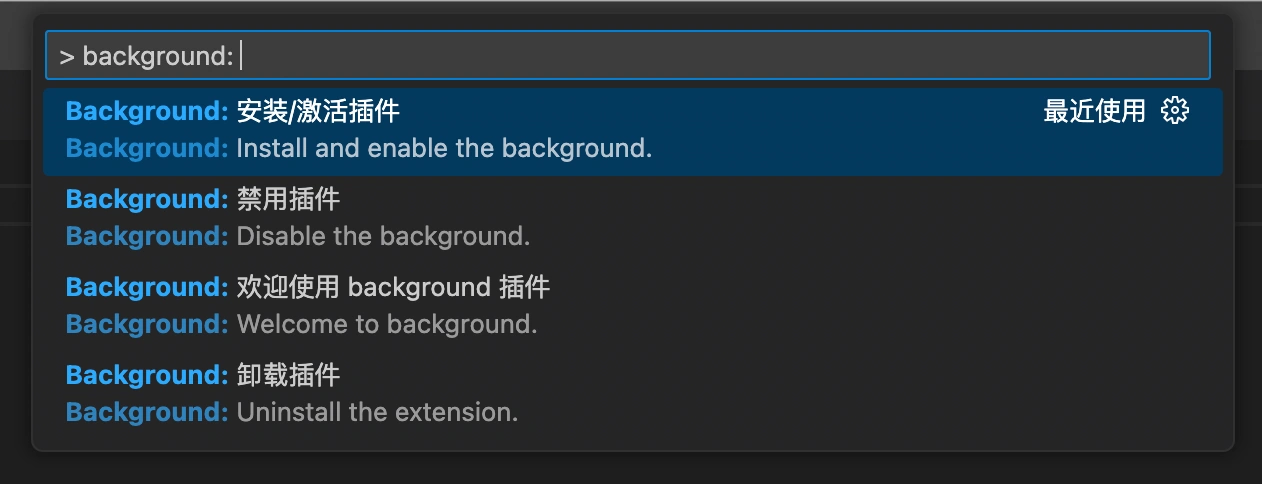
Click the 「Background」 button on the right-bottom of statusbar, all commands of background will appear:
Common Issues
This extension works by editing the vscode's html file.
Please refer to the Common Issues if you met some problems.
Uninstall
Please refer to Common Issues#how-to-uninstall.
Contributors 🙏


Contributing Guide
Refer to Contributing Guide.
Change Log
You can checkout all our changes in our CHANGELOG.
Share Your Images
We share background images here.
Migration from v1
Starting from v3.0, v1 top-level configuration is no longer supported. Please refer to migration-from-v1.md to migrate.
LICENSE
MIT
Explore related projects
codecrafters-io/build-your-own-x
Master programming by recreating your favorite technologies from scratch.
560,467 starspublic-apis/public-apis
A collective list of free APIs
496,780 starsmorluto/rea
Reverse engineer anything with agents, from app behavior down to native binaries.
438,313 starsopenclaw/openclaw
The AI that really does things. Any OS. Any Platform. The lobster way. 🦞
394,084 stars