
scoutbee/pytorch-nlp-notebooks
scoutbee/pytorch-nlp-notebooks has 412 GitHub stars and 153 forks. GitHot measured 0 stars in 24 hours. Last checked 2026-11-15 12:22 UTC. Last push 2019-11-18.
Measured star growth
- in 24h
- 0
- in 7 days
- Collecting history
- in 15 days
- Collecting history
- in 1 month
- Collecting history
Net star changes over overlapping periods, not daily totals. Missing measurements are left blank. Stars measure attention, not software quality.
About
Learn how to use PyTorch to solve some common NLP problems with deep learning.
Machine LearningREADME.md
OriginalA Deep Dive into NLP with PyTorch
Learn how to use PyTorch to solve some common NLP problems with deep learning. View these notebooks on nbviewer.
1_BoW_text_classification.ipynb: Train a bag-of-words model to predict the sentiment of IMDB reviews2_embeddings.ipynb: Play around with different pretrained word embeddings3_rnn_text_classification.ipynb: Train an RNN to predict the sentiment of IMDB movie reviews4_character_text_generation.ipynb: Train a character-level RNN language model to generate weight loss articles5_seq2seq_attention_translation.ipynb: Train an RNN-based Seq2Seq model with attention to translate from English to French6_transformer_translation.ipynb: Train a pure self-attention based transformer Seq2Seq model to translate from English to French7_gpt2_finetuned_text_generation.ipynb: Fine-tune the pretrained (small) GPT-2 model to generate weight loss articles
Tutorials
| Events | Dates | Slides |
|---|---|---|
| PyData London 2019 | 12 Jul 2019 | link |
| PyData Cambridge 2019 | 15 Nov 2019 | link |
| DS Con Belgrade 2019 | 18 Nov 2019 | link |
Setup
Make sure you have a Google account and visit Google Colab. You should see a list of notebooks pop up:
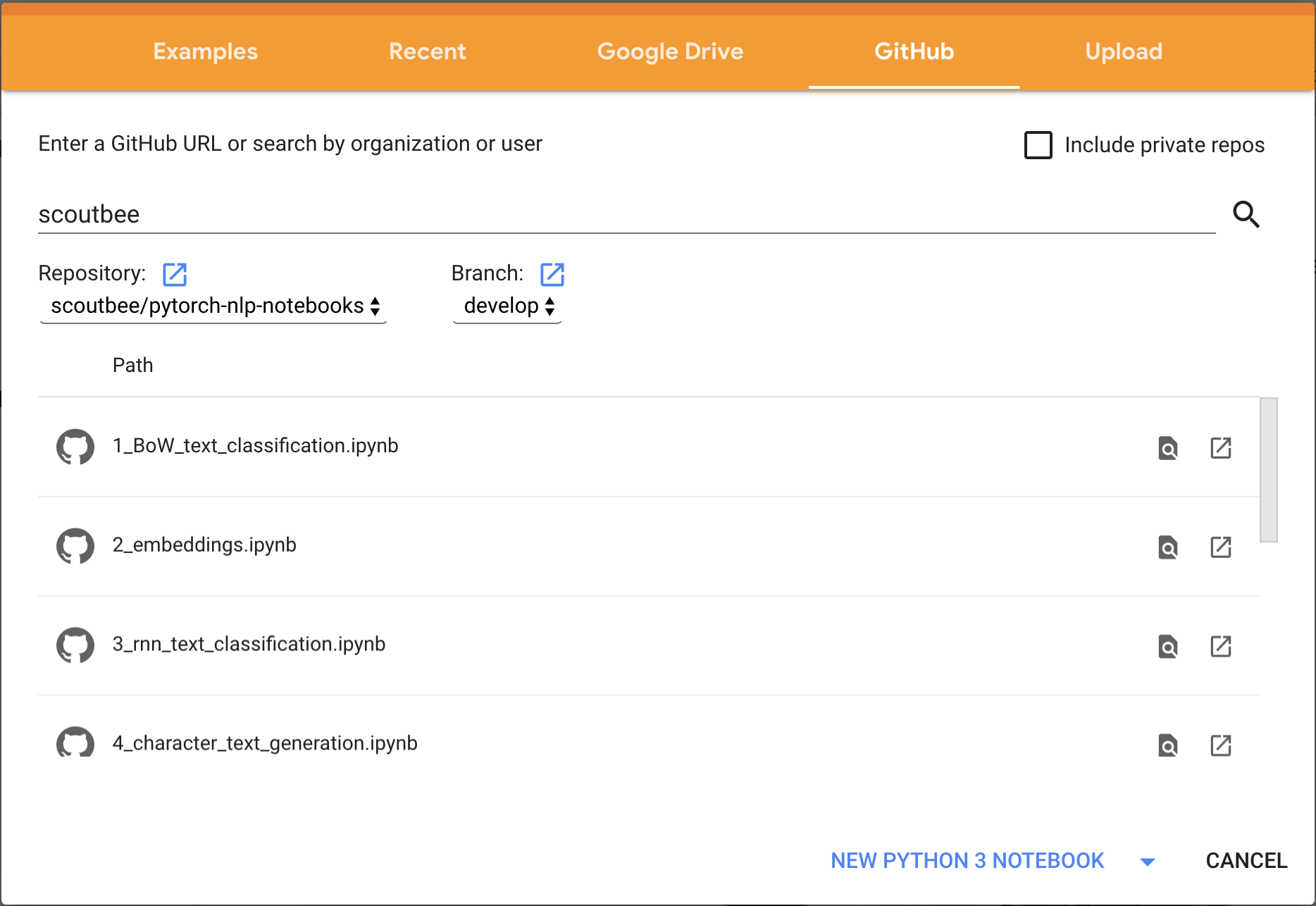
If you have trouble with that, you can also save the notebook you want to run from this repo to your local filesystem, and then upload it to Google Colab with File -> Open Notebook -> Upload.
Basic Navigation
You can run cells with <SHIFT> + <ENTER>.
Missing packages
If you find that you are missing a necessary package, you can prepend ! to a bash command. For example, to install googledrivedownloader, you would run in a cell:
!pip install googledrivedownloader
Using a GPU
To use a GPU (for free!), select from the top menu from Colab Runtime -> Change Runtime Type -> Hardware Accelerator -> GPU. Pay attention to how much memory the GPU is currently using by clicking Runtime -> Manage Sessions.
Contributing
Feel free to submit a PR for cleanups, error-fixing, or adding new (relevant) content!