
scarif-labs/horus has 144 GitHub stars and 37 forks. GitHot measured +1 stars in 24 hours. Last checked 2026-11-17 18:03 UTC. Last push 2026-11-12.
Measured star growth
- in 24h
- +1
- in 7 days
- Collecting history
- in 15 days
- Collecting history
- in 1 month
- Collecting history
Net star changes over overlapping periods, not daily totals. Missing measurements are left blank. Stars measure attention, not software quality.
About
Run Claude Code, Codex, and OpenCode on Android in a real Alpine Linux workspace. No root or Termux required.
Developer ToolsREADME.md
Original
Claude Code, Codex, and OpenCode in a real Linux terminal on your Android phone.
No root. No Termux. Open source.






Website · Docs · CLI · Issues · Discussions
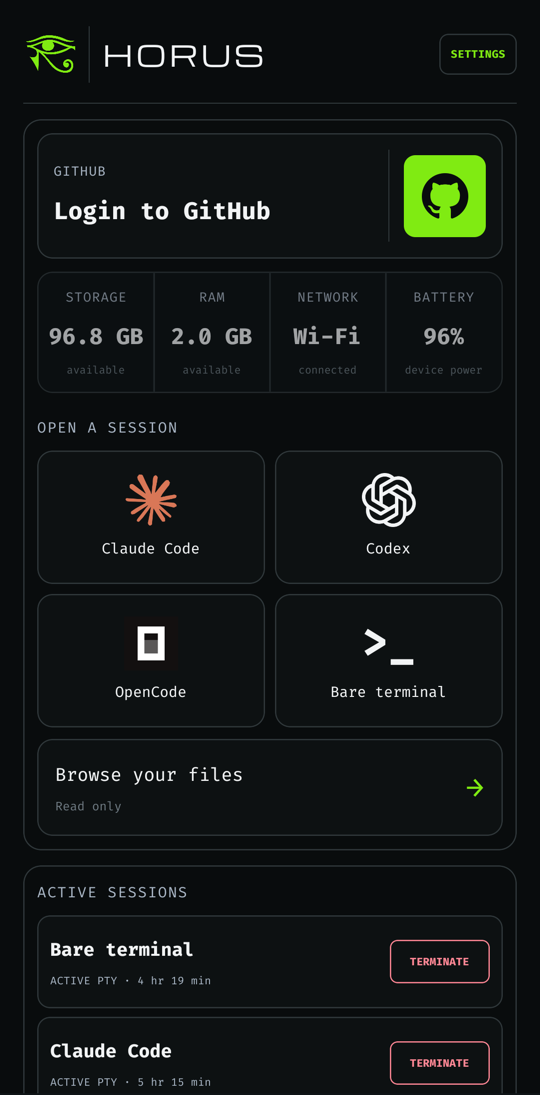
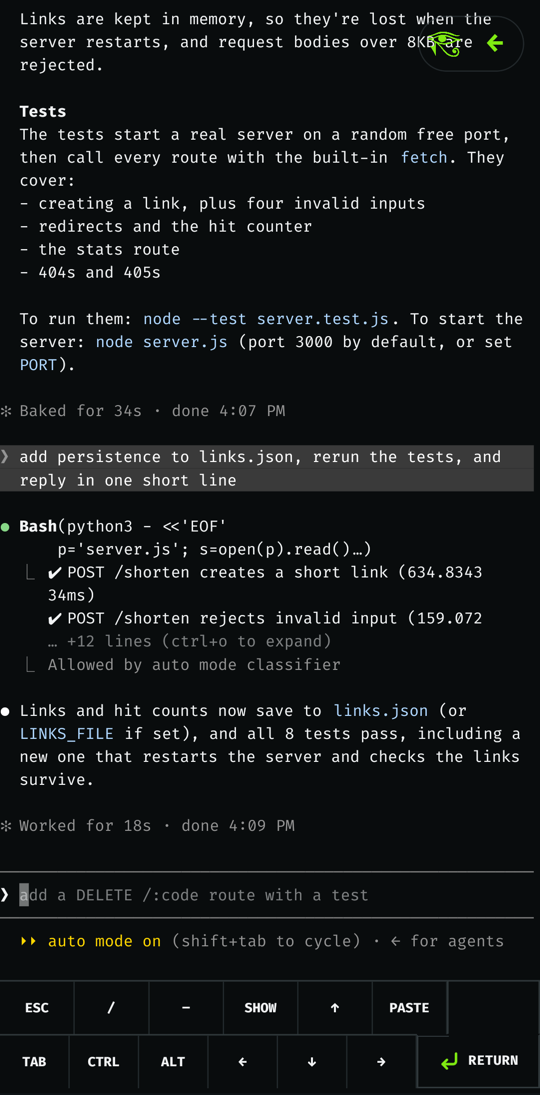
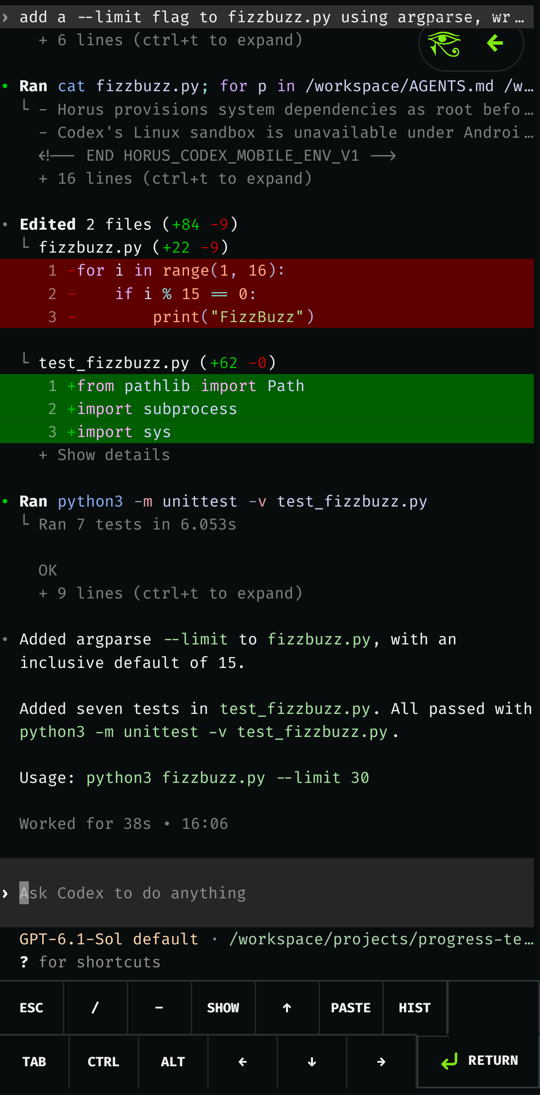
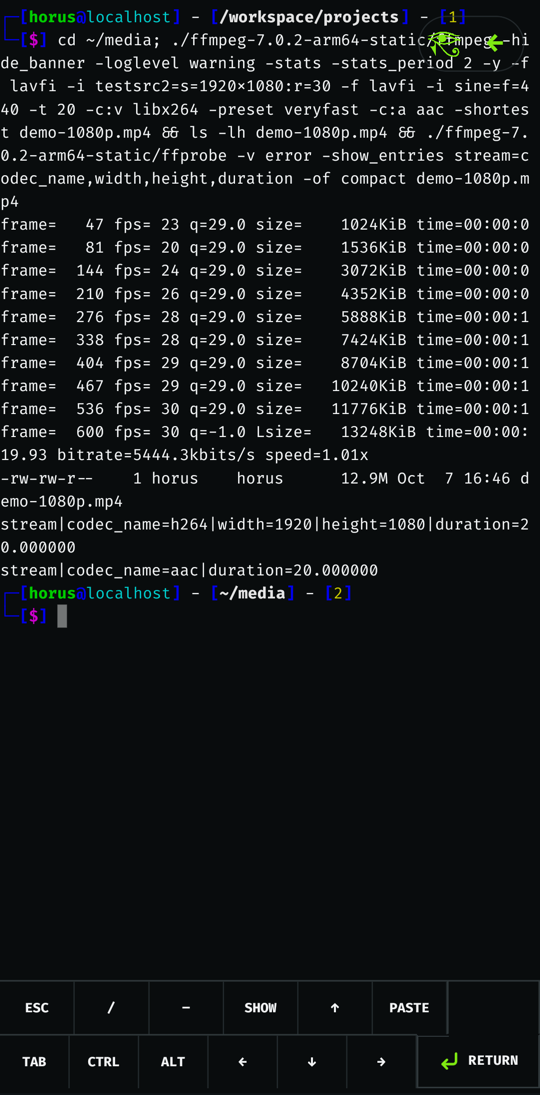
Horus gives your phone a full Alpine Linux ARM64 workspace and a proper terminal to drive it, then puts the coding agents one tap away. Pick Claude Code, Codex, OpenCode, or a plain zsh shell, point it at a project, and let it work; sessions keep running with the screen off.
For the launch demo, Claude Code downloaded a film, installed ffmpeg, and cut a trailer, while Codex trained a neural network from scratch to 97.97% on MNIST. Both ran on a budget phone from 2021.
𓋹 𓊽 𓌀 𓂀 𓌀 𓊽 𓋹
𓂻 Install
- Get the app from F-Droid, or download the APK from GitHub Releases. Both are the same F-Droid-signed file, so you can switch between them and keep your data.
- Open Horus and set a password. It downloads Alpine Linux (a few MB) and sets up the workspace.
- Tap an agent. It installs on first open, and you sign in to your account inside the agent itself.
You need an ARM64 phone on Android 7.0 or newer. New to all this? The beginner's guide starts from zero.
𓋹 What you get
𓉐 A real Linux boxAlpine Linux in app storage, checked against a pinned SHA-256 before it's
unpacked. |
𓁟 Agents in one tapClaude Code, Codex, and OpenCode each install into their own home the first time you open them, with the installer output right there in the terminal. |
𓏞 A terminal that behavesNative PTY and renderer with resize, Ctrl‑C, and job control. The key bar adds Esc, Tab, arrows, and sticky Ctrl/Alt for everything a phone keyboard leaves out. |
𓊽 Sessions that outlive the appTerminals run in a foreground service in their own process. Switch apps, lock the phone, let Android kill the UI; the agent keeps going and notifies you when it's waiting on you. |
𓊖 Projects and GitHubMake a folder, clone any HTTPS or SSH URL, or pick from your GitHub repos
after a device login in the browser. Everything lives in |
𓂀 Private by defaultNo analytics, ads, crash reporting, or Google services. A password locks the app after 15 minutes in the background, and Horus never touches your agent credentials. |
𓊝 Use it from your computer (optional)
Horus works fully on the phone. If you also want to treat it like a small
cloud VM, plug it in over USB and use the horus CLI for
SSH, file sync, port forwarding, and running one command on a whole drawer of
phones:
npm install -g horus-cli
horus pair
horus ssh
The SSH server listens on the phone's loopback only and reaches your computer
through adb forward, so nothing is exposed on Wi-Fi. Logins are key-only,
root is refused, and pairing needs your Horus password. Settings → Remote
access turns it off and lists paired computers you can revoke. The
CLI guide covers setup from scratch.
𓇳 How it works
React Native UI (App.tsx, src/)
  │  TerminalRuntime TurboModule + TerminalCanvas / TerminalInput native views
  ▼
Kotlin native layer (android/app/src/main/java/com/scariflabs/horus/terminal)
  ├─ DistroStore*            rootfs download → verify → extract → promote
  ├─ ProotSessionLauncher    builds the PRoot command line and guest environment
  ├─ TerminalSessionService  foreground service in the :terminal process
  └─ NativeTerminalEngine / TerminalCanvasView  VT parsing and rendering
        │
        ▼
terminal_pty.c (JNI) ── PRoot (native/, built from source) ── Alpine rootfs
Each agent runs as its own guest user (UIDs 61001–61003) with a private home, and they all share workspace GID 1000 so they can work on the same projects.
𓅃 Security notes
Android's app sandbox is the only real security boundary. PRoot emulates user IDs but gives no kernel isolation between agent users, so don't run code you don't trust.
Codex's own Linux sandbox doesn't work under PRoot, which is why the shell
wraps codex with --sandbox danger-full-access; Codex's approval prompts
still apply.
Remote access stays off until you pair a computer or turn it on. Any app on the phone can reach loopback ports, so the paired key is what keeps others out.
𓏛 For developers
Build from source
You need Node.js ≥ 22.11, JDK 17, and the Android SDK and NDK (the standard
React Native environment),
plus make, bash, and git for the native runtime.
git clone --recurse-submodules https://github.com/scarif-labs/horus.git
cd horus
npm ci
npm run build:android:debug      # or build:android:release
adb install -r android/app/build/outputs/apk/debug/app-debug.apk
Cloned without --recurse-submodules? Run git submodule update --init to
fetch the PRoot and libandroid-shmem sources.
Debug builds embed the JavaScript bundle, so they start without Metro. They also skip the password screens and open straight into a development terminal; release builds have the full onboarding and lock flow.
Release builds stay unsigned unless you pass a keystore through Gradle
properties, for example in ~/.gradle/gradle.properties:
horus.releaseStoreFile=/path/to/release.keystore
horus.releaseStorePassword=...
horus.releaseKeyAlias=...
horus.releaseKeyPassword=...
Tests
npm run typecheck
npm run lint
npm run test:unit                # Jest (TypeScript / React Native)
npm run test:kotlin              # JVM unit tests for the native layer
npm run test:android:connected   # instrumented tests on a connected device
PRs and pushes to main run Node checks, host native regressions, Android JVM
tests, and unsigned release APK validation. See the
CI and release maintainer guide for the
pinned toolchain, local commands, required checks, and release acceptance.
Permissions
| Permission | Why |
|---|---|
INTERNET, ACCESS_NETWORK_STATE |
Download Alpine, packages, and agents; show network state on the home screen |
FOREGROUND_SERVICE, FOREGROUND_SERVICE_SPECIAL_USE |
Keep terminal sessions running in a separate :terminal process while the UI is closed |
POST_NOTIFICATIONS |
One notification per running session, and "waiting for you" when an agent finishes a turn |
WAKE_LOCK |
Keep the CPU awake while a session is running |
REQUEST_IGNORE_BATTERY_OPTIMIZATIONS |
Asked for during setup so Android doesn't pause long agent runs |
VIBRATE |
Short haptic feedback on button taps |
WRITE_EXTERNAL_STORAGE (API ≤ 28 only) |
Copy a folder to Download/Horus on old Android versions |
The diagnostic log stays on the device and records lifecycle metadata only, never terminal input or output.
For F-Droid maintainers
The build recipe is
metadata/com.scariflabs.horus.yml
in fdroiddata. New versions are picked up automatically from vX.Y.Z tags.
| Package ID | com.scariflabs.horus |
| License | MIT; bundled components in THIRD_PARTY_NOTICES.md |
| Source | https://github.com/scarif-labs/horus |
| Issue tracker | https://github.com/scarif-labs/horus/issues |
| Releases | Git tags vX.Y.Z; versionName and versionCode are in android/app/build.gradle |
| Store metadata | fastlane/metadata/android/en-US/ (description, screenshots, changelogs by versionCode) |
| ABI | arm64-v8a only |
| Min / target SDK | 24 / 36 |
Anti-features
- NonFreeNet. Horus downloads Alpine Linux, its packages, and the coding agents from their upstream servers. Claude Code and Codex need accounts with their providers.
- NonFreeAdd. Horus offers to install Claude Code, which is proprietary. Codex (Apache-2.0), OpenCode, and the plain shell are free software. Horus never handles provider credentials; sign-in happens inside each CLI.
Built from source
PRoot, talloc, and libandroid-shmem are compiled during the Gradle build by
scripts/native/build-proot-runtime.sh:native/proot: submodule, termux/proot v5.1.107.92, GPL-2.0-or-later;native/libandroid-shmem: submodule, termux/libandroid-shmem v0.7, BSD-3-Clause;native/talloc: talloc 2.4.3 core sources, vendored, LGPL-3.0-or-later.
Horus's own changes are in
native/patches/. The build writes a runtime manifest with each binary's SHA-256, and the app refuses to start PRoot if the installed binaries don't match it.The PTY is
android/app/src/main/cpp/terminal_pty.c(JNI).Hermes bytecode compiler. Gradle uses
node_modules/hermes-compiler's bundledhermescby default. Sethorus.hermesCommand(seeandroid/app/build.gradle) to use one built from source instead. The F-Droid recipe buildshermescfrom the Hermes srclib and deletes the prebuilt one.
No binaries are committed except android/gradle/wrapper/gradle-wrapper.jar.
Runtime downloads: a pinned Alpine minirootfs from
dl-cdn.alpinelinux.org, checked against a SHA-256 in
AlpineRootfsCatalog.kt,
then Alpine packages, then each agent from its publisher the first time it is
opened.
𓀀 Community
Ask setup and troubleshooting questions in Q&A, propose improvements in Ideas, or share a workflow in Show and tell. Use Issues for reproducible bugs.
See Contributing for reporting and pull request guidance, our Code of Conduct for participation standards, and the security policy before reporting a vulnerability.
𓋹 𓊽 𓌀 𓂀 𓌀 𓊽 𓋹
License
MIT. Bundled third-party components (xterm.js, PRoot, talloc, libandroid-shmem, fonts, agent marks) are listed with their licenses in THIRD_PARTY_NOTICES.md.
𓆣 Made by Scarif Labs