
saphid/grok-bots-raycast
saphid/grok-bots-raycast has 7 GitHub stars and 1 forks. GitHot measured 0 stars in 24 hours. Last checked 2026-11-15 16:49 UTC. Last push 2026-11-09.
Measured star growth
- in 24h
- 0
- in 7 days
- Update delayed
- in 15 days
- Update delayed
- in 1 month
- Update delayed
Net star changes over overlapping periods, not daily totals. Missing measurements are left blank. Stars measure attention, not software quality.
About
A native Raycast extension for Grok Bots, with private local setup, explicit sends, and delivery receipts.
ProductivityREADME.md
Original




Message your existing Grok Bots without leaving your keyboard. Choose a Bot, write a message, and get a clear delivery receipt. Read its reply in the Grok Bot app.
- Quick to compose. Type
fleet say hi→ Return to review → ⌘Return to send. - Credentials stay local. Hidden setup prompts; no keys in Raycast preferences, message arguments, or the repository.
- Send once. A saved request ID, explicit submit, and no automatic retries.
- Useful history. Delivery states and timestamps, without saving message text.
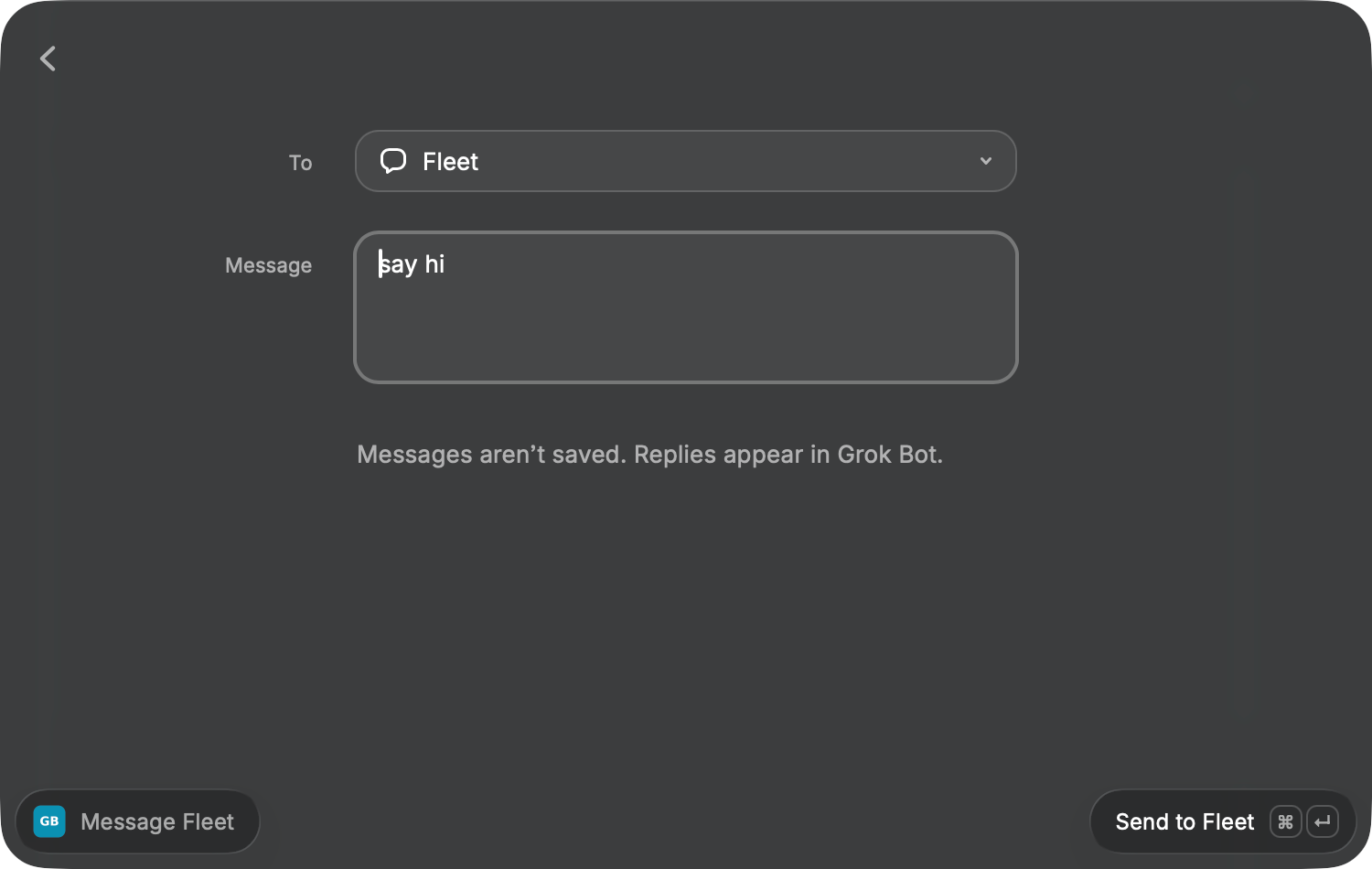
Native Raycast UI. Opening a draft does not send it.
Get started
You need macOS, Raycast, Node.js 24.11+, and a Grok Bot with a webhook routine. This integration uses your hosted Bot, not an xAI inference API key.
1. Install the extension and local sender
git clone https://github.com/saphid/grok-bots-raycast.git
cd grok-bots-raycast
npm ci
npm run setup
Setup installs ~/.local/bin/grok-bots and checks it. If you already have that sender, it keeps it unchanged. Keep this checkout and Node.js in place: the sender uses their absolute paths.
2. Connect a Bot privately
Create a webhook routine in your Bot, then run:
npm run bots -- add fleet
Enter its display name, webhook URL and key only at the prompts. The URL and key are hidden while you type. Credentials stay in ~/.config/grok-bots with private file permissions. Repeat with a different alias for each Bot. Already configured? Skip this step.
3. Open it in Raycast
npm run dev
When it says built extension successfully, open Raycast and choose Message Grok Bot. Select a Bot, or type fleet say hi. Return opens the draft; ⌘Return sends it.
After registration you can stop the watcher with Ctrl+C; the compiled command stays installed. Run npm run dev again after updating. This is a local extension, not a Raycast Store listing.
If an external raycast:// link shows Request to run Message Grok Bot, choose Always Run Command once to remember approval for this command. Launching it directly inside Raycast avoids the external-link prompt.
Full setup and troubleshooting →
Understand delivery
| State | What it means | Next step |
|---|---|---|
| Accepted | The webhook accepted the message. | Open Grok Bot to read its reply. |
| Rejected | The webhook returned a definitive client rejection. | Check the routine and credentials privately. |
| Unknown | It may have arrived; delivery is uncertain. | Inspect the Bot conversation before sending again. Keep the request ID. |
Check Delivery Receipt reads the same request ID and never resends. Show Delivery Details reveals the ID and HTTP status. The extension does not read Bot replies or claim that accepted work is complete.
Develop
npm ci
npm run check
npm audit
Checks run on Linux and macOS and never contact a real Bot. The suite covers sender credentials and redirects, duplicate protection, failed deliveries, hidden terminal prompts, installation without overwriting an existing sender, history consistency, and composer input.
| Area | Location |
|---|---|
| Native Raycast command | src/ |
| Standalone local sender | cli/ |
| Setup command | scripts/ |
| Regression tests | test/ |
See Contributing, Security, and the sender contract. Licensed under MIT. This is an independent integration; it is not an official Raycast, xAI, or Cursor product.