
samox73/jotter
samox73/jotter has 90 GitHub stars and 6 forks. GitHot measured 0 stars in 24 hours. Last checked 2026-11-15 21:50 UTC. Last push 2026-11-11.
Measured star growth
- in 24h
- 0
- in 7 days
- Update delayed
- in 15 days
- Update delayed
- in 1 month
- Update delayed
Net star changes over overlapping periods, not daily totals. Missing measurements are left blank. Stars measure attention, not software quality.
About
A fast Jupyter notebook TUI with vim keys, inline plots and rendered LaTeX
Developer ToolsREADME.md
OriginaljOtter 🦦
A fast Jupyter notebook TUI. The Jupyter otter.

Documentation · Install · Keybindings · Changelog

Open, edit and run real .ipynb notebooks in your terminal, with vim keys, inline plots and rendered LaTeX, and keystroke latency so low that holding a key is a non-event.
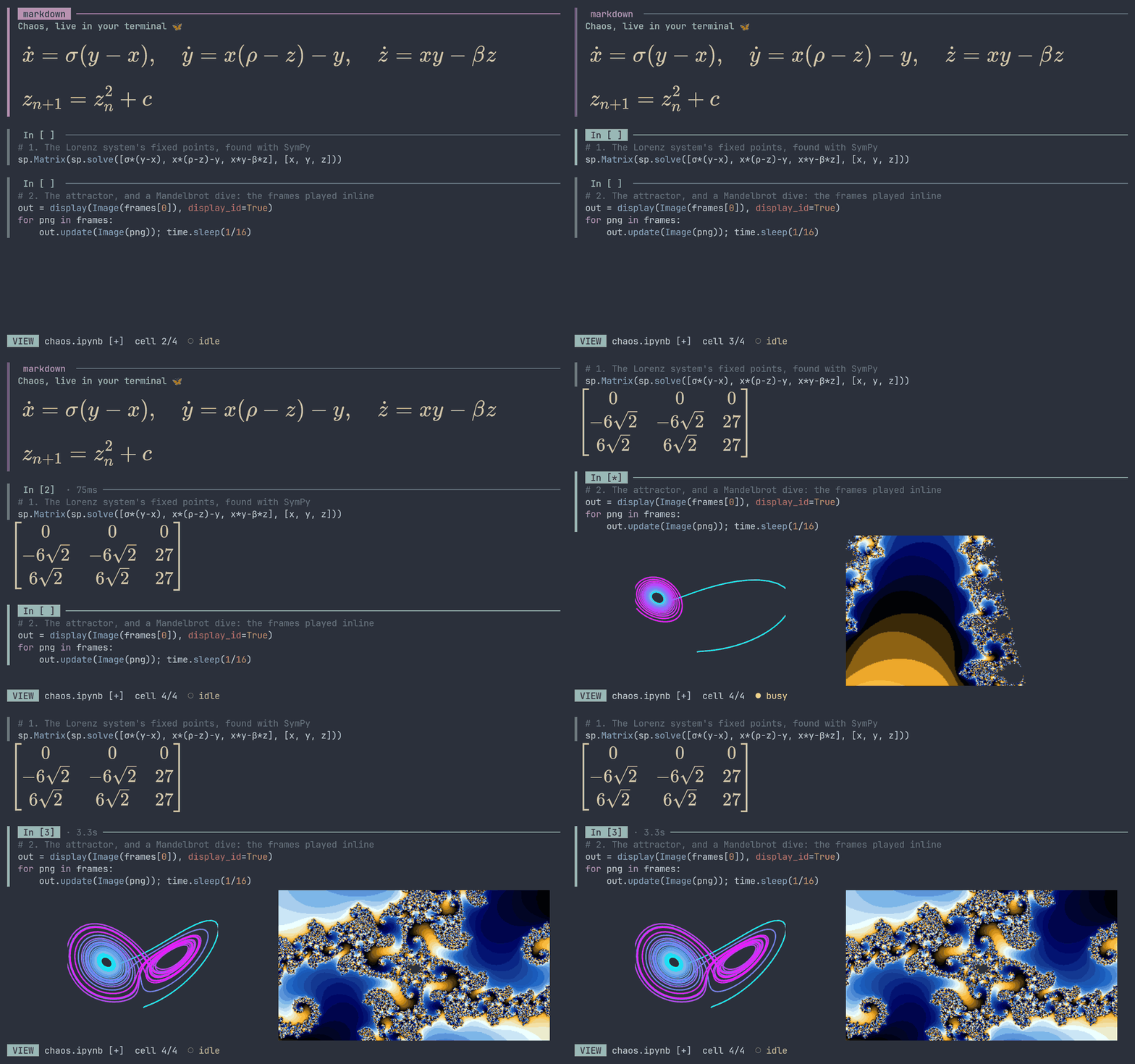
- Your notebooks, untouched: opens and saves
.ipynblosslessly, byte for byte like Jupyter, so collaborators on JupyterLab never notice. Keeps notebooks as.pyscripts (jupytext's percent format) too, so outputs never reach git. - Plots and math in the terminal: matplotlib figures inline (kitty graphics, sixel, iTerm2), drawn in your terminal's colours, and LaTeX rendered without a TeX install.
- Vim keys everywhere: a modal cell editor, or an embedded Neovim with your own config.
- Any kernel: finds your project's venv, uv, conda or pixi environment on its own.
- Hard to lose work: atomic saves, autosave and crash recovery, and no silent overwrites.
Install
cargo install jotter-tui --locked                 # crates.io (the binary is `jotter`)
nix run github:samox73/jotter -- notebook.ipynb  # Nix
uv tool install jotter-tui                        # PyPI
Every release has .deb, .rpm and .apk packages and a static binary for any Linux distribution; the installation guide covers them all. To run code you need a Jupyter kernel, such as pip install ipykernel in your project's environment.
Use
jotter notebook.ipynb
Press ? inside for the keys. Your first notebook is a five-minute tour.
Contributing
Bug reports and pull requests are welcome; see Contributing.
AI use
jOtter is built with Claude Code. I direct the work and review the changes; the tests run on every change in CI.
License
Licensed under either of Apache License 2.0 or MIT, at your option.
src/percent.rs reimplements the percent format of jupytext by Marc Wouts, MIT licensed; see licenses/jupytext-MIT.txt.