
sam70361/aora-bot
sam70361/aora-bot has 639 GitHub stars and 80 forks. GitHot measured +2 stars in 24 hours and +24 in 7 days. Last checked 2026-11-09 21:58 UTC. Last push 2026-08-24.
Emotion Ball 是一套面向 AI 助手的表情引擎:32 种状态表情全部由纯 SVG 与原生 JavaScript 实时驱动,零框架、零图片资源。AI 侧只需输出一个 emotionId,小球即可切换到对应表情,可直接用作聊天机器人、桌面宠物、悬浮助手的情绪表达层。
Measured star growth
- in 24h
- +2
- in 7 days
- +24
- in 15 days
- Update delayed
- in 1 month
- Update delayed
Net star changes over overlapping periods, not daily totals. Missing measurements are left blank. Stars measure attention, not software quality.
README.en.md
OriginalEmotion Ball Gallery
An expression engine for AI assistants — 32 emotion states · 3 body shapes · pure SVG + vanilla JavaScript · zero dependencies




中文 | English
Live demo · Features · Quick start · Integration guide · Customization · License
License notice: The visual designs of the ball-shaped characters in the emotion-ball/ directory (blob / wedge / gem body silhouettes, color schemes and FX visuals) are for personal technical study and research only — any commercial use is prohibited and no commercial license will ever be offered for them. The expression engine source code and emotion configuration data (eye/mouth-shape parameters, animation primitives, keyframe sequences) are independently written and dual-licensed: free for non-commercial use, with commercial licensing available. See LICENSE, LICENSE-COMMERCIAL.md and NOTICE.md.
The mood-mates/ directory is an original-character sub-project built on the same engine lineage (Nimbo the cloud / Twinkle the star). Those characters are independently created original designs under a dual license (free for personal learning + commercial licensing available) and are not subject to the restriction above.
This repository is "one main gallery + two sub-projects":
- Main gallery (root
index.html): Nimbo × Twinkle × Ball share one stage — the same 32-emotion wall, switchable via the cast cards on top, driven by the two engines (MoodMates + EmotionBall) side by side; - mood-mates/: the original-character project (Nimbo / Twinkle) — multi-character architecture, dual-licensed and commercially licensable, with its own gallery site and docs;
- emotion-ball/: the ball-character project (visuals learning-only; engine & emotion data commercially licensable) — 32 emotion states, 3 body shapes, with its own gallery site.
Emotion Ball is an expression engine for AI assistants: 32 emotion states rendered entirely in pure SVG and vanilla JavaScript — no frameworks, no image assets. Your AI only needs to output a single emotionId and the ball switches to the matching expression, making it a drop-in emotion layer for chatbots, desktop pets and floating assistants.
It is also more than "a ball": three body shapes ship out of the box — blob, wedge and gem — along with themed multi-instance support and a wireframe mode. The whole expression system is pure-data driven: eye-ring pools, animation primitives and keyframe sequences compose freely, so you can build new expressions and behaviors on top of the existing design without touching engine code.
The repository also ships with a complete gallery site: a wireframe hero opening, wall and album browsing modes, a bilingual UI and dark / light themes.
Preview
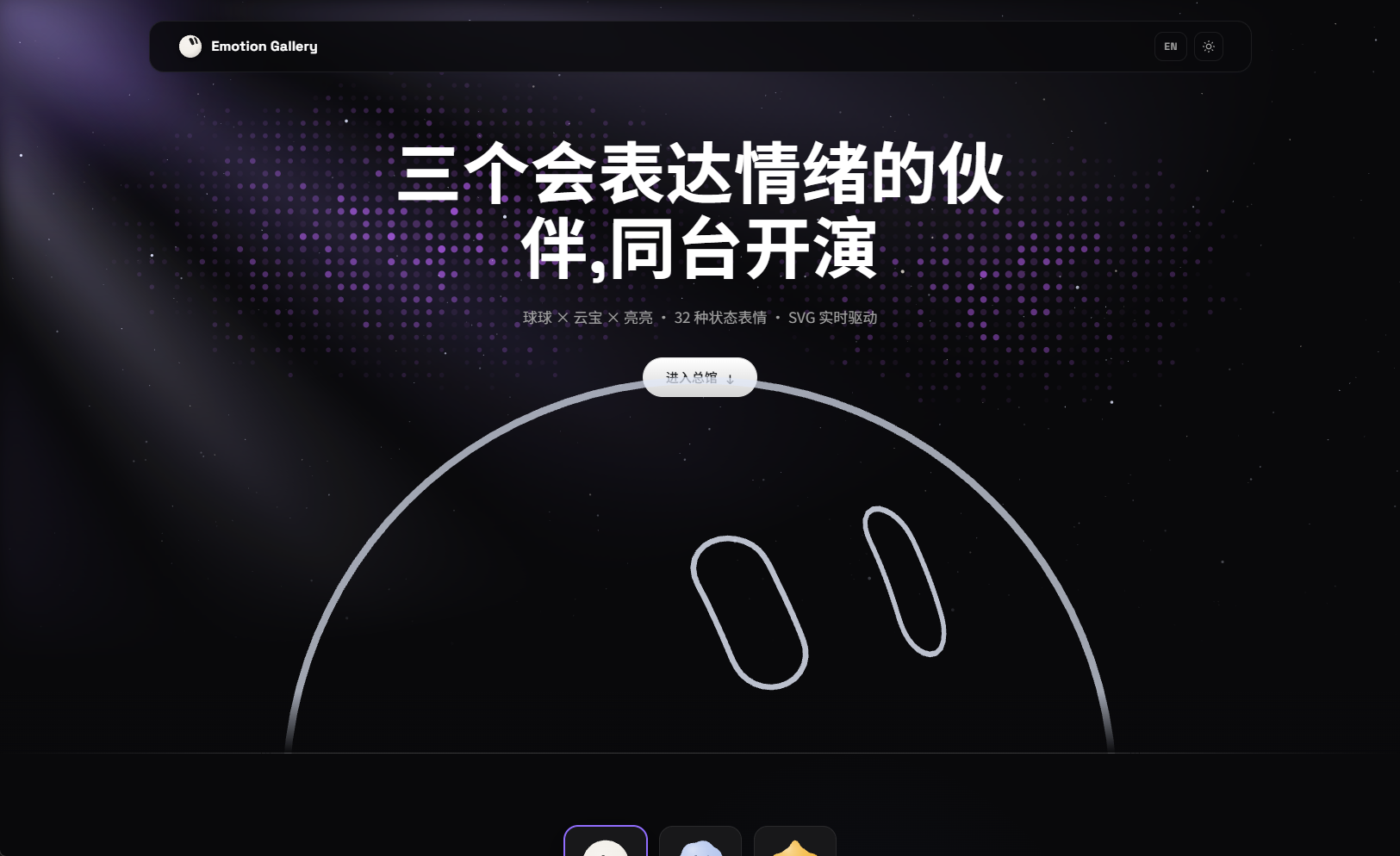
| Emotion Ball · Dark | Emotion Ball · Light |
|---|---|
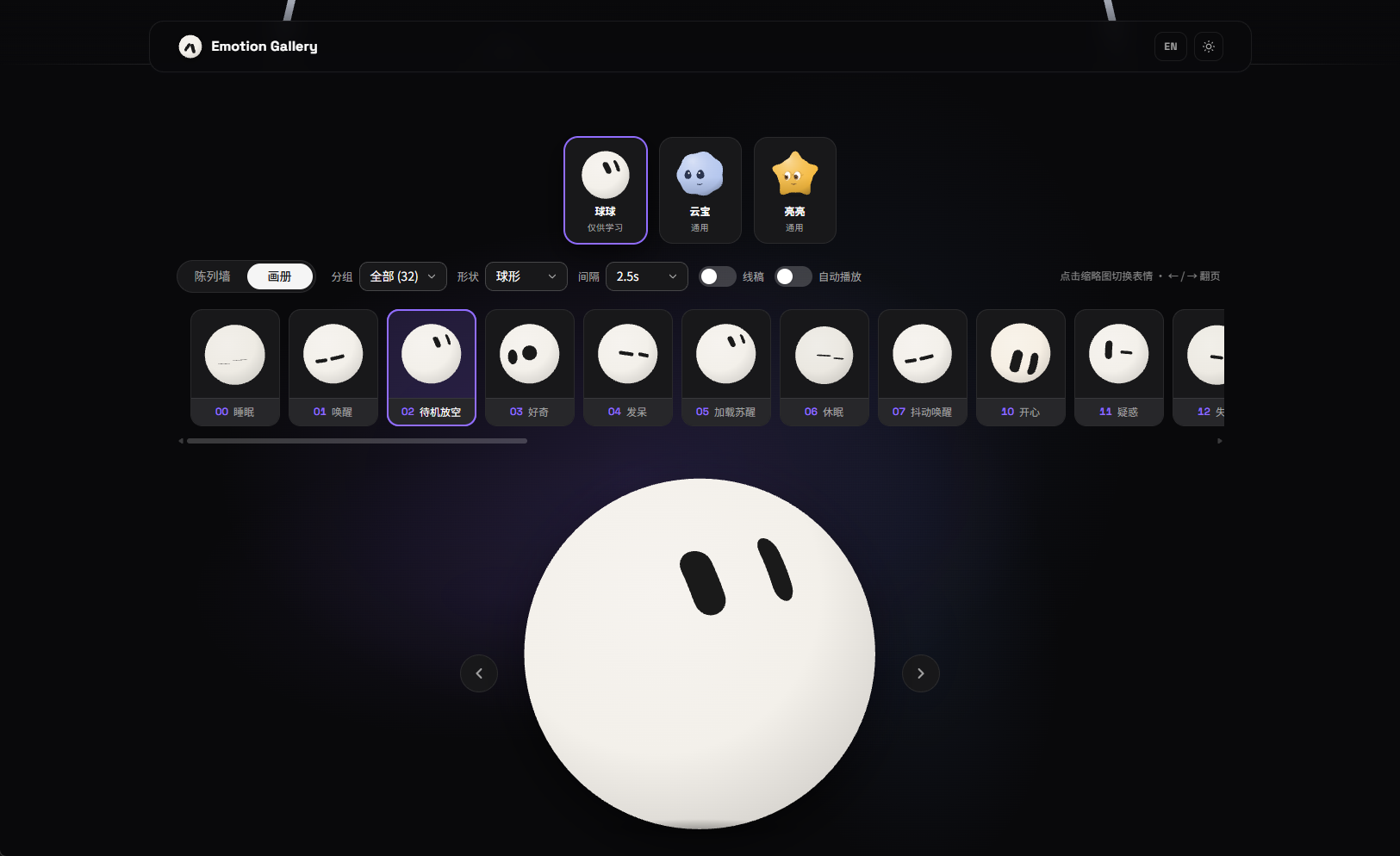 |
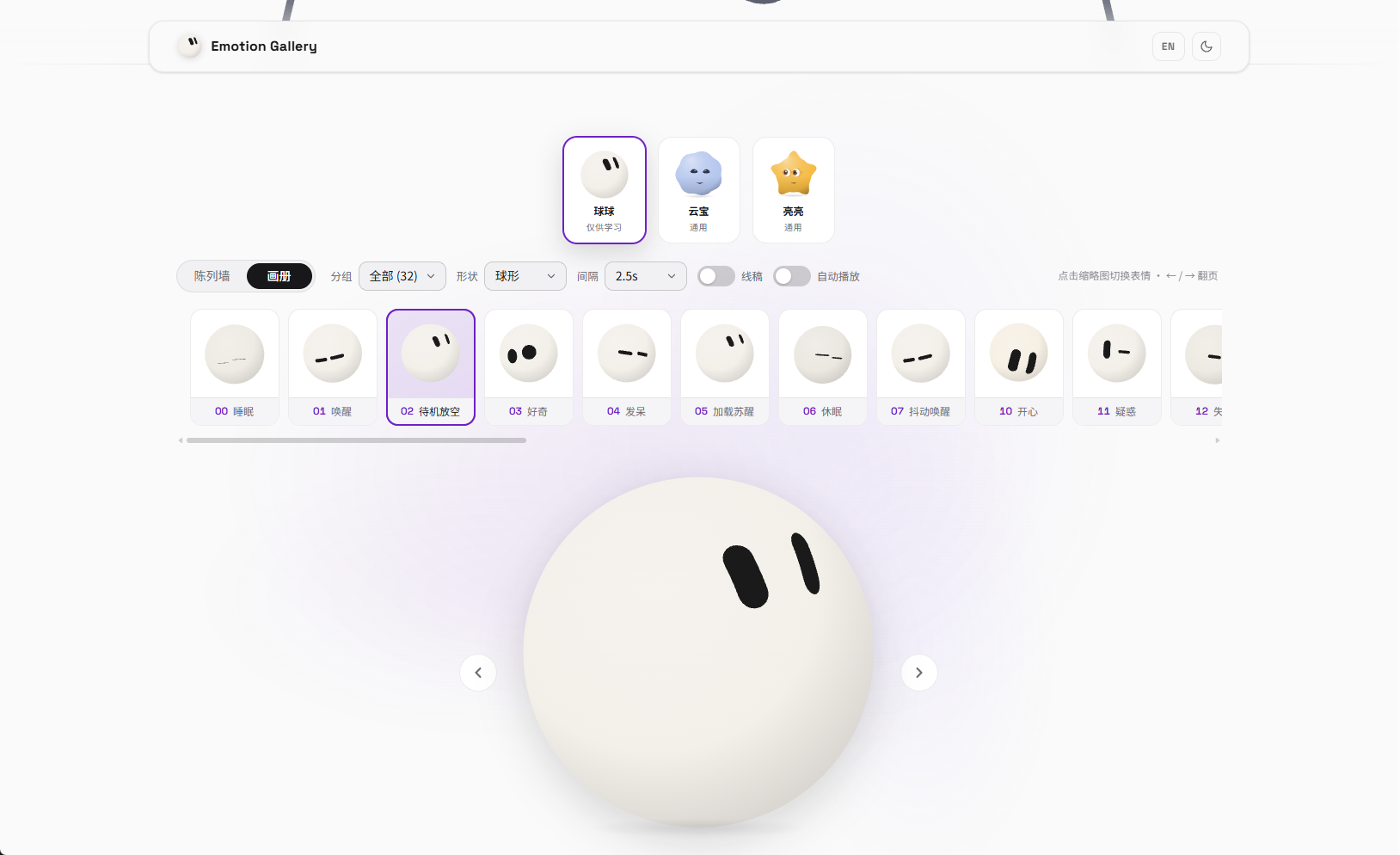 |
| Nimbo · Dark | Nimbo · Light |
|---|---|
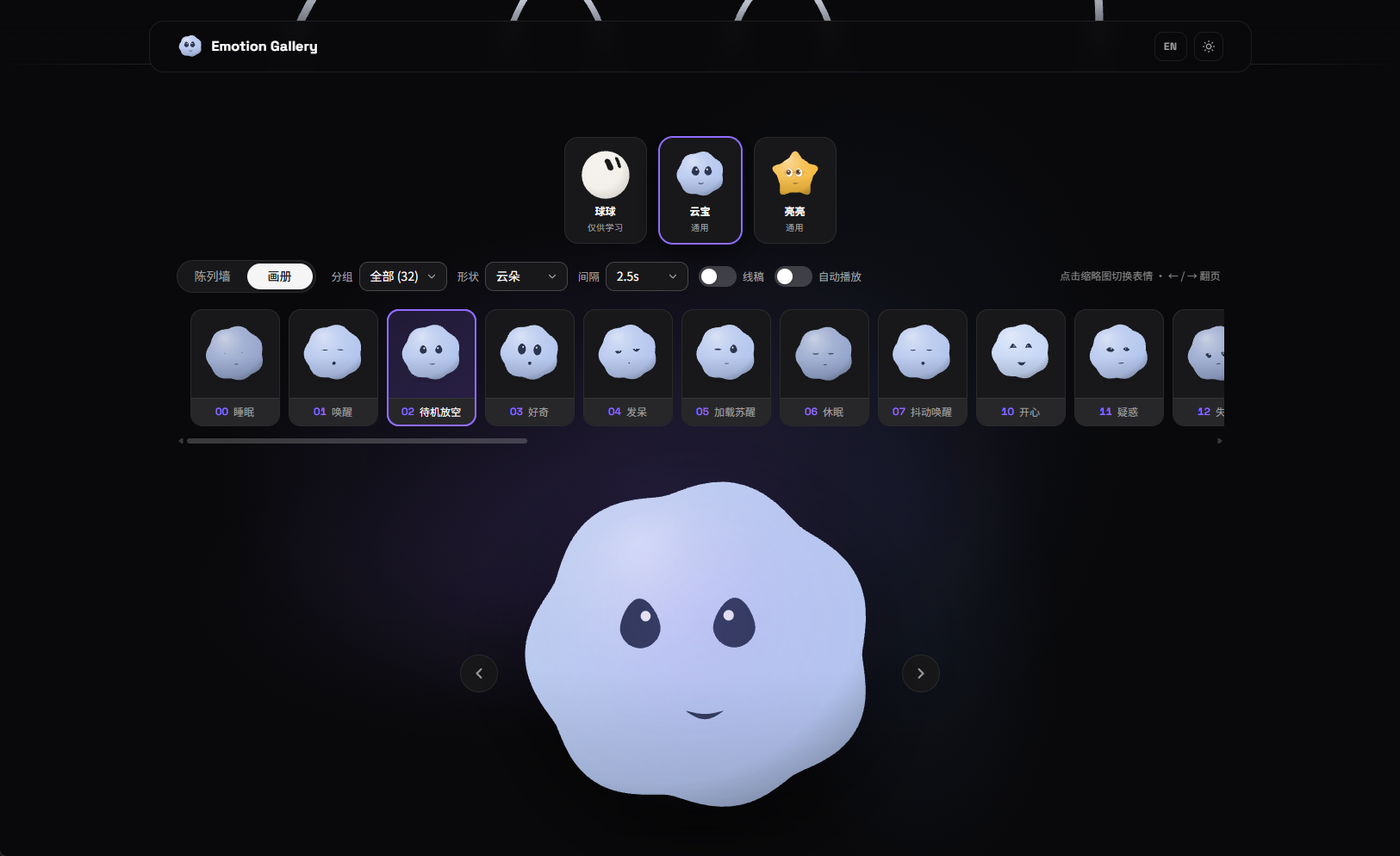 |
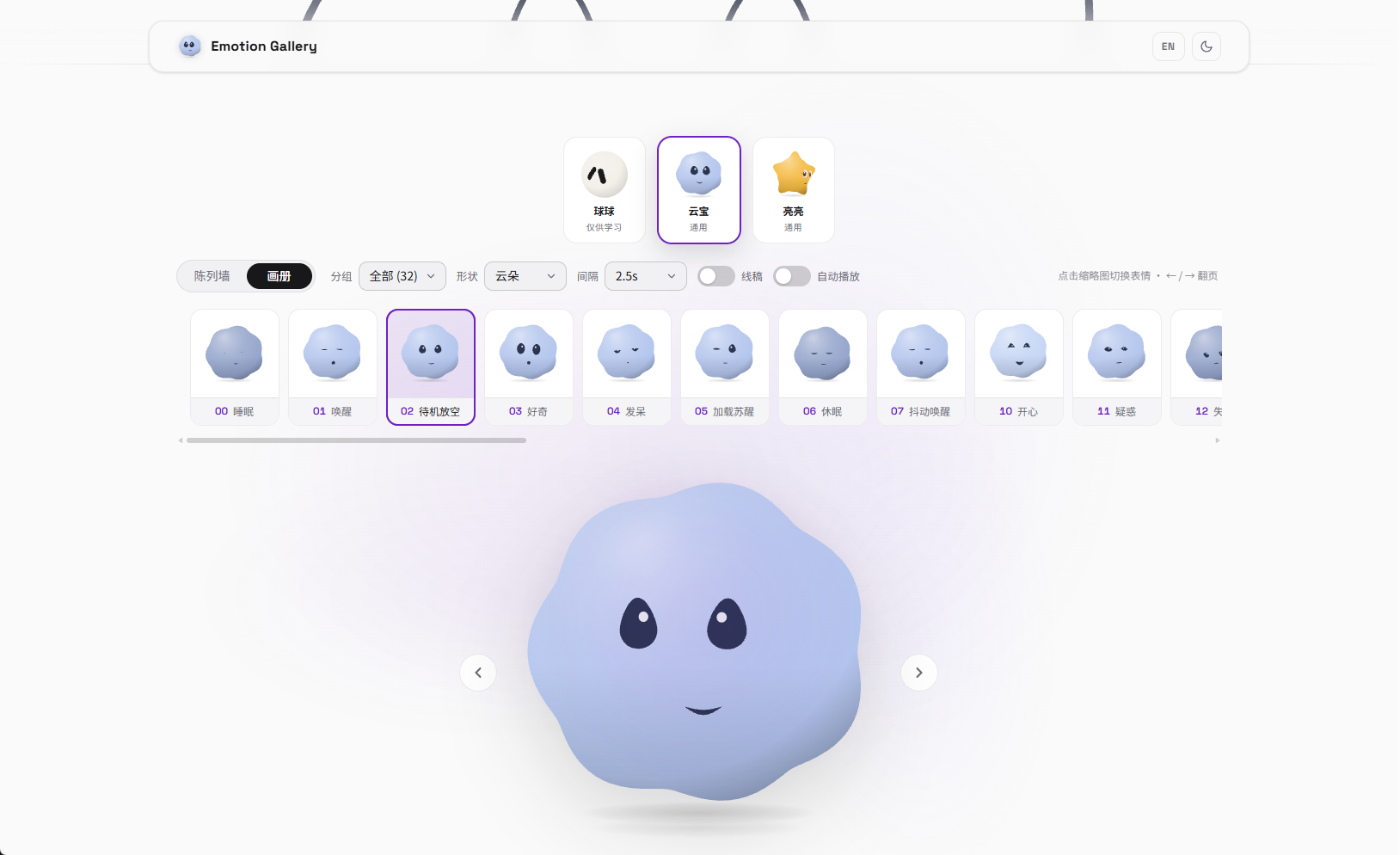 |
| Twinkle · Dark | Twinkle · Light |
|---|---|
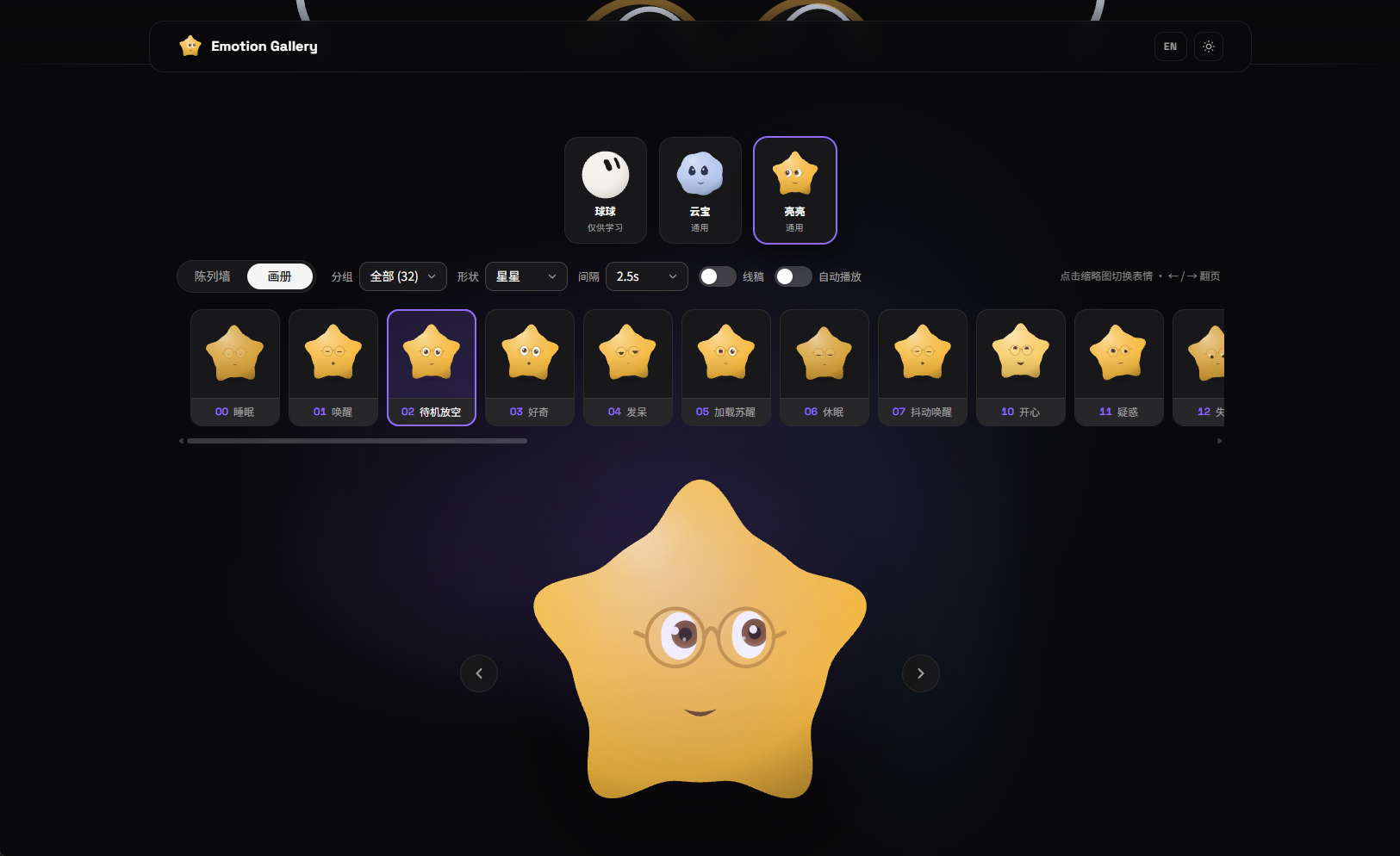 |
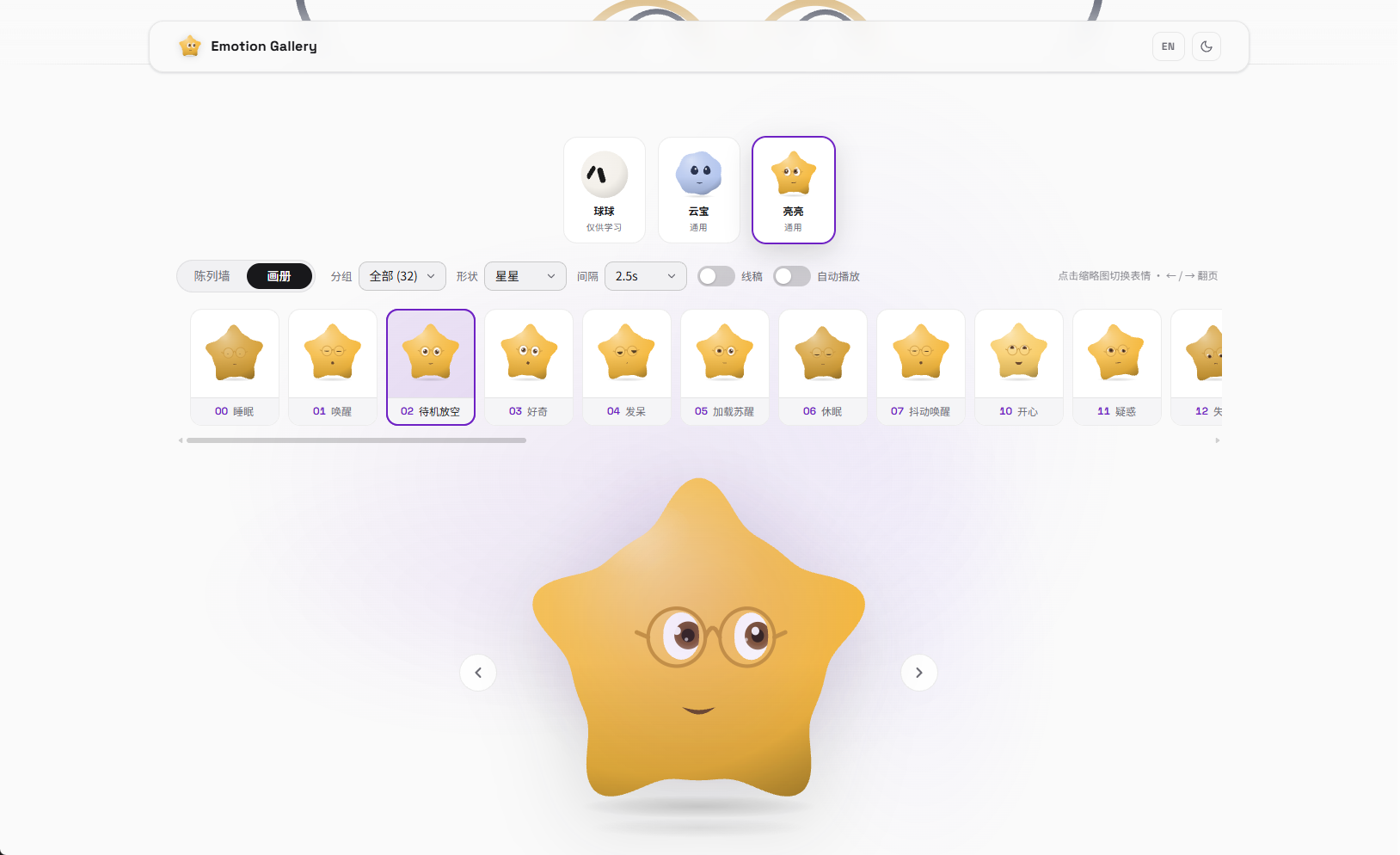 |
Features
- 32 emotion states across three groups — Lifecycle (sleeping / waking / idle…), Emotions (happy / shy / angry / surprised…) and Agent States (thinking / searching / error / done…) — all config-driven
- 3 body shapes: blob, wedge and gem, with one eye and animation system that adapts automatically to each silhouette; themed instances (team bots) and wireframe mode are also supported
- Segmented emotionId scheme: the tens digit is the group prefix —
00-09Lifecycle,10-29Emotions,30-49Agent States,50+Custom; gaps between groups are reserved slots and existing IDs are never renumbered, so integrations can hard-code them safely - Contour-ring eye system: 25 sets of 48-point eye contours, point-by-point spring morphing, expression-pool rotation and overshooting blink keyframes
- Spherical projection: eyes follow the body silhouette with longitude mapping and cosine compression, hiding automatically when spun to the back
- Ribbons & confetti: spin-triggered 3D orbital ribbon trails with 5-stop hue gradients, a persistent halo ribbon for the thinking state, and physics-based confetti bursts
- Mouse gaze: page-wide gaze tracking with frame-rate-independent smoothing, plus constant subtle eye wander
- Config-driven and extensible: every expression is a pure-data composition of eye-ring pool + animation primitives + keyframe sequence; register custom expressions at runtime and import / export the full config — see Customization
- Robust AI protocol:
handleAIMessageaccepts an object or a JSON string; unknown IDs, parse failures and missing fields all fall back to idle and emit anerrorevent — it never breaks the page - Zero dependencies: HTML + SVG + vanilla JS with no build step, ready to drop into an Electron floating window
- Gallery site: wall mode (grid + click-to-open lightbox) and album mode (horizontal strip + big stage with paging), a single top toolbar with group / shape / interval dropdowns plus sketch and autoplay switches, Chinese / English, dark / light themes, all preferences persisted in localStorage
Quick start
# any static server works, e.g.:
python -m http.server 8765
# Main gallery (three characters, one stage): http://localhost:8765/
# Mood Mates site:   http://localhost:8765/mood-mates/
# Emotion Ball site: http://localhost:8765/emotion-ball/
Or just open index.html directly (a local server is recommended so Google Fonts load).
Integration guide
Minimal setup
Load four scripts in order (no build, no dependencies) and create an instance. i18n.js and app.js belong to the gallery site and are not needed by hosts:
<script src="emotion-ball/js/rings.js"></script>
<script src="emotion-ball/js/emotions.js"></script>
<script src="emotion-ball/js/ball.js"></script>
<script src="emotion-ball/js/engine.js"></script>

<div id="bot" style="width:200px;height:200px"></div>
<script>
  var ball = EmotionBall.create(document.getElementById('bot'), {
    emotion: '02', idle: true
  });
</script>
AI protocol
Your AI outputs a single JSON payload and hands it to handleAIMessage (object or string):
ball.handleAIMessage('{"emotionId":"30","tips":"thinking about the question"}');
- Unknown
emotionId, JSON parse failures and missing fields emit anerrorevent and fall back to idle (fallbackId, default'02'); tipsis optional display text, surfaced through thetipsevent for the host to render as it sees fit.
Creation options
| Option | Default | Description |
|---|---|---|
emotion |
'02' |
initial emotion ID |
shape |
'blob' |
body shape: blob / wedge / gem |
color / eyeColor |
— | themed instance body / eye color, overriding per-emotion colors |
eyeScale |
1 |
eye magnification; 1.5–1.8 recommended below 80 px for readability |
idle |
false |
idle policy — auto standby / sleep after a timeout; pass an object to customize durations and target states |
autostart |
true |
false renders a single static frame without entering the animation loop (for thumbnails) |
lite |
follows autostart |
lite mode: disables ribbon / confetti effects |
fallbackId |
'02' |
fallback emotion for unknown IDs |
Events & methods
ball.on('change', e => {});         // emotion switched { id, def, auto }
ball.on('tips',   e => {});         // AI display text { text }
ball.on('error',  e => {});         // protocol error { message, ... }

ball.setEmotion('21');              // switch directly
ball.setGaze(nx, ny);               // normalized gaze [-1, 1]; host listens to pointermove
ball.setStyle({ sketch: 1 });       // wireframe mode
ball.spin(3);                       // spin & throw ribbons
ball.burst(24);                     // confetti
ball.bounce();                      // bounce
ball.startTour(ids, 2500);          // auto tour / ball.stopTour()
ball.setActive(false);              // pause off-screen to save power; true resumes
ball.renderStatic();                // render one static frame while paused
ball.registerEmotion(raw);          // register a custom emotion at runtime
ball.destroy();                     // dispose the instance
Multi-instance & performance
- All instances share a single rAF heartbeat, so the instance count does not multiply loop overhead;
- Thumbnail walls: render statically with
autostart: false, thensetActive(true)on hover andsetActive(false)on leave; - Pair with IntersectionObserver to pause off-screen instances via
setActive(false).
Desktop pet / Electron
- Window flags:
transparent: true, frame: false, alwaysOnTop: true, skipTaskbar: true, with a transparent page background and only the ball container; - Click-through:
win.setIgnoreMouseEvents(true, { forwardMouseMove: true })— the ball still receivessetGazewhile clicks pass through; - Forward AI messages via IPC:
ipcRenderer.on('emotion', (_, msg) => ball.handleAIMessage(msg)); - For small floating windows (≤ 120 px), use
eyeScale: 1.5withlite: true.
Customization & extensibility
The engine and render layers are a stable foundation — new expressions and behaviors are built from pure-data configs on top of the existing design, without touching engine code.
Emotion config format
{
  id: '50', name: 'Custom', group: 'custom',
  desc: '中文描述', en: { name: 'Custom', desc: '...' },
  transition: 380,            // entry transition duration (ms)
  gaze: true,                 // false = ignore mouse gaze (sleep / halt states)
  pool: [2, 11, 17, 19],      // eye-ring pool, rotated randomly within poolMs
  poolMs: [2500, 4500],       // rotation interval; poolSpeed controls morph speed
  blinkMs: [2500, 5000],      // blink interval (null = never)
  openness: 1,                // resting eye openness (tired 0.55, sleeping 0.08)
  antics: true,               // random idle antics (spin / bounce)
  body: { breathe: 0.014, color: '#F6EFE4', zzz: 0, orbit: 0 },
  anims: [ { target: 'eyes', prop: 'lookY', type: 'glance', amp: 6, period: 3000 } ],
  sequence: { ... }           // optional entry keyframe sequence
}
Animation primitives
Each expression layers up to three animators, composed from six primitives:
| Type | Effect | Key parameters |
|---|---|---|
sine |
sine drift / breathing / sweeping | amp, period, phase |
glance |
smoothed square wave, dwelling at both ends (look left, look right) | amp, period |
pulse |
rhythmic 0 → amp scaling | amp, period |
jitter |
pseudo-noise shake with optional decay | amp, speed, decay |
scan |
fast triangular sweep (searching / scanning) | amp, period |
blink |
periodic closing (auto-desynced across instances) | interval, dur, phaseMs |
target: eyes / body / left / right; prop: lookX / lookY / x / y / scale / open / rotate.
Keyframe sequences
A sequence defines a one-shot performance played on entering an expression, then settles per its settle semantics: 'base' eases back to the resting pose (surprise), 'hold' freezes on the last frame (blushing pink, angry red), and { next: '02' } chains into another expression (wake up → idle).
Registration and import / export
// register a new expression at runtime (IDs 50+ are the custom range, fully validated)
EmotionBall.config.register({ id: '50', name: 'Custom', group: 'custom', ... });

// export / import the full config as JSON
// (the Emotion Ball sub-site's settings drawer offers the same buttons)
EmotionBall.config.exportConfig();
EmotionBall.config.importConfig(json);
AI collaboration skills
.cursor/skills/ ships two engineering guides that AI editors such as Cursor pick up automatically when this repository is open:
- emotion-design — the expression design spec: eye-ring pool reference, animation parameter ranges, keyframe semantics and bilingual copy requirements, so an AI designs new expressions within a consistent visual language;
- emotion-integration — integration practices: SDK options, the AI protocol, multi-instance performance and Electron guidance, so an AI can wire the ball into your host app.
Project layout
(repo root)
├── index.html          # main gallery: Nimbo × Twinkle × Ball on one stage
├── site/               # main gallery shell: styles / strings / dual-engine interaction layer
├── mood-mates/         # original-character sub-project: Nimbo & Twinkle (dual-licensed)
│   ├── index.html      #   standalone Mood Mates gallery
│   ├── src/            #   engine: geometry / render / features / fx / driver / characters
│   ├── LICENSE         #   community license (free for personal learning)
│   ├── LICENSE-COMMERCIAL.md  # commercial license
│   └── docs/           #   character design spec + originality evidence chain
├── emotion-ball/       # ball-character project (visuals learning-only; engine & data licensable)
│   ├── index.html      #   standalone Emotion Ball gallery
│   ├── css/ js/        #   dual-theme styles + engine (rings / emotions / ball / engine)
│   ├── assets/         #   favicon & README screenshots
│   └── docs/           #   release copy
└── .cursor/skills/     # AI collaboration skills: emotion design + integration
License
This repository contains three differently licensed parts — please keep them apart:
- Expression engine & emotion data (repository root and the emotion-ball/ directory): the source code (state machine, spring interpolation, spherical projection, config registry, etc.) and the emotion configuration data (eye-ring / eye-shape / mouth-shape parameters, animation primitives, keyframe sequences) are independently written and designed, under a dual license — free for personal learning and research (LICENSE); commercial licensing available (LICENSE-COMMERCIAL.md). Commercial integrations must pair them with your own or otherwise lawfully licensed character designs.
- Ball-character visual designs (blob / wedge / gem body silhouettes, color schemes and FX visuals): for personal technical study and research only; any commercial use is prohibited and no commercial license is or will ever be offered — see NOTICE.md.
- Original characters Nimbo & Twinkle (mood-mates/ directory): independently created original designs under a dual license — free for personal learning and research (community license); commercial products, SaaS and client deliverables can obtain a commercial license (commercial license). See the originality evidence chain in mood-mates/docs/DESIGN-PROVENANCE.md.
Related projects
Mood Mates, the original-character expression engine (Nimbo & Twinkle, dual-licensed and commercially licensable), lives in the mood-mates/ directory: it ships its own gallery site (mood-mates/index.html), integration guide and character design docs, fully independent from the ball project.
Explore related projects
affaan-m/ECC
The agent harness performance optimization system. Skills, instincts, memory, security, and research-first development for Claude Code, Codex, Opencode, Cursor and beyond.
300,856 starsNousResearch/hermes-agent
The agent that grows with you
262,488 starsmultica-ai/andrej-karpathy-skills
A single CLAUDE.md file to improve Claude Code behavior, derived from Andrej Karpathy's observations on LLM coding pitfalls.
231,912 starsfirecrawl/firecrawl
Supercharge your AI agents with data from the web and beyond. Building the library for superintelligence. 🔥
200,444 stars