
sajjadmrx/roshan
sajjadmrx/roshan has 27 GitHub stars and 1 forks. GitHot measured 0 stars in 24 hours and 0 in 7 days. Last checked 2026-11-15 07:24 UTC. Last push 2026-10-04.
What you can do
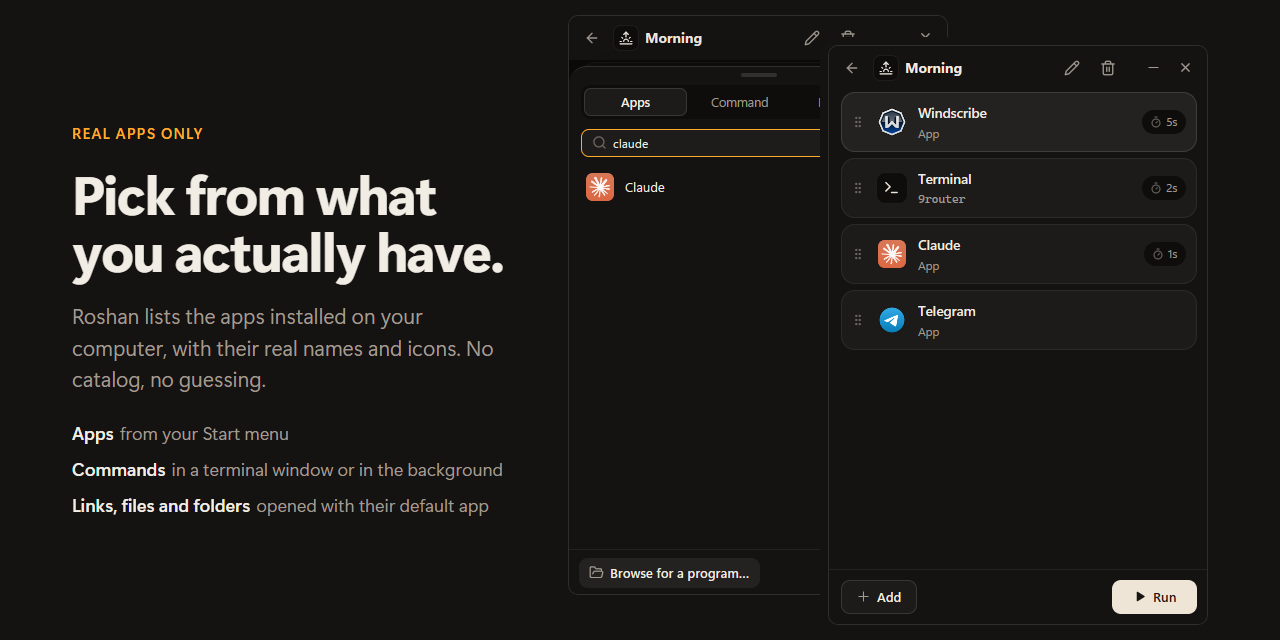
- Real apps only. Roshan shows the apps that are actually installed on your computer, with their real names and icons.
- More than apps. Run a command in a terminal window (or quietly in the background), or open a website, a file or a folder.
- Order and timing. Drag items to reorder them. Add a pause after any item.
- Honest progress. You see what launched, what failed and why. If an app was uninstalled, Roshan tells you instead of pretending.
Measured star growth
- in 24h
- 0
- in 7 days
- 0
- in 15 days
- Collecting history
- in 1 month
- Collecting history
Net star changes over overlapping periods, not daily totals. Missing measurements are left blank. Stars measure attention, not software quality.
About
Start the apps and commands you use every day in one click, in the right order. Small, offline, open source (Rust + GPUI).
ProductivityREADME.md
Original

Roshan
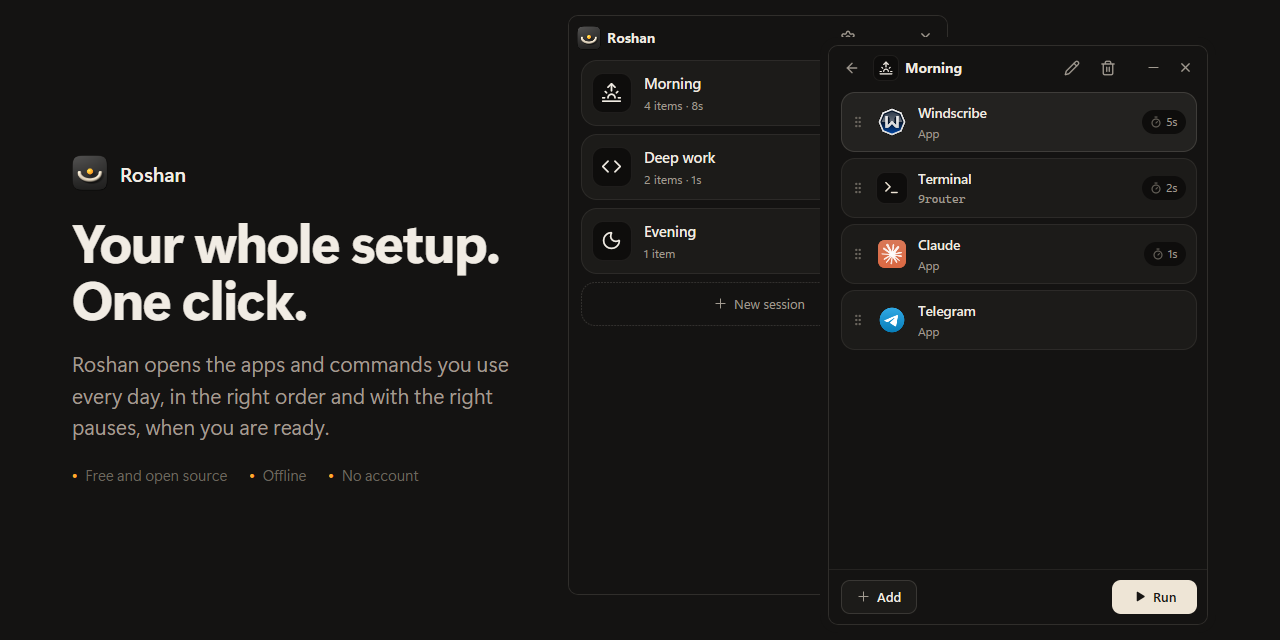
Start the apps you use every day in one click, in the right order.
Free, open source, and private.
Download for Windows · FAQ · For developers
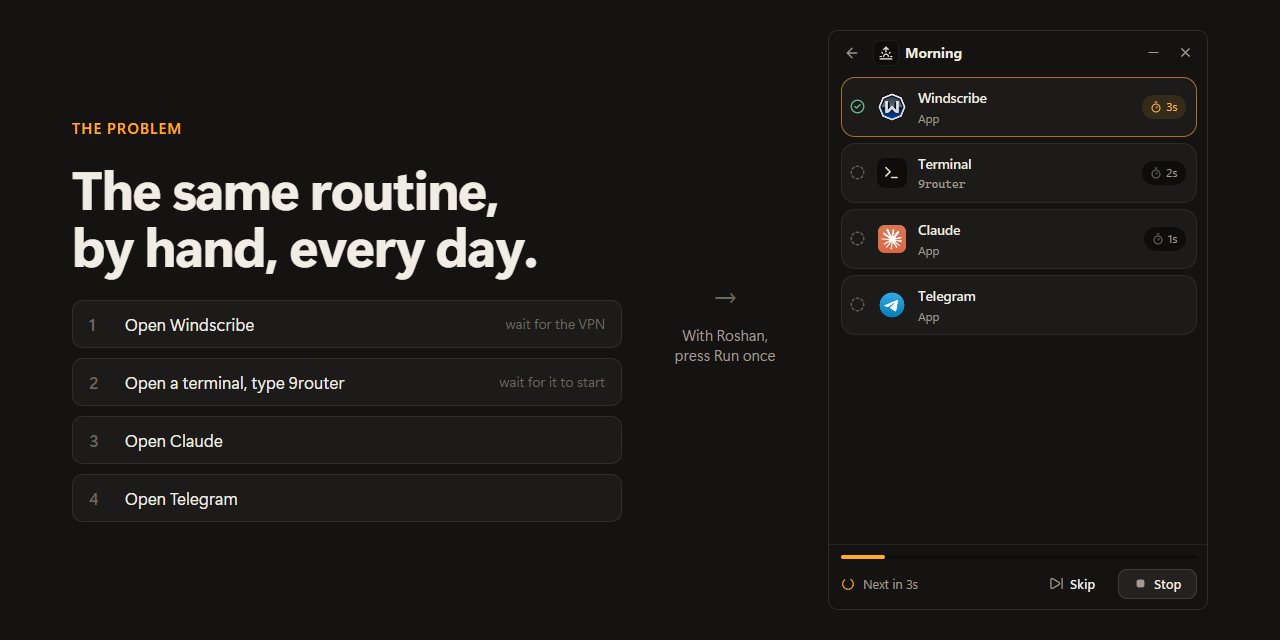
The problem
Most mornings look the same. You open your VPN and wait for it to connect. You open a terminal and start a tool. Then your chat app, your AI assistant, your browser. Some of them have to wait for the one before. You do it by hand, in the same order, every single day.
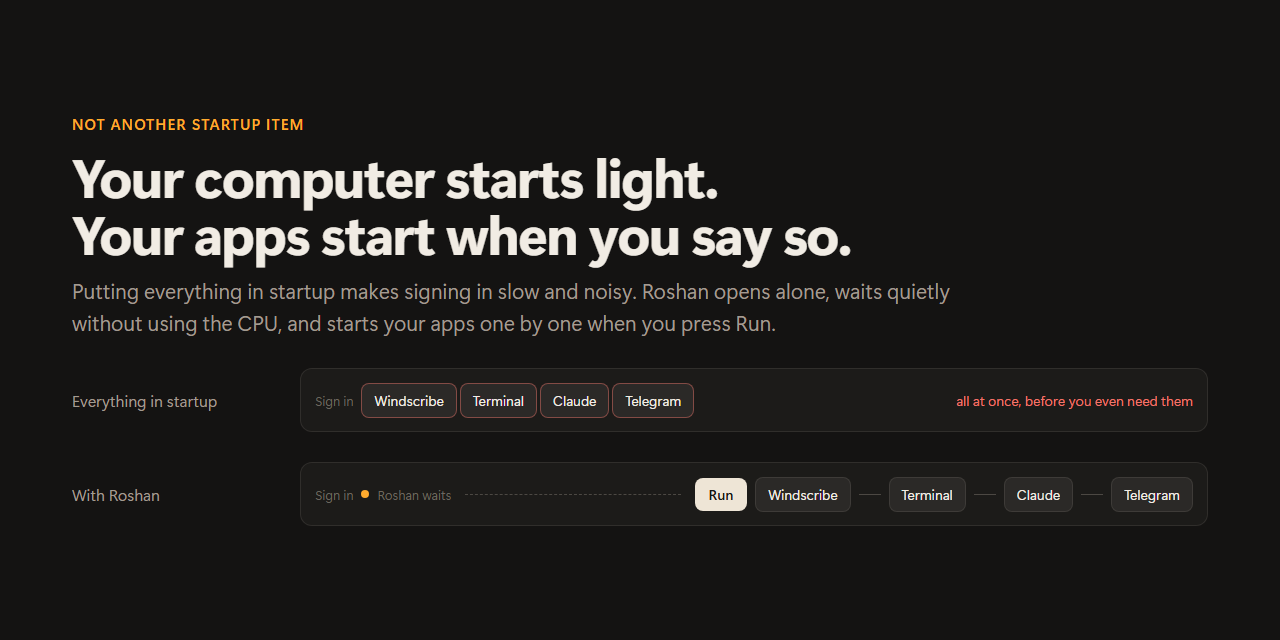
You could put all of it in your startup list. But then everything launches the moment you sign in, at the same time, and your computer stays slow and noisy until it settles down. Often before you even need those apps.
What Roshan does
Roshan lets you save that routine once, as a session, and start it with one click whenever you are ready.
- Your apps open one after another, in the order you chose.
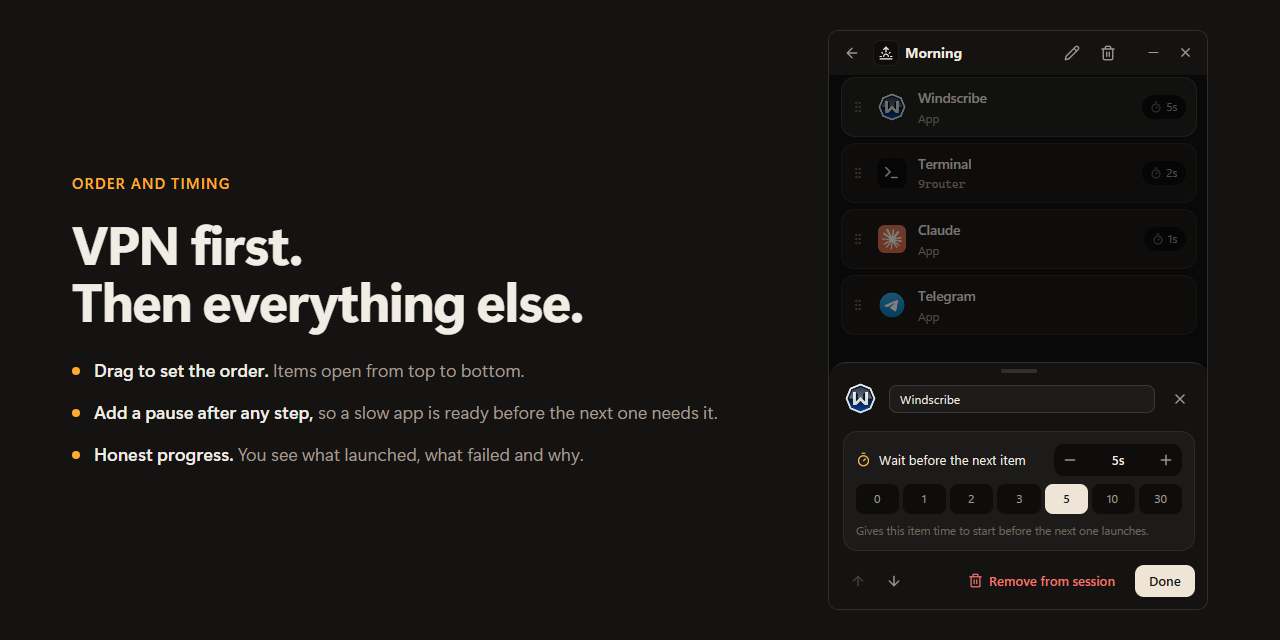
- You can add a short pause after any step. For example, give your VPN 5 seconds to connect before anything else opens.
- Your computer still starts light. Roshan opens when you sign in, waits quietly, and does nothing until you press Run.
How it works
- Create a session. Give it a name, like "Morning" or "Deep work", and pick an icon.
- Add what you need. Choose apps from the ones installed on your computer, add a terminal command, or add a link, file or folder.
- Press Run. Roshan opens everything in order and shows you how it went.
Features
- Real apps only. Roshan shows the apps that are actually installed on your computer, with their real names and icons.
- More than apps. Run a command in a terminal window (or quietly in the background), or open a website, a file or a folder.
- Order and timing. Drag items to reorder them. Add a pause after any item.
- Honest progress. You see what launched, what failed and why. If an app was uninstalled, Roshan tells you instead of pretending.
- Several sessions. Keep one for mornings, one for focused work, one for the evening.
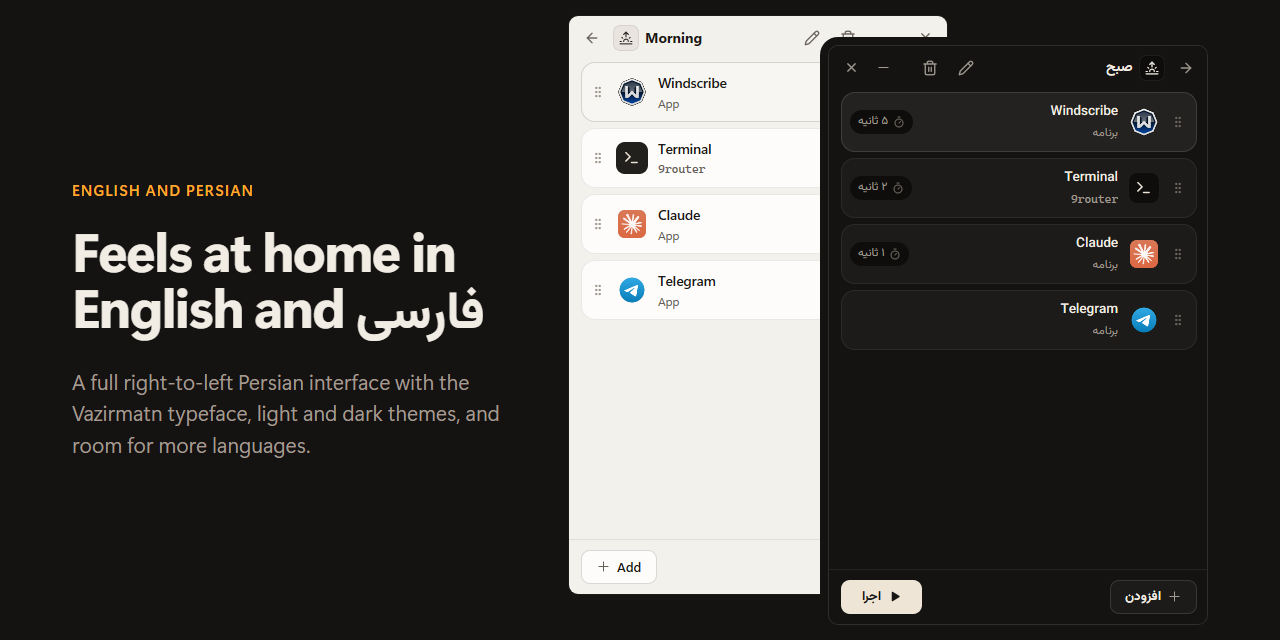
- English and Persian, with a full right-to-left Persian interface.
- Light and dark themes, following your system by default.
- Stays up to date. New versions install with one click on Windows.
Download
Get the latest version from the Releases page.
| System | Status |
|---|---|
| Windows 10 and 11 | Ready to use |
| macOS | Built, but not yet tested on a real Mac |
| Linux | Built, but not yet tested on a real Linux desktop |
On Windows, download Roshan-Setup and run it. It installs just for you, with no administrator rights, adds Roshan to the Start menu, and can be removed any time from Settings → Apps. The first time Roshan opens, it asks which language you prefer. After that, it keeps itself up to date.
Windows may warn you when you run the setup ("Windows protected your PC"). This happens with new apps that are not signed with a paid certificate. Click More info, then Run anyway. The source code is right here if you want to check what it does.
When you uninstall Roshan, it asks whether to delete your sessions too. Your sessions are kept unless you say otherwise.
Your privacy
- Roshan works without an internet connection. The only thing it ever asks the internet is whether a new version of Roshan is out (see below).
- There is no account, no tracking and no analytics.
- Your sessions are saved in one small file on your own computer.
- Nothing runs until you press Run.
Frequently asked questions
Is Roshan a startup manager? No. A startup manager opens apps automatically when you sign in. Roshan does the opposite: it keeps your sign-in light and waits for you to decide when your apps should start.
Will it slow down my computer? No. While it waits, Roshan uses no processor time and very little memory. It does not run anything in the background.
Does Roshan know when my VPN has connected? No, and it does not pretend to. It opens each app and then waits the number of seconds you set before opening the next one. Choose a pause that fits your VPN.
Can it run terminal commands? Yes. Add a Command, type it exactly as you would in a terminal, and choose whether it opens in a terminal window or runs quietly in the background.
How does Roshan update itself? Once a day, Roshan asks GitHub whether a new version has been released. Nothing about you or your sessions is sent. On Windows, a new version is downloaded in the background and checked against its published checksum, then Roshan shows Restart to update. Nothing restarts until you click it. On macOS and Linux, Roshan tells you a new version is out and links to it. You can turn automatic checks off in Settings, and check by hand with Check now.
Can I stop Roshan from opening when I sign in? Yes. Open Settings and turn off Open when you sign in.
Something did not open. What now? Roshan shows the reason next to the item, in the words your system gave. If an app was moved or uninstalled, remove it and add it again.
Help make Roshan better
Roshan is free and open source. Bug reports, ideas and translations are all welcome. See CONTRIBUTING.md to get started, and docs/DEVELOPMENT.md for how it is built.
License
Roshan is released under the MIT License. It includes icons from Lucide and the Vazirmatn typeface. See docs/DEVELOPMENT.md for details.
روشن به فارسی
روشن یه ابزار کوچیک و آفلاینه. برنامهها، دستورها و لینکهایی که هر روز باز میکنی رو توی «روتین»ها بچین تا روشن اونها رو به ترتیب و با فاصلهی زمانی دلخواهت اجرا کنه. فقط برنامههایی رو میبینی که واقعا روی سیستمت نصبان، با اسم و نماد واقعی خودشون. بدون حساب کاربری، بدون اینترنت و بدون ردیابی