
ryan4yin/nix-config
ryan4yin/nix-config has 2,114 GitHub stars and 102 forks. GitHot measured 0 stars in 24 hours. Last checked 2026-11-06 23:43 UTC. Last push 2026-11-02.
❄️ My nix config for both desktops(NixOS+macOS) and homelab servers(NixOS).
Measured star growth
- in 24h
- 0
- in 7 days
- Collecting history
- in 15 days
- Collecting history
- in 1 month
- Collecting history
Net star changes over overlapping periods, not daily totals. Missing measurements are left blank. Stars measure attention, not software quality.
README.md
Original:snowflake: Ryan4Yin's Nix Config :snowflake:



My configuration is becoming more and more complex, and it will be difficult for beginners to read. If you are new to NixOS and want to know how I use NixOS, I would recommend you to take a look at the ryan4yin/nix-config/releases first, check out to some simpler older versions, such as i3-kickstarter, which will be much easier to understand.
This repository is home to the Nix code that builds all of my systems:
- NixOS desktops — Home Manager, Niri (Wayland), the Noctalia shell, agenix.
- macOS desktops — nix-darwin + Home Manager, sharing the same
home/configuration with the NixOS desktops. - NixOS servers — three physical mini PCs running the VMs (libvirt and microVMs), the K3s test cluster and the self-hosted services.
See ./docs for the documentation index, ./hosts for the host inventory, ./outputs for how the flake outputs are composed, BACKUP.md for the backup design, and ./AGENTS.md for the repository conventions.
Why NixOS & Flakes?
Nix allows for easy-to-manage, collaborative, reproducible deployments. This means that once something is setup and configured once, it works (almost) forever. If someone else shares their configuration, anyone else can just use it (if you really understand what you're copying/referring now).
As for Flakes, refer to Introduction to Flakes - NixOS & Nix Flakes Book
Want to know NixOS & Flakes in detail? Looking for a beginner-friendly tutorial or best practices? You don't have to go through the pain I've experienced again! Check out my NixOS & Nix Flakes Book - 🛠️ ❤️ An unofficial & opinionated :book: for beginners!
If you're using macOS, check out ryan4yin/nix-darwin-kickstarter for a quick start.
Components
| NixOS (Wayland) | |
|---|---|
| Display Manager | greetd + tuigreet |
| Window Manager | Niri |
| Desktop Shell | Noctalia — bar/notifications/launcher/lock screen/control center/power menu/screenshots, one native shell |
| Terminal Emulators | Kitty, Ghostty |
| Terminal Multiplexer | tuios |
| Shell | Nushell + Starship |
| Editors / IDE | Zed (GUI, primary), VS Code (GUI); Helix (TUI, primary), Neovim (TUI, backup) |
| Color Scheme | catppuccin-nix |
| Networking | systemd-networkd / NetworkManager |
| Input Method | Fcitx5 + rime + 小鹤音形 flypy |
| System Monitor | Btop (+ Noctalia's built-in sysmon widgets) |
| File Manager | Yazi (TUI) + thunar (GUI) |
| Media Player | mpv |
| Image Viewer | imv |
| Screenshots | Native Noctalia capture: region / fullscreen / display picker, with a built-in annotation editor |
| Screen Recording | OBS, gpu-screen-recorder, wf-recorder |
| Fonts | Nerd fonts |
| Filesystem & Encryption | tmpfs as /, Btrfs subvolumes on a LUKS encrypted partition for persistent data; unlock via passphrase |
| Secure Boot | lanzaboote |
Wallpapers: https://github.com/ryan4yin/wallpapers
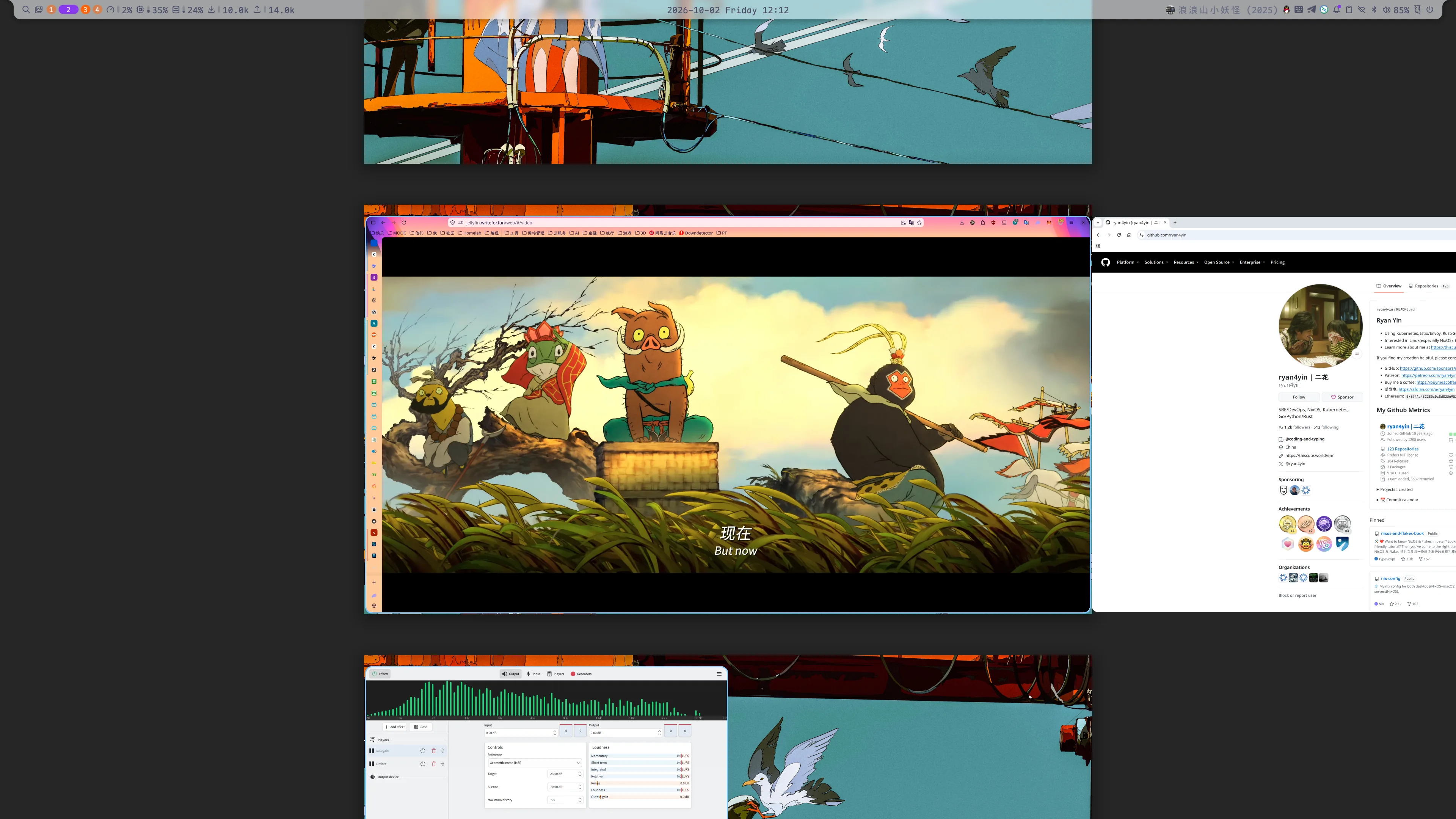
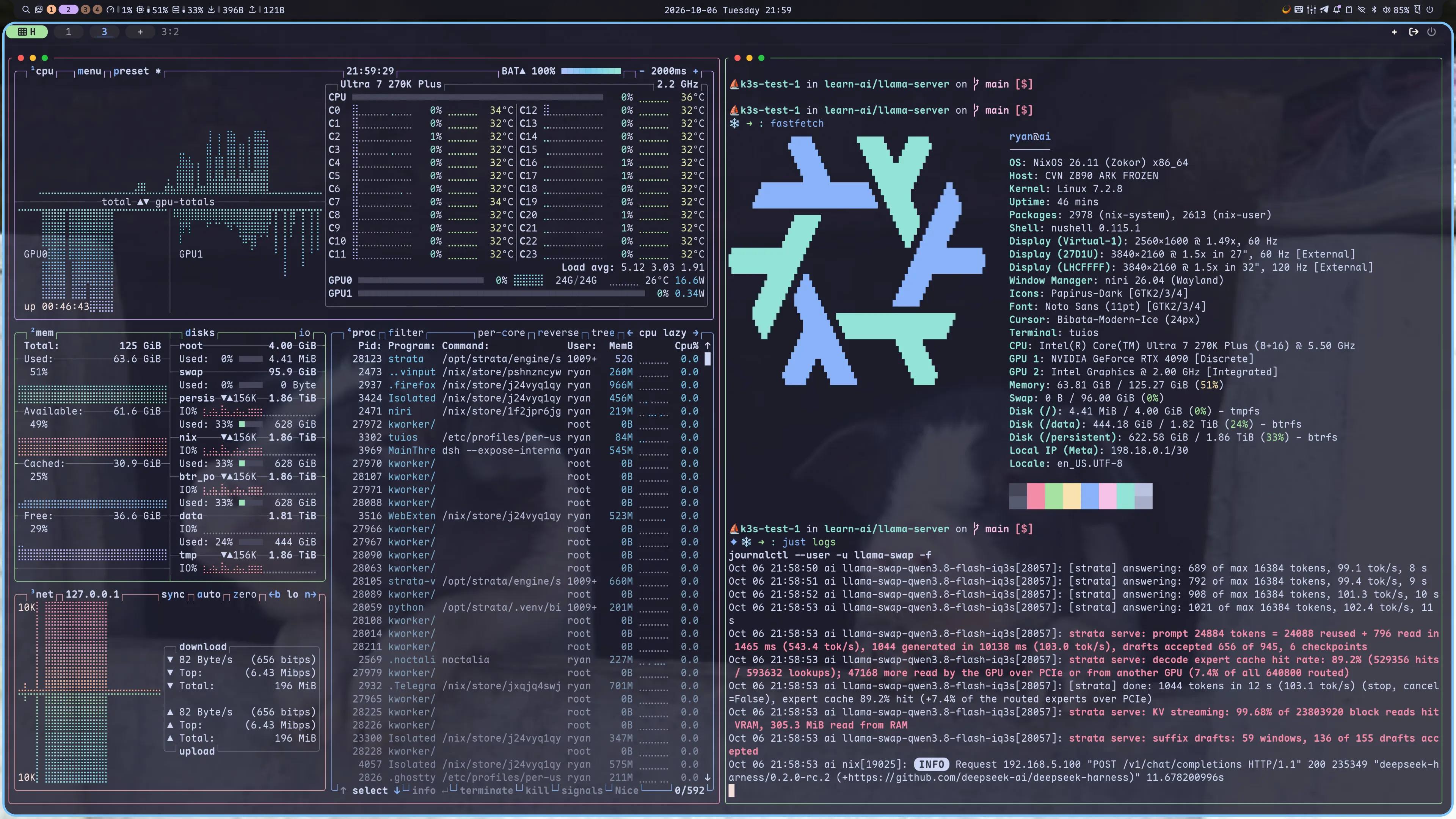
Screenshots
Editors / IDE
- Terminal editors: ./home/base/core/editors/ — Helix / Neovim,
$EDITOR, docs. - GUI editor: Zed.
- LLM coding agents: ./agents — rules, installers, CLI snippets; see ./agents/README.md.
Secrets Management
See ./secrets for details.
Security & Hardening
See SECURITY.md for the threat model, security architecture, controls and audit status, ./hardening/README.md for application sandboxing and Linux hardening, and WORKAROUNDS.md for temporary exceptions and known gaps.
How to Deploy this Flake?
:red_circle: IMPORTANT: You should NOT deploy this flake directly on your machine :exclamation: It will not succeed. This flake contains my hardware configuration (such as hardware-configuration.nix, Nvidia support, etc.) which is not suitable for your hardware, and requires my private secrets repository ryan4yin/nix-secrets to deploy. You may use this repo as a reference to build your own configuration.
Updating flake inputs and rolling the result out safely is a procedure, not a single command. Follow
.agents/skills/nix-config-update/SKILL.md.
For NixOS:
To deploy this flake from NixOS's official ISO image (purest installation method), please refer to ./nixos-installer/
# Desktops: deploy the <hostname>-niri nixosConfiguration (e.g. ai-niri, shoukei-niri)
just niri           # equals `sudo nixos-rebuild switch --flake .#<hostname>-niri`
just niri boot      # set as the next boot configuration without switching
just niri switch debug  # detailed output

# Other hosts (servers, VMs): deploy the nixosConfiguration matching the bare hostname
just local
just local boot
just local switch debug
For macOS (nix-darwin):
# If you are deploying for the first time,
# 1. install nix & homebrew manually.
# 2. prepare the deployment environment with essential packages available
nix shell nixpkgs#just nixpkgs#nushell
# 3. comment home-manager's code in lib/macosSystem.nix to speed up the first deployment.

# Deploy the darwinConfiguration by hostname match (fern, frieren)
just local
just local debug  # detailed output (macOS has no switch/boot mode)
Remote / cluster hosts are deployed with Colmena on top
of the same flake, e.g. just col <tag>, just k3s-test, just lab.
What y'all will need when Nix drives you to drink. (copy from hlissner's dotfiles, it really matches my feelings when I first started using NixOS...)
Validation & Development
nix develop provides the formatters and linters used by the repository. The most useful commands:
just test    # eval tests across Linux & Darwin (fails unless the result is `true`)
just fmt     # format all Nix files with nixfmt
just --list  # all recipes

nix flake check   # broader flake checks
For Nix changes, run just test and inspect just fmt's diff before committing. Non-Nix files are
formatted with prettier; spelling is checked with typos.
References
Other dotfiles that inspired me:
- Nix Flakes
- NixOS-CN/NixOS-CN-telegram
- notusknot/dotfiles-nix
- xddxdd/nixos-config
- bobbbay/dotfiles
- gytis-ivaskevicius/nixfiles
- davidtwco/veritas
- gvolpe/nix-config
- Ruixi-rebirth/flakes
- fufexan/dotfiles: gtk theme, xdg, git, media, etc.
- nix-community/srvos: a collection of opinionated and sharable NixOS configurations for servers
- Modularized NixOS Configuration
- Neovim / AstroNvim
- maxbrunet/dotfiles: astronvim with nix flakes.
- Misc
Explore related projects
awesome-selfhosted/awesome-selfhosted
A list of Free Software network services and web applications which can be hosted on your own servers
334,627 starsimmich-app/immich
High performance self-hosted photo and video management solution.
118,416 starsStirling-Tools/Stirling-PDF
#1 PDF Application on GitHub that lets you edit PDFs on any device anywhere
95,883 starslouislam/uptime-kuma
A fancy self-hosted monitoring tool
93,331 stars