
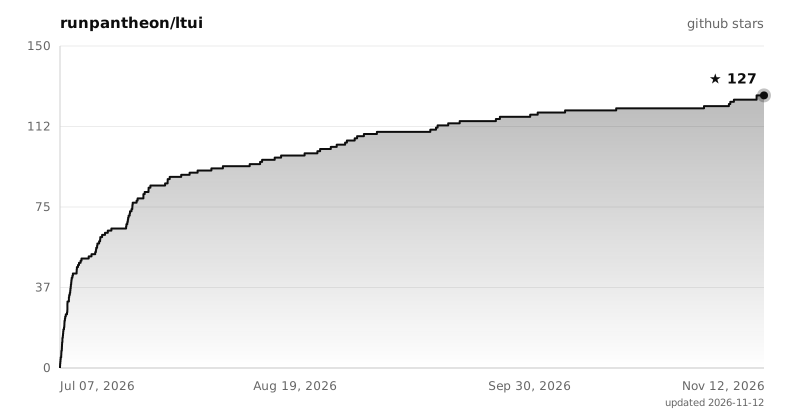
runpantheon/ltui has 127 GitHub stars and 6 forks. GitHot measured 0 stars in 24 hours, +1 in 7 days, and +3 in 15 days. Last checked 2026-11-18 03:44 UTC. Last push 2026-11-12.
Measured star growth
- in 24h
- 0
- in 7 days
- +1
- in 15 days
- +3
- in 1 month
- Collecting history
Net star changes over overlapping periods, not daily totals. Missing measurements are left blank. Stars measure attention, not software quality.
About
◐ A fast, beautiful TUI for Linear — status-grouped tickets, instant startup, full keyboard + mouse control
ProductivityREADME.md
Original◐ ltui — the tracker TUI suite
Stupidly fast, actually beautiful terminal UIs for your issue tracker.
One codebase, one muscle memory, three trackers: Linear · Jira · Shortcut


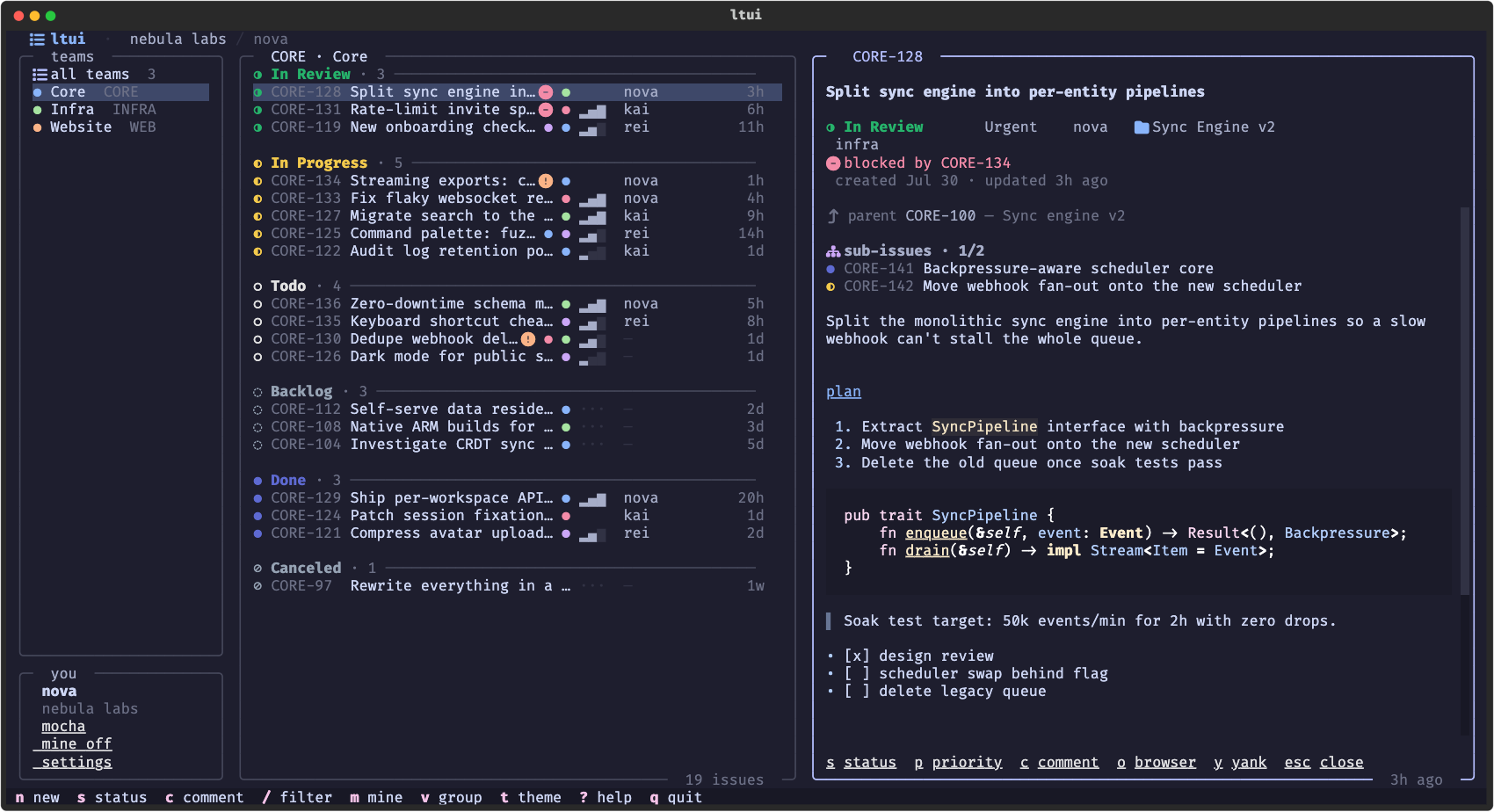
every screenshot in this README is generated from fake demo data by
each app's tools/screenshots.py — no real tickets were harmed
pick your tracker
| app | tracker | install | run |
|---|---|---|---|
| ◐ ltui | Linear | pipx install "git+https://github.com/runpantheon/ltui#subdirectory=ltui" |
ltui |
| ◑ jtui | Jira | pipx install "git+https://github.com/runpantheon/ltui#subdirectory=jtui" |
jtui |
| ◐ sctui | Shortcut | pipx install "git+https://github.com/runpantheon/ltui#subdirectory=sctui" |
sctui |
uv tool install works the same way. Works on linux · macOS · windows,
python ≥ 3.11, best with a nerd font.
There is nothing to configure by hand — each app walks you through
auth on first launch, validates it live, and greets you with a 20-second
tour. Each app's README (ltui · jtui · sctui)
has its full tour, screenshots, and tracker-specific notes.
why this exists
Every tracker TUI we tried had the same two problems: slow and ugly. The slowness isn't even their fault — tracker APIs take seconds to return a busy board. These apps just refuse to make you wait:
launch ──▶ render cached board (~50ms) ──▶ you're already working
                    │
                    └──▶ background refresh ──▶ rows swap in silently
- 📦 instant startup — your last-seen board renders from a local cache while fresh data loads behind it; a braille spinner in the border tells you when a sync is in flight, and the board silently re-syncs every few minutes after that
- 🎨 actually pretty — rounded borders, the trackers' own state colors, nerd-font icons, priority bars, subtle fade animations
- ⌨️ keyboard first, mouse welcome — arrow keys do everything (
←/→walk the panes,→opens the ticket), vim keys for those who want them, everything is clickable, and the panel dividers drag to resize
star history
what they all do
| 🗂️ | smart grouping — In Review → In Progress → Todo → Backlog → Done, sorted by how close work is to shipping, freshest tickets first inside every group |
| 👤 | mine first — your tickets float to the top of every group; m hides everyone else |
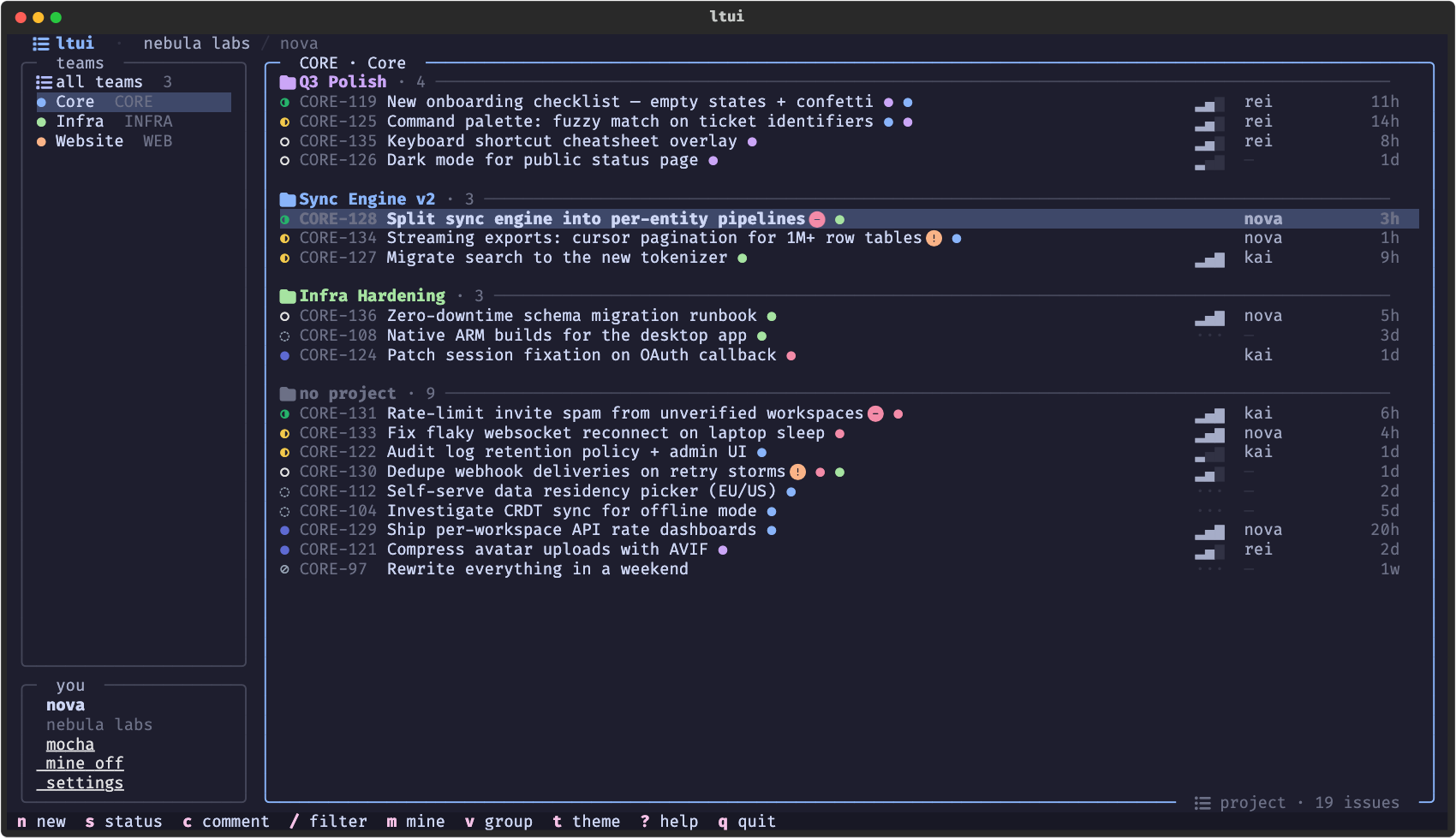
| 📁 | epic / project view — v regroups the whole board, V zooms into one, P moves tickets between them (or creates one inline) |
| 🏷️ | label editing — l opens a multi-select editor over your tracker's labels |
| 👥 | assign without leaving — a reassigns to anyone on the team, or you, or nobody |
| 🌿 | y yanks a git branch — ticket → git checkout -b in seconds |
| 🚀 | x runs your own script — hand the ticket to a coding agent or any tool, reusing Linear's coding-tools.json hook |
| 🌳 | hierarchy aware — parent tickets, sub-issues/subtasks with done-counts, and blocked/blocking badges with the exact tickets named |
| 📅 | due dates in the board — upcoming dates stay visible, overdue work turns red, and d sets or clears a date inline |
| 📖 | rich detail panel — full markdown descriptions, labels, comments — scrolls with arrows, vim keys, or mouse |
| ✏️ | write, don't just read — create tickets, change status, priority & due date, comment, all from the keyboard |
| 🔍 | instant filter — / narrows by title, identifier, or assignee as you type |
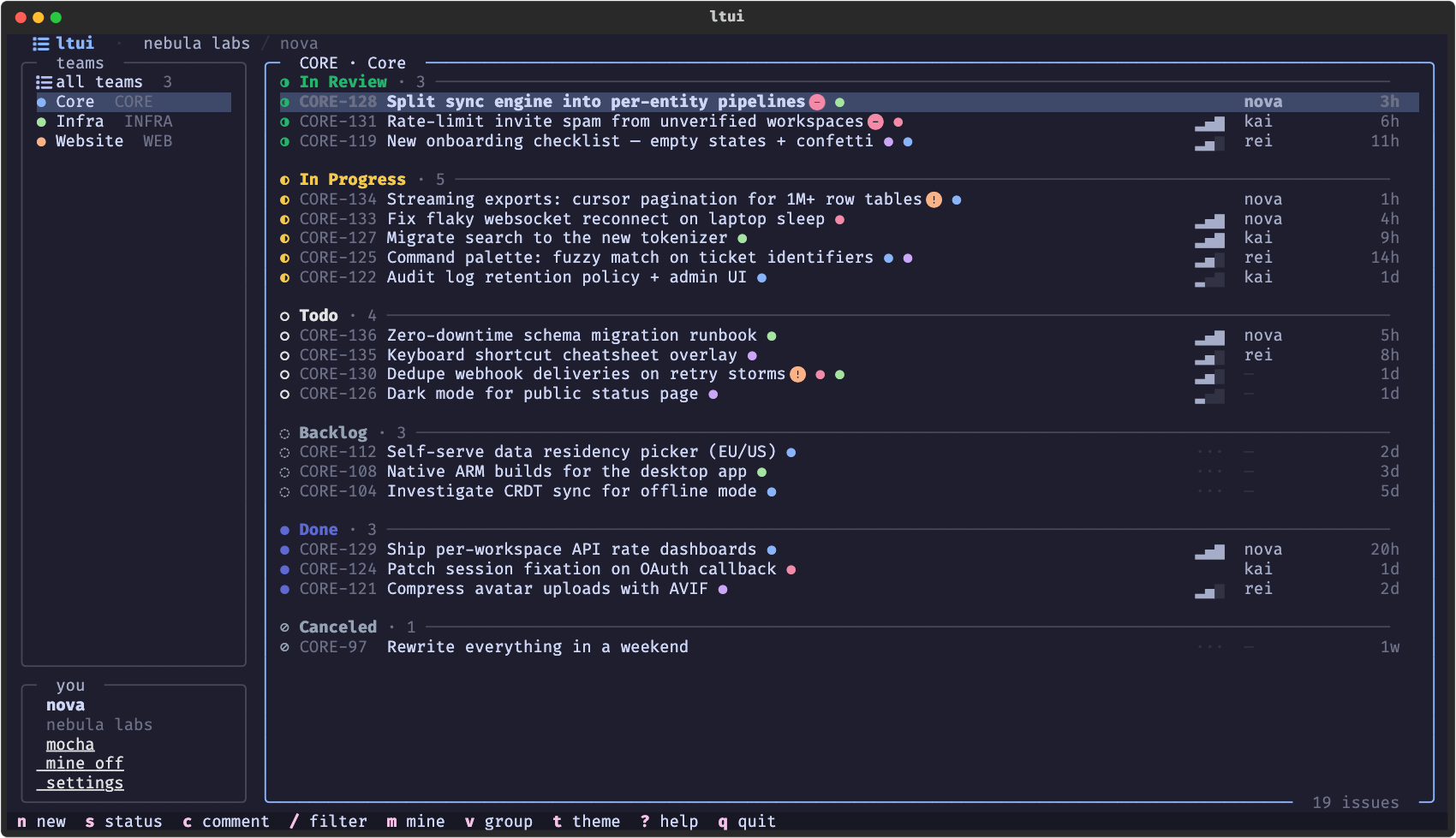
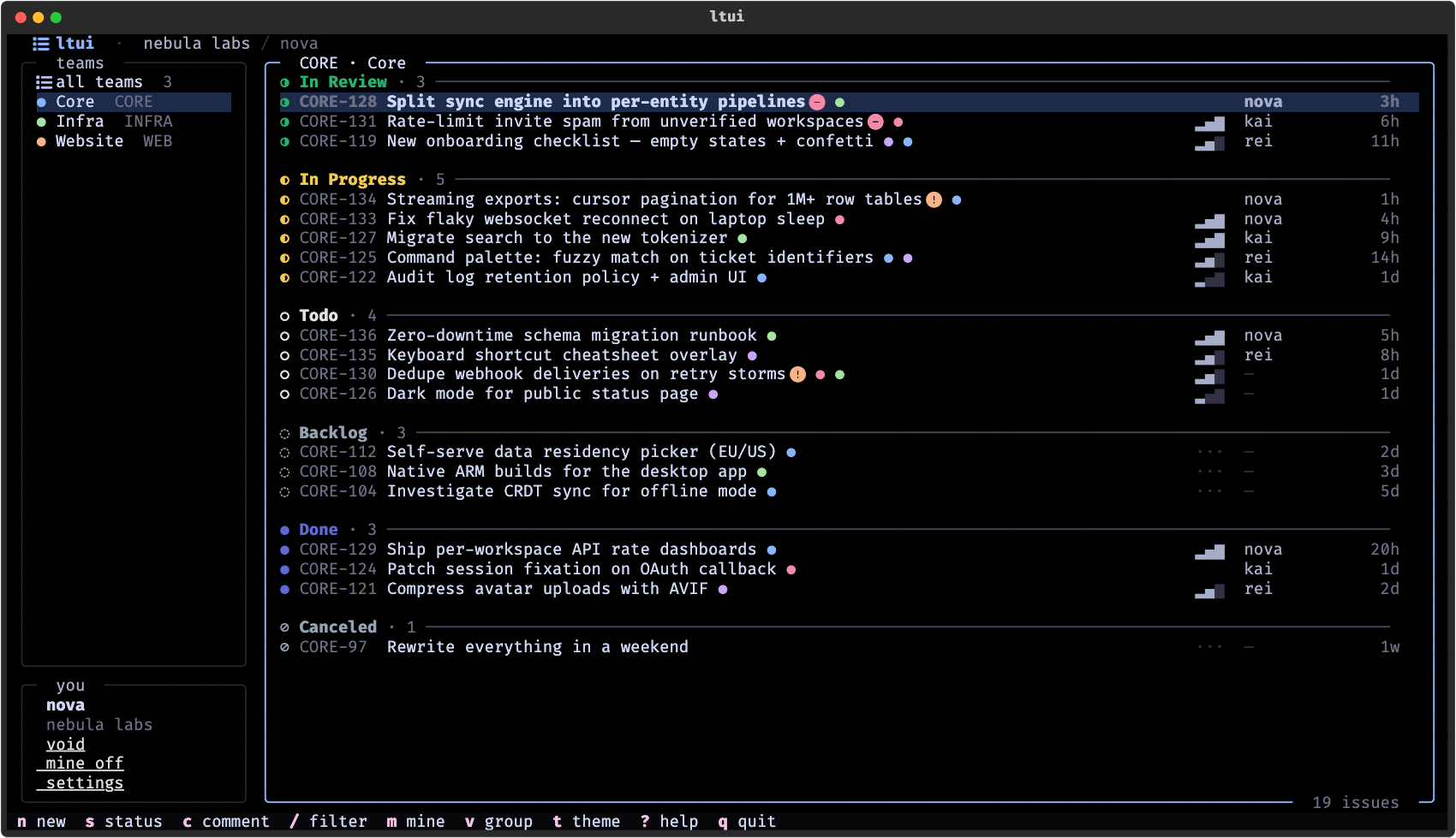
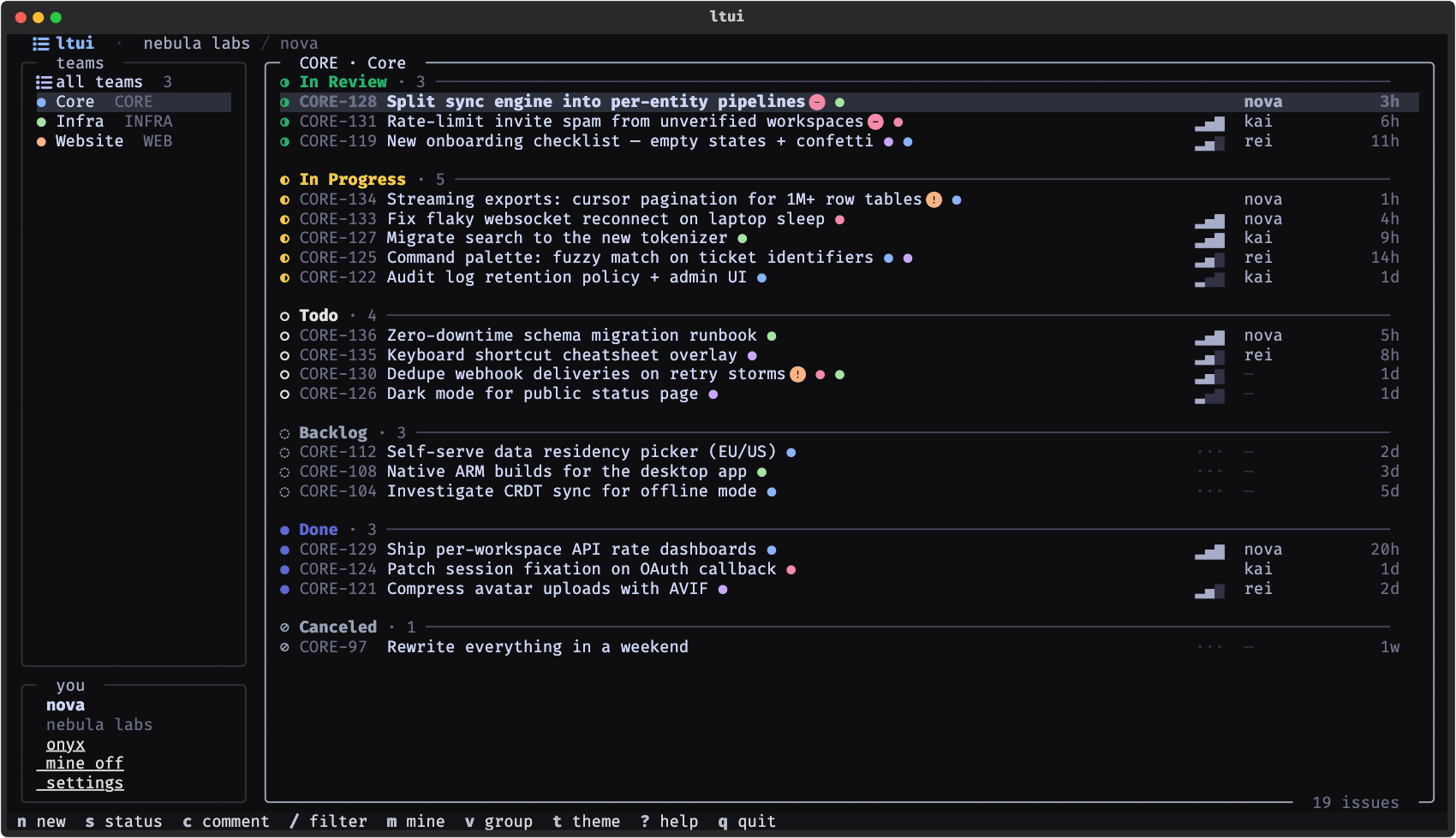
| 🌚 | five themes — mocha, OLED-black void, monochrome onyx, clear (no background — your terminal's transparency shows through), and system (your terminal's own ANSI palette) — with live preview as you scroll the picker |
| 🎛️ | fully remappable — every key rebindable via config.json (--init-config), vim motion layer (ctrl+d/u, [/] group jumps, : palette) out of the box |
| 🧠 | remembers everything — last team, theme, layout widths, toggles persist |
the detail panel
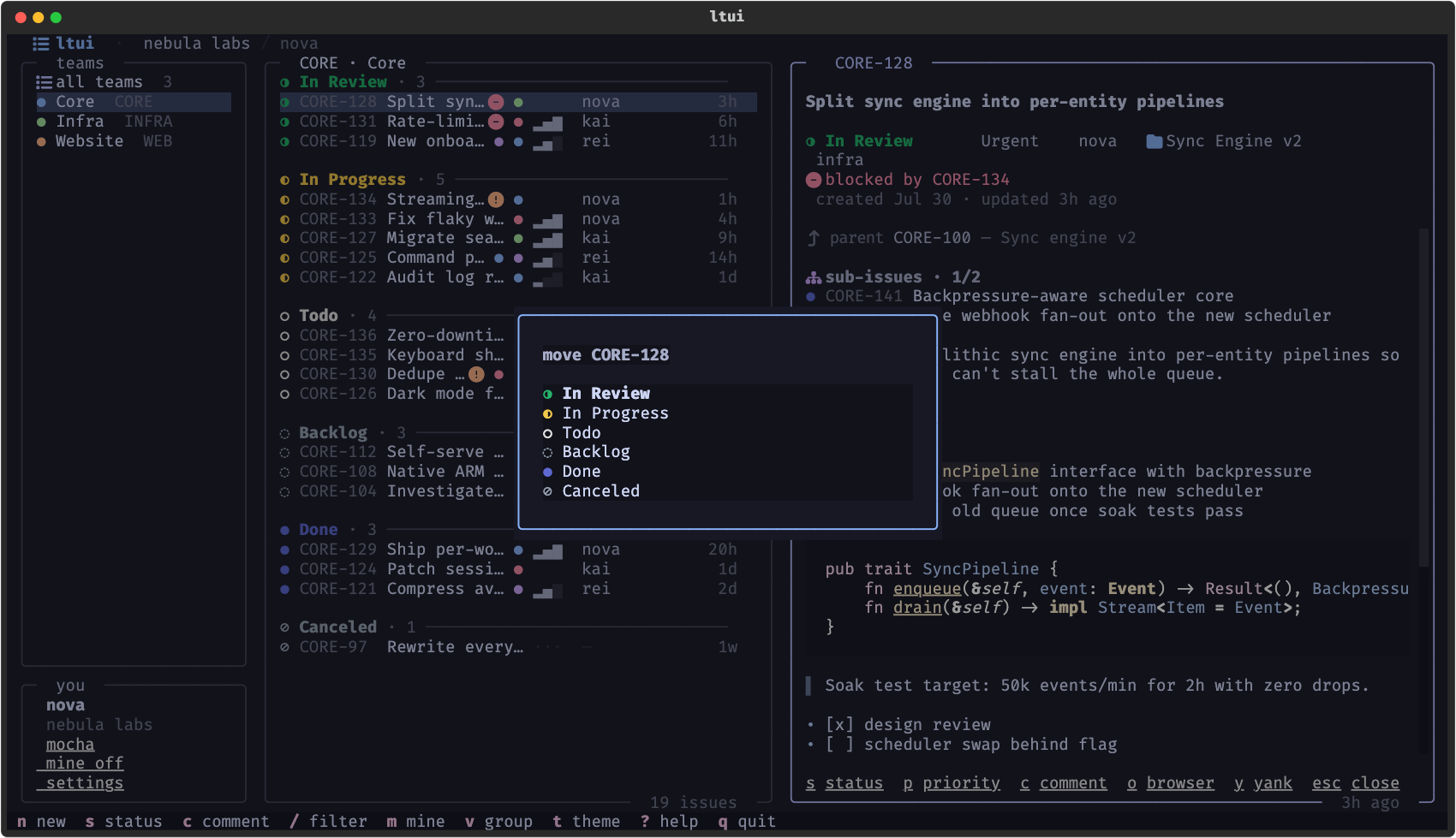
Enter (or a click) opens any ticket in a resizable side panel — markdown rendered properly, parent + sub-items with a done-count, blockers named, comments threaded underneath, and every action one key away.
themes
Cycle with t, or live-preview everything with ctrl+p → Change theme —
the whole app restyles as you scroll.
mocha |
void |
onyx |
|---|---|---|
 |
 |
 |
And two that can't be screenshotted honestly: clear paints no
background at all (your terminal's blur/transparency shows through), and
system draws the whole UI in your terminal's own ANSI palette — your
kitty theme is the app theme. Made for rice.
gallery
The rest of the tour, scrollable. Every app ships the full set — browse them as galleries: ltui · jtui · sctui
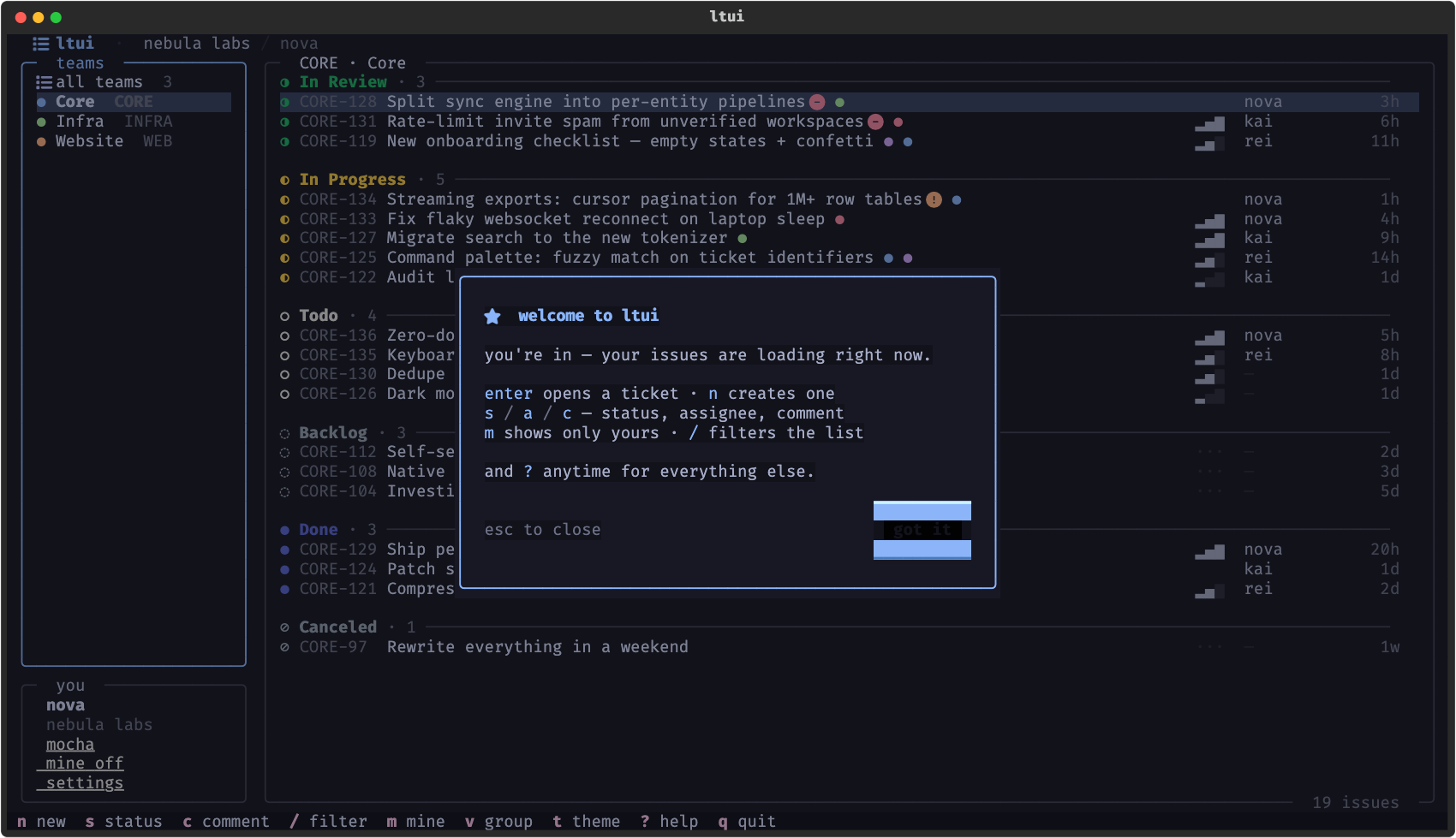 the 20-second welcome tour |
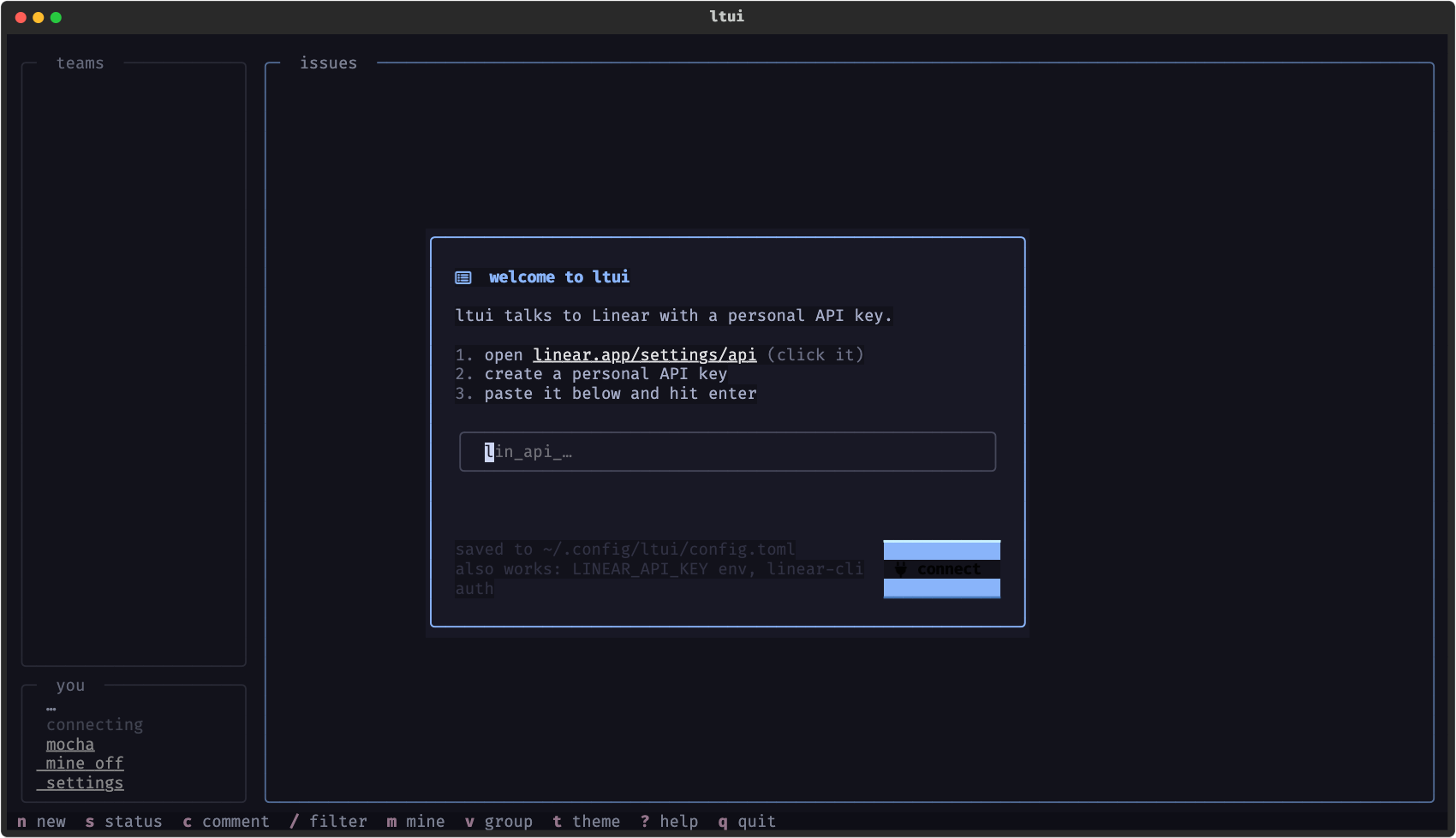 guided auth on first launch |
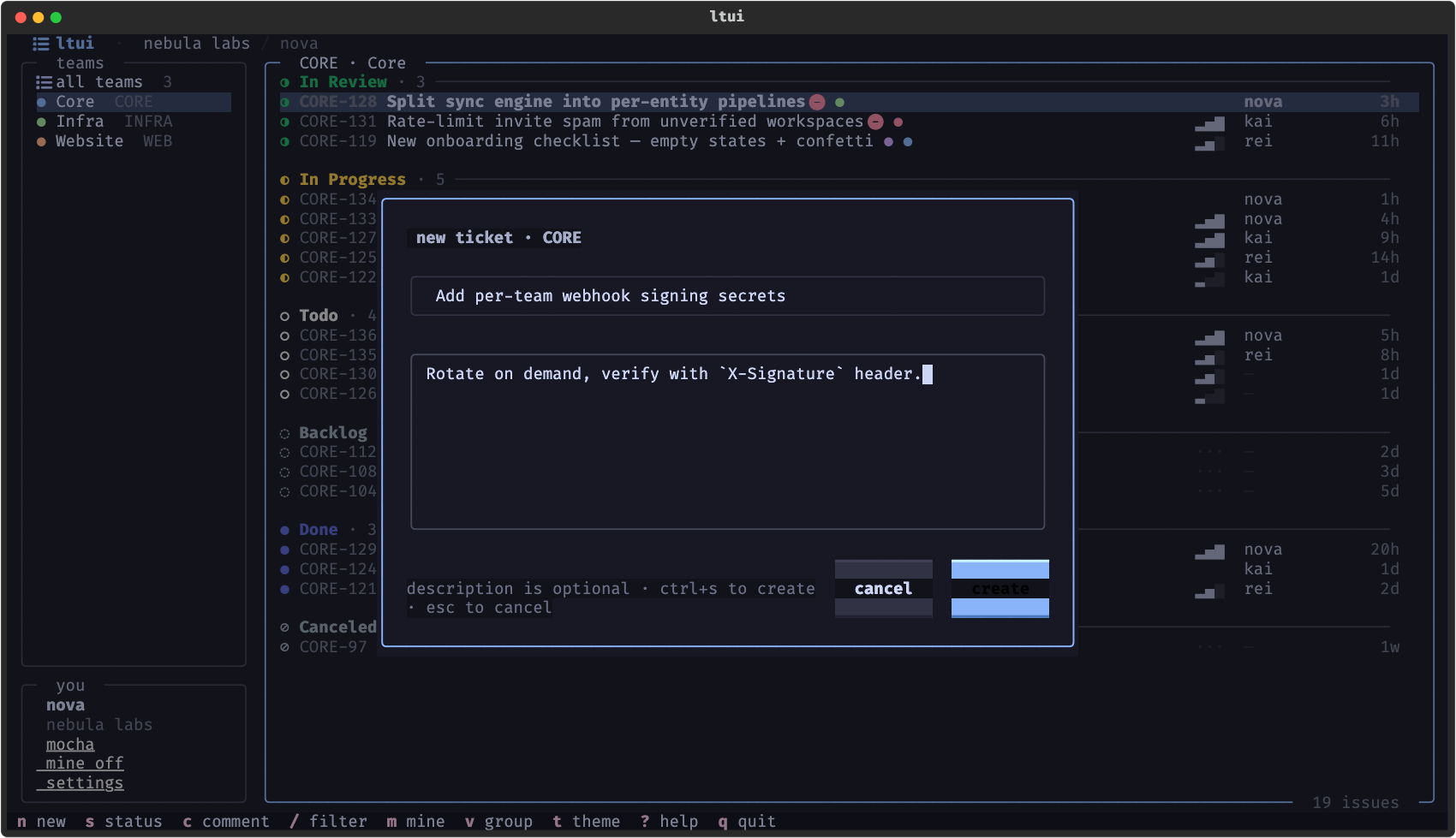 create tickets without leaving the board |
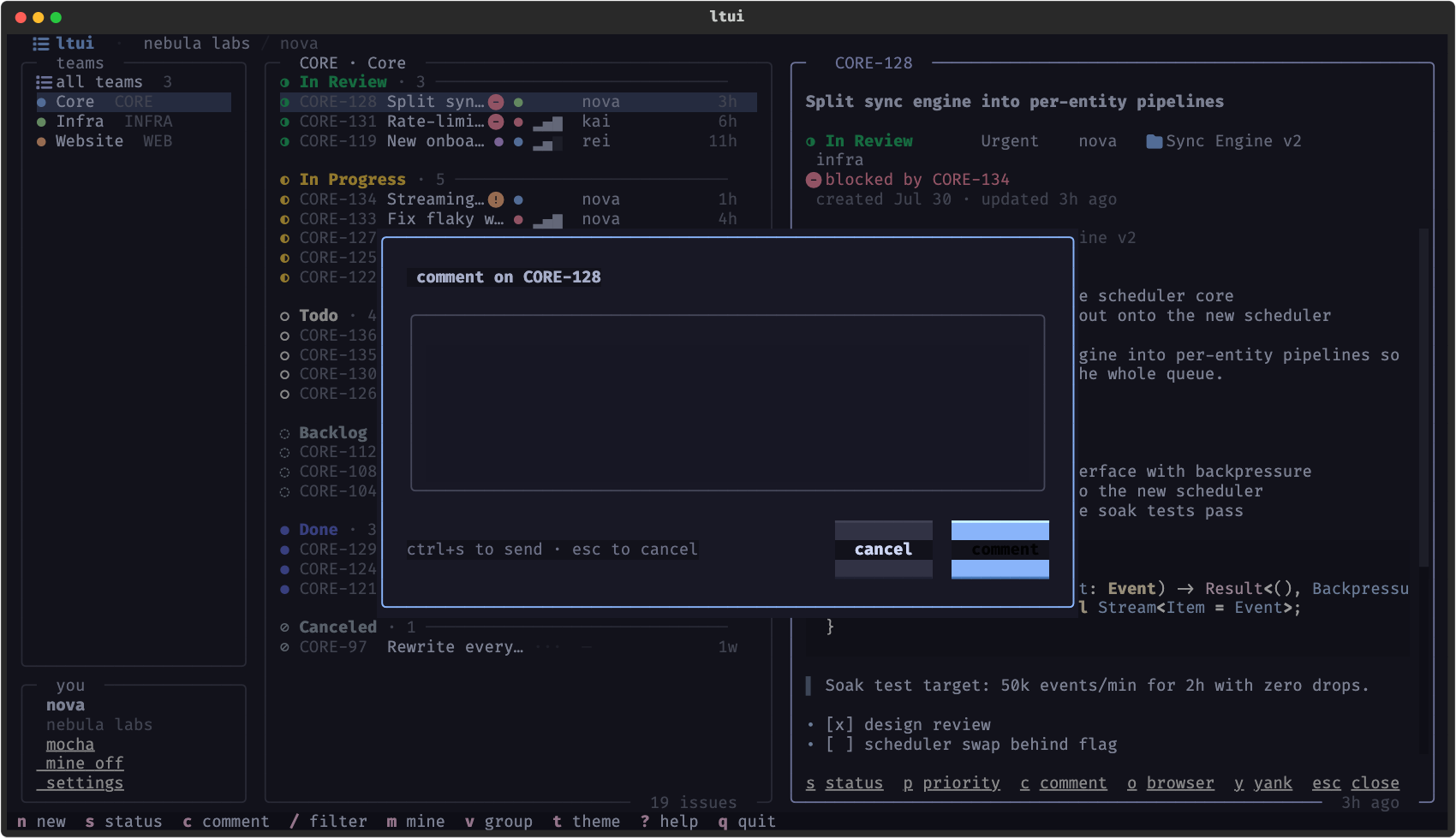 comment from the detail panel |
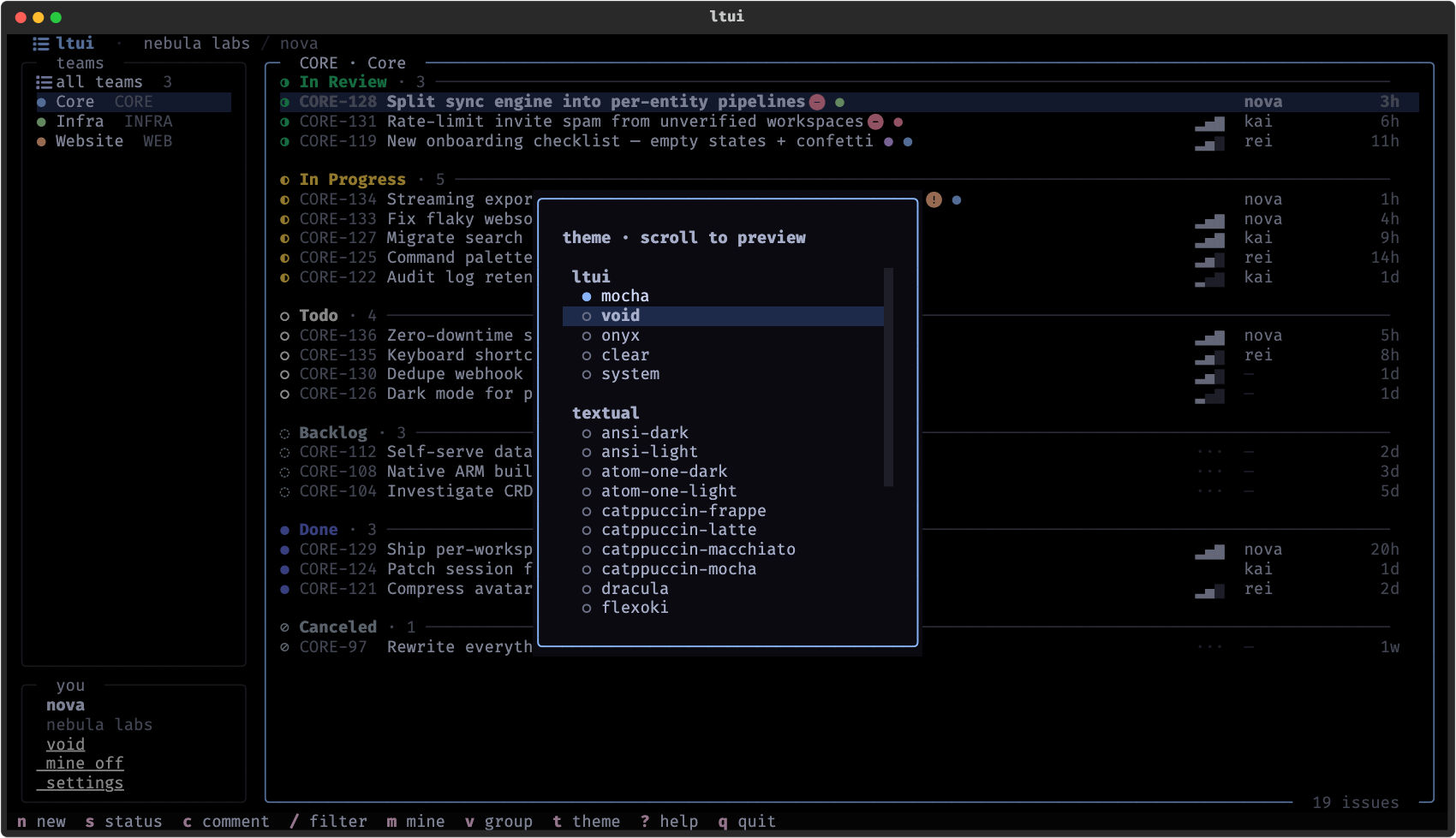 live theme preview as you scroll |
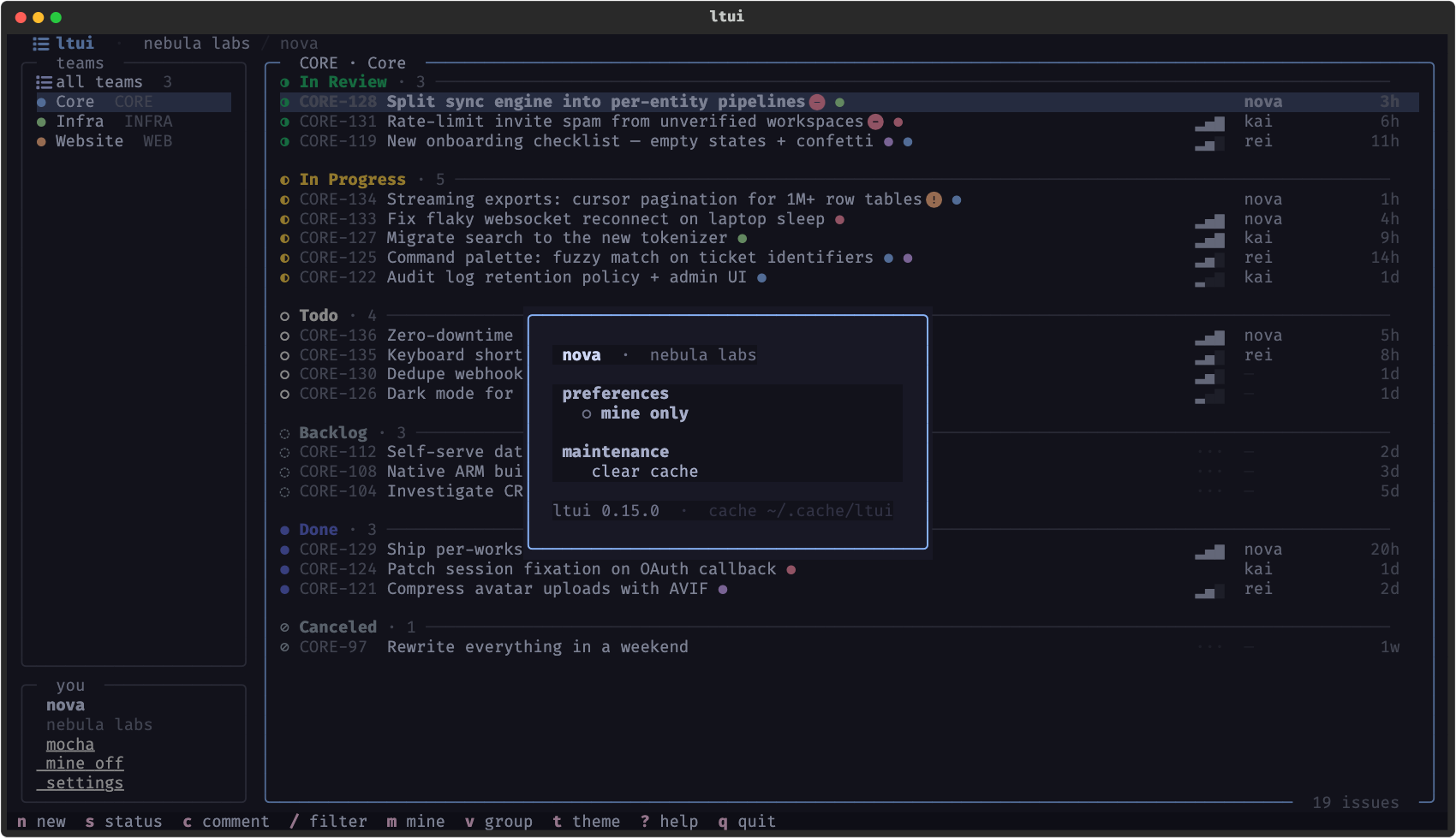 settings — every key rebindable |
one muscle memory
The three apps share ~80% of their code through a normalizing adapter
layer, so every key, theme, and habit transfers between trackers. Where the
trackers differ, each app does the native thing: jtui's status changes are
workflow-aware transitions, sctui's p sets the story type
(bug/feature/chore) since Shortcut has no priority field, epics/projects
map to whatever the tracker calls them. The shared design system is
published separately as ricekit.
history & credits
Built by @Gheat1 — the suite started as three repos on his account and earned its first stars there — and now developed under the Pantheon organization with company backing. Standing on the shoulders of textual.
Contributions welcome — read CONTRIBUTING.md first (dual-licensing means contributions need a license grant).
license
Dual-licensed:
- GPL-3.0 for the community — free to use anywhere, work included. Forks and redistributions must remain open source under the same terms with credit, which means closed-source rebranding or resale is not permitted.
- Commercial licenses from Pantheon for anything the GPL doesn't allow — open an issue to talk.
Copyright (C) 2026 Gheat / Pantheon · see NOTICE