
rubensousa/FloatingToolbar
rubensousa/FloatingToolbar has 1,539 GitHub stars and 171 forks. GitHot measured 0 stars in 24 hours. Last checked 2026-11-08 04:19 UTC. Last push 2017-07-28.
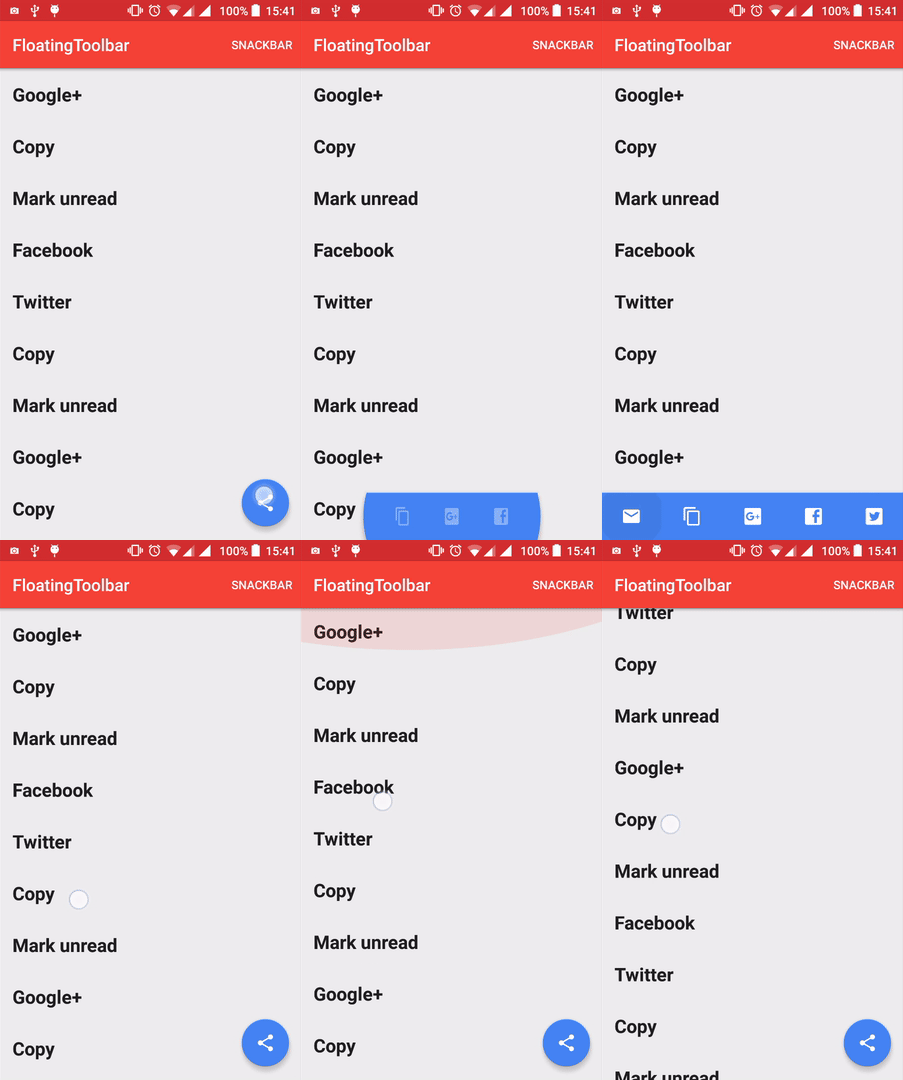
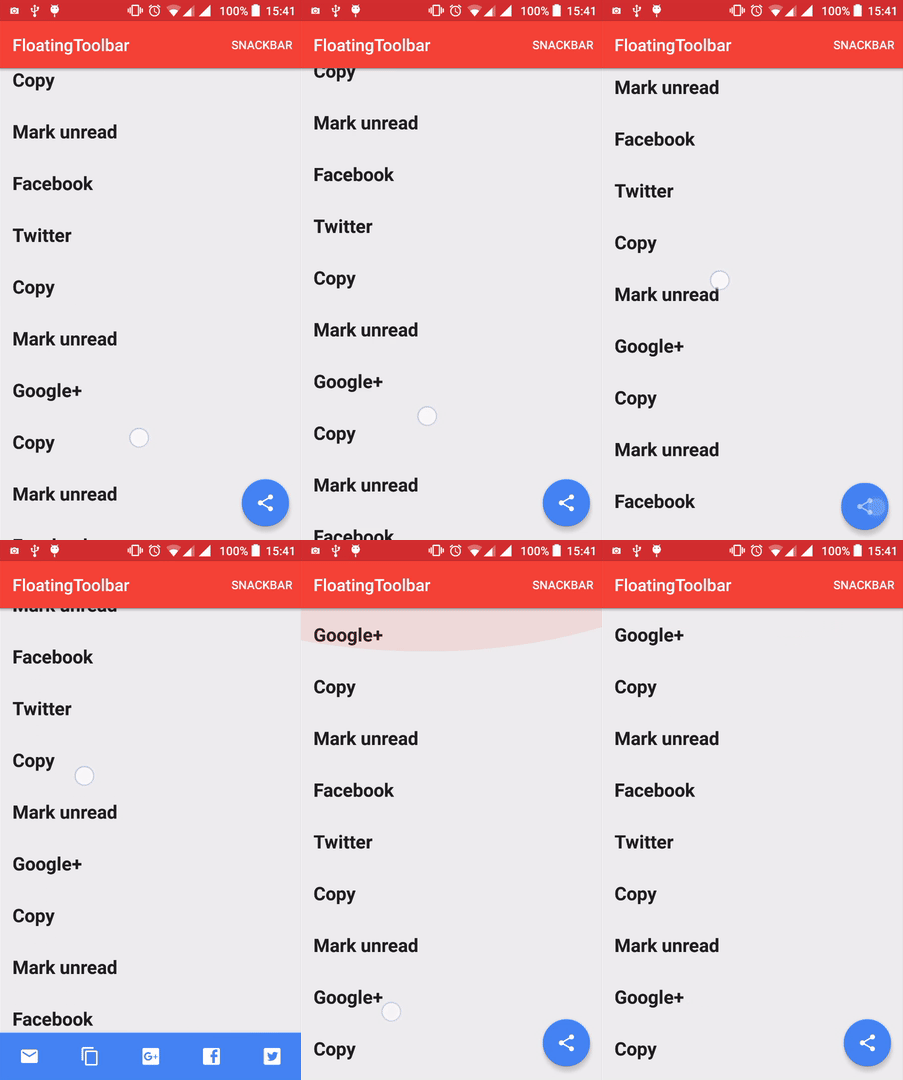
A toolbar that morphs from a FloatingActionButton
Measured star growth
- in 24h
- 0
- in 7 days
- Update delayed
- in 15 days
- Update delayed
- in 1 month
- Update delayed
Net star changes over overlapping periods, not daily totals. Missing measurements are left blank. Stars measure attention, not software quality.
README.md
OriginalFloatingToolbar
A toolbar that morphs from a FloatingActionButton
Inspired by the material design spec: https://www.google.com/design/spec/components/buttons-floating-action-button.html#buttons-floating-action-button-transitions
Available from API 14.
How to use
1. Add the following to your build.gradle:
compile 'com.github.rubensousa:floatingtoolbar:1.5.1'
2. Add FloatingToolbar as a direct child of CoordinatorLayout and before the FloatingActionButton:
<android.support.design.widget.CoordinatorLayout
    xmlns:android="http://schemas.android.com/apk/res/android"
    xmlns:app="http://schemas.android.com/apk/res-auto"
    android:id="@+id/coordinatorLayout"
    android:layout_width="match_parent"
    android:layout_height="match_parent"
    android:fitsSystemWindows="true">

    <!-- Appbar -->

    <com.github.rubensousa.floatingtoolbar.FloatingToolbar
        android:id="@+id/floatingToolbar"
        android:layout_width="match_parent"
        android:layout_height="?attr/actionBarSize"
        android:layout_gravity="bottom"
        app:floatingMenu="@menu/main" />

    <android.support.design.widget.FloatingActionButton
        android:id="@+id/fab"
        android:layout_width="wrap_content"
        android:layout_height="wrap_content"
        android:layout_gravity="bottom|end"
        android:layout_margin="@dimen/fab_margin"
        android:src="@drawable/ic_share_black_24dp" />


</android.support.design.widget.CoordinatorLayout>
3. Specify a menu resource file or custom layout with app:floatingMenu or app:floatingCustomView
You can also build a menu programmatically using FloatingToolbarMenuBuilder:
 mFloatingToolbar.setMenu(new FloatingToolbarMenuBuilder(this)
                .addItem(R.id.action_unread, R.drawable.ic_markunread_black_24dp, "Mark unread")
                .addItem(R.id.action_copy, R.drawable.ic_content_copy_black_24dp, "Copy")
                .addItem(R.id.action_google, R.drawable.ic_google_plus_box, "Google+")
                .addItem(R.id.action_facebook, R.drawable.ic_facebook_box, "Facebook")
                .addItem(R.id.action_twitter, R.drawable.ic_twitter_box, "Twitter")
                .build());
4. Attach the FAB to the FloatingToolbar to automatically start the transition on click event:
mFloatingToolbar.attachFab(fab);
5. Set a click listener
mFloatingToolbar.setClickListener(new FloatingToolbar.ItemClickListener() {
            @Override
            public void onItemClick(MenuItem item) {

            }

            @Override
            public void onItemLongClick(MenuItem item) {

            }
        });
6. If you want to show a snackbar in the same layout as the FloatingToolbar, please use:
mFloatingToolbar.showSnackBar(snackbar);
7. (Optional) Attach a RecyclerView to hide the FloatingToolbar on scroll:
mFloatingToolbar.attachRecyclerView(recyclerView);
8. (Optional) Use show() and hide() to trigger the transition anytime:
mFloatingToolbar.show();
mFloatingToolbar.hide();
9. (Optional) Add a MorphListener to listen to morph animation events
mFloatingToolbar.addMorphListener(new FloatingToolbar.MorphListener() {
    @Override
    public void onMorphEnd() {

    }

    @Override
    public void onMorphStart() {

    }

    @Override
    public void onUnmorphStart() {

    }

    @Override
    public void onUnmorphEnd() {

    }
});
Attributes
- app:floatingToastOnLongClick -> boolean. Defaults to true
- app:floatingHandleFabClick -> boolean. Defaults to true
- app:floatingMenu -> Menu resource
- app:floatingItemBackground -> Drawable resource
- app:floatingCustomView -> Layout resource
- app:floatingAutoHide -> boolean. Defaults to true
Apps using FloatingToolbar (Send a PR to add your app here)
License
Copyright 2016 Rúben Sousa

Licensed under the Apache License, Version 2.0 (the "License");
you may not use this file except in compliance with the License.
You may obtain a copy of the License at

    http://www.apache.org/licenses/LICENSE-2.0

Unless required by applicable law or agreed to in writing, software
distributed under the License is distributed on an "AS IS" BASIS,
WITHOUT WARRANTIES OR CONDITIONS OF ANY KIND, either express or implied.
See the License for the specific language governing permissions and
limitations under the License.
Explore related projects
codecrafters-io/build-your-own-x
Master programming by recreating your favorite technologies from scratch.
561,098 starspublic-apis/public-apis
A collective list of free APIs
497,334 starsmorluto/rea
Reverse engineer anything with agents, from app behavior down to native binaries.
443,891 starsopenclaw/openclaw
The AI that really does things. Any OS. Any Platform. The lobster way. 🦞
394,214 stars