
rubenmarcus/aeo.js
rubenmarcus/aeo.js has 146 GitHub stars and 17 forks. GitHot measured 0 stars in 24 hours. Last checked 2026-11-10 02:23 UTC. Last push 2026-11-03.
Answer Engine Optimization for the modern web. Make your site discoverable by ChatGPT, Claude, Perplexity & AI search engines. Generates llms.txt, robots.txt, sitemap, JSON-LD & more.
Measured star growth
- in 24h
- 0
- in 7 days
- Update delayed
- in 15 days
- Update delayed
- in 1 month
- Update delayed
Net star changes over overlapping periods, not daily totals. Missing measurements are left blank. Stars measure attention, not software quality.
README.md
Original
aeo.js
Answer Engine Optimization for the modern web.
Make your site discoverable by ChatGPT, Claude, Perplexity, and every AI answer engine.



Documentation · AEO Checker · npm
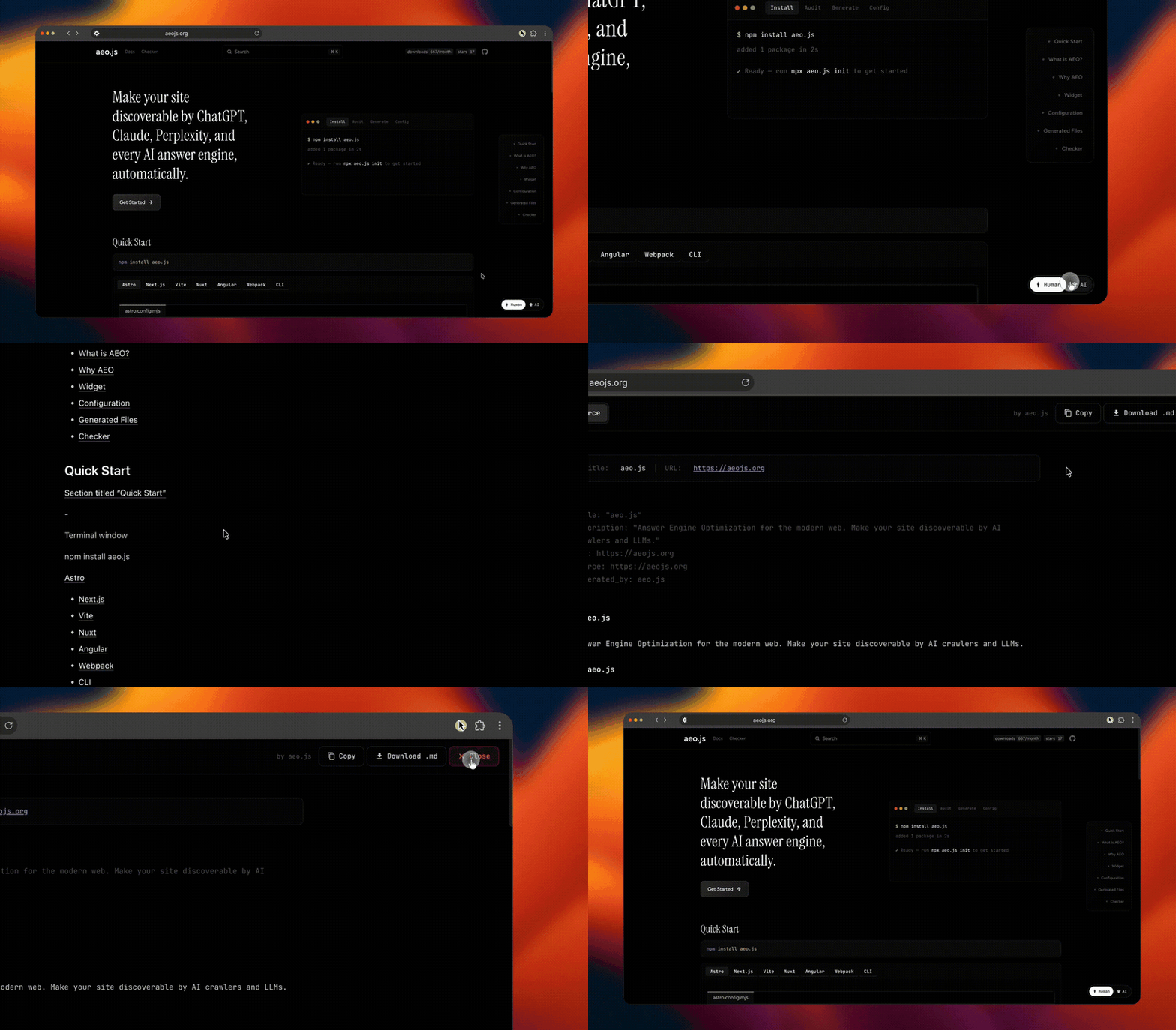
Install
npm install aeo.js
Check any site in 10 seconds
See how visible a site is to ChatGPT, Claude, Perplexity & co — no install, no config:
npx aeo.js check mysite.com
You get a 0–100 GEO readiness score, an access matrix for 23 AI crawlers, average content citability, and the top fixes — for any deployed site. Also available in the browser at check.aeojs.org.
Quick Start
Astro
// astro.config.mjs
import { defineConfig } from 'astro/config';
import { aeoAstroIntegration } from 'aeo.js/astro';

export default defineConfig({
  site: 'https://mysite.com',
  integrations: [
    aeoAstroIntegration({
      title: 'My Site',
      description: 'A site optimized for AI discovery',
      url: 'https://mysite.com',
    }),
  ],
});
Next.js
// next.config.mjs
import { withAeo } from 'aeo.js/next';

export default withAeo({
  aeo: {
    title: 'My Site',
    description: 'A site optimized for AI discovery',
    url: 'https://mysite.com',
  },
});
Add the post-build step to package.json:
{
  "scripts": {
    "postbuild": "node -e \"import('aeo.js/next').then(m => m.postBuild({ title: 'My Site', url: 'https://mysite.com' }))\""
  }
}
Vite
// vite.config.ts
import { defineConfig } from 'vite';
import { aeoVitePlugin } from 'aeo.js/vite';

export default defineConfig({
  plugins: [
    aeoVitePlugin({
      title: 'My Site',
      description: 'A site optimized for AI discovery',
      url: 'https://mysite.com',
    }),
  ],
});
Nuxt
// nuxt.config.ts
export default defineNuxtConfig({
  modules: ['aeo.js/nuxt'],
  aeo: {
    title: 'My Site',
    description: 'A site optimized for AI discovery',
    url: 'https://mysite.com',
  },
});
Remix
{
  "scripts": {
    "postbuild": "node -e \"import('aeo.js/remix').then(m => m.postBuild({ title: 'My Site', url: 'https://mysite.com' }))\""
  }
}
SvelteKit
{
  "scripts": {
    "postbuild": "node -e \"import('aeo.js/sveltekit').then(m => m.postBuild({ title: 'My Site', url: 'https://mysite.com' }))\""
  }
}
TanStack Start
{
  "scripts": {
    "postbuild": "node -e \"import('aeo.js/tanstack-start').then(m => m.postBuild({ title: 'My Site', url: 'https://mysite.com' }))\""
  }
}
Routes are discovered from src/routes (TanStack Router file conventions). No build output yet? Use generate() instead of postBuild() to emit files into public/ from your source routes.
Docusaurus
// docusaurus.config.js
module.exports = {
  plugins: [
    ['aeo.js/docusaurus', { url: 'https://mysite.com', title: 'My Docs' }],
  ],
};
url, title, and description default to your Docusaurus siteConfig (including baseUrl) when omitted. AEO files are generated from the built HTML during docusaurus build, and the widget is injected on every page.
Eleventy
// eleventy.config.js
const aeo = require('aeo.js/eleventy');

module.exports = function (eleventyConfig) {
  eleventyConfig.addPlugin(aeo, { url: 'https://mysite.com', title: 'My Site' });
};
Requires Eleventy 2.0+. AEO files are generated from the rendered output into your Eleventy output directory (_site by default), and the widget is injected into every HTML page.
VitePress
// .vitepress/config.ts
import { defineConfig } from 'vitepress';
import { withAeo } from 'aeo.js/vitepress';

export default defineConfig(withAeo({
  title: 'My Docs',
  // …your VitePress config…
}, { url: 'https://mysite.com' }));
withAeo wraps your config: it collects pages during vitepress build, injects the widget, and generates AEO files into the output directory. url, title, and description default from your VitePress site config (and sitemap.hostname).
Angular
{
  "scripts": {
    "postbuild": "node -e \"import('aeo.js/angular').then(m => m.postBuild({ title: 'My App', url: 'https://myapp.com' }))\""
  }
}
Webpack
// webpack.config.js
const { AeoWebpackPlugin } = require('aeo.js/webpack');

module.exports = {
  plugins: [
    new AeoWebpackPlugin({
      title: 'My Site',
      description: 'A site optimized for AI discovery',
      url: 'https://mysite.com',
    }),
  ],
};
CLI
No framework needed — run standalone:
npx aeo.js generate --url https://mysite.com --title "My Site"
npx aeo.js init
npx aeo.js check
init detects your framework, prefills aeo.config.ts from package.json, and with --yes generates everything in one command:
npx aeo.js init --url https://mysite.com --yes
MCP server
Let Claude Code, Cursor or any MCP client audit and fix sites conversationally:
claude mcp add aeo -- npx -y aeo.js mcp
Tools: audit_url (0-100 GEO score for any live site), score_citability (score draft content), generate_aeo_files (write the full AEO file set). See the MCP docs.
Supported Frameworks
| Framework | Import |
|---|---|
| Astro | aeo.js/astro |
| Next.js | aeo.js/next |
| Vite | aeo.js/vite |
| Nuxt | aeo.js/nuxt |
| Remix | aeo.js/remix |
| SvelteKit | aeo.js/sveltekit |
| Angular | aeo.js/angular |
| Webpack | aeo.js/webpack |
| CLI | npx aeo.js generate |
Widget
The Human/AI widget lets visitors toggle between the normal page and its AI-readable markdown version.
| Default | Small | Icon |
|---|---|---|
 |
 |
 |
Framework plugins inject it automatically. For Next.js or manual setups:
'use client';
import { useEffect } from 'react';

export function AeoWidgetLoader() {
  useEffect(() => {
    import('aeo.js/widget').then(({ AeoWidget }) => {
      new AeoWidget({
        config: {
          title: 'My Site',
          url: 'https://mysite.com',
          widget: { enabled: true, position: 'bottom-right' },
        },
      });
    });
  }, []);
  return null;
}
React and Vue wrapper components are also available:
import { AeoReactWidget } from 'aeo.js/react';

<AeoReactWidget config={{ title: 'My Site', url: 'https://mysite.com' }} />
<script setup>
import { AeoVueWidget } from 'aeo.js/vue';
</script>

<template>
  <AeoVueWidget :config="{ title: 'My Site', url: 'https://mysite.com' }" />
</template>
Generated Files
After building, your output directory contains:
public/
├── robots.txt        # AI-crawler directives
├── llms.txt          # Short LLM-readable summary
├── llms-full.txt     # Full content for LLMs
├── sitemap.xml       # Standard sitemap
├── docs.json         # Documentation manifest
├── ai-index.json     # AI content index
├── index.md          # Markdown for /
└── about.md          # Markdown for /about
Configuration
import { defineConfig } from 'aeo.js';

export default defineConfig({
  title: 'My Site',
  url: 'https://mysite.com',
  description: 'A description of your site',

  generators: {
    robotsTxt: true,
    llmsTxt: true,
    llmsFullTxt: true,
    rawMarkdown: true,
    sitemap: true,
    aiIndex: true,
    schema: true,
  },

  schema: {
    enabled: true,
    organization: { name: 'My Company', url: 'https://mysite.com' },
    defaultType: 'WebPage',
  },

  og: {
    enabled: true,
    image: 'https://mysite.com/og.png',
    twitterHandle: '@mycompany',
  },

  widget: {
    enabled: true,
    position: 'bottom-right',
    theme: { accent: '#4ADE80', badge: '#4ADE80' },
  },
});
Full configuration reference → aeojs.org/reference/configuration
Why AEO?
- 58% of searches end without a click — AI gives the answer directly
- 40% of Gen Z prefer AI assistants over traditional search engines
- 97% of sites have no
llms.txtor structured data for AI crawlers - 1 minute to set up with aeo.js
If your site isn't optimized for AI engines, you're invisible to a growing share of users who never open a search results page.
Links
License
MIT
Explore related projects
freeCodeCamp/freeCodeCamp
freeCodeCamp.org's open-source codebase and curriculum. Learn math, programming, and computer science for free.
458,960 starsdonnemartin/system-design-primer
Learn how to design large-scale systems. Prep for the system design interview. Includes Anki flashcards.
377,597 starsreact/react
The library for web and native user interfaces.
252,504 starsvuejs/vue
This is the repo for Vue 2. For Vue 3, go to https://github.com/vuejs/core
212,623 stars