
rssh-org/rssh has 511 GitHub stars and 51 forks. GitHot measured +1 stars in 24 hours and -7 in 7 days. Last checked 2026-11-09 21:58 UTC. Last push 2026-11-02.
An SSH tool dedicated to addressing all pain points · (macOS/Windows/Linux/Android/iOS/HmOS(mobile&pc))
What you can do
- SSH -- password, private key, SSH agent/Pageant, keyboard-interactive, jump host (ProxyJump)
- Telnet -- saved profiles, echo negotiation, line controls, expect/send login scripts
- Serial Console (desktop) -- saved UART profiles, text/hex modes, flow control, login scripts, DTR/RTS/break
- Dynamic Discovery (Docker/K8S) -- discover Docker containers and running Kubernetes pods through local CLI contexts, then open ephemeral exec terminals
Measured star growth
- in 24h
- +1
- in 7 days
- -7
- in 15 days
- Update delayed
- in 1 month
- Update delayed
Net star changes over overlapping periods, not daily totals. Missing measurements are left blank. Stars measure attention, not software quality.
README.md
OriginalRSSH
A genuinely different SSH client — built to fix the pain points everyone else ignored.
Traditional clients hand you a shell and stop there: endless scrollback, static IPs to memorize, copy-pasting logs into a chat bot.
RSSH goes further: commands become navigable blocks, containers are discovered live, and the AI reads the terminal like an operator.
Desktop · Mobile · JetBrains · CLI — one shared data store.





⬇️ Download latest · Why RSSH?
Why RSSH
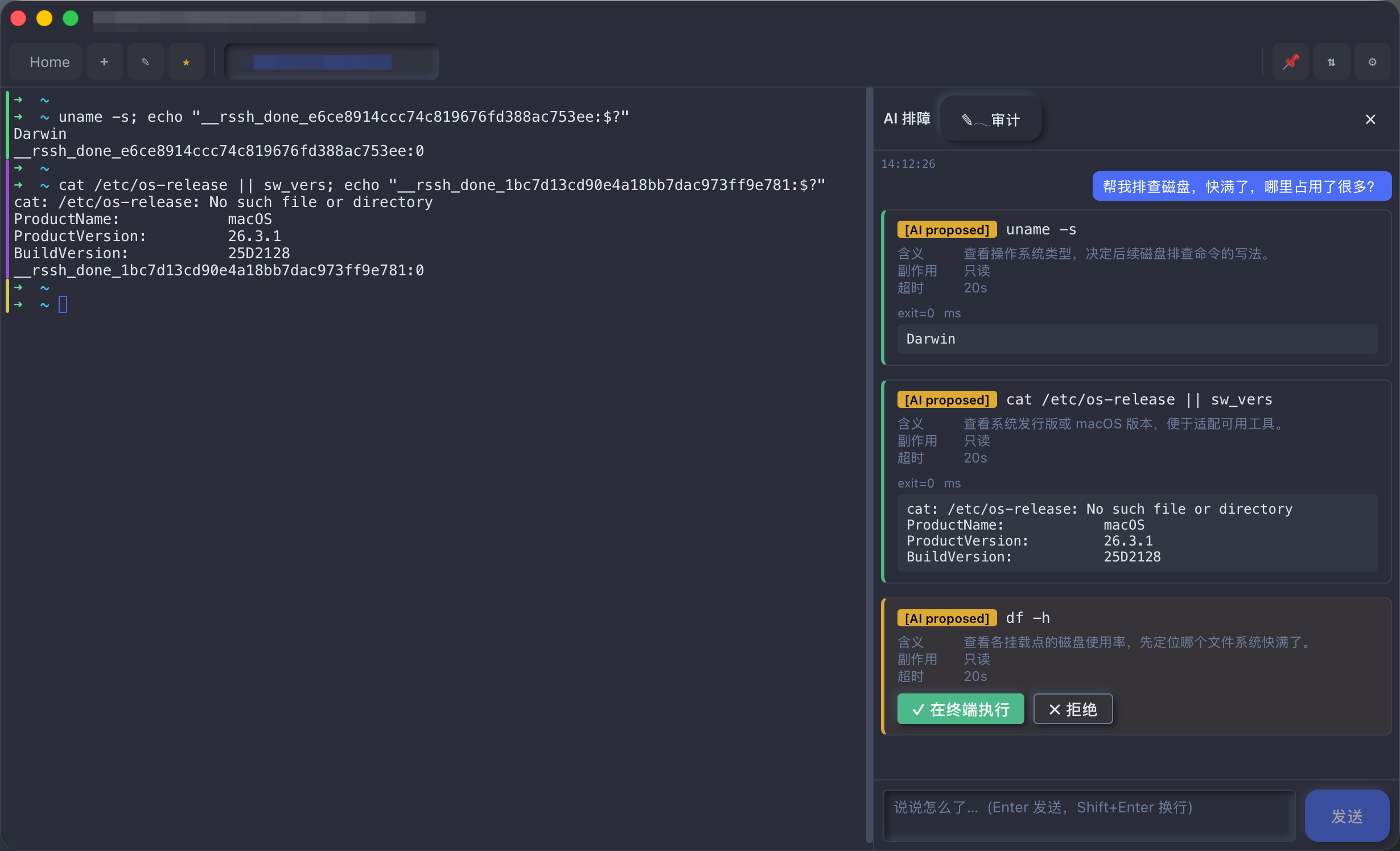
🤖 AI triageNot another chat box. Nothing to install on your servers — it works like a human operator, reading the terminal's input and output directly. 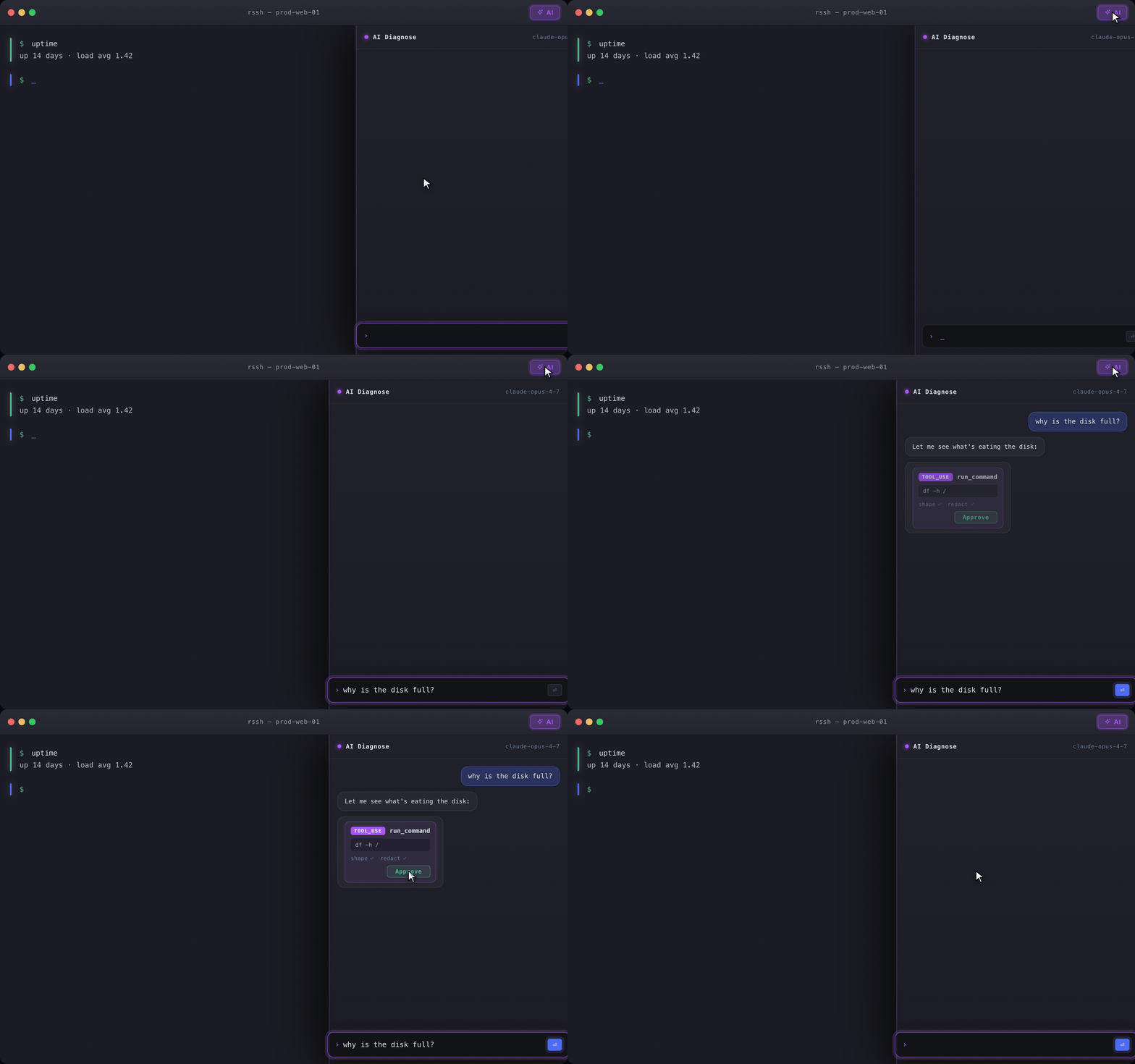 |
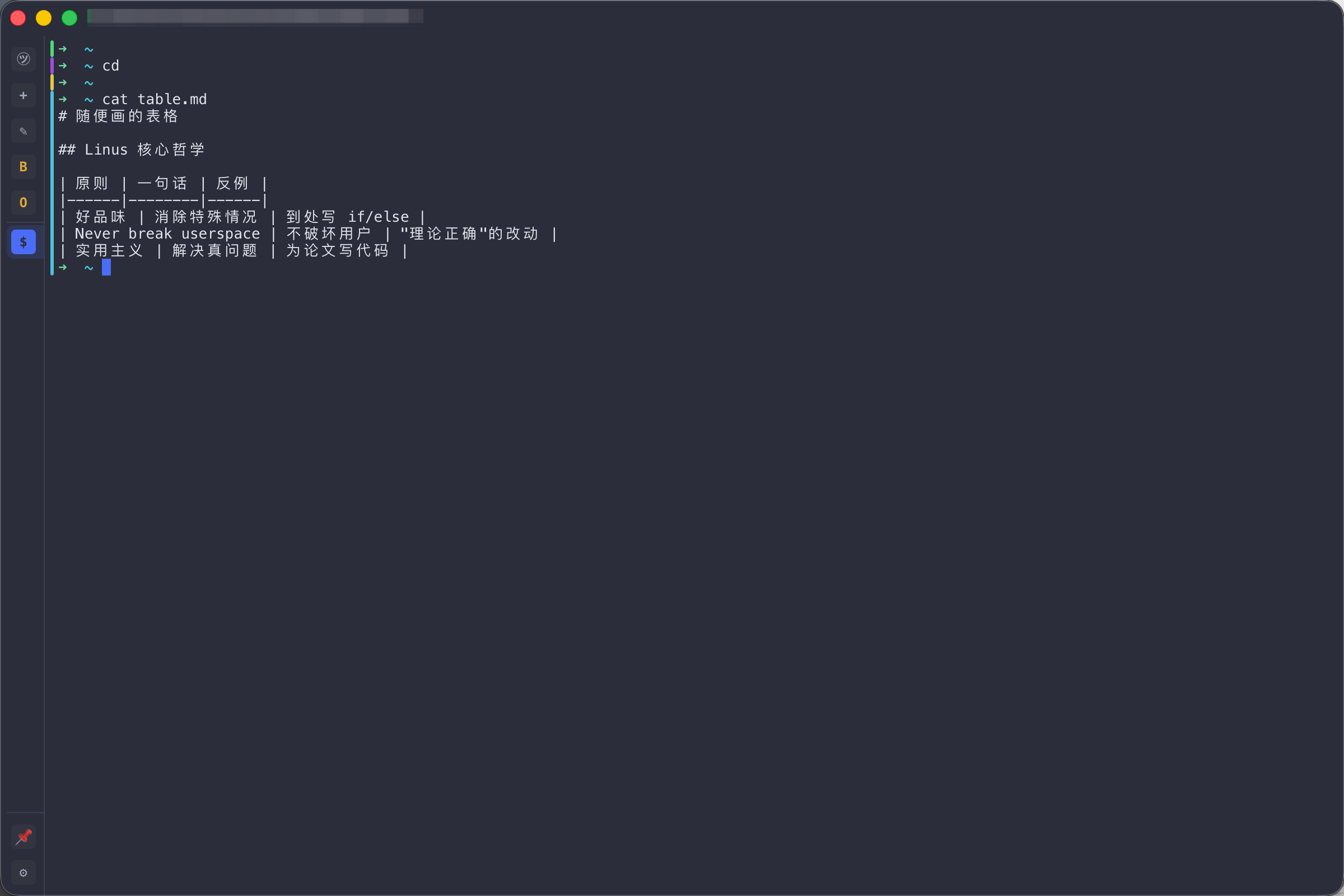
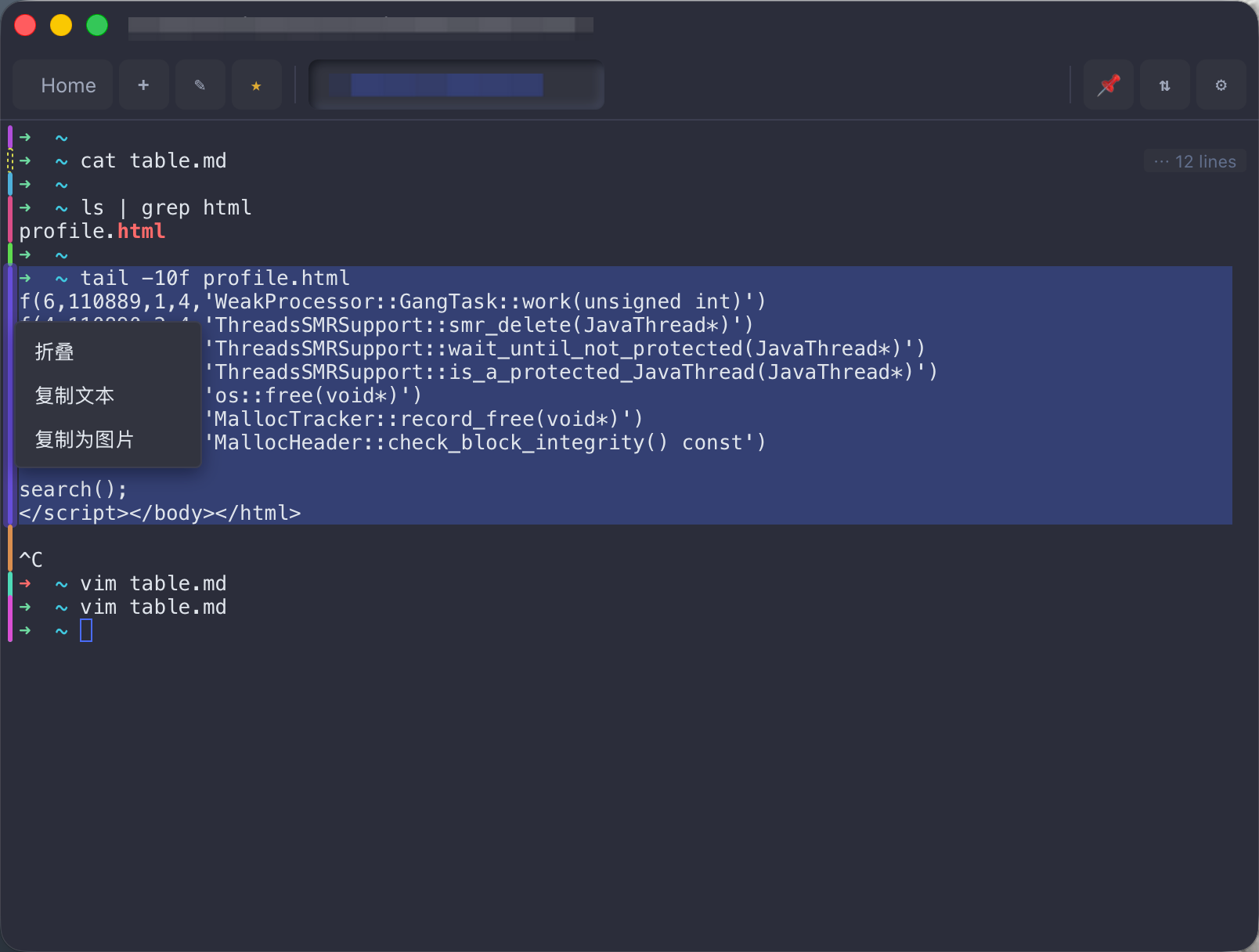
🎨 Color-coded command blocksEvery command and its output become a block with a color-coded left edge — spot the last command's output at a glance. Rendered fully locally, zero remote dependency. 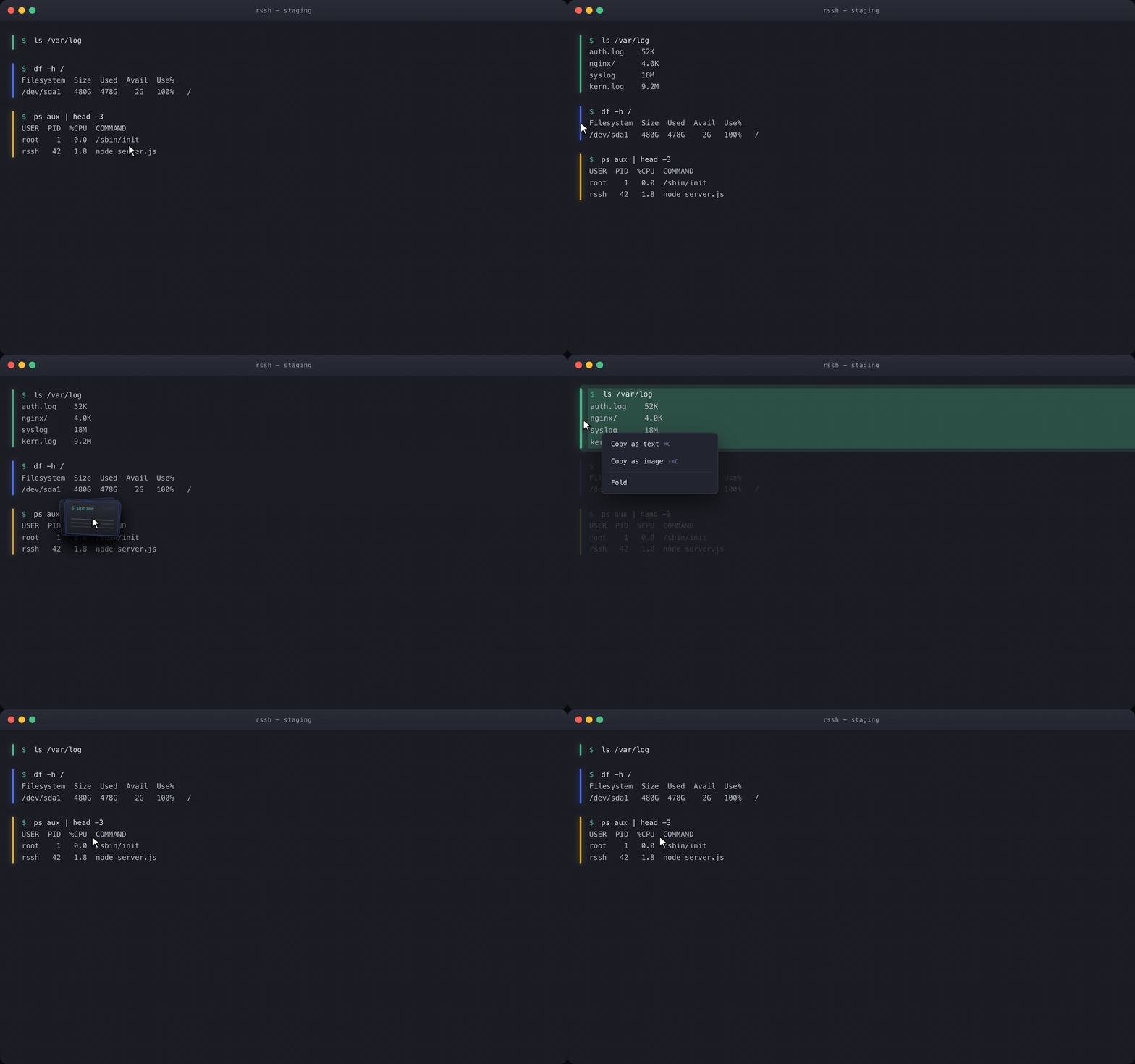 |
🐳 Dynamic discoveryContainers and pods change by the minute — connecting to servers by static IP is obsolete. RSSH dynamically discovers the containers in your local dev and test environments. 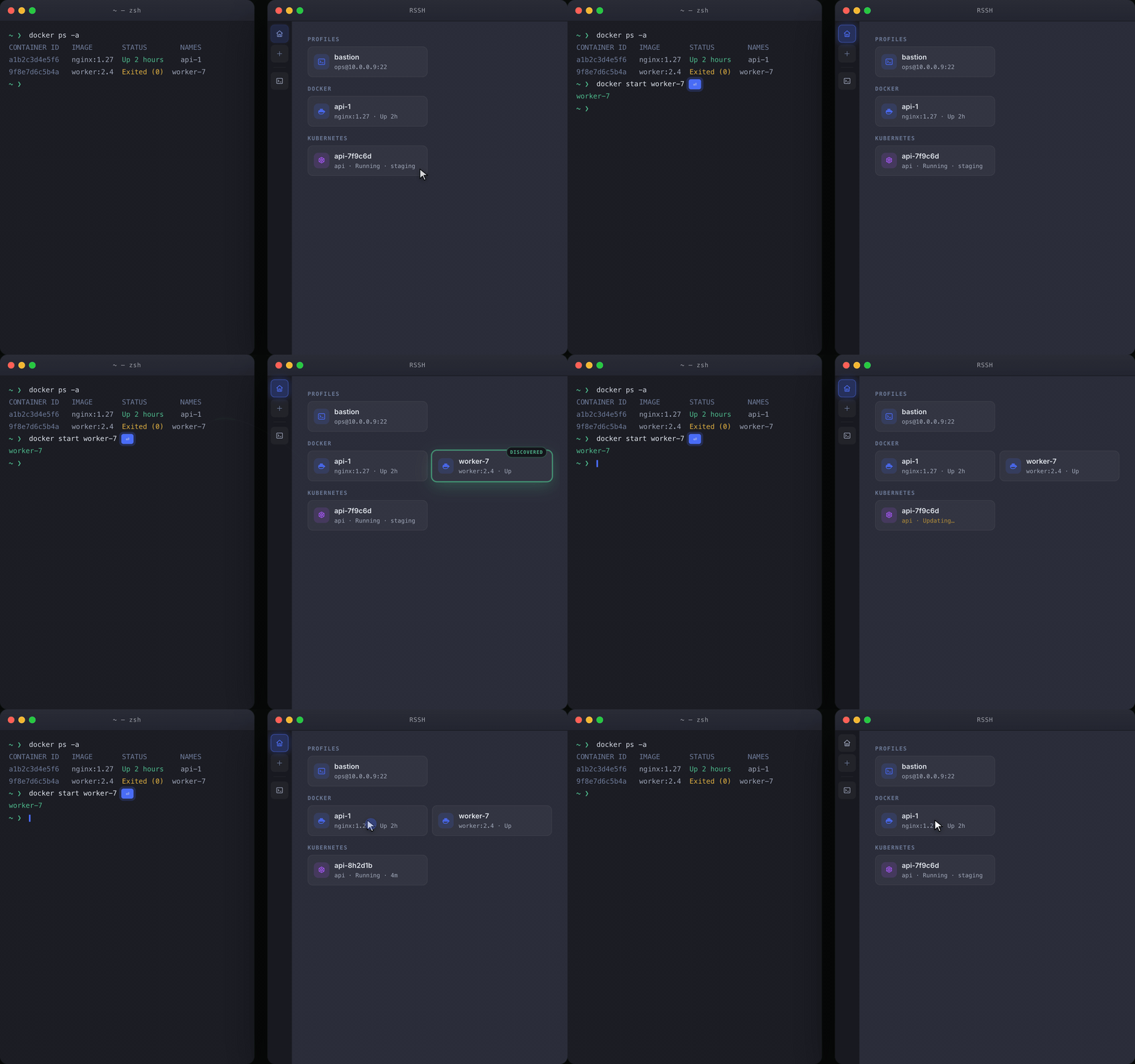 |
🔐 Multi-platform data syncKeys stay in your local OS keyserver; connection configs are encrypted into your own private GitHub repo — nothing sits on a third-party server. 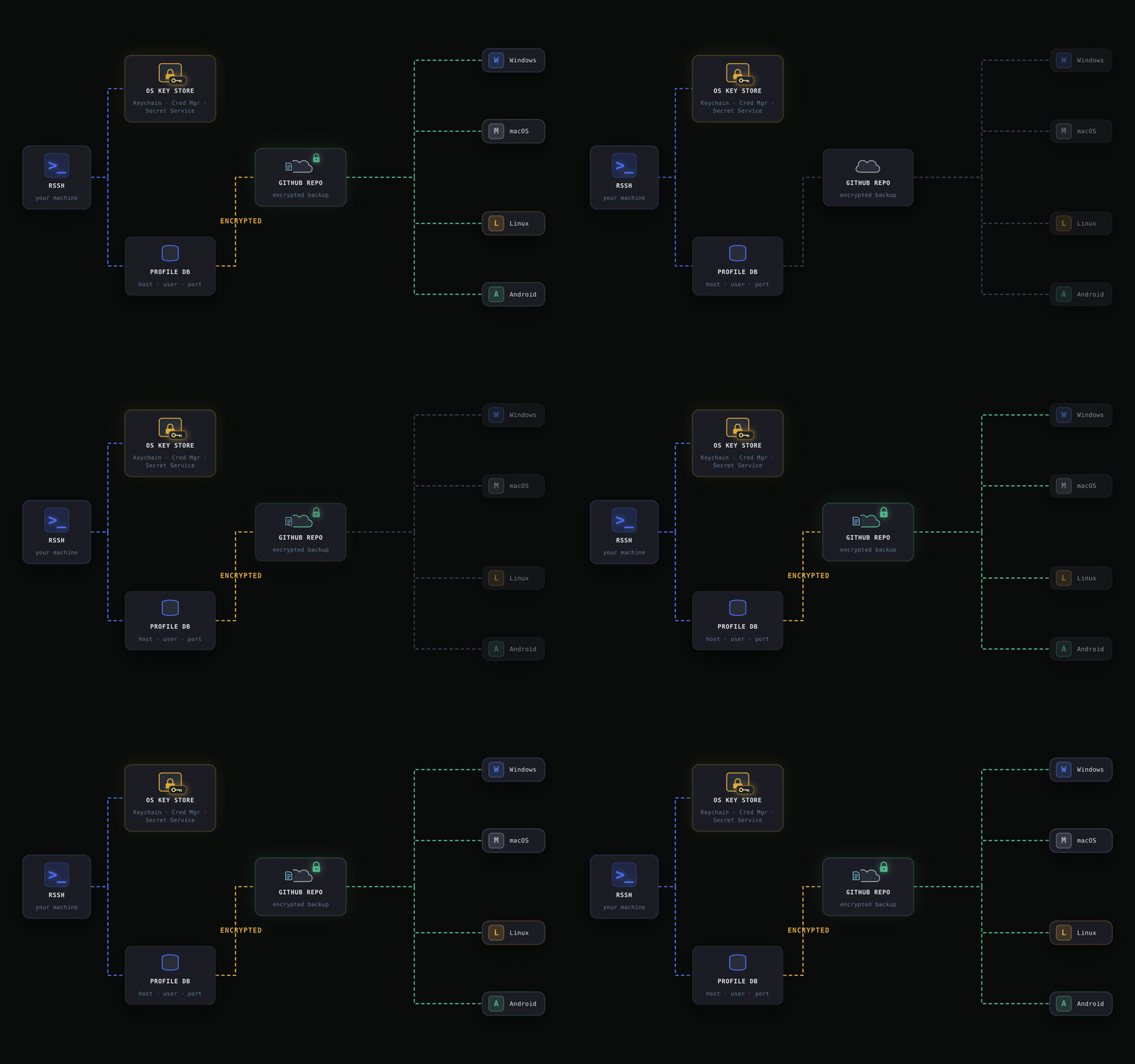 |
Features
- SSH -- password, private key, SSH agent/Pageant, keyboard-interactive, jump host (ProxyJump)
- Telnet -- saved profiles, echo negotiation, line controls, expect/send login scripts
- Serial Console (desktop) -- saved UART profiles, text/hex modes, flow control, login scripts, DTR/RTS/break
- Dynamic Discovery (Docker/K8S) -- discover Docker containers and running Kubernetes pods through local CLI contexts, then open ephemeral exec terminals
- Terminal -- xterm emulation, 10 000-line scrollback, foldable color-coded command blocks, regex highlighting, search
- Multi-session Workbench (desktop) -- live terminal previews and selection-aware broadcast across connected sessions
- SFTP -- remote file browser and upload/download
- Port Forwarding -- local, remote and dynamic (SOCKS5), named configs, real-time stats
- Local Terminal (desktop) -- open a local shell when supported by the system
- Session Recording -- asciicast v2 format, variable-speed playback
- Connections & Credentials -- SQLite storage, import from
~/.ssh/config - Security & Sync -- secrets encrypted locally with ChaCha20-Poly1305, master key in the platform keychain when available, selective remote sync, encrypted backup to your own GitHub repo or WebDAV server
- Snippets -- reusable command shortcuts (Cmd+E)
- Responsive Layout -- narrow windows show a virtual keybar (Ctrl/Alt/arrows/Tab/Esc) and compact navigation; the layout follows window width on every platform
- IDE Plugin -- run RSSH inside JetBrains IDEs in a tool window (shared data dir)
Local shells, serial controls, SSH agents and Docker/Kubernetes discovery depend on the host's available APIs, permissions and tools.
Install
Download macOS, Windows, Linux and Android installers from Releases. iOS is available on the App Store; HarmonyOS phone and PC editions are now available on Huawei AppGallery.
| Platform | File / Store | Notes |
|---|---|---|
| macOS Apple Silicon | rssh-{ver}-macos-aarch64.dmg |
|
| macOS Intel | rssh-{ver}-macos-x86_64.dmg |
|
| Linux (deb) | rssh-{ver}-linux-x86_64.deb |
Debian/Ubuntu |
| Linux (rpm) | rssh-{ver}-linux-x86_64.rpm |
Fedora/RHEL |
| Linux (AppImage) | rssh-{ver}-linux-x86_64.AppImage |
Any distro |
| Windows | rssh-{ver}-windows-x86_64.msi |
Silent install: msiexec /i |
| Windows | rssh-{ver}-windows-x86_64-setup.exe |
GUI installer |
| Windows | rssh-{ver}-windows-x86_64-portable.zip |
Portable GUI + CLI |
| Android (arm64) | rssh-{ver}-android-arm64.apk |
64-bit phones, 3x smaller |
| Android | rssh-{ver}-android-universal.apk |
All ABIs (emulators too) |
| iOS | AppStore, by @paradoxie | |
| HarmonyOS phone | Huawei AppGallery | Search RSSH on your phone |
| HarmonyOS PC | Huawei AppGallery | Search RSSH on your PC |
The HarmonyOS phone and PC editions require HarmonyOS 5 or later and have separate installation packages. AppGallery delivers the package for your device; install and update directly from the store.
IntelliJ / JetBrains plugin
Run the full RSSH UI inside a JetBrains IDE tool window — same hosts, keys and
settings as the desktop app (shared ~/.rssh). Each zip bundles a headless
rssh-server, so it's self-contained and per-OS:
| Platform | File |
|---|---|
| macOS Apple Silicon | rssh-{ver}-macos-aarch64-jetbrains-plugin.zip |
| macOS Intel | rssh-{ver}-macos-x86_64-jetbrains-plugin.zip |
| Linux | rssh-{ver}-linux-x86_64-jetbrains-plugin.zip |
| Windows | rssh-{ver}-windows-x86_64-jetbrains-plugin.zip |
Install: Settings → Plugins → ⚙ → Install Plugin from Disk…, pick the zip for your OS and restart. Open the RSSH tool window (bottom) to start; the ✕ in its title bar stops the embedded server.
Codex subscription
In Settings → AI, add a Codex subscription provider, enter a name, and choose Save and sign in. Open the authorization page, enter the displayed device code, then select a model and save. RSSH connects directly to the Codex cloud service; installing Codex is unnecessary. Terminal tools use RSSH's existing approval controls.
Each device signs in separately. RSSH encrypts its tokens locally and refreshes them automatically. Provider and model settings can sync through GitHub or WebDAV, but subscription credentials are excluded from sync and configuration exports. An expired or revoked authorization requires signing in again.
Local coding agents (MCP)
In Settings → AI → Local agent (MCP), manually start the service. Copy the connection details into your
agent's Streamable HTTP MCP configuration: the URL and the
Authorization: Bearer … header. The loopback endpoint and token belong to
this RSSH window and expire when the service stops or the window closes.
RSSH exposes four tools:
list_sessionslists connected terminals in this window with their existing shell metadata. Listing a terminal does not authorize control.- After selecting a connected terminal,
open_session(session_id, title)requests control. Accept or reject the request below the AI panel's toolbar. Accepting opens an MCP conversation in the same chat view, without a message input or send button. run_commanduses the accepted conversation's existing AI command pipeline: command validation, approval cards, terminal execution, output collection, redaction and audit. Its response includes sanitized output and execution status.download_file(session_id, remote_path, max_mb)uses the accepted SSH session's existing SFTP download, approval card and audit.max_mbmust be 1–100; inspect the remote file size first and transfer larger files manually. The response reports success or failure, downloaded bytes andlocal_pathunder RSSH's data directory. It returns no file contents. This path is on the RSSH host, which may differ from the agent's machine in Headless/JetBrains. Local shell, serial and Telnet sessions cannot provide SFTP downloads.
MCP conversations share the AI panel's danger mode and per-tool auto-approval settings, audit and conversation history. Viewing saved MCP history does not restore agent control. The agent uses its own access to your code; no RSSH AI provider or model is required.
Commands use the terminal's existing shell and working directory. Docker and Kubernetes terminals use their configured container shell and keep conversation history separate from the host and other containers. Confirm the terminal is at a shell prompt before approving; full-screen programs and concurrent agent commands are blocked. A timeout ends output collection and does not guarantee the process stopped. Check the terminal before retrying. Shell metadata follows RSSH's existing configuration/detection and may be stale after switching shells; no shell version is advertised. Do not automatically repeat a command after a timeout or lost response; check the terminal first.
Available in the desktop GUI and Headless/JetBrains while the corresponding frontend remains open. Closing the conversation, reconnecting the terminal or stopping the service revokes control. Serial/Telnet keep the AI panel's existing manual approval and output-submission behavior. Mobile hosts and standalone CLI sessions do not provide this MCP endpoint.
Development
See CONTRIBUTING.md. For HarmonyOS builds and signing, see CONTRIBUTING.md — HarmonyOS.
License
MIT
Friend Link
Explore related projects
affaan-m/ECC
The agent harness performance optimization system. Skills, instincts, memory, security, and research-first development for Claude Code, Codex, Opencode, Cursor and beyond.
300,777 starsNousResearch/hermes-agent
The agent that grows with you
262,434 starsmultica-ai/andrej-karpathy-skills
A single CLAUDE.md file to improve Claude Code behavior, derived from Andrej Karpathy's observations on LLM coding pitfalls.
231,850 starsfirecrawl/firecrawl
Supercharge your AI agents with data from the web and beyond. Building the library for superintelligence. 🔥
200,444 stars