
rhinoc/xprite-pixelate
rhinoc/xprite-pixelate has 81 GitHub stars and 6 forks. GitHot measured +1 stars in 24 hours. Last checked 2026-11-15 16:44 UTC. Last push 2026-11-06.
Measured star growth
- in 24h
- +1
- in 7 days
- Update delayed
- in 15 days
- Update delayed
- in 1 month
- Update delayed
Net star changes over overlapping periods, not daily totals. Missing measurements are left blank. Stars measure attention, not software quality.
About
Recover the real pixel grid of AI-generated and upscaled pixel art, and turn images into pixel art.
AIREADME.md
Original@xprite/pixelate


English | 简体中文
Recover the real pixel grid of AI-generated pixel art and get back one clean pixel per cell. It also turns ordinary images into pixel art. It runs in browsers and Node, has no runtime dependencies, and is the importer of the Xprite pixel editor.
Compared with other tools
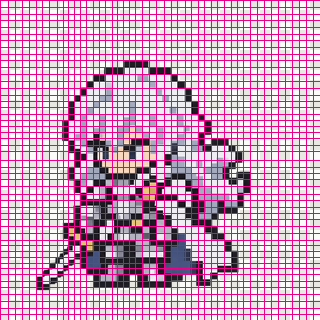
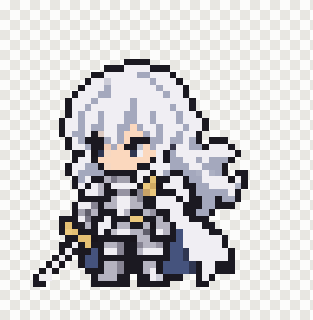
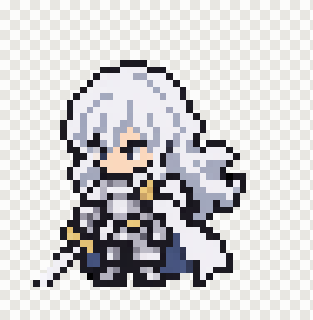
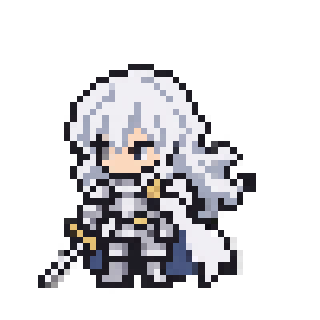
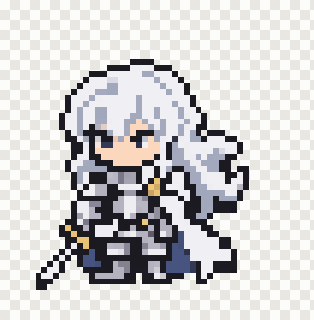
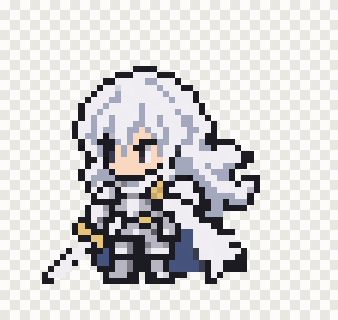
A real generated image (887×887, cells 15 to 21 px wide), recovered by each tool with its default settings. Xprite puts each cut on a colour edge, so it does not cut through the eye, the boots or the sword.
| Recovered grid | Xprite, 48×49 | pixel-art-fixer, 47×48 | perfectPixel, 50×50 | proper-pixel-art, 53×54 | Sprite Fusion Pixel Snapper, 56×53 |
|---|---|---|---|---|---|
 |
 |
 |
 |
 |
 |
On the AI suite of our benchmark (1746 cases), Xprite gets the exact size most often:
| Method | Exact size | Within 1 cell | Pixel match | Fringe (alpha 1–254) | Median time |
|---|---|---|---|---|---|
| Xprite Auto | 83.6% | 90.0% | 99.7% | 0.1% | 2.80 s |
| pixel-art-fixer | 49.7% | 80.9% | 98.3% | 0.0% | 0.18 s |
| perfectPixel | 53.3% | 68.0% | 96.7% | - | 0.03 s |
| proper-pixel-art | 72.2% | 80.4% | 99.7% | 0.0% | 0.49 s |
| Sprite Fusion Pixel Snapper | 56.8% | 77.9% | 98.5% | 91.0% | — |
Contents
Examples
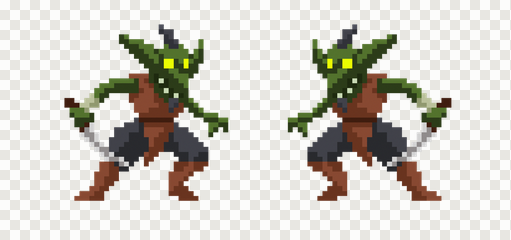
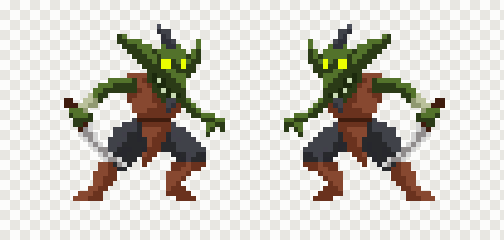
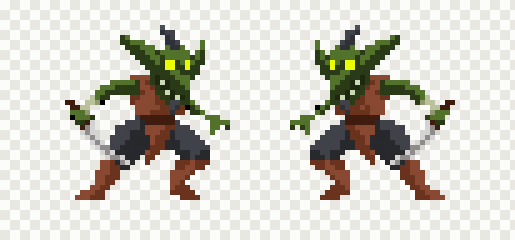
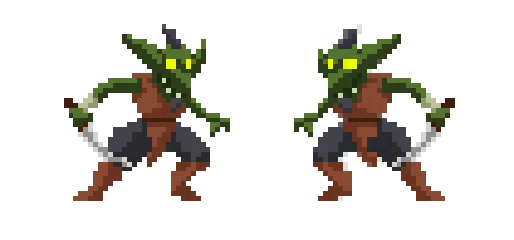
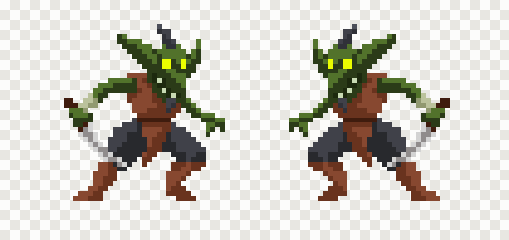
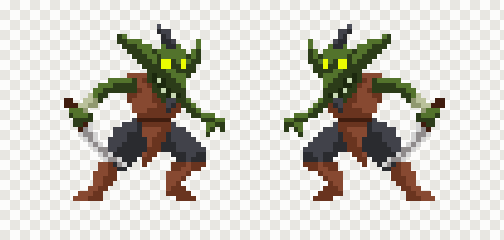
Each example is one case from a category of the benchmark's AI suite: CC0 pixel art rendered the way generators fake it, with a known native size. The sizes are the visible art in cells; ✅ marks the exact native size. Every tool runs with its default settings.
Two sprites on one canvas
- Goblins by LuizMelo, CC0. Category
gen_pair. Native art: 78×36.
| Input, 1800×845 | Xprite, 78×36 ✅ | pixel-art-fixer, 78×35 ❌ | perfectPixel, 80×36 ❌ | proper-pixel-art, 79×36 ❌ | Sprite Fusion, 78×36 ✅ |
|---|---|---|---|---|---|
 |
 |
 |
 |
 |
 |
Cells that drift and jitter
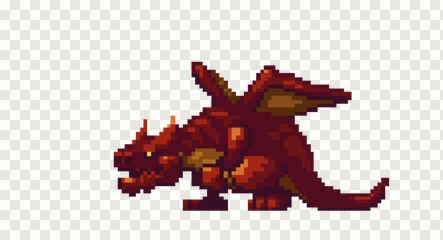
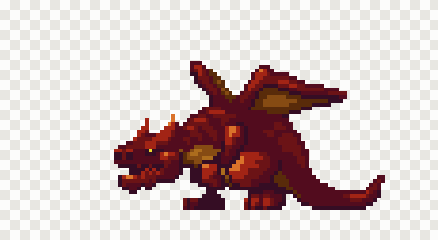
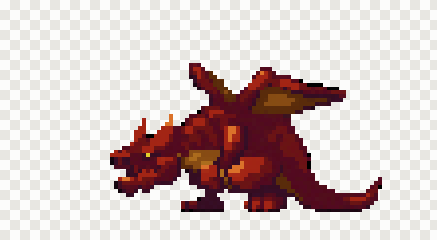
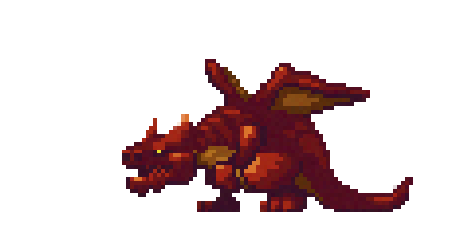
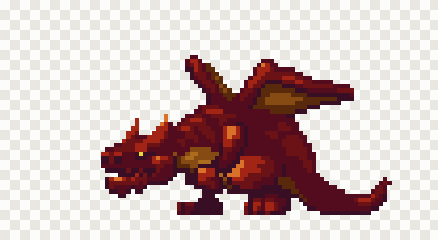
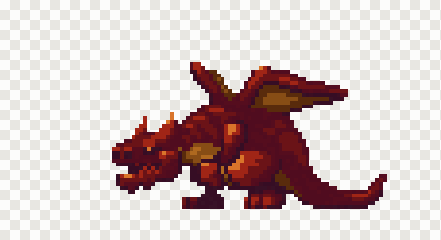
- Boss dragon by ansimuz, CC0. Category
gen_wobble. Native art: 71×39.
| Input, 1226×664 | Xprite, 71×39 ✅ | pixel-art-fixer, 69×38 ❌ | perfectPixel, 74×39 ❌ | proper-pixel-art, 69×38 ❌ | Sprite Fusion, 71×38 ❌ |
|---|---|---|---|---|---|
 |
 |
 |
 |
 |
 |
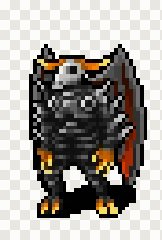
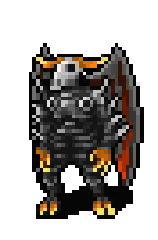
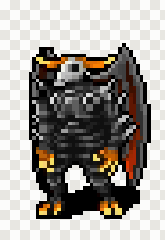
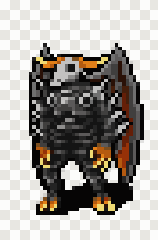
Small cells and WebP damage
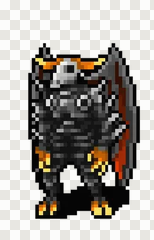
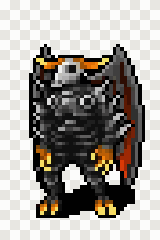
- Monster by Denzi, CC0. Category
gen_small_pitch. Native art: 32×48.
| Input, 218×339 | Xprite, 32×48 ✅ | pixel-art-fixer, 32×47 ❌ | perfectPixel, 32×49 ❌ | proper-pixel-art, 34×49 ❌ | Sprite Fusion, 32×48 ✅ |
|---|---|---|---|---|---|
 |
 |
 |
 |
 |
 |
A small sprite on a large clear canvas
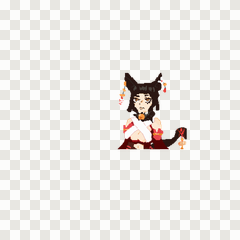
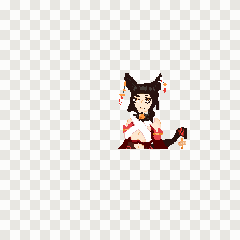
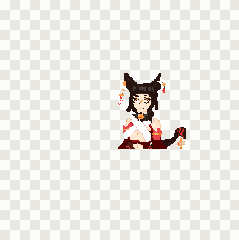
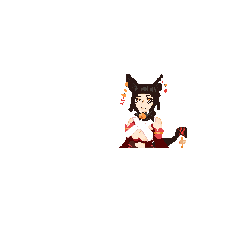
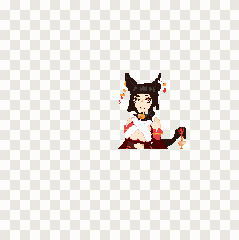
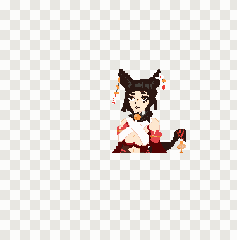
- Nekomimi girl by cawfeecrow, CC0. Category
gen_sparse. Native art: 123×136.
| Input, 1797×1800 | Xprite, 123×136 ✅ | pixel-art-fixer, 122×136 ❌ | perfectPixel, 124×136 ❌ | proper-pixel-art, 127×142 ❌ | Sprite Fusion, 118×133 ❌ |
|---|---|---|---|---|---|
 |
 |
 |
 |
 |
 |
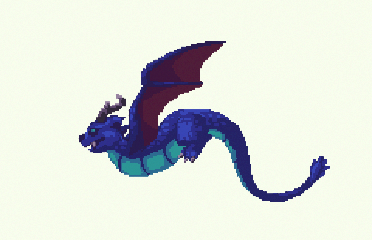
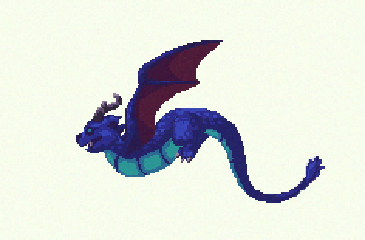
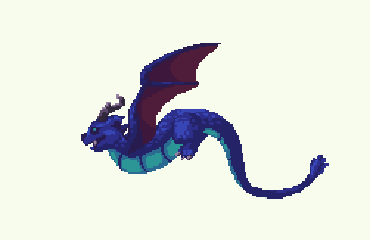
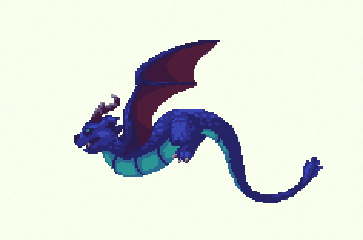
An off-white background
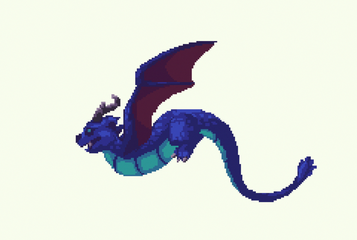
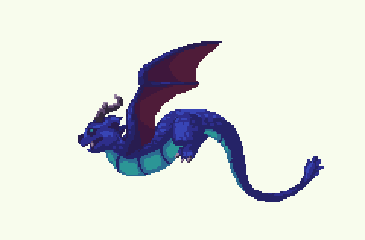
- Dragon by ansimuz, CC0. Category
gen_white. Native art: 162×106.
| Input, 1800×1210 | Xprite, 162×106 ✅ | pixel-art-fixer, 325×208 ❌ | perfectPixel, 161×105 ❌ | proper-pixel-art, 168×106 ❌ | Sprite Fusion, 162×106 ✅ |
|---|---|---|---|---|---|
 |
 |
 |
 |
 |
 |
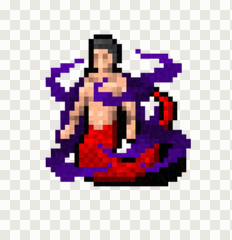
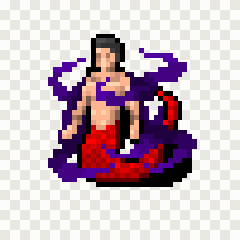
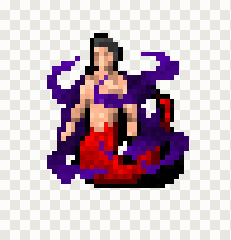
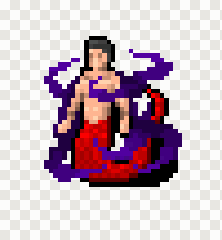
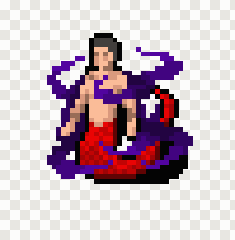
Painterly shading inside cells
- Naga mage, Dungeon Crawl Stone Soup, CC0. Category
gen_painterly. Native art: 31×32.
| Input, 411×425 | Xprite, 31×32 ✅ | pixel-art-fixer, 30×33 ❌ | perfectPixel, 31×32 ✅ | proper-pixel-art, 31×34 ❌ | Sprite Fusion, 31×32 ✅ |
|---|---|---|---|---|---|
 |
 |
 |
 |
 |
 |
Install
npm install @xprite/pixelate
Usage
An image is { width, height, data }, where data holds RGBA bytes, row by row, with straight
alpha. ImageData from a canvas has this shape.
Recover a grid
import {
  CellColorPicker,
  PixelationAlgorithm,
  PixelationMode,
  detectWithAlgorithm,
  pixelateImage,
  preloadWasm,
} from "@xprite/pixelate";

await preloadWasm(); // optional: loads the grid-count detector once, before the first image

const image = { width, height, data: new Uint8ClampedArray(rgba) };

const grid = detectWithAlgorithm(image, PixelationAlgorithm.Auto);
if (grid.reliable) {
  const art = pixelateImage(image, {
    mode: PixelationMode.RecoverGrid,
    grid,
    colorPicker: CellColorPicker.TwoStage,
    paletteSnap: { adaptive: true }, // merge the near-shades a generator leaves behind
  });
  // art.width × art.height is the native size: one pixel per recovered cell.
}
grid.reliable is false when the image has no consistent grid (a photo, a drawing, or real 1×
pixel art). RecoverGrid mode throws an error for such a grid. Use Convert mode for those
images.
Convert an image
const art = pixelateImage(photo, {
  mode: PixelationMode.Convert,
  targetSize: { width: 64, height: 64 },
  paletteSnap: { colors: 16 },
});
Remove a flat background
import { removeBackground } from "@xprite/pixelate";

const clear = removeBackground(image); // keys the most common border colour
Call it before detection when a generator painted a white or checkerboard background.
Options
pixelateImage(image, options):
| Option | Description |
|---|---|
mode |
RecoverGrid uses a detected grid. Convert makes pixel art at a size you give. |
grid |
A grid from detectWithAlgorithm. If you omit it, the grid is detected with algorithm. |
algorithm |
Grid detector. Auto runs all of them and picks one grid. |
colorPicker |
Colour rule per cell: TwoStage, MostCommon (default), Median, Average, KMeans, Contrast and others. |
targetSize, targetWidth, targetHeight, blockSize |
Output size in Convert mode. |
paletteSnap |
Limit colours: { adaptive: true }, { colors: 16 } or { palette: [...] }, with optional dither. |
prepass |
Outline pre-pass from PixelOE (Pixeloe, PixeloeLines). |
removeNoise |
Light smoothing of similar neighbour colours. |
preserveDimensions |
Scale the result back up to the source size, nearest neighbour. |
src/types.ts documents every option.
Workers
detectWithAlgorithm and pixelateImage are synchronous and can take a few seconds on large
images, so run them in a Web Worker. In a browser, Auto can also run its grid-count detector in a
nested worker, in parallel with the other detectors:
import { setAcRlBrowserWorkerFactory, detectWithAlgorithmAsync } from "@xprite/pixelate";

setAcRlBrowserWorkerFactory(
  () =>
    new Worker(
      new URL("@xprite/pixelate/wasm/ac-rl-detect-browser-worker.js", import.meta.url),
      { type: "module" },
    ),
);
const grid = await detectWithAlgorithmAsync(image);
In Node, the detector starts a worker_threads worker from wasm/ac-rl-detect-worker.mjs by
itself. Set XPRITE_AC_RL_WORKER=0 to keep it on the calling thread.
How it works
- Straighten. Auto estimates the tilt. When the tilt is clear, it detects on a straightened copy.
- Propose. Seven detectors propose grids: uniform grid, edge grid, frame lattice, pitch lattice, colour period, border runs and edge spacing. A WebAssembly port of pixel-art-fixer's autocorrelation and run-length vote gives an independent cell count.
- Follow the edges. At each pitch the detectors keep, a dynamic program walks each axis and puts every cut on a colour edge. Each cell stays within 0.75 to 1.25 of the pitch, and a change of width costs extra. This step handles cells of uneven width.
- Filter. A candidate is dropped when its cuts miss the colour edges that a coarser grid follows.
- Choose. The grid that describes the image in the fewest bits wins (minimum description length). A grid that is not locked to the content's phase pays a penalty. Drift and sheared rows are read as strip shifts or as a phase field.
- Sample. Each cell gets one colour (
TwoStagepacks the cell's colours in two steps). Adaptive palette snapping then merges near-duplicate shades. - Settle alpha. Cells that the art covers become fully opaque, and cells outside the art become clear.
Each source file in src/ describes its step.
Benchmark
bench/ compares this package with four other tools on mostly CC0 native pixel art (plus one CC-BY source). The
benchmark damages the art in known ways and scores each result against the original. Every tool
runs with its default settings.
AI suite (1746 cases in 12 categories, rendered the way generators fake pixel art):
| Method | Exact size | Within 1 cell | Pixel match | ΔE | Fringe (alpha 1–254) | Median time |
|---|---|---|---|---|---|---|
| Xprite Auto | 83.6% | 90.0% | 99.7% | 0.85 | 0.1% | 2.80 s |
| pixel-art-fixer | 49.7% | 80.9% | 98.3% | 1.74 | 0.0% | 0.18 s |
| perfectPixel | 53.3% | 68.0% | 96.7% | 2.42 | - | 0.03 s |
| proper-pixel-art | 72.2% | 80.4% | 99.7% | 0.64 | 0.0% | 0.49 s |
| Sprite Fusion Pixel Snapper | 56.8% | 77.9% | 98.5% | 1.93 | 91.0% | — |
Exact size per category:
| Category | Xprite | pixel-art-fixer | perfectPixel | proper-pixel-art | Sprite Fusion |
|---|---|---|---|---|---|
Clean (gen_clean) |
93.6% | 71.7% | 58.4% | 74.6% | 56.6% |
Sparse canvas (gen_sparse) |
99.0% | 63.5% | 71.9% | 88.5% | 69.8% |
Off-white background (gen_white) |
77.7% | 65.2% | 66.1% | 82.1% | 78.6% |
Soft outline (gen_soft_edge) |
95.8% | 61.9% | 67.8% | 82.2% | 59.3% |
Drift and WebP (gen_webp) |
80.9% | 40.5% | 57.8% | 71.1% | 48.6% |
Halos and JPEG (gen_halo_jpeg) |
82.7% | 52.6% | 60.1% | 72.8% | 59.0% |
Painterly shading (gen_painterly) |
84.5% | 39.1% | 67.8% | 79.3% | 50.0% |
Small cells (4-8 px) (gen_small_pitch) |
72.2% | 47.9% | 40.2% | 43.8% | 42.6% |
Large cells (24-48 px) (gen_large_pitch) |
68.2% | 22.0% | 68.2% | 78.0% | 57.8% |
Strong drift (gen_wobble) |
73.3% | 30.8% | 30.8% | 54.1% | 49.4% |
Two sprites (gen_pair) |
97.1% | 62.7% | 45.1% | 72.5% | 60.8% |
Drop shadow (gen_shadow) |
97.3% | 64.0% | 0.0% | 84.7% | 68.5% |
pixel-bench suite v1 (7651 cases of upscales and lossy pipelines):
| Method | Exact size | Within 1 cell | Pixel match | ΔE | Median time |
|---|---|---|---|---|---|
| Xprite Auto | 87.1% | 90.1% | 94.4% | 2.76 | 0.27 s |
| pixel-art-fixer | 77.8% | 83.5% | 94.4% | 2.83 | 0.04 s |
| perfectPixel | 24.2% | 32.9% | 89.7% | 4.31 | 0.002 s |
| proper-pixel-art | 16.5% | 28.6% | 93.0% | 3.85 | 0.05 s |
| Sprite Fusion Pixel Snapper | 6.6% | 26.8% | 91.0% | 4.42 | — |
Pixel match, ΔE and fringe are measured only on each method's exact-size cases. The sample sets can differ, so these values are not directly comparable across methods. Fringe counts alpha values from 1 to 254, including nearly opaque pixels.
Each method uses its default color processing, so these are end-to-end results with different palettes. Timing methods also differ; measurements that include process startup and PNG I/O are omitted from the table. Results use the same cases and scoring code; some were recorded in an earlier run. Synthetic damage does not establish real-world success rates. See bench/README.md for method versions, timing and reproduction.
License
MIT. Parts are adapted from pixel-art-fixer, PixelOE, proper-pixel-art and tensorhead/dithering (see NOTICE.md). The example art is CC0 (see bench/corpus/CREDITS.md).