
proma-ai/Proma
proma-ai/Proma has 2,240 GitHub stars and 309 forks. GitHot measured -1 stars in 24 hours and +6 in 7 days. Last checked 2026-11-07 20:53 UTC. Last push 2026-09-26.
Proma brings a seamless general-purpose Agent experience to your workflow. Built for 100× professionals and the proactive Agent era
Measured star growth
- in 24h
- -1
- in 7 days
- +6
- in 15 days
- Collecting history
- in 1 month
- Collecting history
Net star changes over overlapping periods, not daily totals. Missing measurements are left blank. Stars measure attention, not software quality.
README.en.md
OriginalProma

About Proma
Proma is an open-source, general-purpose desktop Agent product built for professional users. It covers the capabilities expected from leading Agent products, including:
- Chat mode
- Agent mode
- Plan mode
- Project isolation
- Memory
- An in-app browser
- An in-app terminal
- Scheduled tasks
- Parallel Agent exploration
- Child sessions and parent sessions
- Skills / MCP / CLI
- Remote connectivity: WeChat, Feishu, DingTalk, and Slack
- Previewing and editing for many file types
Built for professional workflows
Proma adds focused capabilities for professional workflows so Agents can operate more smoothly in demanding scenarios. Every capability below is integrated with Agents and designed to work together naturally:
- Todo: capture unfinished work and later reference it directly from the input box to continue. You can also work with an Agent to create Todos for everyday reminders, and sync them with macOS Reminders.
- Calendar: let Agents create and manage your calendar, avoid conflicts around important events, and collaborate on scheduling. Calendar data can also sync with macOS Calendar.
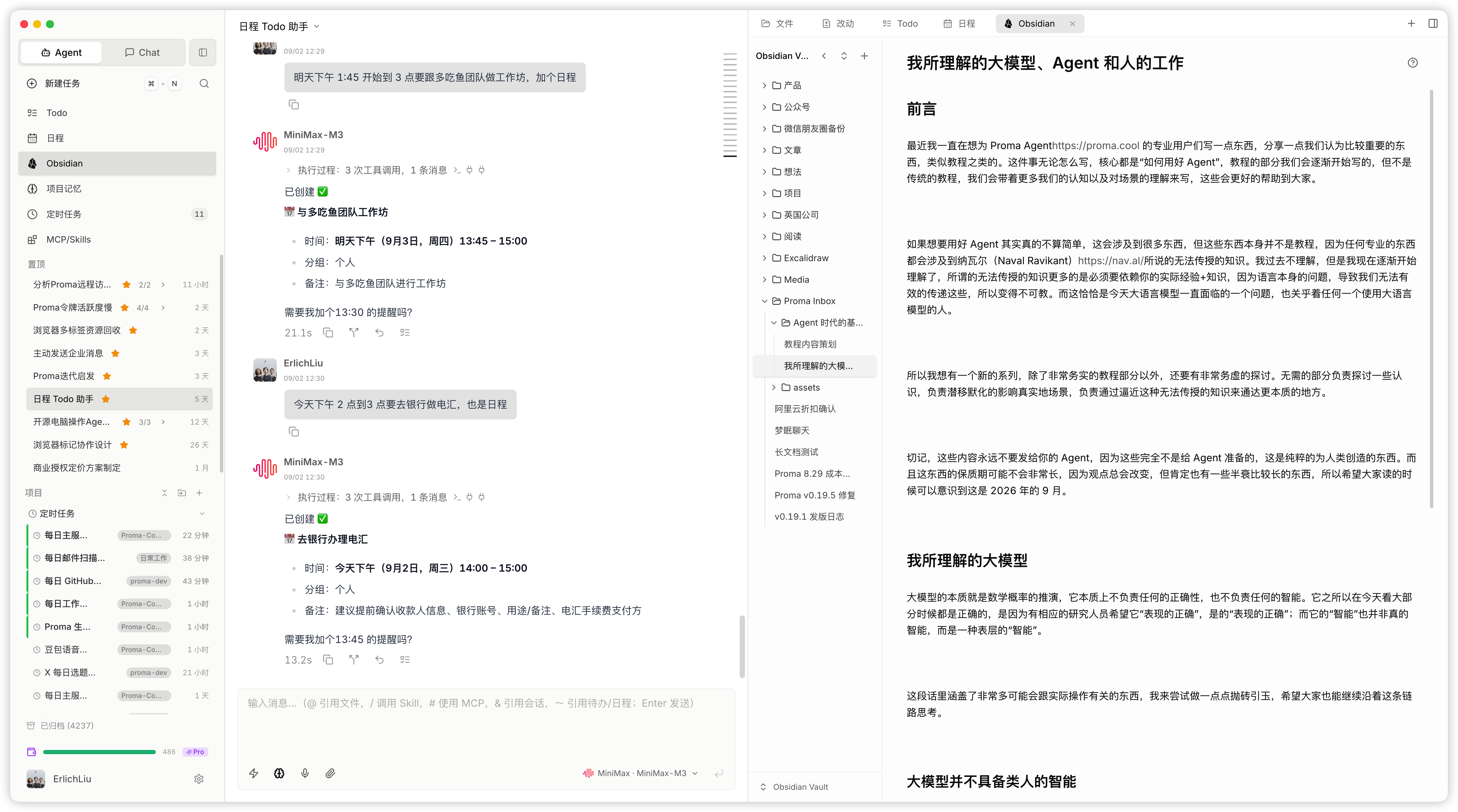
- Obsidian: deeply integrate Obsidian with a more capable real-time Markdown editing experience, giving knowledge-management, knowledge-creation, and research users a fluid way to work with Agents.
- In-app terminal and browser: give Agents a visible terminal and browser they can sign in to and use directly, making programming and automation workflows smoother.
- Agent exploration: professional work often benefits from diverse, parallel exploration. Rather than polluting the current context, Proma lets you explore other possibilities fully and bring the useful findings back when needed.
- Child sessions and parent sessions: similar to SubAgents, but with cleaner context, persistent session-level deliverables, and room for iterative work. Parent and child sessions enable parallel Agent processing, deep research, adversarial analysis, continuous repairs in a parent session, and ongoing reviews in child sessions—ultimately creating better context for better outcomes.
- Automatic worktree workflows: developers can quickly work through Git worktrees in Proma. The Agent proactively selects the relevant worktree in the right panel, shows the diff against
main, and lets you enter a visible Proma terminal with one click.
Download and Installation
Download the Open-Source Edition
Download the open-source edition from GitHub Releases. Builds are available for macOS Apple Silicon, macOS Intel, Windows, Ubuntu/Debian x86_64 (.deb), and Linux x86_64 AppImage. For Linux installation, security boundaries, and support scope, see the Linux guide.
Download the Commercial Edition
The Proma Commercial Edition provides stable, secure, and competitive access to frontier models. It also lets you configure your own Codex, Kimi Coding Plan, and dozens of other mainstream Coding Plans and Agent Plans, while Proma Cloud substantially expands what the Commercial Edition can do. Open-source users can install the Commercial Edition over their existing installation; their data is preserved and carried forward.
Download: Proma Commercial Edition
Open Source vs. Commercial Edition
| Comparison | Open-source edition | Commercial edition |
|---|---|---|
| Core desktop capabilities | Complete Proma desktop experience with freely configurable workflows | The same core desktop experience |
| Model channels | Add and manage AI provider channels and API keys yourself | Use Proma's official built-in model channels after signing in, while retaining the option to configure third-party channels |
| Model pricing | Governed by the terms and pricing of your chosen providers | Selected models receive Proma Cloud-exclusive offers, with some priced as low as 10% of the official reference price |
| Agent security and reliability | You assess each provider's security, protocol compatibility, and reliability; using third-party relays also requires your own assessment of their trust and data-handling risks | Proma Cloud's official managed route provides unified security and reliability safeguards, Agent protocol compatibility, and model health monitoring, reducing uncertainty from opaque third-party relays |
| Web-connected and built-in AI capabilities | Configure services such as search and image generation, along with their API keys, as needed | A more complete Proma Cloud connected and built-in experience, including WebSearch and GPT Image 2 image generation and editing |
| Public API and services | Primarily use provider APIs that you configure | Create standalone Proma Cloud API keys with quota caps to bring LLM, tools, and multimodal capabilities into your own apps or services |
| Team credit management | Build your own member, credit-allocation, and usage-management process | Team administrators can allocate or reclaim shared credits, distribute them monthly, and review member usage and credit transactions |
| Skills distribution and collaboration | Skills are local workspace capabilities; you organize distribution and sharing across your team | The enterprise edition supports organization-level Skills distribution and team collaboration: administrators can push team-developed Skills to members in one click, who can use them without installation; versions, updates, and usage scope are managed centrally |
| Subscription and usage | Manage provider accounts, balances, and usage yourself | Manage subscriptions and balances in the app, with detailed model, Agent, and tool usage |
| Moving from open source | — | Install over the existing app and continue using your local Proma data |
Available models, prices, and benefits may change over time. Refer to the current in-app information.
Proma's Core Capabilities and Design Philosophy
Proma is one of the few Agent products built specifically for professional users. For heavy Agent users in particular, it offers more transparent Agent execution, more visible configuration, better separation of projects, memory, and Skills, a simpler and more coherent preview-and-editing experience, and rich built-in capabilities such as a browser and terminal.
Proma completely rethinks the interaction and UX system. The left side manages conversations and provides access to primary features. The middle is the main Agent-output area, where you and the Agent interact. The right side is the supporting workspace: project files, Agent file changes, document previews, child-session interactions, the in-app browser, terminal, Obsidian, calendar, Todos, Skills, and more—all there to help the Agent in the middle produce better results.
For today's Agents and large language models, better intelligence starts with better context. Our central work is helping you organize that context. The capabilities below explain both this principle and how Proma is designed from a professional user's perspective to create better context.
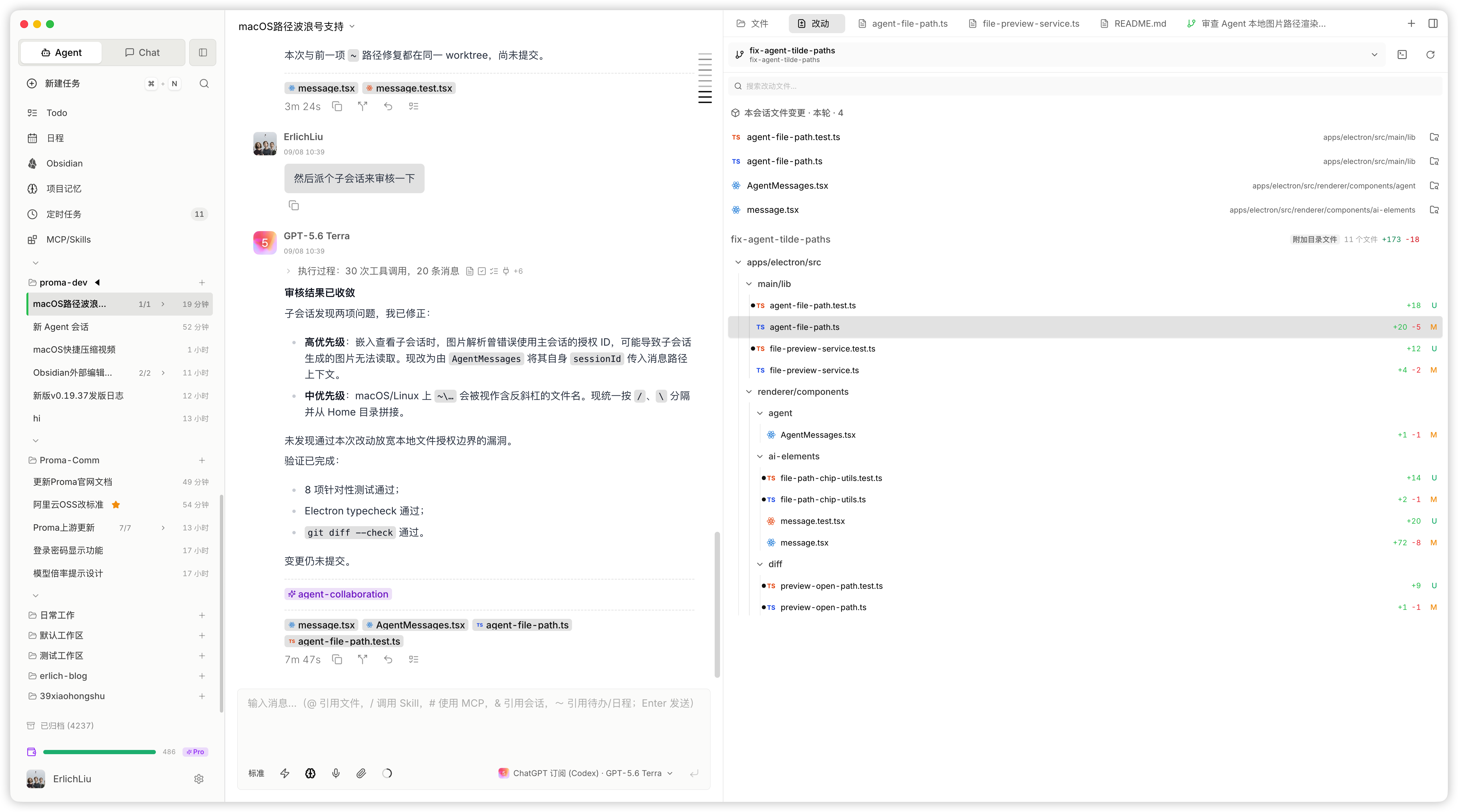
Feature Highlights
Child Sessions and Parent Sessions
The left side shows the parent session. When you need to conduct deep research in parallel, increase efficiency and information density, or perform adversarial checks, child sessions are a better choice. You can even view parent and child sessions side by side. Compared with traditional SubAgents, child sessions have cleaner context, a persistent and interactive environment for iterative work, more freedom in model selection, and better performance.
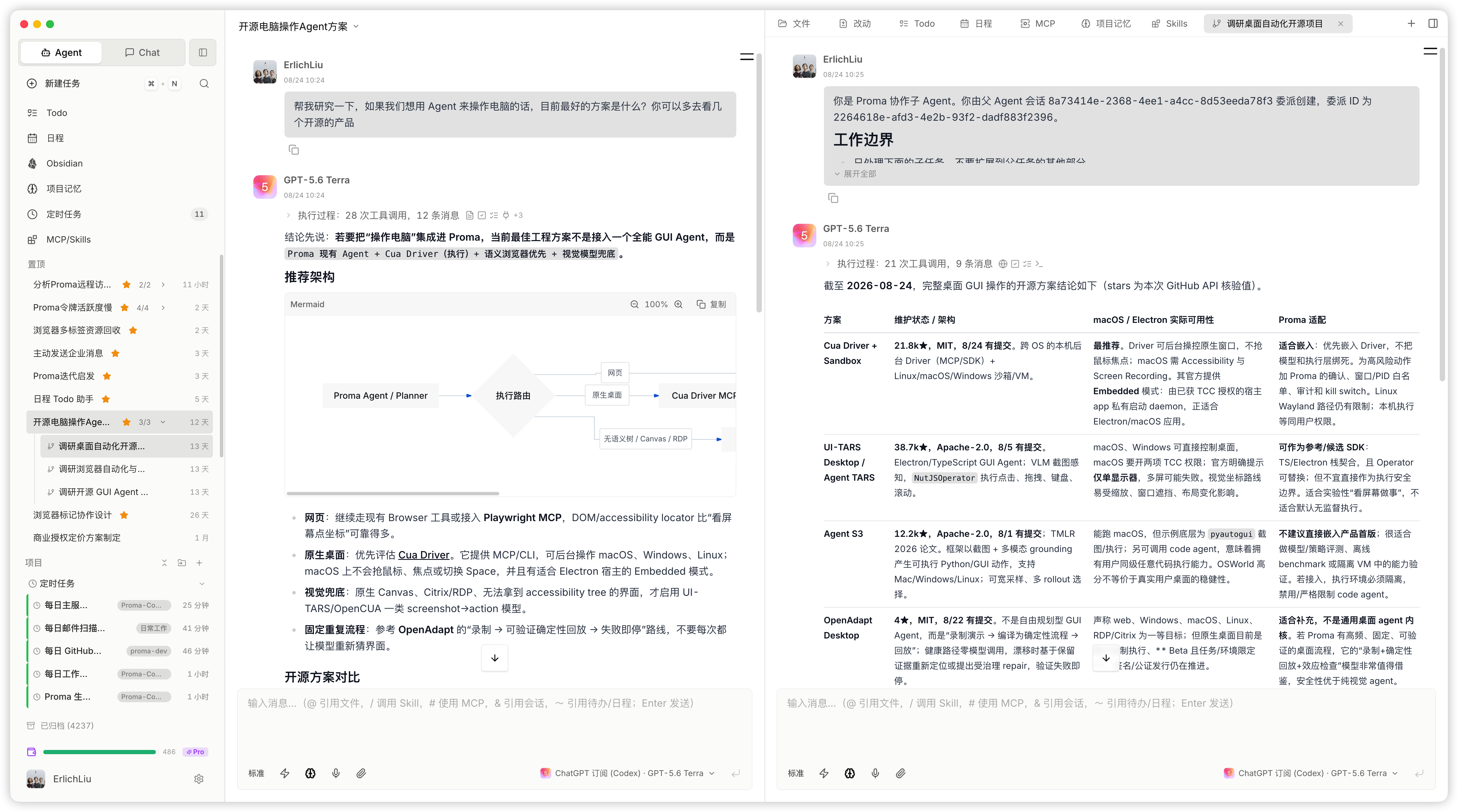
Exploration Mode
This is exploration, not merely branching. After an Agent finishes responding, click Explore to create as many parallel paths as you need while retaining the preceding context. Use them simultaneously for research or curiosity. When you finish, use the button in the upper-right corner of an exploration to bring its findings back to the parent session. This gives the main thread richer context without allowing uncertain decisions or edge cases to disrupt it prematurely.
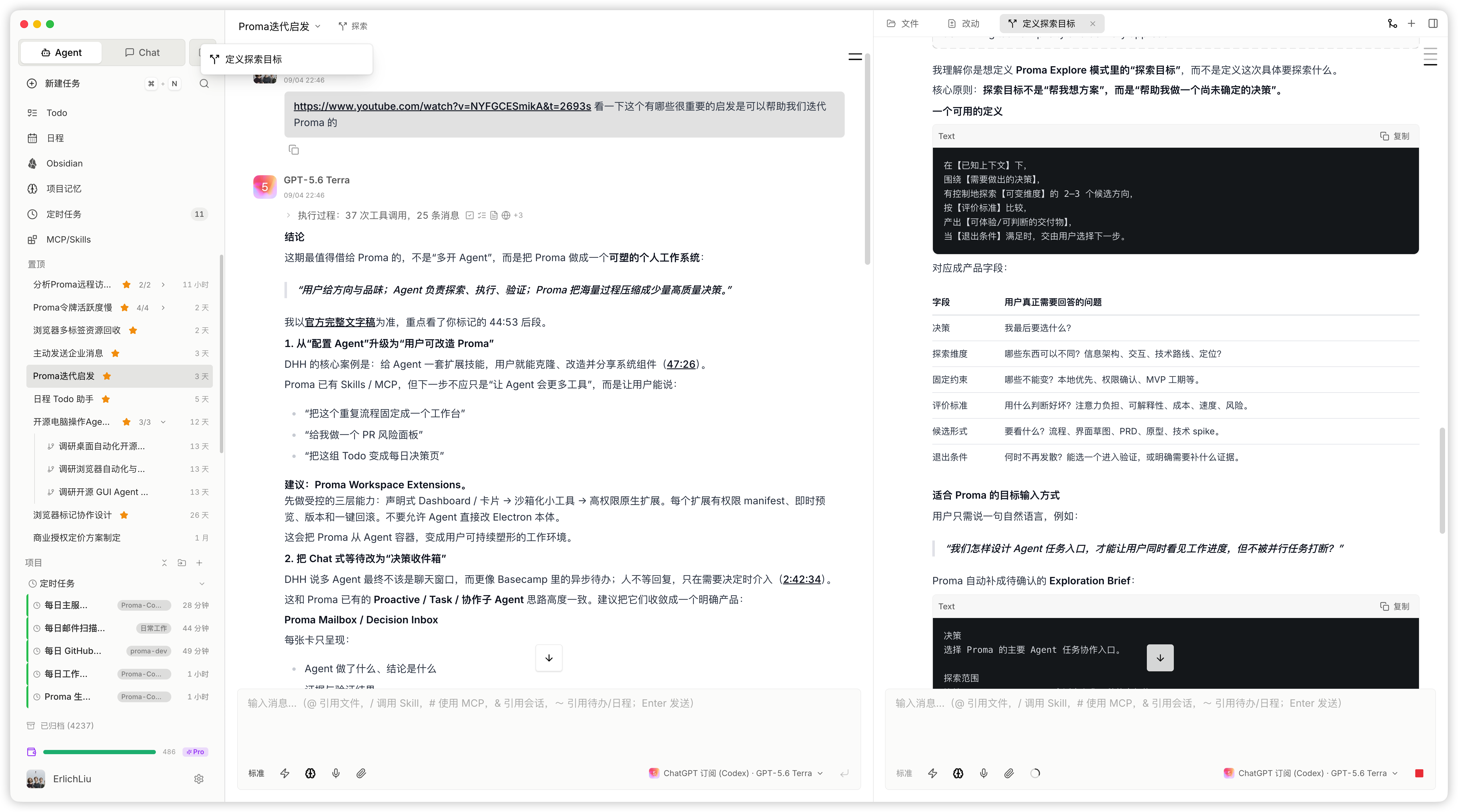
File Changes
Many products refer to all file operations performed by an Agent as Artifacts. At their core, though, they are file changes. Proma groups file changes by turn; it shows diffs for programming workflows; and in worktree-based development it proactively selects the relevant worktree and places a terminal button next to it. One click takes you into development, and the Agent can operate this workflow too.
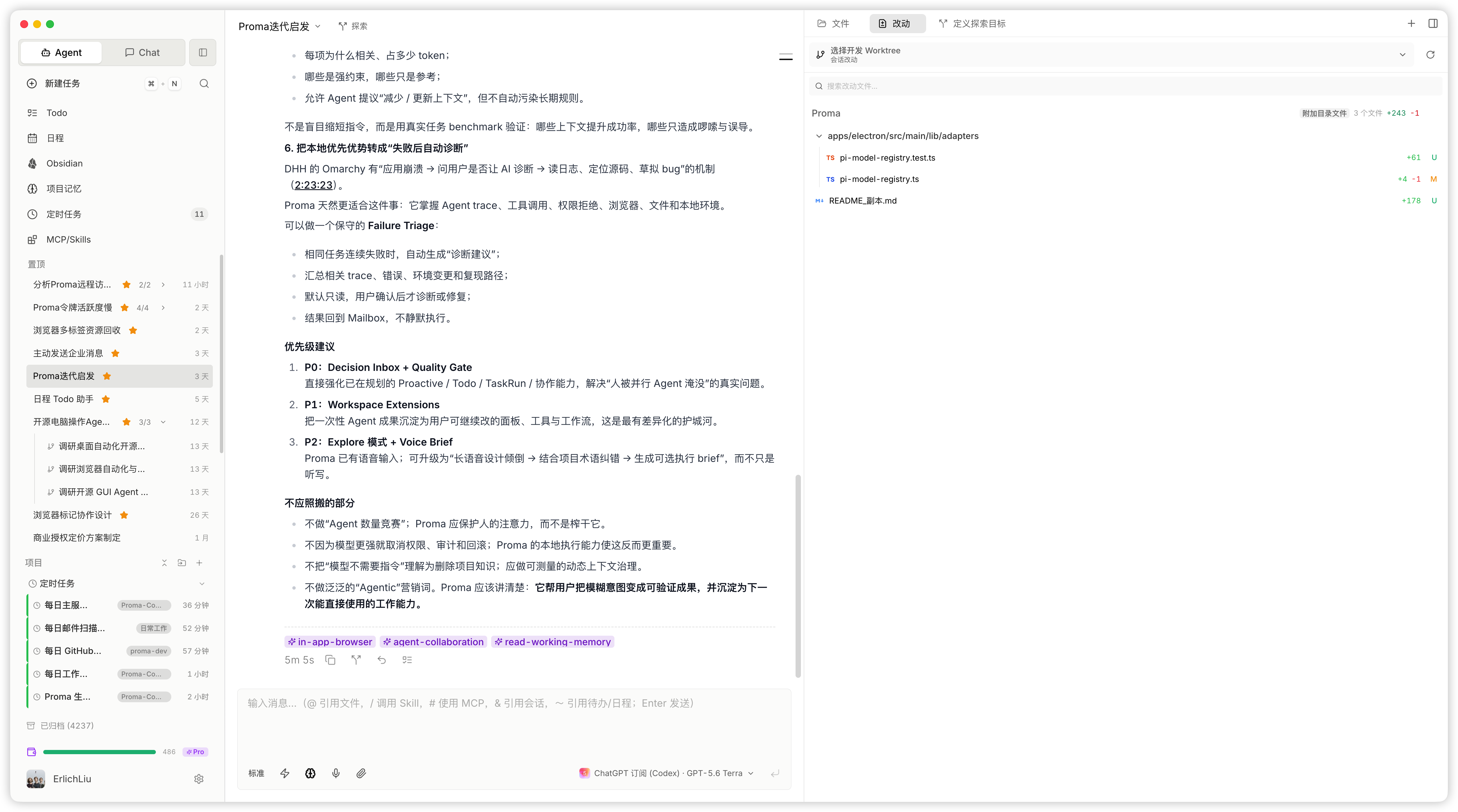
Skills / MCP / CLI
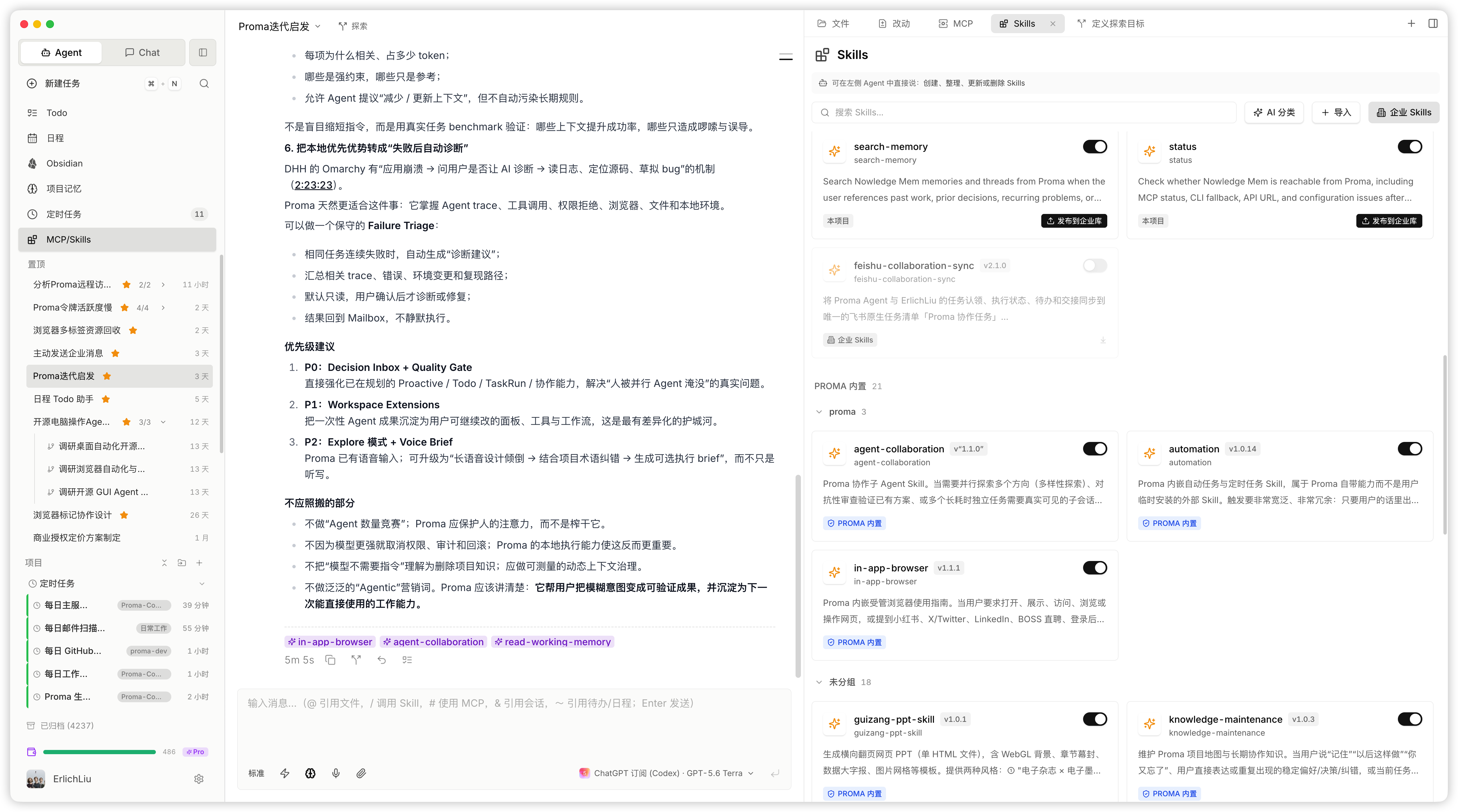
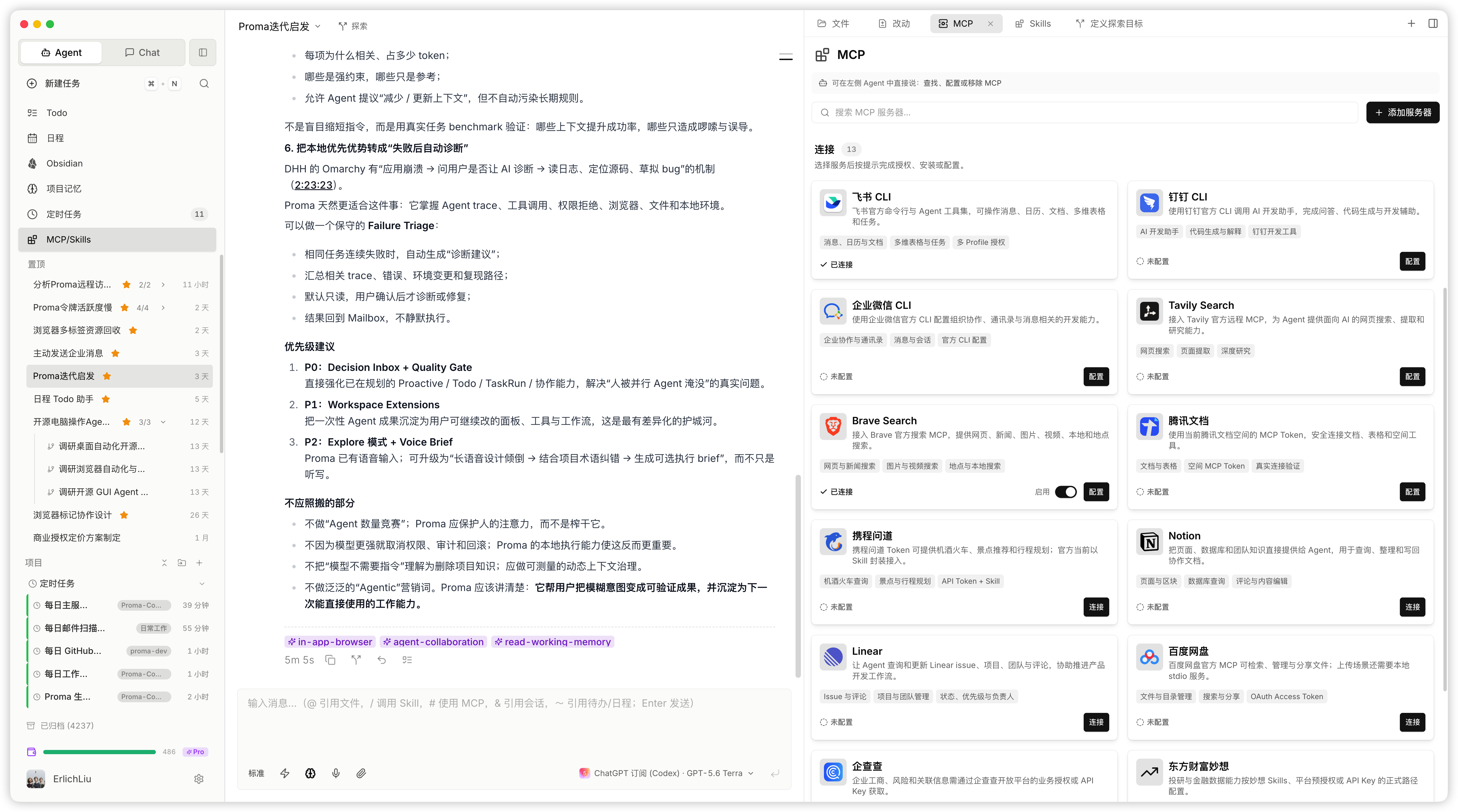
Proma supports all three. But the best Skills do not come from the internet or from someone else—they come from your real workflows. We recommend walking an Agent through a real process once, then having it turn that process into a Skill and iterating through real use. Proma includes several Skills we consider essential and supports one-click installation for common MCP servers and CLIs. The Commercial Edition also supports team-wide Skill sharing and iterative management.
Skills and MCP servers are scoped by project. Too many of them can reduce Agent effectiveness; keeping them per-project reduces unnecessary context and can naturally improve real-world results, though it does require more deliberate attention from the user.
In-App Browser
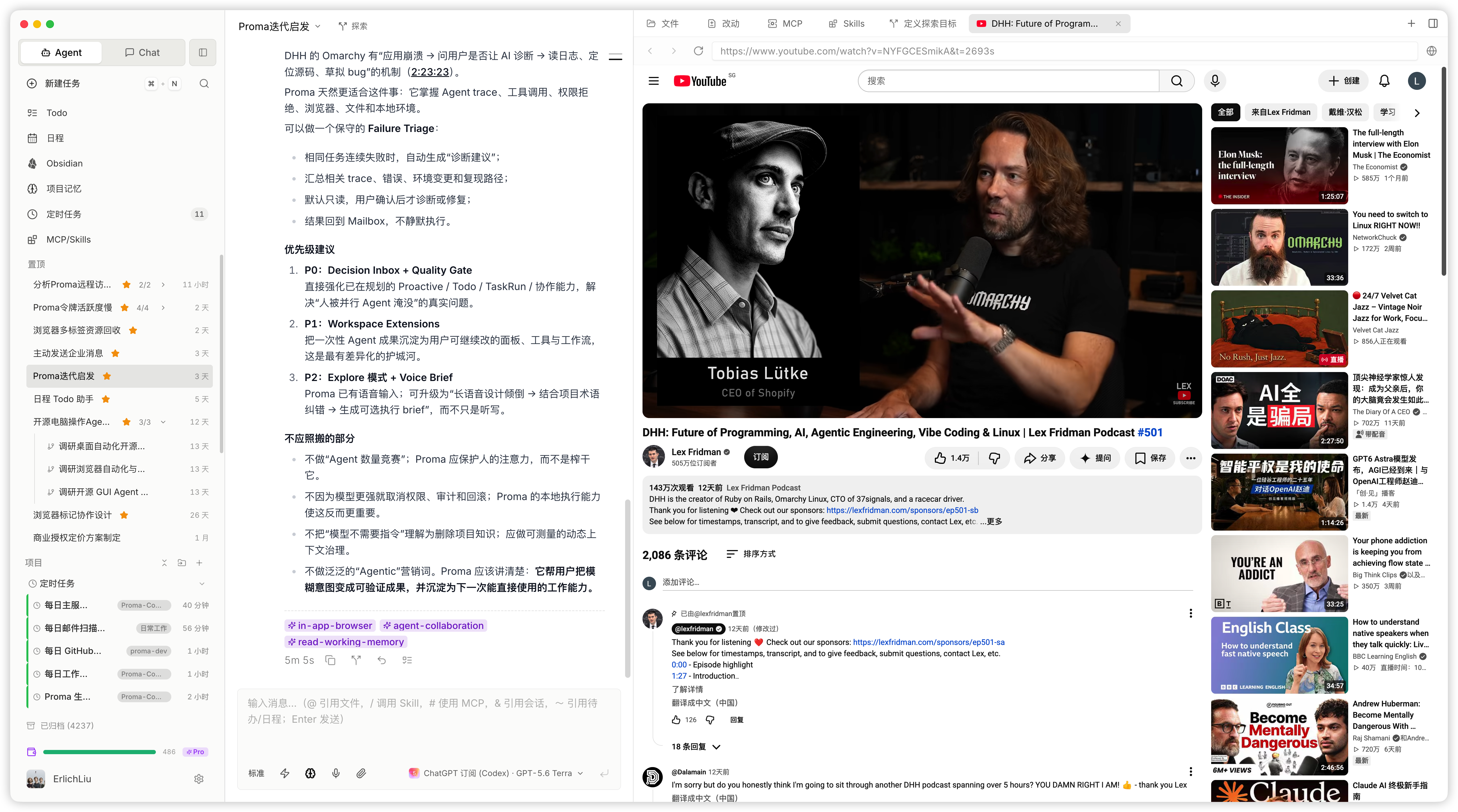
Agents can actively use Proma's in-app browser. It is suited to browser automation, filling gaps left by web search, and research or cross-checking on automation-sensitive websites. For example, part of my own Xiaohongshu workflow is managed through Proma's in-app browser: replying in group chats and to comments, collecting feedback, and automatically recording it as Todos. Agents also use the browser frequently when you develop websites. It is a powerful capability whose full potential we are still exploring.
Memory
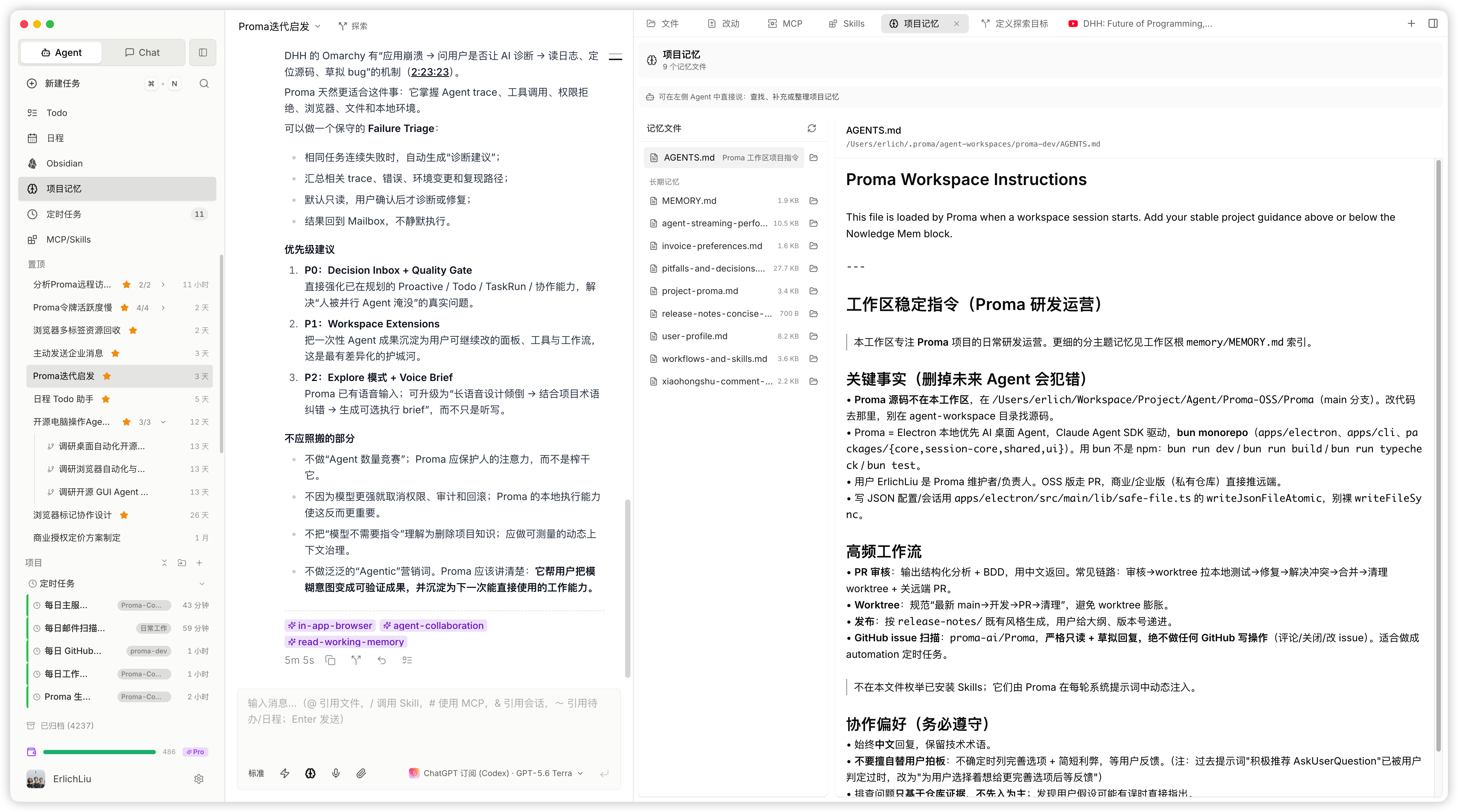
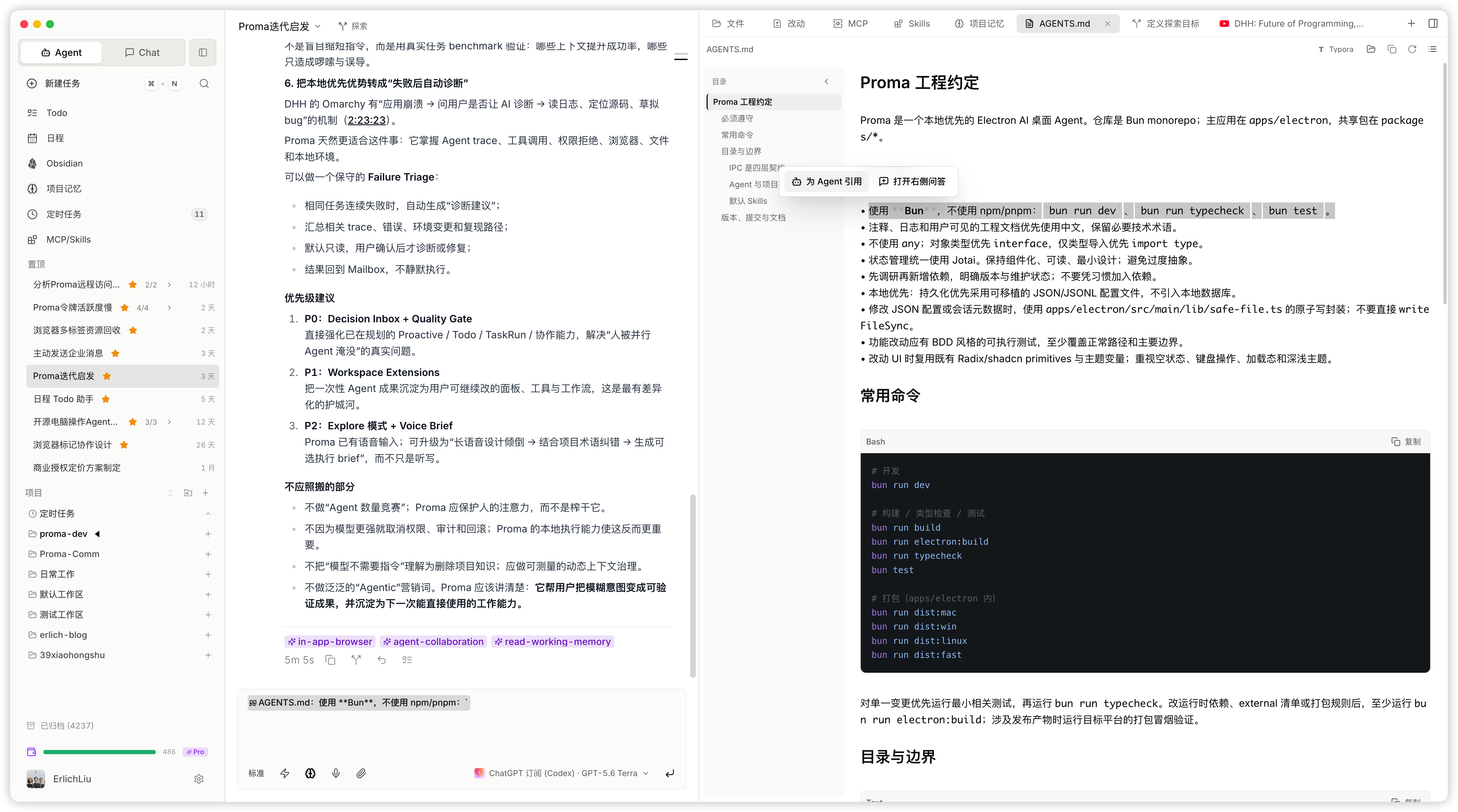
Proma's memory is also separated by project. Every project can have its own AGENTS.md, which operates at the project level and guides Agent behavior across that project: the layout of project files, interaction rules, essential information, and conventions that must be followed.
For more specific memory, MEMORY.md serves as the index, with additional files organized by topic. If you have used Proma for a while but have not yet built these resources, open a new session and ask the Agent to create the current project's AGENTS.md and explore your recent two weeks or month of sessions to form memory about you and the project.
File Preview and Editing
Proma supports previewing and editing common file types. For Markdown, we use a Live Markdown approach that gives you a simple, practical editing experience similar to Typora or Obsidian. Proma also previews PDFs, DOCX files, presentations, Excel files, and more. You can do more than preview: highlight parts of a document, discuss specific passages with the Agent across multiple turns, or open Q&A to get quick answers to simpler questions.
Projects, Project Files, Session Files, and Sessions
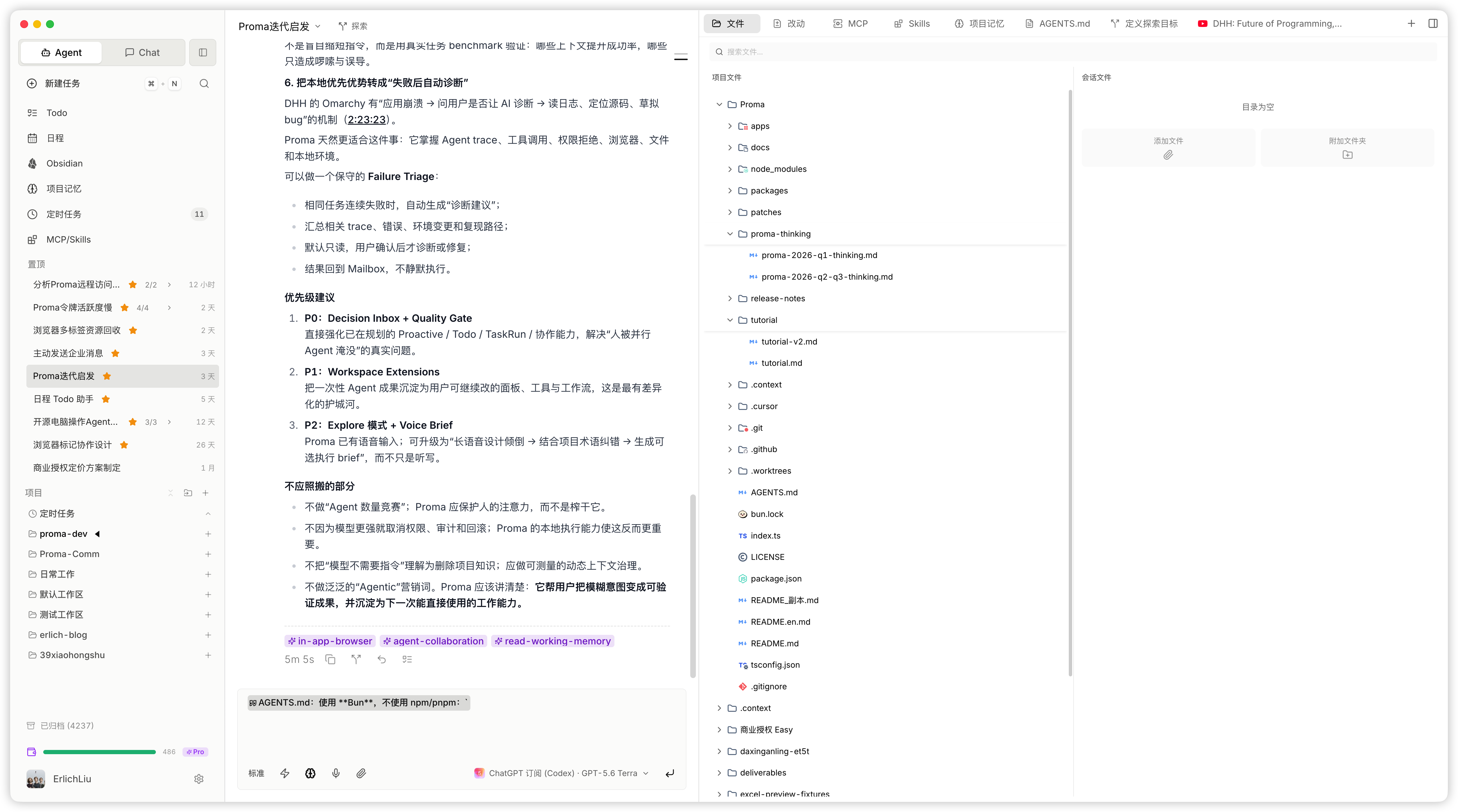
For Proma, good context requires a clear separation between projects and project files. For a category of work, you may create different projects and add the files that project might need to its project directory. Or you can create a project in an existing folder and work with an Agent to build an AGENTS.md that guides that project.
A session is each individual conversation. Each session should focus on a specific, small task; splitting work into appropriate tasks remains a core responsibility for every Agent user. One-off reference files and material for the current task are best placed in the session folder—anything you drag into the input box goes there.
If you are concerned that a new session will not know what you are working on or need context from a prior session, build the habit of converting useful knowledge into the project's AGENTS.md, memory, Skills, and documents. You can also take the quick route: drag the prior session from the left sidebar into the input box to reference it, or type & to add a reference. When you want to reference a specific file already in the current project or session folder, you can drag it from the right panel and add a brief instruction—or use @ if that is your preferred workflow.
Scheduled Tasks
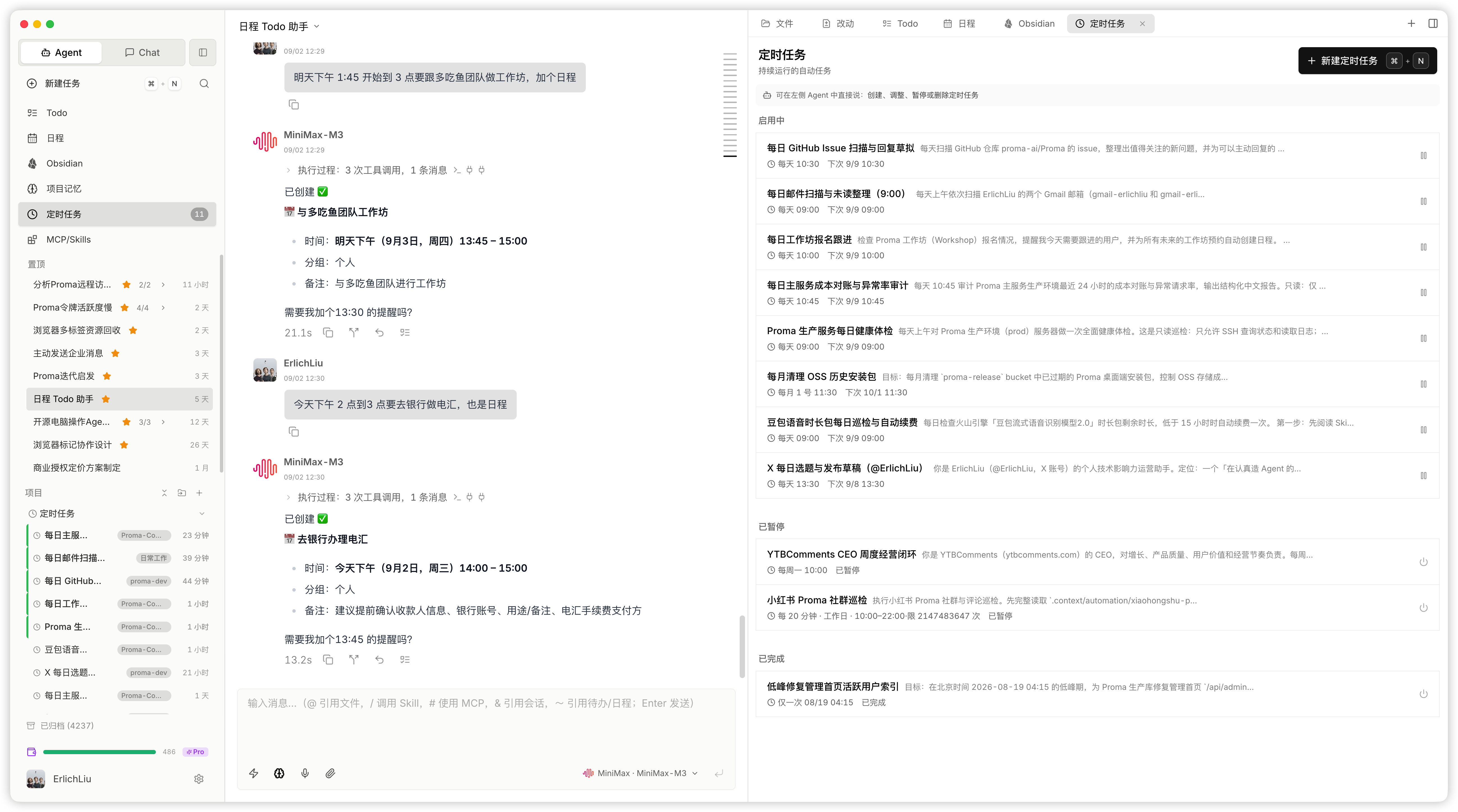
Agents can create and iteratively improve scheduled tasks for you. The more routine the work, the more likely it can become a scheduled task. Proma supports not only one-time runs and fixed intervals, but also complex schedules such as running every 20 minutes between 10:00 AM and 12:00 PM on weekdays.
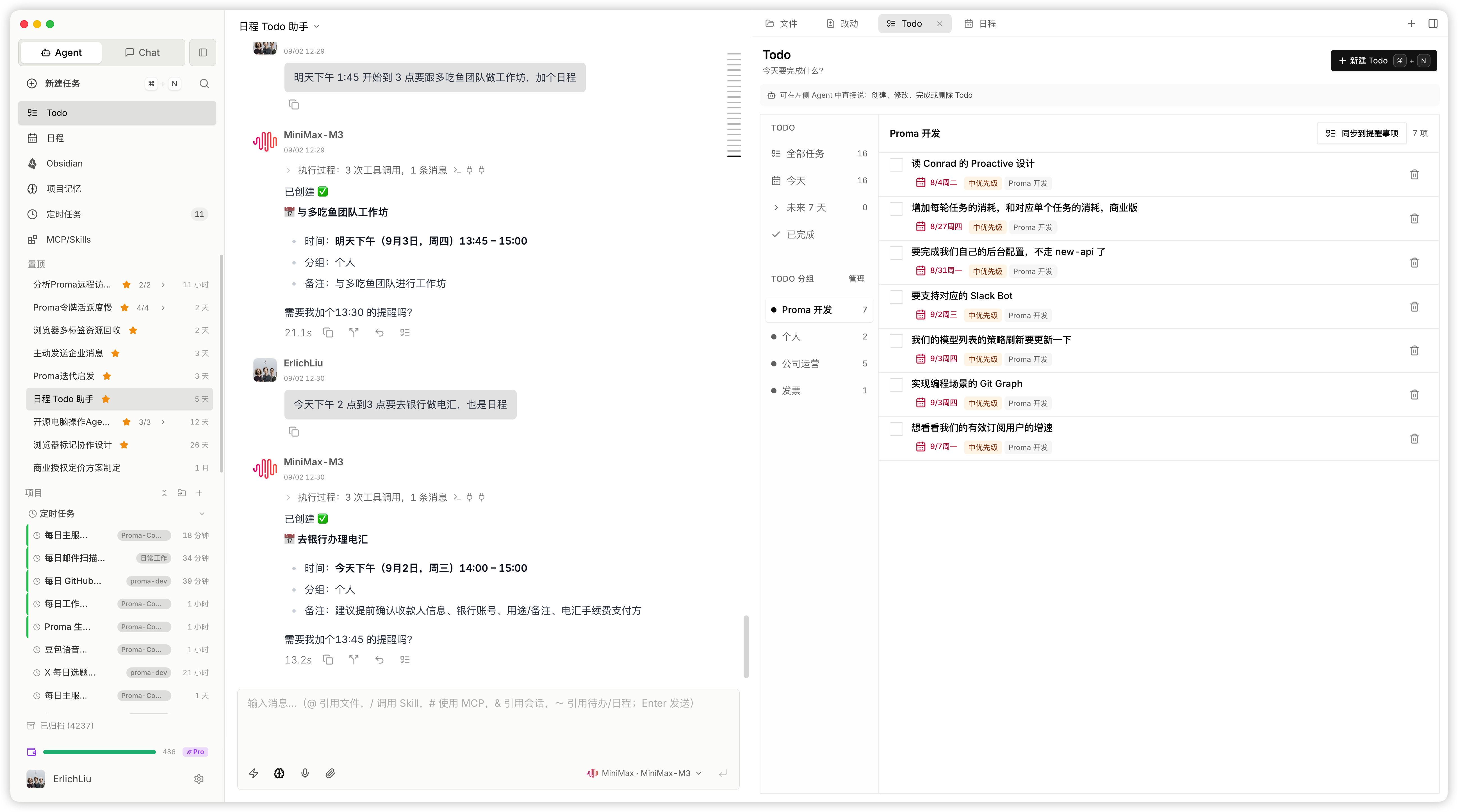
Built-In Calendar and Todo
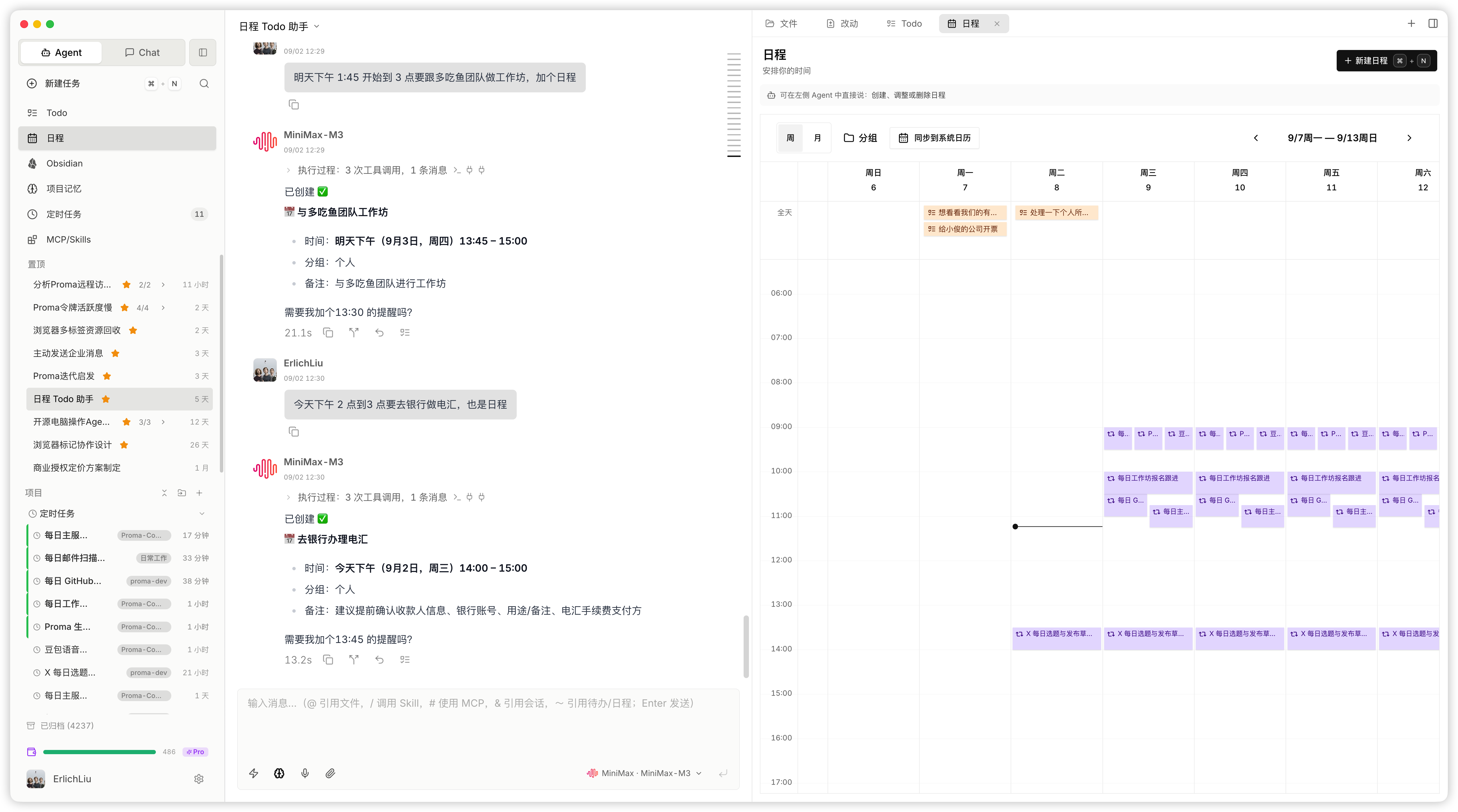
Agents can operate every calendar event and Todo, and you can edit them manually as well. Agents can help you record them, understand your schedule when appropriate, and plan your work around it. Voice input can be especially helpful for this, and Proma includes it too.
Obsidian
We built an Obsidian-inspired Markdown editor to better organize your personal knowledge and the knowledge created by Agents. It also makes note-taking and writing convenient, while letting you manage and edit content in Obsidian as usual.
Contributing
Bug fixes, documentation, tests, experience improvements, and new Skills, MCP configurations, or Agent workflows based on real scenarios are all welcome.
Before submitting a PR, please check the following:
- Use Bun to run scripts; do not mix npm or pnpm lockfiles.
- Use Jotai for state management.
- Keep the app local-first and prefer configuration files plus JSON / JSONL.
- Do not use TypeScript
any; preferinterfacefor object shapes. - When adding IPC, update the shared types, main handler, preload bridge, and renderer call together.
- Bump the patch version of affected packages when behavior changes.
- Add tests where practical, especially for shared logic, IPC contracts, and persistence formats.
Author
- Personal website: erlich.fun
Star History
License
The Proma Community Edition is open-sourced under the GNU Affero General Public License v3.0 (AGPL-3.0). See the root LICENSE file for the full terms.
Personal / non-commercial use: you may freely use, modify, and distribute Proma, subject to AGPL-3.0.
Commercial use: commercial use is permitted if you fully comply with AGPL-3.0. This includes, but is not limited to, making the complete modified source code public when distributing the software in source or modified form, when providing a network-facing service (including its network-interaction layer), and licensing derivative works under AGPL-3.0.
Commercial license (exempt from AGPL-3.0 obligations): if you want to integrate Proma into a closed-source product, offer a SaaS service without disclosing derivative code, or have another commercial use case that cannot meet AGPL-3.0 requirements, contact us for commercial licensing: [email protected].
By submitting a Pull Request to this project, you agree to license your contribution to the maintainer under AGPL-3.0 and future commercial licenses.
Explore related projects
affaan-m/ECC
The agent harness performance optimization system. Skills, instincts, memory, security, and research-first development for Claude Code, Codex, Opencode, Cursor and beyond.
299,304 starsNousResearch/hermes-agent
The agent that grows with you
261,571 starsmultica-ai/andrej-karpathy-skills
A single CLAUDE.md file to improve Claude Code behavior, derived from Andrej Karpathy's observations on LLM coding pitfalls.
230,687 starsfirecrawl/firecrawl
Supercharge your AI agents with data from the web and beyond. Building the library for superintelligence. 🔥
199,551 stars