
princeton-vl/OcMesher
princeton-vl/OcMesher has 48 GitHub stars and 6 forks. GitHot measured 0 stars in 24 hours and 0 in 7 days. Last checked 2026-11-13 10:09 UTC. Last push 2026-04-26.
Measured star growth
- in 24h
- 0
- in 7 days
- 0
- in 15 days
- Collecting history
- in 1 month
- Collecting history
Net star changes over overlapping periods, not daily totals. Missing measurements are left blank. Stars measure attention, not software quality.
About
Variable-resolution mesh extraction from SDFs/occupancy using Octree marching cubes
Creative & MediaREADME.md
OriginalOcMesher: View-Dependent Octree-based Mesh Extraction in Unbounded Scenes for Procedural Synthetic Data
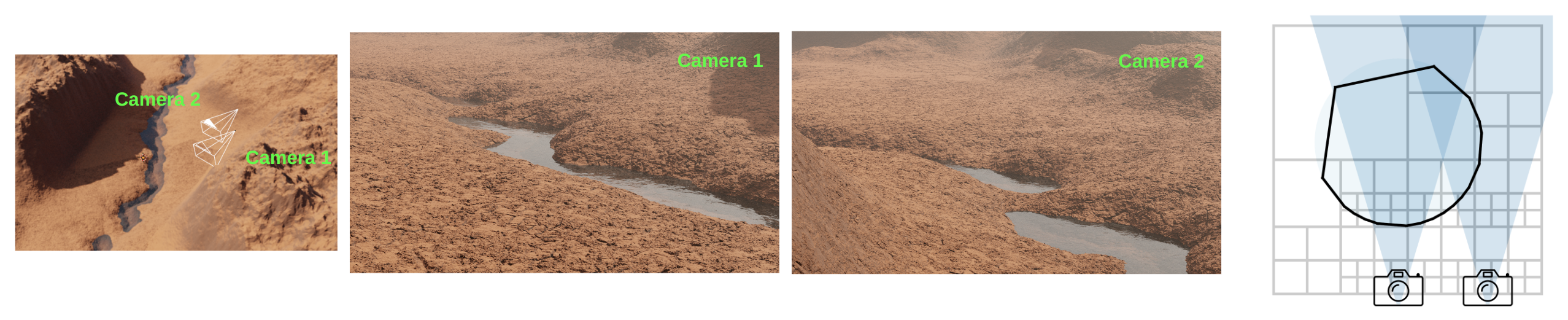
Implementation source-code for OcMesher, which extracts a mesh for an unbounded scene represented by signed distance functions (SDFs). Even though the scene is unbounded, the mesh is memory-efficient, and highly detailed from a given set of camera views. OcMesher is used by default in Infinigen to speed up video generation, improve rendering quality, and export terrain meshes to external simulators.
If you use OcMesher in your work, please cite our academic paper:
View-Dependent Octree-based Mesh Extraction in Unbounded Scenes for Procedural Synthetic Data
Zeyu Ma,
Alexander Raistrick,
Lahav Lipson,
Jia Deng
@inproceedings{ma2025mesh,
  title={Mesh Extraction for Unbounded Scenes Using Camera-Aware Octrees},
  author={Ma, Zeyu and Raistrick, Alexander and Lipson, Lahav and Deng, Jia},
  booktitle={2025 International Conference on 3D Vision (3DV)},
  pages={845--854},
  year={2025},
  organization={IEEE}
}
Please view the video here for more qualitative results
Getting Started
:bulb: Note: OcMesher is installed by default in Infinigen as of v1.2.0 - if you wish to use OcMesher with Infinigen please follow the Installation instructions on the infinigen repo. Use the instructions below only if you want a standalone installation & demo.
Standalone Installation
git clone https://github.com/princeton-vl/OcMesher.git
cd OcMesher
bash install.sh
conda create --name ocmesher python=3.10
conda activate ocmesher
pip install -r requirements.txt
Demo
python demo.py
This example uses one camera and the Perlin Noise from the Python library vnoise and outputs the resulting mesh in results/demo.obj.
Explore related projects
ytdl-org/youtube-dl
Command-line program to download videos from YouTube.com and other video sites
141,554 starsexcalidraw/excalidraw
Virtual whiteboard for sketching hand-drawn like diagrams
135,630 starsgodotengine/godot
Godot Engine – Multi-platform 2D and 3D game engine
120,081 starsmrdoob/three.js
JavaScript 3D Library.
118,300 stars