pjmbatman/ml4sci
pjmbatman/ml4sci has 18 GitHub stars and 0 forks. GitHot measured 0 stars in 24 hours. Last checked 2026-11-15 16:41 UTC. Last push 2026-11-13.
What you can do
- 🧭 A roadmap, not a pile of chapters - 219 chapters in 33 parts and 12 tracks, arranged in 7 layers. Each chapter declares what it builds on, so you always know what to read next.
- 🐍 Python in the browser - Code cells run in place with Pyodide (NumPy, SciPy, pandas, matplotlib, scikit-learn). PyTorch and GPU examples are shown read-only with a copy button; run them on your own machine with each chapter's downloadable lab files.
- ✅ Auto-graded exercises - A built-in code editor with Run and Grade buttons and per-test results. Each chapter's lab files also download as a .zip to run locally.
- 🧠 Quizzes with feedback - Every wrong answer explains the misconception behind it, and missed questions go to a review queue.
Measured star growth
- in 24h
- 0
- in 7 days
- Update delayed
- in 15 days
- Update delayed
- in 1 month
- Update delayed
Net star changes over overlapping periods, not daily totals. Missing measurements are left blank. Stars measure attention, not software quality.
About
Interactive lessons, graded Python labs and quizzes for researchers bringing machine learning into science, all in a learning desktop in your browser. 216 chapters · English · 한국어
Machine LearningREADME.md
Original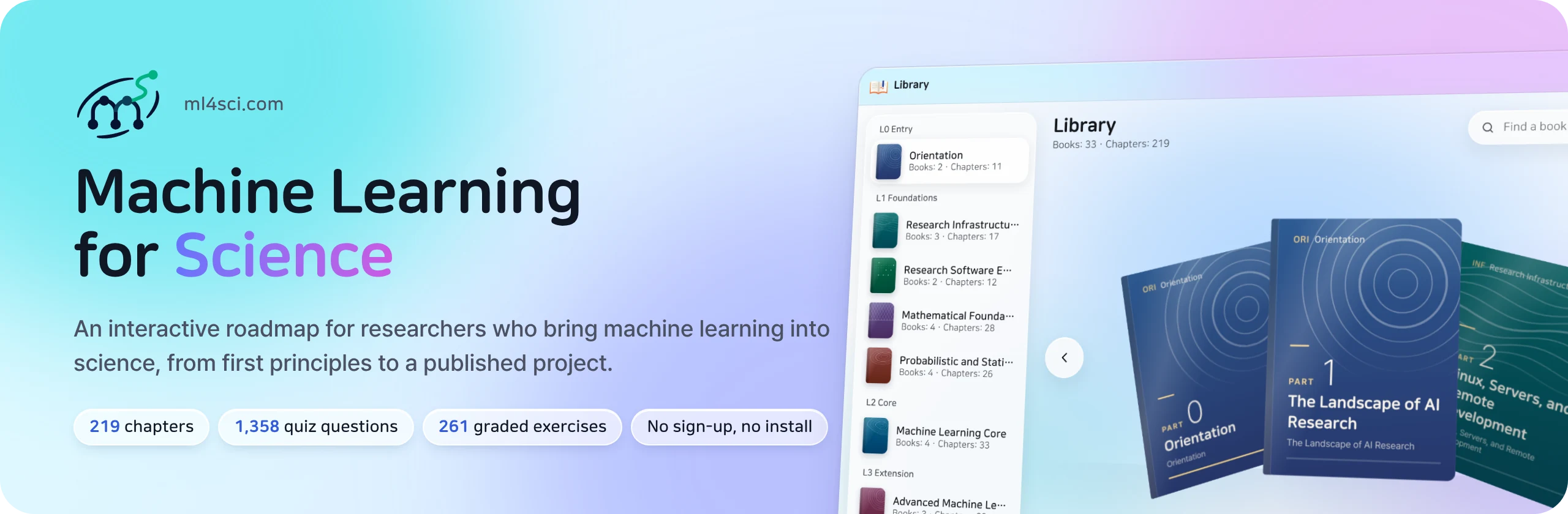









Machine Learning for Science (ml4sci.com) is an interactive digital book for scientists and engineers who want to bring machine learning into their research, and for AI researchers who want to work on real scientific problems. You read, move interactive figures, write Python and get it graded, all in your browser. There is nothing to install and no account to create.

[!NOTE] The book is available in English at ml4sci.com/en and in Korean at ml4sci.com.
🔁 The learning loop
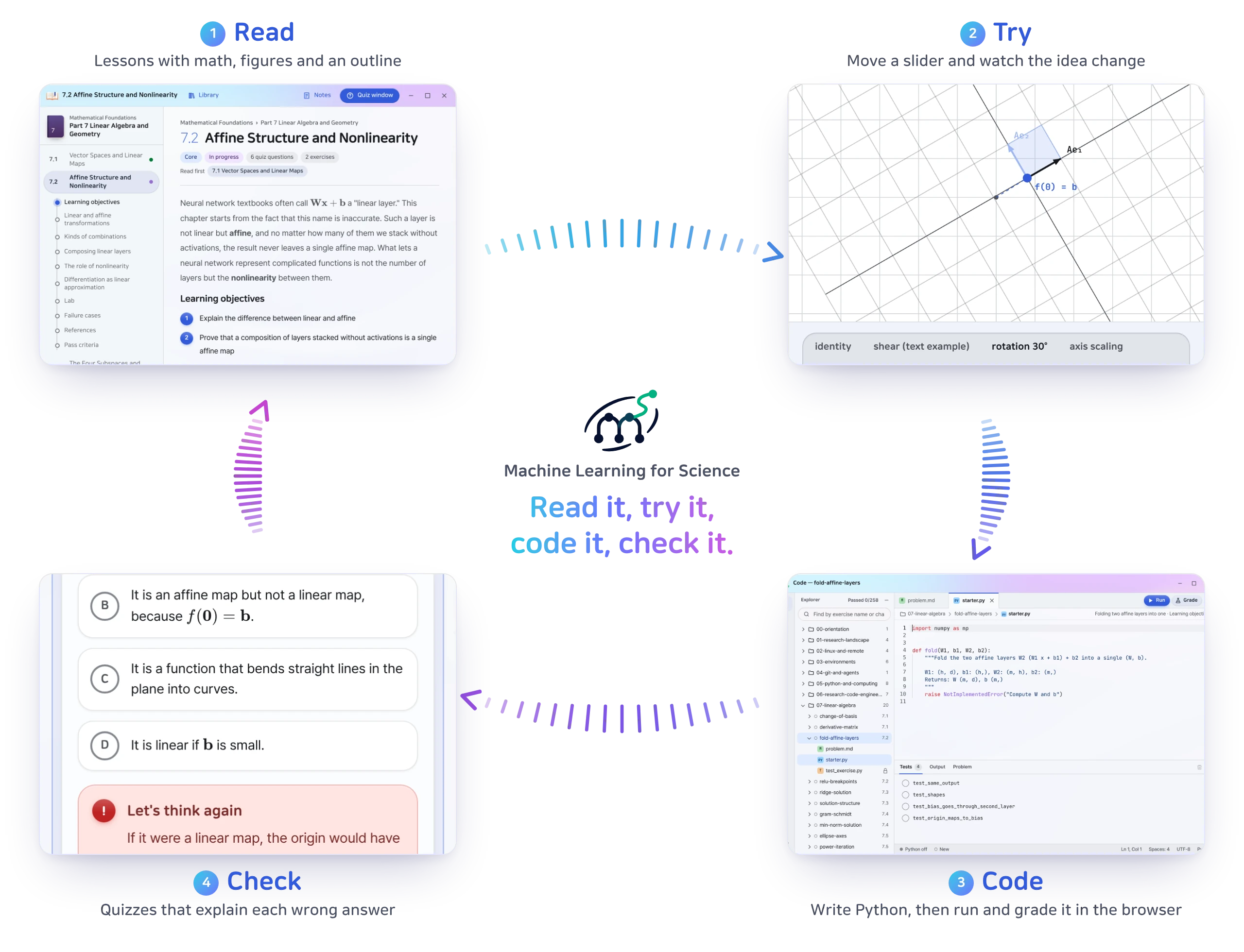
Every chapter is built around the same loop. You read an idea, try it with your hands, write the code yourself and check that you really understood it.
| Step | What happens | In the book |
|---|---|---|
| 1 · Read | Lessons with math, figures and an outline that tracks your place. | Learning objectives → Concepts → Lab → Failure cases → Pass criteria |
| 2 · Try | Sliders and live plots let you test an idea before you read the proof. | Interactive figures throughout the text |
| 3 · Code | Write Python in a built-in editor, press Grade and see each test pass or fail. | 261 exercises, run with Pyodide |
| 4 · Check | Concept quizzes explain the misconception behind every wrong answer, and missed questions come back for review. | 1,358 questions and a review queue |
✨ Features
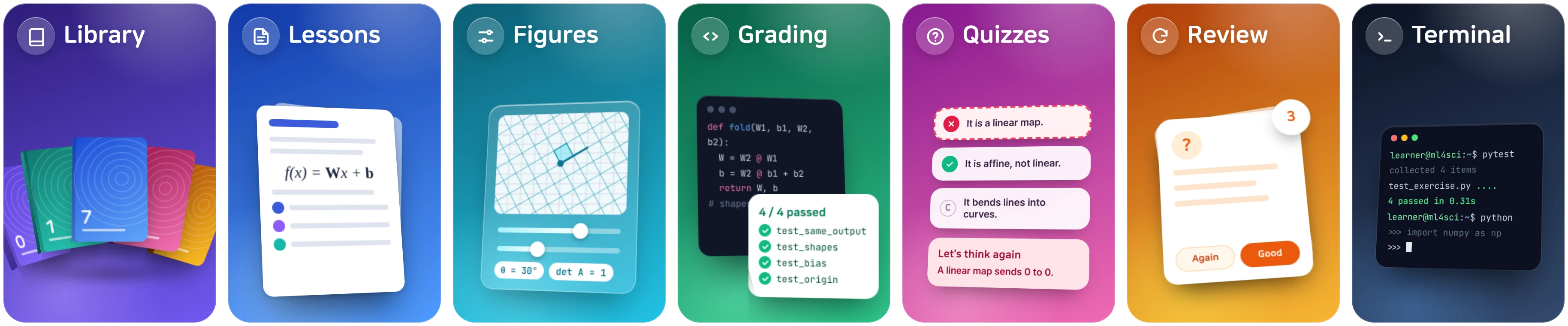
| 🧭 A roadmap, not a pile of chapters | 219 chapters in 33 parts and 12 tracks, arranged in 7 layers. Each chapter declares what it builds on, so you always know what to read next. |
| 🐍 Python in the browser | Code cells run in place with Pyodide (NumPy, SciPy, pandas, matplotlib, scikit-learn). PyTorch and GPU examples are shown read-only with a copy button; run them on your own machine with each chapter's downloadable lab files. |
| ✅ Auto-graded exercises | A built-in code editor with Run and Grade buttons and per-test results. Each chapter's lab files also download as a .zip to run locally. |
| 🧠 Quizzes with feedback | Every wrong answer explains the misconception behind it, and missed questions go to a review queue. |
| 📚 A 3D library | Browse the 33 books as a fan you can drag and turn, grouped by field, with your progress on every book. |
| 🖥️ A learning desktop | Lessons, review, notes, docs, a code editor, a terminal and a file browser open as windows side by side. A dashboard shows your progress and today's tasks. |
| 🔒 Private by design | No login. Progress stays in your browser, and you can export it to a file and import it again. |
🧭 Curriculum
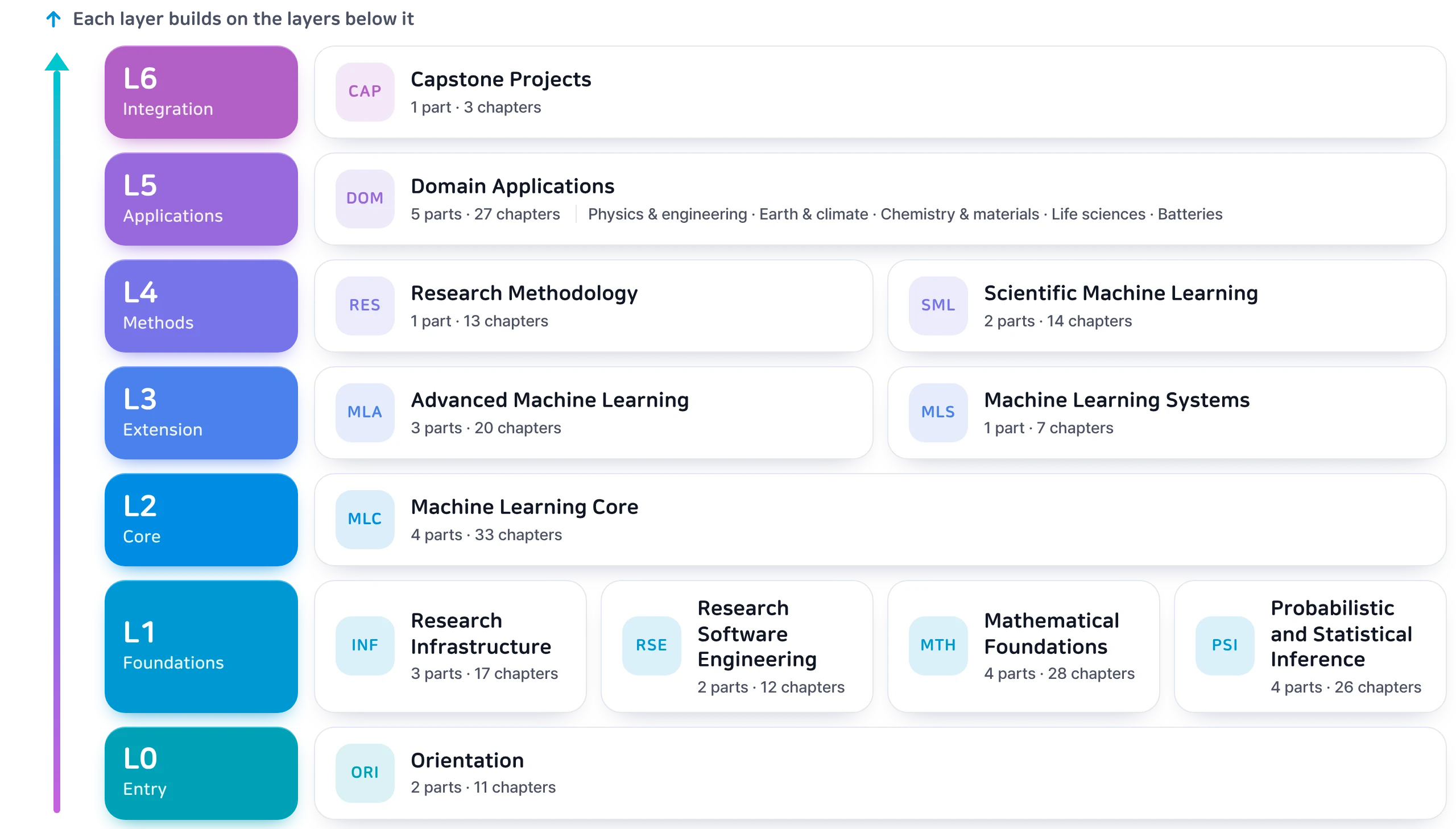
Twelve tracks are arranged in seven layers. A track builds only on tracks in the same layer or a lower one.
The core question of each track
| Layer | Track | Core question |
|---|---|---|
| L0 Entry | Orientation | What is AI research, and what does the AI-for-science landscape look like? |
| L1 Foundations | Research Infrastructure | Where does code run, and in what environment? |
| Research Software Engineering | How do equations and ideas become correct, maintainable code? | |
| Mathematical Foundations | In what spaces, and through what computations, do models learn? | |
| Probabilistic and Statistical Inference | What can we infer from uncertain data, and how confident should we be? | |
| L2 Core | Machine Learning Core | How do we build and evaluate predictive models we can trust? |
| L3 Extension | Advanced Machine Learning | How do we generate distributions, learn decisions, and know when to trust a prediction? |
| Machine Learning Systems | How do we track, reproduce and scale experiments? | |
| L4 Methods | Research Methodology | What makes a good research question, and how do we validate and communicate a claim? |
| Scientific Machine Learning | How do we combine physical laws, simulations and experiments with learning? | |
| L5 Applications | Domain Applications | Physics and engineering simulation · Earth and climate · Chemistry and materials · Life sciences · Energy and batteries |
| L6 Integration | Capstone Projects | Can you turn what you learned into a research output you can publish? |
🚀 Getting started
- Open ml4sci.com/en (English) or ml4sci.com (Korean) in a desktop browser. A phone layout is also available. Switch languages any time with the button on the login screen or the top bar.
- Enter a display name, or continue as Guest. The name stays in your browser and is not an account.
- On your first visit, a short tour shows you around the desktop. You can replay it any time from the user menu (Getting-started tour), and the dashboard on the right always shows where to continue.
📈 Status
Version 1.0 is live in Korean and English. All 219 chapters, 1,358 quiz questions and 261 auto-graded exercises are online in both languages. The book keeps improving: chapters are reviewed and revised continuously, and reported errors are fixed in place.
❓ FAQ
Who is this book for, and what background do I need?
It is for scientists and engineers who want to use machine learning in their research, for AI researchers who want to work on scientific problems, and for undergraduate and graduate students starting out. Upper-undergraduate math and some programming experience make it comfortable to follow. Gaps are fine: the math foundations, Python and the working environment (servers, Git) are all covered in the book.
Where should I start?
Take the self-assessment in 0.4 to see where you stand, then pick a reading order for your background in 0.3 Learning Paths. It describes different routes for scientists, AI researchers, beginners and people already doing research. Every chapter lists what to read first, and the dashboard shows where to continue.
How long does it take?
It depends a lot on your background and how much time you spend. As planning ranges, 0.3 suggests one to two months to a first pipeline and 12 to 24 months to a paper draft from independent research. Measure progress by the output you have at each stage rather than by time. You don't have to read everything either; reading only the chapters you need works too.
Do I need a GPU or a development setup?
Mostly not. Code in the text and the exercises run in your browser with Pyodide. Examples that need PyTorch or a GPU come with each chapter's lab files (
.zip) to run on your own machine or a lab server. The bundle includes pyproject.toml and uv.lock, so uv recreates the same environment.
The quiz answers and solutions are visible. Is that a problem?
No. Quizzes and exercises are designed as learning tools, not exams. Each wrong answer explains the misconception behind it, and missed questions come back in your review list. The real test of a chapter is making the output described in its pass criteria, not picking the right answer.
Is it free? Do I need an account?
It is free, and there are no accounts. You can read the whole book, run the code and take the quizzes and exercises without paying or signing up.
Where is my progress stored? Can I continue on another device?
Only in your browser's local storage. Nothing is sent to a server, and there are no analytics or cookies. To continue on another device, export a progress file from the settings in My PC and import it there. The English and Korean editions share the same progress, so switching languages keeps your place.
Does it work on a phone?
Yes, there is a phone layout. For the code editor and side-by-side windows, a desktop browser is much more comfortable.
Can I use it in a course or a study group?
Yes. Share chapter links with your students, and each student's progress and quiz history build up in their own browser. 0.5 Using This Roadmap for Study Groups and Courses explains how to run one. In slides, explain in your own words and quote the text briefly with a citation. Ask for permission at [email protected] before redistributing whole chapters, figures or quizzes.
I found an error.
Please open an issue with the Content error form. Factual errors, wrong quiz answers, broken exercises and confusing explanations are all welcome, and confirmed errors are fixed in place.
Is the source code or manuscript available?
No. This repository introduces the project and collects feedback. The manuscript and the site code are developed privately.
💬 Feedback and support
- ⭐ Star this repository so more scientists and engineers can find the book.
- 🐞 Report an error or a confusing explanation: open an issue. English and Korean are both welcome.
- 💡 Suggest a topic, a chapter or a feature the site should have.
- ✉️ Email [email protected] for permission requests, course use or anything you'd rather not post publicly.
- 🔗 Share ml4sci.com/en or ml4sci.com with your lab, study group or class.
📜 License
© 2026 pjmbatman. All rights reserved.
The book is free to read at ml4sci.com. Free access does not grant permission to copy, modify, redistribute or use the content to train machine-learning models. For permission requests, email [email protected]. See LICENSE.
Third-party software and fonts used by the site are listed at https://ml4sci.com/third-party-notices.txt.