
pixlcore/xyops
pixlcore/xyops has 6,329 GitHub stars and 597 forks. GitHot measured 0 stars in 24 hours. Last checked 2026-11-08 10:53 UTC. Last push 2026-10-31.
The next generation of Cronicle: open-source job scheduling, visual workflows, server monitoring, alerting, and incident response.
Measured star growth
- in 24h
- 0
- in 7 days
- Collecting history
- in 15 days
- Collecting history
- in 1 month
- Collecting history
Net star changes over overlapping periods, not daily totals. Missing measurements are left blank. Stars measure attention, not software quality.
README.md
OriginalxyOps™
Your job scheduler should know what your servers are doing.
xyOps is the next generation of Cronicle: a complete, self-hosted platform for job scheduling, visual workflow automation, server monitoring, alerting, and incident response.
Website | Install | Documentation | CLI | Cronicle Migration | Plugin Marketplace | Support





Overview
xyOps is fully open source, self-hosted, with zero telemetry and no feature gates.
xyOps connects the work you run with the systems it runs on. Schedule jobs across a fleet, build visual workflows, watch jobs and infrastructure together, capture the exact state of a server when an alert fires, and respond without reconstructing the incident across five different tools.
Why xyOps
- Schedule and run anything: Launch scripts and plugins on one server, a server group, or your entire fleet. Use recurring schedules, cron expressions, intervals, webhooks, priorities, queues, and resource limits.
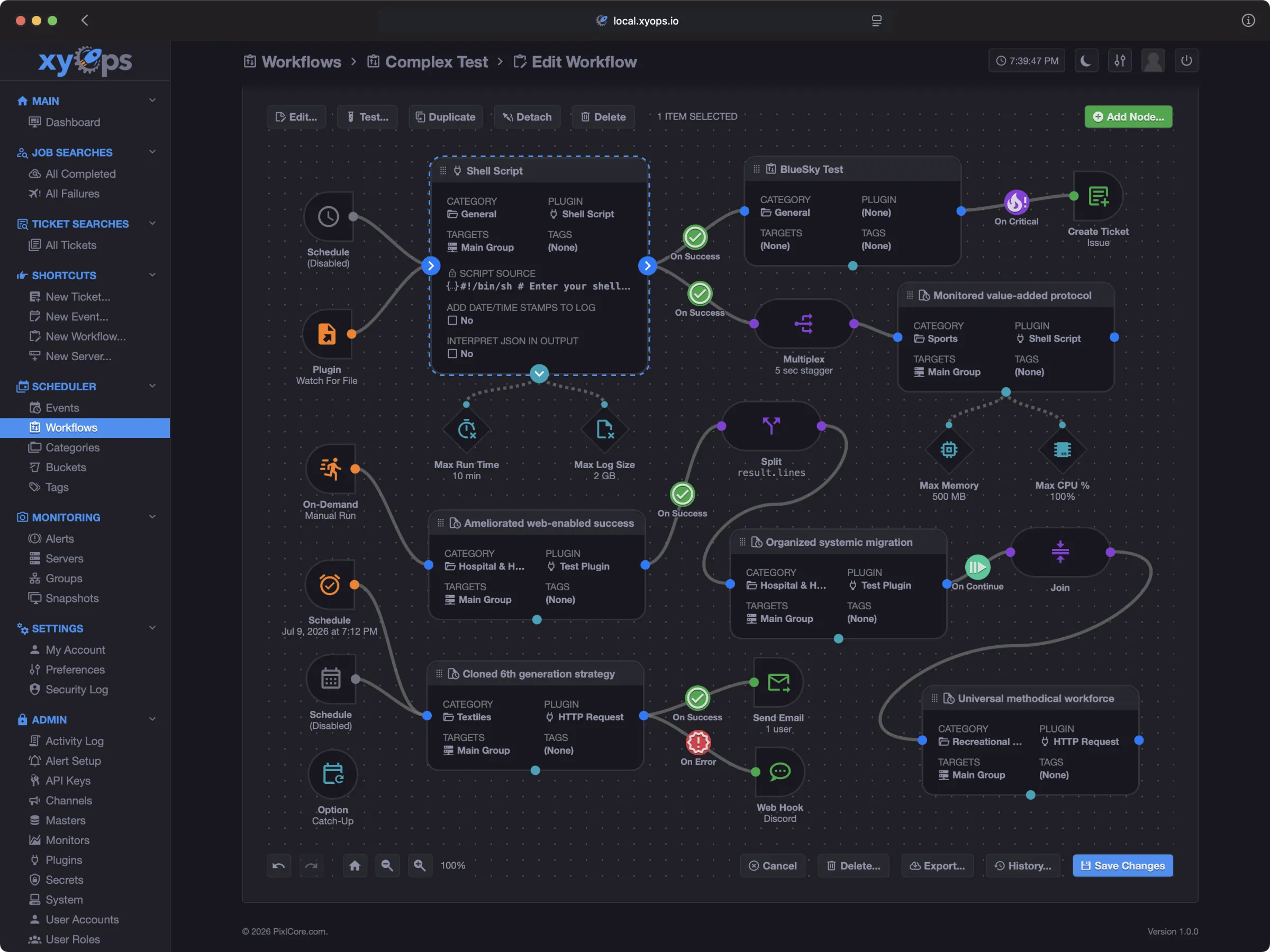
- Orchestrate visually: Build understandable workflows with branching, parallel execution, joins, human approval, reusable sub-workflows, replay, and data passing.
- Observe the real system: Monitor jobs and servers together with live dashboards, custom metrics, process inspection, network connections, and historical performance.
- Respond with context: Turn failures and alerts into actions. Capture server snapshots, open tickets, call webhooks, block unsafe launches, or start remediation automatically.
From alert to root cause in two clicks
When an alert fires, xyOps can freeze the relevant server state at that moment: metrics, processes, network connections, active jobs, and alert data. Open the alert, then open its snapshot. The evidence is already waiting for you.
Cronicle evolved
xyOps is built by the creator of Cronicle and carries its job-scheduling and plugin philosophy forward into a new architecture.
Existing Cronicle users can:
- Import Cronicle data through the xyOps interface.
- Keep compatible plugins and familiar scheduling concepts.
- Convert multiplexed events into visual workflows.
- Run jobs through lightweight xySat workers with no Node.js requirement.
- Enable Cronicle compatibility mode and optionally restore Cronicle branding.
Read the Cronicle migration guide
Try xyOps in one command
If you have Docker, this starts a disposable xyOps conductor with a local worker so you can explore the complete product immediately:
docker run --detach --rm --init \
	--name xyops-try \
	--hostname xyops-try \
	-e XYOPS_masters="xyops-try" \
	-e XYOPS_xysat_local="true" \
	-e XYOPS_base_app_url="http://localhost:5522" \
	-e TZ="America/Los_Angeles" \
	-p 5522:5522 \
	ghcr.io/pixlcore/xyops:latest
Open http://localhost:5522/ and sign in with:
- Username:
admin - Password:
admin
This trial is intentionally disposable. Stop it with docker stop xyops-try, and Docker will remove the container and its data. Change TZ if you want the trial to use a different timezone.
For a persistent or production deployment, continue with the Self-Hosting Guide.
xyOps from your terminal
Prefer working from the command line? xyCLI brings xyOps to your terminal with colorful dashboards, monitoring charts, and readable job reports.
Launch jobs and workflows, follow live output, investigate failures, inspect server health, and sync your automation definitions with local files you can version in Git.
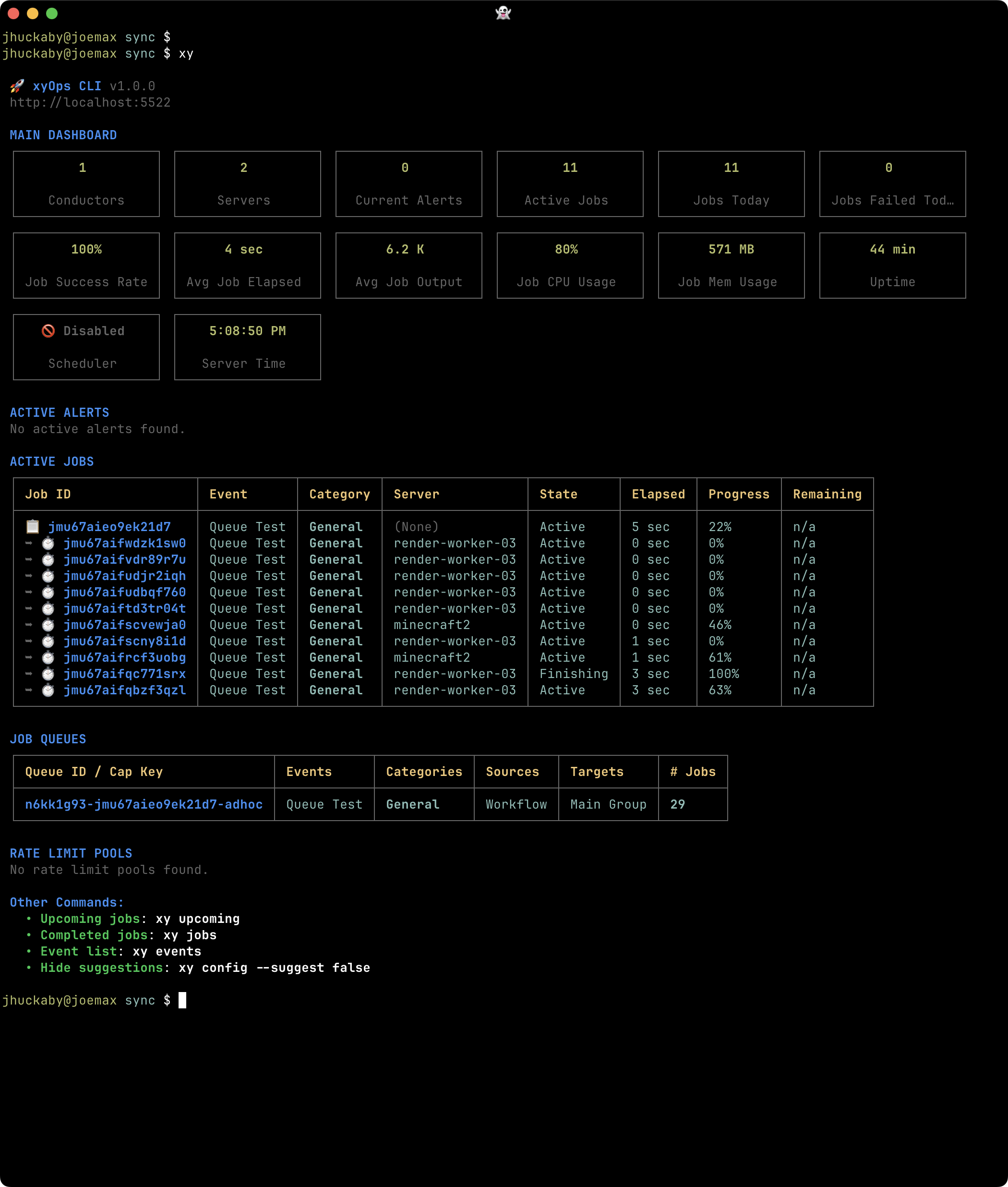
Install with npm:
npm install -g @pixlcore/xycli
Get started with xyCLI | Screenshot gallery
Connect your AI assistant with MCP
xyCLI also includes a Model Context Protocol (MCP) server that lets compatible AI assistants work directly with xyOps. Inspect failed jobs, run existing workflows, search alerts, capture monitoring snapshots, and create tickets with the findings.
Connect over STDIO or HTTP, using your existing xyOps API key permissions and resource restrictions. An optional --read-only mode disables all mutation and execution tools. The ghcr.io/pixlcore/xycli Docker image includes Node.js and xyCLI, with the MCP HTTP server as its default startup command.
The MCP Server extension adds /mcp to your conductor's existing URL, with each client's xyOps API key passed through. It includes xyCLI as a dependency and works with both Docker and manual installations. See Enabling the MCP server.
Explore the MCP tools and setup guide
Open source without feature gates
The complete xyOps application is available under the BSD 3-Clause license. There is no separate commercial build and no vendor cloud control plane required to operate it.
Your jobs, logs, metrics, secrets, files, tickets, snapshots, and configuration remain inside your infrastructure. xyOps does not send product telemetry to PixlCore or to any other telemetry service.
Read more:
Free software, optional paid support
The application is identical at every level. Paid plans fund development and provide a support relationship for teams relying on xyOps in production.
Community
- Every application feature, including SSO
- BSD-licensed source code
- Community support through GitHub, Reddit, and Discord
If xyOps helps you, you can also sponsor PixlCore on GitHub.
Professional
- Private support tickets
- One-business-day response target during business hours
- Deployment and upgrade guidance
- Prioritized product feedback
Enterprise
- One-hour response target during business hours
- Direct access to Joe
- Architecture and migration guidance
- Hands-on SSO and air-gap assistance
- Invoice, wire, ACH, and purchase-order options
Again, SSO and air-gapped operation are included in the free open-source application. Enterprise support adds hands-on help configuring and validating those features.
See transparent Professional and Enterprise pricing
Documentation and videos
Full documentation is also included inside xyOps. Click Documentation in the application sidebar.
Watch a quick overview of xyOps:
Follow xyOps
We're sharing short videos with xyOps tips, tricks, and ideas for your own automation. Longer tutorials and walkthroughs are coming to YouTube soon!
Follow PixlCore on your favorite platforms, or join the xyOps community on Reddit. If you find a video helpful, a like, subscription, or share is a great way to support the project and help others discover xyOps.
Community and support
- GitHub Discussions for questions and community help
- GitHub Issues for reproducible bugs and feature requests
- Discord
Contributing
Please read the Contributing Guide before opening a pull request.
The short version: we do not accept feature pull requests, but there are many other useful ways to contribute. The guide explains where community help is most valuable.
Development
See the Development Guide for complete local setup instructions. In short, install Node.js LTS, then run:
git clone https://github.com/pixlcore/xyops.git
cd xyops
npm install
node bin/build.js dev
echo '{ "secret_key": "test" }' > conf/overrides.json
bin/debug.sh
Security
Read the Trust Guide for xyOps self-hosting, privacy, telemetry, outbound requests, and enterprise security posture.
Read the Security Guide to report a security vulnerability privately. Please do not submit vulnerabilities as public GitHub issues.
Governance and longevity
The xyOps project exists to empower users and developers through openness, reliability, and fairness.
- The Governance Model is designed to preserve these principles.
- The Longevity Pledge commits xyOps to remaining open-licensed and OSI-approved. No rug pulls.
License
xyOps™ is licensed under the BSD 3-Clause License.
See TRADEMARKS.md for trademark usage guidelines.
Explore related projects
n8n-io/n8n
Fair-code workflow automation platform with native AI capabilities. Combine visual building with custom code, self-host or cloud, 400+ integrations.
209,808 starslanggenius/dify
Build Agentic workflows, RAG pipelines, with rich AI model and tool support on one collaborative workspace. Deploy on cloud, VPC, or self-hosted, so teams move from prototype to production without rebuilding the stack.
160,627 starsmicrosoft/PowerToys
Microsoft PowerToys is a collection of utilities that supercharge productivity and customization on Windows
140,710 starsstablyai/orca
Orca is the place for working with a fleet of agents (e.g. Grok Bot, Claude Code). Run any coding agent with your own subscription. Available on desktop, mobile and remote runtime.
118,935 stars