
piot5/keytab
piot5/keytab has 30 GitHub stars and 2 forks. GitHot measured 0 stars in 24 hours. Last checked 2026-11-15 00:33 UTC. Last push 2026-11-08.
Measured star growth
- in 24h
- 0
- in 7 days
- Collecting history
- in 15 days
- Collecting history
- in 1 month
- Collecting history
Net star changes over overlapping periods, not daily totals. Missing measurements are left blank. Stars measure attention, not software quality.
About
Offline-first keyboard (IME) that doubles as a mobile IDE: built-in file manager, editor, clipboard and snippet tabs with on-device word prediction. No INTERNET permission, no data collection.
Developer ToolsREADME.md
OriginalKeyTab
Mobile IDE built as an Android keyboard (IME): file manager, editor, snippets and offline word prediction — everything runs locally on your device.






Download & Installation
GitHub Releases: every tagged release (v*) is built and published automatically by CI as a signed APK with SHA-256 checksums.
→ Latest APK
F-Droid: com.piotv.keytab — live since 2026-10-25. The store pin follows the newest tag (AutoUpdateMode: Version + UpdateCheckMode: Tags in fdroiddata), so the store page can lag a release by a review round. Release history: CHANGELOG.md.
Install:
- Open the APK in a file manager (allow "install unknown apps").
- Enable KeyTab in Settings → System → Languages & input → On-screen keyboard.
- Switch to KeyTab in any text field.
Release history lives in CHANGELOG.md.
Screenshots
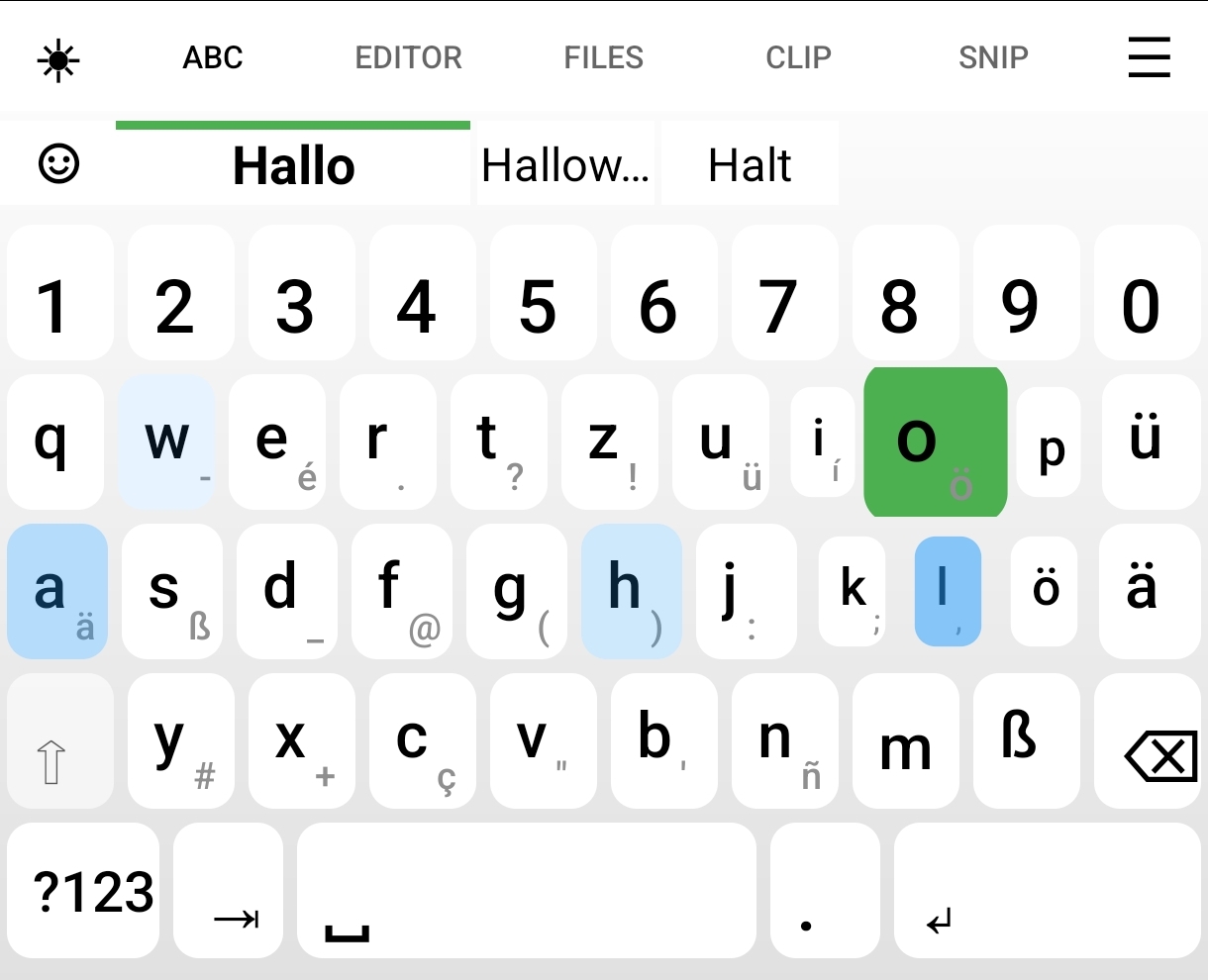
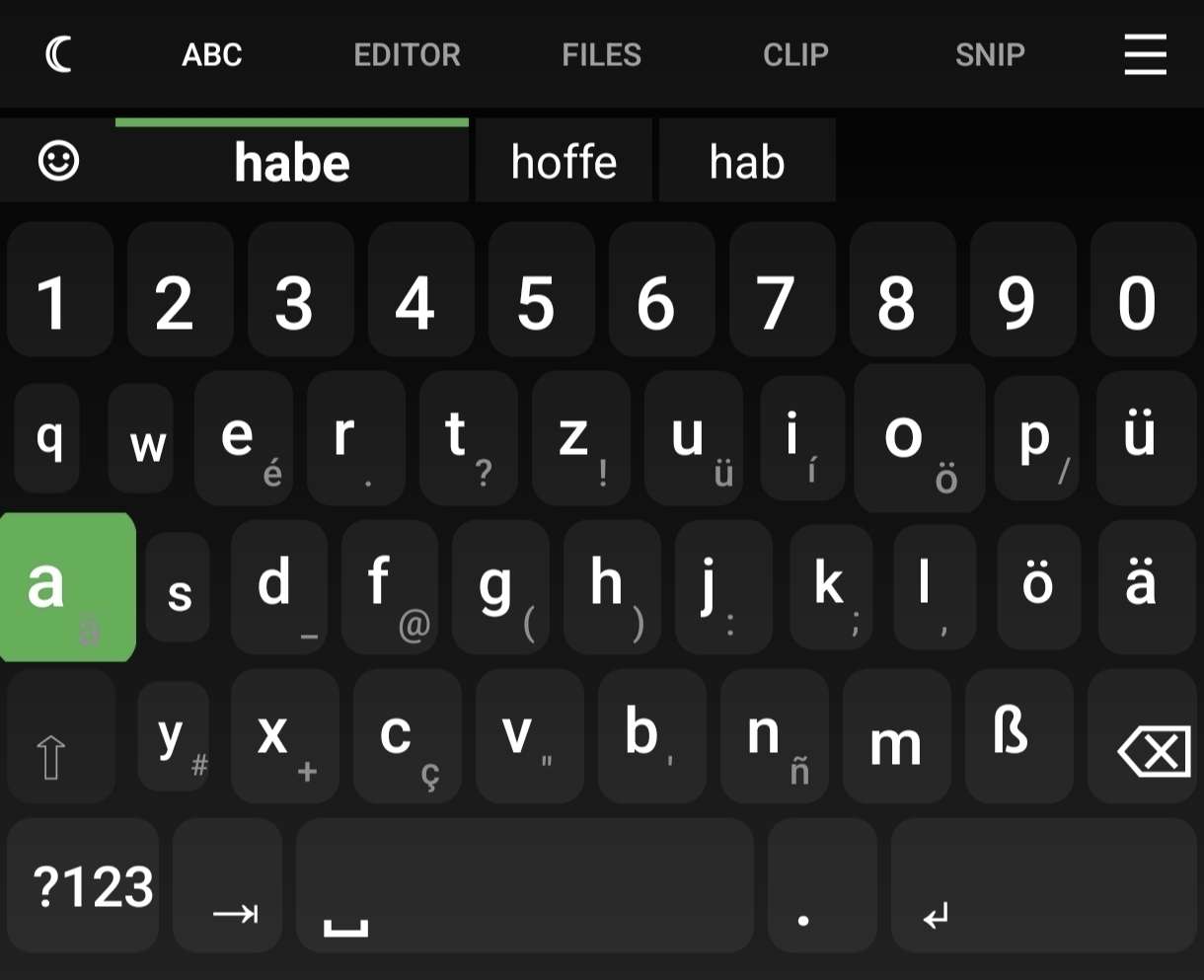
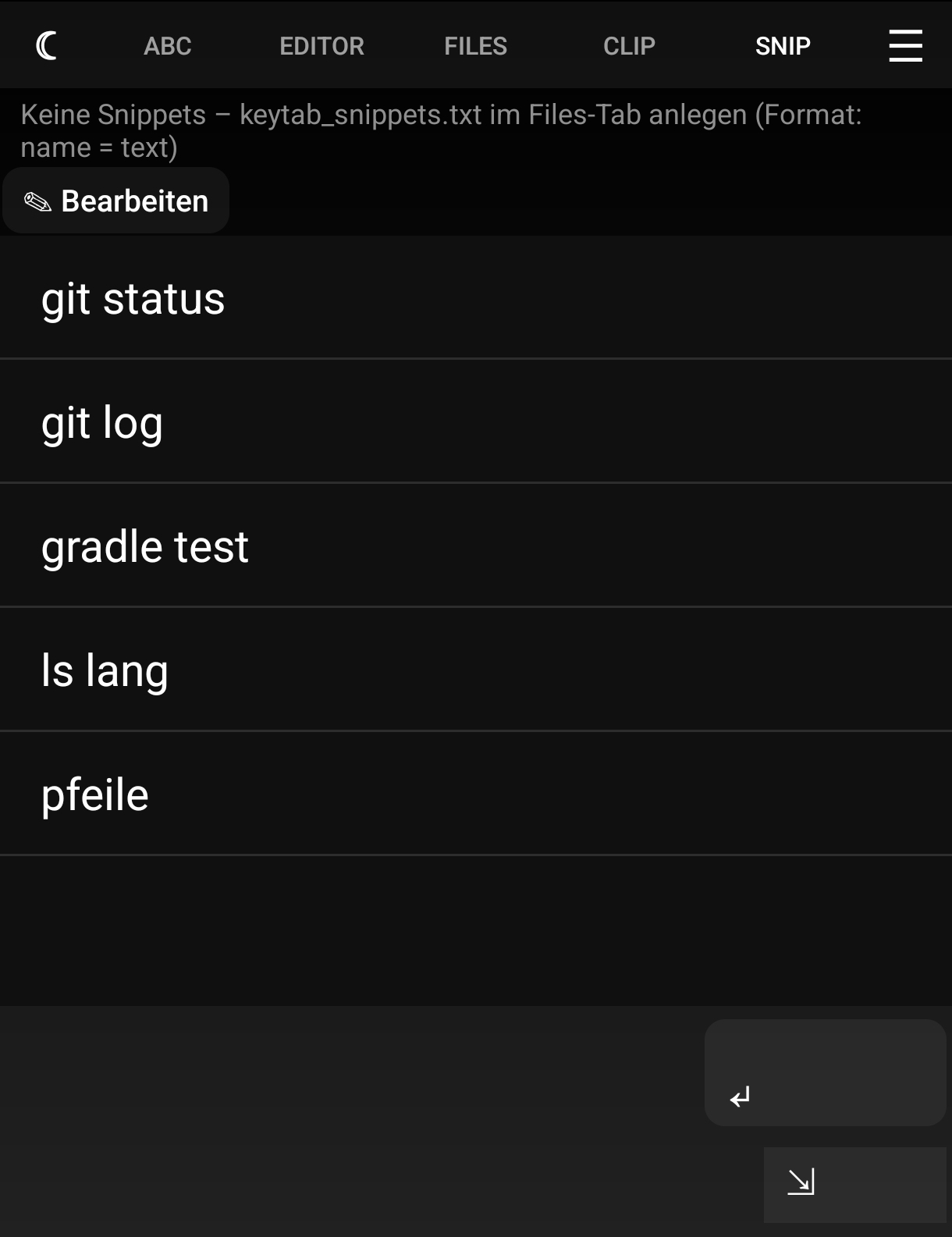
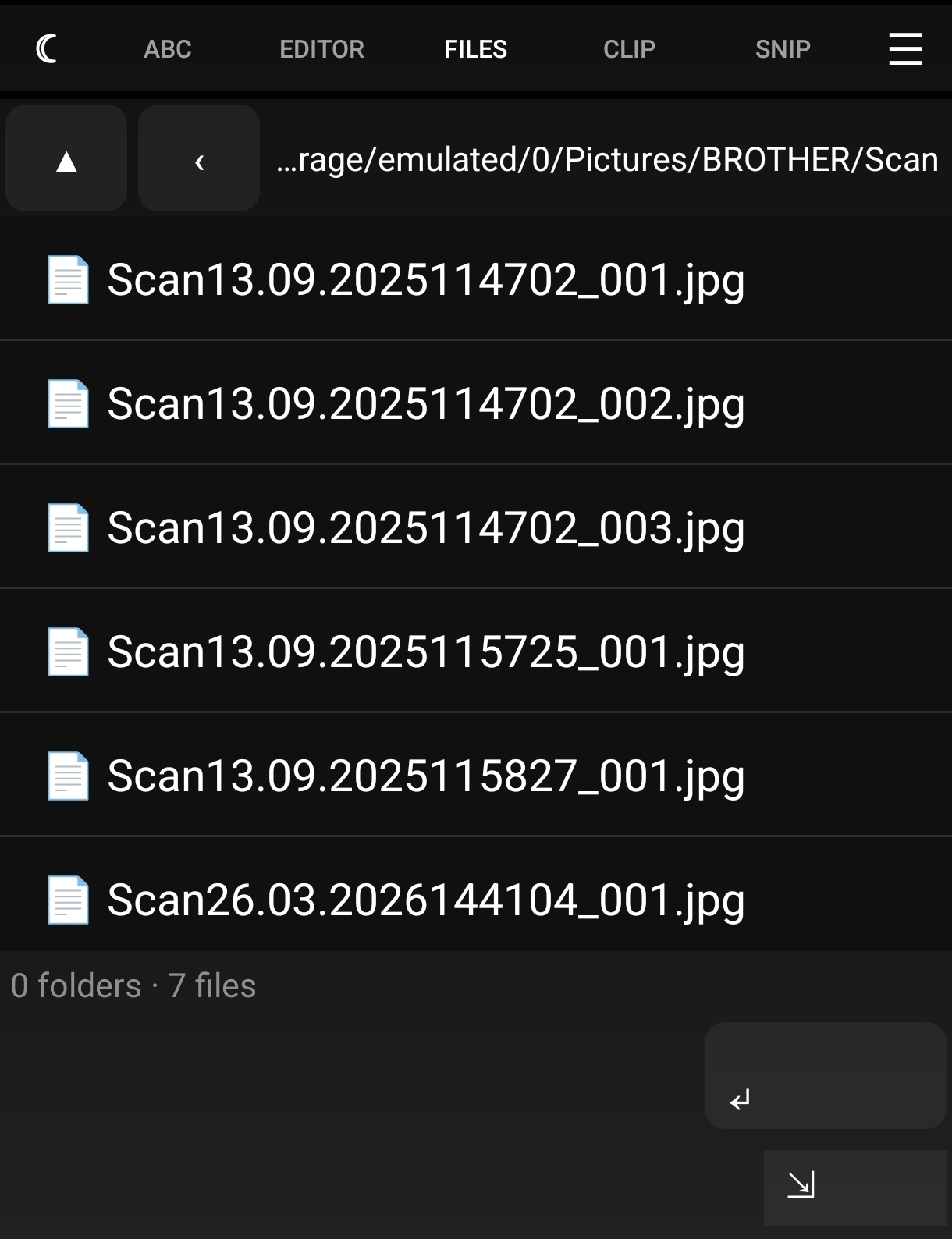
Real captures from the running app on a device (not mockups), taken 2026-09-29:
| Light theme (QWERTZ, de) | Dark theme (default) | Snippets tab |
|---|---|---|
 |
 |
 |
| Files tab | Editor tab | Clipboard |
|---|---|---|
 |
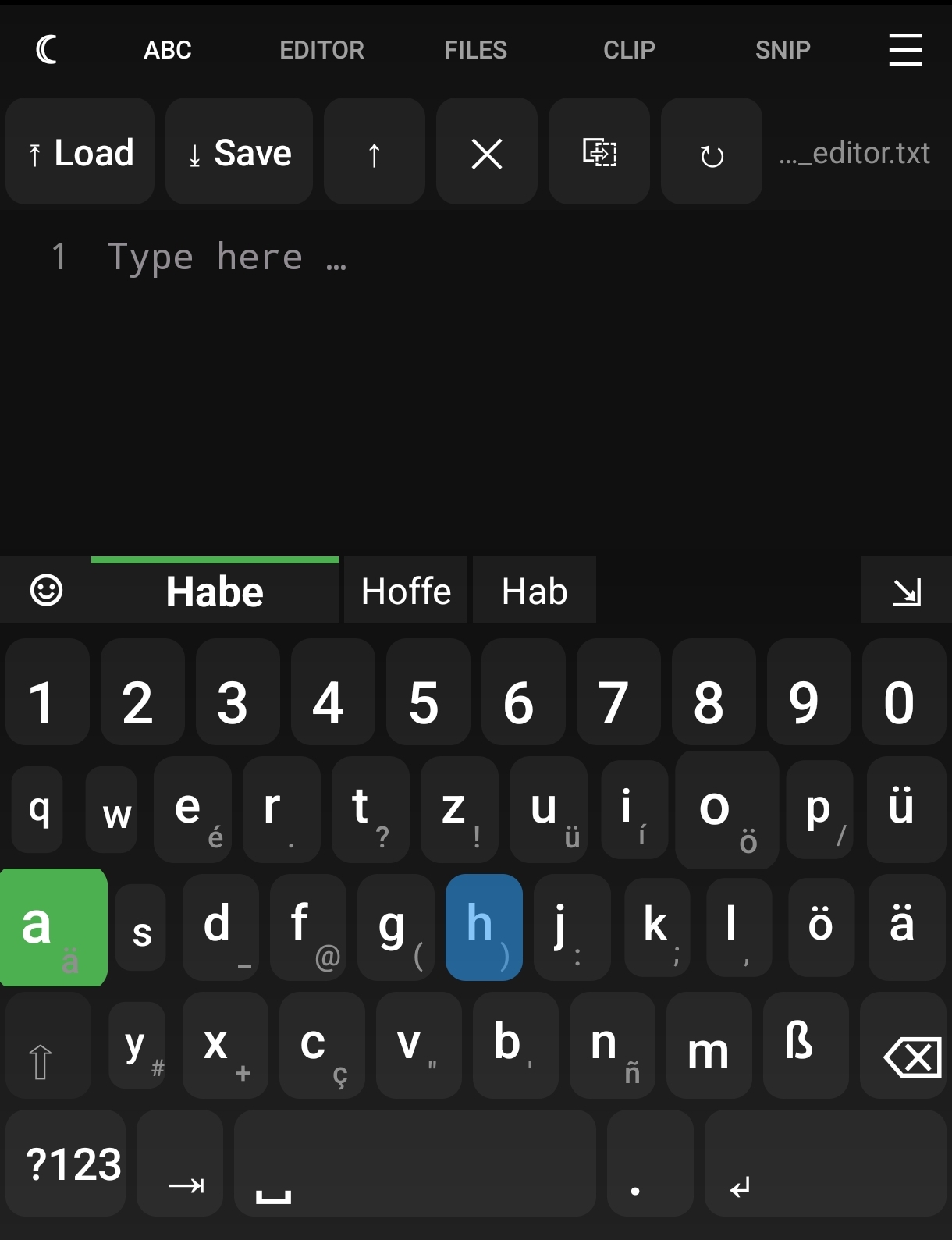 |
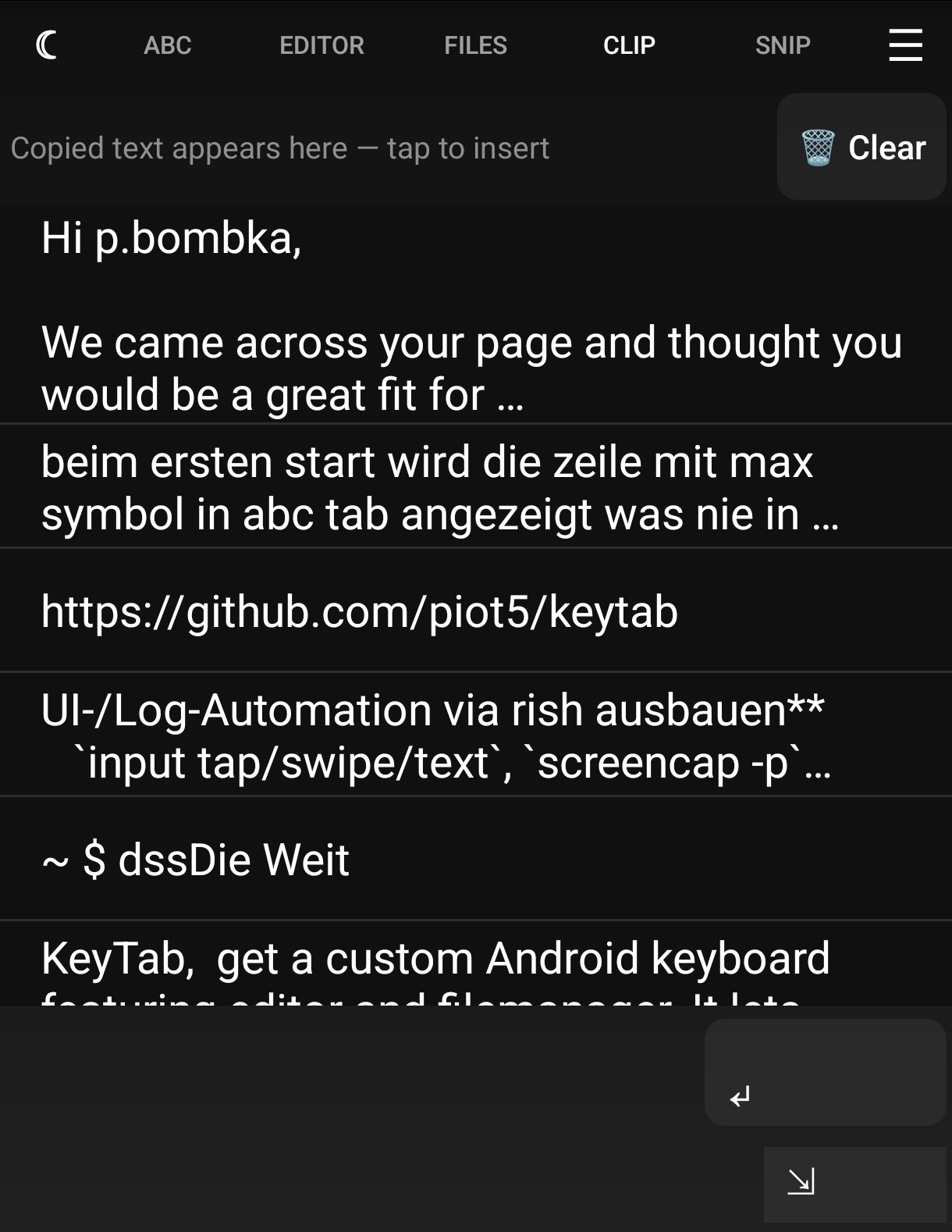 |
A short GIF demo of typing with suggestions: 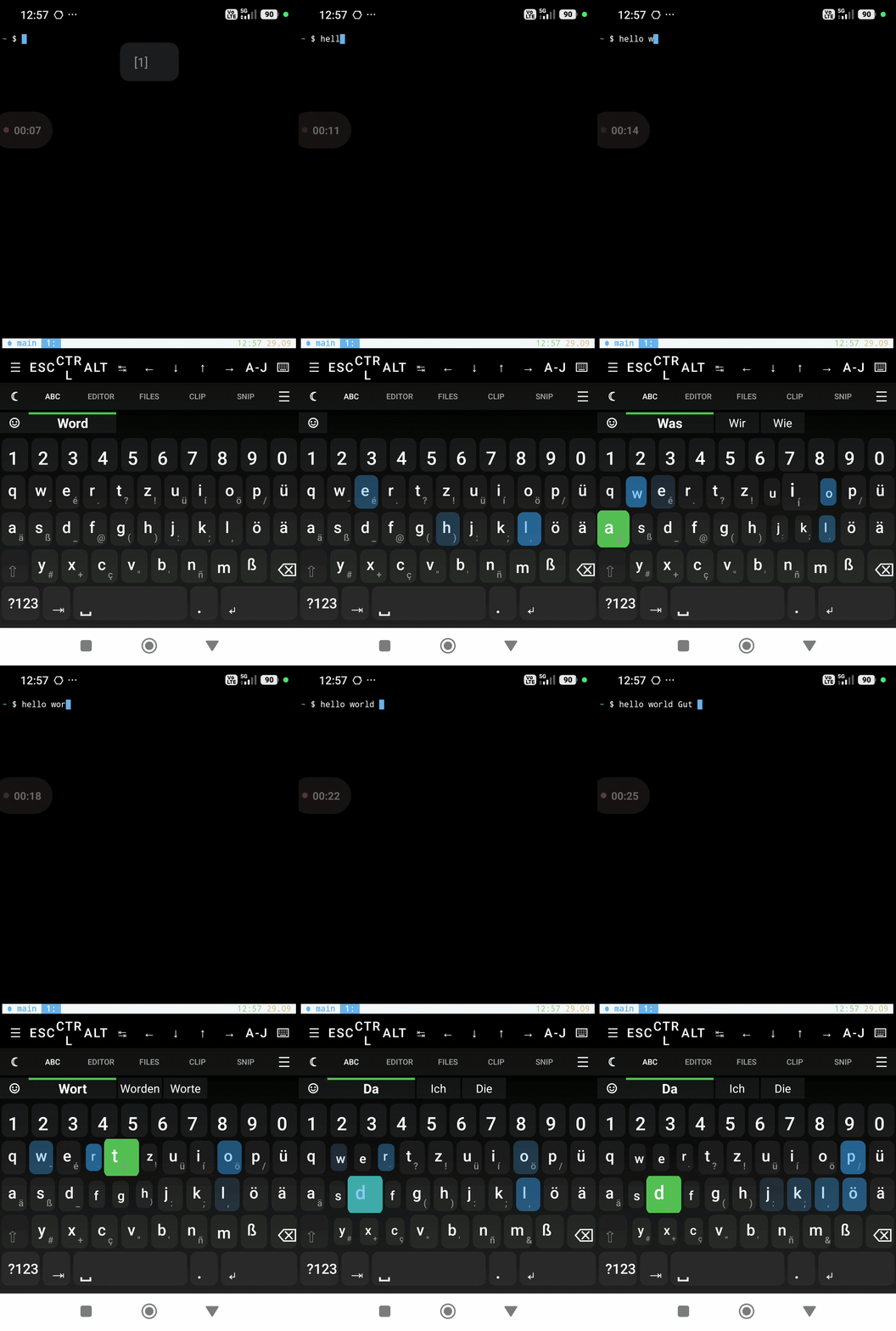
The top suggestion is rendered 2× wider than the others, the likely next key is scaled up (dynamic key sizing), and at a sentence start with no word typed the bar falls back to your last used snippets.
What it does
KeyTab turns your keyboard into a local-first development environment:
- File manager — browse folders, insert paths, open files via VIEW intent.
- Notes editor — clipboard history (50 entries), folder-based loading.
- Snippets — named commands (
name = text) in a plain-text file; tap to insert, long-press to preview. - Offline word prediction — n-gram + Damerau-Levenshtein correction, no network, no data collection.
- Swipe typing (optional) — route-based completion.
- Emoji catalog — offline de/en keyword lookup.
- Themes — dark/light, custom colors, background images.
- Tab key — for Termux/SSH tab completion.
KeyTab works especially well with Termux/Ubuntu-proot: it becomes your shell launcher, file browser and snippet library in one input view.
Supported languages
Interface: English (default) and German — both complete; scripts/check_i18n.py
keeps them in sync (CI job docs). Word prediction corpora: de, en, es, fr,
it, pt, nl — each with its own frequency corpus.
How it is verified
Five CI jobs run on every push: docs (README / CHANGELOG / fastlane notes / version must agree — and a pushed tag must match the version inside its own tree; relative links in *.md must resolve; the launcher-icon set must match its density and size budget; every locale must carry the base strings completely), shell (every shell script parses under its own interpreter, and shellcheck reports no errors/warnings), build-test (assemble + all unit tests), static-analysis (Android Lint + detekt) and coverage (Kover gate: ≥ 60 % lines, ≥ 45 % branches).
- 573 unit tests in 64 classes (JUnit + Robolectric); measured coverage 71.7 % lines / 57.9 % branches (2026-10-29).
- Instrumented typing test on a real device:
sh scripts/test_on_device.shbuilds, installs (SHA-256-verified), checks the installedversionCode, wakes/unlocks the device, drives the real IME and restores the previous keyboard. It is deliberately not a CI job — the API-34 emulator is too slow to bring the IME window up, which reported environment failures as product failures. - Supply chain: Gradle dependency verification by checksum (
gradle/verification-metadata.xml) and GitHub Actions pinned to commit SHAs — seedocs/SUPPLY_CHAIN.md.
Privacy
- No
INTERNETpermission. Nothing leaves your device. - Minimal storage permissions, requested only on demand.
- In password fields (and when an app sets
IME_FLAG_NO_PERSONALIZED_LEARNING), trail, swipe, suggestions and dictionary learning are suppressed in code.
License
MIT. Bundled word-frequency corpora are CC-BY-SA-4.0 (see THIRD_PARTY_NOTICES.md).
Contributing
Want to build from source or contribute? See docs/DEVELOPMENT.md.
Setup as default keyboard
- Install the APK.
- Open Settings → Languages & input → On-screen keyboard → Manage keyboards.
- Enable KeyTab.
- Switch to KeyTab: tap any text field → keyboard selector → KeyTab.
- Open KeyTab settings from the keyboard gear or app icon to choose language, theme, and options.
Language switch
Inside KeyTab settings (gear icon on keyboard) choose Language. Available: German, English, Spanish, French, Italian, Portuguese, Dutch. The change applies immediately — no restart needed.
Troubleshooting
| Problem | Fix |
|---|---|
| Keyboard does not appear | Enable KeyTab in Settings → Languages & input → Manage keyboards and select it as the input method. |
| Suggestions missing | Make sure suggestions = true in keytab_config.txt or settings. Password/sensitive fields suppress suggestions by design. |
| Swipe not working | Enable swipe = true. Disabled in password fields. |
| Config file not picked up | Edit via the Config button inside KeyTab so the path and permissions are correct. |
| Build fails locally | Run sh scripts/check_docs_drift.sh and sh ./gradlew :app:testDebugUnitTest --offline first. See docs/DEVELOPMENT.md. |