
pine-vm/pine has 259 GitHub stars and 19 forks. Star changes are not measured yet. Last checked 2026-11-14 04:35 UTC. Last push 2026-11-12.
Measured star growth
- in 24h
- Collecting history
- in 7 days
- Collecting history
- in 15 days
- Collecting history
- in 1 month
- Collecting history
Net star changes over overlapping periods, not daily totals. Missing measurements are left blank. Stars measure attention, not software quality.
About
DevTools and runtime environment for the Elm programming language
DataREADME.md
OriginalPine
Pine is an Elm development toolchain and runtime built on .NET. It combines editor tooling, compilation and testing tools, and hosting for Elm web services.
At its core is the Pine language, a side-effect-free compilation target designed for meta-programming. Frontend compilers translate Elm into Pine expressions, which the .NET runtime evaluates. Hosting infrastructure manages external interactions and persistence of application state.
The repository includes:
- Elm language server and VS Code extension.
- Elm Editor cloud IDE.
- .NET-based virtual machine and runtime for programs without side-effects.
- Tools to build Elm apps and compile to Pine code.
- CLI tools to format Elm code and run Elm tests.
- Web server, database management system and admin interface for Elm-based web services.
Getting Started
- Develop Elm in VS Code: install the Pine extension.
- Try the browser IDE: open Elm Editor.
- Use the CLI or host an Elm web service: follow the installation and server example below.
- Understand the runtime: read the Pine language guide.
Installing the CLI
Download the pre-built Pine binary for your platform at https://pine.build/download, or on the releases page on GitHub.
The pine executable file integrates all functionality to build apps and operate web services.
After extracting the download, run ./pine install from its directory on Linux or macOS
(or .\pine.exe install on Windows). On Linux and macOS this installs a copy in
~/.local/bin without administrator rights. If that directory is not on your PATH,
the command prints the shell setup needed to use pine from any directory.
Put ~/.local/bin before older Pine installations on PATH if you have one.
On Windows, the command adds the extracted executable's directory to your user PATH;
keep that directory in place after installing.
Running an Example App
The command below runs a server and deploys a full-stack web app:
pine run-server --public-urls="http://*:5000" --deploy=https://github.com/pine-vm/pine/tree/3a5c9d0052ab344984bafa5094d2debc3ad1ecb7/implement/example-apps/docker-image-default-app
Once the server has started, open http://localhost:5000/ to see the example app's landing page. Press Ctrl+C to stop the server.
This command does not configure persistent storage. For deployment and persistence options, see Configuring and deploying an Elm backend app.
Docker Image
To deploy a web service in a Docker container, use the pine-vm/pine image from the GitHub Container Registry (ghcr.io/pine-vm/pine). The tags are aligned with the version IDs in the CLI executable file.
For a local demonstration, bind both published ports to loopback:
docker run -p 127.0.0.1:5000:80 -p 127.0.0.1:4000:4000 --env "APPSETTING_adminPassword=test" ghcr.io/pine-vm/pine
- http://localhost:5000/ serves the bundled placeholder app (container port
80). - http://localhost:4000/ serves the admin interface for deployments and application management (container port
4000).
The admin password test is for this local demonstration only. Before exposing the service beyond your machine, use a strong admin password and restrict access to the admin interface. For persistent deployments, mount a Docker volume at /pine-vm/process-store.
📚 Guides
A selection of guides on popular topics:
For an overview of all guides and documentation, see the guide directory.
🎥 Videos
- Manually Applying Elm Functions On An Online Database Using Pine: https://youtu.be/9mFjdf_ABNM
Example Apps
Rich Chat Room
The rich chat room example app demonstrates features typically found in a chat app, such as user names, message rate-limiting, sound effects, etc. For a detailed description of this app, see the readme file at https://github.com/pine-vm/pine/blob/main/implement/example-apps/rich-chat-room/README.md
Elm Editor
Elm Editor is a web app for developing Elm programs.
As an integrated development environment, it assists us in reading, writing, and testing Elm programs and in collaborating with other developers.
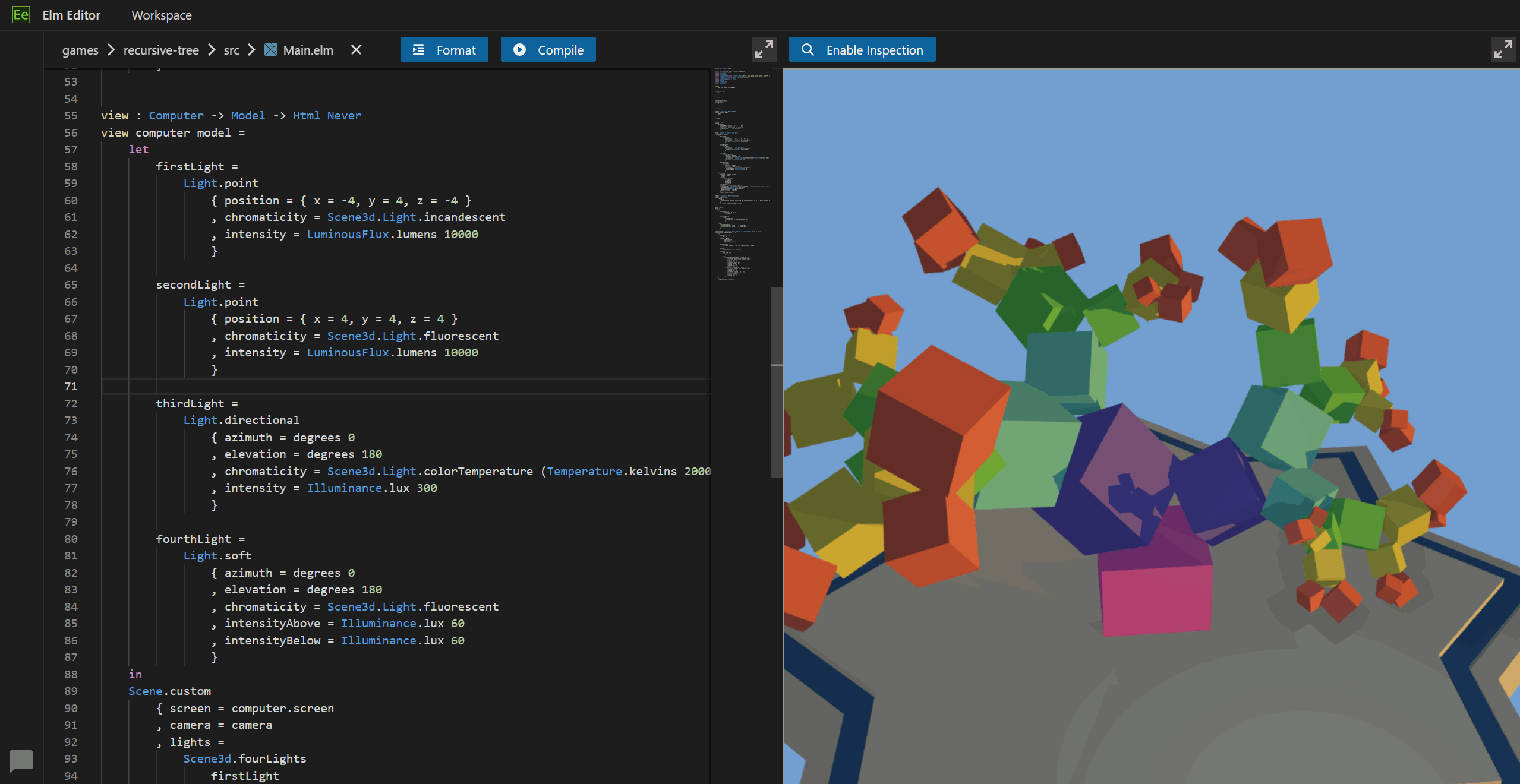
To see Elm Editor in action, check out the public instance at https://elm-editor.com
To learn more about Elm Editor, see https://github.com/pine-vm/pine/tree/main/implement/example-apps/elm-editor/README.md
More Examples
For more example apps, see the example-apps directory
Explore related projects
Asabeneh/30-Days-Of-Python
The 30 Days of Python programming challenge is a step-by-step guide to learn the Python programming language in 30 days. This challenge may take more than 100 days. Follow your own pace. These videos may help too: https://www.youtube.com/channel/UC7PNRuno1rzYPb1xLa4yktw
78,711 starsgrafana/grafana
The open and composable observability and data visualization platform. Visualize metrics, logs, and traces from multiple sources like Prometheus, Loki, Elasticsearch, InfluxDB, Postgres and many more.
77,894 starsredis/redis
For developers, who are building real-time data-driven applications, Redis is the preferred, fastest, and most feature-rich cache, data structure server, and document and vector query engine.
77,490 starsapache/superset
Apache Superset is a Data Visualization and Data Exploration Platform
75,522 stars