
pedronauck/reworm
pedronauck/reworm has 1,458 GitHub stars and 26 forks. GitHot measured 0 stars in 24 hours. Last checked 2026-11-08 05:23 UTC. Last push 2026-03-16.
🍫 the simplest way to manage state
Measured star growth
- in 24h
- 0
- in 7 days
- Update delayed
- in 15 days
- Update delayed
- in 1 month
- Update delayed
Net star changes over overlapping periods, not daily totals. Missing measurements are left blank. Stars measure attention, not software quality.
README.md
Original

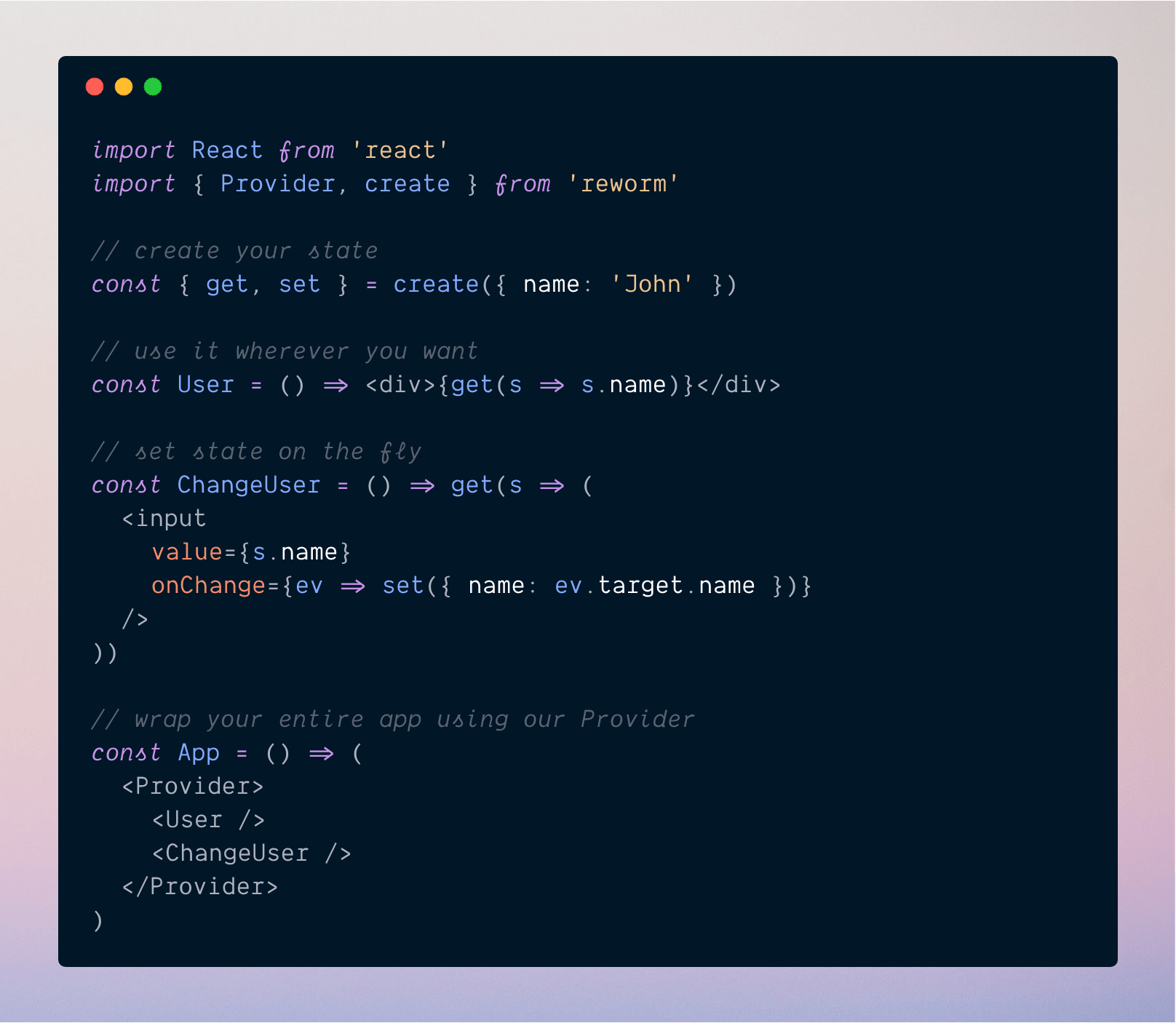
🧐 Why?
Forget about actions, connections, reducers and a lot of boilerplate to create and manage states. With reworm you can create and manage state as simple as on the image above.
Todo List Example
💻 Install and Usage
Install reworm using your package manager
$ yarn add reworm
Then just wrap your app with our Provider, create your new state and use it!
import React from 'react'
import { Provider, create } from 'reworm'

const { get } = create({ name: 'John' })

const App = () => (
  <Provider>
    <div>{get(s => s.name)}</div>
  </Provider>
)
Change your state easily
Instead of defining actions or something else to change your state, with reworm you just need to use the set method like that:
import React from 'react'
import { Provider, create } from 'reworm'

const { set, get } = create({ name: 'John' })

class App extends React.Component {
  componentDidMount() {
    set(prev => ({ name: 'Peter' + prev.name }))
  }
  render() {
    return (
      <Provider>
        <div>{get(s => s.name)}</div>
      </Provider>
    )
  }
}
Using selectors
Selectors are good because they prevent you from duplicating code. With it you can just create some functions and use them throughout your application.
import React from 'react'
import { Provider, create } from 'reworm'

const { select } = create({ list: ['Peter', 'John'] })

const johnSelector = select(state =>
  state.list.find(user => user.includes('John'))
)

const App = () => (
  <Provider>
    <div>{johnSelector(user => user)}</div>
  </Provider>
)
Listening state changes
If you want to listen changes on your state you can use subscribe():
import React from 'react'
import { Provider, create } from 'reworm'

const user = create()

class App extends Component {
  state = {
    name: 'John'
  }

  componentDidMount() {
    user.subscribe(name => this.setState({ name }))
    user.set('Michael')
  }

  render() {
    return <div>Hello {this.state.name}</div>
  }
}
🔎 API
create<T>(initial?: T): State
Create a new state
get((state: T) => React.ReactNode)
Use this method to access your state
set((state: T | (prevState: T) => T) => T)
Use this method to set your state
select<S = any>(selector: (state: T) => S) => (fn: GetFn<T>) => React.ReactNode
Create selectors that can be used with your state and avoid repeating code.
subscribe: (fn: SubscribeFn<T>) => () => void
Use this method to listen state changes
📝 Typings
type PrevState<T> = (prevState: T) => T
type GetFn<T> = (state: T) => React.ReactNode
type SubscribeFn<T> = (state: T) => any

interface State<T> {
  get: (fn: GetFn<T>) => React.ReactNode
  set: (next: T | PrevState<T>) => void
  select: <S = any>(
    selector: (state: T) => S
  ) => (fn: GetFn<S>) => React.ReactNode
  subscribe: (fn: SubscribeFn<T>) => () => void
}

function create<T>(initial: T) => State<T>
🕺 Contribute
If you want to contribute to this project, please see our Contributing Guide !
Explore related projects
freeCodeCamp/freeCodeCamp
freeCodeCamp.org's open-source codebase and curriculum. Learn math, programming, and computer science for free.
458,768 starsdonnemartin/system-design-primer
Learn how to design large-scale systems. Prep for the system design interview. Includes Anki flashcards.
377,354 starsreact/react
The library for web and native user interfaces.
252,422 starsvuejs/vue
This is the repo for Vue 2. For Vue 3, go to https://github.com/vuejs/core
212,631 stars