
pbugnion/jupyterlab-sql
pbugnion/jupyterlab-sql has 428 GitHub stars and 52 forks. Star changes are not measured yet. Last checked 2026-11-10 04:24 UTC. Last push 2023-01-05.
SQL GUI for JupyterLab
Measured star growth
- in 24h
- Update delayed
- in 7 days
- Update delayed
- in 15 days
- Update delayed
- in 1 month
- Update delayed
Net star changes over overlapping periods, not daily totals. Missing measurements are left blank. Stars measure attention, not software quality.
README.md
Original

jupyterlab-sql
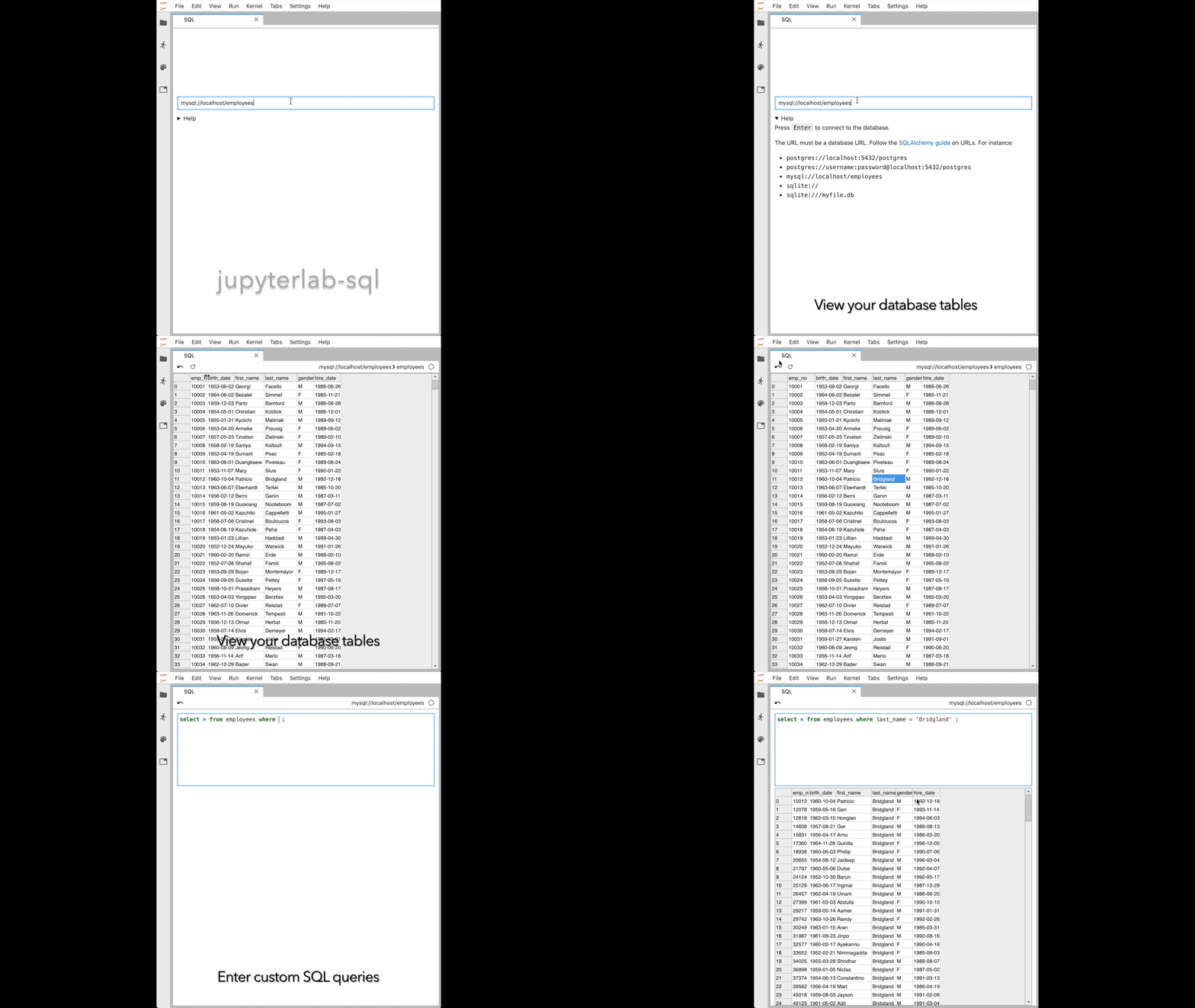
jupyterlab-sql adds a SQL user interface to JupyterLab:
- explore your tables with a point-and-click interface
- read and modify your database with custom queries
Installation
Installing on JupyterLab 1.x
To install jupyterlab-sql, run the following commands:
pip install jupyterlab_sql
jupyter serverextension enable jupyterlab_sql --py --sys-prefix
jupyter lab build
You will then need to restart any running Jupyter servers.
jupyterlab-sql only works with Python 3.5 and above.
JupyterLab legacy
To install jupyterlab-sql on versions of JupyterLab pre 1.0, run:
pip install jupyterlab_sql==0.2.1
jupyter serverextension enable jupyterlab_sql --py --sys-prefix
jupyter lab build
Usage
Starting a new SQL session
There is a SQL icon in the launcher (File > New Launcher):

You can also launch a session from the command palette: search for SQL.
Formulating the connection URL
The connection URL needs to be a valid database URL. Follow the SQLAlchemy guide on database URLs.
Executing statements
Press shift + enter or ctrl + enter while in the main query
area to dispatch the statement.
Database support
jupyterlab-sql is tested against SQLite, PostgreSQL, and MySQL databases.
Other databases supported by sqlalchemy may also work.
If you need support for other types of databases, see issue #113.
In-memory SQLite and persistence
The lifetime of a SQLite in-memory database is tied to the lifetime of the Jupyter server. Restarting the Jupyter server will clear any data in your in-memory database.
Issue reporting and contributing
Report issues using the issue tracker.
Contributions are welcome. If you have not developed JupyterLab extensions before, I recommend following this tutorial.
Contributors
jupyterlab-sql is maintained by Pascal Bugnion (@pbugnion) with contributions from:
- Ashwin Chopra (@shwinnn)
jupyterlab-sql is built and maintained by people who give their time (in many cases, their free time) to the project.
I would like to join this list. How can I help?
We are currently looking for contributions of:
- code: if you are unsure how to start, open an issue or email Pascal Bugnion.
- additional database support: see issue #113.
Explore related projects
Asabeneh/30-Days-Of-Python
The 30 Days of Python programming challenge is a step-by-step guide to learn the Python programming language in 30 days. This challenge may take more than 100 days. Follow your own pace. These videos may help too: https://www.youtube.com/channel/UC7PNRuno1rzYPb1xLa4yktw
78,560 starsgrafana/grafana
The open and composable observability and data visualization platform. Visualize metrics, logs, and traces from multiple sources like Prometheus, Loki, Elasticsearch, InfluxDB, Postgres and many more.
77,830 starsredis/redis
For developers, who are building real-time data-driven applications, Redis is the preferred, fastest, and most feature-rich cache, data structure server, and document and vector query engine.
77,395 starsapache/superset
Apache Superset is a Data Visualization and Data Exploration Platform
75,473 stars