
pawelmalak/snippet-box
pawelmalak/snippet-box has 1,096 GitHub stars and 94 forks. GitHot measured +1 in 7 days. Last checked 2026-11-11 00:24 UTC. Last push 2023-04-05.
Snippet Box is a simple self-hosted app for organizing your code snippets. It allows you to easily create, edit, browse and manage your snippets in various languages.
Measured star growth
- in 24h
- Update delayed
- in 7 days
- +1
- in 15 days
- Collecting history
- in 1 month
- Collecting history
Net star changes over overlapping periods, not daily totals. Missing measurements are left blank. Stars measure attention, not software quality.
README.md
OriginalSnippet Box
Description
Snippet Box is a simple self-hosted app for organizing your code snippets. It allows you to easily create, edit, browse and manage your snippets in various languages. With built-in Markdown support, Snippet Box makes it very easy to add notes or simple documentation to your code.
Technology
- Backend
- Node.js
- Typescript
- Express.js
- Sequelize ORM + SQLite
- Frontend
- React
- TypeScript
- Bootstrap
- Deployment
- Docker
Development
# clone repository
git clone https://github.com/pawelmalak/snippet-box
cd snippet-box

# install dependencies (run only once)
npm run init

# start backend and frontend development servers
npm run dev
Installation
With Docker
Docker Hub
Docker Hub image link.
For arm platforms use :arm tag.
Building image
# Building image for Linux
docker build -t snippet-box .

# Build image for ARM
docker buildx build \
  --platform linux/arm/v7,linux/arm64 \
  -f Dockerfile.arm \
  -t snippet-box:arm .
Deployment
# run container
# for ARM use snippet-box:arm tag
docker run -p 5000:5000 -v /path/to/data:/app/data snippet-box
Docker Compose
version: '3'
services:
  snippet-box:
    image: pawelmalak/snippet-box:latest
    container_name: snippet-box
    volumes:
      - /path/to/host/data:/app/data
    ports:
      - 5000:5000
    restart: unless-stopped
Without Docker
Follow instructions from wiki - Installation without Docker
Functionality
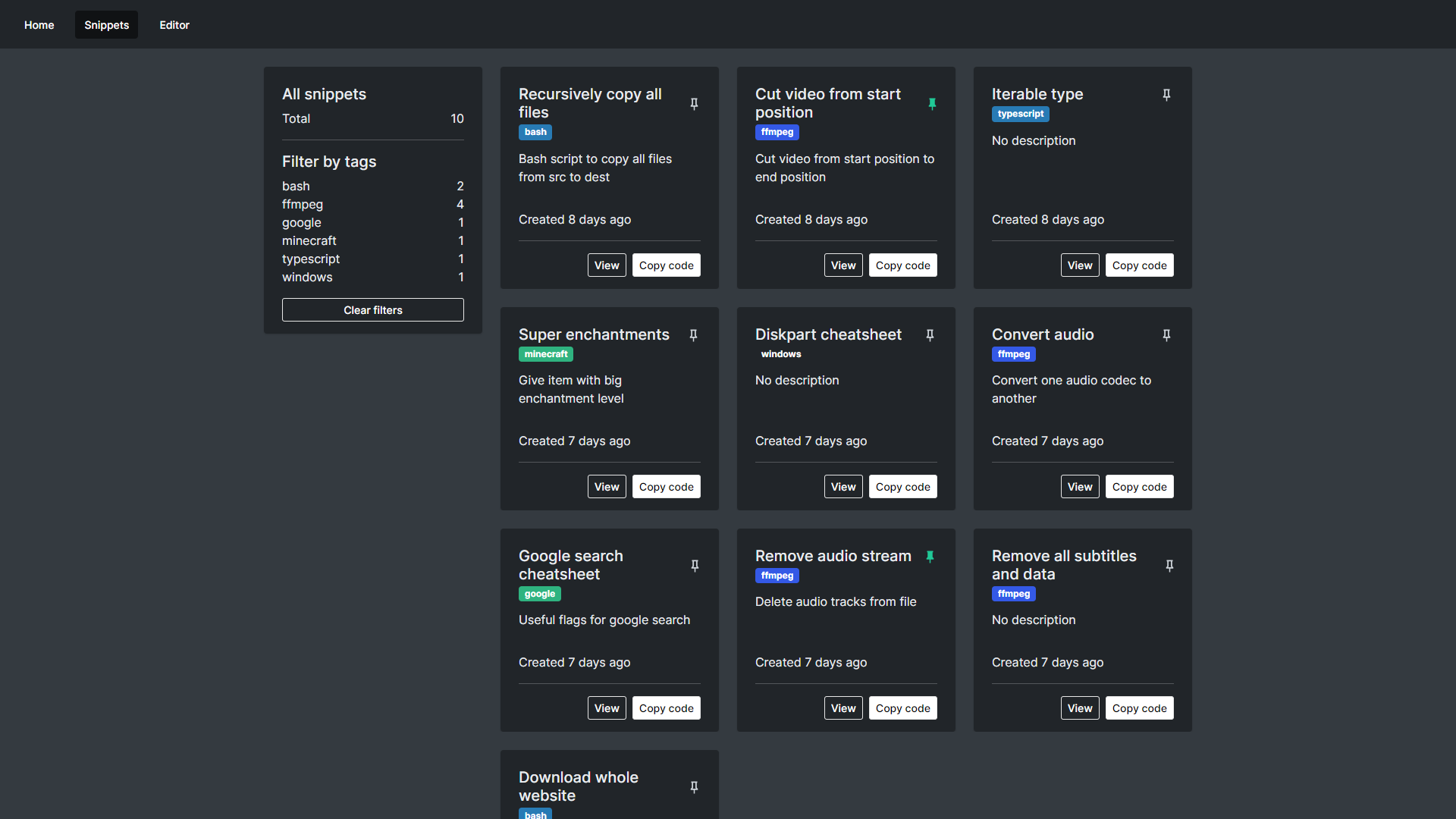
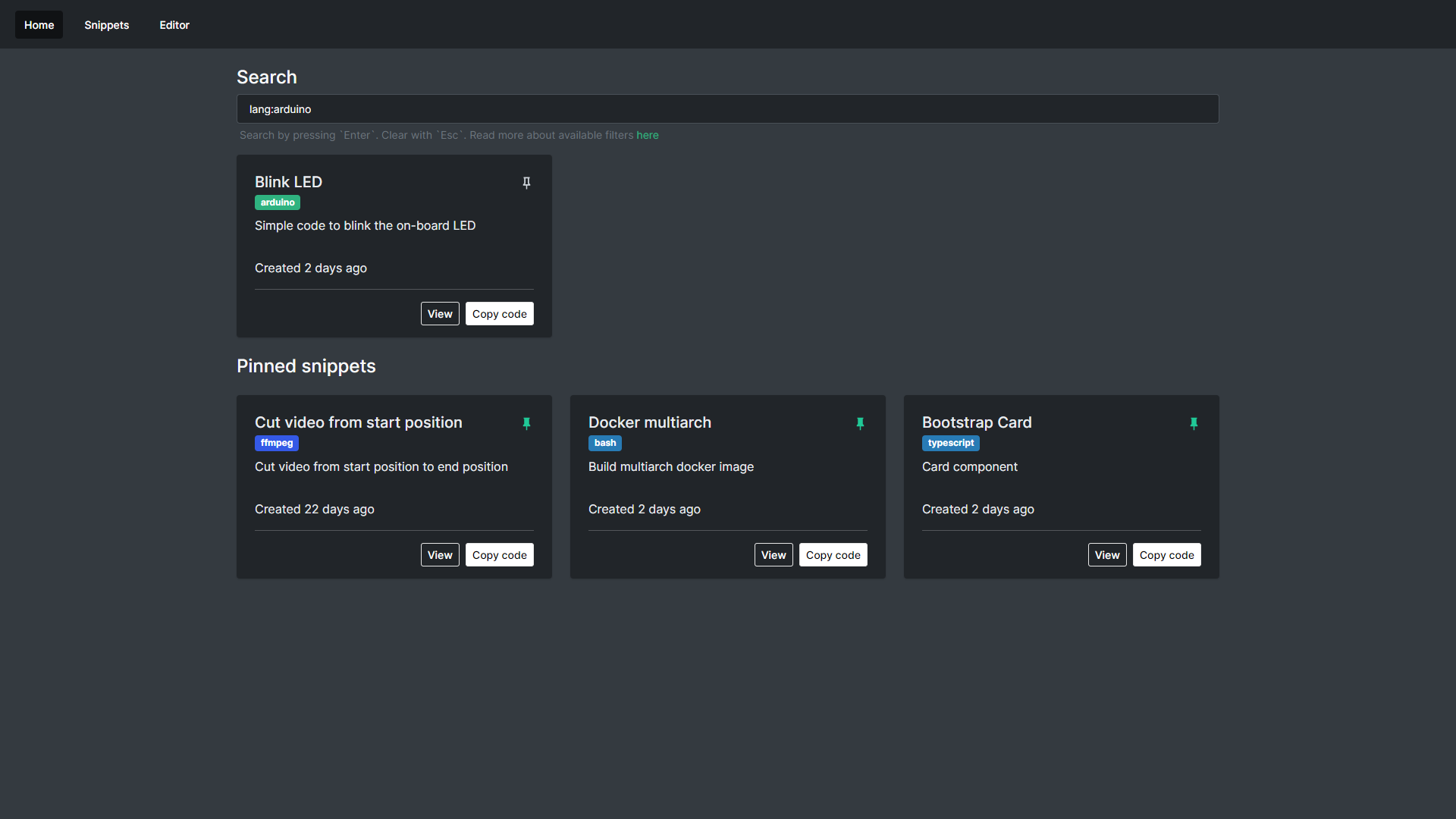
- Search
- Search your snippets with built-in tags and language filters
- Pinned snippets
- Pin your favorite / important snippets to home screen for easy and quick access
- Snippet library
- Manage your snippets through snippet library
- Easily filter and access your code using tags
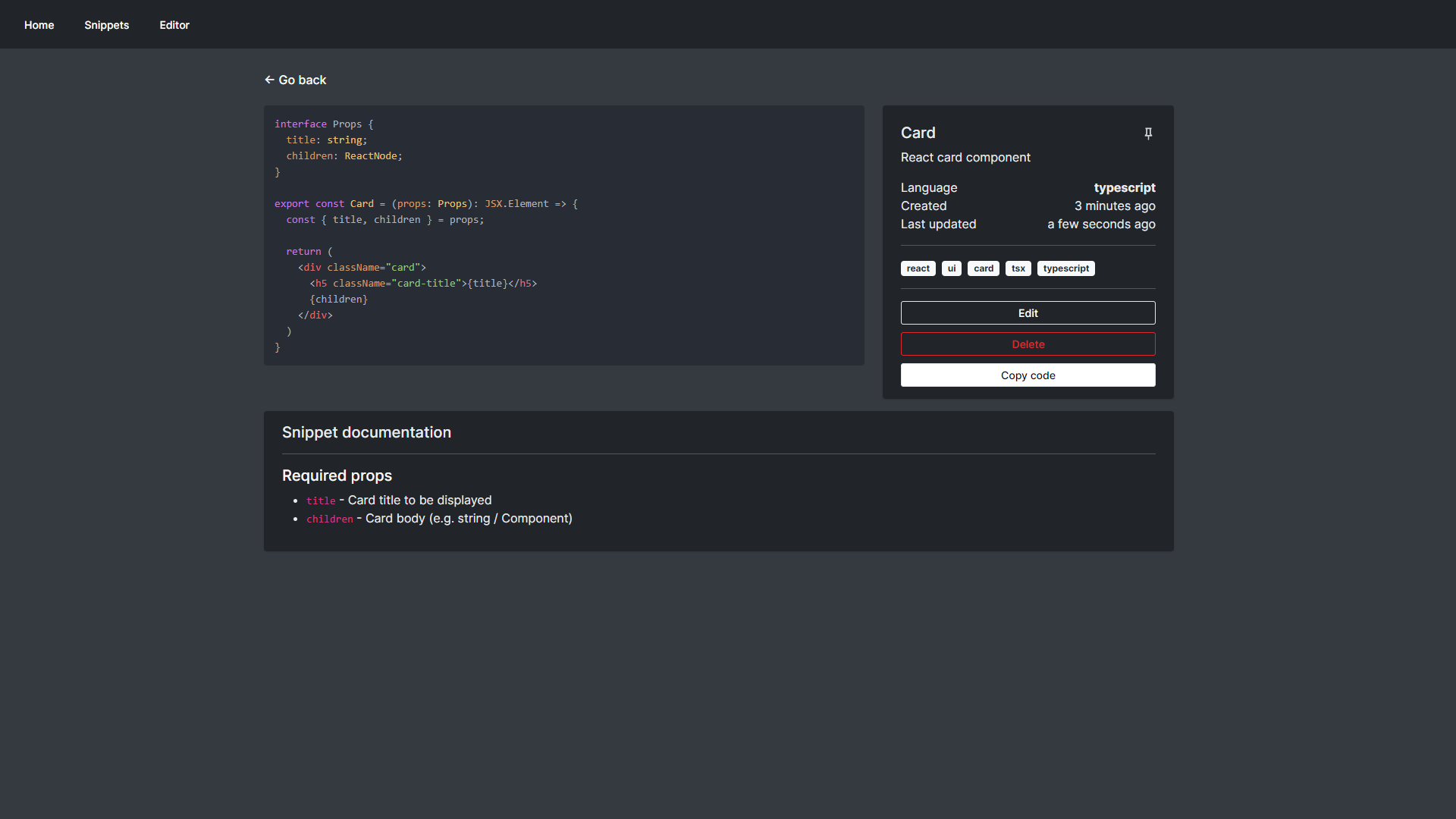
- Snippet
- View your code, snippet details and documentation
- Built-in syntax highlighting
- Easily perform snippet actions like edit, pin or delete from a single place
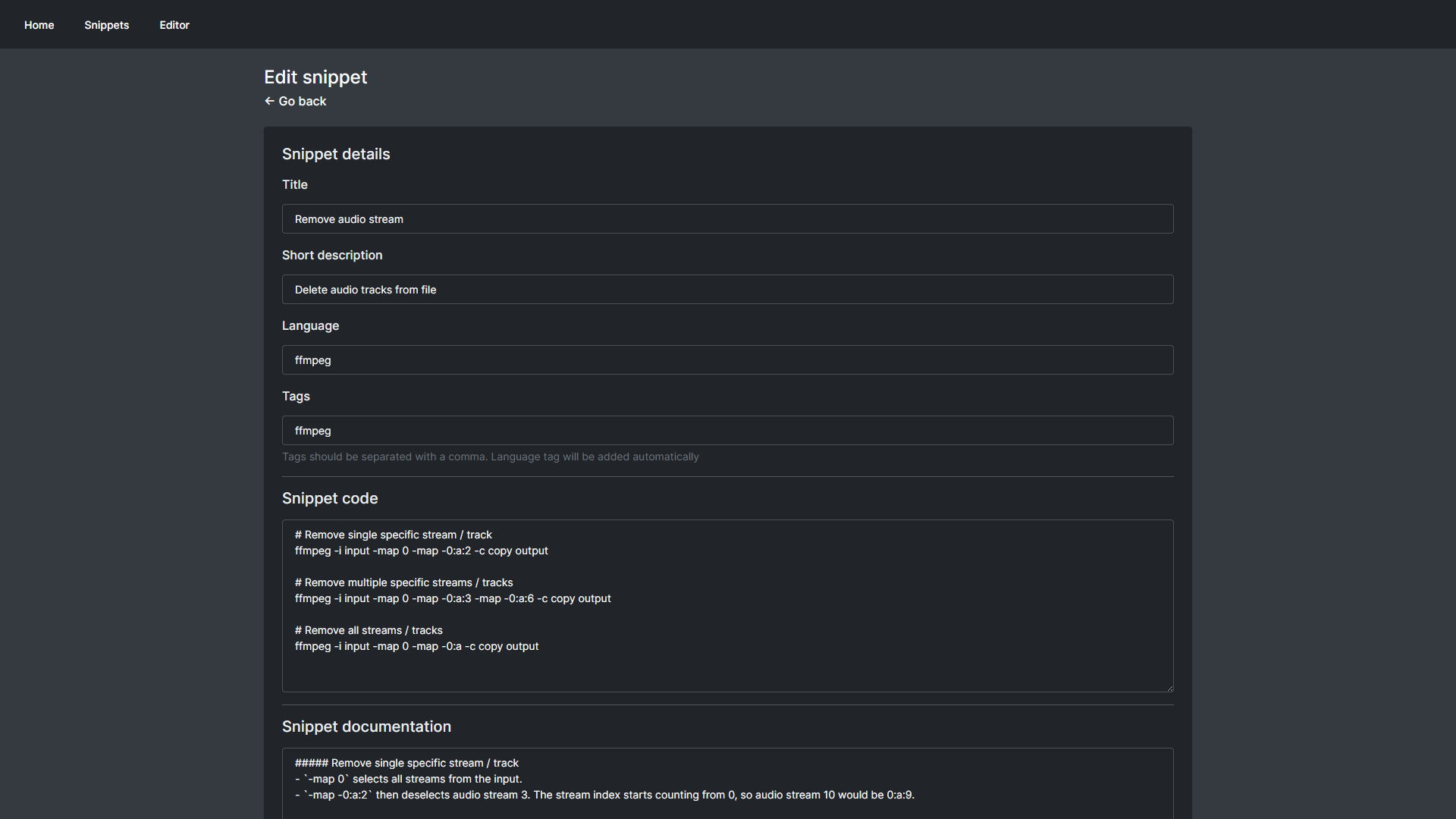
- Editor
- Create and edit your snippets from simple and easy to use editor
Usage
Search functionality
Visit wiki for search functionality and available filters reference: Search functionality
Explore related projects
awesome-selfhosted/awesome-selfhosted
A list of Free Software network services and web applications which can be hosted on your own servers
335,911 starsimmich-app/immich
High performance self-hosted photo and video management solution.
118,645 starsStirling-Tools/Stirling-PDF
#1 PDF Application on GitHub that lets you edit PDFs on any device anywhere
96,149 starslouislam/uptime-kuma
A fancy self-hosted monitoring tool
93,425 stars