
paulherter/swiftly-player
paulherter/swiftly-player has 48 GitHub stars and 5 forks. GitHot measured +1 stars in 24 hours. Last checked 2026-11-18 14:10 UTC. Last push 2026-11-14.
Measured star growth
- in 24h
- +1
- in 7 days
- Collecting history
- in 15 days
- Collecting history
- in 1 month
- Collecting history
Net star changes over overlapping periods, not daily totals. Missing measurements are left blank. Stars measure attention, not software quality.
About
Swiftly Player — a native Jellyfin client for iPhone, iPad, Apple TV, Mac, Android, Linux and Windows. It never transcodes: every file plays as Direct Play or Direct Stream. Picture in Picture, several accounts on one server, and handing a running film from one device to the next.
Self-hostedREADME.md
Original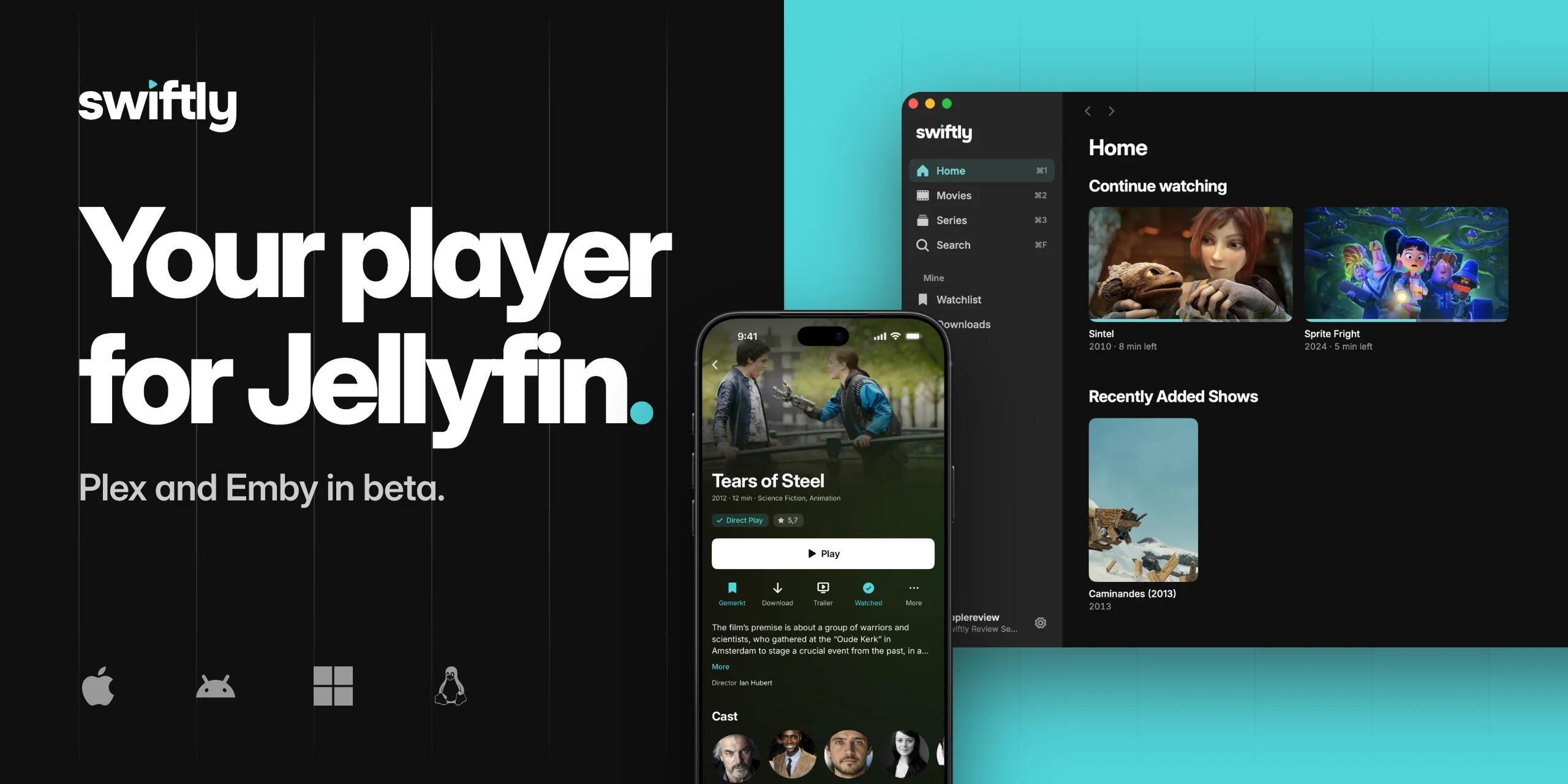
For iPhone, iPad, Apple TV, Mac, Android, Android TV, Linux and Windows.
Every file plays as Direct Play or Direct Stream, never transcoded.



Swiftly is free and open source. Become a Supporter to help keep it going.
TestFlight beta · Android APK · Windows · Linux · Discord
Swiftly Player is a free, native client for your own media server: Jellyfin, and in beta also Plex and Emby. It is meant to be plain, and to just work.
It opens, it finds your library, it plays. Most of it is the ordinary things done properly, instead of a hundred switches nobody ever touches. Underneath, it works to never make your server transcode, so the picture stays untouched and your server stays cool.
It is one app for iPhone, iPad, Apple TV, Mac, Android, Android TV, Linux and Windows, with the same look on every one of them: Direct Play, Picture in Picture, several accounts on one server, and a running film that follows you from one device to the next.
Screenshots
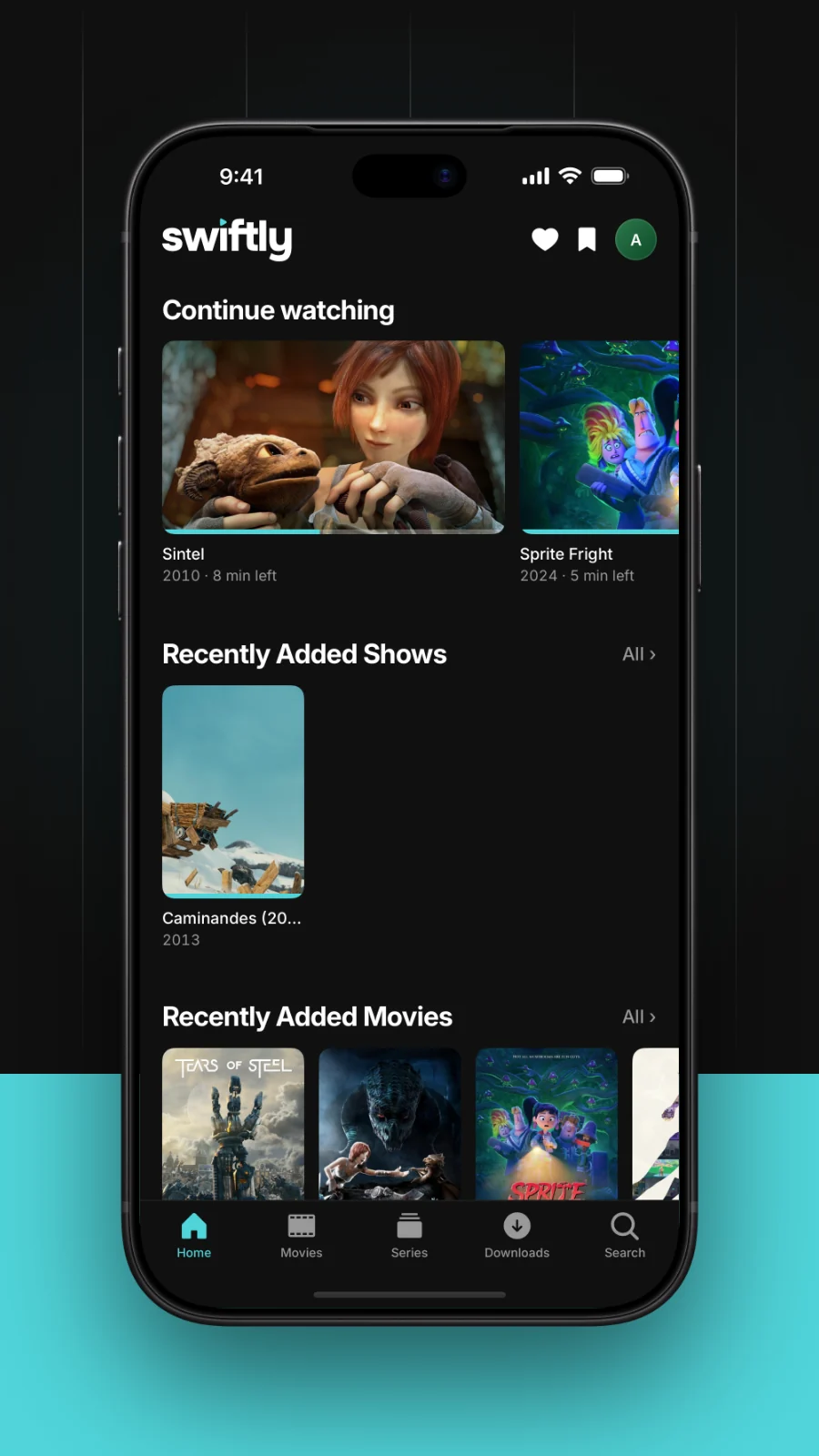 |
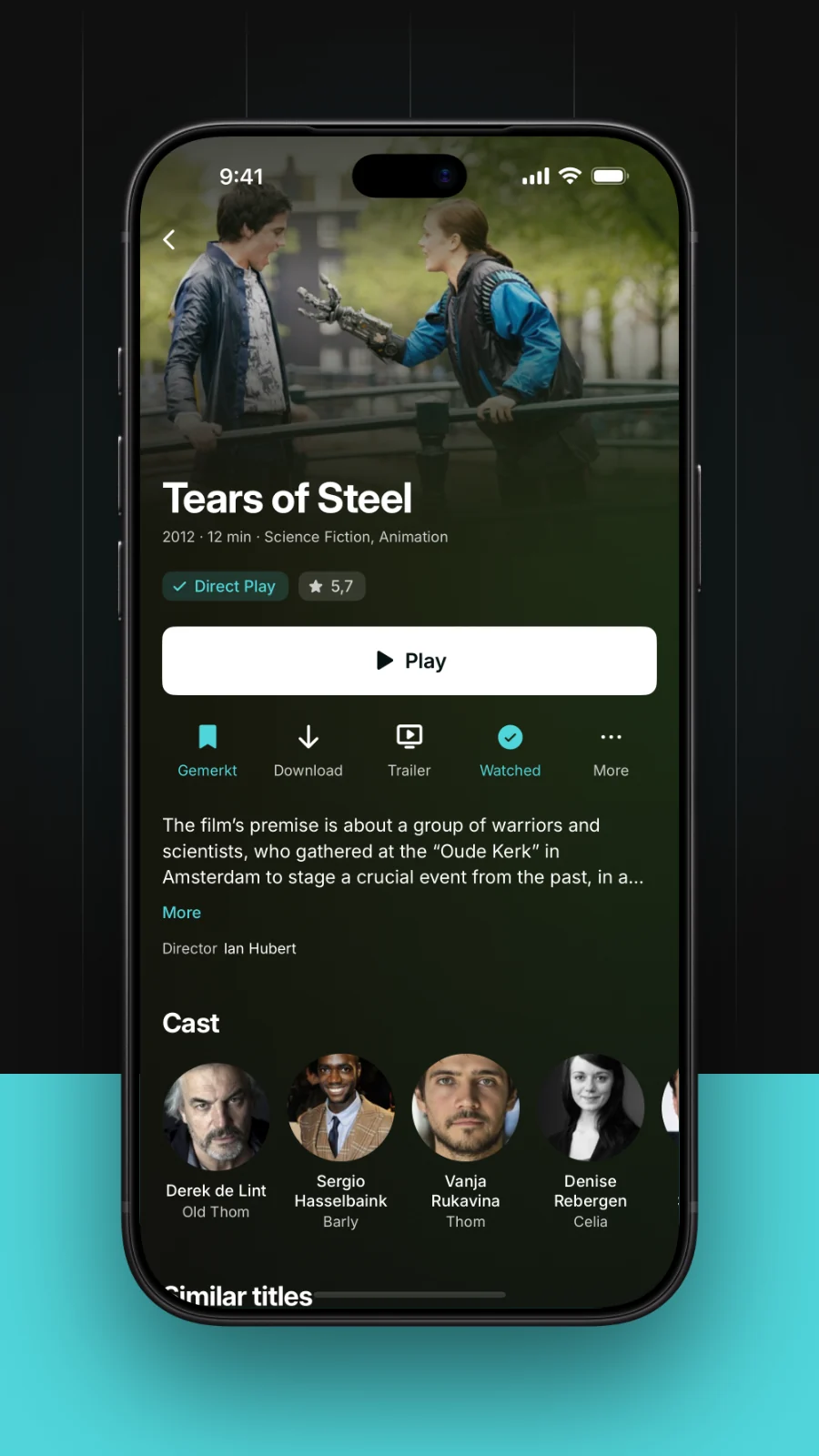 |
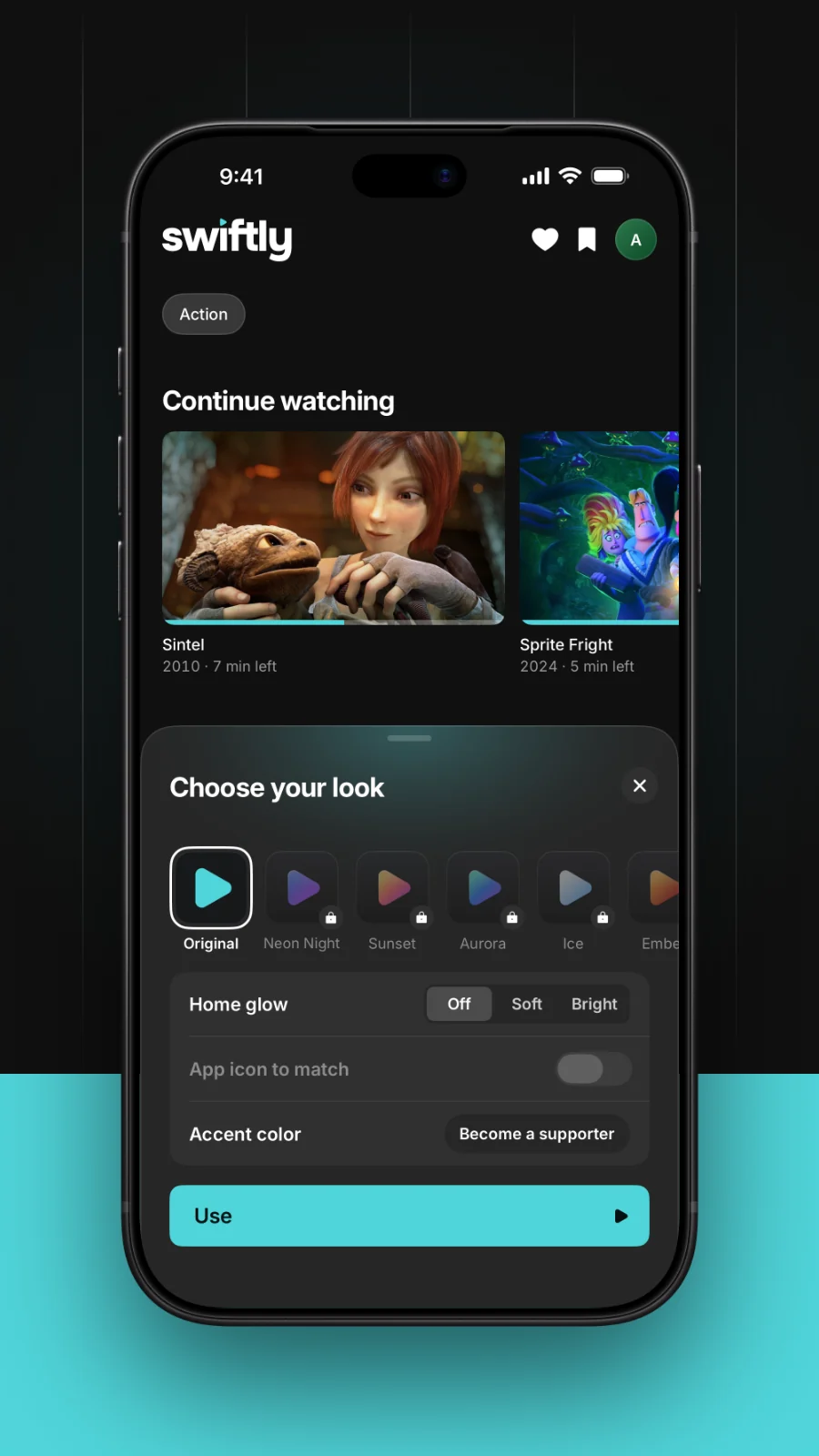 |
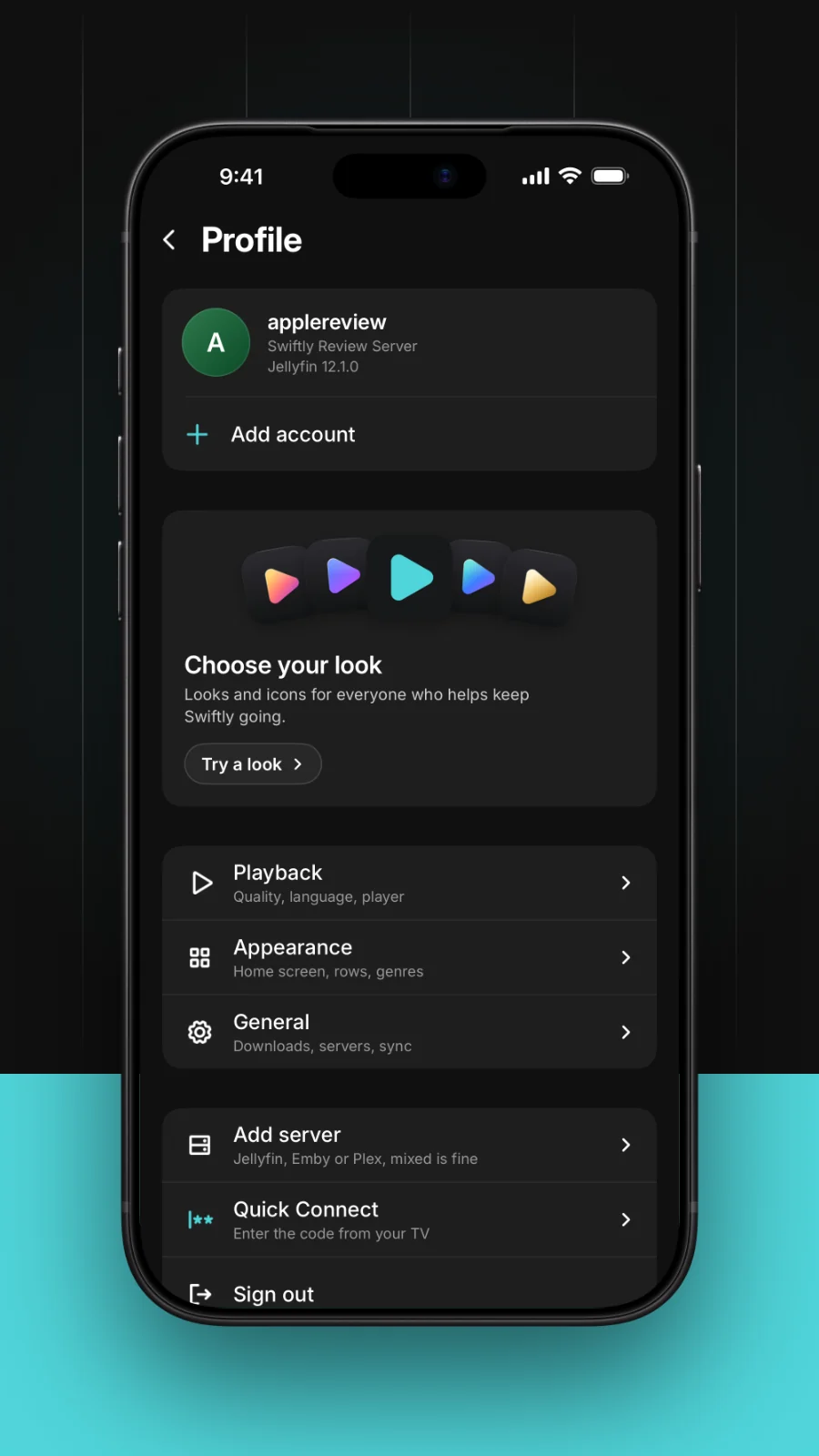 |
| Home | Film page | Looks | Profile and servers |
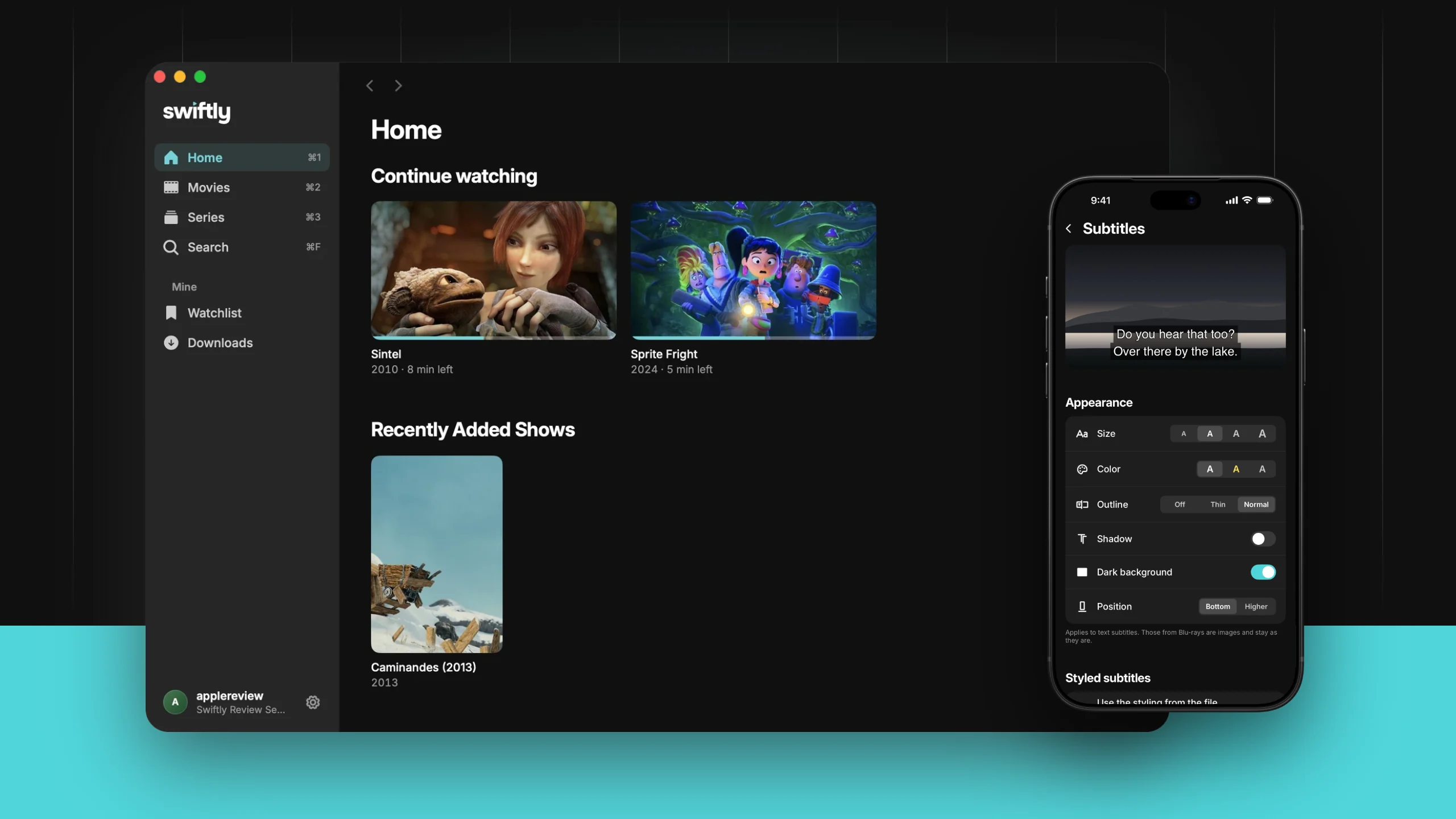
The Mac app, and the subtitle look on the iPhone.
What is new in 1.1.0
- New design, one look on every device. Home, film pages, player and settings look the same on iPhone, iPad, Mac, Apple TV, Android, Android TV, Linux and Windows, sized for each screen.
- Plex and Emby (beta). Sign in to a Plex or Emby server the same way as to Jellyfin, on all eight platforms. Plex uses a short code or a QR code, Emby the usual login.
- One player engine per system. Apple devices play with AetherEngine, Android with Media3 and its own FFmpeg audio decoder, Windows and Linux with libmpv. Players lists what each one is and which licenses apply.
- Pick the version. If a title exists in several versions, Play asks which one, on every platform. The next episode keeps your choice.
- Subtitle look. One simple page for font, size, colours and background, with a live preview, on every platform.
- Android TV matches Apple TV, screen by screen: row layout, detail pages, search, profile and player.
- Search on Apple TV and Android TV.
- Voice search on Apple TV. The microphone key next to the keyboard opens dictation.
- Android TV settings sit in separate boxes with titles; account switches fade instead of jumping.
- Faster Android start. The home screen loads its rows once at launch and reloads on return only when the data is older than 30 seconds.
- Trailers try every available source in order before giving up.
- Continue on this device checks the playback plan first and only then stops the other device.
- What's new moved to the website. Every version has its own page at swiftlyplayer.com/whats-new.
- New website. swiftlyplayer.com has downloads for every platform, the looks and a blog.
Three things you will not find elsewhere
Continue on this device
You are watching on the Apple TV. You get up, take your phone, and there is a badge next to your profile picture. Tap it, and the film carries on here, from the same second. The television stops on its own; you do not pause anything, you do not scroll to find where you were.
It works in every direction: TV to phone, phone to Mac, Mac to TV, Android included. If two of your devices are playing, Swiftly asks which one you meant. Only your own account is offered, and only devices that are reachable.
Several accounts on one server
Your household has one server and several accounts on it. Swiftly holds all of them at once. Above "Sign out" there is "Add another account", and a strip at the top of your profile switches between them: no password, no signing out, no waiting. Continue Watching, Next Up and everything else change with the account. Signing out affects only the account you are on.
Every Apple TV profile keeps its own login
Switch the tvOS profile, and Swiftly is in that person's account: their Continue Watching, their watched marks, their Top Shelf. Nobody signs anything in or out; the television already asked who is watching.
Everything else
Watching
- Never transcode. The device profile declares containers, codecs and every subtitle format, so the server has no reason to re-encode. Undeclared subtitles are the most common cause of a needless transcode.
- Resume where you stopped, with the next episode following on its own.
- Skip intro and recap where your server knows about them.
- Audio and subtitle tracks switch while the film keeps running.
- Playback speed, with the position reported back to the server as you watch.
Finding things
- Several libraries of the same kind; the app remembers which one you were in.
- Search across your libraries, with the season and episode you meant.
- Collections next to your libraries.
- Requests through Seerr for movies and shows that are missing.
- Top Shelf1: what you were watching sits above the app icon.
On your devices
- Picture in Picture2, lock screen and Control Centre2 with artwork and controls, and media keys3.
- Quick Connect, so you never type a password with a television remote.
- Custom HTTP headers per server, for Cloudflare Access, Authelia or Pangolin in front of your server. They go with every request to that server and nowhere else.
- Downloads in the quality you choose, for watching offline.
Yours
- No account with us, no ads, no tracking. Nothing leaves your device except the requests to the server you enter yourself.
- Free and open source, MPL-2.0. All features are free, for everyone.
1 Apple TV · 2 iPhone, iPad, Android · 3 Linux, Windows, Mac
Platforms
One app, one design, sized for the screen you are on. Server access, device profile and playback timing are shared; only the views differ, and only where distance, input or window size demand it.
| Platform | Where |
|---|---|
| iPhone, iPad, Mac, Apple TV | App Store, one download for all four; the newest version lands first on TestFlight |
| Android, Android TV | Google Play beta and APK, see Android |
| Linux | packages for apt, dnf, pacman and zypper, see Linux |
| Windows | installer, see Windows |
The TestFlight build's release notes name the handful of things to test. That is usually five specific things, not "have a look around".
Android
For phones and Android TV, Android 9 or newer. Same app as on the iPhone: Direct Play through Media3, downloads, continue on this device, several accounts, Seerr, skip intro, Picture in Picture and Quick Connect. Android TV follows the Apple TV app screen by screen.
Joining the beta takes about two minutes. Use the same Google account for every step, the one signed in to the Play Store on your device.
- Join the tester group: groups.google.com/g/swiftly-beta, then Join group. You will not receive any emails.
- Become a tester: play.google.com/apps/testing/de.paulherter.swiftly, then Become a tester.
- Install from that same page, or search for Swiftly Player in the Play Store, on your phone or on your TV.
The app does not show up
- It can take up to 15 minutes after step 2 before the Play Store lists it.
- Item not found almost always means a different Google account. Check which account the Play Store uses and repeat steps 1 and 2 with that one.
- Several Google accounts on the device: open both links in a browser where only that account is signed in.
Rather install it yourself? Take the APK from the
latest release:
one APK for phones and Android TV. On a TV without a browser, use an app like
Downloader or adb install.
Swiftly-<version>.apk is the Play-signed build and the one to use with
Obtainium. If Obtainium or Android shows a Play
Store window instead of installing, use Swiftly-<version>-upload-signed.apk
(filter regex ^Swiftly-.*-upload-signed\.apk$). The two are signed with
different keys and cannot be installed over each other: uninstall one before
installing the other.
Linux
Renamed in September 2026. The app used to be called Swiftly for Jellyfin. The packages keep the name
swiftly-jellyfin, so the commands below are unchanged.If you added the package source before the rename, the address moved. Point it at the new one — it is one line, and updates keep arriving with your normal system update:
sudo sed -i 's|swiftly-for-jellyfin|swiftly-player|' /etc/apt/sources.list.d/swiftly.list   # apt
sudo sed -i 's|swiftly-for-jellyfin|swiftly-player|' /etc/yum.repos.d/swiftly.repo          # dnf
sudo sed -i 's|swiftly-for-jellyfin|swiftly-player|' /etc/pacman.conf                       # pacman
The old address still answers, but it is no longer this project — it is a separate repository that lives on. Nothing will fail, and that is the awkward part: your package manager keeps getting valid replies, just from somewhere else, and you stop receiving updates without ever seeing an error.
One command. It works out which distribution you are on, adds the Swiftly package source, and installs from it — so updates arrive with your normal system update, like any other program.
curl -fsSL https://raw.githubusercontent.com/paulherter/swiftly-player/main/Linux/Installieren/swiftly-installieren.sh | bash
Or add the source yourself
Debian, Ubuntu, Linux Mint, Pop!_OS, elementary, Zorin
sudo install -d -m755 /etc/apt/keyrings
curl -fsSL https://paulherter.github.io/swiftly-player/swiftly.gpg | sudo tee /etc/apt/keyrings/swiftly.asc >/dev/null
echo "deb [arch=amd64 signed-by=/etc/apt/keyrings/swiftly.asc] https://paulherter.github.io/swiftly-player/deb ./" | sudo tee /etc/apt/sources.list.d/swiftly.list
sudo apt update && sudo apt install swiftly-jellyfin
Fedora, Nobara, RHEL, Rocky, AlmaLinux
sudo tee /etc/yum.repos.d/swiftly.repo <<'EOF'
[swiftly]
name=Swiftly Player
baseurl=https://paulherter.github.io/swiftly-player/rpm
enabled=1
gpgcheck=1
gpgkey=https://paulherter.github.io/swiftly-player/swiftly.gpg
EOF
sudo dnf install swiftly-jellyfin
Arch, CachyOS, Manjaro, EndeavourOS, Garuda
curl -fsSL https://paulherter.github.io/swiftly-player/swiftly.gpg | sudo pacman-key --add -
sudo pacman-key --lsign-key 5F31DEC1EAFF1AFFEA267E50B2ACD5E1D4945099
sudo tee -a /etc/pacman.conf <<'EOF'

[swiftly]
SigLevel = Required DatabaseOptional
Server = https://paulherter.github.io/swiftly-player/arch
EOF
sudo pacman -Sy swiftly-jellyfin
openSUSE Tumbleweed
sudo rpm --import https://paulherter.github.io/swiftly-player/swiftly.gpg
sudo zypper addrepo -f https://paulherter.github.io/swiftly-player/rpm swiftly
sudo zypper install swiftly-jellyfin
Anything else — build it yourself with Cargo, see
Building. Werkzeuge/package-desktop.sh also makes
a .tar.gz that starts without installation.
The packages are signed; the key's fingerprint is
705D 676A 71BF 0121 804A 90BA C858 9885 A042 FB8B.
Requirements: libmpv and a graphics driver with Vulkan or OpenGL. The packages are built against glibc 2.35, so they run on Debian 12, Ubuntu 22.04 and everything newer.
Why packages and not a Flatpak. Measured, not assumed: the GNOME 48 runtime carries not a single libmpv library. A Flatpak would have to build mpv and its FFmpeg itself.
Windows
Download the installer
(Swiftly-<version>-Setup.exe), Windows 10 and 11, 64-bit. It installs over an
older version and updates itself: Settings → Check for updates asks GitHub for a
newer version, downloads the installer and runs it.
The installer puts Swiftly in Program Files (or your own folder if you run it without admin rights), adds a Start menu entry and an optional desktop icon, and comes with a proper uninstall.
Windows will warn you the first time. SmartScreen shows a blue box saying the publisher is unknown: click More info, then Run anyway. The installer carries no paid code-signing certificate, which is all that warning says. Jellyfin's own desktop app is in the same position. The checksum is listed with each release so you can verify the download.
It is the same program as on Linux, built from the same Rust code. libmpv ships inside the installer.
Documentation
- Building: build the apps, run the tests, package the desktop app
- Players: which player engine runs on which system, and where its source is
- VLCKit: why the VLCKit build used so far is patched, with the measurements
- Device profile: the file that decides whether your server transcodes, with the reasoning in its comments
Requirements
- Your own server: Jellyfin 10.8 or newer, or Plex or Emby (beta). Swiftly Player hosts nothing and has no account of its own.
- iOS 18, tvOS 18, macOS 15, Android 9, Windows 10, or a Linux desktop with libmpv, which the installer takes care of.
Reporting bugs
The Discord is the fastest way: https://discord.gg/MeGwfv3UwN, with channels for bug reports, feature requests and a beta chat.
On a beta build, reports against the changes named in the release notes are worth the most, because they trace to a specific change. The single most useful report is one where the server transcoded when it should not have. If your dashboard says Transcoding instead of Direct Play or Direct Stream, include the container, video codec, audio codec and subtitle format of that file.
Sister app: Swiftly Music
Swiftly Music is the music app
for Jellyfin and Navidrome on the iPhone: Direct Play with FLAC, timed lyrics,
downloads, and Sonos with the iPhone as the remote. Its JellyfinKit is a copy
from this repository. The beta is open on
TestFlight.
Built with Claude
Swiftly Player was written together with Anthropic's Claude. The decisions, the testing and the responsibility are mine; a good deal of the typing was not. It seemed more honest to say that here than to let someone work it out.
Support Swiftly
All the features you need are free, for everyone: no account, no ads, no tracking. It is built together, with bug reports, translations and pull requests from people like you. If you would like to say thanks, become a Supporter: €1.99 a month, or €19.99 once for good. Supporters get a few small extras on top (personalization such as extra app icons and looks, a heart in About, your name in the credits). The features themselves stay free for everyone.
Contributors
Thank you to everyone who sends code, not only reports.
- Jens de Rond built chapters on the player timeline: the bar is split per chapter, the scrub preview shows the chapter name, and scrubbing snaps to chapter cuts (#11).
- dzsayow made Dolby Vision files play in Dolby Vision on Android: they now go through the device's own Dolby Vision decoder instead of showing only the base layer (#14).
- Andrey Lysikov brought the Russian translation up to date, added finding Jellyfin servers on the local network, the alphabetical strip beside sorted lists, and a heading on Home that opens the library (#35, #36, #37, #41).
License
The code is licensed under the Mozilla Public License 2.0 — see LICENSE. In short: you may use, change and redistribute it, and if you change these files you publish your changes too.
The name and the artwork are not covered by that license. "Swiftly Player" (formerly "Swiftly for Jellyfin"), the wordmark and the app icon remain the author's, all rights reserved; the license grants no rights to them (MPL-2.0 section 2.3). A version you change and ship needs its own name, icon and look, and must not be presented as Swiftly Player or as made by its author.
Playback uses VLCKit under the LGPL-2.1-or-later — see Documentation/VLCKit.md — and, in the versions with the new player engines, AetherEngine (LGPL-3.0 with an App Store exception) with FFmpeg from FFmpegBuild (LGPL-2.1-or-later), libdovi (MIT) and LibTrueHD (MIT, Apache-2.0) on Apple devices, Media3 (Apache-2.0) with an FFmpeg audio decoder (LGPL) on Android, and libmpv (LGPL) on Windows and Linux. Details and source locations are in Documentation/Players.md.
The libraries bundled with the apps keep their own licenses (LGPL for VLCKit, libVLC, FFmpeg, libmpv and several others, plus BSD, MIT, Apache-2.0 and the SIL OFL for the Inter font). The list, the license texts and the source offer for the LGPL parts are in THIRD-PARTY-NOTICES.md and LICENSES/.
The screenshots show films by the Blender Foundation — Big Buck Bunny, Sintel, Agent 327, Sprite Fright and others — released under Creative Commons Attribution.