
params-ing/StepViewAndroid
params-ing/StepViewAndroid has 254 GitHub stars and 39 forks. GitHot measured 0 stars in 24 hours. Last checked 2026-11-18 00:55 UTC. Last push 2022-07-10.
Measured star growth
- in 24h
- 0
- in 7 days
- Collecting history
- in 15 days
- Collecting history
- in 1 month
- Collecting history
Net star changes over overlapping periods, not daily totals. Missing measurements are left blank. Stars measure attention, not software quality.
About
An Android library (Step View) written in kotlin to display steps (without any max-min limits) along with the status/description using a single view. It also supports some really cool features.
Developer ToolsREADME.md
OriginalStepViewAndroid
An Android library written in kotlin to display steps (without any max-min limits) along with the status/description. It also supports some really cool features.
Custom Views Tutorial
For any information on how to create custom views you can refer to the link below.
https://medium.com/mindorks/how-to-create-custom-views-141dc0570e57
Setup
implementation 'com.params.stepview:stepview:1.0.2'
Usage
A customised StepView
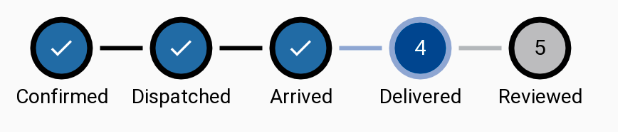
Set step count and current count.
Set different dimensions for circle radius, line length, line gap, stroke width, line width, text size of label (step count).
Set status data using
android:entriesChose a color mode i.e fill, stroke or both using
circleColorTypeStroke color (circle), fill color (circle), line color & label text color can be set differently for completed, current & incomplete states.
<params.com.stepview.StatusViewScroller
    android:layout_width="wrap_content"
    android:layout_height="wrap_content"
    app:stepCount="5"
    app:currentCount="4"
    app:drawLabels="true"
    android:entries="@array/status"
    app:circleColorType="fillStroke"
    app:lineGap="5dp"
    app:lineWidth="3dp"
    app:lineColor="@android:color/black"
    app:lineColorIncomplete="#B4B7BA"
    app:lineColorCurrent="#91A8D0"
    app:circleColor="#CC004B8D"
    app:circleColorCurrent="#004B8D"
    app:circleColorIncomplete="#BCBCBE"
    app:textColorLabels="@android:color/white"
    app:textColorLabelsCurrent="@android:color/white"
    app:textColorLabelsIncomplete="@android:color/black"
    app:circleStrokeWidth="4dp"
    app:circleStrokeColorCurrent="#91A8D0"
    app:textSizeLabels="15sp"
    app:completeDrawable="@drawable/ic_done_black_24dp" />
Some more customisations
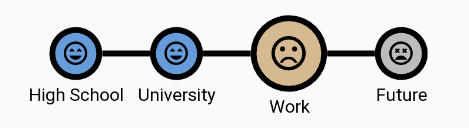
- Set a zoom value to your current step
- Set different drawables for completed, current & incomplete states.
    app:currentStepZoom="0.5"
    app:completeDrawable="@drawable/ic_satisfied_black_24dp"
    app:currentDrawable="@drawable/ic_dissatisfied_black_24dp"
    app:incompleteDrawable="@drawable/ic_very_dissatisfied_black_24dp"
Step status customisations

- Multiline Text Support: View automatically adjusts line length to make sure words or alphabets from one line do not crossover to next line.
However, If you want to strictly obey line length set
app:strictObeyLineLength= "true". - To add font to status simply refer to the font file from res/font directory.
- Ensure a minimum margin between status texts in case they are too close.
- Set top margin of a status text from its corresponding circle.
- Align all status at the same level in case, a zoom level is set to current step.
- Set text color to status.
    app:currentStepZoom="0.3"
    app:statusFont="@font/lekton_r"
    app:statusTopMargin="15dp"
    app:minStatusAdjacentMargin="5dp"
    app:alignStatusWithCurrent="true"
    app:textColorStatus="#000000"
Scrolling property
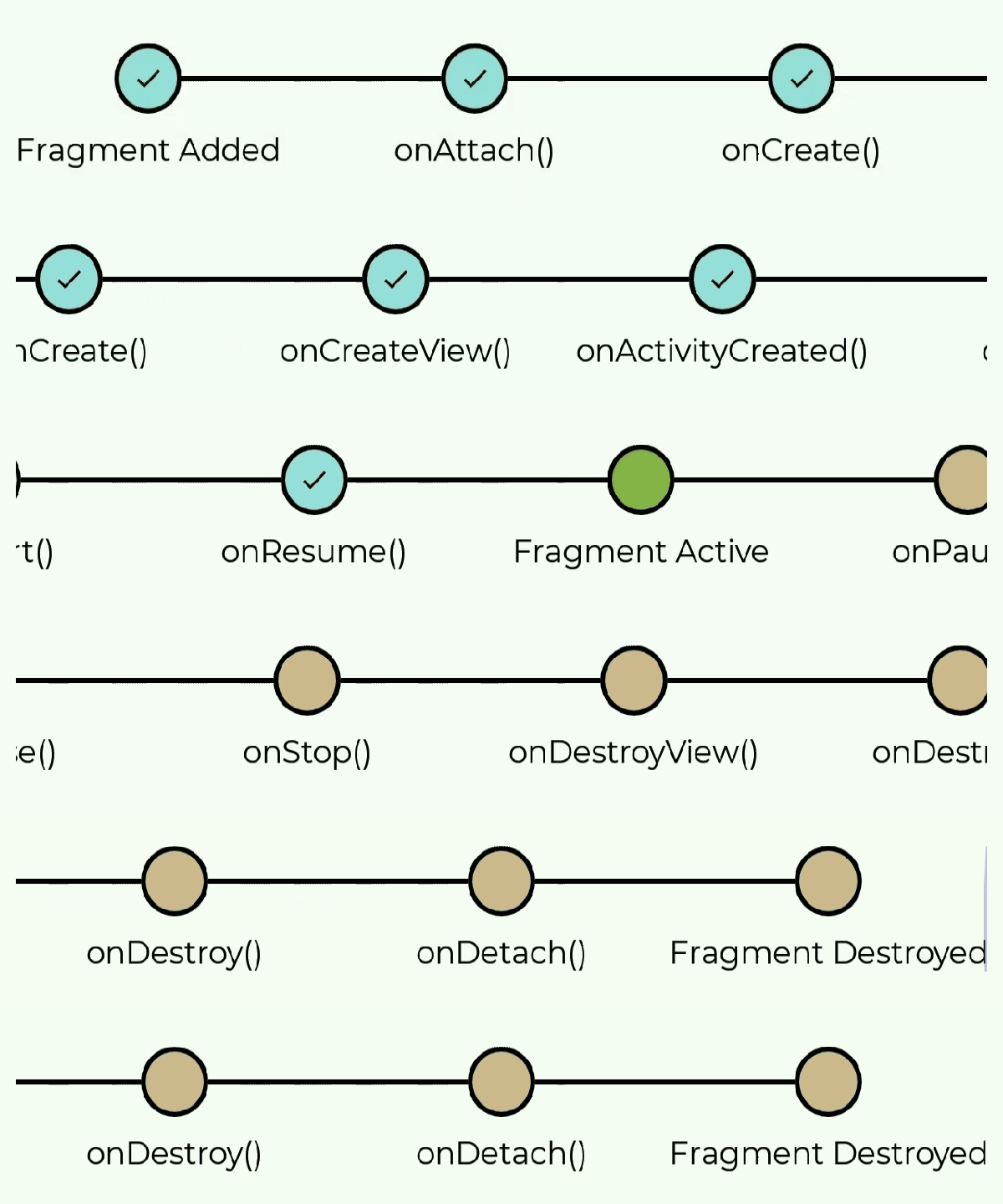
- The view can be scrolled if the content exceeds the available width.
- You can also scroll to a particular step by calling
statusViewScroller.scrollToStep(stepCount)
Changing properties at runtime
- You can also easily change any property at runtime as described below.
     statusViewScroller.statusView.run {
        currentCount = 2
        circleFillColorCurrent = Color.RED
     }