
ozankasikci/agent-sessions
ozankasikci/agent-sessions has 81 GitHub stars and 14 forks. GitHot measured 0 stars in 24 hours and 0 in 7 days. Last checked 2026-11-15 07:09 UTC. Last push 2026-11-05.
What you can do
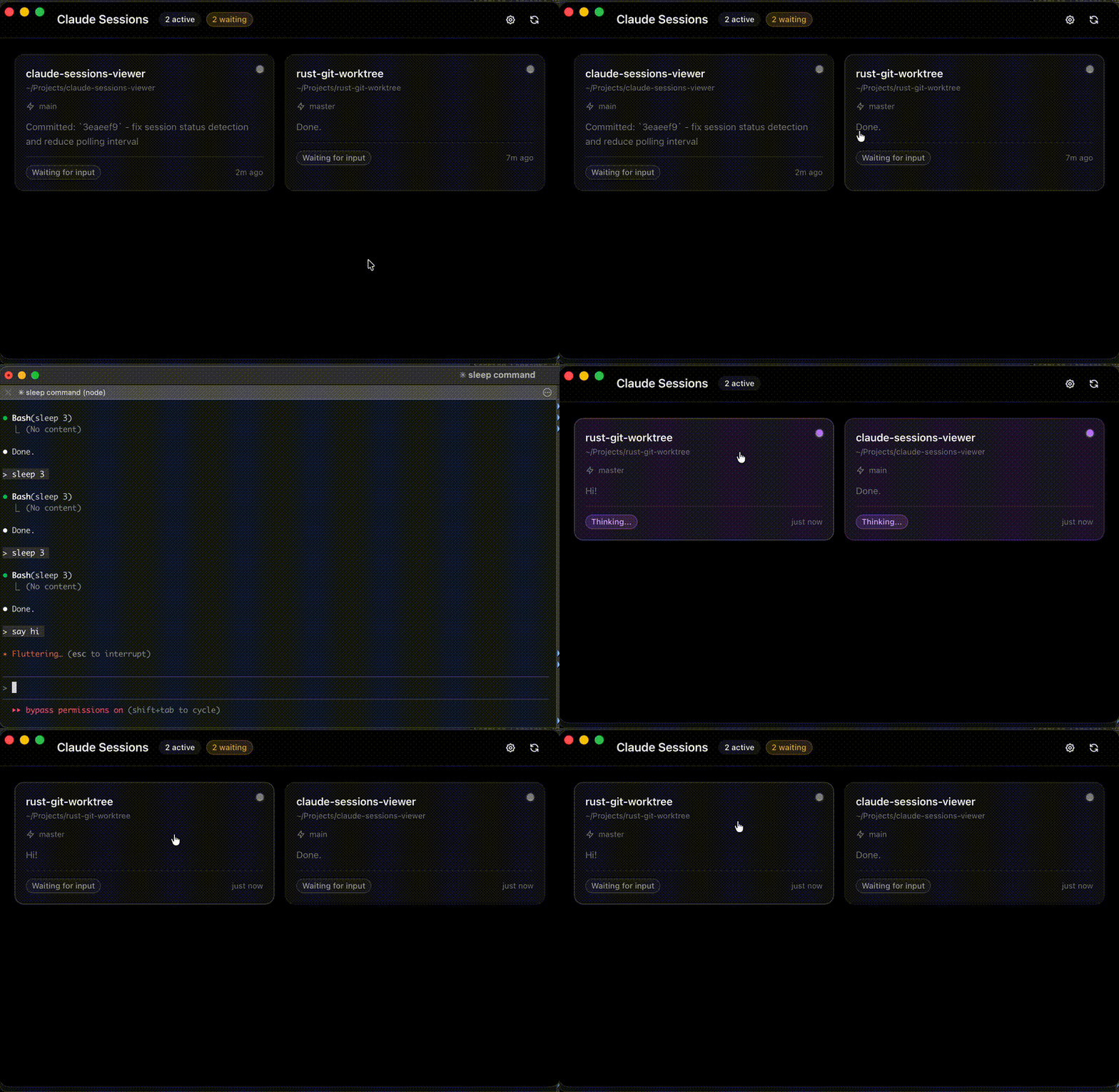
- View all active coding agent sessions in one place
- Real-time status detection (Thinking, Processing, Waiting, Idle)
- Global hotkey to toggle visibility (default: Ctrl+Space, configurable)
- Click to focus on a specific session's terminal
Measured star growth
- in 24h
- 0
- in 7 days
- 0
- in 15 days
- Collecting history
- in 1 month
- Collecting history
Net star changes over overlapping periods, not daily totals. Missing measurements are left blank. Stars measure attention, not software quality.
About
Agent Sessions is a desktop app for managing multiple AI agent sessions at once, written in Rust.
AIREADME.md
OriginalAgent Sessions



A macOS desktop app to monitor your AI coding agents in real-time.
Supported Agents
| Agent | Terminal (CLI) | Desktop app | IDE extension |
|---|---|---|---|
| Claude Code | ✅ claude |
✅ Claude app | ✅ |
| Codex | ✅ codex |
✅ Codex app | ✅ |
| Antigravity | ✅ agy |
⚠️ best effort | — |
| OpenCode | ✅ opencode |
— | — |
Sessions are read locally from each agent's own logs (nothing is sent anywhere):
- Claude Code:
~/.claude/projects/ - Codex:
~/.codex/sessions/YYYY/MM/DD/rollout-*.jsonl(or$CODEX_HOME) - Antigravity:
~/.gemini/antigravity-cli/brain/(or$ANTIGRAVITY_HOME) and~/.gemini/antigravity/brain/for the app - OpenCode:
~/.local/share/opencode/storage/
Terminal sessions are matched to their running process by working directory. Desktop apps host many conversations in one process, so while an app is running, its conversations active in the last 30 minutes are shown. The Antigravity app's own conversation store is an undocumented binary format; its sessions are inferred from the files it writes under brain/.
Features
- View all active coding agent sessions in one place
- Real-time status detection (Thinking, Processing, Waiting, Idle)
- Global hotkey to toggle visibility (default:
Ctrl+Space, configurable) - Click to focus on a specific session's terminal
- Custom session names (rename via kebab menu)
- Quick access URL for each session (e.g., dev server links)
Note: Currently supports macOS only with iTerm2 and Terminal. Support for other terminals coming soon.
Installation
Homebrew (recommended)
brew tap ozankasikci/tap
brew install --cask agent-sessions
DMG
Download the latest DMG from Releases.
Tech Stack
- Tauri 2.x
- React + TypeScript
- Tailwind CSS + shadcn/ui