
ovumcy/ovumcy-web
ovumcy/ovumcy-web has 139 GitHub stars and 14 forks. GitHot measured 0 stars in 24 hours and +5 in 7 days. Last checked 2026-11-17 01:57 UTC. Last push 2026-11-15.
What you can do
- Log the day-to-day: period days, flow intensity, symptoms, and free-form notes.
- Your own custom symptoms — create, rename, hide, or restore them, and past entries stay intact through all of it.
- Predictions for your next period, ovulation, fertile window, and cycle phase.
- Calendar and statistics views for spotting patterns over the longer term.
Measured star growth
- in 24h
- 0
- in 7 days
- +5
- in 15 days
- Collecting history
- in 1 month
- Collecting history
Net star changes over overlapping periods, not daily totals. Missing measurements are left blank. Stars measure attention, not software quality.
About
Self-hosted menstrual cycle tracker. Privacy-first, Docker-ready, beautiful. Track periods, predict cycles, own your health data.
Self-hostedREADME.md
Original

A menstrual cycle tracker you run yourself. Your data stays on your server.





Quick Start · Features · Screenshots · Self-hosting guide · ovumcy.com
Ovumcy is a menstrual cycle tracker you run on your own server. If the thought of your period dates, symptoms, and fertile-window estimates sitting on someone else's cloud makes you uneasy, this is for you: quick daily logging, cycle insights that are actually useful, and health data that stays on a machine you control.
- One service. A single Go binary or container with a server-rendered web UI, installable on a phone home screen.
- Your storage. SQLite out of the box; PostgreSQL when you want it.
- No strings. No vendor account, no analytics, no telemetry. CSV and JSON export whenever you like.
⭐ If Ovumcy is useful to you, star the repository. Ovumcy is under active development, and stars are how people looking for a private cycle tracker find it. More ways to help: Support the Project.
This README describes the current main branch. The latest tagged release is v2.0.0.
Contents
- Quick Start · Configuration
- Demo and Screenshots
- Why Ovumcy · Features · How Predictions Work
- Reminders & Notifications · Supported Languages
- Privacy and Security · Short FAQ
- Architecture · Operator CLI · Related Projects
- Development · Contributing · Support the Project
- Releases · License
Quick Start
Docker
mkdir -p ovumcy && cd ovumcy
curl -fsSL -o docker-compose.yml https://raw.githubusercontent.com/ovumcy/ovumcy-web/main/docker-compose.yml
curl -fsSL -o .env https://raw.githubusercontent.com/ovumcy/ovumcy-web/main/.env.example
# set SECRET_KEY in .env, or mount a secret file and set SECRET_KEY_FILE
docker compose up -d
Then open http://127.0.0.1:8080.
The compose file pulls the latest tagged release, ghcr.io/ovumcy/ovumcy-web:v2.0.0, from GHCR; no GitHub login is needed, and pull_policy: always keeps the tag fresh on every restart. The same image is mirrored to Docker Hub as docker.io/ovumcy/ovumcy-web under the same tags and at the same digest. Tagged releases from v0.7.1 onward publish under these names. :latest names the newest stable release (a pre-release tag never moves it); :main is the moving pre-release channel built from the tip of main, signed the same way but not a release, so pin a release tag for anything you rely on. To run a different tag, set OVUMCY_IMAGE in .env or on the command line:
OVUMCY_IMAGE=ghcr.io/ovumcy/ovumcy-web:v2.0.0 docker compose up -d
The base compose file binds to loopback. For a deliberate LAN or private-network bind, set HOST_BIND_ADDRESS in .env to a specific private IP you control; only compose reads it. Inside the container the server listens on PORT on every IPv4 interface, which the port publish needs, so leave LISTEN_ADDRESS unset under compose.
For production-style setups:
- put Ovumcy behind a reverse proxy with the examples in docs/self-hosted.md instead of exposing
8080directly; - for Postgres, start from docs/examples/postgres/docker-compose.yml and docs/examples/postgres/.env.example;
- choose one storage engine per deployment: there is no SQLite-to-Postgres migration tool yet.
Upgrading an existing install to v2.0.0 or later? Take the new compose file first. The new image expects the
ovumcy_fencevolume at/app/fence, and the new compose files forward.envkeys an older copy silently ignored (REGISTRATION_MODEamong them), so values already sitting in.envtake effect at the first start. Follow the Safe Upgrade Procedure.
Verify the image before running it (recommended)
Every published image is Cosign-signed (keyless, via GitHub Actions OIDC — no long-lived signing key), carries a SLSA build-provenance attestation, and ships an SBOM attached at build time. Verifying a tagged release needs cosign and the gh CLI:
# 1. Cosign signature — pins the signer identity (this workflow) and the OIDC issuer
cosign verify \
  --certificate-identity-regexp '^https://github\.com/ovumcy/ovumcy-web/\.github/workflows/docker-image\.yml@refs/tags/v' \
  --certificate-oidc-issuer https://token.actions.githubusercontent.com \
  ghcr.io/ovumcy/ovumcy-web:v2.0.0

# 2. SLSA build provenance (GitHub attestation)
gh attestation verify oci://ghcr.io/ovumcy/ovumcy-web:v2.0.0 --repo ovumcy/ovumcy-web

# 3. SBOM attached at build time
docker buildx imagetools inspect ghcr.io/ovumcy/ovumcy-web:v2.0.0 --format '{{ json .SBOM }}'
The Docker Hub mirror answers to the same checks: substitute docker.io/ovumcy/ovumcy-web for the GHCR name. The mirror is a copy of the signed manifest, not a second build; it is signed on Docker Hub itself by the same workflow identity over the same digest, and the release workflow refuses to report the mirror published until it has run the signature check above against Docker Hub. Details: SECURITY.md.
The v2.0.0 tag is mutable and pull_policy: always re-pulls it on every restart, so a one-time check does not by itself guarantee later restarts run the same bytes. To pin the exact image you verified, set OVUMCY_IMAGE to its digest instead of the tag:
# Resolve the digest of the tag you just verified, then pin it in .env:
docker buildx imagetools inspect ghcr.io/ovumcy/ovumcy-web:v2.0.0 --format '{{ .Manifest.Digest }}'
# .env → OVUMCY_IMAGE=ghcr.io/ovumcy/ovumcy-web@sha256:<digest>
An untagged, unsigned digest can exist in the GHCR package, and it is safe to ignore. The release workflow pushes the image by digest, scans every platform, and only then signs and tags it. When the scan refuses, or a step between the push and the signature fails, that digest stays in the public package: no tag, no signature, still pullable by digest, and printed in the failed run's log. Nothing you are told to run resolves to it — every command above names a tag, every tag the workflow writes points at a signed digest, and the Cosign check in step 1 fails on a digest that was never signed. It is kept rather than deleted on purpose: deleting it would need delete rights over the whole package inside the publish job — a delete:packages token, or the Admin role for this repository's GITHUB_TOKEN on the package — and either would let a compromised publish step delete signed releases too, a larger risk than an unsigned digest that verification already refuses.
From source
A binary started this way listens on PORT (default 8080) on every IPv4 interface. Set LISTEN_ADDRESS to one IP address, such as 127.0.0.1 or ::1, to listen on that address alone, or to :: to listen on every IPv4 and IPv6 interface; filter IPv6 in the host firewall before you do. HOST_BIND_ADDRESS has no effect outside compose.
Requirements:
- Go 1.27.3+
- Node.js 22+
git clone https://github.com/ovumcy/ovumcy-web.git
cd ovumcy-web
npm ci
npm run build
export SECRET_KEY="$(node -e "console.log(require('crypto').randomBytes(32).toString('hex'))")"
go run ./cmd/ovumcy
Or keep the secret in a readable file and point SECRET_KEY_FILE at that path:
export SECRET_KEY_FILE=/absolute/path/to/ovumcy-secret.txt
go run ./cmd/ovumcy
PowerShell:
$env:SECRET_KEY = node -e "console.log(require('crypto').randomBytes(32).toString('hex'))"
go run ./cmd/ovumcy
$env:SECRET_KEY_FILE = "C:\\path\\to\\ovumcy-secret.txt"
go run ./cmd/ovumcy
Up and running? A ⭐ on the repository helps others find Ovumcy.
Demo and Screenshots

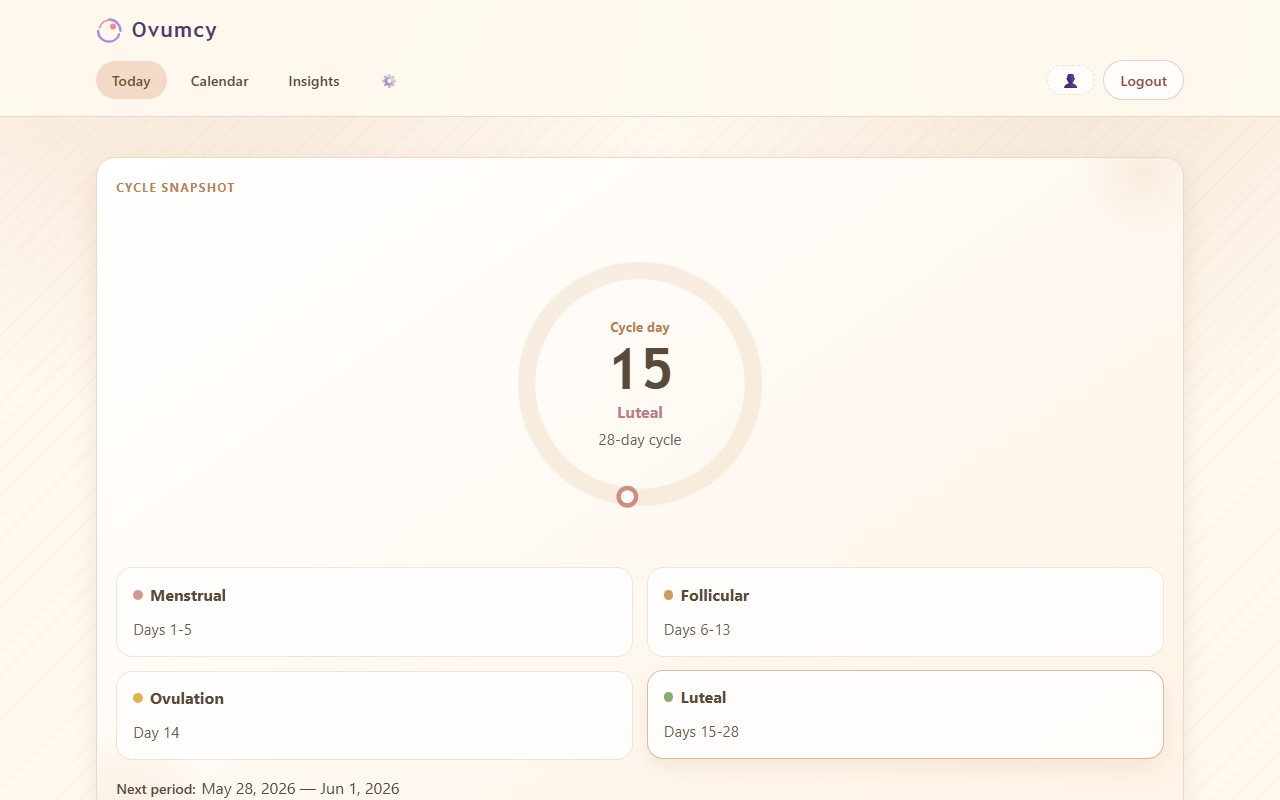
| Check today at a glance | Review the month |
|---|---|
 |
 |
| Export what you need | Use a comfortable dark theme |
 |
 |
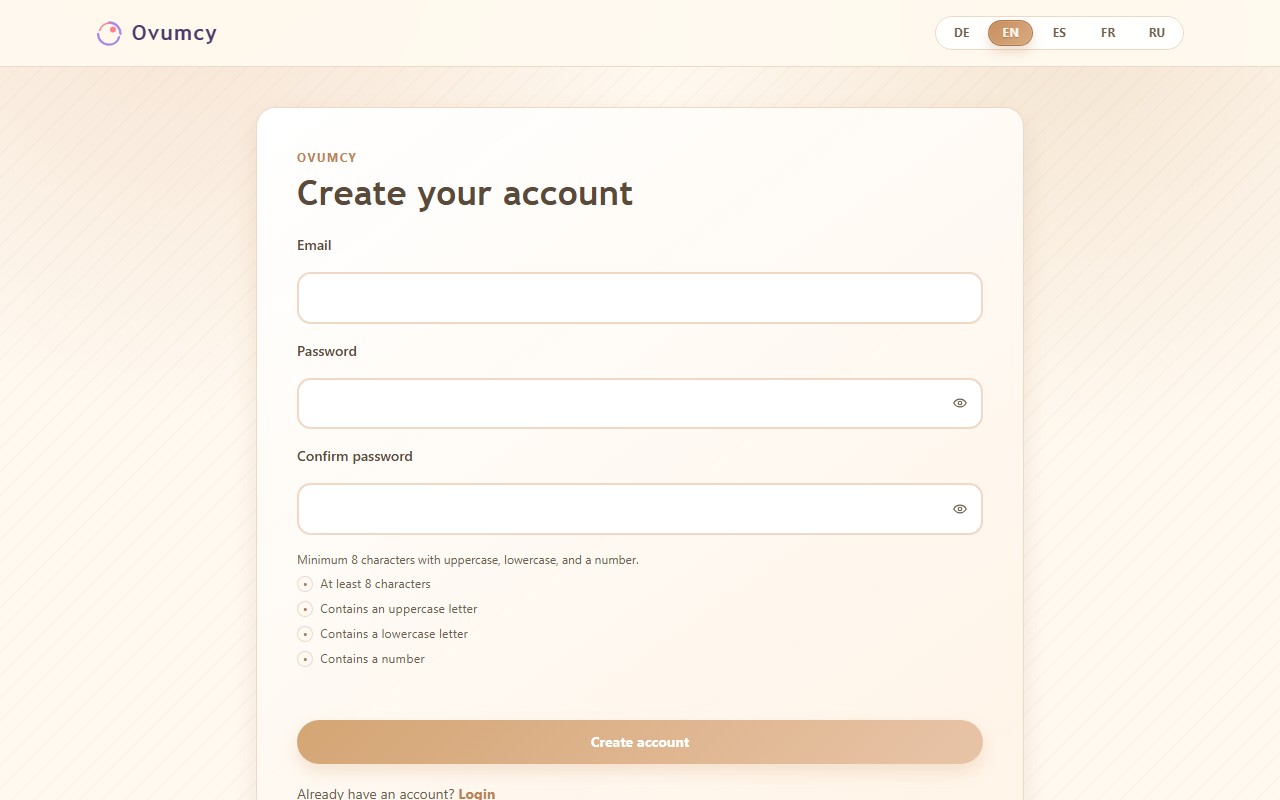
| Get started quickly | Install it on a phone |
 |
 |
The privacy-safe hero demo asset pack, including the mobile install prompt capture contract, lives in docs/hero-demo.md.
Why Ovumcy
Most cycle tracking apps start by asking you to sign up for a cloud account, then lean on analytics and third-party services you never really see.
Ovumcy goes the other way. You host it yourself, so the sensitive parts — your cycle history, your symptoms — stay with you. In return you get simple daily tracking and cycle insights that genuinely help, without handing your health data to anyone.
The table compares broad product models rather than specific brands, since privacy, export, and telemetry policies shift too often between apps to pin to names.
| Capability | Ovumcy | Local-first app | Cloud-first tracker |
|---|---|---|---|
| Self-hosted by the user or operator | :white_check_mark: | Device-local | :x: |
| No vendor account required | :white_check_mark: | :white_check_mark: | :x: |
| Multi-device browser access | :white_check_mark: | :x: | :white_check_mark: |
| No telemetry or ad trackers by product default | :white_check_mark: | Varies | Varies |
| Open data export | :white_check_mark: | Varies | Varies |
| Operator-controlled storage | :white_check_mark: | Device-only | :x: |
Ovumcy trades single-device simplicity for self-hosted control, operator-managed storage, and browser access from any device.
Features
- Log the day-to-day: period days, flow intensity, symptoms, and free-form notes.
- Your own custom symptoms — create, rename, hide, or restore them, and past entries stay intact through all of it.
- Predictions for your next period, ovulation, fertile window, and cycle phase.
- Calendar and statistics views for spotting patterns over the longer term.
- Reminders, three ways: an in-app dashboard banner, webhook reminders to your own self-hosted ntfy/Gotify endpoint, and a private, read-only calendar (
.ics) subscription. - Install it to your phone's home screen — a web app manifest and install prompt, no service worker or offline cache.
- CSV and JSON export — for backups, for moving your data, or just for looking back.
- Optional OIDC sign-in in hybrid or SSO-only mode, with guarded owner auto-provision and provider logout.
- Optional TOTP two-factor authentication for owner sign-in, working with any RFC 6238 authenticator app (Google Authenticator, 1Password, Aegis, and the like).
- Speaks English, Russian, Spanish, French, German, and Italian.
- Runs self-hosted, either via Docker or as a single Go binary.
How Predictions Work
Ovumcy works out ovulation, the fertile window, and your next period from the dates you log. There are no sensors and no hormone readings involved; it is calendar math, and the model is deliberately simple:
- Your next period is your last period start plus your typical cycle length (the median of your recent cycles).
- Ovulation is counted back from there. The luteal phase, from ovulation to the next period, is treated as about 14 days by default — and refined toward your own value when your temperature or cervical-mucus entries allow — so ovulation lands near cycle length minus the luteal length.
- The fertile window is the six days ending on ovulation day, since sperm can survive a few days and the egg about one.
These are estimates, not medical advice and not a form of contraception, and they get less reliable for irregular cycles.
The full algorithm, with every constant and edge case, is in docs/cycle-prediction.md. The worked examples there are checked by reference tests, so the doc and the code stay in sync. You can read how a prediction is made and check it against the numbers yourself.
Reminders & Notifications
Ovumcy can surface an upcoming period or ovulation estimate through three self-hosted channels, all driven by the same prediction and the same owner-configurable lead time:
- In-app dashboard banner — shown automatically; the owner sets how many days ahead it appears (0–14, default 3) from Settings.
- Webhook reminders — the owner points Settings at their own webhook endpoint (a self-hosted ntfy, Gotify, or similar instance); delivery runs via the
ovumcy notifyCLI on your own schedule (cron, systemd timer, Docker one-shot, Task Scheduler) or an optional built-in daily scheduler, off by default (REMINDER_SCHEDULER_ENABLED). - Calendar (.ics) subscription — the owner generates a private, read-only subscribe URL from Settings, shown once, for any calendar app that supports "subscribe by URL."
Every reminder — banner, webhook payload, and calendar feed alike — carries the same medical-safety framing as the rest of the app: these are estimates, not medical advice or a method of contraception.
Full setup steps, exact environment variables, and the CLI reference are in docs/notifications.md.
Supported Languages
| Language | Code |
|---|---|
| English | en |
| Russian | ru |
| Spanish | es |
| French | fr |
| German | de |
| Italian | it |
All six are full first-party UI localizations. Operators set the instance default with DEFAULT_LANGUAGE (any code above); users switch language from the UI without changing deployment defaults.
Privacy and Security
- No analytics, ad trackers, or remote telemetry, and no outbound network calls in the default configuration. Outbound traffic only happens when an owner opts into it: the server talks to the configured identity provider when OIDC is enabled, and to the owner's own webhook endpoint when webhook reminders are configured. Nothing is ever sent to the Ovumcy project, and no egress happens that the owner did not configure; see docs/security/data-handling.md for the canonical egress statement.
- First-party cookies only; see docs/security/cryptography.md for the full inventory and attributes.
- Data stays on infrastructure you control: SQLite by default, Postgres through the official example stacks.
- Automated security checks cover CodeQL, gosec, Trivy filesystem/container scans, and CycloneDX SBOM generation in GitHub Actions.
- Every published image is signed and attested; see Verify the image under Quick Start.
The security documentation index, the threat model, and the test-enforcement matrix are in SECURITY.md. If you found a security issue, see its Reporting a Vulnerability section.
Short FAQ
Does Ovumcy require a cloud account?
No — you run it yourself, on your own server, with no vendor account in the middle.
Where is the data stored?
On the server you deploy Ovumcy to. SQLite is the default and works out of the box; PostgreSQL is there when you want it for a more involved setup. Nothing leaves that server unless you switch it on yourself: the optional webhook reminders POST the predicted dates to a URL you choose, and a calendar app you subscribe to the .ics feed fetches those dates wherever it runs — onto Google's or Apple's servers if that is where your calendar lives.
Does Ovumcy use analytics or ad trackers?
No. No analytics, no ad trackers, no telemetry baked in.
Can I export my data?
Yes, and easily. Export to CSV or JSON whenever you like, so your records are always yours to take elsewhere. See docs/export.md for the exact JSON shape, CSV columns, and stability contract.
Is there an HTTP API specification?
Yes. The canonical JSON surface lives at /api/v1/* and is described in docs/openapi.yaml (OpenAPI 3.1). /api/v1/* is the stable contract for external clients and wrappers — see CONTRIBUTING.md for the API Stability Contract. Building a wrapper? Start with GET /api/v1/users/current to confirm the session subject, then branch on the documented status code plus error_detail.category for error handling.
Do I need technical knowledge to install Ovumcy?
Not much. If you're comfortable with the basics of Docker, the quick start will get you there — the repository ships a docker-compose.yml with working defaults, so you're not starting from a blank page.
Is Ovumcy a medical product?
No. Ovumcy provides estimates and logs based on recorded data. It is not a medical device and should not be treated as diagnostic or treatment advice.
Period and fertile-window predictions in particular are statistical estimates derived from the cycle data you log. They are not a contraceptive method, a fertility treatment, or a substitute for medical care. Use a medically appropriate method when you need one.
Configuration
Most self-hosted setups only need a small set of variables:
TZ=UTC
DEFAULT_LANGUAGE=en
REGISTRATION_MODE=open
# Set one secret source before first start. SECRET_KEY wins if both are set.
SECRET_KEY=
# SECRET_KEY_FILE=/run/secrets/ovumcy_secret_key
PORT=8080
HOST_BIND_ADDRESS=127.0.0.1
COOKIE_SECURE=false

DB_DRIVER=sqlite
DB_PATH=data/ovumcy.db
# DATABASE_URL=postgres://ovumcy:[email protected]:5432/ovumcy?sslmode=disable

TRUST_PROXY_ENABLED=false
PROXY_HEADER=X-Forwarded-For
TRUSTED_PROXIES=127.0.0.1,::1
The essentials:
- Always set a strong secret through
SECRET_KEYorSECRET_KEY_FILE; the file path must be readable by the running process, which for Docker means a path inside the container. DEFAULT_LANGUAGEacceptsen,ru,es,fr,de, andit.REGISTRATION_MODEisopenorclosed; useclosedfor pre-provisioned or otherwise operator-restricted internet-facing instances where self-service sign-up must stay disabled.- Set
COOKIE_SECURE=truewhen serving over HTTPS, and enableTRUST_PROXY_ENABLEDonly behind a trusted reverse proxy. HOST_BIND_ADDRESS=127.0.0.1keeps the base compose path local. It is a compose setting, not an app setting: the binary ignores it. The app setting isLISTEN_ADDRESS, the IP address the binary listens on when run outside a container: unset, it listens onPORTon every IPv4 interface;127.0.0.1or::1keeps it on loopback;::adds every IPv6 interface.AUDIT_LOG_ENABLEDis off by default. Flip it totrueonly while investigating a specific incident: the resulting stream containsuser_idand is as sensitive as the database. See docs/security/logging.md.- Keep database storage persistent, whether that is a SQLite volume/bind mount or operator-managed Postgres storage. Postgres requires
DATABASE_URL.
Beyond the essentials:
- Every variable, with defaults and comments: .env.example.
- Rate limits (
RATE_LIMIT_*): each limiter has a ceiling it cannot be widened past, let alone switched off; an out-of-range value is logged at boot and the default is used. Policy and ranges: SECURITY.md › Rate Limits. - OIDC / SSO (
OIDC_*): optional,hybridoroidc_onlylogin modes, requires HTTPS plusCOOKIE_SECURE=true. A verified email claim matching an existing local account does not link automatically; linking needs a password-confirmed step-up or the operator CLI. Setup, the account-linking contract, and the provider compatibility matrix (Keycloak, authentik, Authelia, Pocket ID, Dex, ZITADEL): docs/oidc.md. - Deployment, reverse proxies, backups, restores, upgrades, Postgres: docs/self-hosted.md.
Architecture
Browser / Mobile Home Screen
            |
            v
   Reverse Proxy (optional)
            |
            v
       Ovumcy Server
            |
            v
SQLite (default) / PostgreSQL (advanced)
- Browser UI: server-rendered HTML templates with HTMX, plain JavaScript, and Tailwind CSS, plus mobile home-screen install support.
- Go application: a single service on Fiber and GORM that handles routing, templates, i18n, and domain logic.
- Storage: SQLite is the baseline default; Postgres is an advanced self-hosted option.
- Deployment: one binary or container, typically behind a reverse proxy.
For the internal layering, trust boundaries, and request lifecycle, see docs/architecture.md.
Operator CLI
The binary includes a small local-only CLI for account provisioning, audit, removal, and emergency password reset. Treat it as operator-only access from a shell on the instance, never as remote administration.
go run ./cmd/ovumcy users create [email protected]
printf '%s' "$OWNER_PASSWORD" | go run ./cmd/ovumcy users create [email protected]
go run ./cmd/ovumcy users list
go run ./cmd/ovumcy users delete [email protected]
go run ./cmd/ovumcy users delete [email protected] --yes
go run ./cmd/ovumcy users delete --id 7
go run ./cmd/ovumcy users set-email --id 7 [email protected]
go run ./cmd/ovumcy reset-password [email protected]
go run ./cmd/ovumcy reset-password --id 7
go run ./cmd/ovumcy reset-password --full [email protected]
go run ./cmd/ovumcy repair symptom-names
users create <email>provisions an owner account, so an install script can set an instance up without opening registration, signing up, then closing it again. Run it once per person for household self-hosting: each owner's data stays isolated byuser_id.--skip-if-existsmakes re-runs idempotent (an existing email is skipped, never overwritten). The password never touches argv or the environment: an interactive terminal prompts twice with echo disabled, piped stdin supplies it as the first line. No recovery code is printed unless you pass--show-recovery-code, so none leaks into install logs; underOIDC_LOGIN_MODE=oidc_onlynone is issued at all, so run the command with the server's environment. No health data passes through provisioning; each owner completes onboarding on first sign-in.users listprints a minimal audit table:id,email,role, display name, onboarding state, and creation time.users delete <email>|--id <id>removes the account together with its health data, after an explicitDELETEconfirmation that quotes the stored address, id, and role — unless--yesis given. An address matching more than one row is refused, naming the ids; retry with--id.users set-email --id <id> <email>re-homes one account to a new address. It is the repair for an account whose stored email predates strict sign-in normalization and can no longer be signed in to or addressed by email; it validates the new address under the sign-in rule, refuses one another account already answers to, leaves the health record untouched, and bumpsauth_session_versionbecause the address is the login identity. Runbook: docs/self-hosted.md.reset-password <email>|--id <id>prompts for a new password, validates it against the password policy, writes its bcrypt hash, and atomically bumpsauth_session_versionso every existing session is invalidated. Use it when an owner has lost both their password and their recovery code.--idexists for the same legacy-row reason asset-email, and an ambiguous address is refused rather than resolved to whichever row the database returns first.--fullis the compromise-recovery form: the same write also clears two-factor sign-in and the recovery code and unlinks every OIDC identity, so nothing an intruder enrolled or linked survives the reset.notifyruns one webhook reminder pass and is meant to be scheduled (cron, systemd timer, Docker one-shot, Task Scheduler), not run continuously;REMINDER_SCHEDULER_ENABLEDruns the same pass in-process instead.webhook show|set <email>inspects or configures an owner's webhook settings from the shell, the same settings the Settings page writes; it has no--idform and refuses an ambiguous address. Both: docs/notifications.md.repairlists the offline data repairs the binary carries; each inspects and reports by default and changes nothing until--apply. Unlike every other subcommand it opens the database without applying migrations, because it exists for the case where a migration is refusing to run — which also stops the server, so there is no application to fix the data in. Today it carriessymptom-names, for an account holding two symptoms under the same name. Runbook: docs/self-hosted.md.
Running the CLI against the shell-free container, and which subcommands need the server's restore fence: docs/self-hosted.md.
Related Projects
This repository is the self-hosted all-in-one web application and server: one server, a browser UI reachable from any device. Two sibling projects cover the other shapes:
ovumcy-app— the local-first mobile client for iOS and Android. Choose it for an on-device experience.ovumcy-sync-community— optional self-hosted encrypted sync for the mobile app. Add it only when the app needs self-hosted backup, restore, or multi-device sync.
Development
Common commands from the repository root:
# scoped past node_modules/, where a vendored JS dep ships a .go file;
# -timeout 30m raises Go's 10-minute PER PACKAGE default, which internal/api
# outruns on a dev host (see TESTING.md)
go test ./cmd/... ./internal/... ./migrations/... ./scripts/... ./web/... -timeout 30m
npm run build
go run ./cmd/ovumcy
Project structure:
cmd/ovumcy- application entrypoint and runtime bootstrapinternal/api- HTTP transport, handlers, and response mappinginternal/services- domain logicinternal/db- persistence and migrationsweb/- templates, JavaScript, and CSS assets
CI runs staticcheck, go vet, tests, and the frontend build on pull requests and on the merge queue's validation of the commit that lands.
The post-merge run on main deliberately skips that work — the queue already proved this exact commit — and executes only the work the queue does not: the cross-browser e2e, image-smoke and Postgres-smoke lanes, and the image publish.
Dedicated security workflows run CodeQL plus gosec, govulncheck, Trivy filesystem/container scanning, and publish a CycloneDX image SBOM artifact for each scan run.
Beyond plain unit and integration tests, the suite uses property-based tests, native fuzzing, reference-vector tests for the cycle math, and mutation testing to verify the tests themselves catch real bugs. See TESTING.md for the full quality and security approach.
Contributing
See CONTRIBUTING.md. For bugs and feature requests, open a GitHub issue.
Support the Project
Ovumcy is free, has no ads or trackers, and keeps growing release by release. If it is useful to you:
- Star the repository ⭐ — it is the simplest way to help others find the project.
- Report bugs and share ideas in GitHub Issues.
- Help with translations — see Supported Languages and CONTRIBUTING.md.
- Tell a friend who wants a cycle tracker that keeps their data at home.
Want to support Ovumcy with a donation? Crypto options (Bitcoin, Monero, USDT, Ethereum) are on ovumcy.com/support. If none of them works for you, write to [email protected].
Releases
- Latest tagged release:
v2.0.0. - Release notes are published via GitHub Releases and CHANGELOG.md.
- Product planning lives in GitHub Issues and the
Ovumcy Roadmapproject board. This README describes functionality that exists today, not roadmap items.
License
Copyright (C) 2026 Ovumcy Contributors.
Ovumcy is licensed under AGPL v3. See LICENSE for the full text of the license.
If you run a modified version of Ovumcy as a network service, section 13 of the license obliges you to make the complete source code of that version available to its users.
Third-party software redistributed with the built application (e.g. htmx) is listed with its license in THIRD_PARTY_LICENSES.md.