
overdrivenpotato/rust-psp
overdrivenpotato/rust-psp has 831 GitHub stars and 46 forks. GitHot measured 0 stars in 24 hours and -1 in 7 days. Last checked 2026-11-09 21:58 UTC. Last push 2026-10-30.
Rust on PSP. Panic and allocation support. Access PSP system libraries.
What you can do
- PSP system library support
- panic = "unwind" support
- Macro-based VFPU assembler
- Full 3D graphics support (faster than PSPSDK in some cases!)
Measured star growth
- in 24h
- 0
- in 7 days
- -1
- in 15 days
- Update delayed
- in 1 month
- Update delayed
Net star changes over overlapping periods, not daily totals. Missing measurements are left blank. Stars measure attention, not software quality.
README.md
Originalrust-psp
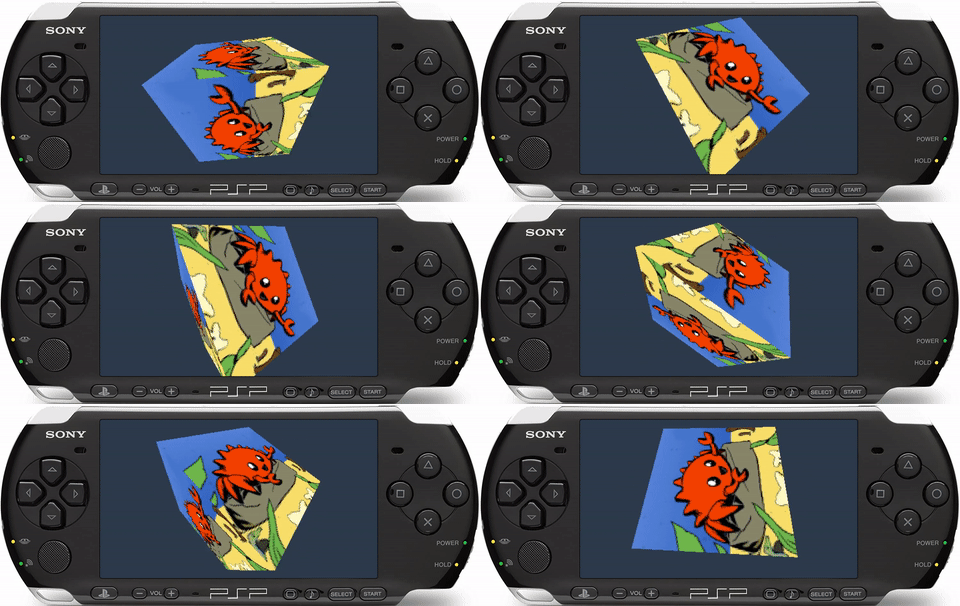


A library for building full PSP modules, including both PRX plugins and regular homebrew apps.
#![no_std]
#![no_main]

psp::module!("sample_module", 1, 1);

fn psp_main() {
    psp::enable_home_button();
    psp::dprintln!("Hello PSP from rust!");
}
See examples directory for sample programs.
What about PSPSDK?
This project is a completely new SDK, with no dependency on the original C/C++ PSPSDK. It aims to be a complete replacement, with more efficient implementations of graphics functions, and the addition of missing libraries.
Features / Roadmap
-
coresupport - PSP system library support
-
allocsupport -
panic = "unwind"support - Macro-based VFPU assembler
- Full 3D graphics support (faster than PSPSDK in some cases!)
- No dependency on PSPSDK / PSPToolchain
- Reach full parity with user mode support in PSPSDK
- Port definitions to
libccrate - Add support for creating kernel mode modules
- Add
stdsupport - Automatically sign EBOOT.PBP files to run on unmodified PSPs
- Implement / reverse undiscovered libraries
Dependencies
To compile for the PSP, you will need a Rust nightly version equal to or
later than 2026-08-26 and the rust-src component. Please install Rust using
https://rustup.rs/
Use the following if you are new to Rust. (Feel free to set an override manually per-project instead).
$ rustup default nightly && rustup component add rust-src
You also need cargo-psp installed:
$ cargo install cargo-psp
Running Examples
Enter one of the example directories, examples/hello-world for instance, and
run cargo psp.
This will create an EBOOT.PBP file under target/mipsel-sony-psp/debug/
Assuming you have a PSP with custom firmware installed, you can simply copy this
file into a new directory under PSP/GAME on your memory stick, and it will
show up in your XMB menu.
.
└── PSP
    └── GAME
        └── hello-world
            └── EBOOT.PBP
If you do not have a PSP, we recommend using the PPSSPP emulator. Note that graphics code is very sensitive so if you're writing graphics code we recommend developing on real hardware. PPSSPP is more relaxed in some aspects.
Advanced usage: PRXEncrypter
If you don't have a PSP with CFW installed, you can manually sign the PRX using
PRXEncrypter, and then re-package it using pack-pbp.
Advanced usage: PSPLink
If you have the PSPSDK installed and have built a working copy PSPLink manually,
you can also use psplink and pspsh to run the .prx under
target/mipsel-sony-psp/debug/ if you prefer. Refer to the installation and
usage guides for those programs.
Debugging
Using the latest version of psplink and psp-gdb from the pspdev github organization (psplinkusb v3.1.0 and GNU gdb (GDB) 11.0.50.20210718-git or later), Rust types are fully supported, providing a rich debugging experience. Enable debug symbols in your release binaries
Cargo.toml
[profile.release]
debug = true
and follow the instructions in part 6 of the PSPlink manual
Usage
To use the psp crate in your own Rust programs, add it to Cargo.toml like
any other dependency:
[dependencies]
psp = "x.y.z"
In your main.rs file, you need to setup a basic skeleton like so:
#![no_std]
#![no_main]

// Create a module named "sample_module" with version 1.0
psp::module!("sample_module", 1, 0);

fn psp_main() {
    psp::enable_home_button();
    psp::dprintln!("Hello PSP from rust!");
}
Now you can simply run cargo psp to build your EBOOT.PBP file. You can also
invoke cargo psp --release to create a release build.
If you would like to customize your EBOOT with e.g. an icon or new title, you
can create a Psp.toml file in the root of your project. Note that all keys are
optional:
title = "XMB title"
xmb_icon_png = "path/to/24bit_144x80_image.png"
xmb_background_png = "path/to/24bit_480x272_background.png"
xmb_music_at3 = "path/to/ATRAC3_audio.at3"
More options can be found in the schema defintion here.
error[E0460]: found possibly newer version of crate ...
If you get an error like this:
error[E0460]: found possibly newer version of crate `panic_unwind` which `psp` depends on
 --> src/main.rs:4:5
  |
4 | use psp::dprintln;
  |     ^^^
  |
  = note: perhaps that crate needs to be recompiled?
Simply clean your target directory and it will be fixed:
$ cargo clean
Explore related projects
ytdl-org/youtube-dl
Command-line program to download videos from YouTube.com and other video sites
141,527 starsexcalidraw/excalidraw
Virtual whiteboard for sketching hand-drawn like diagrams
135,396 starsgodotengine/godot
Godot Engine – Multi-platform 2D and 3D game engine
119,942 starsmrdoob/three.js
JavaScript 3D Library.
117,983 stars