
osmanuygar/sqlatte
osmanuygar/sqlatte has 32 GitHub stars and 1 forks. GitHot measured 0 stars in 24 hours. Last checked 2026-11-09 00:29 UTC. Last push 2026-11-02.
AI-powered natural language to SQL and Governed Data Layer for AI Agents and Analysts
Measured star growth
- in 24h
- 0
- in 7 days
- Update delayed
- in 15 days
- Update delayed
- in 1 month
- Update delayed
Net star changes over overlapping periods, not daily totals. Missing measurements are left blank. Stars measure attention, not software quality.
README.md
OriginalSQLatte ☕

The Governed Data Layer for AI Agents and Analysts
Every query — human or AI-generated — passes through the same access controls, validation, and audit pipeline.



What is SQLatte?
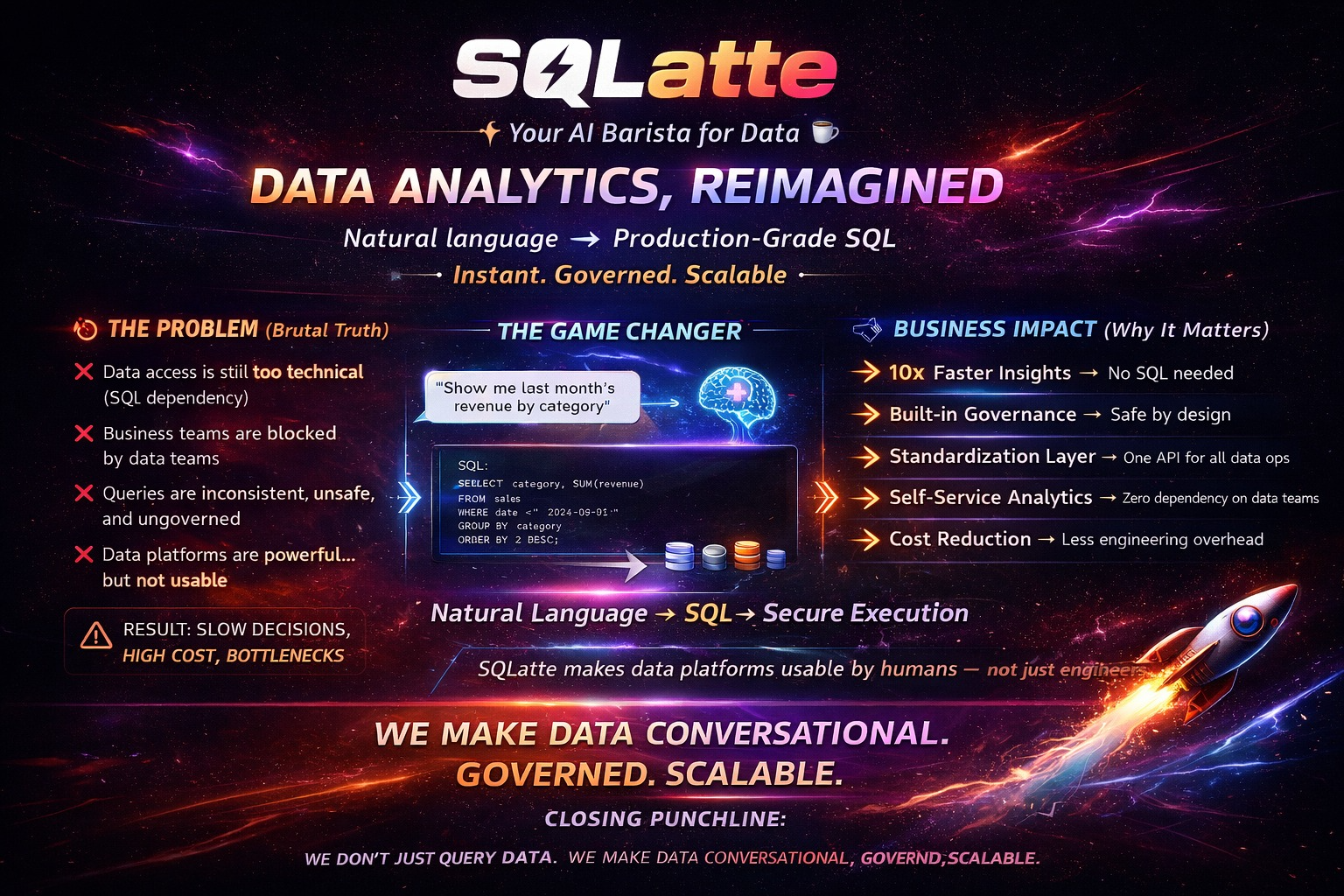
Most teams give AI assistants raw database credentials. SQLatte sits in between: short-lived tokens, schema-scoped access, full audit trail, one-click revocation. Analysts get a chat interface; AI agents get MCP tools. Both go through the same validation and audit pipeline.
The core guarantee: whether a query is typed by a human or generated by an AI agent, it goes through the same intent detection → SQL generation → validation → audit trail. There is no separate, unaudited path for AI agents.
Who is This For?
- Data teams running Trino, BigQuery, or Postgres who want analysts asking questions in plain English instead of filing SQL tickets
- Platform and security teams who need governed, audited AI agent access to the data warehouse without distributing raw credentials
- SaaS builders embedding a conversational data interface into their product via the embeddable widget or multi-tenant auth plugin
Architecture
┌─────────────────────────────────────────────────────────────┐
│                     Frontend Layer                          │
│  • Chat Interface  • Admin Panel  • Embeddable Widgets     │
└────────────────────┬────────────────────────────────────────┘
                     │
┌────────────────────▼────────────────────────────────────────┐
│                   API Layer (FastAPI)                       │
│  • Query Routes  • Admin Routes  • Analytics  • Scheduler  │
└────────────────────┬────────────────────────────────────────┘
                     │
┌────────────────────▼────────────────────────────────────────┐
│              Core Processing Layer                          │
│  • Intent Detection  • SQL Generation  • Query Execution   │
│  • Insights Engine  • Dashboard Generator                   │
└────────────────────┬────────────────────────────────────────┘
                     │
┌────────────────────▼────────────────────────────────────────┐
│         Database Provider Factory                           │
│  (Trino │ PostgreSQL │ MySQL │ BigQuery)                   │
└─────────────────────────────────────────────────────────────┘
Every request — whether from the chat UI, an embedded widget, or an MCP client — executes through the same pipeline. There is no separate path for AI agents.
🔌 MCP Server — AI Agent Gateway
SQLatte is a native MCP server. Any MCP-compatible client — Claude Desktop, Claude Code, or a custom agent — gets controlled, audited access to your data warehouse without holding raw credentials.
- Short-lived tokens tied to specific catalogs and schemas
- Every generated query validated before execution
- Every call logged with token counts and source (UI / widget / MCP)
- One-click revocation — no credential rotation needed
pip install mcp httpx
Network Mode — SSE (No local Python required)
Enable in config.yaml to serve MCP over HTTP. Users connect with just a URL — no local script or Python installation needed.
mcp:
  sse:
    enabled: true
{
  "mcpServers": {
    "sqlatte": {
      "url": "http://your-sqlatte-server:8000/mcp/sse",
      "headers": { "x-mcp-token": "<token>" }
    }
  }
}
Claude Desktop doesn't speak HTTP/SSE directly — bridge it with mcp-remote:
{
  "mcpServers": {
    "sqlatte": {
      "command": "npx",
      "args": [
        "mcp-remote@latest",
        "http://your-sqlatte-server:8000/mcp/sse",
        "--header",
        "x-mcp-token: <token>",
        "--allow-http"
      ]
    }
  }
}
--allow-http is only needed for plain HTTP endpoints — drop it once the server is behind TLS.
Multiple users connect to the same server concurrently — each connection is isolated by token.
Network Mode — Streamable HTTP (Microsoft Copilot Studio)
Some clients — notably Microsoft Copilot Studio — only speak the newer Streamable HTTP transport, not SSE. Enable it alongside (or instead of) SSE; both can run at the same time and share the same tools, token auth, masking rules and audit trail:
mcp:
  sse:
    enabled: true
  streamable_http:
    enabled: true
The endpoint is POST /mcp/http. It is stateless — every request carries the token and is validated on its own, so revoking a token takes effect on the next call.
Copilot Studio: add an MCP tool with server URL https://your-sqlatte-server/mcp/http, authentication API key, type Header, header name x-mcp-token. Pick End user credentials so each user connects with their own token (per-user audit trail and daily limits); Maker-provided credentials shares one token — and one audit identity — across everyone. Copilot Studio connects from Microsoft's cloud, so the URL must be reachable from the internet over HTTPS. With OAuth enabled, pick authentication OAuth 2.0 instead and point it at your Entra ID app — users sign in with their own account, no SQLatte token to hand out.
Network Mode — OAuth (Entra ID / Keycloak)
/mcp/sse and /mcp/http can also accept OAuth Bearer tokens from an external identity provider (Entra ID, Keycloak, any OIDC provider). SQLatte is only the resource server: the IdP issues the access token, SQLatte validates it against the IdP's JWKS (signature, iss, aud, exp, required scopes). Since a JWT carries no database connection, users are mapped to a DB profile by their groups/roles claim:
mcp:
  auth:
    methods: [token, oauth]        # default [token]; [oauth] disables API tokens on these endpoints
    oauth:
      issuer: "https://login.microsoftonline.com/<tenant-id>/v2.0"   # Keycloak: https://<host>/realms/<realm>
      audience: "api://<app-client-id>"
      required_scopes: [mcp.access]
      group_profiles:              # first match wins, then default_profile; no match → 403
        - group: "<entra-group-object-id>"
          profile: marketing
      default_profile: null
      db_profiles:                 # same shape as the top-level "database:" section
        marketing:
          provider: trino
          trino: { host: trino.example.com, port: 443, user: ..., password: ..., catalog: hive, schema: marketing }
Clients find the IdP on their own: a request without credentials gets 401 with WWW-Authenticate: Bearer resource_metadata="…", pointing at the RFC 9728 metadata served at /.well-known/oauth-protected-resource. The full option list (JWKS URL, username/groups claims, resource_url behind a proxy, …) is in config/config.yaml.example.
- Entra ID: set
"accessTokenAcceptedVersion": 2in the app manifest — otherwise tokens carry the v1 issuer (https://sts.windows.net/<tenant>/) and fail theisscheck. Thegroupsclaim holds group object IDs, not names. - Per-token daily query limits apply to SQLatte API tokens only, not to OAuth users.
Local Mode — stdio (Default)
Option A — API Token (Recommended)
Keeps real database credentials out of MCP config. Generate a token from the SQLatte UI; it stores the connection details server-side.
1. Generate a token:
Login to SQLatte → open the chat widget → click 🔑 API Tokens → Generate. Copy the token (shown only once).
2. Add to Claude config:
{
  "mcpServers": {
    "sqlatte": {
      "command": "python3",
      "args": ["/path/to/sqlatte/sqlatte_mcp_server.py"],
      "env": {
        "SQLATTE_URL": "http://localhost:8000",
        "SQLATTE_TOKEN": "<token>"
      }
    }
  }
}
Token TTL is configurable (24h default). By default each token carries the catalog/schema chosen at sign-in. With plugins.auth.enable_discovery_tokens: true (Trino only), the token screen drops the catalog/schema picker entirely — sign-in is username/password only, and every token is instead scoped by the server's allowed_catalogs (see Configuration), letting an agent query and describe any table across every allowed catalog instead of being locked to one.
Option B — Username / Password (Legacy)
{
  "mcpServers": {
    "sqlatte": {
      "command": "python3",
      "args": ["/path/to/sqlatte/sqlatte_mcp_server.py"],
      "env": {
        "SQLATTE_URL": "http://localhost:8000",
        "TRINO_HOST": "your-trino-host",
        "TRINO_PORT": "443",
        "TRINO_USER": "your-username",
        "TRINO_PASSWORD": "your-password",
        "TRINO_CATALOG": "hive",
        "TRINO_SCHEMA": "default",
        "TRINO_HTTP_SCHEME": "https"
      }
    }
  }
}
Available tools: ask_database (natural language → SQL → results), list_tables, get_schema, and discover_tables (Trino only, cross-catalog table/column search by partial name — opt-in via plugins.auth.enable_discovery_tokens: true, off by default). With discovery enabled, a catalog-less token's list_tables and ask_database/get_schema are all automatically scoped to allowed_catalogs — list_tables returns fully-qualified catalog.schema.table names across every allowed catalog instead of erroring for having no default one.
Field Masking
Sensitive columns can be masked before results reach the AI agent. Rules are managed in the Admin Panel under MCP Masking — no code or restart required. Three strategies:
| Strategy | Example output |
|---|---|
hash |
a3f8bc2d1e4f9a07 (SHA-256, 16-char — groupable) |
partial |
j**@company.com |
redact |
[REDACTED] |
Field patterns support wildcards (*email*, *_phone). Rules can be toggled on/off individually.
🚀 Features
Core Analytics
- Task-Based LLM Routing — Different models for different tasks (intent detection, SQL generation, insights) to balance cost and accuracy
- Conversation Memory — Context-aware follow-up questions
- Multi-Table JOINs — Automatic relationship detection
- Query History & Favorites — Save and replay queries
- SQL Syntax Highlighting — Code display with copy functionality
- CSV Export — Export results to spreadsheet format
Semantic Layer
Transform raw table names into business-friendly metadata that improves AI SQL accuracy:
- Business-Friendly Names — "Customer Master" instead of
cust_tbl_v2 - Automatic JOINs — Define relationships once; the AI uses them automatically
- Calculated Metrics — Centralized business logic so every query uses the same definition of "revenue"
- Auto-Discovery — Scan database and get instant entity suggestions
- Visual Admin UI — Browser-based entity, relationship, and metric builder
- Enhanced AI Context — Richer metadata produces more accurate SQL
Dashboard System
- Auto Chart Generation — Line, bar, pie charts from query results
- Metric Cards — KPI displays with automatic formatting
- Chart Configuration — Customize chart types and settings
- Dashboard Persistence — Save dashboards to PostgreSQL or in-memory
- One-Click Refresh — Re-run queries and update visualizations
AI Insights Engine
- Context-Aware Analysis — Considers temporal patterns (daily, weekly, monthly)
- Trend Detection — Growth, decline, anomaly identification
- Smart Recommendations — Actionable insights from your data
- Flexible Modes —
llm_only,statistical_only, orhybrid - Query-Specific Context — Insights tailored to your question
BigQuery Ops Console
Operational automation for BigQuery environments, accessible at /ops-agent:
- Cost Analysis — Identify expensive queries, forecast monthly spend, analyze storage compression, detect unpartitioned tables, compare on-demand vs flat-rate billing
- Security Audits — Find public datasets, review table permissions, audit service account usage
- Performance Diagnostics — Surface slow queries, data skew, slot saturation, full table scans, partition recommendations
- Governance — Track unused tables and recent table access
- AI Insights — Optional AI-generated findings per operation, configurable via
ops_insights_generationinconfig.yaml - Multi-Project Support — Switch between GCP projects at runtime
- Cost Alarms — Schedule threshold-based alarms with cron triggers, email and Jira notifications, and test-on-demand
ops_agent:
  enabled: true
  ai_insights: true
  ai_insights_max: 5
  config:
    projects:
      - project_id: "my-project"
        region: "europe-west1"
        credentials_path: "/path/to/service-account.json"
Audit Logs
Every LLM call is recorded for observability and cost tracking:
- Full Tracing — Logs intent detection, SQL generation, chat, and insights calls with input/output token counts
- Filtering — Filter by session, intent type, date range, or user
- Summary Stats — Aggregated token usage and call counts
- CSV Export — Download audit data for billing or compliance analysis
- Widget Source Tracking — Distinguishes calls from default UI, auth widget, and MCP
Query Scheduler
- Flexible Scheduling — Hourly, daily, weekly, monthly, or custom cron
- Email Delivery — Automated report distribution with CSV/Excel/HTML attachments
- AI-Generated Insights — Include analysis in scheduled reports
- Execution History — Track all scheduled query runs
- Rate Limiting — Prevent runaway execution and manage API costs
Security & Access Control
- SQL Injection Protection — Multi-layer validation with risk scoring and admin override for high-risk queries
- Credential Isolation — Database credentials stored server-side; MCP clients hold tokens, not passwords
- Session-Based Auth — Token-based authentication for admin endpoints
- Optional LDAP / Active Directory Login — Admin panel and the SQLatte Assistant can require LDAP auth instead of (or as a fallback to) local credentials
- Multi-Tenant Support — Per-user database connections via auth plugin
- Catalog/Schema Restrictions — Limit user access to specific databases
- Rate Limiting — Configurable per-minute and per-hour request caps
Admin Panel
Access at /admin:
- Dashboard — Overview, stats, quick actions
- Prompts — Edit AI behavior (intent, personality, SQL generation, insights)
- Tables — View database schema
- Semantic Layer — Entity/relationship/metric builder (5 sub-tabs)
- Email & SMTP — Email configuration
- Scheduler — Scheduled query management
- Insights — Insights engine settings
- Ops Agent — BigQuery Ops Console toggles and cost alarm configuration
- Export — Configuration export formats
- History — Configuration change log
- Snapshots — Backup and restore
- Audit Logs — LLM call history with token usage, filterable by widget source
- MCP Masking — Field-level masking rules for MCP responses (hash / partial / redact, wildcard patterns, per-rule toggle)
- LDAP / SSO — Configure LDAP/Active Directory auth for admin login and the Assistant login gate
Hot Reload — all changes apply immediately without restart.
Embeddable Widgets
Two variants for different use cases:
- Standard Widget (
sqlatte-badge.js) — Public analytics interface - Auth Widget (
sqlatte-badge-auth.js) — User-specific database connections for multi-tenant SaaS
📦 Quick Start
1. Installation
git clone https://github.com/osmanuygar/sqlatte.git
cd sqlatte
pip install -r requirements.txt
2. Configuration
Copy the template and edit it:
cp config/config.yaml.example config/config.yaml
config/config.yaml is gitignored (it'll hold real credentials) — only
config.yaml.example is tracked. Edit the copy:
# ============================================
# LLM CONFIGURATION
# ============================================
llm:
  provider: "anthropic"  # anthropic | gemini | vertexai
  anthropic:
    api_key: "sk-ant-your-key-here"
    model: "claude-sonnet-4-20250514"
    max_tokens: 4096

# ============================================
# DATABASE CONFIGURATION
# ============================================
database:
  provider: "trino"  # trino | postgresql | mysql | bigquery
  trino:
    host: "your-trino-host.com"
    port: 443
    user: "your-username"
    password: "your-password"
    catalog: "hive"
    schema: "default"
    http_scheme: "https"

# ============================================
# TASK-BASED LLM ROUTING (Optional)
# ============================================
# Use cheaper/faster models for simple tasks
model_routing:
  enabled: true
  tasks:
    intent_detection:
      provider: "anthropic"
      model: "claude-haiku-3-5-20241022"
      max_tokens: 500

    sql_generation:
      provider: "anthropic"
      model: "claude-sonnet-4-20250514"
      max_tokens: 4096

    insights:
      provider: "anthropic"
      model: "claude-sonnet-4-20250514"
      max_tokens: 2000

    chat:
      provider: "anthropic"
      model: "claude-haiku-3-5-20241022"
      max_tokens: 1000

# ============================================
# FEATURES (All Optional)
# ============================================
analytics:
  enabled: false  # Set true for PostgreSQL query history

scheduler:
  enabled: false  # Set true for scheduled queries
  timezone: "UTC"

email:
  enabled: false  # Set true for real email delivery
  smtp:
    host: "smtp.gmail.com"
    port: 587
    user: "[email protected]"
    password: "your-app-password"
    from_name: "SQLatte Analytics"

insights:
  enabled: true
  mode: hybrid  # llm_only | statistical_only | hybrid
  max_insights: 3

# ============================================
# CONFIGURATION DATABASE (Optional)
# ============================================
config_db:
  enabled: false  # Enable for runtime config persistence
  type: "postgresql"
  postgresql:
    host: "localhost"
    port: 5432
    database: "sqlatte_config"
    user: "postgres"
    password: "password"

# ============================================
# PLUGINS (Optional)
# ============================================
plugins:
  auth:
    enabled: false  # Enable for multi-tenant auth
    session_ttl_minutes: 480
    max_workers: 40
    db_provider: "trino"
    db_host: "trino_hostname"
    db_port: 443
    allowed_catalogs: []  # Empty = allow all. Or per-catalog schemas:
    #   - name: "s3_access_logs"
    #     allowed_schemas: ["web"]
    allowed_schemas: []
    allowed_db_types: ["trino"]
    enforce_catalog_lock: true       # Trino only, on by default — see MCP Server section
    enable_discovery_tokens: false   # Trino only — catalog-less tokens scoped by allowed_catalogs; see MCP Server section
Note — no PostgreSQL init script. SQLatte doesn't ship an
init.sqlor migration step foranalytics.postgresql/config_db.postgresql. Each module creates its own tables on first connect (CREATE TABLE IF NOT EXISTS), so just point it at an existing database — the user just needsCREATE/CREATE TABLEprivileges on that database, no manual schema setup required.docker-compose.ymldoesn't provision a Postgres container either; bring your own instance and pass its connection details inconfig.yaml.
3. Run
# Development
python -m src.api.app

# Production (with Gunicorn) — keep -w 1. Sessions (auth_plugin.py's
# SessionManager, admin_auth.py) live in-memory, per-process; more than one
# worker splits that state and users get random "session expired" errors on
# whichever worker doesn't have theirs. Same reason k8s pins replicas: 1 —
# see docs/kubernetes-deployment.md#why-replicas-1. Don't raise this without
# first moving sessions to a shared store (Redis/Postgres).
gunicorn src.api.app:app -w 1 -k uvicorn.workers.UvicornWorker -b 0.0.0.0:8000
4. Access
- Main Interface: http://localhost:8000
- Admin Panel: http://localhost:8000/admin
- Widget Demo: http://localhost:8000/demo
- API Docs: http://localhost:8000/docs
🐳 Docker Deployment
Using Docker Compose (Recommended)
# 1. Edit config/config.yaml with your credentials
vi config/config.yaml

# 2. Start services
docker-compose up -d

# 3. Open browser
open http://localhost:8000
Using Dockerfile
# Build image
docker build -t sqlatte .

# Run container
docker run -d -p 8000:8000 \
  -e ANTHROPIC_API_KEY="sk-ant-your-key" \
  -e TRINO_HOST="your-trino-host" \
  -e TRINO_USER="username" \
  -e TRINO_PASSWORD="password" \
  --name sqlatte \
  sqlatte
Kubernetes
Manifests in k8s/ deploy SQLatte plus an in-cluster Postgres (StatefulSet) for analytics/config_db. Single replica by design — see docs/kubernetes-deployment.md for the architecture, deploy order, and why it doesn't scale past 1 replica yet.
🗄️ Supported Databases
| Database | Status | Configuration Required |
|---|---|---|
| ✅ Trino | Stable | host, port, catalog, schema |
| ✅ PostgreSQL | Stable | host, port, database, schema |
| ✅ MySQL | Stable | host, port, database |
| ✅ BigQuery | Stable | project_id, credentials |
Trino Configuration Example
database:
  provider: "trino"
  trino:
    host: "trino.example.com"
    port: 443
    user: "username"
    password: "password"
    catalog: "hive"
    schema: "default"
    http_scheme: "https"
PostgreSQL Configuration Example
database:
  provider: "postgresql"
  postgresql:
    host: "localhost"
    port: 5432
    database: "analytics"
    user: "postgres"
    password: "password"
    schema: "public"
BigQuery Configuration Example
database:
  provider: "bigquery"
  bigquery:
    project_id: "my-gcp-project"
    dataset: "analytics"
    location: "US"
    credentials_path: "/path/to/service-account.json"
    # OR: credentials_json: '{"type": "service_account", ...}'
🤖 Supported LLM Providers
| Provider | Models | Notes |
|---|---|---|
| ✅ Anthropic Claude | Opus, Sonnet, Haiku | Default; all models supported |
| ✅ Google Gemini | gemini-pro | Free tier available |
| ✅ Google Vertex AI | gemini-pro | Enterprise GCP |
🔌 Embedding in Your Website
Standard Widget (Public Analytics)
<!DOCTYPE html>
<html>
<body>
    <h1>My Website</h1>

    <!-- Load widget from SQLatte backend -->
    <script src="http://your-sqlatte-server:8000/static/js/sqlatte-badge.js"></script>

    <!-- Configure (optional) -->
    <script>
        window.addEventListener('load', () => {
            window.SQLatteWidget.configure({
                position: 'bottom-right',
                fullscreen: true,
                apiBase: 'http://your-sqlatte-server:8000'
            });
        });
    </script>
</body>
</html>
Auth Widget (User-Specific Connections)
<!DOCTYPE html>
<html>
<body>
    <h1>My SaaS Application</h1>

    <!-- Load auth widget -->
    <script src="http://your-sqlatte-server:8000/static/js/sqlatte-badge-auth.js"></script>

    <!-- Configure -->
    <script>
        window.addEventListener('load', () => {
            window.SQLatteAuthWidget.configure({
                position: 'bottom-left',
                fullscreen: true,
                apiBase: 'http://your-sqlatte-server:8000'
            });
        });
    </script>
</body>
</html>
CORS Configuration
If embedding on a different domain:
cors:
  allow_origins:
    - "https://your-website.com"
    - "http://localhost:3000"
  allow_credentials: true
  allow_methods: ["*"]
  allow_headers: ["*"]
📊 Usage Examples
Basic Query
User: "Show me top 10 customers by revenue this year"

SQLatte:
💡 Generated SQL:
SELECT customer_name, SUM(order_total) as revenue
FROM orders
WHERE YEAR(order_date) = YEAR(CURRENT_DATE)
GROUP BY customer_name
ORDER BY revenue DESC
LIMIT 10

📊 Results: [Interactive table with 10 rows]

🧠 Insights:
- Top customer generated $1.2M (23% of total revenue)
- Revenue concentration in top 3 customers indicates dependency risk
- Consider diversification strategy
Follow-up Question
User: "What about last year?"

SQLatte: [Automatically understands context, modifies WHERE clause]
Dashboard Creation
User: "Create a dashboard for this query"

SQLatte: [Generates line chart + metric cards + saves to favorites]
🎯 Advanced Configuration
Semantic Layer
Define business metadata once, use everywhere:
# Example: Define a "Customer" entity
Entity: customer_master
Display Name: Customer
Description: Core customer data
Columns:
  - cust_id (Primary Key)
  - full_name (Display Name: Customer Name)
  - registration_date
  - ltv (Display Name: Lifetime Value)

# Define relationship
Relationship: customer_to_orders
From: customer_master.cust_id
To: orders.customer_id
Type: one-to-many

# Define metric
Metric: total_revenue
SQL: SUM(orders.amount)
Description: Total revenue across all orders
Now ask: "Show me customers with high lifetime value"
SQLatte automatically:
- Uses "Customer" display name
- Finds the correct table (customer_master)
- Interprets "lifetime value" as the
ltvcolumn - Generates accurate SQL with proper column references
Query Scheduler
Schedule recurring reports:
Schedule Name: Weekly Revenue Report
Frequency: Weekly (Every Monday 9 AM)
Recipients: [email protected]
Format: Excel with AI insights
Task-Based Model Routing
Route each task to the right model to balance cost and accuracy:
intent_detection: claude-haiku   # fast, cheap — classifies intent only
sql_generation:   claude-sonnet  # more capable — generates the actual SQL
insights:         claude-sonnet  # analysis of results
chat:             claude-haiku   # conversational responses
Confirm Before Execute
Ask the user before running generated SQL, instead of just showing it or running it silently:
query:
  execute_generated_sql: false    # generate SQL without running it
  confirm_before_execute: true    # ...but ask the user first (Evet/Hayır) instead of only displaying it
  require_session: false          # require a logged-in session for the unauthenticated /query endpoint

bigquery:
  price_per_tb_usd: 6.25          # optional — adds a $ estimate next to the confirm prompt (BigQuery only)
Applies to the interactive Assistant and Authenticated Agent widgets only — programmatic access (MCP tools, API tokens) always executes immediately, since there's no one to click a confirmation button.
🏗️ Deployment
SQLatte is self-hosted — your data never leaves your own infrastructure. Docker and Docker Compose files are included for straightforward deployment.
For production:
- Run behind a reverse proxy (nginx, Caddy) with TLS termination
- Use Gunicorn with Uvicorn workers for concurrency
- Point
config_dbat a managed PostgreSQL instance for config persistence and audit log durability
🔐 Security
SQL Injection Protection
Multi-layer validation on every query:
- Keyword Blacklist — Block dangerous SQL patterns
- Syntax Validation — Parse and validate SQL structure
- Risk Scoring — Assign risk level to each query
- Admin Override — Manual approval for high-risk queries
Credential Isolation
Database credentials are stored server-side. MCP clients and embedded widgets authenticate with short-lived tokens — SQLatte API tokens, or OAuth access tokens from your identity provider — they never hold raw credentials. Revoking access means invalidating the token (or removing the user from the IdP group), not rotating passwords.
Encrypted Configuration Storage
Enable config_db (see Configuration) to move secrets out of the plaintext config.yaml file:
config_db:
  enabled: true
  type: "postgresql"
  encryption_key: "${CONFIG_DB_ENCRYPTION_KEY}"  # generate with Fernet.generate_key()
- Sensitive fields (
api_key,password,secret,token— LLM keys, warehouse credentials, SMTP password, analytics/audit DB password) are encrypted with Fernet before being written to Postgres. - The encryption key itself is meant to come from an environment variable, never committed to the file.
- Once bootstrapped, values stored in
config_dbtake priority overconfig.yaml— the file's copies can be blanked out or left stale, since the database is the live source of truth. Only theconfig_db.postgresqlconnection itself (and its encryption key) has to exist outside the database, as env vars.
Rate Limiting
rate_limiting:
  enabled: true
  requests_per_minute: 10
  requests_per_hour: 100
Multi-Tenant Auth Plugin
- User-specific credentials
- Catalog/schema restrictions per user
- Session management with TTL
- Thread-safe connection pooling
LDAP / Active Directory Login (Optional)
Disabled by default. When enabled, LDAP is used for admin login (tried first, falling back to admin.username/password if the directory is unreachable) and, optionally, an LDAP login gate in front of the SQLatte Assistant — which otherwise has no login at all.
ldap:
  enabled: true
  server: "ldaps://ldap.example.com:636"
  use_ssl: true
  # Direct bind (simplest — no service account needed):
  user_dn_template: "DOMAIN\\{username}"          # Active Directory
  # user_dn_template: "uid={username},ou=people,dc=example,dc=com"  # OpenLDAP
  # Or search+bind with a service account — see config.yaml.example

plugins:
  assistant_login:
    enabled: true   # require LDAP login before the Assistant can be used
    ttl_hours: 8
Both sections are also editable from the Admin Panel's LDAP / SSO tab, with optional persistence to config_db.
📈 Performance & Scalability
- Async Processing — FastAPI with async/await; thread pool for blocking operations
- Connection Pooling — Reusable database connections with automatic cleanup and thread-safe multi-user support
- Caching — Query result caching, dashboard persistence, session-based conversation memory
🤝 Contributing
Contributions welcome!
- Fork the repository
- Create feature branch (
git checkout -b feature/AmazingFeature) - Commit changes (
git commit -m 'Add AmazingFeature') - Push to branch (
git push origin feature/AmazingFeature) - Open Pull Request
📄 License
This project is licensed under the MIT License — see LICENSE file.
📧 Contact
- GitHub: @osmanuygar
- Project: https://github.com/osmanuygar/sqlatte
🙏 Acknowledgments
Built with:
- FastAPI — Modern Python web framework
- Anthropic Claude — AI-powered query generation
- Chart.js — Data visualization
- PostgreSQL — Data persistence
- Trino, BigQuery — Analytics engines
📚 Documentation
- Docs: Documentation
Explore related projects
affaan-m/ECC
The agent harness performance optimization system. Skills, instincts, memory, security, and research-first development for Claude Code, Codex, Opencode, Cursor and beyond.
300,179 starsNousResearch/hermes-agent
The agent that grows with you
262,046 starsmultica-ai/andrej-karpathy-skills
A single CLAUDE.md file to improve Claude Code behavior, derived from Andrej Karpathy's observations on LLM coding pitfalls.
231,314 starsfirecrawl/firecrawl
Supercharge your AI agents with data from the web and beyond. Building the library for superintelligence. 🔥
199,847 stars